Batchalign
Welcome to Batchalign. Batchalign is a audio and ML pipeline for producing and enriching CHAT transcripts. It supports transcription, forced alignment, morphotagging, utterance segmentation, translation, diarization, comparison, and the Batchalign desktop shell.
User Guides
User guides for getting started are available via the following links:
Installation
Batchalign is available in two variants: as an application or as an a command-line tool. Downloads for both versions follows:
GUI Application
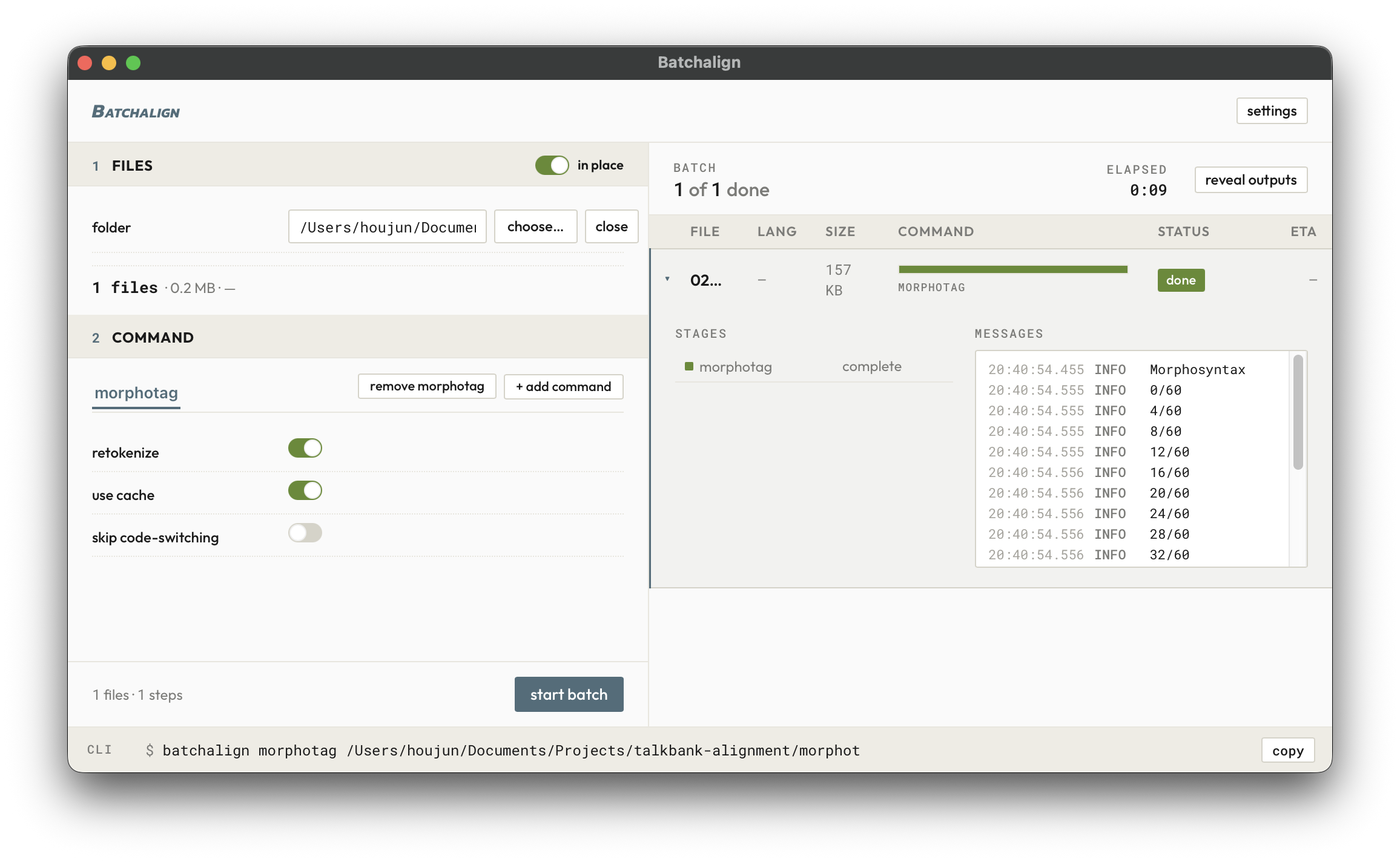
Press the blue rectangle corresponding to the operating system which you use to download the Batchalign application:
Finding the latest installers…
Terminal Interface (Advanced)
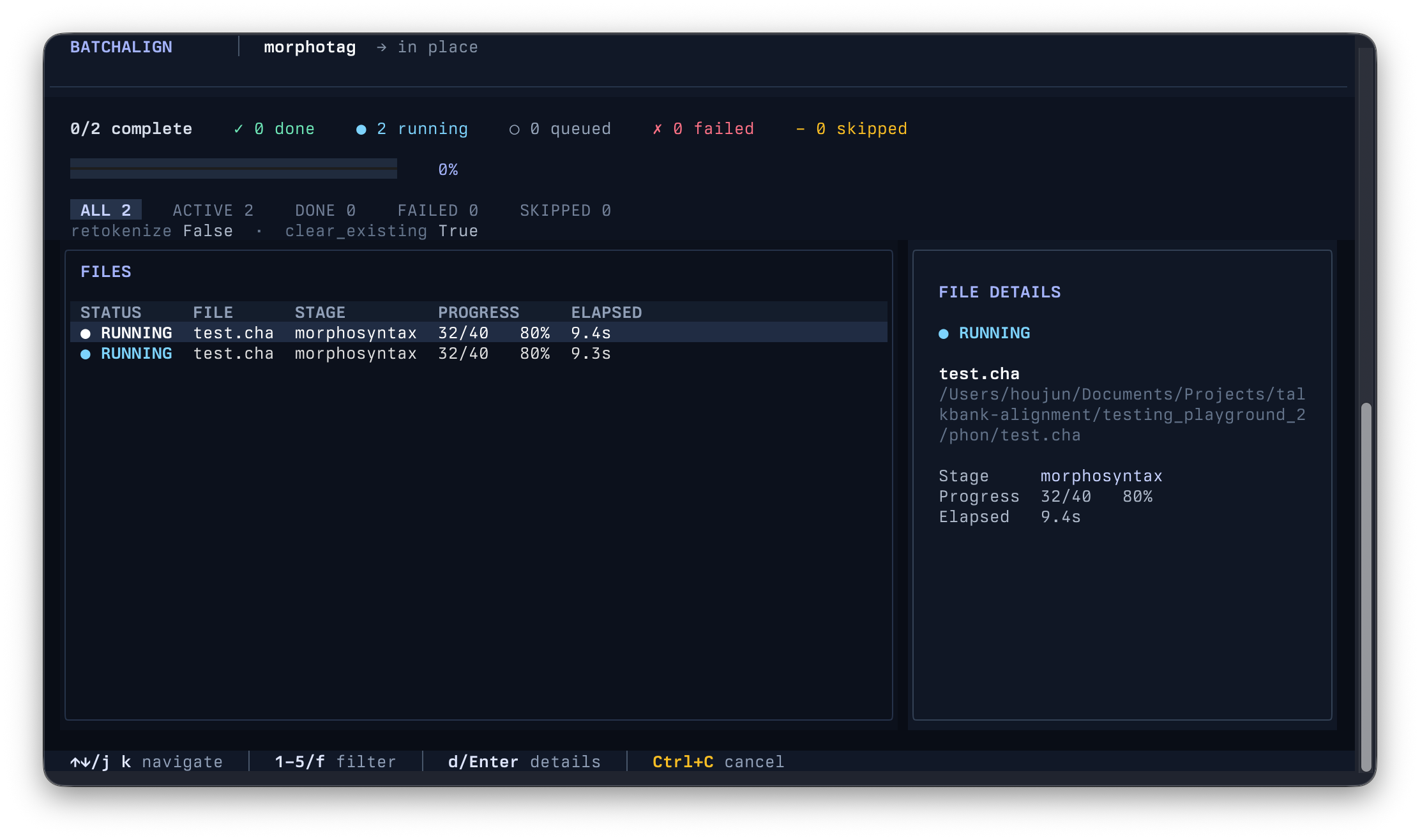
For the advanced terminal interface, the following scripts allows you to install Batchalign via uv.
On macOS or Linux:
curl -LsSf https://raw.githubusercontent.com/TalkBank/batchalign/main/bootstrap/bootstrap.sh | sh
On Windows, from PowerShell:
powershell -NoProfile -ExecutionPolicy Bypass -Command "Invoke-Expression ((Invoke-WebRequest -UseBasicParsing 'https://raw.githubusercontent.com/TalkBank/batchalign/main/bootstrap/bootstrap.ps1').Content)"
Batchalign documentation
Use Batchalign to transcribe recordings, align checked transcripts with audio, and add language analysis to CHAT files.
If you are new to Batchalign, begin with the Quick Start. It walks you through opening a command window and processing your first files.
| What you need | Start here |
|---|---|
| A guided first experience | Tutorials |
| Steps to complete a particular task | How-to guides |
| Exact commands, options, or data contracts | Reference |
| An understanding of how processing works | Explanation |
For common clinical and research workflows, the Batchalign guide helps you choose the next task. The sidebar also includes supporting CHAT-format, Chatter, CLAN, and editor material, grouped by the same kinds of help.
Batchalign documentation
Batchalign helps you turn conversation recordings into CHAT transcripts and add language analysis to transcripts you have checked.
Start here
If this is your first time using Batchalign, follow the Quick Start. It shows you how to open a command window, check your installation, and process a transcript. You do not need programming experience.
Choose what you need
| Your goal | Where to go |
|---|---|
| Learn by completing your first task | Tutorial: Quick Start |
| Install or update Batchalign | How to install Batchalign |
| Transcribe a recording | How to transcribe |
| Add grammatical analysis to a transcript | How to add morphology and grammar |
| Match a checked transcript to its recording | How to align |
| Solve a problem | Troubleshooting |
| Look up a command or option | CLI reference |
| Use Batchalign from Python | Python API reference |
| Understand processing speed and memory use | Performance explained |
| Understand what is reused on a repeat run | Caching explained |
| Understand the implementation | Pipeline architecture |
The documentation separates tutorials, how-to guides, reference, and explanation. Start with the kind of help you need; you do not need to read these pages in order.
Batchalign: tutorials
Learn by completing a guided task.
Quick Start
Status: Current Last updated: 2026-09-13
Install Batchalign with the command in the TalkBank/batchalign README.
1. Open a command window
- macOS: Open Terminal. Apple explains where to find it.
- Windows: Open the Start menu, type
PowerShell, and select PowerShell. Microsoft’s PowerShell guide includes startup help. - Linux: Open the Terminal application from your applications menu. On many systems, Ctrl-Alt-T opens it directly.
2. Check the installation
Paste this command and press Enter:
batchalign --help
If Batchalign prints a list of commands, it is ready.
3. Process a file or folder
This example adds %mor and %gra tiers to every CHAT file in a folder:
batchalign morphotag "/Users/me/Documents/My Corpus"
In PowerShell, a Windows path looks like this:
batchalign morphotag "C:\Users\me\Documents\My Corpus"
Batchalign accepts either one CHAT file or a folder. Use quotation marks around
paths containing spaces. Unless you specify an output folder, morphotag
updates the files in place.
Before you start
Model downloads: The first use of a backend may download its models. Download size and startup time depend on the backend and language. Later runs reuse model files from disk.
Caching: Batchalign saves text and audio backend results in a local LMDB cache. Repeat runs can reuse matching results, although startup and file processing still take time. See Caching for details.
Basic command shape
batchalign [GLOBAL OPTIONS] COMMAND [COMMAND OPTIONS] [PATHS...]
- Global options go before the command.
- Most processing commands use
-o/--outfor a destination directory. - Omitting
-o/--outmeans in-place processing when the command supports it.
Transcribe audio to CHAT
batchalign transcribe ~/recordings/ -o ~/transcripts/ --lang eng
To use the local OpenAI Whisper package instead of the default Rev.AI engine:
batchalign transcribe ~/recordings/ -o ~/transcripts/ \
  --engine openai --lang eng
To use a local Whisper model:
batchalign transcribe ~/recordings/ -o ~/transcripts/ \
  --engine whisper --lang eng
Align transcripts against audio
batchalign align ~/corpus/ -o ~/aligned/
Common useful flags:
batchalign align ~/corpus/ -o ~/aligned/ --engine whisper
batchalign align ~/corpus/ -o ~/aligned/ --utr-engine whisper
Add morphosyntactic analysis
batchalign morphotag ~/corpus/ -o ~/tagged/
Useful variants:
batchalign morphotag ~/corpus/ -o ~/tagged/ --retokenize
batchalign morphotag ~/corpus/ -o ~/tagged/ --keep-existing
Verbosity
batchalign align ~/corpus/ -o ~/aligned/
batchalign -v align ~/corpus/ -o ~/aligned/
batchalign -vv align ~/corpus/ -o ~/aligned/
batchalign -vvv align ~/corpus/ -o ~/aligned/
Next steps
- Batchalign Desktop (Experimental) — in-repo GUI shell status and scope
- CLI Reference
- Performance
- Rev.AI Integration
- Python API
Chatter: tutorials
Learn by completing a guided task.
Quick Start
Status: Current Last updated: 2026-05-11 17:25 EDT
This page gets you from zero to productive with chatter in five minutes.
Install chatter first if you haven’t already.
Validate a CHAT file
Check a single transcript for errors:
chatter validate transcript.cha
If the file is valid:
✓ transcript.cha is valid
If there are problems, you’ll see rich diagnostics with the exact location and a stable error code. For example, an utterance missing its terminator:
  × error[E304]: Expected terminator not found (line 6, column 1)

 6 │ *CHI:	hello world

  help: Add a terminator at the end: Standard (. ? !), Interruption (+... +/.)
Every error code (E304, E705, etc.) links to
documentation with fix guidance.
Validate an entire corpus
Point chatter at a directory — it walks recursively, validates in parallel,
and caches results:
chatter validate corpus/
The interactive TUI shows progress and lets you browse errors per file.
Use --format json for machine-readable output, or --quiet for CI
(exit code 1 on errors).
Run an analysis
chatter reimplements the CLAN command surface across validation,
analysis, transform, and format-converter categories. A handful of
legacy NLP commands (the trie-and-rule MOR/POST/MEGRASP family) are
deliberately not implemented — they emit a clear error pointing at
Batchalign for the neural replacement. See the
CLAN command status matrix
for the authoritative per-command counts and per-command status.
Try frequency analysis:
chatter clan freq transcript.cha
Output shows word frequencies by speaker. Add filters:
chatter clan freq transcript.cha --speaker CHI    # one speaker
chatter clan mlu transcript.cha --speaker CHI     # mean length of utterance
chatter clan combo transcript.cha --include-word "want"  # boolean keyword search
All CLAN commands support --format json and --format csv for
downstream processing.
Convert to JSON
Get a structured representation of any CHAT file:
chatter to-json transcript.cha
The output conforms to the TalkBank CHAT JSON Schema.
Convert back with chatter from-json.
Watch for changes
Edit a file and get live validation feedback:
chatter watch transcript.cha
Every time you save, chatter re-validates and shows updated diagnostics.
What next?
- CLI Reference — all commands, flags, and output formats
- Validation Errors — every error code, with examples and fix guidance
- VS Code Extension — live diagnostics, CLAN commands, media playback
- Migrating from CLAN — flag mapping for CLAN veterans
- Batch Workflows — corpus-scale validation and analysis
VS Code: tutorials
Learn by completing a guided task.
Your First CHAT File
Status: Current Last updated: 2026-03-30 13:40 EDT
This chapter walks you through opening a CHAT transcript and exploring the extension’s core features one at a time. Each section introduces a single capability so you can see what the extension does before diving into the detailed reference chapters.
If you have not yet installed the extension, start with Installation.
How the Extension Works
Before we begin, here is a brief look at the architecture. The VS Code extension is a thin TypeScript layer that delegates all CHAT intelligence to a Rust language server. Every feature – validation, alignment, analysis, formatting – runs inside this server.
flowchart LR
    Editor["VS Code Editor\n(TypeScript)"] -->|"stdio LSP"| Server["chatter-lsp\n(Rust binary)"]
    Server --> Parser["Tree-Sitter\nParser"]
    Server --> Model["CHAT Data\nModel"]
    Server --> Validator["Validation\nPipeline"]
    Server --> Analysis["CLAN Analysis\nCommands"]
The editor sends your keystrokes and commands to the server over standard I/O. The server parses the file with a tree-sitter grammar, builds a typed data model, runs validation, and sends diagnostics and responses back. You do not need to know any of this to use the extension – it all happens behind the scenes.
Open a CHAT File
Open any .cha file in VS Code. If you have the talkbank-tools repository
cloned, good files to start with are in the resources/corpus/reference/ directory.
These files cover a range of CHAT features across 20 languages.
As soon as the file opens, you should see:
- Colored text – headers (
@UTF8,@Begin,@Participants) are bold, speaker codes (*CHI:,*MOT:) have their own color, dependent tiers (%mor:,%gra:) have another, and timing bullets are dimmed - Utterance counts above the
@Participantsheader showing how many utterances each speaker contributes (e.g., “CHI: 42 utterances”) - A structured outline in the breadcrumb bar and Outline view
(
Cmd+Shift+O) showing every utterance by speaker
(SCREENSHOT: CHAT file with syntax highlighting) Capture this: a
resources/corpus/reference/file open in the editor. The screenshot should show colored headers, speaker codes, dependent tiers, dimmed timing bullets, and the code lens utterance counts above@Participants.
See Validation Errors
Open the Problems panel with Cmd+Shift+M. If the file has any issues –
missing headers, undeclared speakers, alignment mismatches, malformed timing
bullets – they appear here as errors and warnings.
Errors also show as red squiggly underlines in the editor text. Warnings show as yellow underlines. Hover over an underlined region to see the diagnostic message and error code.
Validation runs continuously as you type. Make an intentional edit – for
example, delete the terminator (. or ?) at the end of an utterance line –
and watch a new diagnostic appear within a fraction of a second.
(SCREENSHOT: Problems panel with diagnostics) Capture this: the Problems panel showing 2-3 diagnostics (mix of errors and warnings), with one error also visible as a red underline in the editor.
Play Audio from a Bullet
If the file has an @Media: header pointing to an audio or video file, you
can play segments directly from the editor.
Click on a timing bullet – the bullet_number_number markers that look like
15230_18450 (these are millisecond timestamps). Or place your cursor anywhere
on a main tier line and press Cmd+Shift+Enter (Play Media at Cursor).
The extension opens a media panel and plays the audio segment corresponding to that utterance.
To play continuously from the cursor to the end of the file, press
Cmd+Shift+/ (Play Media Continuously). The editor cursor follows along,
highlighting each utterance as it plays.
(SCREENSHOT: Media playback panel) Capture this: the editor with a CHAT file on the left and the media panel open on the right, showing the audio player with playback controls and a speed slider. The current utterance should be highlighted in the editor.
Hover for Cross-Tier Alignment
Place your mouse over any word on a *CHI: or *MOT: main tier line. A hover
popup appears showing how that word aligns across all annotation tiers:
- %mor – morphological breakdown (part of speech, lemma, affixes)
- %gra – grammatical relation (SUBJ, OBJ, DET, etc.)
- %pho – phonetic transcription
- %sin – sign/gesture annotation
This alignment works bidirectionally: hover a token on %mor to see the
aligned main tier word, or hover a %gra relation to see which word it
annotates.
Click any word on any tier and all its aligned counterparts across every other tier highlight simultaneously.
(SCREENSHOT: Cross-tier hover popup) Capture this: the cursor hovering over a word on a
*CHI:line, with the hover popup showing aligned %mor and %gra information. Optionally also show the document highlight (colored background) on the corresponding %mor token.
Show the Dependency Graph
Place your cursor on an utterance that has a %gra: tier, then press
Cmd+Shift+G (Show Dependency Graph).
A panel opens beside the editor showing the grammatical dependency structure of that utterance as a color-coded graph. Arcs are labeled with grammatical relations (SUBJ, OBJ, DET, MOD, ROOT, etc.) and colored by type.
The graph renders locally using bundled Graphviz WASM – no internet connection required. You can export the graph as SVG or PNG using the toolbar buttons.
(SCREENSHOT: Dependency graph panel) Capture this: the editor with a CHAT file on the left and the dependency graph panel on the right, showing a tree with labeled arcs for a simple utterance like “the dog ate the cookie”.
Run a CLAN Analysis Command
Right-click anywhere in the editor to open the context menu. Under TalkBank: Analysis, select Run CLAN Analysis…
A QuickPick menu appears listing all 33 CLAN analysis commands with one-line descriptions. Select freq (word frequency counts).
The results appear in a styled panel with stat cards, tables, and bar charts. You can export the results to CSV using the “Export CSV” button for use in spreadsheets or statistical software.
Other commonly used commands:
| Command | What It Does |
|---|---|
freq | Word frequency counts |
mlu | Mean length of utterance |
mlt | Mean length of turn |
dss | Developmental Sentence Score |
kideval | Compare against normative databases |
vocd | Vocabulary diversity |
Commands that need extra input (keywords, file paths) prompt you before running. You can also run analysis on an entire directory by right-clicking a folder in the Explorer sidebar and selecting Run CLAN Analysis on Directory…
(SCREENSHOT: CLAN analysis results panel) Capture this: the analysis panel showing freq results – a stat card with total word count, a frequency table, and a bar chart of the top 10 words.
Apply a Quick Fix
If the Problems panel shows an error with a lightbulb icon, the extension can fix it automatically.
Place your cursor on the underlined error and press Cmd+. (Quick Fix).
A menu appears with available fixes. For example:
xxon a main tier line? The fix replaces it withxxx- Missing terminator? The fix appends the appropriate punctuation
- Undeclared speaker? The fix adds them to
@Participants
The extension offers automatic fixes for 21 error codes covering the most common CHAT formatting issues.
(SCREENSHOT: Quick fix menu) Capture this: the cursor on a diagnostic underline, with the quick fix lightbulb menu showing one or two available corrections.
Open the Waveform View
Press Cmd+Shift+W (Show Waveform View) to see a visual representation
of the linked audio file.
The waveform panel shows the audio amplitude with colored overlays marking each timed utterance. Click anywhere on the waveform to seek both the audio and the editor cursor to that point. Zoom in and out with the toolbar buttons or mouse wheel.
During playback, the waveform auto-scrolls to keep the current segment visible.
(SCREENSHOT: Waveform panel) Capture this: the waveform panel showing an audio waveform with colored utterance overlays. At least two or three utterance segments should be visible with different colors.
What to Explore Next
You have now seen the core features. Here are some paths to explore further:
- Quick Reference – complete tables of all keyboard shortcuts, commands, and settings
- Media Playback – continuous play, rewind, looping, and playback speed control
- Walker Mode – step through utterances one at a
time with
Alt+Down/Alt+Up - Transcription Mode – transcribe from audio
with
F4to stamp timing bullets - Coder Mode – load a codes file and step through uncoded utterances
- Running CLAN Commands – the full set of 33 analysis commands
- Editing Features – validation, quick fixes, completion, snippets, and formatting
Tutorial: Reviewing Aligned Files
Status: Current Last updated: 2026-03-30 13:40 EDT
This tutorial walks through reviewing a CHAT file that was aligned by
batchalign align --bullet-repair. It takes about 5 minutes to review
a typical file.
Prerequisites
- VS Code Insiders with the TalkBank CHAT extension installed
- A CHAT file aligned with
--bullet-repair --review-level=low-confidence - The corresponding audio file accessible to the extension
Step 1: Open the aligned file
Open the .cha file in VS Code. You should see:
- Yellow left borders on lines with
%xrev: [?]— these need review - The
%xaligntiers above them explaining what happened
If you don’t see any yellow lines, the file had no low-confidence decisions. Nothing to review!
Step 2: Start Review Mode
Open the Command Palette (Cmd+Shift+P on macOS, Ctrl+Shift+P elsewhere)
and type “Start Review Mode”.
The extension will:
- Parse all
%xrevtiers in the file - Show a status bar item: “Review: 0/7” (0 of 7 rated)
- Jump to the first unreviewed utterance
- If the waveform panel is open, highlight the bullet segment
Step 3: Listen and rate
For each flagged utterance:
-
Read the
%xaligntier — it tells you what happened. For example,boundary_averaged overlap=155msmeans two adjacent utterances overlapped and align split the difference. -
Play the audio — click the bullet (
•12095_12335•) or useCmd+Shift+Enterto play from the current line. -
Listen — does the audio match the text? Does speech start at the bullet’s timestamp?
-
Rate with a single key:
1= Good (timing is correct)2= Early (audio starts before the speech)3= Late (audio starts after the speech)4= Wrong (completely wrong location)5= Skip (can’t tell)
-
The extension auto-advances to the next unreviewed utterance.
Step 4: Add notes (optional)
If you want to explain your rating, edit the %xrev line directly.
Add text after the rating marker:
%xrev: [early] starts about 200ms before the actual speech
Or:
%xrev: [wrong] this is a different speaker's audio entirely
Notes are especially valuable when they describe patterns rather than individual utterances:
%xrev: [early] all backchannels from INV seem to be early by ~200ms
Step 5: Save and done
When the status bar shows all items rated (e.g., “Review: 7/7”), save the
file with Cmd+S. The ratings are stored in the %xrev tiers — they’re
part of the CHAT file now.
If you use tb-deploy to push changes, the ratings travel with the file.
Step 6: Stop Review Mode
Open the Command Palette and type “Stop Review Mode”, or just close the file. The status bar indicator disappears.
Keyboard shortcut reference
These shortcuts are only active during Review Mode:
| Shortcut | Action |
|---|---|
Alt+] | Next unreviewed utterance |
Alt+[ | Previous unreviewed utterance |
1 | Rate Good |
2 | Rate Early |
3 | Rate Late |
4 | Rate Wrong |
5 | Skip |
The number keys only work when the editor is not focused for text input (i.e., when you’re in the command area or the cursor is on a read-only line). If you need to type in the editor, the number keys behave normally.
Tips
-
You don’t need to review every file. Even 5-10 files gives us useful data for tuning the algorithm.
-
Focus on the
[?]markers. Utterances without%xrevwere high-confidence — the algorithm is pretty sure they’re right. -
Pattern notes are gold. “All short backchannels are early” is more useful than rating 50 individual backchannels.
-
If unsure, skip. Press
5to move on. A skipped utterance is better than a wrong rating. -
Review Mode + Walker Mode work well together. Start Review Mode, then use
Alt+Down/Alt+Up(Walker) to step through utterances with automatic playback. When you land on a flagged utterance, rate it with1-5.
What happens with your reviews
The experiment maintainer collects the ratings using a harvesting script and uses them to:
- Evaluate
--bullet-repair— is it better than CLAN FIXBULLETS? - Tune thresholds — how much overlap should be averaged? When should timing be stripped?
- Identify systematic problems — if all backchannels are wrong, the algorithm needs a backchannel-specific fix
- Build ground truth — corrected bullets become training data for improving the alignment algorithm
Your free-form notes are especially valuable — they capture observations that ratings alone can’t express.
CLAN: tutorials
Learn by completing a guided task.
Quick Start
Status: Current All CLAN commands follow the pattern:
chatter clan <command> [options] <file.cha>
Your first analysis
Given a CHAT transcript sample.cha:
# Word frequency count
chatter clan freq sample.cha

# Mean length of utterance for the child speaker
chatter clan mlu --speaker CHI sample.cha

# Mean length of turn
chatter clan mlt sample.cha

# Vocabulary diversity (D statistic)
chatter clan vocd sample.cha
Working with directories
Process all .cha files in a directory:
chatter clan freq corpus/
Output formats
Every analysis command supports text (default), JSON, and CSV output:
chatter clan freq --format json sample.cha
chatter clan mlu --format csv sample.cha
Filtering
Restrict analysis to specific speakers, tiers, words, or utterance ranges:
# Only the CHI speaker
chatter clan freq --speaker CHI sample.cha

# Exclude the investigator
chatter clan freq --exclude-speaker INV sample.cha

# Only utterances 10-50
chatter clan freq --range 10-50 sample.cha

# Only within gem boundaries
chatter clan freq --gem "story" sample.cha
See the Filtering chapter for the full guide.
Transforms
Transform commands modify CHAT files and write the result:
# Add fluent output tier
chatter clan flo sample.cha

# String replacement from a rules file
chatter clan chstring rules.cex sample.cha

# Reorder dependent tiers
chatter clan tierorder sample.cha
Format conversion
Convert between CHAT and other formats:
chatter clan elan2chat recording.eaf
chatter clan praat2chat recording.TextGrid
chatter clan chat2srt sample.cha
Batchalign: how-to guides
Choose the task you want to complete.
- Install or update Batchalign
- Transcribe a recording
- Align a transcript
- Add morphology and grammar
- Segment utterances
- Add translation tiers
- Compare with a reference
- Configure Rev.AI
- Process Cantonese
- Prepare model downloads
- Manage the result cache
- Tune file concurrency
- Review generated output
- Troubleshoot a run
- Run the desktop from source
- Run the HTTP service
- Migrate a workflow
- Build from source
- Test a change
- Add a command
- Add a backend
- Add language support
- Handle a model-library defect
- Diagnose a pipeline failure
- Release the Python package
Install or update Batchalign
These instructions install the command-line application and its backend extras.
The installer also installs uv if needed and selects Python 3.11 for Batchalign.
macOS or Linux
Open Terminal, paste this command, and press Enter:
curl -LsSf https://raw.githubusercontent.com/TalkBank/batchalign/main/bootstrap/bootstrap.sh | sh
Windows
Open PowerShell, paste this command, and press Enter:
powershell -NoProfile -ExecutionPolicy Bypass -Command "Invoke-Expression ((Invoke-WebRequest -UseBasicParsing 'https://raw.githubusercontent.com/TalkBank/batchalign/main/bootstrap/bootstrap.ps1').Content)"
Check the installation
Close and reopen your command window, then run:
batchalign --help
batchalign version
You should see a list of commands and version information. Continue to the Quick Start for your first processing task. If the command cannot be found, see Troubleshooting.
Update an existing installation
Run the same installer again. It upgrades the batchalign[all] tool installation
with prereleases allowed, matching the repository’s bootstrap scripts.
For an existing uv installation, the equivalent command is:
uv tool install --upgrade --python=3.11 --prerelease=allow 'batchalign[all]>=0.10'
The package on PyPI is named batchalign. It installs the batchalign command.
Model files may download separately when you first use a backend; see Model downloads.
Transcribe a recording
Use transcribe to produce a draft CHAT transcript from a recording. You will
need to listen to the recording and correct the draft afterward.
-
Place the recording in a folder you can find, such as
recordings. -
Run the following for English speech:
batchalign transcribe recordings/ -o transcripts/ --lang eng -
The default engine is Rev.AI. If you have not configured it, follow the credential prompt. Rev.AI processes uploaded audio through your account. See Configure Rev.AI.
-
Wait for the final summary. Open the
.chafile intranscriptsand review the words, speaker labels, and utterance boundaries against the recording. Generated transcripts include anUnchecked output of ASR modelcomment.
Use the appropriate three-letter language code, such as spa for Spanish or
cmn for Mandarin, instead of eng. --lang is required.
Without -o, the transcript is written beside the source recording.
Use a local speech model
To use the Hugging Face Whisper backend:
batchalign transcribe recordings/ -o transcripts/ --lang eng --engine whisper
The first run downloads the selected model. --engine openai selects the local
openai-whisper package; it does not mean the hosted OpenAI transcription API.
See CLI reference for the engine choices.
Request separate speaker diarization
batchalign transcribe recordings/ -o transcripts/ --lang eng --diarize --num-speakers 2
This adds a separate speaker-assignment stage using the selected diarization backend. Provider speaker labels may already be present without this option.
Add word timings or refine alignment
Use --wor to retain word-level timing output from transcription. For forced
alignment of a corrected transcript, run align afterward. Transcription
does not automatically run forced alignment or morphosyntactic analysis.
Align a transcript to its recording
Use align after checking the transcript’s words. It adds word-level timing
information, including a %wor tier.
-
Put the CHAT transcript and its recording together. Check that
@Media:names the recording and@Languages:identifies the transcript language. -
Run:
batchalign align corpus/ -o aligned/ -
Wait for the final summary. Open the output transcript and check playback against the recording, especially long turns and overlapping speech.
The default forced-alignment engine is wav2vec. When utterance timings are
missing, the default timing-recovery engine is Rev.AI; configure its credentials
if prompted. Already-timed utterances can avoid that recovery step.
Use local timing recovery
batchalign align corpus/ -o aligned/ --utr-engine whisper
To use Whisper for forced alignment as well:
batchalign align corpus/ -o aligned/ --engine whisper --utr-engine whisper
Use --utr-engine none only when the transcript already has the timings required
for forced alignment. Keep different transcript languages in separate alignment
invocations: the CLI chooses a backend language from the selected CHAT inputs.
Without -o, source transcripts are updated in place. For model and device
options, see CLI reference.
Add morphology and grammar to a transcript
Use morphotag on checked CHAT transcripts to add %mor morphology and %gra
dependency tiers. Audio is not required.
-
Put the CHAT files you want to process in a folder. Check that each file’s
@Languages:header identifies its language. -
Choose a separate destination folder, then run:
batchalign morphotag "corpus" -o "tagged" -
Wait for the final summary. The first use of a language can download Stanza models before tagging begins.
-
Open a transcript in
taggedand inspect its%morand%gratiers under the speaker lines. Review the analysis before using it in your workflow.
Without -o, this command updates source files in place. Folder input is
recursive. You can also supply individual files or an
input list.
Retag existing analysis
By default, the CLI removes existing %mor and %gra tiers from staged inputs
before processing. Matching backend results may still come from the result cache.
To preserve existing analysis and let the engine skip already-tagged utterances:
batchalign morphotag corpus/ -o tagged/ --keep-existing
Allow retokenization
If you need the backend to retokenize text, request it explicitly:
batchalign morphotag corpus/ -o tagged/ --retokenize
Check the resulting main tiers as well as the analysis tiers.
For options, see CLI reference. For reuse and speed, see Caching and Performance.
Segment a transcript into utterances
Use utseg when a CHAT transcript needs utterance boundaries revised.
batchalign utseg corpus/ -o segmented/
Open the output and check the new boundaries against the conversation. Without
-o, the command updates source files in place.
The CLI uses the CHAT utterance-segmentation backend. The --language option
is passed to that backend and defaults to en. To enable its Stanza fallback:
batchalign utseg corpus/ -o segmented/ --stanza-fallback
See CLI reference for device options. Backend results use the result cache.
Add translation tiers
Use translate to add translation text to CHAT transcripts:
batchalign translate corpus/ -o translated/ --target eng
The default engine is Google. Open the output and review the %eng tiers. The
current output tier name remains %eng even when another target language is
selected. Without -o, the command updates source files in place.
To select the local NLLB backend:
batchalign translate corpus/ -o translated/ --target eng --engine nllb
The other CLI engine choices are tencent and aliyun. Provider setup and
language coverage depend on the selected backend. See
CLI reference for options.
Compare a transcript with a reference
Use compare when you have a transcript and a checked reference transcript.
-
Place
session.chaandsession.gold.chain the same folder. Alternatively, usetemplate.gold.chaas the reference for files in that folder; a per-file.gold.chatakes precedence. -
Run:
batchalign compare corpus/ -o comparisons/ -
Inspect the generated comparison metrics and the command’s summary. Gold files are references, not separate inputs to score. Files without a matching reference are skipped by input pairing.
See CLI reference for input selection.
Configure Rev.AI transcription
Rev.AI is the default speech-recognition backend for transcribe and the default
utterance-timing recovery backend for align.
Set up your key
Run an interactive transcription command:
batchalign transcribe recordings/ -o transcripts/ --lang eng --engine rev
When prompted, enter your Rev.AI API key. Interactive configuration stores the
key in ~/.batchalign.ini, under [asr] as engine.rev.key.
For automation, supply BATCHALIGN_REV_KEY through your environment or secret
manager. Quiet mode suppresses interactive credential prompts. The current CLI
has no setup subcommand.
Use the configured account
batchalign transcribe recordings/ -o transcripts/ --lang eng --engine rev
batchalign align corpus/ -o aligned/ --utr-engine rev
These operations can upload audio to Rev.AI. Use an account and recordings appropriate for your organization’s workflow. To select a local transcription backend, see Transcribe a recording.
The integration is implemented in the Python backends and configuration module, not a separate Rust server path.
Process Cantonese recordings and transcripts
For a local Cantonese ASR backend, select funaudio and the required language
code yue:
batchalign transcribe recordings/ -o transcripts/ --lang yue --engine funaudio
Cloud choices include tencent and aliyun; their credentials and model options
are owned by the corresponding Python backend. Use --engine, not the retired
JSON engine-override flag. Review the draft words before subsequent analysis.
For morphology, check that the CHAT header contains @Languages: yue, then run:
batchalign morphotag transcripts/ -o tagged/ --retokenize
Retokenization allows word boundaries to change, so inspect the main tiers and analysis tiers in the output. For alignment, follow Align a transcript; model coverage must match the recording and transcript language.
Prepare model downloads
Use this guide before processing on a new computer or before taking a machine offline.
- Install the backend dependencies using the standard installer.
- While connected to the internet, run a small representative input with the same command, language, engine, and model you intend to use later.
- Let the command complete. A successful installation alone does not prove that all required models have downloaded.
- Repeat for other languages or models you plan to use. A Stanza model for one language does not cover every language.
- If you need offline operation, test the exact command and input type after disconnecting. Cloud engines still require their external services.
Downloads and disk locations are managed by each backend’s model libraries. Download sizes vary; there is no fixed total size for a Batchalign installation. The current CLI has no model-download or cache-prewarm subcommand.
The Stanza morphosyntax backend refreshes an existing resource catalog once per process, retaining the cached catalog if refresh fails. It loads language pipelines lazily unless a language is pinned at construction. Missing model files can still require downloads. See Performance for the distinction between model files on disk, loaded models in memory, and cached task results.
Manage the result cache
Use these commands when you need to inspect stored results or force a fresh run. They operate on the default result cache, not downloaded models.
Inspect the cache
batchalign cache path
batchalign cache stats
path prints the directory. stats prints its apparent file size and latest
modification time, or reports that the cache is absent. It does not count entries.
Clear saved results
Finish or stop processing jobs that use the cache, then run:
batchalign cache clear
Confirm the displayed path when prompted. For an unattended script:
batchalign cache clear --yes
The next processing run recomputes the required backend results and can save them again. Your transcripts, recordings, and downloaded models remain in their own locations.
The current CLI has no per-run cache bypass flag. Python callers can use
CacheSpec.bypass() or CacheSpec.refresh().
Tune file concurrency
Use --parallel when you want to change how many files a processing command can
work on at once. Start with the default, 8. If memory use is too high, reduce it:
batchalign --parallel 2 morphotag corpus/ -o tagged/
The option goes before the command name. Its minimum is 1. Scripts using the
old global --workers option should use --parallel instead.
Compare settings
- Choose a representative set of files, including the longer transcripts or recordings you normally process.
- Run with
--parallel 1and a separate output folder. Record elapsed time and peak resident memory with your operating system’s monitoring tools. - Repeat with
--parallel 4, then 8 if memory permits. Keep the inputs and backend options unchanged. - Compare runs with the same cache state. A cached second run is not evidence that a higher concurrency setting improved inference. To compare uncached CLI runs, clear the result cache between trials after each job finishes.
- Keep the smallest setting that gives useful throughput on your workload.
For morphotag, active files share one Stanza batcher. Increasing --parallel
does not create additional Stanza replicas. The default utterance dispatch
window and backend batch maximum are both 128; there is no CLI batch-size flag.
Python callers can set StanzaBackend(batch_size=..., batch_window_ms=...), but
that does not change the Rust per-file dispatch window.
The Python Pipeline and recipe APIs still name file concurrency workers.
For the scheduling and memory model, see Performance.
Review generated transcripts and timings
- Keep the original transcript or recording and write processing output to a
separate folder with
-o. - Read the command’s final summary and inspect failed or skipped files before relying on the output set.
- For transcription, listen to the recording and correct words, speaker labels, and utterance boundaries. ASR output is marked as unchecked.
- For alignment, check playback at utterance and word boundaries, especially where speakers overlap or the recording is noisy.
- For morphology, inspect
%morand%graagainst the intended words and language. If retokenization was enabled, review main-tier changes too.
Older files may contain %xalign decision notes or %xrev review markers from
other processing versions. Their presence does not prove that the current run
created them, and their absence does not prove an output is correct. The current
CLI does not expose the old --review-level controls.
Use provenance comments to identify a producing build and task. A file modification timestamp alone cannot establish which utterances were edited or whether a previous review remains valid.
Troubleshoot a processing run
The command cannot be found
Close and reopen Terminal or PowerShell after installation, then try
batchalign --help. If it is still unavailable, repeat the
installation steps and check that the installer finished.
An option or command is unknown
Run batchalign --help and batchalign COMMAND --help using your installed
version. The current global concurrency flag is --parallel; engine selection
uses command-specific --engine options. The CLI does not expose the older
serve, setup, logs, doctor, or bench interfaces.
A processing command appears to be waiting
The first use of a backend can download models. An interactive cloud backend may
also be waiting for credentials. Keep the command window open and read its latest
message. Use batchalign -v COMMAND ... for more detail or --plain before the
command to avoid live terminal rendering. See Model downloads.
The transcript cannot be parsed
Read the error’s file location and CHAT diagnostic. Fix the indicated transcript
and rerun a single file before processing the folder again. For morphology, check
@Languages: and the CHAT header structure. Use the
CHAT format reference to interpret markup.
Alignment cannot find the recording
Check the transcript’s @Media: header, keep the referenced recording beside the
CHAT file, and confirm that the recording is readable. Use a small single-file
run to check the pairing. The current local CLI does not use the old server’s
remote media mappings.
The computer runs out of memory
Lower file concurrency, for example:
batchalign --parallel 1 morphotag corpus/ -o tagged/
For commands that expose it, --force-cpu selects CPU inference; it is not a
morphotag option. Long transcripts and model batch sizes still affect memory at
--parallel 1. See Performance.
A repeat run gives the same unexpected result
Check and correct the input first. If you need to rule out saved backend results, finish active processing and clear the result cache, then rerun. Removing model files is a separate operation and is not required to clear saved results.
Report a reproducible problem
Include the output of batchalign version, your operating system, the exact
command with credentials removed, and the final error text. Attach a small input
that reproduces the problem if you can share it. Say whether it also happens with
a fresh result cache. Report issues in the Batchalign repository.
Run the desktop application from source
The Batchalign desktop application lives in apps/batchalign/batchalign-gui/.
It uses React and Tauri, with a bundled Python HTTP-service sidecar.
From a development checkout with the repository build tools installed:
just batchalign gui dev
The Bazel dependency graph builds and stages the sidecar. To create a desktop
bundle, use just batchalign gui build.
In the application, drop an input folder onto the window or choose open folder, add a command, review its language and engine settings, choose the output location, and start the batch. Folders are searched recursively. The app displays one folder at a time. Use choose… to replace it or close beside the folder chooser to return to the drop-folder screen. The speaker command and Speaker recognition option identify speaker turns. The elapsed timer continues updating while a model is busy.
For transcription, enter a valid three-letter ISO 639-3 language code before
choosing an engine. Autocomplete searches codes and language names; Chinese uses
zho. No ASR engine is selected automatically. Recommendations appear in a gray
box, with the other engines listed below: CHAT-Whisper for English; Aliyun for adult Cantonese
and FunASR/SenseVoice for child Cantonese; Paraformer-zh for Mandarin. Google
GenAI, OpenAI Whisper, Qwen3, and Rev.AI are the general choices. Rev.AI is always
offered after a valid language is entered; other engines follow service availability.
Recommendations include cloud and local choices, with cloud engines first.
Rev.AI supplies the cloud recommendation when there is no language-specific one;
OpenAI Whisper or Qwen3 supplies a local fallback when available.
The Recognition engine defaults to pyannoteAI (cloud).
The GUI omits Malayalam Wav2Vec,
Qwen, Tencent Cloud ASR, and Hugging Face Whisper; their CLI/API availability
is unchanged.
For ordinary command-line use, start with the Quick Start. The CLI does not require the desktop service to be running.
Run the HTTP service
Use this guide for API development or a GUI integration. You do not need an HTTP service to process files with the CLI.
-
Install the
apiextra in your Batchalign environment. The standard bootstrap installation includes theallextra, which includes API dependencies. -
Start the service in your command window:
batchalign daemon --host 127.0.0.1 --port 8765 -
Open
http://127.0.0.1:8765/docsfor the API schema, or requesthttp://127.0.0.1:8765/capabilitiesto discover recipes and backends. -
Stop the foreground service with Ctrl-C when finished.
Keep the default one Uvicorn worker: the job registry is process-local. The
daemon --workers option concerns HTTP processes; it is unrelated to the CLI’s
global --parallel option. For supervised operation, run the foreground command
under your service manager.
For local path-based API inputs, the service requires
BATCHALIGN_API_ALLOW_PATHS=1. Enable it only for a trusted local integration:
those paths are interpreted on the machine running the service. The desktop
sidecar sets up its own local connection.
The service has no serve start/serve stop command group or server.yaml
configuration. See CLI reference for supported options.
Update commands and integrations
- Update the
batchalignpackage using the installer. Checkbatchalign versionbefore comparing behavior. - Replace the former global
--workers Nflag with--parallel N. It controls active files, not model-process replicas. - Use command-specific
--engineoptions for ASR and FA. Check the actual choices withbatchalign COMMAND --help; old engine names are not all interchangeable. - Use
-o/--outfor a destination. Processing commands accept multiple paths and-i/--input-list/--file-list. - Remove old automatic-server, fleet, benchmark, and cache-override flags.
Ordinary CLI processing now runs in process. The separate
daemonis an HTTP service for GUI/API integrations. - Update cache assumptions: text and audio backend results use LMDB. See Caching before comparing repeat-run performance.
- For Python integrations, use the current
Pipeline, recipe, input, and backend interfaces. The old BA2 document/pipeline classes are not drop-in equivalents.
Run a small copied input through the revised workflow before processing a corpus. The CLI reference lists the supported surface.
Build Batchalign from source
Use the repository’s just recipes from the checkout root. They invoke Bazel
and materialize the Rust extension, Python dependencies, and generated protocol
types required by each target.
just batchalign build debug
just batchalign test debug
just batchalign cli --help
just batchalign cli is the authoritative development CLI entrypoint. It restores
the invocation directory before running the Bazel Python binary, so relative
input paths behave as they do in an installed CLI.
Build release artifacts
just batchalign wheel
just batchalign sidecar
just batchalign gui build
wheel produces the host-platform Python wheel in python/target/wheels/.
sidecar builds the PyApp-bundled HTTP service. The GUI bundle embeds that sidecar.
Cross-platform wheel builds run in the GitHub Actions matrix.
Run checks
just batchalign test
just batchalign pytest
just batchalign lint
just batchalign gui test
just docs build
See Testing for scope. just batchalign versions shows the version
sources; just --list batchalign lists recipes. Use the repository wrappers
instead of a separate editable-install procedure for ordinary development.
Test a Batchalign change
Run commands from the repository root using just.
| Check | Command | Scope |
|---|---|---|
| Product tests | just batchalign test | Core Rust targets, explicitly named engine tests, Python pytest target |
| Python tests | just batchalign pytest | Python suite through Bazel; extra arguments are forwarded to pytest |
| Type/lint checks | just batchalign lint | Mypy, followed by Ruff when available |
| GUI integration | just batchalign gui test | Playwright against the Bazel-built PyApp service, with Tauri APIs stubbed |
| Book and links | just docs build | mdBook HTML and configured linkcheck renderer |
For a focused Python case:
just batchalign pytest -k cli_input_list
For an integration check, use the real development entrypoint:
just batchalign cli --parallel 2 morphotag /path/to/fixtures -o /tmp/tagged-check
Choose inputs that exercise the behavior being changed. For inference changes, compare semantic outputs as well as elapsed time and RSS; record cache state and model settings. Tests with fake backends check orchestration, not model accuracy.
The product recipe explicitly includes engine unit, cache-smoke, and pipeline-smoke targets that a broad wildcard can omit because of manual tags. The wheel CI matrix also checks native platform packaging and Python 3.10 imports.
GUI checks need a browser installed for the pinned Playwright version. On a cold machine, the bundled runtime may need first-launch setup before it can serve requests. Distinguish setup failures from frontend assertions when diagnosing results.
Add a processing command
- Identify the input/output types and task sequence. Reuse a recipe in
python/batchalign/recipes.pyor add one that constructsPipeline. - Implement a command module under
python/batchalign/cli/. Useresolve_inputsfor multiple paths and file lists, andcli_options(ctx)for global settings. - Pass
opts.parallelas the recipe’sworkersvalue. UseInterfacefor progress and the shared output helpers for outcomes where their contract fits. - Register the module in
_LAZY_SUBCOMMANDSincli/__init__.py. A file undercli/hidden/is not automatically a public command. - Test help, argument validation, output destinations, and failures. Exercise a
real invocation through
just batchalign cli. - Add a task-focused how-to page and update the CLI reference.
morphotag.py demonstrates staged CHAT preprocessing; convert.py demonstrates
output collision checks. Use the example that matches the new command’s behavior.
See Pipeline architecture for the runtime.
Add an inference backend
- Choose the task interface in
python/batchalign/backends/base.py. Implement the corresponding backend marker, a stablename, itsBatchPolicy, andcallbehavior. Start from an existing backend for the same task. - Return the typed output expected by the core
proto/definition. Preserve input/output correspondence and return one output per input in a batch. - Include output-affecting model/configuration changes in backend identity when they are not already in the typed input. The engine uses that name in cache keys.
- Export the backend through the package’s lazy import surface where appropriate,
add its dependencies to the relevant
python/pyproject.tomlextra, and supply it to a recipe. For a CLI engine choice, update that command’s enum and builder. - Test protocol shape and failure behavior with deterministic fixtures, then
perform a small real-backend smoke run through
just batchalign cli. - Update the command reference and any backend-specific instructions.
Batching and result caching are engine responsibilities. Do not add a worker process or a second cache solely to integrate an ordinary Python backend. A genuinely new task also needs core input/output types, a runner, and routing registration; inspect the existing task family before extending those contracts.
See Source map, Python API, and Testing.
Add or change language support
- Identify the command and backend you are extending. Language-code recognition, model availability, and useful analysis quality are separate checks.
- Check
python/batchalign/lang.pyand the backend’s vendor-code conversion. For Stanza, inspectbackends/morphosyntax/ud/lang.pyandstanza.py. - Test representative text or audio with the selected model. Include the language’s contractions, script, punctuation, and conversational forms.
- For ASR, check number expansion and cleanup in the Rust core
asr/modules. For morphology, check token reconciliation and typed tier alignment as well as the model’s raw output. - Add regression fixtures at the responsible layer and run the appropriate tests, followed by a small CLI integration run.
- Update language selection and the language-specific reference. Record measured quality with model versions and corpus scope instead of inferring support from a language list.
Handle a model-library defect
- Reduce the failure to a small reproducible input and record library/model versions and configuration.
- Determine whether the error originates in the model, a vendor adapter, token reconciliation, or CHAT result application.
- Add a regression at that boundary. Test a nearby valid case so a workaround does not merely suppress a class of outputs.
- Implement a narrowly scoped correction where the required information is available. Stanza token processing/rendering lives in the Python backend; typed CHAT injection lives in the Rust morphology runner.
- Re-run the affected command on representative inputs and compare semantic output. Record known limits rather than claiming a universal linguistic fix.
- If behavior affects cached outputs, update backend identity as appropriate; compiled build identity also participates in result-cache keys.
Historical model probes are useful evidence, but rerun a relevant case against the current pinned environment before treating an old mitigation table as active.
Diagnose a pipeline failure
- Reproduce with one small input through
just batchalign cli, using a separate output directory. Preserve the original failing input. - Add global
-vor-vvand capture the command’s error text. Use--plainwhen saving terminal output to a file. - Determine whether failure occurs during input parsing, backend construction, backend inference, result application, or output writing. Use the source map to find the owning layer.
- Compare cached and fresh behavior when relevant using the Python cache policy or the CLI cache-management command after active processing stops.
- Add a focused regression case at the layer that owns the defect. A fake backend can isolate scheduler and result-injection behavior from model behavior.
The current CLI does not expose the retired --debug-dir, server job logs, or
worker-protocol trace commands. Inspect Outcome.error, progress callbacks, and
the Python/Rust logging surfaces used by the current pipeline. Include version,
command, input shape, and cache state in a reproducible report.
Release the Python package
- Set the Python package version in
python/pyproject.toml. The repository wrapper refreshespython/uv.lock; check the resulting diff. Rust workspace and desktop versions have separate owners. - Run the relevant checks, inspect their results, and record any known baseline failures separately from regressions.
- Commit the intended release state and push it to the branch CI will build.
- Dispatch
.github/workflows/publish-pypi.ymlwithtagexactly matching the Python version. The workflow builds native macOS ARM/Intel, Linux ARM/x86-64, and Windows x86-64 wheels. - Verify that every artifact came from the intended commit, has the expected
version/platform tag, and passes
bazel/python/verify_wheel.pyandtwine check. - Publish through the configured channel. The workflow’s
publish=trueroute requires PyPI trusted publishing. If that is not configured, build withpublish=false, download all five wheel artifacts, and upload them using authenticated Twine. - Verify PyPI’s file list and hashes against the artifacts you uploaded.
Do not publish local development wheels in place of the matrix artifacts.
The exact workflow and package metadata are the release contract; historical
batchalign3 distribution and Rust-server release instructions do not apply.
Chatter: how-to guides
Choose the task you want to complete.
- Installation
- Migrating from CLAN
- VS Code Extension
- Chatter Desktop (Experimental)
- Batch Workflows
- CI Integration
- CHAT Processing Playbook (Editors & Analysts)
- Sanitize (Protected Corpora)
Installation
Status: Current Last updated: 2026-06-01 00:50 PDT
chatter runs on Windows, macOS, and Linux. Pre-built binaries are
available from the GitHub Releases
page; choose the plain vX.Y.Z TalkBank core release entry and its
chatter-v... assets (VS Code preview releases use vscode-vX.Y.Z tags in the
same repository). To build from source, follow the instructions below.
Prerequisites
- Rust (stable) — install via rustup (supports Windows, macOS, Linux)
If you are only building the chatter CLI from source, Rust is sufficient.
The extras below are only needed when you work on the grammar or generated
artifacts:
- Node.js — required for tree-sitter grammar generation
- tree-sitter CLI —
cargo install tree-sitter-cli
Installing chatter (CLI)
The chatter CLI is the primary tool for working with CHAT files. It provides validation, format conversion, and batch processing.
From Source
Clone the repository:
mkdir -p ~/talkbank && cd ~/talkbank
git clone https://github.com/TalkBank/batchalign.git
Build and install:
cd ~/talkbank/batchalign
cargo install --path crates/chatter/chatter-cli
This installs the chatter binary to ~/.cargo/bin/ (macOS/Linux) or %USERPROFILE%\.cargo\bin\ (Windows).
Verify Installation
chatter --version
chatter --help
Building the Libraries
If you’re developing with the Rust crates directly:
cd ~/talkbank/batchalign
cargo build           # Build all crates
cargo test            # Run all tests
cargo clippy          # Lint check
See the Makefile targets for additional commands.
Directory Layout
Everything lives in a single repository:
~/talkbank/
└── batchalign/             # This repository
    ├── grammar/            # Tree-sitter grammar
    ├── crates/             # All Rust crates (talkbank-* and batchalign-*)
    ├── resources/spec/     # CHAT specification (source of truth)
    ├── resources/corpus/   # Reference corpus
    ├── apps/vscode-extension/   # VS Code extension
    ├── apps/chatter/       # Chatter Desktop (Tauri, experimental)
    ├── apps/batchalign/    # Batchalign Desktop + dashboard (Tauri, experimental)
    ├── python/             # batchalign Python package
    └── book/               # TalkBank Toolchain mdBook
The CLI, grammar, crates, Batchalign pipeline, and all related tools are in this single repository.
Migrating from CLAN to talkbank-tools
Status: Current Last updated: 2026-05-11 16:38 EDT
This page is for two audiences:
- users moving day-to-day workflows from legacy CLAN binaries to
chatter - developers moving implementation work from older CLAN- or Java/Python-based tooling to the Rust rewrite
It is not a promise of character-for-character equivalence with every historical CLAN binary. The goal of the rewrite is a stable, documented Rust toolchain for CHAT parsing, validation, normalization, JSON interchange, and CLAN-style analyses.
User Workflow Crosswalk
| Legacy workflow | talkbank-tools workflow | Notes |
|---|---|---|
Run CHECK on one file | chatter validate file.cha | Validation uses stable Rust error codes and richer diagnostics |
Run CHECK on a corpus | chatter validate corpus/ | Recursive directory validation with cache support |
Normalize with fixit / indent / longtier | chatter normalize file.cha | Normalization writes to stdout unless -o/--output is used |
| Convert to an interchange format | chatter to-json file.cha | JSON output is defined by the published schema |
| Convert back from interchange format | chatter from-json file.json | Uses the same AST/serializer as the Rust toolchain |
| Run CLAN-style analysis commands | chatter clan ... | One entry point, with text/json/csv/clan output modes where supported |
Legacy Flag Translation
chatter accepts both legacy CLAN syntax (+t*CHI, -t*MOT, +s"word", +z25-125) and the modern explicit syntax (--speaker CHI, --exclude-speaker MOT, etc.). Both work identically — you do not have to retrain muscle memory. Under the hood, a pre-clap pass in clan_core::clan_args::rewrite_clan_args rewrites any +flag/-flag tokens that follow the clan subcommand into their --flag equivalents before argument parsing proper begins. Anything the rewriter does not recognise passes through unchanged, so mistyped legacy flags surface as ordinary clap errors rather than silent misinterpretation.
The table below is the complete list of legacy flags the rewriter currently handles. If a flag does not appear here, it is not translated; use the modern --flag spelling.
| Legacy CLAN | Modern chatter | Purpose |
|---|---|---|
+t*CHI | --speaker CHI | Include speaker |
-t*MOT | --exclude-speaker MOT | Exclude speaker |
+t%mor | --tier mor | Include dependent tier |
-t%gra | --exclude-tier gra | Exclude dependent tier |
+t@ID="eng|*|CHI|*" | --id-filter eng|*|CHI|* | Filter by @ID header pattern |
+s"word" or +sword | --include-word word | Include word in search / frequency |
-s"word" or -sword | --exclude-word word | Exclude word |
+glabel | --gem label | Restrict to a named gem |
-glabel | --exclude-gem label | Skip a named gem |
+z25-125 | --range 25-125 | Utterance index range |
+r6 | --include-retracings | Include retraced material (MLU, FREQ) |
+dN | --display-mode N | Numeric display mode — currently non-functional: the rewriter at crates/clan/clan-core/src/clan_args.rs:101 produces --display-mode, but no clap field consumes it. Per-command N tables are CLAN-historical and need source-grounded specs before the flag can be honoured; tracked in docs/superpowers/plans/2026-05-11-clan-rewriter-honor-three-flags.md Phase 3. |
+k | --case-sensitive | Case-sensitive matching — currently non-functional: the rewriter at crates/clan/clan-core/src/clan_args.rs:104 produces --case-sensitive, but no clap field consumes it, so the flag fails parsing. Word matching is case-insensitive today. |
+fEXT | --output-ext EXT | Output file extension — currently non-functional: the rewriter at crates/clan/clan-core/src/clan_args.rs:107 produces --output-ext, but no clap field consumes it. Phase 2 of the rewriter-honor plan adds the clap field with conflicts_with -o. |
+wN | --context-after N | KWAL trailing-context lines |
-wN | --context-before N | KWAL leading-context lines |
+u | (no-op) | Merge speakers — default behaviour, dropped silently |
CHECK (chatter clan check …) has its own context-sensitive overloads. Inside the check subcommand the rewriter recognises these additional forms:
| Legacy CHECK flag | Modern chatter | Purpose |
|---|---|---|
+cN | --bullets N | Bullet-check level |
+e | --list-errors | List all known error codes |
+eN | --error N | Report only a specific error |
-eN | --exclude-error N | Suppress a specific error |
+g1 | (no-op) | Prosodic-delimiter checks are always on |
+g2 | --check-target | Require CHI to have Target_Child role |
+g3 | (no-op) | Word-level checks run via the parser |
+g4 | --check-id true | Warn on missing @ID tiers |
+g5 | --check-unused | Report unused speakers |
+u (in check) | --check-ud | Validate Universal Dependencies features |
+g1–+g5 are only rewritten as CHECK generics when the check subcommand is present in the argument list; in every other command, +g… remains gem filtering.
Common CLAN Workflows in chatter
Side-by-side examples for the most frequent CLAN tasks. Either the legacy or the modern form works — pick whichever is easier to read.
Frequency analysis for one speaker:
# Legacy CLAN
freq +t*CHI file.cha

# chatter, modern syntax
chatter clan freq file.cha --speaker CHI

# chatter, legacy syntax (rewritten internally)
chatter clan freq file.cha +t*CHI
MLU for a speaker over a utterance range:
# Legacy
mlu +t*CHI +z25-125 file.cha

# chatter
chatter clan mlu file.cha --speaker CHI --range 25-125
KWAL search with context window:
# Legacy
kwal +t*CHI +s"cookie" -w2 +w3 file.cha

# chatter
chatter clan kwal file.cha \
    --speaker CHI --include-word cookie \
    --context-before 2 --context-after 3
FREQ with multiple filters:
# Legacy
freq +t*CHI +t%mor -s"the" file.cha

# chatter
chatter clan freq file.cha --speaker CHI --tier mor --exclude-word the
CHECK restricted to a single error code:
# Legacy
check +e6 file.cha

# chatter
chatter clan check file.cha --error 6
Gem-scoped analysis:
# Legacy
freq +gstory +t*CHI file.cha

# chatter
chatter clan freq file.cha --gem story --speaker CHI
What’s Different
Practical changes to expect when you swap a legacy CLAN tool for chatter:
- Output formats.
chattercommands accept--format text|json|csv|clanwhere supported; legacy CLAN produced only its own text layout. Build pipelines on--format jsonrather than parsing text. - Error codes. Diagnostics use the stable
E###/W###system documented inbook/src/operations/errors/, not CLAN’s varied error numbering. - Cache.
chatter validatememoises clean results in the OS cache directory and reuses them on subsequent runs. Pass--forceto bypass the cache. - Unicode. Full UTF-8 throughout the pipeline; CLAN had several encoding quirks that
chatterdoes not reproduce. - Determinism. The same input always produces the same output. A handful of legacy CLAN commands had timing- or filesystem-order-dependent behaviour that
chatterintentionally does not preserve. - JSON interchange.
chatter to-json/chatter from-jsonroundtrip through a published JSON schema. CLAN had no stable interchange format. - Platform. One binary builds and runs on Windows, macOS, and Linux. No more platform-specific CLAN binaries or encoding quirks.
- Unknown legacy flags fail loudly. If the rewriter does not recognise a
+xor-ytoken, it is passed through to clap unchanged, which then reports a normal argument error. There is no silent acceptance of unsupported flags.
Important Behavioral Differences
chatter clanis one command family, not a directory of separate CLAN executables.- JSON conversion is first-class and schema-backed.
- Validation diagnostics use Rust error codes like
E301orW602, not CLAN’s historical numbering. - Cache behavior is explicit.
validatereuses cached clean results unless--forceis passed. - Normalization does not overwrite files unless you give an output path yourself.
Recommended User Migration Steps
- Start by replacing corpus-wide
CHECKruns withchatter validate. - Switch any JSON/export glue to
chatter to-jsonandchatter from-json. - Migrate CLAN analysis invocations to
chatter clan ...and verify any output-format assumptions. - Rebaseline automation on Rust error codes and structured JSON output rather than parsing legacy text output.
Developer Crosswalk
| Legacy implementation style | Rust rewrite replacement |
|---|---|
| String-oriented parsing and repair | Typed AST/model in talkbank-model |
| Tool-specific parser logic | Shared parser/transform crates |
| Ad-hoc validation checks | Stable validation rules and error codes |
| CLAN-only output assumptions | Shared clan-core command implementations plus JSON/CSV support |
| Loosely coupled scripts | Workspace crates plus integration tests and corpus gates |
What to Change in Developer Workflows
- Build on the Rust crates instead of editing CLAN-era text manipulation logic.
- Treat the AST, serializer, and validator as the source of truth for current behavior.
- Add or update integration tests when changing CLI-visible behavior or corpus-wide semantics.
- Document behavior changes in this book when they affect users or downstream integrations.
Scope of Compatibility
talkbank-tools aims for practical migration, not blind historical reproduction:
- legacy data should continue to parse where feasible
- CLAN-style analyses should document any deliberate divergence
- new documented public contracts are the Rust CLI, preview source-first Rust crates, JSON Schema, and documented diagnostics
VS Code Extension
Status: Current Last updated: 2026-05-11 18:58 EDT
Support tier: Public preview. VSIX bundles are published on GitHub Releases, not yet available from the VS Code Marketplace.
A full-featured CHAT editor for VS Code built on the Rust-powered chatter-lsp language server. Edit, validate, analyze, transcribe, and play back audio — all inside your editor. Leverages the same CHAT engine as the chatter CLI with live real-time feedback.
Platform support: Windows, macOS, and Linux
Installation
The extension is located in apps/vscode-extension/. Two install paths, depending on what you want to do.
End users — install a released VSIX. Pre-built, platform-specific VSIX bundles (each ships with the matching chatter-lsp binary) are published on GitHub Releases. Download the .vsix for your platform, then in VS Code: Extensions sidebar → “…” menu → Install from VSIX… and pick the downloaded file.
Developers — run from source. Open the apps/vscode-extension/ folder in VS Code, install dependencies, compile, and launch the Extension Development Host:
cd vscode
npm install
npm run compile
# Then press F5 in VS Code to launch the dev host
The dev host runs the locally-compiled extension and talks to a chatter-lsp binary discovered via the resolver described in the Configuration and Architecture sections below.
Validation & Diagnostics
Live Validation
Errors and warnings appear inline as you type — the same error codes as chatter validate (currently 191; verify with rg -c '#\[code\("[EW]' crates/core/talkbank-model/src/errors/codes/error_code.rs), with source-level precision:
- Squiggly underlines on the exact error location
- Problems panel integration with error codes and descriptions
- Validates on every keystroke (250ms debounce), plus immediately on open and save
- Filter by severity: all (default), errors only, or errors and warnings
Quick Fixes
Press Cmd+. (Mac) / Ctrl+. (Windows/Linux) to auto-fix common issues. Supports 21 error codes including:
- Add missing terminators, fix
xx→xxx, insert undeclared speakers - Swap reversed timestamps, close unclosed brackets, delete empty utterances
- Fix consecutive stress markers, consecutive commas, trailing-off markers
Inlay Hints
Inline annotations show alignment mismatches (e.g., [alignment: 3 main ↔ 2 mor]) and timing durations directly in the editor. Toggle with talkbank.inlayHints.enabled.
Validation Explorer
A tree view in the Explorer sidebar for bulk validation of entire directories. Runs the chatter validate CLI under the hood, caches results, and displays errors as navigable tree nodes. Right-click any folder to validate.
Cross-Tier Alignment Visualization
Hover
Hover over any word on the main tier to see its aligned morphological breakdown (%mor), grammatical relations (%gra), phonological form (%pho), and aligned items from %sin — all in a rich Markdown popup.
Hover works bidirectionally: hover a %mor item to see the aligned main-tier word.
Highlight Linking
Click any word on the main tier and all aligned items on dependent tiers light up. Click a %mor or %gra item and the corresponding main-tier word highlights. Bidirectional across %mor, %gra, %pho, %sin, %mod.
Dependency Graph
Cmd+Shift+G (Mac) / Ctrl+Shift+G (Windows/Linux) renders the %gra dependency tree for the utterance at your cursor. Words appear as labeled nodes with colored edges by relation type (subject, object, root, etc.). Rendered via Graphviz WASM — no internet required.
Toolbar: zoom, fit to window, export as SVG or PNG.
Media Playback
Single Segment
Cmd+Shift+Enter (Mac) / Ctrl+Shift+Enter (Windows/Linux) plays the timing bullet (•beg_end•) nearest the cursor. Audio/video resolves from the @Media: header.
Continuous Playback
Cmd+Shift+/ plays all segments from cursor to end of file. The editor cursor tracks the currently-playing utterance, auto-advancing through the transcript.
Playback Controls
| Action | Shortcut | Description |
|---|---|---|
| Play segment | Cmd+Shift+Enter | Play nearest bullet |
| Continuous play | Cmd+Shift+/ | Play from cursor to EOF |
| Stop | — | Stop playback |
| Rewind | F8 | Jump back (default 2s, configurable 0.5–30s) |
| Loop segment | Shift+F5 | Toggle looping current segment |
| Speed | Toolbar slider | 0.25x–2x playback speed |
Waveform View
Cmd+Shift+W opens an interactive waveform panel. Each timing bullet appears as a colored rectangle over the audio waveform. Click anywhere on the waveform to seek. Zoom in/out with buttons, slider, or mouse wheel. Auto-scrolls during playback.
Transcription Mode
A dedicated workflow for transcribing audio into CHAT format.
- Start:
talkbank.startTranscription— opens the media panel with the full audio file - Play: Audio plays from your cursor position
- Stamp: Press F4 to insert a timing bullet at the current playback position and open a new
*SPEAKER:line - Rewind: Press F8 to jump back and re-listen
- Stop:
talkbank.stopTranscription— exits transcription mode
Configure the default speaker code (talkbank.transcription.defaultSpeaker, default: “CHI”) and rewind duration.
Walker Mode
Step through utterances one at a time with synchronized audio playback.
| Action | Shortcut |
|---|---|
| Next utterance | Alt+Down |
| Previous utterance | Alt+Up |
Each step moves the editor cursor and optionally plays the corresponding audio segment. Configure auto-play, loop count (0 = infinite), pause between segments, and walk length.
CLAN Analysis Commands
Run any of the 34 CLAN analysis commands directly from VS Code — no terminal needed (see status-matrix.md for the authoritative list).
Right-click a .cha file or folder → Run Analysis → pick a command from the list:
- Frequency/Count: freq, mlu, mlt, wdlen, wdsize, maxwd, freqpos, timedur, vocd, …
- Syntax: complexity, dss, ipsyn, sugar, …
- Search: kwal, combo, …
- Assessment: kideval, eval, eval-d
Results appear in a dedicated panel with styled tables, stat cards, bar charts, and a CSV export button.
KidEval / Eval / Eval-D
Dedicated assessment panels for child language evaluation, general evaluation, and dementia assessment. Select language and normative database, filter by age and gender, and compare z-scores against population means.
Navigation
| Feature | Shortcut | Description |
|---|---|---|
| Outline | Cmd+Shift+O | Two-level tree: speakers → utterances |
| Go to Definition | F12 / Cmd+Click | Speaker code → @Participants; dependent tier → aligned main-tier word |
| Find All References | Shift+F12 | All occurrences of a speaker code |
| Rename Speaker | F2 | Renames across @Participants, @ID, and all main-tier lines |
| Workspace Symbols | Cmd+T | Cross-file search by speaker and utterance |
| Scoped Find | Context menu | Search within specific tiers (%mor, %gra, etc.) with optional speaker filter |
| Folding | Standard | Utterance blocks (main + dependent tiers) and header blocks fold as units |
| Smart Selection | Shift+Ctrl+Right/Left | Expand/shrink by syntactic unit: word → content → tier → transcript |
Editing
Code Completion
- Speaker codes (from
@Participants) - Dependent tier prefixes (
%mor,%gra,%pho, etc.) - Header names (triggers on
@) - Bracket annotations (triggers on
[) - Postcode punctuation
Snippets
8 built-in CHAT snippets: file header, @Participants, @ID, main tier, %mor, %gra, @Comment, Gem (@Bg/@Eg).
Participant Editor
talkbank.editParticipants opens a table editor for all @ID headers. Edit the 10 pipe-delimited fields (language, corpus, speaker, age, sex, group, SES, role, education, custom) in a form view. Changes are written back as canonical @ID lines.
Linked Editing
Edit a speaker code and all matching codes in the file update simultaneously.
Auto-Formatting
Format document rewrites to canonical CHAT format. On-type formatting auto-indents after tier prefixes.
Special Characters
Compose Mode
Type CA (Conversation Analysis) and CHAT special symbols without memorizing Unicode:
| Shortcut | Mode | Symbols |
|---|---|---|
| Cmd+Shift+1 | CA symbols | 30+ conversation analysis markers |
| Cmd+Shift+2 | CHAT symbols | 20+ CHAT annotation marks |
Press a key to insert the symbol. Press Escape to cancel. Status bar shows the active mode.
Coder Mode
Annotate transcripts with coding schemes from .cut files.
- Start coder mode (context menu → “Start Coder Mode”)
- Load a
.cutcodes file with hierarchical codes - Step through uncoded utterances (Cmd+Enter / Ctrl+Enter)
- Insert codes from a hierarchical picker (Cmd+Shift+C / Ctrl+Shift+C)
- Codes appear as
%cod:tiers
Progress tracking shows how many utterances remain uncoded.
Speaker Filtering
Context menu → “Filter by Speaker…” opens a multi-select picker. Choose one or more speakers to create a filtered read-only view showing only those speakers’ utterance blocks, with all file headers preserved.
Code Lens
Utterance counts per speaker appear above the @Participants header (e.g., CHI: 42 utterances).
Additional Features
| Feature | Description |
|---|---|
| Syntax highlighting | Semantic tokens via tree-sitter: headers, speaker codes, tiers, timing, markers, errors |
| Timing bullet display | Configurable: dim (35% opacity, default), hidden, or normal visibility |
| Show elicitation picture | Display images referenced by %pic: tiers or same-name files |
| Open in CLAN | Send the current file to the CLAN application (macOS/Windows, requires CLAN installed) |
| Cache management | Status bar shows cache statistics; commands to clear per-file or all cached validation results |
| Document links | @Media: headers are clickable — opens the referenced media file |
Configuration
| Setting | Default | Description |
|---|---|---|
talkbank.lsp.binaryPath | "" | Path to the chatter-lsp binary (empty = auto-detect: bundled extension binary, then PATH, then extension target dir) |
talkbank.inlayHints.enabled | true | Show alignment and timing inlay hints |
talkbank.validation.severity | "all" | Filter: "all", "errorsOnly", "errorsAndWarnings" |
talkbank.bullets.display | "dim" | Bullet visibility: "dim", "hidden", "normal" |
talkbank.media.defaultSpeed | 100 | Playback speed % (25–200) |
talkbank.transcription.defaultSpeaker | "CHI" | Default speaker for new utterances |
talkbank.transcription.rewindSeconds | 2 | Rewind duration in seconds (0.5–30) |
talkbank.walker.autoPlay | true | Auto-play when stepping through utterances |
talkbank.walker.loopCount | 1 | Loops per segment (0 = infinite) |
talkbank.walker.pauseSeconds | 0 | Pause between segments (0–10s) |
talkbank.walker.walkLength | 0 | Utterances to walk (0 = all remaining) |
Architecture
The extension launches the dedicated chatter-lsp binary over
stdio using the Language Server Protocol. (chatter-lsp is a
separate Rust crate at crates/chatter/chatter-lsp/; the VS Code
extension’s executable resolver at
apps/vscode-extension/src/executableService.ts looks for it in the bundled
extension binary, then on PATH, then under the extension’s target
directory.) The LSP server provides:
- Incremental parsing via tree-sitter
- Full validation (currently 191 error codes; see live count above)
- Cross-tier alignment computation
- CLAN analysis command execution
- Document formatting and symbol extraction
Interactive features (media playback, waveform, graphs, analysis panels, assessment tools) run as VS Code Webview panels with HTML/CSS/JS. The Graphviz renderer uses WASM — no external dependencies.
Development
cd vscode
npm install          # Install dependencies
npm run compile      # Build the extension
npm run watch        # Watch mode for development
npm test             # Run tests
npm run lint         # ESLint check
To debug: open the apps/vscode-extension/ folder in VS Code and press F5 to launch the Extension Development Host.
Chatter Desktop (Experimental)
Status: Current Last updated: 2026-06-01 00:50 PDT
⚠️ IMPORTANT: Chatter Desktop is an experimental in-repo evaluation app, NOT a supported end-user surface. Use the chatter CLI for production CHAT validation, or use the VS Code extension for interactive editing with live validation.
When to use Chatter Desktop
Chatter Desktop (apps/chatter/chatter-gui/) is intended only for:
- Contributors and maintainers evaluating the native GUI implementation
- Local development and testing of the desktop surface
- Experimental internal workflows
For supported end-user workflows:
- Validate CHAT from the command line: use
chatter validate - Edit CHAT with live diagnostics: use the VS Code extension
This is also not the Batchalign desktop app. The two experimental desktop surfaces in this repository are:
- Chatter Desktop (
apps/chatter/chatter-gui/) — CHAT validation GUI only (experimental) - Batchalign Desktop (
apps/batchalign/batchalign-gui/) — Batchalign processing UI (experimental)
Current status
- Release contract: Experimental (see repo-root
book/src/operations/release-contract.md) - Distribution: No supported DMG/MSI/AppImage release channel
- CI: Not included in main PR CI gates
- Recommendation: Contributors and maintainers only; do not use for production work
Getting Started (Development Only)
From source
cd apps/chatter/chatter-gui
npm install
cargo tauri dev       # launches the app with hot reload
cargo tauri build     # produces a distributable app bundle
Requires: Rust (stable, edition 2024), Node.js, and npm.
Using the App
Opening files
Chatter validates one target at a time: a single .cha file or one folder.
Three ways to start validating:
- Choose File — opens a file picker filtered to
.chafiles - Choose Folder — opens a folder picker; validates all
.chafiles recursively - Drag and drop — drag one
.chafile or one folder onto the app window
When idle, if you’ve previously validated a target, the drop zone shows “Last: resources/corpus/reference/ — Re-validate?” as a clickable shortcut.
Reading results
The main window has three areas:
┌──────────────────────────────────────────────────────────────┐
│  [Choose File] [Choose Folder] or drag here  [System|Light|Dark] │
├──────────────────┬───────────────────────────────────────────┤
│ 3 FILES WITH     │  Filter by code… [All|Errors|Warnings]    │
│ ERRORS / 120     │                                           │
│                  │  ▾ [E302] Missing @End header              │
│  📁 corpus/      │  ┌───────────────────────┐                │
│    ✗ file1 (3)   │  │ 41 │ *CHI: hello .    │                │
│    ✗ file3 (1)   │  │ 42 │                   │                │
│                  │  │    │ ^                 │                │
│                  │  └───────────────────────┘                │
│                  │  💡 Add @End on the last line             │
│                  │  [Copy] [Open in CLAN]                    │
├──────────────────┴───────────────────────────────────────────┤
│  Progress: 45/120 │ 4 errors │ ~2m 30s remaining │ [Cancel]  │
└──────────────────────────────────────────────────────────────┘
-
File tree (left) — collapsible directory tree showing only files with errors (valid files are hidden to reduce clutter). A header shows “N files with errors / M total”. Files are sorted alphabetically.
-
Error panel (right) — for the selected file, shows each error with its code in
[E001]format, severity color, message, source snippet with caret underlines, and multi-span labels for complex errors (e.g., alignment mismatches across tiers). CHAT-specific formatting is handled: tabs expanded to 8-column boundaries,\x15bullets rendered as•, underline markers shown as styled underlined text. Suggestions prefixed with 💡. -
Status bar (bottom) — streaming progress during validation, ETA after 5+ files, total error count, and action buttons.
Filtering errors
A compact filter bar appears above the error cards when a file has diagnostics:
- Code filter — type “E7” to show only alignment errors, “W” for warnings, etc.
- Severity toggle — switch between All / Errors / Warnings
The file header updates to show filtered vs. total count (e.g., “3 errors (7 total)”).
Collapsible error cards
Each error card has a clickable header that toggles between expanded and collapsed view. Collapsed cards show only the error code and first line of the message. When a file has 5 or more errors, an Expand All / Collapse All button appears.
Dark mode
Chatter follows your system appearance by default. A System / Light / Dark toggle in the drop zone area lets you override. Your preference is remembered across sessions.
The dark palette uses muted Apple-style colors — readable miette error highlighting on dark backgrounds.
Clickable file paths
Click the file name in the error panel heading to reveal the file in Finder (macOS), Explorer (Windows), or the default file manager (Linux).
Copy errors
Each error card has a Copy button that copies the full miette-rendered error text (plain text, not HTML) to your clipboard for pasting into issue reports or messages.
Actions
| Action | Where | What it does |
|---|---|---|
| Re-validate | Status bar / last-target hint | Re-run validation on the same target (picks up edits) |
| Cancel | Status bar (during validation) | Stop the current run |
| Export | Status bar | Save results as JSON or plain text via a save dialog |
| Open in CLAN | Per-error button | Opens the file at the error location in the CLAN editor |
| Copy | Per-error button | Copies the plain-text error to clipboard |
| Reveal in file manager | File name heading | Opens the file’s parent directory |
“Open in CLAN” only appears when the CLAN application is detected on your
system (macOS and Windows only). It adjusts line numbers to account for headers
that CLAN hides (@UTF8, @PID, @Font, @ColorWords, @Window).
Keyboard shortcuts
| Shortcut | Action |
|---|---|
| Ctrl+R / Cmd+R | Re-validate |
| Escape | Cancel running validation |
All other navigation is mouse-driven (click files, scroll errors).
Window title
The window title updates to reflect the current state:
- Idle: “Chatter”
- Discovering: “Chatter — Discovering files…”
- Running: “Chatter — Validating (45/120)”
- Finished: “Chatter — 14 errors in 3 files” or “Chatter — All 74 files valid”
ETA
After 5 or more files have been processed, the status bar shows an estimated time remaining (e.g., “~2m 30s remaining”). The estimate updates every second.
Notifications
When validation finishes while the app is not focused, a system notification shows the summary (“Validation complete — 14 errors in 3 files”).
First launch
On first launch, an onboarding overlay explains the four main interactions: drag files, error panel, keyboard shortcuts, and export. Dismiss with “Got it” — it won’t appear again.
CLI Bundling
The desktop app can bundle the chatter CLI binary so power users who download
the GUI can also run the CLI from their terminal (like VS Code ships the code
command).
An Install CLI Command menu item (when available) symlinks the bundled
binary to /usr/local/bin/chatter (macOS/Linux) or copies it to a PATH
directory (Windows).
To build with the bundled CLI:
cargo build --release -p chatter-cli
mkdir -p apps/chatter/chatter-gui/src-tauri/resources
cp target/release/chatter apps/chatter/chatter-gui/src-tauri/resources/
cargo tauri build
Architecture
The desktop app lives in apps/chatter/chatter-gui/ as a sibling to apps/vscode-extension/:
apps/chatter/chatter-gui/
  src-tauri/          Rust backend (Tauri v2)
    src/
      main.rs         Bin entry — calls chatter_gui_lib::run()
      lib.rs          Tauri app setup (Builder + module wiring)
      protocol.rs     Shared command/event names + request types
      commands.rs     validate, cancel, open_in_clan, export, reveal, install_cli
      events.rs       ValidationEvent → frontend event bridge
      validation.rs   Desktop validation orchestration for one target
  src/                React + TypeScript frontend
    components/       DropZone, FileTree, ErrorPanel, ProgressBar, OnboardingOverlay
    hooks/            useValidation, validationState, useTheme
    protocol/         Command/event names + TypeScript transport mirrors
    runtime/          Tauri transport + capability-focused runtime seam
The Rust backend calls validate_directory_streaming() from
talkbank-transform directly — the same streaming validation pipeline used by
the TUI. Events flow over crossbeam channels to the Rust side, then are
serialized to JSON and emitted to the frontend via Tauri’s event bridge.
Cancellation uses ArcSwapOption for lock-free atomic swap of the cancel
sender — no mutex.
The frontend keeps Tauri-specific code confined to src/runtime/tauriTransport.ts.
React components and hooks consume narrower capabilities (validationRunner,
validationTarget, clan, exports) instead of reaching for one broad
desktop service object.
Comparison with TUI
| Feature | TUI (chatter validate) | Desktop app |
|---|---|---|
| File selection | CLI arguments | Drag-and-drop, file picker |
| Navigation | Keyboard (Tab, arrows) | Mouse click |
| Error display | Two-pane terminal UI | Scrollable panels with source snippets |
| Error filtering | — | Code filter + severity toggle |
| Copy error | — | Copy button per error |
| Open in CLAN | c key | Button per error |
| Export | --format json --audit | Save dialog (JSON or text) |
| Streaming progress | Progress bar | Progress bar + ETA |
| Dark mode | Terminal theme | System/Light/Dark toggle |
| Caching | Same engine | Same engine |
| Who it’s for | Power users, CI | Researchers, linguists |
Both use the identical validation engine and produce the same error codes.
When to Use Which Tool
The TalkBank toolchain offers validation through four interfaces. Each serves a different workflow:
| Tool | Audience | Use when |
|---|---|---|
| Chatter Desktop (experimental) | Evaluators, contributors | You are specifically trying the experimental apps/chatter/chatter-gui/ validation GUI from source. |
| VS Code extension | Editors, annotators | You’re editing CHAT files and want live diagnostics, quick fixes, CLAN analysis, and media playback. |
chatter validate (TUI) | Power users | You’re comfortable in a terminal and want keyboard-driven navigation. |
chatter validate (CLI) | CI, scripts | You need machine-readable output (--format json) or batch audits (--audit). |
Chatter Desktop focuses on validation only — it does not run CLAN analysis commands or play media. If you need those features, use the VS Code extension.
Batch Workflows
Status: Current Last updated: 2026-05-02 02:30 EDT
The chatter CLI is designed for processing large CHAT corpora efficiently. This page covers common batch workflows.
Validating a Corpus
Validate all .cha files in a directory tree:
chatter validate /path/to/corpus/
The validator recursively discovers .cha files and processes them in parallel. Results are cached — subsequent runs skip unchanged files.
Forcing Revalidation
To bypass the cache and revalidate everything:
chatter validate /path/to/corpus/ --force
Filtering Output
Show only errors (hide warnings):
chatter validate /path/to/corpus/ --quiet
Stop after the first reported error:
chatter validate /path/to/corpus/ --max-errors 1
Write a JSONL audit file while validating:
chatter validate /path/to/corpus/ --audit validation.jsonl
CHAT-JSON Roundtrip
Convert an entire corpus to JSON and back:
# CHAT → JSON
for f in corpus/**/*.cha; do
  chatter to-json "$f" > "${f%.cha}.json"
done

# JSON → CHAT
for f in corpus/**/*.json; do
  chatter from-json "$f" > "${f%.json}.roundtrip.cha"
done
The roundtrip is designed to preserve the ChatFile model. In regression
tests, compare normalized output rather than assuming byte-for-byte identity
after parser or serializer changes.
Cache Management
The validation cache stores results for previously validated files
(keyed by content hash). The cache database file is named
talkbank-cache.db and lives in the OS cache directory:
- macOS:
~/Library/Caches/talkbank-chat/talkbank-cache.db - Linux:
~/.cache/talkbank-chat/talkbank-cache.db - Windows:
%LocalAppData%\talkbank-chat\talkbank-cache.db
It can hold results for large file collections.
chatter cache stats    # Show hit rates and entry count
chatter cache clear --all
Do not delete the cache file manually while chatter is running.
Reference Corpus Validation
The talkbank-tools repository includes a reference corpus at
resources/corpus/reference/ (currently ~100 .cha files; verify by
find resources/corpus/reference -name '*.cha' | wc -l). The parser must
handle every file in this corpus at 100%:
cargo nextest run -p talkbank-parser-tests -E 'test(parser_equivalence)'
This runs the parser equivalence test — each .cha file is its own test, so nextest runs them in parallel and reports individual failures.
Integration with batchalign
The Batchalign pipeline uses the same Rust core (via PyO3) for CHAT
parsing and serialization. Since the 2026-04-28 monorepo merge,
Batchalign source lives inside this repository under crates/batchalign-*
(the standalone batchalign3 GitHub repo was archived). Files processed
by Batchalign produce valid CHAT that passes chatter validate.
CI Integration
Status: Current Last updated: 2026-04-13 19:23 EDT
How to use chatter in continuous integration pipelines.
Exit Codes
| Code | Meaning |
|---|---|
0 | All files valid / command succeeded |
1 | Validation errors found or command failed |
2 | Invalid arguments or missing required options |
All examples below rely on exit code 1 to signal validation failure.
Basic Usage
chatter validate corpus/ --quiet --tui-mode disable
--quietsuppresses per-file success output--tui-mode disableprevents interactive TUI (required in non-TTY environments)- Exit code 0 means all files valid; 1 means errors found
GitHub Actions Example
- name: Validate CHAT corpus
  run: |
    chatter validate corpus/ --quiet --tui-mode disable --format json --audit results.jsonl

- name: Upload validation report
  if: failure()
  uses: actions/upload-artifact@v4
  with:
    name: validation-report
    path: results.jsonl
The --audit results.jsonl flag streams per-error JSON lines to a file,
which is useful for archiving or downstream analysis even when the step
fails.
JSON Output for Automation
chatter validate corpus/ --format json --tui-mode disable 2>/dev/null
Each file produces a JSON object on stdout with status, error_count,
and errors array. The exit code still reflects overall pass/fail.
Pre-commit Hook
#!/bin/sh
# .git/hooks/pre-commit
chatter validate . --quiet --tui-mode disable
This blocks commits that introduce invalid CHAT files. The hook runs quickly on cached files; only modified files are re-validated.
Suppressing Specific Errors
Some corpora have known issues that should not block CI. Use --suppress
to ignore specific error codes or named groups:
chatter validate corpus/ --suppress E726,E727,E728 --tui-mode disable
Or use the named group shorthand:
chatter validate corpus/ --suppress xphon --tui-mode disable
Suppressed errors do not appear in output and do not affect the exit code.
Audit Mode for Large Corpora
For bulk corpus validation where you want a full error database without caching overhead:
chatter validate corpus/ --audit errors.jsonl --tui-mode disable
The --audit flag streams one JSON object per error to the specified file.
A summary is printed to stderr at the end.
CHAT Processing Playbook for Editors and Analysts
Status: Current Last updated: 2026-03-24 00:01 EDT
Objective
Provide practical guidance for non-compiler users who create, edit, and validate CHAT files, with emphasis on error interpretation and correction workflow.
Who This Is For
- Transcript editors,
- corpus curators,
- QA reviewers,
- linguists using tooling outputs but not parser internals.
Core Editing Workflow
- Open file in editor with CHAT diagnostics enabled.
- Run validation (single file first, then batch).
- Fix highest-severity structural issues first (headers, tier markers, unmatched delimiters).
- Re-run validation and inspect warnings.
- Only then address style and normalization suggestions.
Error Triage Heuristic
- Errors at file start: likely header formatting or encoding issues.
- Errors at tier prefix: likely malformed
*/%tier syntax. - Errors inside words: likely symbol, marker, or annotation boundary issues.
- Repeated same error class: likely one systemic rule violation pattern.
Fast Interpretation Guide
Error: parser/validator could not accept structure; must fix.Warning: valid but suspicious or non-canonical; review strongly recommended.Info: advisory normalization or convention hints.
Common Fix Recipes
- Header spacing problems:
- Ensure expected separators and avoid accidental tabs/spaces drift.
- Unclear language/form markers:
- Confirm
@susage and suffix ordering with house style guide.
- Confirm
- Duration/annotation confusion:
- Verify bracketed annotation form and avoid malformed punctuation.
- Dependent tier attachment issues:
- Ensure
%tiers follow intended main tier and keep indentation consistent.
- Ensure
Batch Validation Workflow
- Validate a small sample first.
- Group failures by error code.
- Fix by pattern, not file-by-file random order.
- Re-run and confirm error count decreases monotonically.
- Save run report for audit trail.
Collaboration Workflow with Developers
When reporting parsing issues, include:
- exact file path,
- minimal excerpt around failing span,
- observed diagnostic code/message,
- expected behavior (if known).
This reduces back-and-forth and speeds defect triage.
Quality Checklist Before Publishing Corpus Updates
- No unresolved error-level diagnostics.
- Warning classes reviewed and accepted or fixed.
- Participant headers and IDs internally consistent.
- Roundtrip serialization check passes for representative samples.
- Changelog note recorded for major normalization edits.
Training Recommendations
- Maintain short examples for each common error class.
- Provide editor cheat sheet for tier prefixes and marker syntax.
- Run periodic QA calibration sessions across editors.
Sanitize (chatter debug sanitize)
Status: Current Last updated: 2026-04-28 22:18 EDT
chatter debug sanitize strips contributor lexical content from a CHAT
file while preserving structure (timing bullets, %wor per-word offsets,
speaker codes, dependent-tier scaffolding, structural counts, POS tags,
language markers). Output is structurally identical to the input but
contains no participant words, names, or free-text annotations.
The command exists so engineering tooling — including LLM-assisted
debugging — can operate on protected-corpus files (aphasia/,
dementia/, rhd/, fluency/Password/, clinical-children corpora,
etc.) without exposing contributor speech to commercial LLM services.
When to use it
Run chatter debug sanitize on the source file before loading it into
any tool (LLM-backed debugger, scratch directory, screen-shareable
session) where you don’t want participant content visible.
When you need to ask a contributor for help debugging a specific file, frame the request as “run the sanitizer locally and send me the output” rather than asking for the raw file.
Usage
# Write sanitized output to stdout
chatter debug sanitize input.cha

# Write sanitized output to a file
chatter debug sanitize input.cha --output sanitized.cha
Working location for sanitized files: prefer a stable, non-/tmp
scratch directory (e.g. set TB_SCRATCH_DIR to a per-project dir
under your workstation’s persistent storage) for any state that
should outlive a single command. macOS clears /tmp on reboot.
What is preserved (byte-exact)
- Timing bullets
•start_end•on the main tier. %worper-word offsets (word START_ENDtriples).- Speaker codes (
*PAR,*INV,*CHI, …). - Utterance count, word count per utterance, dependent-tier count.
- Structural markers: compound
+, clitic~, CA elements, overlap points, lengthening, stress markers, syllable pause, underline begin/end, proper-noun@nmarkers. - Language markers (
@s:LANG), form types (@a,@b), POS tags ($adj,$n). - Headers:
@Languages,@Birth,@Date,@Media,@PID,@L1Of,@Begin/@End/@UTF8. %morPOS categories and morphological features (e.g.,n|,-Past).%gra(numeric grammatical relations) and%tim(timing).- Untranscribed tokens
xxx/yyy/www— preserving them changes semantic meaning, so they pass through unchanged.
What is replaced or redacted
| Source | Replacement |
|---|---|
WordContent::Text | wN placeholder, indexed by document position |
Shortening text | (x) |
%mor lemmas (MorWord.lemma) | lemmaN; POS + features preserved |
%pho / %mod / %modsyl / %phosyl / %phoaln / %sin | tier dropped |
Free-text dependent tiers (%com %add %exp %sit %spa %int %gpx %eng %gls %ort %flo %def %coh %fac %par %alt %err) | [redacted] |
@Comment, @Transcriber, @Birthplace, @Activities, @Situation, @RoomLayout, @Location, @TapeLocation, @Warning, @Bck | [redacted] (when content was free text) |
@Participants participant-name field | dropped (Participant_<SPEAKER_CODE> is implied by speaker code + role) |
@ID custom_field and education | cleared |
Event event_type (&=imitates:Mary → &=[redacted]) | [redacted] |
Freecode text ([^ aside]) | [redacted] |
OtherSpokenEvent text | [redacted] |
Determinism + Idempotence
Placeholder generation is keyed off (utterance_index, word_index)
tree position, not a global counter. Two consequences:
- Deterministic: sanitizing the same input twice produces byte-identical output.
- Idempotent: sanitizing a sanitized file produces the same file again — no double-replacement, no shifting placeholder numbers.
Pipeline
flowchart LR
    Input["Source .cha\n(protected corpus)"] --> Parser["TreeSitterParser\n(talkbank-parser)"]
    Parser --> Model["ChatFile model\n(talkbank-model)"]
    Model --> Sanitize["sanitize()\n(talkbank-transform::redact)"]
    Sanitize --> Walker["walk_words_mut\n+ header walker\n+ dep-tier walker\n+ scoped-annot walker"]
    Walker --> Mutated["Mutated ChatFile\n(placeholders + redactions)"]
    Mutated --> Writer["WriteChat\n(byte-exact bullets)"]
    Writer --> Output["Sanitized .cha\n(scratch path)"]
The walker step replaces WordContent::Text segments inside
Word.content, mutates MorWord.lemma fields, redacts free-text
header / dep-tier / scoped-annotation strings, and drops phonological
tiers. WriteChat then re-serializes — and because it serializes from
Word.content (not from Word.raw_text), every CA element, compound
marker, clitic boundary, and timing bullet round-trips byte-exact.
Out of v1 scope
Documented for transparency; v2 work:
- Speaker-code anonymization (graph rewrite across
@Participants,@ID,*SPK:,@Birth,@L1Of). @Birth/@Datefuzzing (exact birth dates can be identifying).@Mediafilename redaction.- Audio-side sanitization. (Audio bytes are never touched by the sanitizer; the audio stays at its original path.)
- “Unsanitize” or round-trip mapping. Explicitly not built — the sanitizer is one-way, the mapping table that would reverse it is the exact artifact we don’t want to exist.
Implementation
Library module: talkbank_transform::redact. CLI surface: chatter debug sanitize.
The strict policy is the only public preset in v1; future variants can
grow on SanitizationPolicy.
VS Code: how-to guides
Choose the task you want to complete.
- Installation
- Syntax Highlighting
- Real-Time Validation
- Quick Fixes
- Code Completion & Snippets
- Special Characters
- Participant Editor
- Document Symbols
- Go to Definition
- Cross-Tier Alignment
- Dependency Graphs
- Speaker Filtering
- Scoped Find
- Media Playback
- Waveform Visualization
- Walker Mode
- Transcription Mode
- Media Resolution
- Running CLAN Commands
- Profiling Commands
- Frequency & Distribution
- Assessment Tools
- Command Reference
- Rating Utterances
- Interactive Bullet Correction
- Harvesting Results
- Codes Files (.cut)
- Coding Workflow
- Corpus Validation
- Transcription from Audio
- Post-Alignment Review
- Batch Processing
- Common Issues
- LSP Connection
- Media Not Found
- Architecture
- Adding Features
- Custom Commands
- Testing
- Releasing
Installation
Status: Current Last updated: 2026-06-01 00:52 PDT
This chapter walks you through installing VS Code and the TalkBank CHAT
extension. The language server (chatter-lsp) ships inside each
platform-specific VSIX, so there is no separate binary to install. By the end,
you will have a working environment where opening any .cha file gives you
syntax highlighting, real-time validation, and all the features described in
this book.
Prerequisites
You need:
- Visual Studio Code Insiders version 1.110 or later
- A platform-specific
.vsixpackage — each release publishes five VSIXes (darwin-arm64, darwin-x64, linux-x64, linux-arm64, win32-x64) with a prebuiltchatter-lspbundled inside
The extension is a .vsix package installed into VS Code. Each
platform-specific VSIX bundles the matching chatter-lsp binary at
<extension>/server/chatter-lsp[.exe], so end users do not need a Rust
toolchain or any PATH setup.
Step 1: Install VS Code Insiders
macOS
Install via Homebrew:
brew install --cask visual-studio-code@insiders
This gives you the code-insiders command in your terminal.
Windows
Download from https://code.visualstudio.com/insiders/. Run the installer and
ensure “Add to PATH” is checked so the code-insiders command is available from
the terminal.
Linux
Download the .deb or .rpm package from
https://code.visualstudio.com/insiders/, or use snap:
sudo snap install code-insiders --classic
Step 2: Install the Extension
Option A: Platform-specific VSIX (recommended)
-
Choose the
vscode-vX.Y.Zrelease entry and download the.vsixthat matches your host:talkbank-chat-darwin-arm64.vsix(Apple Silicon Macs)talkbank-chat-darwin-x64.vsix(Intel Macs)talkbank-chat-linux-x64.vsixtalkbank-chat-linux-arm64.vsixtalkbank-chat-win32-x64.vsix
-
Install it:
code-insiders --install-extension talkbank-chat-<platform>.vsixOr from inside VS Code: open the Command Palette (
Cmd+Shift+P), type “Extensions: Install from VSIX…”, and select the.vsixfile.
Each platform VSIX bundles a matching chatter-lsp binary. No Rust
toolchain or PATH setup is required.
Option B: Development mode (building from source)
Contributors running from a cloned workspace can build chatter-lsp and
launch the extension directly:
# From the talkbank-tools/ repository root:
cargo build --release -p chatter-lsp

cd apps/vscode-extension
npm install
npm run compile     # or: just vscode build (from repo root)

# Launch VS Code with the extension loaded in development mode:
code-insiders --extensionDevelopmentPath=.
In this mode the extension picks up the dev-tree build at
../target/release/chatter-lsp (or target/debug/ after cargo build -p chatter-lsp). Producing a full set of platform VSIXes is covered in
the Releasing chapter.
Step 3: Verify the Installation
- Open VS Code Insiders
- Open any
.chafile (if you have the repository, try one fromresources/corpus/reference/) - You should see:
- Syntax highlighting – headers, speaker codes, dependent tiers, and annotations are colored by category
- Validation diagnostics – any errors or warnings appear as squiggly
underlines and in the Problems panel (
Cmd+Shift+M) - “CHAT Validation” tree view in the Explorer sidebar
(SCREENSHOT: VS Code Insiders with a CHAT file open) Capture this: a
.chafile fromresources/corpus/reference/open in the editor, showing syntax highlighting, the Problems panel with diagnostics, and the CHAT Validation tree view in the Explorer sidebar.
If you see plain, uncolored text, the extension did not activate. Check:
- The file has a
.chaextension - The language mode in the bottom status bar says “CHAT” (not “Plain Text”)
- The Output panel (
Cmd+Shift+U) shows a “TalkBank Language Server” channel with server startup messages
How the LSP Binary Is Found
When the extension starts, it searches for the chatter-lsp binary in this order:
talkbank.lsp.binaryPathsetting – if set and the file exists, that path is used directly (explicit override)- Bundled binary –
<extension>/server/chatter-lsp[.exe], shipped with each platform-specific VSIX - System PATH –
which chatter-lsp, for developers who install viacargo install - Dev-tree builds –
<extension>/../target/debug/chatter-lspor.../target/release/chatter-lsp, for contributors running from a cloned workspace - If none of these find a binary, an error notification appears with a link
to the
talkbank.lsp.binaryPathsetting
The binary is spawned with no arguments. It speaks the Language Server Protocol over stdio as soon as it starts.
See Settings Reference for the
talkbank.lsp.binaryPath setting, and LSP Connection
for troubleshooting a missing binary.
Next Steps
With the extension installed, open a CHAT file and follow along with Your First CHAT File to explore the core features.
Syntax Highlighting
Status: Current Last updated: 2026-03-30 13:40 EDT
The extension provides two layers of syntax highlighting for CHAT files: a TextMate grammar for immediate fallback coloring, and LSP semantic tokens for context-aware precision. Together they make CHAT transcripts readable at a glance, with distinct colors for headers, speaker codes, annotations, morphology, and other structural elements.
Two Highlighting Layers
TextMate Grammar (Fallback)
The TextMate grammar (syntaxes/chat.tmLanguage.json) provides basic token coloring that activates instantly when you open a .cha file, before the language server has finished starting. It uses pattern-matching rules to identify CHAT constructs by their textual form.
LSP Semantic Tokens (Context-Aware)
Once the language server is running, it provides semantic tokens that override the TextMate grammar with more precise coloring based on the parsed AST. For example, the semantic layer can distinguish specific POS tags in morphology, identify error-coded tokens, and differentiate between header types that look similar as raw text.
The language server advertises 11 semantic token types:
| Index | Token Type | Used For |
|---|---|---|
| 0 | keyword | Headers (@Begin, @End, @UTF8), tier prefixes |
| 1 | variable | Speaker codes (*CHI, *MOT, *INV) |
| 2 | string | Quoted strings, word content |
| 3 | comment | Comment lines (%com:) |
| 4 | type | Type annotations, complex structures |
| 5 | operator | Postcodes, morphological separators (|, -, +, &) |
| 6 | number | Timing values, indices |
| 7 | function | Dependent tier prefixes, special markers |
| 8 | tag | Tier labels, annotation markers |
| 9 | punctuation | Terminators (. ? !), special punctuation |
| 10 | error | Syntax errors, malformed tokens |
Range-based semantic tokens are supported, computing tokens only for the visible range. This reduces work for large files.
Color Categories
The following table summarizes how CHAT elements are colored in the editor. Exact colors depend on your VS Code color theme, but the semantic categories are consistent:
| Element | Examples | Color Category |
|---|---|---|
| Required headers | @UTF8, @Begin, @End | Blue / bold keyword |
| Metadata headers | @Participants, @ID, @Languages | Blue / keyword |
| General headers | @Date, @Location, custom headers | Blue / keyword |
| Speaker codes | *CHI:, *MOT:, *INV: | Bold / variable color (distinct from headers) |
| Dependent tier prefixes | %mor:, %gra:, %pho: | Italic / function color |
| Utterance terminators | . ? ! +/. +... | Red / punctuation |
| Annotations | [= text], [: alt], [*], [+ post] | Green / string-operator |
| Scoped groups | <word word> | Bracket highlighting |
| Retrace markers | [/], [//], [//?] | Operator color |
| Actions and events | &=laughs, &Claps | Cyan / tag |
| Pauses | (0.5), (.) | Gray / number |
| Omissions | 0word | Special styling |
| Morphology | n|cookie, v|go-PROG | POS / stem / affix coloring |
| Grammar relations | 1|2|DET, 3|0|ROOT | Index / relation coloring |
| Comments | %com: lines | Comment color (typically gray-green) |
On-Type Formatting
When you type : on a *SPEAKER: or %tier: line, a tab character is automatically inserted after the colon. This matches the CHAT format convention where a tab always follows the colon on speaker and tier lines. No manual tab insertion is needed.
This behavior is provided by the language server’s textDocument/onTypeFormatting handler and works in real time as you type.
Document Formatting
Format the entire document to canonical CHAT style with Shift+Alt+F (or your configured format shortcut), or via the Command Palette (Format Document).
The formatter normalizes:
- Whitespace and indentation
- Header ordering
- Speaker code formatting
- Tier indentation (tabs after colons)
- Line endings
If the document is already in canonical form, no changes are applied. You can also enable Format on Save via VS Code’s editor.formatOnSave setting to automatically normalize the file every time you save.
The formatting operation is backed by the language server’s textDocument/formatting handler, which serializes the document through the canonical CHAT serializer. This ensures the output matches the authoritative CHAT format exactly.
Related Chapters
- Real-Time Validation – error squiggles work alongside highlighting
- Code Completion & Snippets – completions appear in the context of highlighted elements
- Quick Fixes – fix errors that are highlighted as diagnostics
- Cross-Tier Alignment – clicking highlighted words shows cross-tier connections
Real-Time Validation
Status: Current Last updated: 2026-04-16 22:27 EDT
The extension validates your CHAT file continuously as you type. Errors appear as underlined squiggles with diagnostic messages in the Problems panel — no need to save or run a separate command.
What gets validated
| Category | Examples |
|---|---|
| Syntax | Malformed headers, invalid tier prefixes, missing terminators |
| Required structure | @UTF8, @Begin, @End, @Languages, @Participants |
| Participant consistency | Undeclared speakers, @ID field counts, role/language mismatches |
| Tier alignment | %mor word count vs main tier, %gra index consistency |
| Morphology format | POS tag syntax, feature syntax, compound structure |
| Grammar relations | Valid relation types, index ranges, ROOT presence |
| Timing bullets | Monotonicity, same-speaker overlap, start < end |
| Terminators | Missing or invalid utterance terminators |
Diagnostic structure
Each diagnostic includes:
- Error code (e.g., E301, E705) — links to the error reference
- Severity — Error (red), Warning (yellow), Information (blue), Hint (gray)
- Related information — points to the conflicting location (e.g., the @Participants header when a speaker is undeclared)
(SCREENSHOT: Editor showing validation errors with squiggles and Problems panel) Capture this: Open a CHAT file with deliberate errors (missing @End, undeclared speaker). Show the red squiggles and the Problems panel at the bottom.
Inlay hints
When the main tier and %mor tier have different word counts, inlay hints appear as muted inline annotations showing the alignment status.
When counts match, a checkmark appears. When they mismatch, the hint shows both counts with a cross mark, making it easy to spot alignment issues without running a separate command.
Toggle with talkbank.inlayHints.enabled setting.
Diagnostic tags
Some diagnostics use VS Code’s diagnostic tag system for visual styling:
- Unnecessary — fade-out (dimmed text) for deprecated constructs
- Deprecated — strikethrough for obsolete syntax
Severity filtering
The talkbank.validation.severity setting controls which diagnostics appear:
| Value | Shows |
|---|---|
all (default) | Errors, warnings, and information |
errorsAndWarnings | Errors and warnings only |
errorsOnly | Errors only |
Validation pipeline
flowchart TD
    Change["Document Change"] --> Debounce["250ms Debounce"]
    Debounce --> Parse["Parse\n(tree-sitter)"]
    Parse --> Validate["Model Validation\n(~190 error codes)"]
    Validate --> Convert["Convert to\nLSP Diagnostics"]
    Convert --> Publish["Publish to\nProblems Panel"]
Changes are debounced at 250ms to avoid overwhelming the parser during
rapid typing. After parsing, the full model validation pipeline runs
(the same pipeline as chatter validate), producing diagnostics with
error codes, spans, and related information.
See also
- Quick Fixes — automatic fixes for common errors
- Corpus Validation — validating entire directories
Quick Fixes
Status: Current Last updated: 2026-03-30 13:40 EDT
When the language server detects certain errors, it can offer automatic corrections. These appear as a lightbulb icon in the left gutter, or you can invoke them directly with Cmd+. (macOS) / Ctrl+. (Windows/Linux). Quick fixes are the fastest way to resolve common CHAT formatting and structural problems without manual editing.
How Quick Fixes Work
- The language server continuously validates the document as you type (see Real-Time Validation).
- For errors that have a well-defined automatic correction, a code action is registered.
- When your cursor is on a diagnostic that has a quick fix, a lightbulb icon appears in the gutter.
- Click the lightbulb or press Cmd+. to see the available fixes.
- Select a fix to apply it instantly.
Some errors offer multiple fix options (for example, E301 offers three different terminators). Others apply a single unambiguous correction.
(SCREENSHOT: Quick fix lightbulb showing options for E308 (undeclared speaker)) Capture this: open a .cha file with a speaker code on a main tier that is not listed in @Participants. Place cursor on the error squiggle, then press Cmd+. to show the lightbulb menu with the “Add ‘INV’ to @Participants” option.
Available Quick Fixes
The extension currently provides automatic fixes for 21 error codes:
| Error Code | Description | Quick Fix Action |
|---|---|---|
| E241 | Illegal untranscribed marker (xx) | Replace xx with xxx (the correct CHAT untranscribed speech marker) |
| E242 | Incomplete word | Append the trailing-off marker (+...) to the word |
| E244 | Consecutive stress markers | Remove the duplicate separator |
| E258 | Consecutive commas | Clean up consecutive comma punctuation |
| E259 | Form error | Correct the malformed expression |
| E301 | Missing terminator | Insert a terminator: offers . (declarative), ? (question), or ! (exclamation) |
| E305 | Missing period | Insert the missing period |
| E306 | Empty utterance | Delete the empty utterance line (shown with fade-out styling) |
| E308 | Undeclared speaker | Add the speaker code to the @Participants header |
| E312 | Bare group (unclosed bracket) | Insert the missing closing bracket |
| E313 | Bare annotation (unclosed paren) | Insert the missing closing parenthesis |
| E322 | Empty colon | Delete the empty colon line (shown with fade-out styling) |
| E323 | Missing colon after speaker | Insert the missing colon and tab after the speaker code |
| E362 | Timestamp swap | Swap the reversed start and end timestamps in the timing bullet |
| E501 | Missing @Begin | Insert @Begin after the @UTF8 header line |
| E502 | Missing @End | Insert @End at the end of the file |
| E503 | Missing @UTF8 | Insert @UTF8 at the very start of the file |
| E504 | Missing @Languages | Insert an empty @Languages: header template |
| E506 | Missing @Participants | Insert an empty @Participants: header template |
| E507 | Participant format error | Correct the participant entry format |
| E604 | Unknown/orphaned tier | Remove or correct the orphaned dependent tier |
Diagnostic Tags
Some quick-fixable errors use VS Code’s fade-out styling to visually indicate that content can be safely removed. Empty utterances (E306) and empty colons (E322) appear with dimmed text in the editor, making them easy to spot as candidates for deletion.
Tips
- Batch fixing: When a file has many instances of the same error (for example, multiple undeclared speakers), you can fix them one at a time with Cmd+. or use the Problems panel (Cmd+Shift+M) to navigate between them.
- Undo: Every quick fix is a normal text edit, so Cmd+Z reverts it if the fix was not what you intended.
- Format after fixing: Some fixes (like inserting a missing
@Begin) may leave whitespace that is not perfectly canonical. Use Document Formatting (Shift+Alt+F) to normalize the file after applying fixes.
Related Chapters
- Real-Time Validation – how diagnostics are produced
- Syntax Highlighting – visual indicators for CHAT elements
- Code Completion & Snippets – proactive insertion of correct CHAT structures
Code Completion & Snippets
Status: Current Last updated: 2026-03-30 13:40 EDT
The extension provides context-aware autocompletion and snippet templates to speed up CHAT editing. Completions are triggered by specific characters at the start of a line or within an utterance, and snippets expand common CHAT structures with a single Tab press.
Code Completion
Completion suggestions appear automatically as you type certain trigger characters. You can also invoke the completion menu manually with Ctrl+Space.
Speaker Codes (trigger: *)
When you type * at the start of a line, the extension offers all speakers declared in the file’s @Participants header. Each suggestion includes the speaker’s role and auto-inserts the colon and tab separator:
*|  <-- cursor here

Suggestions:
  CHI   target child     --> inserts "*CHI:\t"
  MOT   mother           --> inserts "*MOT:\t"
  FAT   father           --> inserts "*FAT:\t"
This ensures you never mistype a speaker code or use a code that is not declared in the file.
Tier Types (trigger: %)
When you type % at the start of a line after a main tier, the extension offers all standard dependent tier types:
%|  <-- cursor here

Suggestions:
  mor   Morphological analysis       --> inserts "%mor:\t"
  gra   Grammatical relations        --> inserts "%gra:\t"
  pho   Phonological transcription   --> inserts "%pho:\t"
  mod   Model phonology              --> inserts "%mod:\t"
  sin   Gesture/sign annotations     --> inserts "%sin:\t"
  act   Action coding                --> inserts "%act:\t"
  cod   General coding               --> inserts "%cod:\t"
  com   Comments                     --> inserts "%com:\t"
  ...and more
Headers (trigger: @)
When you type @ at the start of a line, the extension offers all 28 standard CHAT headers with descriptions. Each suggestion auto-inserts the header name, colon, and tab separator:
(SCREENSHOT: Completion menu showing @ header options) Capture this: in a .cha file, place cursor at the beginning of a blank line in the header section and type @. The completion menu should appear showing headers like @Languages, @Participants, @ID, @Media, @Date, @Location, etc.
Standard headers include @Begin, @End, @UTF8, @Languages, @Participants, @ID, @Media, @Date, @Location, @Situation, @Activities, @Comment, @Bg, @Eg, @New Episode, @Birth of, @Birthplace of, @Education of, @Group of, @SES of, @Sex of, @Warning, @Transcriber, @Coder, @Options, @Font, @ColorWords, and @Window.
Brackets (trigger: [)
When you type [ inside an utterance, the extension offers 17 standard bracket annotations with descriptions:
[//]– retracing with correction[/]– retracing without correction[//?]– uncertain retracing[*]– error marking[= text]– explanation[: alt]– replacement[=! text]– paralinguistic material[+ post]– postcode[- pre]– precode[%act: text]– inline action[%com: text]– inline comment- And others
This eliminates the need to memorize all bracket codes and ensures correct formatting.
Postcodes (trigger: +)
When you type + in an utterance context, the extension offers valid CHAT postcodes:
+|  <-- cursor here

Suggestions:
  +"     Quotation follows
  +,.    Self-completion
  +/.    Interruption
  +/?    Interruption question
  +//.   Self-interruption
  +...   Trailing off
Code Lens
Above the @Participants header, a code lens annotation displays the utterance count for each speaker in the file. For example:
CHI: 42 utterances | MOT: 38 utterances
@Participants:	CHI Target_Child, MOT Mother
This provides an at-a-glance summary of speaker activity without running an analysis command. The counts update automatically as you edit the document.
Code Folding
The extension provides CHAT-aware code folding via the language server:
- Utterance blocks: Each main tier line (
*SPEAKER:) together with its dependent tiers (%mor:,%gra:, etc.) folds as a single unit. Collapsing an utterance hides all its annotation tiers while keeping the main tier visible. - Header block: The header section (
@Beginthrough the first utterance) folds as one unit, letting you hide metadata to focus on the transcript body.
Use the fold/unfold controls in the gutter, or the keyboard shortcuts:
- Fold: Cmd+Shift+[ (macOS) / Ctrl+Shift+[ (Windows/Linux)
- Unfold: Cmd+Shift+] (macOS) / Ctrl+Shift+] (Windows/Linux)
- Fold All: Cmd+K Cmd+0
- Unfold All: Cmd+K Cmd+J
Snippets
The extension includes 8 CHAT snippets for common file structures. Type the prefix and press Tab to expand. Tab stops (shown as $1, $2, etc. in the template) let you fill in values sequentially by pressing Tab.
| Prefix | Name | Description |
|---|---|---|
@UTF8 / header / newfile | Header block | Complete file skeleton: @UTF8, @Begin, @Languages, @Participants, @ID lines, first utterance, @End |
@Participants / participant | Participants | @Participants header with two speaker placeholders |
@ID / id | ID header | Single @ID line with all 10 pipe-delimited fields as tab stops |
* / utterance | Main tier | *CHI: utterance line with terminator |
%mor | Mor tier | %mor: dependent tier line |
%gra | Gra tier | %gra: dependent tier line |
@Comment / comment | Comment | @Comment: header with content placeholder |
@Bg / @Eg / gem | Gem block | @Bg/@Eg pair wrapping a cursor position for gem segments |
Example: Using the Header Block Snippet
- Open a new
.chafile - Type
newfileand press Tab - The full file skeleton expands with cursor positioned at the language code
- Press Tab to move through each placeholder: language, participant names, ID fields, first utterance content
Snippets are defined in snippets/chat.json and are available in any .cha file.
Related Chapters
- Quick Fixes – automatic corrections for errors
- Syntax Highlighting – visual feedback while editing
- Special Characters – inserting CA and CHAT Unicode symbols
- Participant Editor – visual table editor for
@IDheaders
Special Characters
Status: Current Last updated: 2026-03-30 13:40 EDT
CHAT transcription uses many Unicode symbols that are not available on a standard keyboard – overlap markers, prosody arrows, IPA-adjacent characters, and specialized punctuation. The extension provides a compose-key system for inserting these characters without memorizing Unicode codepoints or relying on system input methods.
How Compose Mode Works
- Press the compose shortcut to enter a mode:
- Cmd+Shift+1 (macOS) / Ctrl+Shift+1 (Windows/Linux) for CA mode (Conversation Analysis symbols)
- Cmd+Shift+2 (macOS) / Ctrl+Shift+2 (Windows/Linux) for CHAT mode (CHAT-specific symbols)
- A status bar indicator appears showing the active compose mode (e.g., “CA Char…” or “CHAT Char…”).
- Press the trigger key corresponding to the symbol you want to insert.
- The Unicode symbol is inserted at the cursor position, and compose mode deactivates.
- Press Escape at any time to cancel without inserting anything.
(SCREENSHOT: Status bar showing compose mode active) Capture this: press Cmd+Shift+1 in a .cha file. The status bar at the bottom of the VS Code window should show a “CA Char…” indicator. Capture the status bar region.
This compose-key system is ported from the CLAN macOS application’s CharToSpChar() function, so researchers familiar with CLAN’s character input will find the same key mappings.
CA Mode Characters (Cmd+Shift+1)
Conversation Analysis notation uses specialized Unicode symbols for prosody, overlap, voice quality, and other phonetic features. After pressing Cmd+Shift+1, press one of the following keys:
| Key | Symbol | Name | Meaning |
|---|---|---|---|
1 | ⇗ | North-east arrow | Rise to high |
2 | ↗ | Up-right arrow | Rise to mid |
3 | → | Rightward arrow | Level pitch |
4 | ↘ | Down-right arrow | Fall to mid |
5 | ⇘ | South-east arrow | Fall to low |
[ | ⌈ | Left ceiling | Overlap start (first speaker) |
] | ⌉ | Right ceiling | Overlap end (first speaker) |
{ | ⌊ | Left floor | Overlap start (second speaker) |
} | ⌋ | Right floor | Overlap end (second speaker) |
. | ∙ | Bullet operator | Inhalation |
= | ≈ | Almost equal | Latching (no gap between turns) |
0 | ° | Degree sign | Softer / quieter speech |
) | ◉ | Fisheye | Louder speech |
w | ∬ | Double integral | Whisper |
s | ∮ | Contour integral | Singing |
b | ♋ | Cancer sign | Breathy voice |
* | ⁎ | Low asterisk | Creaky voice |
/ | ⁇ | Double question mark | Unsure / uncertain transcription |
Overlap Markers
The four overlap bracket symbols (⌈ ⌉ ⌊ ⌋) mark the boundaries of overlapping speech between two speakers. In CA transcription:
- Speaker A’s overlap is marked with ceiling brackets: ⌈overlapping words⌉
- Speaker B’s overlap is marked with floor brackets: ⌊overlapping words⌋
Prosody Contours
The five numbered keys (1-5) map to pitch contour arrows arranged from highest to lowest, matching standard CA prosody notation conventions.
CHAT Mode Characters (Cmd+Shift+2)
CHAT format uses additional special characters for phonological notation, grouping, and morphological analysis. After pressing Cmd+Shift+2, press one of the following keys:
| Key | Symbol | Name | Meaning |
|---|---|---|---|
q | ʔ | Glottal stop | IPA glottal stop |
Q | ʕ | Pharyngeal fricative | Hebrew glottal (pharyngeal) |
: | ː | Triangular colon | Long vowel (IPA length mark) |
H | ʰ | Superscript h | Aspiration marker |
< | ‹ | Single left angle quote | Group start |
> | › | Single right angle quote | Group end |
{ | 〔 | Left tortoise shell bracket | Sign group start |
} | 〕 | Right tortoise shell bracket | Sign group end |
1 | ˈ | Modifier letter vertical line | Primary stress |
2 | ˌ | Modifier letter low vertical line | Secondary stress |
m | … | Horizontal ellipsis | Missing word (used on %pho tier) |
/ | ↫ | Leftward arrow with loop | Left arrow with circle |
= | ≠ | Not equal | Crossed equal sign |
Tips
- One character at a time: Compose mode deactivates after each character insertion. To insert multiple special characters in sequence, press the compose shortcut again before each one.
- Mode confusion: If you are unsure which mode you are in, check the status bar indicator. Press Escape to cancel and start over.
- System input methods: On macOS, you can also use the built-in Character Viewer (Ctrl+Cmd+Space) as an alternative for occasional use. The compose-key system is faster for frequent transcription work.
Related Chapters
- Syntax Highlighting – how special characters are colored in the editor
- Code Completion & Snippets – bracket annotations that contain some of these symbols
- Quick Fixes – automatic corrections for common CHAT errors
Participant Editor
Status: Current Last updated: 2026-03-30 13:40 EDT
CHAT files encode participant metadata in @ID headers as pipe-delimited strings with 10 fields. Editing these by hand is tedious and error-prone – it is easy to miscount pipes, leave a field blank, or use an invalid format. The Participant Editor provides a visual table interface for viewing and editing all participant information at once.
Opening the Editor
There are two ways to open the Participant Editor:
- Right-click in a
.chafile and select Edit Participants… from the context menu - Command Palette (Cmd+Shift+P / Ctrl+Shift+P) and search for TalkBank: Edit Participants
A webview panel opens beside the editor showing all @ID lines in a tabular form.
(SCREENSHOT: Participant editor panel with filled fields) Capture this: open a .cha file that has at least two @ID headers (e.g., one for CHI and one for MOT). Open the participant editor via right-click. The panel should show a table with rows for each participant and columns for all 10 fields. Fill in some values (age, sex, role) so the table is not empty.
Fields
The table displays one row per participant with 10 editable columns, corresponding to the 10 pipe-delimited fields of the @ID header:
| Column | Description | Example Values |
|---|---|---|
| Language | Three-letter language code | eng, fra, zho |
| Corpus | Corpus name | MacWhinney, Brown, Sachs |
| Speaker Code | Three-letter speaker code (matches @Participants) | CHI, MOT, FAT, INV |
| Age | Age in years;months.days format | 2;6., 3;0.15, 4; |
| Sex | Biological sex | male, female |
| Group | Experimental or demographic group | typical, SLI, control |
| SES | Socioeconomic status | MC, WC, UC |
| Role | Speaker’s role | Target_Child, Mother, Father, Investigator |
| Education | Education level | high_school, college, graduate |
| Custom | Free-form field for project-specific data | Any text |
Editing and Saving
- Click any cell in the table to edit its value.
- Modify as many fields as needed across any number of participants.
- Click Save Changes to write the updated
@IDlines back to the document.
When you save, the editor generates canonical @ID header lines and replaces the existing ones in the .cha file. The formatting is handled entirely by the language server – the TypeScript UI layer sends the edited data to the LSP via talkbank/formatIdLine, and the server produces correctly formatted pipe-delimited output.
Architecture
The Participant Editor is a thin UI layer over two LSP commands:
talkbank/getParticipants– parses all@IDheaders in the current document and returns the structured field data.talkbank/formatIdLine– takes edited field data and serializes it back to a canonical@IDheader string.
No CHAT parsing happens in TypeScript. This ensures that the editor always produces correctly formatted output that matches the language server’s understanding of the document.
Tips
- Adding a new participant: Add the speaker to
@Participantsfirst (either manually or via the E308 quick fix), then open the Participant Editor to fill in the@IDfields. - Speaker code renaming: If you need to change a speaker code, use the Rename feature (F2) instead, which updates the code across
@Participants,@ID, and all main tier lines in one operation. - Age format: CHAT ages follow the format
years;months.days– for example,2;6.means 2 years and 6 months (days omitted). The editor does not enforce this format, so take care to use it correctly.
Related Chapters
- Code Completion & Snippets – the
@IDsnippet provides a quick template for new ID headers - Quick Fixes – E308 adds undeclared speakers to
@Participants - Real-Time Validation – validation checks participant consistency
Document Symbols
Status: Current Last updated: 2026-03-30 13:40 EDT
The extension provides standard VS Code symbol navigation features – document outline, workspace search, rename, find references, linked editing, and code lens – all aware of CHAT structure. These make it easy to navigate large transcript files and perform safe, file-wide speaker operations.
Document Symbols (Outline)
Press Cmd+Shift+O (macOS) / Ctrl+Shift+O (Windows/Linux) to open the document symbol picker. The outline shows:
@headers –@Begin,@Participants,@ID,@Languages,@Media, and all other headers- Speaker lines – every
*SPK:main tier line, grouped under the speaker code
This is the same data that populates the Outline view in the Explorer sidebar. Use it to jump directly to any header or speaker utterance.
(SCREENSHOT: Document outline showing headers and speaker lines in the Outline sidebar view) Capture this: open a
.chafile with multiple speakers and several headers. Show the Outline view in the Explorer sidebar with the hierarchical symbol tree.
Workspace Symbols
Use Cmd+T (macOS) / Ctrl+T (Windows/Linux) to search across all open CHAT files for headers and speaker lines. Type a speaker code like CHI or a header name like @Media to jump to any matching location across the entire workspace, without switching files manually.
This is especially useful when working with a corpus of related transcripts and you need to find a specific speaker or header across multiple files.
Rename Speaker (F2)
Place your cursor on a speaker code – either on a *CHI: main tier line or in the @Participants header – and press F2. Type the new code and all occurrences are updated atomically:
- The speaker entry in
@Participants - The corresponding
@IDheader line - All main tier lines using that speaker code (
*CHI:becomes*NEW:)
This is a standard LSP rename operation. It also works via right-click Rename Symbol or the Command Palette (TalkBank: Rename Symbol).
(SCREENSHOT: Rename dialog on a speaker code showing the preview of all affected locations) Capture this: place cursor on
*CHIand press F2. Type a new code likeTARand show the rename preview with all locations that will change.
Find All References (Shift+F12)
Place your cursor on a speaker code and press Shift+F12 (or right-click Find All References). The References panel shows every location where that speaker appears:
@Participantsdeclaration@IDheader line- All main tier lines for that speaker
This helps you quickly see the full extent of a speaker’s contributions and verify that all references are consistent.
Linked Editing
When you edit a speaker code, all other occurrences of that speaker in the document are highlighted for simultaneous editing. As you type, every matching instance updates in real time.
This is different from F2 Rename: linked editing is live, in-place, character-by-character editing of all matching speaker codes. F2 Rename is a one-shot atomic operation with a preview dialog.
Enable linked editing via VS Code’s editor.linkedEditing setting:
{
  "editor.linkedEditing": true
}
Code Lens
Above the @Participants header, a code lens annotation shows the utterance count for each speaker (e.g., CHI: 42 utterances | MOT: 38 utterances). This provides an at-a-glance summary of speaker activity without running an analysis command.
The counts update automatically as you edit the file.
Related Chapters
- Go to Definition – jump from a speaker reference to its
@Participantsdeclaration - Speaker Filtering – view only selected speakers’ utterances
- Cross-Tier Alignment – hover and highlighting for tier-level navigation
- Keyboard Shortcuts – customize symbol navigation bindings
Go to Definition
Status: Current Last updated: 2026-03-30 13:40 EDT
Press F12 or Cmd+Click (macOS) / Ctrl+Click (Windows/Linux) on a speaker code or dependent tier item to jump to its definition or aligned source. The extension knows the alignment between main tier words, %mor items, and %gra relations, so it can navigate across tiers in a single keystroke.
Speaker Definition
Clicking on a speaker code (e.g., *CHI on a main tier line, or CHI inside a %gra or %mor tier) jumps to its declaration in the @Participants header. This is the canonical location where the speaker’s full name and role are defined.
%mor to Main Tier
Clicking on a %mor item jumps to the aligned word on the main tier. For example, clicking n|cookie on the %mor tier jumps the cursor to the word cookie on the *CHI: line above.
The alignment is computed from the parsed model’s positional correspondence between main tier words and morphological items, not from string position guessing.
(SCREENSHOT: Go-to-definition from %mor tier to main tier) Capture this: Cmd+Click on a
%moritem liken|cookie. The cursor should jump to the corresponding wordcookieon the main tier line above.
%gra to Main Tier
Clicking on a %gra relation jumps through the %mor tier to the aligned main tier word. The %gra tier indexes into %mor positions (e.g., 3|2|OBJ means “word 3 depends on word 2”), so the extension follows the chain: %gra item -> %mor position -> main tier word.
This two-hop navigation is resolved transparently – you click once and land on the main tier word.
How It Works
The extension’s go-to-definition handler inspects the cursor position to determine what kind of element you clicked:
- Speaker code – resolves to the
@Participantsheader line via the speaker registry. %moritem – resolves to the main tier word at the same alignment index.%graitem – parses the source index from thesource|head|relationtriple, maps it through%moralignment, and resolves to the main tier word.
All resolution uses the typed ChatFile AST produced by talkbank-parser, never raw text offsets.
Related Chapters
- Cross-Tier Alignment – hover tooltips showing the full alignment chain
- Dependency Graphs – visual representation of
%grarelations - Document Symbols – F2 rename and find-all-references for speaker codes
- Syntax Highlighting – visual distinction between tiers
Cross-Tier Alignment
Status: Current Last updated: 2026-04-16 22:24 EDT
CHAT transcripts are layered: a main tier line carries the spoken words, while dependent tiers (%mor, %gra, %pho, %sin) carry aligned annotations. The extension surfaces these alignment relationships through hover tooltips, document highlighting, and smart selection, so you never have to count positions manually.
Hover: Cross-Tier Alignment
Hover over any word or tier item to see how it aligns with elements on other tiers. The tooltip is computed from the parsed ChatFile model via talkbank-model’s positional alignment, not from string-position heuristics.
Hovering on a Main Tier Word
Place your cursor over a word on a main tier line (e.g., *CHI: I want cookie .). A tooltip appears showing every tier item aligned to that word:
Main Tier Word: "cookie"

- %mor tier
  POS: n (noun)
  Stem: cookie

- %gra tier
  3|2|OBJ -- OBJ -> want (word 2)

- %pho tier
  kuki

---
Alignment computed by talkbank-model
(SCREENSHOT: Hover popup on main tier word showing %mor, %gra, and %pho alignment) Capture this: hover the cursor over the word “cookie” on a
*CHI:main tier line that has%mor,%gra, and%phodependent tiers. The tooltip should show all three aligned items.
Hovering on a %mor Item
Hover over a morphological analysis item to see its full breakdown, including POS subcategory, stem, and any prefixes, suffixes, clitics, or translations:
Morphology Element: "pro:sub|I"

POS: pro:sub (subject pronoun)
Stem: I

<- Main tier: "I" (word 1)

- %gra tier
  1|2|SUBJ -- SUBJ -> want (word 2)
Compound morphology (n|+n|pine+n|apple), fusional items, and clitic chains are all displayed when present.
Hovering on a %gra Item
Hover over a grammatical relation to see the dependency it encodes, with back-links to both the %mor tier and the main tier:
Grammar Relation: "3|2|OBJ"

Source: cookie (word 3)
Head: want (word 2)
Relation: OBJ

<- %mor tier: n|cookie
<- Main tier: "cookie"
Other Dependent Tiers
Hovering also works on %pho (phonological transcription), %mod (model phonology), and %sin (gesture/sign language) tier items, showing their alignment back to the main tier word and, where applicable, the corresponding %mor item.
Header Hover
Hovering over @ headers (@Languages, @Participants, @ID, @Media, etc.) shows inline documentation describing the header’s purpose, syntax, and valid values. The @ID hover is especially detailed, displaying a field-by-field table explaining each of the 10 pipe-delimited fields (language, corpus, code, age, sex, group, SES, role, education, custom).
Bullet Hover
Hovering over a timing bullet (*NNN_NNN*) shows the formatted start time, end time, and duration of the segment in human-readable form (e.g., 01:23.456 - 01:25.789 (2.333s)). This makes it easy to inspect timing without mentally converting millisecond values.
Stale-baseline indicator
When you edit a document so heavily that the parser cannot produce a
fresh ChatFile (typically because of an in-progress syntax error),
alignment-consuming hover cards continue working from the last
successful parse rather than going blank. In that state the hover
appends a footer:
⚠ Stale baseline — alignment reflects the last successful parse.
The vocabulary — “stale baseline” — mirrors the internal
ParseState::StaleBaseline identifier so the same term appears in
server logs and source code. Once your edit parses cleanly the
footer disappears on the next hover.
Document Highlighting: Visual Alignment
Click on any word or tier item and all aligned elements across tiers are highlighted simultaneously. This provides an instant visual map of how a single word flows through the annotation layers.
For example, clicking on the word “cookie” on the main tier highlights:
- “cookie” on the main tier (primary highlight, write access)
- “n|cookie” on the
%mortier (secondary highlight, read access) - “3|2|OBJ” on the
%gratier (secondary highlight, read access) - The corresponding item on
%pho,%mod, or%sinif present
This works bidirectionally: clicking a %gra item highlights both its source word and head word on %mor, plus the corresponding main tier words.
(SCREENSHOT: Cross-tier highlighting with a word selected on the main tier) Capture this: click on a word like “cookie” on a main tier line that has
%mor,%gra, and%photiers. All aligned items across tiers should show colored highlights.
Clitics and the %mor Chunk Sequence
English contractions (it's, I'll, can't), French elisions
(l'homme), and similar multi-word tokens appear as a single orthographic
word on the main tier but expand into multiple morphemes on the %mor
tier. CHAT writes the expansion with a post-clitic marker ~. Each side
of the ~ gets its own %gra relation. Understanding how the extension
resolves alignments through clitic groups explains why hover, highlights,
and the dependency graph all “just work” on real transcripts.
Worked example
Consider this line:
*CHI:   it's cookies .
%mor:   pron|it~aux|be noun|cookie .
%gra:   1|2|SUBJ 2|0|ROOT 3|2|OBJ 4|2|PUNCT
The %mor tier has two items — pron|it~aux|be and noun|cookie —
but it has three non-terminator chunks: the pron|it main word, the
aux|be post-clitic, and noun|cookie. Adding the terminator gives a
total of four chunks. Every %gra relation aligns with exactly one
chunk, not one item.
| Chunk | Position | Kind | Host %mor item | Main-tier word |
|---|---|---|---|---|
| 0 | 1 (1-indexed in %gra) | Main | 0: `pron | it~aux |
| 1 | 2 | Post-clitic | 0: `pron | it~aux |
| 2 | 3 | Main | 1: `noun | cookie` |
| 3 | 4 | Terminator | — | . |
Key property: the post-clitic chunk and its host’s main chunk share the
same main-tier word. Clicking either the SUBJ relation (1|2|SUBJ →
chunk 0) or the ROOT relation (2|0|ROOT → chunk 1) highlights the
same word it's on the main tier. The extension collapses chunks to
their host %mor item before projecting through the main↔%mor
alignment, which is keyed by item position.
Why this matters
%gra relation indices are 1-indexed positions in the %mor chunk
sequence (main word, then each post-clitic, then the terminator), while
the main↔%mor alignment is keyed by %mor item position. Every
handler that projects a %gra relation onto the main tier collapses
chunks to their host item via MorTier::item_index_of_chunk; without
that step, any %gra click on a post-clitic silently lands on the
next item after the clitic (usually the wrong word). The single
primitive is used by:
- The
%grarelation hover (word stem, head stem, dependents list). - The
%graclick → main-tier highlight handler. - The dependency-graph DOT builder (each chunk gets its own node; edges connect chunk node IDs directly).
- The
%gra→ main-tier Go to Definition jump.
See the Developer: Architecture
chapter for the model-side primitive (MorTier::chunks(),
MorChunk<'a>) and the three distinct index spaces that the Rust
types now enforce at the compiler level.
Smart Selection
Use VS Code’s Expand Selection command to expand through CHAT structural levels:
| Keystroke | macOS | Windows/Linux |
|---|---|---|
| Expand selection | Cmd+Shift+Right Arrow | Ctrl+Shift+Right Arrow |
| Shrink selection | Cmd+Shift+Left Arrow | Ctrl+Shift+Left Arrow |
The expansion follows CHAT document structure:
- Word – a single word or tier item
- Tier content – all content on the current tier line
- Full line – the entire tier line including the tier label
- Utterance block – the main tier line plus all its dependent tiers
- Entire file – the whole document
This mirrors VS Code’s standard selection expansion but is tuned for the CHAT document structure, making it easy to select exactly the scope you need for copying, deleting, or searching.
Related Chapters
- Dependency Graphs – visualize
%gratier relations as interactive arc diagrams - Go to Definition – jump from a dependent tier item to its aligned main tier word
- Document Symbols – navigate the file by speakers and headers
- Syntax Highlighting – color coding for tiers and CHAT constructs
- Validation – alignment mismatch diagnostics
Dependency Graphs
Status: Current Last updated: 2026-04-16 22:25 EDT
The extension can render the grammatical dependency structure of any utterance as an interactive, color-coded graph. This turns the compact %gra tier notation (1|2|SUBJ 2|0|ROOT 3|2|OBJ) into a visual diagram where you can see at a glance how words relate syntactically.
Opening a Graph
- Place your cursor on an utterance that has both
%morand%gratiers. - Invoke the command using any of these methods:
- Keyboard:
Cmd+Shift+G(macOS) /Ctrl+Shift+G(Windows/Linux) - Context menu: right-click, then select Show Dependency Graph
- Command Palette:
Cmd+Shift+Pand type TalkBank: Show Dependency Graph
- Keyboard:
- A side panel opens with the rendered graph.
If the utterance lacks a %gra tier, the command reports a message and does nothing.
Graph Layout
Words are displayed as labeled boxes, arranged left-to-right in utterance order (matching the main tier). Colored arcs connect each word to its syntactic head, with the grammatical relation label on each arc. The ROOT relation connects to an invisible root node above the word row.
Relation Color Coding
| Color | Relations |
|---|---|
| Blue | SUBJ |
| Red | OBJ, OBJ2 |
| Green | ROOT |
| Orange | JCT (adjunct) |
| Purple | MOD (modifier) |
| Light blue | DET (determiner) |
| Teal | QUANT (quantifier) |
| Gray | All other relations |
(SCREENSHOT: Dependency graph for a complex utterance with colored arcs) Capture this: open a dependency graph for an utterance like
*CHI: I want the big cookie .that has SUBJ, OBJ, DET, and MOD relations. The graph should show multiple colored arcs.
Toolbar Controls
The toolbar at the top of the graph panel provides zoom and export controls:
| Button | Action |
|---|---|
| Zoom In | Increase zoom level by 10% |
| Zoom Out | Decrease zoom level by 10% |
| Slider | Drag to set zoom (10%–300%) |
| Fit | Auto-fit the graph to the panel size |
| SVG | Download the graph as an SVG vector file |
| PNG | Download the graph as a high-resolution PNG (2x pixel density) |
Singleton Panel
The graph panel reuses a single tab. Invoking the command on a different utterance updates the existing panel rather than opening a new one. This keeps the editor layout clean when you are stepping through multiple utterances.
Stale-baseline indicator
If you request a graph while the current document has parse errors that block a fresh reparse, the graph renders from the last successful parse rather than failing. In that state the DOT output gains a muted top-left label:
stale baseline
rendered in Courier 10pt, color #888888. The label is subordinate
to the graph content (placement + font choice keep it out of the
visual center) and disappears the next time you request a graph
after a successful parse.
This is one of two surfaces that expose ParseState::StaleBaseline
to users — the other is alignment-consuming hover cards (see
Cross-Tier Alignment → Stale-baseline indicator).
Go to Definition, highlights, and inlay hints stay silent in the
same state because their single-position outputs are typically still
correct, and a warning there would be noise.
How It Works
The rendering pipeline is entirely offline – no internet connection required.
-
Server side (
chatter-lsp, ingraph/): The LSP server receives the request via thetalkbank/showDependencyGraphcustom command. It extracts word labels from the%mortier (graph/labels.rs), styles each%grarelation with a color (graph/edges.rs), and assembles a Graphviz DOT digraph (graph/builder.rs) with invisible ordering edges to preserve left-to-right word order. -
Client side (
graphPanel.ts): The extension receives the DOT string and passes it to the bundled@hpcc-js/wasmGraphviz renderer, which runs Graphviz entirely in WebAssembly. The rendered SVG is injected into a webview panel. The toolbar provides zoom, fit, and export controls over the SVG DOM.
Because the Graphviz engine is bundled as WASM (@hpcc-js/wasm), the entire pipeline works offline on any platform – no external Graphviz installation is needed.
Related Chapters
- Cross-Tier Alignment – hover and highlighting for
%mor/%graalignment - Go to Definition – jump from
%graitems to the main tier word - CLAN Analysis Commands – further syntactic analysis via CLAN commands
- LSP Protocol – details of the
talkbank/showDependencyGraphcustom command
Speaker Filtering
Status: Current Last updated: 2026-03-30 13:40 EDT
In multi-party conversations, it is often useful to focus on a single speaker’s contributions. The speaker filtering feature creates a read-only filtered view of the transcript showing only the utterances from selected speakers.
How to Use
- Open a
.chafile. - Invoke the command using any of these methods:
- Context menu: right-click in the editor, then select Filter by Speaker…
- Command Palette:
Cmd+Shift+P(macOS) /Ctrl+Shift+P(Windows/Linux), then type TalkBank: Filter by Speaker
- A multi-select picker appears listing all speakers defined in the file’s
@Participantsheader. - Select one or more speakers and confirm.
- A filtered read-only document opens in a side-by-side panel.
What the Filtered View Shows
The filtered document includes:
- All file headers –
@UTF8,@Begin,@Participants,@ID,@Languages,@Media, and all other@headers are preserved so the document remains structurally valid. - Selected speakers’ utterance blocks – each main tier line for the selected speakers, along with all their dependent tiers (
%mor,%gra,%pho, etc.). - No other speakers – utterance blocks from non-selected speakers are omitted entirely.
The filtered view is a virtual document – it does not modify the original file on disk. The language server still processes it, so you get full validation, highlighting, and hover information even in the filtered view.
Use Cases
- Focus on child speech: filter to
CHIonly to review a child’s productions without the surrounding adult turns. - Examine interviewer questions: filter to
INVto see just the interviewer’s prompts. - Compare two speakers: select both
CHIandMOTto see the mother-child dyad without other participants. - Quick utterance review: combine with the Document Symbols outline to jump between the filtered speaker’s utterances.
Related Chapters
- Document Symbols – rename, find references, and code lens for speaker codes
- Scoped Find – search within specific tiers or speakers without creating a filtered view
- Cross-Tier Alignment – hover and highlighting work in the filtered view
- CLAN Analysis Commands – many CLAN commands accept
--speakerflags for per-speaker analysis
Scoped Find
Status: Current Last updated: 2026-03-30 13:40 EDT
VS Code’s built-in Find (Cmd+F) searches the entire file as raw text. Scoped Find adds CHAT-aware filtering: search within specific tiers, specific speakers, or both. This replaces the tedious workflow of visually scanning tier lines or using fragile regex patterns that try to match CHAT structure.
How to Use
- Open a
.chafile. - Invoke the command using any of these methods:
- Context menu: right-click in the editor, then select Find in Tier…
- Command Palette:
Cmd+Shift+P(macOS) /Ctrl+Shift+P(Windows/Linux), then type TalkBank: Find in Tier
- A picker appears with two filter dimensions:
- Tier type: main tier (
*SPK:),%mor,%gra,%pho,%sin,%act,%cod,%com,%exp, or all tiers. - Speaker: optionally restrict the search to utterance blocks belonging to one or more speakers.
- Tier type: main tier (
- Enter your search query. Supports both plain text and regex (prefix with
/for regex mode). - Results appear in a QuickPick list with clickable matches that navigate directly to the matching location in the file.
Search Modes
Plain Text
Type a word or phrase to find exact matches within the selected tier scope. The search is case-insensitive by default.
Example: searching for cookie in the %mor tier finds all morphological items containing “cookie” (e.g., n|cookie, n|cookie-PL).
Regex
Prefix your query with / to use regular expression matching.
Example: searching for /v\|want in the %mor tier finds all verb entries for “want” (matching v|want, v|want-PAST, etc.).
Use Cases
- Find a word in one speaker’s speech: select the main tier, filter to
CHI, and search forcookie. This finds only the child’s productions of that word, ignoring adult uses. - Search %mor for POS tags: select the
%mortier and search foradj|to find all adjective uses across the file. - Find specific dependency relations: select the
%gratier and search forSUBJto find all subject relations. - Search annotations: select
%codor%actto search within coding or speech act tiers only.
How It Works
The scoped find uses the parsed ChatFile model to determine tier boundaries. It identifies which spans of the document belong to each tier type and each speaker, then searches raw text only within those spans. This means it never produces false matches from other tiers or headers – unlike a raw regex search that might accidentally match a %mor pattern appearing in a comment or header.
Results appear in a VS Code QuickPick list. Selecting a result navigates the cursor to the exact location of the match.
Comparison with Legacy CLAN
Legacy CLAN has no equivalent to scoped find. Users must use the generic find-and-replace dialog without any tier or speaker awareness, relying on manual inspection to filter irrelevant matches. The scoped find feature brings the semantic awareness of CLAN’s KWAL and COMBO search commands into the interactive editor experience.
Related Chapters
- Speaker Filtering – create a filtered view of selected speakers’ utterances
- Cross-Tier Alignment – hover and highlighting to explore tier relationships
- CLAN Analysis Commands –
kwalandcombofor batch search across files - Keyboard Shortcuts – bind scoped find to a custom shortcut
Media Playback
Status: Current Last updated: 2026-03-30 13:40 EDT
Play audio or video files linked via @Media: headers directly inside VS Code.
The extension sources timing segments from the language server’s alignment sidecar
when available, falling back to direct bullet parsing (bulletParser.ts) when the
LSP is unavailable.
Play at Cursor
Shortcut: Cmd+Shift+Enter (macOS) / Ctrl+Shift+Enter (Windows/Linux)
Plays the single bullet segment nearest to the cursor position. A media panel opens
in the editor showing playback controls. The segment is determined by the timing
bullet on or nearest to the current editor line — for example, if the cursor is on
a *CHI: line containing go home ., playback covers the time range
in that line’s bullet.
(SCREENSHOT: Media panel with speed slider and playback controls) Capture this: open a .cha file with media, press Cmd+Shift+Enter, and screenshot the media panel showing the speed slider, play/pause button, and time display.
Continuous Play
Shortcut: Cmd+Shift+/ (macOS) / Ctrl+Shift+/ (Windows/Linux)
Plays all segments from the cursor position through to the end of the file. The editor selection tracks the currently-playing utterance line, scrolling the document to keep the active line visible.
Segments play sequentially in document order (top to bottom), not sorted by media time. When one segment finishes, playback seeks to the next segment’s start time.
[VIDEO: 30s demo of continuous playback) Capture this: start continuous playback from the middle of a multi-speaker file. Show the editor cursor advancing through utterance lines as each segment plays.
Playback Speed
The media panel toolbar includes a speed slider ranging from 0.25x to 2x. Drag the slider to adjust playback speed — the current rate is shown next to the slider. This is particularly useful for slowing down fast speech during transcription or alignment review.
Rewind
Shortcut: F8
Rewinds playback by a configurable number of seconds (default: 2). The rewind amount
is controlled by the talkbank.transcription.rewindSeconds setting:
{
  "talkbank.transcription.rewindSeconds": 3
}
The minimum value is 0.5 seconds. Rewind works during both single-segment and continuous playback.
Loop
Shortcut: F5
Toggles looping of the current segment. When enabled, the current bullet’s time range
repeats automatically. The loop count is controlled by talkbank.walker.loopCount:
| Value | Behavior |
|---|---|
1 | Play once (no looping) |
3 | Play three times, then advance |
0 | Loop indefinitely until manually stopped |
Playback State Machine
The following diagram shows the states a playback session transitions through:
stateDiagram-v2
    [*] --> Idle
    Idle --> Loading : Cmd+Shift+Enter\nor Cmd+Shift+/
    Loading --> Playing : media loaded,\nsegment resolved
    Loading --> Error : media not found\nor decode failure
    Playing --> Paused : pause button
    Paused --> Playing : resume button
    Playing --> SegmentEnd : currentTime >= seg.end
    SegmentEnd --> Playing : loop count > 0\n(replay same segment)
    SegmentEnd --> Seeking : next segment exists\n(continuous mode)
    SegmentEnd --> Idle : no more segments\nor single-segment mode
    Seeking --> Playing : seek complete
    Playing --> Rewinding : F8
    Rewinding --> Playing : seek complete\n(currentTime - rewindSeconds)
    Error --> [*]
    Idle --> [*]
The playback loop in mediaPanel.js polls currentTime every 100 ms (matching
CLAN’s polling interval). When currentTime >= seg.end / 1000, the loop either
advances to the next segment (continuous mode), replays (loop mode), or stops
(single-segment mode).
Overlapping Bullets (Cross-Speaker Overlap)
CHAT allows cross-speaker overlapping bullets — two different speakers can have utterances whose time ranges overlap, as long as utterances are ordered by start time in the file (validation rule E701). Same-speaker self-overlap beyond 500 ms is prohibited by E704.
When the file contains overlapping bullets, playback works as follows:
-
Play at Cursor plays exactly the clicked utterance’s time range. No other utterances are affected.
-
Continuous Play plays each utterance in full, in document order. If speaker A’s utterance covers 0–3.5s and speaker B’s covers 2–2.5s, you hear A’s full range, then B’s full range. The overlapping audio region (2–2.5s) is heard twice — once as part of each speaker’s turn. This matches CLAN behavior and lets you hear each speaker’s complete utterance without truncation.
-
Waveform overlays render each segment independently. Overlapping segments appear as stacked colored bars on the waveform (see Waveform Visualization).
This behavior is intentional. For transcripts with frequent backchannels and short overlapping speech (common in aphasia protocols, conversation analysis, and multi-party recordings), hearing each speaker’s complete turn in sequence is more useful than trying to play simultaneous audio streams.
Requirements
- The
.chafile must contain an@Media:header specifying the filename and type (audio or video). For example:@Media: interview, audio - The referenced media file must be findable by the extension’s media resolver — see Media Resolution for the full search order.
- The media format must be playable by the browser engine embedded in VS Code (typically MP3, WAV, MP4, WebM).
Stop Playback
Use the Command Palette (Cmd+Shift+P) and search for TalkBank: Stop Playback
to halt any active playback session.
See Also
- Waveform Visualization — visual audio waveform with segment overlays
- Walker Mode — step through utterances one at a time with auto-play
- Transcription Mode — create transcripts with F4 timing stamps
- Media Resolution — how the extension finds media files
- Keyboard Shortcuts — customize playback keybindings
Waveform Visualization
Status: Current Last updated: 2026-03-30 13:40 EDT
Visualize the audio waveform of the linked media file with timed utterance overlays. The waveform panel uses the Web Audio API to decode and render audio amplitude data, with colored segments marking each speaker’s bullet ranges.
Opening the Waveform
Shortcut: Cmd+Shift+W (macOS) / Ctrl+Shift+W (Windows/Linux)
- Open a
.chafile with an@Media:header - Press
Cmd+Shift+W - A waveform panel opens showing the audio amplitude as a continuous waveform trace
The waveform panel is a singleton — pressing the shortcut again when the panel is already open brings it to focus rather than creating a duplicate.
(SCREENSHOT: Waveform panel with colored bullet segments) Capture this: open a multi-speaker .cha file with media, press Cmd+Shift+W, and screenshot the waveform panel showing colored segment overlays for different speakers. Ensure at least two speaker colors are visible.
Colored Segment Overlays
Each bullet segment is drawn as a colored overlay on the waveform. Speakers are assigned distinct colors, so you can visually distinguish which parts of the audio belong to which participant. Overlapping bullets from different speakers appear as stacked colored bars (see Playback — Overlapping Bullets).
Interaction
Click to Seek
Click anywhere on the waveform to seek to that time position. When you click:
- The media panel (if open) seeks to the clicked time
- The editor cursor moves to the utterance line nearest to that time
- If playback is active, it continues from the new position
This makes it easy to jump to a specific point in the audio by visual inspection of the waveform shape.
Coordination with Media Panel
The waveform and media panels are fully coordinated:
- Playing a segment highlights it in the waveform
- Seeking in the waveform updates the media panel position
- The currently-playing segment is visually distinguished (brighter overlay or outline) so you can track playback progress
Zoom
The waveform panel provides several zoom controls:
| Control | Action |
|---|---|
| Zoom in/out buttons | Toolbar buttons for incremental zoom steps |
| Zoom slider | Continuous zoom from 100% to 2000% |
| Fit button | Reset zoom to 100% (fit entire waveform in view) |
| Mouse wheel | Scroll wheel zooms in/out, centered on the pointer position |
Pointer-Centered Zoom
Mouse wheel zooming is centered on the pointer position. This means the point under your cursor stays fixed as you zoom in, allowing precise navigation to a specific region of the audio. This is particularly useful when examining a short segment within a long recording.
Scroll
When zoomed in beyond the panel width, the waveform scrolls horizontally:
- Manual scroll: Use the horizontal scrollbar or shift+scroll wheel
- Auto-scroll during playback: When playback is active, the view automatically scrolls to keep the current segment visible. The scroll follows the playback position so you never lose sight of what is currently playing.
Typical Workflow
- Open a
.chafile and pressCmd+Shift+Wto open the waveform - Press
Cmd+Shift+Enterto open the media panel - Click on the waveform to jump to a region of interest
- Zoom in with the scroll wheel for fine-grained inspection
- Use Walker Mode (
Alt+Down/Alt+Up) to step through utterances while watching the waveform highlight each segment
See Also
- Media Playback — audio/video playback controls and behavior
- Walker Mode — step through utterances with synchronized waveform
- Transcription Mode — use the waveform for visual reference while transcribing
- Media Resolution — how the extension finds the audio file
Walker Mode
Status: Current Last updated: 2026-03-30 13:40 EDT
Step through utterances one segment at a time, playing each segment’s audio automatically. Walker mode is the primary tool for reviewing transcript alignment — verifying that each utterance’s timing bullet matches the actual speech in the audio.
Keyboard Shortcuts
| Shortcut | Action |
|---|---|
Alt+Down | Step to the next utterance |
Alt+Up | Step to the previous utterance |
Each step moves the editor cursor to the corresponding utterance line. If media is available and auto-play is enabled, the segment’s audio plays immediately.
[VIDEO: 30s demo of walker stepping through utterances) Capture this: open a .cha file with media and the waveform panel. Press Alt+Down repeatedly, showing the cursor advancing through utterance lines while each segment’s audio plays and the waveform highlights the active segment.
How It Works
- The walker maintains a pointer to the current utterance index in the document
- Pressing
Alt+Downadvances the pointer and moves the editor cursor to the next main tier line (a line starting with*SPK:) - If
talkbank.walker.autoPlayis enabled, the utterance’s bullet segment plays automatically - The waveform panel (if open) highlights the active segment
- After playback completes, the walker waits for the next keypress (or pauses
for
pauseSecondsin continuous mode)
Configuration
All walker settings live under the talkbank.walker namespace:
| Setting | Type | Default | Description |
|---|---|---|---|
talkbank.walker.autoPlay | boolean | true | Automatically play the media segment when stepping to a new utterance |
talkbank.walker.loopCount | integer | 1 | Number of times to loop each segment before allowing advance. 0 = loop indefinitely until manually advanced. |
talkbank.walker.pauseSeconds | number | 0 | Seconds to pause between segments during continuous playback |
talkbank.walker.walkLength | integer | 0 | Number of utterances to play continuously. 0 = all remaining utterances from the current position. |
Example Configuration
To set up the walker for careful alignment review — playing each segment twice with a 1-second pause between utterances:
{
  "talkbank.walker.autoPlay": true,
  "talkbank.walker.loopCount": 2,
  "talkbank.walker.pauseSeconds": 1
}
To step through utterances without audio (text-only review):
{
  "talkbank.walker.autoPlay": false
}
Document Change Reset
The walker resets its position when the active document changes. Switching to a
different .cha file or a non-CHAT document clears the walker state. When you
return to the original file, stepping resumes from wherever the cursor is positioned.
Tips
-
Combine with the waveform panel (
Cmd+Shift+W) for visual feedback — you can see the highlighted segment on the waveform as you step through utterances. -
Use with Review Mode for systematic post-alignment review. The Post-Alignment Review workflow describes the full process of verifying that timing bullets match the actual speech.
-
Adjust loop count for difficult segments. When reviewing a transcript with fast or unclear speech, set
loopCountto 2 or 3 so each segment replays automatically before advancing. -
Use
walkLengthfor focused review. If you only need to review the next 10 utterances, setwalkLengthto 10. The walker stops after that many steps rather than continuing to the end of the file.
See Also
- Media Playback — playback controls, speed, rewind, and loop
- Waveform Visualization — visual waveform with segment highlighting
- Transcription Mode — create new transcripts (walker is for reviewing existing ones)
- Post-Alignment Review — full review workflow
- Settings Reference — all extension settings
Transcription Mode
Status: Current Last updated: 2026-03-30 13:40 EDT
Create new CHAT transcripts from audio by typing utterance text while the audio plays, then stamping timing bullets at utterance boundaries. Transcription mode turns VS Code into a transcription workstation — the CLAN equivalent of Transcribe mode.
Prerequisites
The .cha file must contain an @Media: header pointing to an audio or video
file. The media file must be findable by the extension’s resolver (see
Media Resolution). A minimal starting file looks like:
@UTF8
@Begin
@Languages: eng
@Participants: CHI Target_Child
@Media: interview, audio
*CHI:
@End
Starting Transcription Mode
- Open the
.chafile - Open the Command Palette (
Cmd+Shift+P) - Search for TalkBank: Start Transcription Mode
- Audio begins playing from the start of the file
The waveform panel opens automatically to provide visual reference.
Workflow
The core transcription loop is:
- Listen to the audio as it plays
- Type the speaker’s utterance text on the current
*SPK:line - Press
F4to stamp a timing bullet and advance
When you press F4:
- A timing bullet is inserted at the end of the current utterance line, marking the
time span from the previous stamp (or file start) to the current playback position:
go home . - The cursor automatically advances to a new
*SPK:line, ready for the next utterance - The speaker code on the new line uses the configured default speaker
- Repeat until the recording is complete
- Open the Command Palette and search for TalkBank: Stop Transcription Mode
[VIDEO: 60s demo of transcription workflow with F4 stamping) Capture this: start transcription mode on a short audio file. Type 3-4 utterances, pressing F4 after each one. Show the timing bullets being inserted and new speaker lines being created. Include the waveform panel in the recording.
Key Commands During Transcription
| Shortcut | Command | Description |
|---|---|---|
F4 | Stamp timing bullet | Insert bullet with current time range, advance to next line |
F8 | Rewind | Jump back by rewindSeconds to re-listen |
F5 | Loop | Toggle looping of the current playback region |
Configuration
| Setting | Type | Default | Description |
|---|---|---|---|
talkbank.transcription.defaultSpeaker | string | CHI | Speaker code inserted on new utterance lines (e.g., CHI, MOT, INV) |
talkbank.transcription.rewindSeconds | number | 2 | Seconds to rewind when pressing F8. Minimum: 0.5 |
Example Configuration
For an investigator transcribing an adult interview:
{
  "talkbank.transcription.defaultSpeaker": "INV",
  "talkbank.transcription.rewindSeconds": 3
}
Foot-Pedal and Custom Keybindings
USB foot pedals are commonly used in transcription to control playback without taking hands off the keyboard. To remap transcription keys for a foot pedal:
- Open the Command Palette (
Cmd+Shift+P) - Search for TalkBank: Configure Transcription Keybindings
- The VS Code keybindings editor opens, pre-filtered to TalkBank transcription commands
- Click the pencil icon next to any command to assign a new keybinding
This is the recommended way to map foot-pedal buttons to F4 (stamp), F8
(rewind), and F5 (loop). Most USB foot pedals present as standard keyboard
devices and can be mapped to any VS Code keybinding.
See Keyboard Shortcuts for more on customizing keybindings.
Tips
-
Use the waveform panel for visual reference. The waveform shows where you are in the recording and helps you identify utterance boundaries by looking at silence gaps between speech regions.
-
Rewind generously. The default 2-second rewind (
F8) lets you re-hear the end of an utterance. For fast or overlapping speech, increaserewindSecondsto 3 or 4. -
Slow down playback using the speed slider on the media panel. Dropping to 0.5x or 0.75x gives you more time to type without pausing.
-
Edit timing after transcription. Transcription mode creates an initial pass. Use Walker Mode afterward to review each segment and adjust timing bullets as needed.
See Also
- Media Playback — playback controls, speed, and rewind
- Waveform Visualization — visual waveform for boundary identification
- Walker Mode — review and adjust alignment after transcription
- Media Resolution — how the extension finds media files
- Transcription Workflow — end-to-end transcription process
- Keyboard Shortcuts — customize keybindings
Media Resolution
Status: Current Last updated: 2026-03-30 13:40 EDT
This chapter explains how the extension locates media files referenced by CHAT transcripts. Understanding the resolution process helps when media playback fails or when organizing corpus files on disk.
The @Media Header
Every .cha file that uses media features must include an @Media: header
specifying the base filename and the media type:
@Media: interview, audio
@Media: session03, video
The header provides two pieces of information:
- Base filename — the name without extension (e.g.,
interview) - Media type — either
audioorvideo, which determines the file extensions the resolver tries
For audio, the resolver looks for: .mp3, .wav, .m4a, .ogg, .flac
For video, the resolver looks for: .mp4, .mov, .avi, .webm, .mkv
Resolution Search Order
When you trigger playback or open the waveform, the extension’s media resolver
(mediaResolver.ts) searches for the media file in the following order:
- Same directory as the
.chafile media/subdirectory — a siblingmedia/folder next to the.chafile- Configured media roots — additional search paths from extension settings
At each location, the resolver tries every applicable file extension for the declared media type. The first match wins.
Example
Given a file at /corpus/English/Brown/Adam/adam01.cha with header
@Media: adam01, audio, the resolver searches:
/corpus/English/Brown/Adam/adam01.mp3
/corpus/English/Brown/Adam/adam01.wav
/corpus/English/Brown/Adam/adam01.m4a
  ...
/corpus/English/Brown/Adam/media/adam01.mp3
/corpus/English/Brown/Adam/media/adam01.wav
/corpus/English/Brown/Adam/media/adam01.m4a
  ...
Document Links
@Media file references are rendered as clickable links in the editor. If the
resolver finds the media file, clicking the link opens it directly in the system’s
default media player (or in VS Code’s built-in preview for supported formats).
This provides a quick way to verify that the media file exists and is accessible without starting playback mode.
Picture Display
The extension can display elicitation pictures (Cookie Theft, picture descriptions, etc.) alongside the transcript — the CLAN equivalent of PictController.
Opening a Picture
- Open a
.chafile - Right-click in the editor and select TalkBank: Media then Show Elicitation Picture, or use the Command Palette
How Pictures Are Found
The extension searches for associated images using three strategies, in order:
-
%pic:tier references — if the document contains dependent tier lines like%pic: "image002.jpg", those filenames are used directly -
Same-name image files — image files matching the
.chafile’s base name (e.g.,adam01.chamatchesadam01.jpg,adam01.png) -
Directory contents — any image files in the same directory as the
.chafile
Multi-Image Picker
If multiple candidate images are found, a picker dialog appears listing all matches. Select the desired image to display it.
Display
The selected picture opens in a side panel and scales to fit the available space. You can arrange the picture panel alongside the transcript and waveform for a complete annotation workspace.
Troubleshooting
When media playback or the waveform panel fails to open, check the following:
1. Verify the @Media Header
The .cha file must contain a valid @Media: line. Check for:
- Missing header entirely — add
@Media: filename, audio(orvideo) - Typos in the filename — the base name must match the actual media file
- Wrong media type —
audiovsvideomust match the actual file format
2. Check That the File Exists
Verify that the media file is present in one of the resolver’s search locations
(same directory or media/ subdirectory). The filename must match the @Media
base name exactly (case-sensitive on macOS and Linux).
3. Check the File Extension
The media file must have a recognized extension for its type. An .mp3 file
declared as video in the @Media header will not be found — the resolver only
tries video extensions (.mp4, .mov, etc.) for video-typed headers.
4. Check the Output Panel
Open the Output panel in VS Code (Cmd+Shift+U) and select the TalkBank
channel. The extension logs media resolution attempts and failures here, showing
exactly which paths were searched and why resolution failed.
5. Large or Unsupported Formats
VS Code’s embedded browser engine (Chromium) has limits on media format support. If the file exists but playback fails, the format may not be supported. Common working formats are MP3, WAV, and MP4 (H.264). Uncommon codecs (e.g., FLAC in some configurations, AVI with legacy codecs) may not play.
See Also
- Media Playback — playback controls and behavior
- Waveform Visualization — visual audio waveform
- Media Troubleshooting — extended troubleshooting guide
Running CLAN Commands
Status: Current Last updated: 2026-04-16 16:55 EDT
The TalkBank extension includes 33 CLAN analysis commands that run directly inside VS Code. No external CLAN binary is needed – all analysis runs inside the Rust language server.
Pipeline
Every analysis command — single-file or directory — follows the same pipeline:
flowchart LR
    u["User<br/>(context menu / Command Palette)"]
    qp{{"QuickPick<br/>(33 commands)"}}
    needsIn{"Command<br/>needs extra<br/>input?"}
    inbox["Input dialog<br/>(text / file picker)"]
    cancel[["Cancel → exit"]]
    scope{"Single file<br/>or directory?"}
    walk["Recursive walk<br/>resolve_files()"]
    dispatch["LSP talkbank/analyze<br/>(typed request)"]
    runner["AnalysisRunner<br/>(clan-core crate)"]
    result["JSON result<br/>(typed Response)"]
    panel["AnalysisPanel<br/>webview"]

    u --> qp
    qp --> needsIn
    needsIn -->|"yes (6 commands)"| inbox
    needsIn -->|"no"| scope
    inbox -->|"user provides"| scope
    inbox -->|"user cancels"| cancel
    scope -->|"single file"| dispatch
    scope -->|"directory"| walk
    walk --> dispatch
    dispatch --> runner
    runner --> result
    result --> panel
    panel -->|"Export CSV"| csv(["CSV file<br/>on disk"])
The six commands that prompt for extra input are listed below under Commands that prompt for additional input. Directory analysis reuses the single-file dispatch per file and aggregates results in the panel.
Running an analysis on a single file
- Open a
.chafile in the editor. - Right-click anywhere in the editor and choose Run CLAN Analysis…,
or open the Command Palette (
Cmd+Shift+P/Ctrl+Shift+P) and select TalkBank: Run CLAN Analysis. - A QuickPick list appears with all 33 commands. Each entry shows a short description of what the command computes.
- Select a command. If the command requires additional input (see below), a follow-up dialog appears.
- Results open in a styled side panel with stat cards, tables, and proportional bar charts.
(SCREENSHOT: Context menu showing “Run CLAN Analysis…” and “Run KidEval…” entries) Capture this: right-click in an open .cha file to show the full context menu with CLAN analysis options
Running an analysis on a directory
To analyze all .cha files in a directory at once:
- In the Explorer sidebar, right-click a folder.
- Choose Run CLAN Analysis on Directory….
- Select an analysis command from the picker.
- The language server walks the directory tree recursively and runs
the command on every
.chafile it finds. - Results from all files are aggregated in a single analysis panel.
This is equivalent to CLAN’s batch-mode directory analysis and is useful for computing corpus-wide statistics such as total vocabulary or mean MLU across participants.
The analysis panel
Results display in a WebviewPanel with several presentation elements:
- Stat cards at the top showing key numeric results (e.g., MLU value, type-token ratio, total word count) with color-coded indicators.
- Tables with sortable columns for detailed breakdowns (e.g., word frequencies, speaker-level statistics).
- Proportional bar charts for visual comparison of values across speakers or categories.
(SCREENSHOT: Analysis panel showing FREQ results with stat cards at top and frequency table below) Capture this: run FREQ on a multi-speaker .cha file, showing the stat cards and word frequency table
Exporting results as CSV
Click the Export CSV button in the analysis panel toolbar. A save dialog appears where you choose the output location and filename. The CSV file includes:
- All stat card values as key-value rows.
- All visible tables with their column headers.
The CSV format is compatible with Excel, Google Sheets, R (read.csv()),
and Python (pandas.read_csv()). For longitudinal studies, export
results from multiple files and combine them in a spreadsheet.
Commands that prompt for additional input
Six commands require information beyond the .cha file itself.
After selecting one of these commands, a follow-up dialog appears:
| Command | Input type | What to provide |
|---|---|---|
| kwal | Text input box | One or more keywords, space-separated. The command finds all utterances containing any of the keywords. |
| combo | Text input box | A Boolean search expression. Use + for AND (want+cookie finds utterances with both words) and , for OR (want,milk finds utterances with either word). |
| keymap | Text input box | Keyword codes, space-separated. Used for contingency mapping of coded behaviors. |
| mortable | File picker | A morpheme script file (.cut) defining the morpheme categories to tabulate. |
| script | File picker | A template CHAT file (.cha) to compare the current transcript against. |
| rely | File picker | A second CHAT file (.cha) for computing inter-rater reliability. |
For mortable, script, and rely, the file picker dialog opens
to the current workspace folder by default. You can navigate to any
location on disk.
Tips
- Run the same command on multiple files by using the directory analysis option. This is faster than running the command file by file.
- Compare speakers within a single file: most commands (FREQ, MLU, MLT, VOCD) break results out per speaker automatically.
- Combine with speaker filtering: use Speaker Filtering first to focus on specific participants, then run an analysis.
- Save CSV exports with consistent naming conventions for
longitudinal data collection (e.g.,
CHI_freq_session01.csv).
Next steps
- Profiling Commands – MLU, MLT, VOCD, DSS, IPSyn
- Frequency & Distribution – FREQ, WDLEN, MAXWD, and more
- Assessment Tools – KidEval, Eval, Eval-D
- Command Reference – all 33 commands in one table
Profiling Commands
Status: Current Last updated: 2026-03-30 13:40 EDT
Profiling commands measure structural properties of a speaker’s language: how long their utterances are, how diverse their vocabulary is, and how grammatically complex their sentences are. These are the most commonly used measures in child language research and clinical assessment.
All profiling commands are available through the standard analysis workflow described in Running CLAN Commands.
MLU – Mean Length of Utterance
What it measures: The average number of morphemes per utterance. MLU is the single most widely used index of grammatical development in young children (Brown, 1973).
How it works: The command counts morphemes on the %mor tier for
each utterance, then computes the mean across all utterances for each
speaker. If the file has no %mor tier, it falls back to counting words
on the main tier.
When to use it:
- Tracking grammatical development in children aged 1;6 to 5;0
- Screening for language delay (compare against age norms)
- As a baseline measure in treatment studies
Results include:
- MLU value per speaker
- Total morphemes and total utterances
- Standard deviation
Tip: MLU is most meaningful for children in Brown’s Stages I–V (roughly MLU 1.0 to 4.5). Beyond MLU 4.5, it becomes less sensitive to development. For older children, consider DSS or IPSyn instead.
MLT – Mean Length of Turn
What it measures: The average number of utterances per conversational turn, along with words per turn. A “turn” is a sequence of consecutive utterances by the same speaker, bounded by utterances from other speakers.
How it works: The command identifies turn boundaries by detecting speaker changes, counts the utterances and words in each turn, and computes the mean.
When to use it:
- Measuring conversational participation and verbosity
- Comparing turn-taking patterns between child and adult speakers
- Assessing pragmatic language skills
Results include:
- Mean utterances per turn
- Mean words per turn
- Total turns per speaker
VOCD – Vocabulary Diversity
What it measures: The D statistic, a measure of vocabulary diversity that is more robust than a simple type-token ratio (TTR). TTR is heavily influenced by sample size – longer samples always produce lower TTR. VOCD corrects for this by computing D from random subsamples of varying sizes.
How it works: The command draws random subsamples of 35 to 50 tokens from the transcript, computes TTR for each subsample size, and fits a mathematical curve to the TTR-by-sample-size function. The D parameter of that curve is the vocabulary diversity score. Higher D indicates greater diversity.
When to use it:
- Comparing lexical diversity across speakers or sessions with different sample lengths
- Research on vocabulary development
- Any context where simple TTR would be misleading due to unequal sample sizes
Results include:
- D statistic per speaker
- Type count and token count
- Type-token ratio (for reference, but prefer D)
Tip: VOCD requires a minimum of about 50 tokens to produce a reliable estimate. Very short transcripts will produce unstable D values.
DSS – Developmental Sentence Scoring
What it measures: Grammatical complexity of children’s sentences, scored against a weighted system of eight grammatical categories: indefinite pronouns, personal pronouns, main verbs, secondary verbs, negatives, conjunctions, interrogative reversals, and wh-questions. Each sentence receives a total score; the mean across sentences is the DSS score.
How it works: The command applies scoring rules from the DSS rule
files in the clan-info library. Only complete sentences with a
subject and predicate are scored. Incomplete utterances, single-word
responses, and imitations are excluded.
Language support: DSS rules are available for:
| File | Language |
|---|---|
eng.cut | American English |
engu.cut | British English |
bss.cut | Bilingual Syntax Score |
jpn.cut | Japanese |
When to use it:
- Assessing grammatical maturity in children aged 2;0 to 6;11
- Identifying children with specific language impairment
- Measuring treatment outcomes for grammar intervention
Results include:
- DSS score per speaker
- Per-sentence scores
- Category-level breakdown (pronouns, verbs, negatives, etc.)
- Number of sentences scored vs. excluded
Tip: DSS is designed for English-speaking children. For non-English transcripts, consider language-specific profiling tools or use MLU as a general measure.
IPSyn – Index of Productive Syntax
What it measures: The range of syntactic and morphological structures a child produces, based on a checklist of 56 (or 100) language forms across four categories: noun phrases, verb phrases, questions/negation, and sentence structure.
How it works: The command searches the first 100 utterances for evidence of each structure on the checklist. Each structure earns 0 points (not found), 1 point (found once), or 2 points (found in two different utterances). The maximum score is 112 (56-item version) or 200 (100-item version).
Rule files:
| File | Description |
|---|---|
eng.cut | Standard 56-item English checklist |
eng-100.cut | Extended 100-item English checklist |
When to use it:
- Assessing syntactic development in children aged 1;6 to 4;6
- Complementing MLU with a more detailed structural profile
- Research on syntactic bootstrapping and acquisition order
Results include:
- Total IPSyn score per speaker
- Subscale scores (noun phrase, verb phrase, question/negation, sentence)
- Per-item breakdown showing which structures were found
Tip: IPSyn samples only the first 100 utterances. If your transcript is longer, only the first 100 contribute to the score. This is by design – the measure assesses productive range, not frequency.
Choosing the right profiling command
| Question | Use |
|---|---|
| How long are the child’s utterances? | MLU |
| How much does the child talk per turn? | MLT |
| How varied is the child’s vocabulary? | VOCD |
| How grammatically complex are the sentences? | DSS |
| What syntactic structures does the child produce? | IPSyn |
| Quick overall snapshot? | Run MLU + VOCD together |
| Detailed clinical profile? | Run all five, then use KidEval for normative comparison |
Next steps
- Frequency & Distribution – word counts and distributions
- Assessment Tools – compare profiling results against normative databases with KidEval
- Command Reference – all 33 commands
Frequency & Distribution
Status: Current Last updated: 2026-03-30 13:40 EDT
Frequency and distribution commands count words, morphemes, and phonological segments in various ways. They answer questions like “what words appear most often?”, “how long are the words?”, and “which parts of speech dominate the transcript?”.
All commands in this chapter are available through the standard analysis workflow described in Running CLAN Commands.
FREQ – Word Frequency
What it does: Counts every word in the transcript and reports the frequency of each unique word form, organized by speaker.
Results include:
- Total word tokens (running words)
- Total word types (unique forms)
- Type-token ratio (TTR)
- Frequency table: each word with its count, sorted by frequency
FREQ is the most general-purpose counting command. It is the starting point for any lexical analysis.
Tip: Use the CSV export to load frequency lists into a spreadsheet for further analysis. Sort by frequency to find the most common words, or alphabetically to check for spelling variants.
FREQPOS – Frequency by Part of Speech
What it does: Counts word frequency broken down by part-of-speech
categories from the %mor (morphology) tier.
Requires: A %mor tier. Files without morphological coding will
produce empty results.
Results include:
- Frequency table with columns for word, POS tag, and count
- Summary counts per POS category (nouns, verbs, adjectives, etc.)
When to use it: When you need to know not just which words appear, but what grammatical roles they fill. For example, a child might have a large vocabulary but use very few verbs – FREQPOS reveals this.
WDLEN – Word Length Distribution
What it does: Reports the distribution of word lengths (measured in characters) across the transcript.
Results include:
- Histogram of word lengths (how many 1-character words, 2-character words, etc.)
- Mean word length per speaker
- Longest and shortest words
When to use it: For phonological or literacy research where word length is a variable of interest. Comparing word length distributions across sessions can reveal changes in lexical sophistication.
WDSIZE – Vocabulary Size
What it does: Reports the cumulative vocabulary size – the number of unique word types – as the transcript progresses. This produces a vocabulary growth curve.
Results include:
- Total vocabulary size per speaker
- Character length statistics from
%morstems
When to use it: For studying vocabulary growth over the course of a session or across sessions. The growth curve shows whether a speaker is still introducing new words or has plateaued.
MAXWD – Longest Words
What it does: Finds and lists the longest words produced by each speaker, measured in characters.
Results include:
- Longest words per speaker, with their lengths
- Context (the utterance in which each word appeared)
When to use it: As a quick check on lexical sophistication, or to spot transcription errors (unusually long “words” may be coding mistakes or missing spaces).
PHONFREQ – Phonological Frequency
What it does: Counts the frequency of phonological segments on the
%pho (phonology) tier.
Requires: A %pho tier with IPA transcription.
Results include:
- Frequency of each phoneme
- Consonant vs. vowel breakdown
- Position-in-word analysis (initial, medial, final)
When to use it: For phonological research, speech sound disorder assessment, or studying sound acquisition patterns.
MODREP – Model and Replica
What it does: Analyzes imitation patterns by comparing a child’s utterance (the replica) to the preceding adult utterance (the model). Reports what was repeated exactly, what was modified, and what was added or omitted.
When to use it: For studying imitation and language learning strategies. High exact-imitation rates in older children may indicate echolalia; selective imitation patterns reveal what structures the child is actively acquiring.
COOCCUR – Co-occurrence
What it does: Counts how often pairs of words appear together in the same utterance.
Results include:
- Co-occurrence matrix or list of word pairs with counts
- Statistical association measures
When to use it: For studying lexical associations, collocations, and formulaic language. Useful in discourse analysis and vocabulary research.
DIST – Distribution
What it does: Analyzes the distribution and dispersion of specific words or codes across the transcript, showing where they cluster and where they are absent.
Results include:
- Distribution profile across utterance ranges
- Clustering and dispersion statistics
When to use it: For studying whether certain words or behaviors are evenly distributed or concentrated in particular portions of the interaction.
UNIQ – Unique Forms
What it does: Identifies repeated and unique utterances in the transcript. Finds exact duplicates and near-duplicates.
Results include:
- List of repeated utterances with their frequencies
- Unique utterances (appearing only once)
When to use it: For identifying stereotyped or formulaic language, echolalia, or transcription artifacts (accidental duplicate lines).
Working with frequency results
CSV export for spreadsheet analysis
All frequency commands support CSV export via the Export CSV button in the analysis panel. This is the recommended workflow for quantitative analysis:
- Run FREQ (or another frequency command) on a file or directory.
- Click Export CSV in the panel toolbar.
- Open the CSV in your analysis tool of choice.
Combining with other commands
Frequency results are most informative when paired with profiling measures:
- Run FREQ to get raw counts, then VOCD to get a sample-size-corrected diversity measure. See Profiling Commands.
- Run FREQPOS to see POS distributions, then MLU to relate vocabulary composition to utterance length.
- Use FREQ on a directory to get corpus-wide word lists for normative comparison or stimuli selection.
Next steps
- Profiling Commands – MLU, MLT, VOCD, DSS, IPSyn
- Assessment Tools – KidEval, Eval, Eval-D
- Command Reference – all 33 commands in one table
Assessment Tools
Status: Current Last updated: 2026-03-30 16:35 EDT
The assessment tools — KidEval, Eval, and Eval-D — compare a speaker’s language measures against normative databases. Instead of reporting raw numbers (MLU = 3.2), they tell you how that number compares to age-matched peers (z-score = -1.5, below average).
These tools have dedicated commands and panels, separate from the general CLAN analysis picker. They are the primary workflow for clinical assessment and research benchmarking.
KidEval — Child Language Assessment
KidEval computes a battery of language measures (MLU, MLT, VOCD, DSS, IPSyn, and others) and compares each against normative data from age-matched, typically developing children.
How to run KidEval
- Open a
.chafile containing child language data. - Right-click in the editor and choose Run KidEval, or use the Command Palette: TalkBank: Run KidEval.
- The KidEval panel opens with characteristic selection controls.
Step 1: Select language and activity
The panel presents two cascading dropdowns:
- Language — choose the child’s language (English NA, English UK, French, Japanese, Spanish, Chinese, Dutch, Cantonese)
- Activity Type — choose the data collection context (Narrative or Toyplay). The activity dropdown filters automatically to show only the activities available for the selected language.
If the CHAT file has @Languages and @Types headers, the panel
auto-detects the correct language and activity — no manual
selection needed.
Below the dropdowns, an availability grid shows all language × activity combinations at a glance. Click any cell to select it:
              Narrative    Toyplay
English (NA)   ● 375       ● 3503
English (UK)   ● 540       ● 3459
French         ● 399       ● 627
Japanese       —            ● 167
Spanish        ● 106       ● 936
Chinese        ● 392       ● 1196
Dutch          —            —       *
Cantonese      —            —       *

● = available with sample count
— = not available
* = general database (not activity-specific)
When a language + activity is selected, a matching database card appears showing the database filename, sample count, and metadata.
The activity type matters: narrative tasks (story retelling, picture description) and toy play sessions elicit different language patterns. Use the database that matches your data collection protocol.
Step 2: Filter by age and gender
After selecting language and activity, you can optionally narrow the comparison group:
- Gender — filter to Male, Female, or All
- Age range — enter minimum and maximum age in months to compare against children within a specific developmental window
Leave these fields blank to compare against the full normative sample.
(SCREENSHOT: KidEval panel showing language/activity dropdowns, availability grid with a cell selected, and the matching database card) Capture this: open the KidEval panel on an English narrative .cha file. The language should be auto-selected to “English (NA)”, activity to “Narrative”, and the grid should highlight the eng/narrative cell. Show the matching database card below.
Available KidEval databases
| Language | Activity | Database | Samples |
|---|---|---|---|
| English (NA) | Narrative | eng_narrative_db.cut | 375 |
| English (NA) | Toyplay | eng_toyplay_db.cut | 3,503 |
| English (UK) | Narrative | engu_narrative_db.cut | 540 |
| English (UK) | Toyplay | engu_toyplay_db.cut | 3,459 |
| French | Narrative | fra_narrative_db.cut | 399 |
| French | Toyplay | fra_toyplay_db.cut | 627 |
| Japanese | Toyplay | jpn_toyplay_db.cut | 167 |
| Spanish | Narrative | spa_narrative_db.cut | 106 |
| Spanish | Toyplay | spa_toyplay_db.cut | 936 |
| Chinese | Narrative | zho_narrative_db.cut | 392 |
| Chinese | Toyplay | zho_toyplay_db.cut | 1,196 |
| Dutch | General | nld.cut | 121 |
| Cantonese | General | yue.cut | 49 |
Step 3: View results
Click Run to compute the analysis. Results appear in three sections:
Stat cards at the top of the panel show the key measures with color-coded z-score indicators:
- Green: within 1 standard deviation of the mean (typical range)
- Yellow: between 1 and 2 standard deviations (borderline)
- Red: more than 2 standard deviations from the mean (atypical)
(SCREENSHOT: KidEval results showing stat cards with z-scores and comparison table) Capture this: KidEval results after clicking “Compare with Database” for an English narrative file, showing colored stat cards (green/red z-scores) and the detailed comparison table with Measure, Child, Norm Mean, Norm SD, z-score, N columns.
Comparison table showing side-by-side values:
| Measure | Child | Norm Mean | Norm SD | z-score |
|---|---|---|---|---|
| MLU | 3.21 | 3.85 | 0.62 | -1.03 |
| MLT | 1.45 | 1.80 | 0.35 | -1.00 |
| VOCD | 42.3 | 55.1 | 12.4 | -1.03 |
| … | … | … | … | … |
Per-measure breakdown with additional detail for each metric.
What each measure means
| Measure | What it captures |
|---|---|
| MLU | Utterance length in morphemes (grammatical complexity) |
| MLT | Utterances per turn (conversational participation) |
| VOCD | Vocabulary diversity (D statistic) |
| DSS | Developmental Sentence Score (grammatical maturity) |
| IPSyn | Index of Productive Syntax (structural range) |
| Total words | Overall productivity |
| Total utterances | Sample size |
| TTR | Type-token ratio (raw vocabulary breadth) |
For detailed explanations of each measure, see Profiling Commands.
Eval – General Language Assessment
Eval uses the same panel interface as KidEval but with databases designed for adult or general language assessment rather than child development norms.
How to run Eval
- Open a
.chafile in the editor. - Right-click and choose Run Eval, or use the Command Palette: TalkBank: Run Eval.
- Select a database, optionally filter, and click Run.
Available Eval databases
| Database file | Language | Description |
|---|---|---|
eng_eval_db.cut | American English | General adult language norms |
fra_eval_db.cut | French | General adult language norms |
Eval databases contain normative data from healthy adult speakers, useful as a baseline for comparing clinical populations.
Eval-D – Dementia Assessment
Eval-D is a specialized assessment mode for evaluating language in dementia contexts. It uses normative databases from DementiaBank.
How to run Eval-D
- Open a
.chafile in the editor. - Right-click and choose Run Eval-D (Dementia), or use the Command Palette: TalkBank: Run Eval-D (Dementia).
- Select a database and click Run.
Available Eval-D databases
| Database file | Language | Description |
|---|---|---|
eng_eval-d_db.cut | American English | DementiaBank norms (MCI, Possible AD, Probable AD, Vascular, Control) |
engu_eval-d_db.cut | British English | DementiaBank norms (UK) |
Eval-D results use the same panel layout as KidEval and Eval: stat cards with z-scores, comparison table, and per-measure breakdown. The normative groups include control participants and multiple dementia subtypes, allowing clinicians to see where a patient falls relative to each group.
Exporting assessment results
All three assessment tools support CSV export:
- After results are displayed, click Export CSV in the panel toolbar.
- Choose a save location.
- The CSV includes all stat card values, z-scores, and the full comparison table.
This is useful for:
- Importing results into a clinical report template
- Longitudinal tracking (export at each visit, combine in a spreadsheet)
- Research data collection across multiple participants
Choosing the right assessment tool
| Population | Tool | Database to use |
|---|---|---|
| Children (English, narrative task) | KidEval | eng_narrative_db.cut |
| Children (English, toy play) | KidEval | eng_toyplay_db.cut |
| Children (other languages) | KidEval | Language-specific database |
| Healthy adults (baseline) | Eval | eng_eval_db.cut or fra_eval_db.cut |
| Adults with suspected dementia | Eval-D | eng_eval-d_db.cut |
| Adults with aphasia | Eval | eng_eval_db.cut (compare against healthy norms) |
Next steps
- Profiling Commands – understand what MLU, DSS, and IPSyn measure in detail
- Running CLAN Commands – how to run analysis commands in general
- Command Reference – all 33 commands
Command Reference
Status: Current Last updated: 2026-03-30 13:40 EDT
Complete reference for all 33 CLAN analysis commands available in the TalkBank extension. Run any command via right-click Run CLAN Analysis… or the Command Palette. See Running CLAN Commands for the general workflow.
All commands
| Command | Category | Description | Requires | Example use case |
|---|---|---|---|---|
| chains | Coding | Traces code chains and sequences on the %cod tier | %cod tier | Analyzing sequential patterns in coded behaviors |
| chip | Profiling | Child/parent interaction profile – measures responsiveness and initiation | Multi-speaker file | Studying parent-child conversational dynamics |
| codes | Coding | Frequency counts of coding tier codes | %cod tier | Summarizing annotation categories across a session |
| combo | Search | Boolean keyword search with AND/OR operators | Input: search expression | Finding utterances with specific word combinations (e.g., want+cookie) |
| complexity | Profiling | Syntactic complexity ratio from the %gra dependency tier | %gra tier | Measuring subordination and embedding depth |
| cooccur | Frequency | Word co-occurrence counting within utterances | – | Studying lexical associations and collocations |
| corelex | Frequency | Core vocabulary analysis – identifies frequent, high-utility words | – | Checking whether a child uses age-appropriate core words |
| dist | Frequency | Word distribution and dispersion analysis across the transcript | – | Detecting whether target words cluster in one part of the session |
| dss | Profiling | Developmental Sentence Scoring – weighted grammatical complexity | %mor tier; English only | Clinical assessment of grammatical maturity (ages 2;0–6;11) |
| eval | Assessment | Combined language evaluation with normative comparison | – | Adult language assessment against healthy norms |
| evald | Assessment | Dementia-specific evaluation using DementiaBank norms | – | Screening language decline in dementia populations |
| flucalc | Other | Fluency calculation – measures disfluency types and rates | – | Assessing stuttering severity and disfluency patterns |
| freq | Frequency | Word and morpheme frequency counts with type-token ratio | – | Basic vocabulary analysis, word lists for any transcript |
| freqpos | Frequency | Frequency broken down by part-of-speech from %mor tier | %mor tier | Analyzing grammatical category distribution (e.g., noun-to-verb ratio) |
| ipsyn | Profiling | Index of Productive Syntax – 56 or 100-item structural checklist | %mor tier; English only | Assessing range of syntactic structures in child language |
| keymap | Coding | Keyword-based contingency mapping between coded events | Input: keyword codes | Studying temporal relationships between coded behaviors |
| kideval | Assessment | Child language evaluation with age-normed comparison. Panel auto-detects language and activity from file headers. | – | Clinical assessment comparing a child to typically developing peers |
| kwal | Search | Keyword-in-context search – finds utterances containing target words | Input: keywords | Finding all instances of a target word with surrounding context |
| maxwd | Frequency | Longest words per speaker | – | Checking lexical sophistication or spotting transcription errors |
| mlt | Profiling | Mean Length of Turn – utterances and words per conversational turn | Multi-speaker file | Measuring conversational participation and verbosity |
| mlu | Profiling | Mean Length of Utterance – morphemes per utterance | – | The most common measure of grammatical development in children |
| modrep | Frequency | Model and replica analysis of imitation patterns | Multi-speaker file | Studying what children imitate from adult speech |
| mortable | Morphology | Morpheme frequency table based on a user-defined script | Input: .cut script file | Custom morphological analysis (e.g., counting specific inflections) |
| phonfreq | Frequency | Phonological segment frequency from the %pho tier | %pho tier | Phonological inventory analysis, sound acquisition studies |
| rely | Other | Inter-rater reliability between two transcriptions | Input: second .cha file | Verifying transcription agreement between two coders |
| script | Other | Compares a transcript against a template for structural conformance | Input: template .cha file | Checking that a transcript follows a required protocol structure |
| sugar | Profiling | Sampling Utterances and Grammatical Analysis Elicited in Narrative | – | Narrative language assessment using the SUGAR protocol |
| timedur | Other | Time duration computed from bullet timing marks | Bullet timestamps | Calculating speaking time, pause duration, session length |
| trnfix | Other | Compares two dependent tiers for mismatches | Multiple dependent tiers | Quality control: finding alignment errors between %mor and %gra |
| uniq | Frequency | Finds repeated and unique utterances | – | Detecting echolalia, formulaic language, or duplicate transcription lines |
| vocd | Profiling | Vocabulary Diversity – D statistic (sample-size-corrected TTR) | Minimum ~50 tokens | Comparing lexical diversity across speakers or sessions |
| wdlen | Frequency | Word length distribution (character counts) | – | Studying word length patterns for phonological or literacy research |
| wdsize | Frequency | Vocabulary size and character length statistics from %mor stems | %mor tier | Tracking cumulative vocabulary growth |
Commands by category
Frequency (11 commands)
Word counting, vocabulary, and distribution analysis. See Frequency & Distribution for detailed descriptions.
- freq – word frequency counts
- freqpos – frequency by part of speech
- wdlen – word length distribution
- wdsize – vocabulary size
- maxwd – longest words
- phonfreq – phonological segment frequency
- modrep – model and replica (imitation)
- cooccur – word co-occurrence
- corelex – core vocabulary
- dist – word distribution
- uniq – unique/repeated utterances
Profiling (8 commands)
Structural and developmental measures of language. See Profiling Commands for detailed descriptions.
- mlu – Mean Length of Utterance
- mlt – Mean Length of Turn
- vocd – Vocabulary Diversity (D)
- dss – Developmental Sentence Scoring
- ipsyn – Index of Productive Syntax
- chip – child/parent interaction profile
- complexity – syntactic complexity ratio
- sugar – SUGAR narrative sampling
Assessment (3 commands)
Normative comparison against reference databases. See Assessment Tools for detailed descriptions.
- kideval – child language assessment
- eval – general language assessment
- evald – dementia assessment
Search (2 commands)
Finding utterances by keyword or pattern.
- kwal – keyword in context
- combo – Boolean keyword search (AND/OR)
Coding (3 commands)
Working with coding tiers (%cod).
- codes – code frequency counts
- chains – code chains and sequences
- keymap – keyword contingency mapping
Morphology (1 command)
Custom morphological tabulation.
- mortable – morpheme frequency table from a script
Other (5 commands)
Specialized tools for specific tasks.
- flucalc – fluency/disfluency calculation
- rely – inter-rater reliability
- script – template comparison
- timedur – timing duration
- trnfix – tier mismatch detection
Library files used by commands
Several commands use rule files from the clan-info/lib/ directory.
These files ship with the extension and are discovered automatically
by the language server.
| Command | Library path | Files |
|---|---|---|
| dss | clan-info/lib/dss/ | eng.cut, engu.cut, bss.cut, jpn.cut |
| ipsyn | clan-info/lib/ipsyn/ | eng.cut, eng-100.cut |
| kideval | clan-info/lib/kideval/ | 15 database files (see Assessment Tools) |
| eval / evald | clan-info/lib/eval/ | 4 database files (see Assessment Tools) |
| corelex | clan-info/lib/corelex/ | cat.cut, cinderella.cut, cookie.cut, cookie-short.cut, cookie_modern.cut, sandwich.cut, umbrella.cut, window.cut |
| flucalc | clan-info/lib/fluency/ | ALLflucodes.cut |
Next steps
- Running CLAN Commands – how to run commands and export results
- Profiling Commands – detailed guide to MLU, VOCD, DSS, IPSyn
- Frequency & Distribution – detailed guide to FREQ, WDLEN, and more
- Assessment Tools – KidEval, Eval, Eval-D normative comparison
Rating Utterances
Status: Current Last updated: 2026-03-30 13:40 EDT
Rating values
| Rating | Key | Marker | Meaning |
|---|---|---|---|
| Good | 1 | [ok] | Bullet timing is correct — audio matches text |
| Early | 2 | [early] | Bullet starts before speech actually begins |
| Late | 3 | [late] | Bullet starts after speech actually begins |
| Wrong | 4 | [wrong] | Completely wrong — hearing different content |
| Skip | 5 | (unchanged) | Can’t tell or don’t want to rate — stays [?] |
What “Good” means
The bullet points to the audio location where the words in the utterance are actually spoken. A few milliseconds of imprecision is fine — “Good” means “I can hear the right words when I play from this bullet.”
What “Early” means
The bullet plays audio from before the utterance starts. You hear silence, the previous speaker’s words, or background noise before the current utterance’s words begin.
This is the most common issue with boundary-averaged bullets — the algorithm split the difference between two overlapping utterances, but split it in the wrong place.
What “Late” means
The bullet plays audio that starts partway through the utterance — you miss the first word or two. The speaker is already talking when playback begins.
What “Wrong” means
The bullet is wildly off — you hear a completely different part of the conversation, a different speaker, or content that doesn’t match the text at all. This typically happens when the alignment algorithm lost sync.
Adding notes
After pressing a rating key, the %xrev tier updates automatically. If
you want to add a note, edit the line directly in the editor:
%xrev: [early] starts about 200ms before speech, consistent with other INV lines
Notes don’t affect the rating — they’re free text after the marker. The harvesting script collects them for manual analysis.
Useful note patterns
- Timing offset: “early by ~300ms” or “late by about half a second”
- Speaker pattern: “all INV backchannels seem early”
- Overlap pattern: “this is where two speakers talk over each other”
- Algorithm feedback: “LIS shouldn’t have stripped this — timing was correct”
- Correction hint: “should start at roughly 12300ms, not 12095ms”
Interactive Bullet Correction
Status: Current Last updated: 2026-03-30 13:40 EDT
Status: This feature is planned but not yet implemented. This chapter documents the design for when it ships.
Beyond rating utterances as good/early/late/wrong, the extension will support interactive correction — clicking on the waveform to set the correct bullet boundary.
Why correction is more valuable than rating
- Rating “early” tells us the direction but not the magnitude
- A corrected bullet tells us “was 12095ms, should be 12295ms” — a precise measurement of how far off the algorithm was
- Corrected bullets become ground truth for tuning algorithm thresholds
- The
%xaligntier records both values:machine=12095_12335 corrected=12295_12335
Planned workflow
- During Review Mode, navigate to a flagged utterance
- Click on the waveform where speech actually begins — the bullet start time updates
- Shift-click to set the end time
- Preview the adjusted region to verify
- Accept (Enter) — the correction is saved and
%xrevset to[corrected] - Revert (Escape) — restore the original bullet
What gets recorded
When you correct a bullet, the %xalign tier is updated with both the
machine’s original timing and your correction:
%xalign:	boundary_averaged overlap=155ms machine=12095_12335 corrected=12295_12335 delta_start=+200ms
%xrev:	[corrected]
The delta_start=+200ms field tells us exactly how much the algorithm was
off, in which direction. Aggregated across many corrections, this data
reveals systematic biases that we can fix in the algorithm.
Stamping untimed utterances
For utterances where align stripped timing entirely (LIS removal), you can stamp a new bullet from scratch using the same F4 mechanism as Transcription Mode:
- Play the audio and listen for the utterance
- Press F4 at the start to stamp the begin time
- Press F4 again at the end to stamp the end time
- The
%xrevtier is set to[stamped]
%xalign:	lis_removal same_speaker_non_monotonic machine=none stamped=11940_27820
%xrev:	[stamped] timing was actually correct
Harvesting Review Results
Status: Current Last updated: 2026-03-30 13:40 EDT
After reviewers have rated utterances in aligned CHAT files, the ratings
need to be collected for analysis. The %xrev and %xalign tiers are
part of the CHAT files, so harvesting is just parsing.
Using the harvesting script
python3 scripts/harvest_reviews.py path/to/reviewed/files/ --output reviews.csv
This scans all .cha files in the directory, extracts %xrev and %xalign
tiers, and produces a CSV with one row per reviewed utterance:
| Column | Description |
|---|---|
file | Filename |
utterance_idx | Utterance number in the file |
speaker | Speaker code (e.g., “CHI”, “PIL”) |
strategy | What %xalign reports (e.g., “boundary_averaged”) |
rating | Human rating: ok, early, late, wrong, or ? |
machine_start | Original bullet start (ms) |
machine_end | Original bullet end (ms) |
corrected_start | Corrected start if [corrected] (ms), else empty |
corrected_end | Corrected end if [corrected] (ms), else empty |
delta_ms | Displacement from machine timing (ms), else empty |
note | Free-form reviewer note |
What to do with the results
Aggregate quality metrics
# How many rated good vs early vs late vs wrong?
cut -d, -f5 reviews.csv | sort | uniq -c | sort -rn
Per-strategy breakdown
# Are boundary-averaged bullets rated differently than gap-filled?
awk -F, '{print $4, $5}' reviews.csv | sort | uniq -c | sort -rn
Displacement analysis (for corrected bullets)
# Average displacement for corrected bullets
awk -F, '$5=="corrected" && $11!="" {sum+=$11; n++} END {print sum/n "ms avg"}' reviews.csv
Pattern detection
Look for systematic issues in the notes column:
grep -i 'backchannel\|overlap\|speaker' reviews.csv
Comparing conditions
To compare raw align vs --bullet-repair vs FIXBULLETS, review the same
files under each condition and harvest separately:
python3 scripts/harvest_reviews.py raw-output/ --output raw.csv
python3 scripts/harvest_reviews.py repaired-output/ --output repaired.csv
python3 scripts/harvest_reviews.py fixbullets-output/ --output fixbullets.csv
Then compare the %good rate across conditions.
Codes Files (.cut)
Status: Current Last updated: 2026-03-30 13:40 EDT
Codes files (.cut) define the hierarchical coding scheme used by Coder Mode. Each file describes the valid codes for a particular research task – speech act annotation, error coding, conversational strategy labeling, and so on.
File Format
A .cut file is a plain text file with the following structure:
- Header lines – metadata and CLAN configuration options (lines starting with
#,\,@, or the magic first line) - Target tier declaration – a
%xxx:line specifying which dependent tier receives the codes (e.g.,%spa:,%err:,%cod:) - Code hierarchy – indented lines defining the valid codes and their tree structure
Header Section
The file begins with CLAN-specific metadata that the VS Code extension ignores:
lXs Special Text file saves all fonts LxS
@Font:	CAfont:13:0
@UTF8
# coder mode commands:
# ESC-e  = toggle between coders and text editing modes
# ...
\ +b50 +d +l1 +s1 +fCAfont
Lines starting with # are comments. The \ line contains CLAN coder options (auto-save interval, font selection, reorder behavior). These are specific to CLAN’s modal editor and have no effect in the VS Code implementation.
Target Tier
A line like %spa: or %err: declares the dependent tier that will receive the codes. When you select a code in the QuickPick, it is inserted as this tier type on the current utterance.
Code Hierarchy
Codes are organized in an indented tree. Each level of indentation represents a level in the hierarchy. Codes typically follow the pattern $CATEGORY:subcategory:
%spa:
 " $POS
  :QUE
   :NV
   :VE
  :ANS
   :NV
   :VE
  :COM
   :NV
   :VE
  :ACK
   :VE
In this example:
$POSis a top-level category (positive speech acts):QUE,:ANS,:COM,:ACKare subcategories under$POS:NVand:VEare leaf codes under each subcategory (non-verbal and verbal)
The " prefix marks speaker scope boundaries (e.g., " $MOT means the following codes apply when coding the mother’s utterances).
Example: codes-basic.cut
The simplest standard code file, codes-basic.cut, defines a basic speech act scheme for mother-child interaction:
%spa:
 " $MOT
  :POS
   :Que
   :Res
  :NEG
 " $CHI
This creates a hierarchy where:
- Mother (
$MOT) utterances can be coded as positive (:POS) with subtypes question (:Que) or response (:Res), or as negative (:NEG) - Child (
$CHI) utterances use the same top-level scheme
Example: codeserr.cut
The error coding file defines categories for lexical errors on the %err tier:
%err:
 " $LEX
  :INC     incomplete
  :UNC     uncertain
  :ACC     accented
  :ADD     added
  :LOS     lost/omitted
  :HAP     haplology
  :BLE     blend
  :EX1     example type 1
  :EX2     example type 2
  :SH1     shift type 1
  :SH2     shift type 2
Standard Code Files
The following .cut files are distributed with TalkBank in clan-info/lib/coder/:
| File | Lines | Target Tier | Description |
|---|---|---|---|
codes-basic.cut | 24 | %spa | Minimal speech act scheme (POS/NEG, Que/Res) |
codes1.cut | 35 | %spa | Extended speech acts (QUE, ANS, COM, ACK with NV/VE subtypes) |
codeserr.cut | 114 | %err | Lexical error classification (INC, UNC, ACC, ADD, LOS, etc.) |
codeshar.cut | 109 | %spa | Conversational strategies (NIA: acknowledgment, adaptation, clarification, giving, greeting, etc.) |
Creating Custom .cut Files
To create a custom coding scheme:
-
Start from a template. Copy one of the standard
.cutfiles and modify it, or start from scratch with the minimal structure below. -
Minimal structure:
@UTF8 %cod: " $TOP :sub1 :sub2 :leaf1 :leaf2 -
Choose your target tier. Use
%cod:for general-purpose coding,%spa:for speech acts,%err:for error coding, or any valid CHAT dependent tier prefix. -
Define the hierarchy. Use single-space indentation for each level. Category codes start with
$, subcodes start with:. -
Keep it flat enough to navigate. The VS Code QuickPick displays the hierarchy with indentation. Deep hierarchies (more than 4 levels) become difficult to scan in the picker.
Tips for Organizing Code Hierarchies
-
Use meaningful category prefixes.
$PRAfor pragmatic functions,$ERRfor errors,$NIAfor conversational acts. The prefix makes codes identifiable when reading coded tiers in the transcript. -
Balance breadth and depth. A flat list of 50 codes is hard to navigate; a deep tree with 6 levels is also hard. Aim for 3-4 levels with 5-10 items per level.
-
Document your codes. Add
#comment lines in the.cutfile explaining what each category means. Both CLAN and the VS Code extension ignore comment lines. -
Use speaker scoping sparingly. The
"prefix scopes codes to specific speakers. This is useful when different participants have different valid codes (e.g., adult vs. child speech acts), but adds complexity. -
Test with a small file first. Open the
.cutfile in Coder Mode with a short transcript to verify the hierarchy displays correctly in the QuickPick before coding a large corpus.
Related Chapters
- Coder Mode Overview – what coding is and why to use it
- Coding Workflow – step-by-step usage in VS Code
Coding Workflow
Status: Current Last updated: 2026-04-16 16:45 EDT
This chapter walks through the complete Coder Mode workflow in VS Code, from starting a coding session to finishing and reviewing the results.
Prerequisites
Before starting:
- A
.chatranscript file open in the editor - A
.cutcodes file defining your coding scheme (see Codes Files)
Starting Coder Mode
- Open a
.chafile in the editor - Open the Command Palette (
Cmd+Shift+Pon macOS,Ctrl+Shift+Pon Windows/Linux) - Type “Start Coder Mode” and select TalkBank: Start Coder Mode
- A file picker appears – navigate to and select your
.cutcodes file - The extension parses the
.cutfile and loads the code hierarchy
Alternatively, right-click in the editor and select TalkBank: Navigation then Start Coder Mode.
Once started, the cursor jumps to the first utterance that does not already have a coded tier. A status indicator confirms that Coder Mode is active.
(SCREENSHOT: Command Palette showing “Start Coder Mode” with the file picker for .cut files) Capture this: Open Command Palette, type “Start Coder”, show the QuickPick file selector with .cut files listed
Inserting Codes
With Coder Mode active, press Cmd+Shift+C (macOS) or Ctrl+Shift+C (Windows/Linux) to open the code picker.
The QuickPick displays all codes from the .cut file as a flat list with indentation to show the hierarchy:
  $POS
    :QUE
      :NV
      :VE
    :ANS
      :NV
      :VE
    :COM
Type to filter the list using VS Code’s fuzzy matching. Select a code and press Enter.
The selected code is inserted as a dependent tier immediately after the current utterance:
*CHI:	I want the red one .
%cod:	$PRA:request
The picker placeholder shows progress information (e.g., “12 of 45 utterances coded”) so you can track how much work remains.
(SCREENSHOT: QuickPick code picker showing hierarchical codes with progress indicator) Capture this: During active Coder Mode, press Cmd+Shift+C to show the picker with indented codes and the “X of Y coded” placeholder text
Stepping Through Utterances
After inserting a code, press Cmd+Enter (macOS) or Ctrl+Enter (Windows/Linux) to advance to the next uncoded utterance. The editor scrolls to center the utterance, and the cursor is positioned on the main tier line.
The stepping logic is backed by the LSP via the talkbank/getUtterances command. It identifies utterances that already have a coded tier and skips them, so you only visit utterances that need coding.
If all utterances are coded, the stepping command displays a notification that coding is complete.
Keyboard Shortcuts
These shortcuts are active only when Coder Mode is running (the talkbank.coderActive context is set):
| Shortcut | macOS | Windows/Linux | Action |
|---|---|---|---|
| Next uncoded utterance | Cmd+Enter | Ctrl+Enter | Skip to the next utterance without a coded tier |
| Insert code | Cmd+Shift+C | Ctrl+Shift+C | Open the code picker and insert the selected code |
Stopping Coder Mode
When you are finished coding (or want to pause):
- Open the Command Palette
- Type “Stop Coder Mode” and select TalkBank: Stop Coder Mode
This deactivates the Coder Mode keyboard shortcuts and clears the session state. Your work is already saved – codes were inserted into the document as you went, and normal VS Code auto-save or manual save (Cmd+S) persists them to disk.
State Machine
Coder Mode is a stateful editing mode with five observable states. The
talkbank.coderActive VS Code context is bound to whichever of these
is non-idle; keyboard shortcuts Cmd+Enter and Cmd+Shift+C are gated
on that flag.
stateDiagram-v2
    [*] --> Idle

    Idle --> LoadingCutFile: Start Coder Mode<br/>(file picker opens)
    LoadingCutFile --> Idle: user cancels file picker
    LoadingCutFile --> ScanningUtterances: .cut parses successfully
    LoadingCutFile --> Idle: .cut parse error<br/>(error notification)

    ScanningUtterances --> AtUncoded: LSP talkbank/getUtterances<br/>returns ≥ 1 uncoded
    ScanningUtterances --> Complete: every utterance already coded

    AtUncoded --> PickingCode: Cmd+Shift+C
    PickingCode --> AtUncoded: user cancels QuickPick
    PickingCode --> Inserting: user selects a code
    Inserting --> AtUncoded: code inserted,<br/>cursor stays on same utterance
    AtUncoded --> AtUncoded: Cmd+Enter advances<br/>to next uncoded (if any)
    AtUncoded --> Complete: no more uncoded utterances

    AtUncoded --> Idle: Stop Coder Mode
    Complete --> Idle: Stop Coder Mode<br/>(or auto after notification)
    Complete --> [*]

    note right of ScanningUtterances
        "Uncoded" means the utterance has
        no sibling %cod: tier. Detection
        is delegated to the LSP.
    end note
    note right of Inserting
        Insert edits the %cod: tier
        directly via WorkspaceEdit.
        No webview, no separate buffer.
    end note
Key properties the diagram documents:
- The transitions out of
LoadingCutFileform a three-way branch (cancel → Idle, parse error → Idle with notification, parse success →ScanningUtterances). A successor reading only the prose would miss the cancel branch. AtUncoded ↔ PickingCode ↔ Insertingis a loop that keeps you on the same utterance — the code insertion does not auto-advance; advancement requires an explicitCmd+Enter. This decouples “coded?” from “moved on?” so mis-codes can be corrected in place.Stop Coder Modeis reachable fromAtUncodedandCompletebut not fromLoadingCutFile/PickingCode/Inserting(those are modal dialogs VS Code owns).
Typical Session
A typical coding session looks like this:
- Open the
.chafile - Start Coder Mode, select your
.cutfile - The cursor jumps to the first uncoded utterance
- Read the utterance, press
Cmd+Shift+C, select the appropriate code - Press
Cmd+Enterto advance to the next uncoded utterance - Repeat steps 4-5 until done
- Stop Coder Mode
For transcripts with many utterances, you can code in multiple sessions. The extension tracks which utterances already have codes and skips them on the next session.
[VIDEO: 60-second Coder Mode demo) Capture this: Screen recording showing the full workflow – start coder mode, select .cut file, code 3-4 utterances using Cmd+Shift+C and Cmd+Enter, then stop coder mode. Show the QuickPick hierarchy and the coded tiers being inserted.
Tips
-
Use fuzzy search in the picker. If you know the code you want, start typing its name instead of scrolling through the hierarchy. VS Code’s fuzzy matching is fast.
-
Code in batches. For large transcripts, code 50-100 utterances at a time to avoid fatigue-related errors.
-
Review before committing. After coding, use the Scoped Find feature to search within coded tiers specifically, reviewing all codes in context.
-
Use consistent
.cutfiles across coders. When multiple people code the same corpus, ensure everyone uses the identical.cutfile to maintain inter-rater reliability.
Related Chapters
- Coder Mode Overview – what coding is and why to use it
- Codes Files (.cut) – file format and how to create custom code files
- Keyboard Shortcuts – full shortcut reference including Coder Mode keys
Corpus Validation
Status: Current Last updated: 2026-03-30 13:40 EDT
The Validation Explorer provides corpus-scale validation of .cha files directly within VS Code. Unlike CLAN, which validates one file at a time, the extension can check entire directory trees and display all errors in a navigable tree view.
Validation Explorer
The CHAT Validation panel appears automatically in the Explorer sidebar when the extension is active. It mirrors your workspace folder structure, filtered to show only .cha files and the directories that contain them.
(SCREENSHOT: Validation Explorer panel in the Explorer sidebar showing a directory tree with mixed pass/fail results) Capture this: Open a workspace with multiple .cha files, validate all, and show the tree with green checkmarks on passing files, red X badges with error counts on failing files, and expanded error items under a failing file
Validating Files
Single File
Click the checkmark icon next to any .cha file in the Validation Explorer tree. The file is validated and its status updates:
- Green checkmark – the file is valid CHAT
- Red X with error count (e.g., “3 errors”) – the file has validation errors
Directory
Click the double-checkmark icon next to a folder to validate all .cha files in that directory and its subdirectories. This runs the chatter validate CLI with --format json under the hood, using parallel workers for speed.
Entire Workspace
Click the double-checkmark button in the Validation Explorer toolbar to validate every .cha file in the workspace.
Navigating Errors
When a file fails validation, expand it in the tree to see individual error items. Each error shows:
- The error code (e.g., E301, E501)
- A description of the problem
- The line number
Click on any error item to jump directly to the exact line and column in the editor. The editor opens the file if it is not already open.
Toolbar
The Validation Explorer toolbar provides two actions:
| Button | Icon | Action |
|---|---|---|
| Validate All | Double-checkmark | Validate all .cha files in the workspace |
| Refresh | Refresh | Update the tree view to reflect filesystem changes |
Context Menu
Right-click on files or directories in the Validation Explorer for additional options:
| Action | Description |
|---|---|
| Validate File | Validate a single .cha file |
| Validate Directory | Validate all .cha files in a folder |
| Clear Cache | Remove cached validation results, forcing revalidation |
How It Works
The Validation Explorer does not use the LSP for bulk validation. Instead, it shells out to the chatter validate CLI with --format json, parses the JSON output, and builds the tree view from the results. This design allows it to validate entire directories without loading every file into the LSP, and it benefits from the CLI’s parallel validation workers (via crossbeam).
Results are cached in a SQLite database so that repeated views of the same files are instant. See Cache Management for details on the cache location and how to clear it.
Real-Time vs. Bulk Validation
The extension provides two complementary validation paths:
| Path | Trigger | Scope | Speed |
|---|---|---|---|
| Real-time (LSP) | Typing in the editor | Single open file | Instant (250ms debounce) |
| Bulk (CLI) | Validation Explorer | Entire directories | Parallel, cached |
Real-time validation shows errors as inline squiggles and in the Problems panel as you edit. Bulk validation via the Validation Explorer gives you a corpus-wide overview. Both use the same underlying validation logic.
Related Chapters
- Cache Management – cache location, statistics, and clearing
- Settings Reference –
talkbank.validation.severitycontrols which diagnostics are shown - Batch Processing – combining validation with analysis and other bulk operations
Transcription from Audio
Status: Current Last updated: 2026-04-16 16:55 EDT
This chapter describes the end-to-end workflow for creating a new CHAT transcript from an audio recording using the extension’s Transcription Mode.
Overview
Transcription Mode turns VS Code into a transcription workstation. Audio plays from a media panel while you type the transcript. At each utterance boundary, press F4 to stamp a timing bullet that records the start and end time. The result is a properly timestamped CHAT file ready for annotation.
Pipeline
Each F4 keystroke triggers a fixed sequence across the three layers
(editor, media panel webview, LSP):
flowchart LR
    start(["Start Transcription Mode"])
    play["Media panel plays audio<br/>(webview, Web Audio API)"]
    type["User types an utterance<br/>on the current *SPK: line"]
    f4{"F4 pressed?"}
    req["Request playback position<br/>(postMessage 'requestTimestamp')"]
    ts{{"Media panel replies with<br/>current currentTime"}}
    fmt["LSP: talkbank/formatBulletLine<br/>→ 'mmmmm_nnnnn' bullet"]
    insert["Insert bullet at end of line<br/>+ new '*SPK:\\t' line below"]
    continue{"More audio?"}
    stop(["Stop Transcription Mode"])

    start --> play --> type --> f4
    f4 -->|"no (keep typing)"| type
    f4 -->|"yes"| req --> ts --> fmt --> insert --> continue
    continue -->|"yes"| type
    continue -->|"no"| stop

    rewind["F8 rewind<br/>(configurable seconds)"]
    loop["Shift+F5 toggle loop<br/>(replay current segment)"]
    type -.->|"missed something"| rewind -.-> play
    play -.->|"re-listen needed"| loop -.-> play
Dashed edges show the two sideways playback controls (F8, Shift+F5)
that don’t advance the editor cursor. The F4 path is the only one
that mutates the document.
Prerequisites
- An audio or video file (MP3, WAV, M4A, MP4, OGG)
- A
.chafile with at least a minimal CHAT header including an@Media:reference to the audio file
If you are starting from scratch, create a new .cha file with this template (available via the chatheader snippet):
@UTF8
@Begin
@Languages:	eng
@Participants:	CHI Target_Child
@ID:	eng|corpus|CHI|||||Target_Child|||
@Media:	recording, audio
*CHI:
@End
Place the audio file (e.g., recording.mp3) in the same directory as the .cha file.
Step-by-Step Workflow
1. Open the CHAT file
Open the .cha file in VS Code. The extension activates automatically.
2. Start Transcription Mode
Open the Command Palette (Cmd+Shift+P / Ctrl+Shift+P) and select TalkBank: Start Transcription Mode.
The extension opens a media panel and begins playing the audio from the start. The cursor is positioned on the first utterance line.
3. Type the utterance
Listen to the audio and type what the speaker says on the current *SPEAKER: line. Follow standard CHAT conventions for the transcription.
4. Stamp the timing bullet
When you reach an utterance boundary, press F4 to stamp a timing bullet. The extension:
- Requests the current playback position from the media panel
- Delegates bullet formatting to the LSP via
talkbank/formatBulletLine - Inserts a timing bullet at the end of the current line (e.g.,
15320_18450) - Creates a new
*SPEAKER:line below with the configured default speaker code - Positions the cursor on the new line, ready for the next utterance
5. Use playback controls as needed
| Key | Action |
|---|---|
F4 | Stamp timestamp bullet and advance to new line |
F8 | Rewind by the configured number of seconds (default: 2) |
Shift+F5 | Toggle segment loop (replay the current segment) |
If you missed something, press F8 to rewind and re-listen. The rewind amount is configurable via talkbank.transcription.rewindSeconds.
6. Stop Transcription Mode
When you are finished, open the Command Palette and select TalkBank: Stop Transcription Mode. This stops playback and deactivates the transcription keybindings.
Configuration
| Setting | Default | Description |
|---|---|---|
talkbank.transcription.defaultSpeaker | CHI | Speaker code inserted on new utterance lines |
talkbank.transcription.rewindSeconds | 2 | Seconds to rewind when pressing F8 |
Foot-Pedal and Custom Keybindings
Many transcribers use a USB foot pedal to control playback hands-free. To remap the transcription keys:
- Open the Command Palette and select TalkBank: Configure Transcription Keybindings
- The VS Code keybindings editor opens, pre-filtered to TalkBank transcription commands
- Click the pencil icon next to any command to assign a new keybinding (e.g., map your foot pedal’s key codes to stamp, rewind, and loop)
This is the recommended way to set up foot-pedal controls.
Tips for Efficient Transcription
-
Listen before typing. Play each segment fully before starting to type. This produces more accurate transcriptions than trying to type in real time.
-
Use rewind liberally.
F8rewinds by 2 seconds (configurable). Use it whenever you are unsure about a word. -
Transcribe in passes. On the first pass, capture the main content. On subsequent passes, add dependent tiers, fix unclear segments, and add annotations.
-
Save frequently. Use
Cmd+Sregularly. Transcription is time-consuming work and you do not want to lose progress. -
Check validation as you go. The extension validates in real-time. Glance at the Problems panel periodically to catch formatting errors early rather than fixing them all at the end.
After Transcription
Once you have a complete transcript with timing bullets, the next steps typically include:
- Add dependent tiers – run
batchalign morphotagto add%morand%gratiers automatically - Validate – use the Validation Explorer to check for formatting errors
- Review – if you used automatic alignment, enter Review Mode to verify timing accuracy
Related Chapters
- Media Resolution – how the extension finds media files
- Transcription Mode – detailed reference for transcription mode features
- Keyboard Shortcuts – full keybinding reference
- Settings Reference – transcription-related settings
Post-Alignment Review
Status: Current Last updated: 2026-03-30 13:40 EDT
After running automatic alignment with batchalign, timing bullets may not be perfectly placed. Review Mode provides a structured workflow for a human reviewer to step through flagged utterances, rate alignment quality, correct errors, and produce a final validated transcript.
Workflow Overview
The following diagram shows the end-to-end post-alignment review workflow:
flowchart TD
    A["batchalign align\n--bullet-repair"] --> B["Aligned .cha file\nwith timing bullets"]
    B --> C["Open in VS Code"]
    C --> D["Start Review Mode\n(Command Palette)"]
    D --> E["Step through\nflagged utterances"]
    E --> F{"Rate each\nutterance"}
    F -->|"1 = Good"| G["Accept alignment"]
    F -->|"2 = Early"| H["Mark as early"]
    F -->|"3 = Late"| I["Mark as late"]
    F -->|"4 = Wrong"| J["Mark as wrong"]
    F -->|"5 = Skip"| K["Skip for now"]
    G --> L["Next flagged\nutterance"]
    H --> L
    I --> L
    J --> L
    K --> L
    L --> E
    L -->|"All reviewed"| M["Save reviewed .cha"]
    M --> N["Harvest ratings\nfor quality metrics"]
Step-by-Step
1. Align the transcript
Run batchalign to add or repair timing bullets:
batchalign align --bullet-repair input.cha -o output/
This produces an aligned .cha file where each utterance has timing bullets derived from the audio.
2. Open in VS Code
Open the aligned .cha file. The extension loads and begins real-time validation.
3. Start Review Mode
Open the Command Palette (Cmd+Shift+P / Ctrl+Shift+P) and select TalkBank: Start Review Mode.
The extension enters Review Mode:
- The cursor jumps to the first flagged utterance
- Review-specific keybindings activate
- The media panel opens for playback
4. Review each utterance
For each flagged utterance:
- Listen – the segment plays automatically so you can hear the audio
- Read – compare the transcript text against what you hear
- Rate – press a number key to rate the alignment quality:
| Key | Rating | Meaning |
|---|---|---|
1 | Good | Timing is correct, no changes needed |
2 | Early | Bullet starts too early |
3 | Late | Bullet starts too late |
4 | Wrong | Alignment is completely off |
5 | Skip | Come back to this one later |
After rating, the cursor advances to the next flagged utterance.
5. Navigate between flagged utterances
| Shortcut | Action |
|---|---|
Alt+] | Jump to next flagged utterance |
Alt+[ | Jump to previous flagged utterance |
6. Correct errors
When you rate an utterance as Early, Late, or Wrong, you can manually adjust the timing bullets in the transcript. Edit the bullet values directly, then use Alt+] to move on.
7. Stop Review Mode
When all flagged utterances have been reviewed, open the Command Palette and select TalkBank: Stop Review Mode. Save the file.
8. Harvest ratings
The ratings embedded by Review Mode can be harvested for quality metrics – how many utterances were correctly aligned, what percentage needed correction, and so on. This data feeds back into alignment quality assessment.
Rating Key Behavior
The number keys (1-5) for rating are only active when:
- Review Mode is active (
talkbank.reviewActivecontext is set) - The editor does not have text focus (
!editorTextFocus)
This means you can freely type in the editor to correct transcript text without accidentally triggering ratings. Click outside the text area (e.g., on the editor margin or the media panel) to re-enable the rating keys.
Tips
-
Use headphones. Alignment review requires careful listening. External speakers make it harder to catch small timing errors.
-
Rate before correcting. Rate every utterance first to get a quality overview, then go back and fix the ones rated Early, Late, or Wrong.
-
Use the waveform. Open the Waveform View alongside the editor. The visual waveform helps you see where speech starts and ends relative to the bullet boundaries.
-
Batch your reviews. Review 50-100 utterances at a time. Alignment review is cognitively demanding and accuracy drops with fatigue.
Related Chapters
- Review Mode – detailed reference for Review Mode features
- Waveform View – visual waveform for timing verification
- Keyboard Shortcuts – full shortcut reference including Review Mode keys
Batch Processing
Status: Current Last updated: 2026-03-30 13:40 EDT
This chapter covers workflows that operate on multiple files at once – directory-level analysis, corpus-scale validation, and integration with the chatter CLI and batchalign for bulk operations.
Directory-Level CLAN Analysis
The extension supports running any of the 33 CLAN analysis commands on an entire directory of .cha files.
From the Explorer
- Right-click on a folder in the VS Code Explorer sidebar
- Select Run CLAN Analysis on Directory
- A QuickPick lists all 33 available commands (freq, mlu, mlt, etc.)
- Select a command
- The extension runs the analysis across all
.chafiles in the directory - Results are aggregated and displayed in a single Analysis Panel
The LSP’s resolve_files() function walks the directory tree to find all .cha files. Results display as styled tables with section headings, key-value statistics, and bar charts – the same rendering used for single-file analysis.
(SCREENSHOT: Analysis Panel showing aggregated results from a directory-level FREQ analysis) Capture this: Right-click a folder containing several .cha files, run FREQ analysis, show the results panel with aggregated frequency tables
CSV Export
Both single-file and directory-level analysis results can be exported to CSV:
- Click the Export CSV button in the Analysis Panel toolbar
- Choose a save location in the file dialog
- The CSV file contains all visible tables and statistics
This is useful for importing results into spreadsheets or statistical software (R, SPSS, etc.).
Corpus-Scale Validation
The Validation Explorer provides a tree view for validating entire directory trees. For even larger-scale validation, the chatter CLI can be used directly from the terminal:
# Validate an entire corpus directory
chatter validate path/to/corpus/ --force

# Validate with roundtrip checking (parse then re-serialize, compare)
chatter validate path/to/corpus/ --roundtrip --force

# Faster validation (skip tier alignment checks)
chatter validate path/to/corpus/ --skip-alignment

# JSON output for programmatic consumption
chatter validate path/to/corpus/ --format json

# Limit error output
chatter validate path/to/corpus/ --max-errors 100

# Control parallelism
chatter validate path/to/corpus/ --jobs 4
The CLI runs validation in parallel using crossbeam workers. Results are cached in SQLite for instant re-display on subsequent runs.
Integration with batchalign
A common workflow for processing a corpus involves multiple stages:
Align, Morphotag, Validate Cycle
# 1. Automatic transcription and alignment
batchalign transcribe audio_corpus/ -o transcribed/ --lang eng

# 2. Add morphological annotation (no --lang — language read per-file from @Languages)
batchalign morphotag transcribed/ -o annotated/

# 3. Validate the results
chatter validate annotated/ --force

# 4. Open in VS Code for review and correction
code annotated/
Bulk Alignment Repair
# Repair timing bullets on an existing corpus
batchalign align --bullet-repair corpus/ -o repaired/

# Validate the repaired files
chatter validate repaired/ --force

# Open for post-alignment review
code repaired/
After opening the repaired corpus in VS Code, use Review Mode to step through and verify the alignment.
Using chatter CLI for Bulk Operations
The chatter CLI supports several bulk operations that complement the VS Code extension:
| Command | Purpose |
|---|---|
chatter validate | Validate files or directories |
chatter normalize | Reformat CHAT files to canonical form |
chatter to-json | Convert CHAT to JSON for programmatic processing |
chatter clan freq | Run frequency analysis |
chatter clan mlu | Compute mean length of utterance |
All CLI commands accept directories and process files in parallel. Use --help on any command for full usage.
Tips for Batch Workflows
-
Use
--forcefor fresh results. The cache speeds up repeated runs, but use--forcewhen you have modified files and want guaranteed fresh validation. -
Start with validation. Before running analysis commands, validate the corpus first. Analysis on malformed CHAT files can produce misleading results.
-
Monitor memory on large corpora. The CLI processes files in parallel. For very large corpora (tens of thousands of files), use
--jobs Nto limit parallelism if memory is a concern. -
Use JSON output for automation.
chatter validate --format jsonproduces machine-readable output that can be piped to other tools for automated quality checks in CI pipelines.
Related Chapters
- Corpus Validation – the Validation Explorer tree view
- Post-Alignment Review – reviewing batchalign output in VS Code
- Cache Management – cache location and clearing
Common Issues
Status: Current Last updated: 2026-03-30 13:40 EDT
This chapter covers the most frequently encountered problems and their solutions.
No Diagnostics Appearing
Symptom: You open a .cha file but see no error squiggles, no entries in the Problems panel, and no inlay hints.
Possible causes and fixes:
-
The language server is not running. Check the Output panel: click the dropdown and select “TalkBank Language Server”. If there is no such entry, the server failed to start. See LSP Connection for troubleshooting.
-
The file is not recognized as CHAT. Check the language mode indicator in the bottom-right of the status bar. It should show “CHAT”. If it shows “Plain Text” or another language, click on it and select “CHAT” from the list, or ensure the file has a
.chaextension. -
Validation severity is set to filter out all diagnostics. Check
talkbank.validation.severityin your settings. If set to"errorsOnly", warnings and information-level diagnostics are hidden. Try setting it to"all". -
The file is actually valid. If the file has no errors, no diagnostics will appear. This is correct behavior.
Extension Not Activating
Symptom: Opening a .cha file does not trigger syntax highlighting or any extension features.
Fixes:
-
Check the file extension. The extension activates only on
.chafiles. Files with other extensions (.txt,.chat) will not trigger activation. -
Check that the extension is installed and enabled. Open the Extensions sidebar (
Cmd+Shift+X) and search for “TalkBank CHAT”. The extension should show as installed and enabled. -
Check the development host. If running via
code --extensionDevelopmentPath=., ensure you are running the command from theapps/vscode-extension/directory and thatnpm run compilehas been run.
Formatting Does Nothing
Symptom: Running Format Document (Shift+Alt+F) produces no changes.
This is usually correct. The formatter re-serializes the document through the canonical CHAT serializer. If the document is already in canonical form, no changes are needed and the formatter correctly reports no edits.
If you expected changes (e.g., fixing indentation):
- Ensure the file has
@UTF8and@Beginheaders – the formatter requires a structurally valid CHAT document. - Check that the language server is running (see above).
Dependency Graph Not Rendering
Symptom: The dependency graph panel shows “Failed to load Graphviz renderer” or a blank panel.
Fixes:
-
Check that
node_modulesis present. The Graphviz WASM renderer (@hpcc-js/wasm) is bundled with the extension. Ifnode_modules/@hpcc-js/wasm/is missing, runnpm installin theapps/vscode-extension/directory. -
Ensure the utterance has a
%gratier. The dependency graph requires a%gra(grammatical relations) tier on the current utterance. Position your cursor on an utterance that has%gradata and try again. -
Offline usage. The Graphviz renderer works fully offline – no internet connection is required. If it worked before and stopped, try reinstalling the extension.
CLAN Integration Not Working
Symptom: “Open in CLAN” does nothing or shows an error.
Platform support:
| Platform | Status |
|---|---|
| macOS | Supported via Apple Events |
| Windows | Supported via Windows messaging |
| Linux | Not supported (CLAN is macOS/Windows only) |
macOS fixes:
- Ensure CLAN is installed and has been launched at least once
- The extension uses Apple Events IPC – check that CLAN is not blocked by macOS security settings
Windows fixes:
- Ensure CLAN is installed and running
- The extension uses Windows messaging (
WM_APP) – CLAN must be running to receive the message
This feature is entirely optional. All editing, validation, and analysis features work without CLAN installed.
Hover Shows No Alignment Data
Symptom: Hovering over a word on the main tier shows no cross-tier alignment information.
Requirements for alignment:
- The utterance must have at least one dependent tier (
%mor,%gra,%pho, or%sin) - Both the main tier and the dependent tier must be syntactically valid
- The alignment counts must match (or the extension shows a mismatch hint instead)
If the main tier has words but no %mor tier is present, there is nothing to align.
Scoped Find Returns No Results
Symptom: “Find in Tier” finds nothing even though you know the term exists.
Check:
- Are you searching the right tier? The scoped find restricts to the selected tier type only.
- Regex mode is activated by prefixing the query with
/. If your search term contains/, it will be interpreted as a regex pattern. - Speaker filtering is applied. If you selected specific speakers, results from other speakers are excluded.
Related Chapters
- LSP Connection – language server startup and debugging
- Media Not Found – media playback issues
- Settings Reference – all configurable settings
LSP Connection
Status: Current Last updated: 2026-04-16 13:37 EDT
The TalkBank extension is powered by a Rust language server (chatter-lsp) that communicates with VS Code over stdio. If the language server fails to start or crashes, most extension features will not work. This chapter covers how to diagnose and fix LSP connection issues.
Checking the Output Panel
The first step for any LSP issue is the Output panel:
- Open the Output panel: View > Output or
Cmd+Shift+U(macOS) /Ctrl+Shift+U(Windows/Linux) - Click the dropdown in the top-right of the Output panel
- Select “TalkBank Language Server”
This shows the LSP communication logs and any server stderr output. Look for:
- Startup messages – the server logs its version and capabilities on startup
- Error messages – parse failures, missing files, or crashes
- Connection lost – if the server crashed, you will see a disconnection message
Binary Not Found
Symptom: The Output panel shows an error about not finding the chatter-lsp binary, or a notification appears with a link to the talkbank.lsp.binaryPath setting.
The extension searches for the language-server binary in this order:
talkbank.lsp.binaryPathsetting – if set and the file exists, used as an explicit override- Bundled binary –
<extension>/server/chatter-lsp[.exe], shipped inside platform-specific VSIXes - System PATH – runs
which chatter-lsp(orwhere chatter-lspon Windows); used by developers who install viacargo install - Dev-tree builds –
<extension>/../target/debug/chatter-lspor.../target/release/chatter-lsp, for contributors running from a cloned workspace - If none are found, an actionable error notification appears with a link to the setting
Fixes:
- Users: install the VSIX that matches your platform (e.g.
talkbank-chat-darwin-arm64.vsix). Each platform-specific VSIX bundles the correct prebuiltchatter-lsp. See Installation. - Developers who installed via Cargo:
cargo install --path crates/chatter-lspand confirmwhich chatter-lspresolves - Contributors running from source:
cargo build --release -p chatter-lspso the dev-tree path exists - Manual override: set
talkbank.lsp.binaryPathin your settings to the absolute path of an existingchatter-lspbinary
Enabling Trace Logging
For detailed server diagnostics, enable trace-level logging:
Server-side logging (RUST_LOG)
Set the RUST_LOG environment variable before launching VS Code:
RUST_LOG=debug code .
Or for more targeted tracing:
RUST_LOG=chatter_lsp=debug code .
RUST_LOG=chatter_lsp::alignment=trace code .
The server uses the tracing crate for structured logging. Trace output appears in the Output panel under “TalkBank Language Server”.
LSP message inspection
To see the raw JSON-RPC messages between VS Code and the server, check whether the extension supports the chatter-lsp.trace.server setting. Set it to "verbose" to log all request/response payloads. Alternatively, use VS Code’s built-in LSP inspector if available.
Server Crash Recovery
The extension automatically restarts the language server if it crashes. You should see a brief interruption in diagnostics and features, followed by automatic recovery.
If the server crashes repeatedly:
- Check the Output panel for the crash message
- Note the file you were editing when the crash occurred
- Try opening a different
.chafile to determine if the crash is file-specific - If the crash is reproducible, file a bug report with:
- The
.chafile that triggers the crash (or a minimal reproduction) - The Output panel log
- The
RUST_LOG=debugoutput
- The
Server Hangs (No Response)
Symptom: The language server appears to be running but features stop responding (no hover, no diagnostics, no completion).
Possible causes:
- Large file parsing. Very large CHAT files (thousands of utterances) can take time to parse. Wait a few seconds after opening or editing.
- Debounce delay. The server debounces validation by 250ms after each edit. During fast typing, diagnostics are intentionally delayed.
- Deadlock. Rare, but possible. Restart VS Code to recover. If reproducible, file a bug report with
RUST_LOG=debugoutput.
Verifying Server Version
To confirm which version of the language server is running, check the Output panel at startup. The server logs its version string. Compare this against the output of:
chatter --version
If the versions do not match, the extension may be using a stale binary. Rebuild or update talkbank.lsp.binaryPath.
Related Chapters
- Common Issues – general troubleshooting
- Settings Reference –
talkbank.lsp.binaryPathsetting - Architecture – how the LSP server works internally
Media Not Found
Status: Current Last updated: 2026-03-30 13:40 EDT
This chapter covers issues with media playback – audio or video files not found, unsupported formats, and remote connection limitations.
@Media Header Missing
Symptom: Play at Cursor, Continuous Play, and Waveform View commands do nothing or show an error about missing media.
Fix: The .cha file must have an @Media: header that references the audio or video file:
@Media: interview, audio
The value before the comma is the base filename (without extension). The value after the comma is the media type (audio or video). Add this header manually or use the Participant Editor to edit file metadata.
Media File Not Found
Symptom: The @Media: header is present, but the extension reports that the media file cannot be found.
The extension resolves media files by searching for a file whose base name matches the @Media value, in these locations:
- Same directory as the
.chafile media/subdirectory relative to the.chafile
For example, if the .cha file is at /data/resources/corpus/interview.cha and the header says @Media: interview, audio, the extension looks for:
/data/resources/corpus/interview.mp3/data/resources/corpus/interview.wav/data/resources/corpus/interview.m4a/data/resources/corpus/interview.mp4/data/resources/corpus/media/interview.mp3- (and so on for other supported extensions)
Fixes:
- Ensure the media file exists in one of these locations
- Ensure the base filename in
@Media:matches the actual file (case-sensitive on macOS/Linux) - Check that the file extension is one the extension supports (see below)
Unsupported Format
The extension uses the browser’s built-in audio/video API (Web Audio API and HTML5 <audio>/<video> elements) for playback. Supported formats depend on the Electron/Chromium runtime bundled with VS Code:
| Format | Extension | Typically Supported |
|---|---|---|
| MP3 | .mp3 | Yes |
| WAV | .wav | Yes |
| AAC / M4A | .m4a, .aac | Yes |
| MP4 (video) | .mp4 | Yes |
| OGG Vorbis | .ogg | Yes |
| WebM | .webm | Yes |
| FLAC | .flac | Usually yes |
| WMA | .wma | No |
| AVI | .avi | No (use MP4) |
If your media file is in an unsupported format, convert it to MP3 or WAV using a tool like ffmpeg:
ffmpeg -i recording.wma recording.mp3
No Audio on Remote Connection
Symptom: Media playback does not work when connected via VS Code Remote SSH or Remote Containers.
This is a known limitation. VS Code’s webview panels (which the media player uses) have limited media support over remote connections. The audio file must be accessible to the VS Code client, not just the remote server.
Workarounds:
- Copy the media file locally and open the
.chafile locally - Use VS Code’s port forwarding to make the media accessible (may not work for all formats)
- Use the desktop
chatterapp instead of the VS Code extension for remote media review
Waveform Not Rendering
Symptom: The waveform panel opens but shows a blank or error state.
The waveform is rendered using the Web Audio API, which must decode the entire audio file into memory. Issues can occur with:
- Very large files – audio files over 1 GB may exceed memory limits
- Unsupported codecs – the Web Audio API decoder may reject certain codec variants even if the
<audio>element can play them - Corrupted files – truncated or corrupted audio files will fail to decode
Fixes:
- Try a smaller audio file to confirm the waveform feature works
- Convert the file to WAV or MP3 format
- Check the developer console (Help > Toggle Developer Tools) for specific decode errors
Playback and Timing Mismatch
Symptom: The highlighted utterance does not match what you hear, or segments seem offset.
This can happen when:
- Timing bullets are incorrect – the bullet values in the transcript do not match the actual audio timing. Use Review Mode to verify and correct.
- Variable bitrate encoding – some VBR-encoded files have seeking inaccuracies. Convert to constant bitrate (CBR) if precision is important.
Related Chapters
- Media Resolution – how the extension finds media files
- Waveform View – waveform rendering details
- Transcription Workflow – creating transcripts from audio
- Post-Alignment Review – reviewing timing accuracy
Architecture
Status: Current Last updated: 2026-04-16 16:19 EDT
This chapter describes the internal architecture of the TalkBank CHAT VS Code extension and its backing language server. It is written for developers who want to understand or contribute to the codebase.
Three-Layer Architecture
The system is split into three layers, each with a clear responsibility:
flowchart TD
    subgraph "VS Code Extension (TypeScript)"
        Ext["extension.ts\nActivation, commands, LSP client"]
        Panels["Webview Panels\nGraph, Media, Waveform,\nAnalysis, KidEval, ID Editor"]
        Commands["Effect Commands\nWalker, Coder, Review,\nTranscription, Special Chars"]
        TreeView["Validation Explorer\nTreeDataProvider"]
        Cache["Cache Manager\nStatus bar, CLI polling"]
    end

    subgraph "Language Server (Rust)"
        LSP["chatter-lsp\nmain.rs, lib.rs"]
        Backend["Backend (state.rs)\nDashMap caches, debounce"]
        Features["Feature Handlers\nhover, completion, rename,\ncode actions, highlights..."]
        Align["Alignment Module\nCross-tier mapping"]
        Graph["Graph Module\nDOT generation"]
        Diag["Diagnostics\nValidation orchestrator"]
    end

    subgraph "Core Crates (Rust)"
        Model["talkbank-model\nData types, validation,\nalignment"]
        Parser["talkbank-parser\nTree-sitter CST to AST"]
        Clan["clan-core\n33 analysis commands"]
    end

    Ext -->|"stdio JSON-RPC"| LSP
    LSP --> Backend
    Backend --> Features
    Backend --> Align
    Backend --> Graph
    Backend --> Diag
    Diag --> Model
    Diag --> Parser
    Features --> Model
    Align --> Model
    Graph --> Model
    LSP --> Clan
Key principle: the LSP server is a presentation layer. All parsing, validation, and alignment computation lives in talkbank-model and talkbank-parser. The LSP crate formats and routes that information to the VS Code client. The TypeScript extension is a thin UI layer that registers commands, manages webviews, and communicates with the LSP over stdio.
Document Lifecycle
Every .cha file goes through a well-defined lifecycle as it is opened, edited, and closed:
stateDiagram-v2
    [*] --> Opened: did_open(uri, text)
    Opened --> Parsed: Parse immediately
    Parsed --> Validated: Validate + publish diagnostics
    Validated --> Cached: Populate all caches

    Cached --> Editing: did_change(uri, text)
    Editing --> Debouncing: Increment counter, sleep 250ms
    Debouncing --> Editing: Superseded by newer edit
    Debouncing --> Parsed: ID still current

    Cached --> Saved: did_save(uri)
    Saved --> Parsed: Re-validate immediately

    Cached --> [*]: did_close(uri)\nRemove from all caches\nPublish empty diagnostics
The 250ms debounce on did_change prevents thrashing during fast typing. When the user saves, validation runs immediately without debounce.
Backend State
All LSP server state lives in the Backend struct (backend/state.rs). It is Clone-safe (everything behind Arc), shared across all async request handlers.
Caches
| Cache | Type | Contents | Lifetime |
|---|---|---|---|
documents | DashMap<Url, String> | Raw file text | did_open to did_close |
parse_trees | DashMap<Url, Tree> | tree-sitter parse trees | Rebuilt on every edit |
chat_files | DashMap<Url, ChatFile> | Parsed model objects | Rebuilt on every edit |
parse_clean | DashMap<Url, bool> | Parse health flag | Rebuilt on every edit |
validation_cache | DashMap<Url, ValidationCache> | Errors grouped by scope | Rebuilt on validation |
pending_validations | DashMap<Url, u64> | Debounce IDs | Transient |
All caches use DashMap for lock-free concurrent reads. Parser and semantic-token generation use lazily initialized thread-local instances instead of shared mutexes.
Cache Miss Strategy
Feature handlers (hover, highlights, etc.) first check the chat_files cache. On miss, they re-parse the document text from documents. This means features always work even if validation has not completed yet.
Key Source Files
If you are new to the codebase, read these files in order:
Rust (Language Server)
backend/state.rs– the shared state struct and all cachesbackend/mod.rs– how LSP requests are dispatched to handlersbackend/documents.rs– the document lifecycle (open/change/save/close)diagnostics/validation_orchestrator.rs– the validation pipelinealignment/mod.rs– how hover and highlight find alignment dataalignment/tier_hover/main_tier.rs– concrete example of a tier handlergraph/mod.rs– dependency graph DOT generationbackend/capabilities.rs– all 23 advertised LSP capabilities
TypeScript (Extension)
extension.ts– entry point: LSP client setup, command registrationvalidationExplorer.ts– TreeDataProvider for bulk validationanalysisPanel.ts– webview rendering for CLAN analysis resultsmediaPanel.ts– audio/video playback with segment trackingcoderPanel.ts– Coder Mode:.cutfile parsing and code insertion
Alignment and the %mor Chunk Sequence
Cross-tier alignment — main ↔ %mor, %mor ↔ %gra, main ↔ %pho /
%sin / %wor — is implemented once in talkbank-model. The LSP
crate is a consumer; it never recomputes alignment. This boundary is
strict and is codified in crates/chatter-lsp/CLAUDE.md.
The %mor chunk primitive
%gra relations address a sequence that is distinct from
MorTier::items: each item expands to one chunk for its main word plus
one chunk per post-clitic, and the optional terminator is one final
chunk. MorTier::chunks() is the canonical iterator over this sequence;
MorTier::chunk_at(idx) indexes directly into it; MorTier::item_index_of_chunk(idx)
projects a chunk back to its host item for main↔%mor lookups.
// talkbank-model
pub enum MorChunk<'a> {
    Main(&'a Mor),
    PostClitic(&'a Mor, &'a MorWord),
    Terminator(&'a str),
}

impl MorTier {
    pub fn chunks(&self) -> impl Iterator<Item = MorChunk<'_>>;
    pub fn chunk_at(&self, chunk_index: usize) -> Option<MorChunk<'_>>;
    pub fn item_index_of_chunk(&self, chunk_index: usize) -> Option<usize>;
}
Five places in the workspace used to walk the chunk expansion by hand
(count_chunks, align_mor_to_gra, extract_mor_chunk_items, the LSP
hover helper, the graph DOT label builder). All now delegate to
MorTier::chunks(). Any future consumer — CLI, CLAN analyses,
batchalign — must do the same.
Three distinct index spaces
%mor / %gra address three integer spaces that all look identical
as usize; the compiler now tells them apart via newtypes in
talkbank-model::alignment::indices:
| Type | 0- or 1-indexed | Over what | Where it comes from |
|---|---|---|---|
MorItemIndex | 0-indexed | MorTier::items | AlignmentPair.target on the main↔mor alignment |
MorChunkIndex | 0-indexed | MorTier::chunks() sequence | GraAlignmentPair.mor_chunk_index |
SemanticWordIndex1 | 1-indexed | Author-written position in a %gra relation | GrammaticalRelation::index, ::head |
The bug class the newtypes prevent: taking a MorChunkIndex from a
%gra alignment pair and using it as a MorItemIndex in the main↔mor
alignment. On any post-clitic, that lands on the wrong item and mis-
renders highlights, hovers, or navigation jumps. GraAlignmentPair
carries Option<MorChunkIndex> / Option<GraIndex> rather than bare
Option<usize>, so the two spaces cannot swap at the type level.
GraHeadRef { Root | Word(SemanticWordIndex1) } forces callers to
handle the head == 0 ROOT sentinel explicitly instead of inlining the
magic number.
Flow for a %gra click
sequenceDiagram
    participant U as User
    participant TS as VS Code (TS)
    participant LSP as chatter-lsp
    participant M as talkbank-model

    U->>TS: Click "2|0|ROOT" on %gra line
    TS->>LSP: textDocument/documentHighlight
    LSP->>LSP: find_gra_item_index_at_offset → GraIndex(1)
    LSP->>LSP: gra_alignment.pairs find GraIndex(1) → MorChunkIndex(1)
    LSP->>M: MorTier::item_index_of_chunk(1)
    M-->>LSP: Some(MorItemIndex(0))   // same host as chunk 0
    LSP->>LSP: mor_alignment.pairs find target=MorItemIndex(0) → alignment_idx 0
    LSP->>LSP: get_alignable_content_by_index(main, 0) → "it's"
    LSP-->>TS: DocumentHighlight[TEXT] on "it's"
    TS-->>U: Highlight renders on main tier
The user-facing behavior is described in Navigation → Cross-Tier Alignment.
Validation Pipeline
The validation pipeline is the most critical path in the server:
validate_and_publish(resources, uri, text, old_text?)
  1. Parse text with TreeSitterParser -> ChatFile + Vec<ParseError> + Tree
  2. Run model validation (ChatFile::validate()) -> Vec<ParseError>
  3. Convert ParseError -> lsp_types::Diagnostic
     - Map Span to LSP Range
     - Map severity to DiagnosticSeverity
     - Set error code, source ("talkbank")
     - Attach related_information (context pointers)
  4. Build ValidationCache (grouped by scope)
  5. Update all backend caches
  6. Publish diagnostics via client.publish_diagnostics()
Performance Notes
Edit debounce
A 250 ms debounce on did_change trades responsiveness against CPU usage.
For large files, parsing + validation can take 10–50 ms, so 250 ms
prevents thrashing on fast typing while keeping diagnostics near-live.
Saves bypass the debounce and validate immediately.
DashMap vs thread-local services
DashMap is used for every per-document cache because multiple LSP
requests can arrive concurrently (e.g. hover while validation is
running). The tree-sitter parser and semantic-token provider are
thread-confined resources; the backend reaches them through thread-local
language services instead of holding a shared Mutex, eliminating one
contention point under load.
Semantic tokens
Full semantic tokens are recomputed on every request. Range-based semantic tokens compute tokens only for the visible range — cheaper on large files. Delta (incremental) semantic tokens are not yet implemented and are not on the critical path.
Validation Explorer vs per-file validation
The Validation Explorer shells out to the chatter CLI, which uses
crossbeam workers for fully parallel corpus-scale validation. This is
intentionally separate from the LSP: the LSP handles per-file
validation on every edit; the CLI handles bulk validation across
thousands of files. Keeping these two paths separate avoids burning
the LSP loop on multi-second corpus scans.
Webview Panels
All webview panels follow the singleton pattern: createOrShow() reuses an existing panel or creates a new one. Communication between the extension and webviews uses the PostMessage JSON protocol.
| Panel | File | Purpose |
|---|---|---|
AnalysisPanel | analysisPanel.ts | CLAN analysis results as styled tables |
GraphPanel | graphPanel.ts | Dependency graph (DOT to SVG via Graphviz WASM) |
MediaPanel | mediaPanel.ts | Audio/video playback with segment tracking |
WaveformPanel | waveformPanel.ts | Web Audio API waveform visualization |
KidevalPanel | kidevalPanel.ts | KidEval/Eval/Eval-D normative comparison |
IdEditorPanel | idEditorPanel.ts | @ID header table editor |
PicturePanel | picturePanel.ts | Elicitation picture display |
CoderPanel | coderPanel.ts | Coder Mode code insertion |
Analysis Pipeline
The analysis pipeline illustrates the full flow from user action to rendered output:
flowchart LR
    user["User\nright-click > Run Analysis"]
    pick["QuickPick\n(33 commands)"]
    lsp["LSP Request\ntalkbank/analyze"]
    runner["AnalysisRunner\n(clan-core crate)"]
    json["JSON result"]
    panel["AnalysisPanel\nWebview"]
    table["HTML tables\n+ stat cards\n+ bar charts"]

    user --> pick --> lsp --> runner --> json --> panel --> table
No per-command renderer is needed – the AnalysisPanel renders JSON results generically as section headings, key-value fields, and tables.
Related Chapters
- LSP Protocol – all advertised capabilities
- Adding Features – step-by-step guide to adding new LSP features
- Custom Commands – the 12 non-standard LSP commands
- Testing – how to test the server and extension
Adding Features
Status: Current Last updated: 2026-04-16 22:07 EDT
Step-by-step for adding a new LSP capability. The pattern is consistent across all features; follow it and the compiler will refuse to let you leave a capability half-wired.
Standard LSP capability
1. Advertise the capability
Edit crates/chatter-lsp/src/backend/capabilities.rs and add the
provider to build_initialize_result():
// Example: adding rename support
rename_provider: Some(OneOf::Left(true)),
Without this, VS Code never sends requests for the feature.
2. Create the feature handler
Add a new file in crates/chatter-lsp/src/backend/features/
(e.g. rename.rs). Handlers are pure functions over backend state:
use tower_lsp::lsp_types::*;
use crate::backend::LspBackendError;
use crate::backend::chat_file_cache::load_chat_file;
use crate::backend::state::Backend;
pub(crate) fn handle_rename(
backend: &Backend,
params: RenameParams,
) -> Result<Option<WorkspaceEdit>, LspBackendError> {
let uri = ¶ms.text_document_position.text_document.uri;
let text = backend
.documents()
.get_text(uri)
.ok_or(LspBackendError::DocumentNotFound)?;
let chat_file = load_chat_file(backend, uri, &text)?;
// ... build the WorkspaceEdit from the typed model
Ok(Some(edit))
}Two invariants:
- Return
Result<_, LspBackendError>, never a stringlyResult<_, String>. Add a new variant toLspBackendError(or a subsystem sub-enum likeGraphEdgeError) when the failure doesn’t fit an existing one. - Route through
chat_file_cache::load_chat_file(or its pair variantload_document_and_chat_file) for parsed-document access. Do not re-implement the cache-then-reparse shape. The single loader emits thetracing::debug!used for stale-baseline observability.
3. Wire it into the LanguageServer trait
Edit the appropriate request-handler module under
crates/chatter-lsp/src/backend/requests/:
async fn rename(&self, params: RenameParams) -> Result<Option<WorkspaceEdit>> {
    Ok(features::rename::handle_rename(&self.backend, params)
        .map_err(stringify_for_lsp)
        .ok()
        .flatten())
}
The tower-lsp trait’s return type is jsonrpc::Result<_> so the
typed error collapses to a stringified LSP error at the protocol
boundary. Everything before that point stays typed.
4. Register the feature module
Add the new module to backend/features/mod.rs:
pub(crate) mod rename;5. Write tests
Add a #[cfg(test)] mod tests inside the feature file. Use the
shared fixtures:
#![allow(unused)]
fn main() {
#[cfg(test)]
mod tests {
    use super::*;
    use crate::test_fixtures::{parse_chat, parse_tree};

    #[test]
    fn rename_emits_workspace_edit() {
        let content = "@UTF8\n@Begin\n...\n@End\n";
        let chat_file = parse_chat(content);
        let tree = parse_tree(content);
        // ... call handle_rename and assert
    }
}
}
Never redefine parse_chat / parse_tree locally —
crate::test_fixtures owns the shared helpers. Duplicating these
helpers in a new test module leads to drift between how production
and test code construct CHAT inputs and has caused real bugs to slip
through in the past.
Standard handler pattern
Every feature handler follows the same shape:
- Pull the document text via
backend.documents().get_text(uri). - Get (or cache-miss-then-parse) the
ChatFileviachat_file_cache::load_chat_file(or_document_and_chat_filewhen text is also needed). - Get the tree-sitter
Treeviabackend.language_serviceswhen the handler walks the CST rather than the model. - Compute the result using the typed model (
ChatFile,AlignmentSet,MorTier, …). Never re-parse CHAT text. - Convert to LSP types and return.
All CHAT semantics live in talkbank-model; the LSP layer is format
conversion and routing. If a feature needs a new primitive on the
model (e.g. a chunk-walking iterator), add it in talkbank-model
and delegate — do not grow the primitive in the LSP crate. See
crates/chatter-lsp/CLAUDE.md.
Adding a VS Code command
In package.json
Add the command declaration:
{
    "command": "talkbank.myFeature",
    "title": "My Feature",
    "category": "TalkBank"
}
Add keybindings, menu entries, and when clauses as needed.
In src/activation/commands/<family>.ts
Register the handler through the effect runtime:
import { Effect } from 'effect';
import { registerEffectCommand } from '../../effectCommandRuntime';

export function registerMyFeatureCommand(
    context: vscode.ExtensionContext,
    services: ExtensionRuntimeServices,
): void {
    registerEffectCommand(context, 'talkbank.myFeature', () =>
        Effect.gen(function* () {
            // ... typed-effect work, including LSP RPC calls
        }),
    );
}
Direct vscode.commands.registerCommand is reserved for the
Validation Explorer (see ADR-002).
New commands default to the effect runtime — its typed error
algebra composes across RPC + webview + per-feature boundaries.
Where command handlers live
| Registration path | Where | What goes here |
|---|---|---|
registerEffectCommand(...) via src/activation/commands/{analysis,editor,media,utility}.ts | Effect runtime with typed errors | Default choice for new commands. |
vscode.commands.registerCommand(...) via src/activation/validation.ts | Direct VS Code API | Validation Explorer only — the tree view’s context-menu state does not fit the effect runtime. |
crates/chatter-lsp/src/backend/execute_commands.rs + per-family handler | Server-side LSP RPC dispatch | The 12 talkbank/* commands invoked from TS via workspace/executeCommand. See RPC Contracts. |
A registration sanity test asserts every
contributes.commands entry has a handler in one of the three
paths — adding a command to package.json without wiring it is a
test failure, not a silent runtime miss.
Adding a custom LSP RPC command
For features that don’t map to standard LSP capabilities, use
workspace/executeCommand.
- Add a new variant to
ExecuteCommandNameandExecuteCommandRequestincrates/chatter-lsp/src/backend/execute_commands.rs. Assign it to a feature family (Documents,Analysis,Participants,ChatOps). - Add the command-name string to
ExecuteCommandName::as_str/::parse/::ALL. The unit test in the same file will pin the change againstadvertised_commands(). - Add the handler in the appropriate family module
(
analysis.rs,participants.rs,chat_ops/, etc.) returningResult<serde_json::Value, LspBackendError>. - Add dispatch to the family’s
CommandServiceinbackend/requests/execute_command.rs. - On the TS side, add a typed method to
TalkbankExecuteCommandClientinsrc/lsp/executeCommandClient.tsand the request/response schemas insrc/lsp/executeCommandPayloads.ts. - Document the new endpoint in reference/rpc-contracts.md — per the workspace policy, RPC contracts are book-first.
Related chapters
- Architecture — system design and module map
- LSP Protocol — standard capabilities advertised by the server
- RPC Contracts — per-endpoint reference
- Testing — how to test new features
- ADR-002: Effect-based command runtime
Custom Commands
Status: Current Last updated: 2026-04-16 22:09 EDT
The TalkBank language server defines twelve custom LSP commands
invoked via workspace/executeCommand. They provide functionality
that doesn’t fit standard LSP capabilities (hover, completion, rename)
— things like “run a CLAN analysis,” “produce an alignment sidecar,”
“filter a document by speaker.”
The per-command reference lives at
reference/rpc-contracts.md.
That page is the single source of truth for request/response shapes,
TS callers, Rust handlers, and example payloads. This chapter covers
the shared architecture behind all twelve endpoints.
Why custom commands?
Standard LSP capabilities have fixed request/response shapes defined by the LSP specification. Custom commands allow arbitrary JSON parameters and typed return values — the escape hatch protocols use for extension-specific functionality. Alternatives considered and rejected: ad-hoc HTTP sidecars, embedded WASM parsers, shared-memory bridges. See ADR-001.
Round-trip sequence
%% Verified against: apps/vscode-extension/src/lsp/executeCommandClient.ts,
%% crates/chatter-lsp/src/backend/requests/execute_command.rs,
%% crates/chatter-lsp/src/backend/execute_commands.rs,
%% crates/chatter-lsp/src/backend/analysis.rs.
sequenceDiagram
    participant C as Caller<br/>(command / panel)
    participant E as TalkbankExecuteCommandClient<br/>(src/lsp/executeCommandClient.ts)
    participant LC as LanguageClient<br/>(vscode-languageclient)
    participant S as chatter-lsp dispatcher<br/>(backend/requests/execute_command.rs)
    participant D as Request decoder<br/>(backend/execute_commands.rs)
    participant H as Handler<br/>(e.g. backend/analysis.rs)
    participant M as talkbank-model<br/>(ChatFile, alignment, CLAN runner)

    C->>E: invoke(talkbank/analyze, typed args)
    E->>E: Effect.Schema encode args
    E->>LC: workspace/executeCommand(name, [json])
    LC->>S: JSON-RPC over stdio
    S->>D: ExecuteCommandRequest::parse(name, args)
    D-->>S: typed ExecuteCommandRequest variant
    S->>H: dispatch to family handler
    H->>M: ChatFile lookup, alignment use, CLAN runner
    M-->>H: typed result
    H-->>S: Result<serde_json::Value, LspBackendError>
    S-->>LC: JSON-RPC response (or string-valued error)
    LC-->>E: Promise<unknown>
    E->>E: Effect.Schema decode result
    E-->>C: typed TS value
Typed boundary rules
- Every command name is a variant of
ExecuteCommandNameinexecute_commands.rs. Adding a command means adding a variant — the compiler forces you to handle it in dispatch and the unit test pins the advertised-list against the enum. - Every request payload decodes through
ExecuteCommandRequest::parse. On malformed input the dispatcher returns a typedLspBackendError, never panics. - Every response is
serde_json::Valueat the LSP wire boundary; handlers build typed structs andserde_json::to_valueat the edge. The?operator lifts serialization failures viaLspBackendError::JsonSerializeFailed. - On the TypeScript side,
TalkbankExecuteCommandClientwrapsclient.sendRequest('workspace/executeCommand', …)and runs the JSON through an EffectSchemadecoder. Callers receive typed values, neverunknown. Three tagged error classes classify failure modes — seeexecuteCommandErrors.ts.
Usage from TypeScript
// Example: getting speakers for the filter picker
import type { ExecuteCommandStructuredError } from './lsp/executeCommandErrors';

const speakersEffect: Effect.Effect<SpeakerInfo[], ExecuteCommandStructuredError> =
    client.getSpeakers({ uri: document.uri.toString() });
Never call client.sendRequest('workspace/executeCommand', ...) directly
— every custom command flows through the
TalkbankExecuteCommandClient facade so the payload decode stays
typed. If a new command is needed, add a method to the facade (see
Adding Features for the full checklist).
Adding a new custom command
See the detailed checklist in
Adding Features → Adding a custom LSP RPC command.
The short version: variant in ExecuteCommandName, handler in the
appropriate family module, dispatch in
backend/requests/execute_command.rs, typed method on
TalkbankExecuteCommandClient, and a new row in
reference/rpc-contracts.md.
Related chapters
- RPC Contracts — per-endpoint reference
- Architecture — system design
- LSP Protocol — standard LSP capabilities
- Adding Features — general feature-addition checklist
- ADR-002: Effect-based command runtime
Testing
Status: Current Last updated: 2026-06-01 00:52 PDT
This chapter covers how to test both the Rust language server and the TypeScript VS Code extension.
Rust Language Server Tests
Running Tests
cargo test -p chatter-lsp
Or with the preferred parallel test runner:
cargo nextest run -p chatter-lsp
Test Locations
Tests live next to the code they cover, in #[cfg(test)] mod tests
blocks. Notable places:
| Location | What It Tests |
|---|---|
alignment/tests.rs | Cross-tier alignment computation and hover info |
graph/tests.rs | DOT graph generation from %gra data, including stale-baseline marker |
backend/features/*/{mod,tests}.rs | Per-feature handlers (hover, highlights, completion, rename, references, …) |
test_fixtures.rs | Shared parse_chat / parse_chat_with_alignments / parse_tree / parse_tree_incremental helpers |
Shared fixtures
Tests build their CHAT + tree-sitter inputs through
crate::test_fixtures. The module exposes four helpers and nothing
else; new test modules must not redefine their own parse_chat or
parse_tree — duplicating these helpers leads to drift between
how production and test code construct CHAT inputs, which has caused
real bugs to slip through in the past.
use crate::test_fixtures::{parse_chat, parse_chat_with_alignments, parse_tree};| Helper | Returns | Use when |
|---|---|---|
parse_chat(content) | ChatFile | Test needs a parsed model but no per-utterance alignments |
parse_chat_with_alignments(content) | ChatFile with utterance.alignments = Some(_) | Test exercises main↔%mor/%gra/%pho/%sin alignment or the %wor timing sidecar |
parse_tree(content) | tree_sitter::Tree | Test walks the CST (most feature tests) |
parse_tree_incremental(content) | tree_sitter::Tree via TreeSitterParser::parse_tree_incremental | Test exercises the incremental-parse code path (references / rename) |
Test pattern
Feature handlers are pure functions (&Backend or &Utterance +
params → result), making them straightforward to test:
#![allow(unused)]
fn main() {
#[cfg(test)]
mod tests {
    use super::*;
    use crate::test_fixtures::{parse_chat_with_alignments, parse_tree};

    #[test]
    fn hover_on_main_tier_word_includes_mor_lemma() {
        let content = "@UTF8\n@Begin\n...\n*CHI:\thello .\n%mor:\tn|hello .\n@End\n";
        let chat_file = parse_chat_with_alignments(content);
        let tree = parse_tree(content);
        let pos = Position { line: 3, character: 7 };

        let hover = hover(&chat_file, &tree, pos, content, ParseState::Clean)
            .expect("hover must resolve on the main-tier word");
        let text = match &hover.contents {
            HoverContents::Markup(m) => &m.value,
            _ => panic!("expected markup"),
        };

        assert!(text.contains("%mor") || text.contains("Lemma"));
    }
}
}
Mandatory regression gates
Any change touching parser, model, validation, alignment, or serialization must pass the following before commit:
cargo nextest run -p talkbank-parser-tests -E 'test(parser_equivalence)'
cargo nextest run -p talkbank-parser-tests --test roundtrip_reference_corpus
Both must show 93 passed and 98 passed respectively (current
numbers). See the workspace CLAUDE.md for the full pre-merge gate
list.
TypeScript Extension Tests
Running Tests
cd apps/vscode-extension
npm test              # Run all tests (vitest)
npm run lint          # ESLint
npm run test:coverage # Tests with coverage report
Alternatively, run via the just wrapper from the repo root:
just vscode test
Test Framework
The extension uses Vitest for unit tests. Test files live in src/test/.
What to Test
- Utility functions (
bulletParser.ts,alignmentSidecar.ts,mediaResolver.ts) – these are pure functions with no VS Code API dependencies - Panel message handling – test that PostMessage payloads are correctly formatted
- Command argument construction – test that LSP command arguments are correctly assembled
VS Code API interactions (commands, webviews, tree views) are harder to unit test. For those, use manual testing.
Manual Testing
Launch Development Extension
cd apps/vscode-extension
code --extensionDevelopmentPath=.
This opens a new VS Code window with the extension loaded from source. Changes require recompiling (npm run compile) and reloading the window (Cmd+Shift+P > “Developer: Reload Window”).
Test Files
Use files from resources/corpus/reference/ for manual testing. This directory contains 87 CHAT files covering 20 languages and diverse CHAT constructs.
Debugging the Language Server
Enable detailed logging by setting RUST_LOG before launching VS Code:
RUST_LOG=debug code --extensionDevelopmentPath=.
For targeted tracing of a specific module:
RUST_LOG=chatter_lsp::alignment=trace code --extensionDevelopmentPath=.
Server output appears in the Output panel under “TalkBank Language Server”.
LSP Message Tracing
To inspect the raw JSON-RPC messages between VS Code and the server:
- Check if the extension supports the
chatter-lsp.trace.serversetting - Set it to
"verbose"to log all request/response payloads - Alternatively, use VS Code’s built-in LSP inspector (if available in your version)
Coverage
cd apps/vscode-extension
npm run test:coverage
This generates a coverage report using Vitest’s built-in coverage via @vitest/coverage-v8. Check the report to identify untested utility functions or edge cases.
What Must Pass Before Committing
For LSP changes:
cargo nextest run -p chatter-lsp        # LSP tests
cargo nextest run -p talkbank-parser-tests  # Parser equivalence (if touching parsing)
For extension changes:
cd apps/vscode-extension && npm test && npm run lint
For any change:
bazel build //... && bazel test //... # Full pre-merge verification gates (G0-G13)
Related Chapters
- Architecture – understanding the codebase structure
- Adding Features – testing new features
- Troubleshooting: LSP Connection – debugging server issues
Releasing
Status: Current Last modified: 2026-06-01 01:05 PDT
The VS Code extension is currently published manually. There is no
release workflow in .github/workflows/; the only CI for the extension
is bazel-typescript.yml, which on every PR builds, tests, and
packages a single-platform .vsix and uploads it as a workflow
artifact (vscode-extension-vsix).
An automated multi-platform release workflow (with a bundled
chatter-lsp per target, GitHub Release upload, and optional
marketplace push) is a planned follow-up. Until then, the process below
is the source of truth.
CI coverage today
| Workflow | Trigger | What it does |
|---|---|---|
bazel-typescript.yml (vscode-extension job) | push/PR on apps/vscode-extension/** or schemas/** | bazel run //apps/vscode-extension:build, :test, :package; uploads .vsix as workflow artifact |
There is no vscode-release.yml. Any reference to a 5-platform
matrix or vscode-vX.Y.Z tagging workflow is aspirational.
Cutting a release (manual)
- Bump
apps/vscode-extension/package.jsonversion (semver). - Open a PR with the version bump; merge once green.
- On a maintainer workstation, from the repo root:
Or grab thejust vscode build just vscode package # produces apps/vscode-extension/*.vsixvscode-extension-vsixartifact from thebazel-typescript.ymlrun on the merge commit. - Publish to the Visual Studio Marketplace using the operator’s PAT:
The PAT is held by the operator, not in repo secrets. Create at https://dev.azure.com/_usersSettings/tokens with scope “Marketplace > Manage”.cd apps/vscode-extension npx vsce publish --packagePath talkbank-chat-<version>.vsix - Optionally attach the
.vsixto a manually-created GitHub Release for users who prefer side-loading.
Local packaging for testing
Same flow as a release build, just skip the marketplace step:
just vscode build
just vscode package
code --install-extension apps/vscode-extension/talkbank-chat-<version>.vsix
If you want the extension to talk to a locally-built chatter-lsp,
make sure that binary is on your PATH (e.g. bazel build //crates/chatter/chatter-lsp:chatter-lsp then point PATH at
bazel-bin/...). Today’s .vsix does not bundle a server binary;
the extension finds chatter-lsp via discovery order documented in
LSP Binary Discovery.
Side-loading a .vsix (users)
code --install-extension talkbank-chat-<version>.vsix
Users still need chatter-lsp on PATH. Bundling a per-platform
chatter-lsp into the .vsix is part of the planned release-workflow
follow-up.
Version-number discipline
apps/vscode-extension/package.json is the single source of truth.
Pre-release identifiers (0.X.Y-rc.1) are allowed per semver. Do not
hand-roll release tags; once an automated workflow exists, it will own
the tag format.
Planned follow-ups
- A
bazel-vscode-release.yml(or similar) that:- builds
chatter-lspper target platform (darwin-arm64, darwin-x64, linux-x64, linux-arm64, win32-x64), - bundles the matching binary into a per-platform
.vsix, - uploads
.vsixfiles to avscode-vX.Y.ZGitHub Release, - optionally runs
vsce publishusing a repo-held PAT secret.
- builds
- Signed
chatter-lspbinaries inside each.vsix(see Code Signing and Distribution).
Related chapters
- Installation — user-facing install
- Troubleshooting: LSP Connection — binary discovery order
- Testing — the test gates a release must pass
- Release Pipeline — repo-wide artifact map
CLAN: how-to guides
Choose the task you want to complete.
- Installation
- Migrating from CLAN
- Flag Translation Guide
- Running Commands
- Filtering
- Speaker Filtering
- Tier Filtering
- Word Filtering
- Gem Filtering
- Utterance Range
- Output Formats
- Working with Directories
- Pipelines and Scripting
- Adding a Command
- Current Architecture Seams
- Testing Strategy
- Golden Tests
- Coding Standards
Installation
Status: Current
CLAN commands are part of the chatter CLI tool.
From source
# Clone the repository
git clone https://github.com/TalkBank/batchalign.git

# Build
cd batchalign
cargo install --path crates/chatter/chatter-cli
Verify installation
chatter clan --help
chatter clan freq --help
Requirements
- Rust 2024 edition (rustc 1.85+)
- macOS, Linux, or Windows
- No runtime dependencies beyond the binary
Migrating from CLAN
Status: Current Last updated: 2026-05-11 18:58 EDT
This guide helps users of the original CLAN C binaries transition to chatter clan.
Command mapping
Legacy CLAN commands map directly:
| Legacy | New | Notes |
|---|---|---|
freq file.cha | chatter clan freq file.cha | |
mlu +t*CHI file.cha | chatter clan mlu --speaker CHI file.cha | |
combo +s"the" file.cha | chatter clan combo --include-word "the" file.cha | |
flo file.cha | chatter clan flo file.cha |
Flag translation
Legacy CLAN uses +flag/-flag syntax. Both styles work — the CLI automatically translates:
| CLAN flag | Modern equivalent | Meaning |
|---|---|---|
+t*CHI | --speaker CHI | Include speaker |
-t*CHI | --exclude-speaker CHI | Exclude speaker |
+t%mor | --tier mor | Include dependent tier |
-t%gra | --exclude-tier gra | Exclude dependent tier |
+t@ID="..." | --id-filter "..." | Filter by @ID fields |
+s<word> | --include-word <word> | Include word |
-s<word> | --exclude-word <word> | Exclude word |
+g<label> | --gem <label> | Include gem |
-g<label> | --exclude-gem <label> | Exclude gem |
+z25-125 | --range 25-125 | Utterance range |
+r6 | --include-retracings | Count retraced material |
+u | (default) | Merge speakers (always on) |
+dN | --display-mode N | Display mode — currently non-functional, see flag-translation.md for the rewriter-honor plan |
+k | --case-sensitive | Case-sensitive matching — currently non-functional, see flag-translation.md |
+fEXT | --output-ext EXT | Output file extension — currently non-functional, see flag-translation.md |
You can continue using +t*CHI syntax for the functional flags above if you prefer — it works identically.
New capabilities
Features not available in legacy CLAN:
- JSON and CSV output —
--format jsonor--format csvfor programmatic processing - Recursive directories — pass a directory path to process all
.chafiles - Unified CLI — all commands under one
chatter clannamespace - Structured errors — rich diagnostics with file location and context
Known differences
See Why We Diverge and Per-Command Divergences for a complete list. Key points:
- Output formatting may differ slightly (spacing, alignment)
- Some legacy CLAN C bugs are fixed rather than replicated
- Commands not ported are documented in Commands Not Ported
Flag Translation Guide
Status: Current Last updated: 2026-05-11 18:58 EDT
The original CLAN uses a +flag/-flag syntax that differs from standard CLI conventions. The Rust reimplementation accepts both styles — legacy CLAN flags are automatically rewritten to modern --flag equivalents before parsing.
Complete Flag Mapping
| CLAN Flag | Modern Equivalent | Meaning |
|---|---|---|
+t*CHI | --speaker CHI | Include speaker |
-t*CHI | --exclude-speaker CHI | Exclude speaker |
+t%mor | --tier mor | Include dependent tier |
-t%gra | --exclude-tier gra | Exclude dependent tier |
+t@ID="..." | --id-filter "..." | Filter by @ID header pattern |
+s<word> | --include-word <word> | Include word |
-s<word> | --exclude-word <word> | Exclude word |
+g<label> | --gem <label> | Include gem segment |
-g<label> | --exclude-gem <label> | Exclude gem segment |
+z25-125 | --range 25-125 | Utterance range |
+r6 | --include-retracings | Count retraced material |
+u | (default behavior) | Merge speakers (already default) |
+dN | --display-mode N | Numeric display mode — currently non-functional: the rewriter at crates/clan/clan-core/src/clan_args.rs:101 produces --display-mode, but no clap field consumes it. Tracked in docs/superpowers/plans/2026-05-11-clan-rewriter-honor-three-flags.md Phase 3 (pending PI review). |
+k | --case-sensitive | Case-sensitive matching — currently non-functional: the rewriter at crates/clan/clan-core/src/clan_args.rs:104 produces --case-sensitive, but no clap field consumes it. Word matching is case-insensitive today. |
+fEXT | --output-ext EXT | Output file extension — currently non-functional: the rewriter at crates/clan/clan-core/src/clan_args.rs:107 produces --output-ext, but no clap field consumes it. Tracked as Phase 2 of the rewriter-honor plan (blocked on a batch-output prerequisite). |
+wN | --context-after N | Context lines after match |
-wN | --context-before N | Context lines before match |
Examples
Speaker Filtering
# Original CLAN: include CHI, exclude MOT
freq +t*CHI -t*MOT file.cha

# Modern equivalent
chatter clan freq --speaker CHI --exclude-speaker MOT file.cha
Word Search
# Original CLAN: search for "want" and "need"
combo +s"want" +s"need" file.cha

# Modern equivalent
chatter clan combo --include-word want --include-word need file.cha
Combined Filters
# Original CLAN: CHI speaker, utterances 10-50, include retraced material
freq +t*CHI +z10-50 +r6 file.cha

# Modern equivalent
chatter clan freq --speaker CHI --range 10-50 --include-retracings file.cha
Notes
- The
+uflag (merge speakers into a single analysis) is the default behavior and is accepted but ignored. - Flags are position-independent — they can appear before or after file arguments.
- Unknown flags that don’t match CLAN patterns pass through unchanged to clap, which will report an error with suggestions.
- The strikethrough entries above (
+dN,+k,+fEXT) are rewritten by the legacy-flag layer but currently rejected byclapbecause no consuming field exists yet. Seemigrating-from-clan.mdfor the same caveats and the rewriter-honor plan that tracks them.
Running Commands
Status: Current
Basic invocation
chatter clan <command> [options] <input>
The <input> can be a single .cha file or a directory (all .cha files are processed recursively).
Getting help
chatter clan --help              # List all commands
chatter clan freq --help         # Help for a specific command
Command categories
Commands are grouped into three categories:
- Analysis commands — read CHAT files and produce statistics (FREQ, MLU, etc.)
- Transform commands — read CHAT files and write modified CHAT files (FLO, CHSTRING, etc.)
- Format converters — convert between CHAT and other formats (ELAN2CHAT, CHAT2SRT, etc.)
Exit codes
| Code | Meaning |
|---|---|
| 0 | Success |
| 1 | Error (parse failure, missing file, invalid options) |
Environment variables
| Variable | Effect |
|---|---|
RUST_LOG | Control log verbosity (debug, trace, etc.) |
NO_COLOR | Disable colored output |
Filtering
Status: Current The framework provides a unified filtering system shared by all commands. Filters restrict which utterances, speakers, tiers, and words are processed.
Multiple filters can be combined — they are applied as an AND (all must match for an utterance to be included).
flowchart TD
    utt["Each utterance"]
    speaker{"Speaker\nfilter?"}
    tier{"Tier\nfilter?"}
    word{"Word\nfilter?"}
    gem{"Gem\nfilter?"}
    range{"Range\nfilter?"}
    process["process_utterance()"]
    skip["Skip"]

    utt --> speaker
    speaker -->|pass| tier
    speaker -->|fail| skip
    tier -->|pass| word
    tier -->|fail| skip
    word -->|pass| gem
    word -->|fail| skip
    gem -->|pass| range
    gem -->|fail| skip
    range -->|pass| process
    range -->|fail| skip
Filter types
| Filter | Flag | CLAN equivalent | Effect |
|---|---|---|---|
| Speaker | --speaker / --exclude-speaker | +t* / -t* | Include/exclude by speaker code |
| Tier | --tier / --exclude-tier | +t% / -t% | Include/exclude dependent tiers |
| Word | --include-word / --exclude-word | +s / -s | Filter by word content |
| Gem | --gem / --exclude-gem | +g / -g | Restrict to gem segments |
| Range | --range | +z | Utterance number range |
| ID | --id-filter | +t@ID= | Filter by @ID header fields |
Examples
# Child speaker only, within a gem
chatter clan freq --speaker CHI --gem "story" file.cha

# All speakers except investigator, utterances 10-50
chatter clan mlu --exclude-speaker INV --range 10-50 file.cha

# Only utterances containing "the"
chatter clan kwal --include-word "the" file.cha
Speaker Filtering
Status: Current Last updated: 2026-05-11 18:58 EDT
Speaker filters restrict which speakers’ utterances are analyzed. This is one of the most frequently used filters — most CLAN analyses target a specific participant (e.g., the child in a child language study).
Include speakers
Analyze only specific speakers:
chatter clan freq --speaker CHI file.cha
chatter clan mlu --speaker CHI --speaker MOT file.cha
CLAN equivalent: +t*CHI, +t*CHI +t*MOT
Multiple --speaker flags use OR logic: utterances from any listed speaker are included.
Exclude speakers
Remove specific speakers from analysis:
chatter clan freq --exclude-speaker INV file.cha
CLAN equivalent: -t*INV
@ID filtering
Filter speakers by metadata fields in the @ID header. The filter is pipe-delimited, in CHAT @ID column order:
lang|corpus|speaker|age|sex|group|ses|role|education|custom
Each field is either * (wildcard), empty (also wildcard), or a literal exact match. Trailing fields may be omitted entirely.
# All children (role = Target_Child, at position 8)
chatter clan freq --id-filter "*|*|*|*|*|*|*|Target_Child" file.cha

# English-language speakers only
chatter clan freq --id-filter "eng|" file.cha

# A specific speaker code (position 3)
chatter clan freq --id-filter "*|*|CHI" file.cha
CLAN equivalent: +t@ID="*|*|*|*|*|*|*|Target_Child".
Authoritative parser: crates/clan/clan-core/src/framework/id_filter.rs. The language field is a comma-separated list in the underlying @ID; the filter matches if any language in the @ID matches the pattern.
Interaction with other filters
- Speaker filtering is applied first, before range or word filters
- Include and exclude can be combined; excludes are applied after includes
- Speaker codes are case-sensitive and must match the
@Participantsheader exactly (e.g.,CHI, notchi)
Tier Filtering
Status: Current Tier filters control which dependent tiers are included in command output. This primarily affects commands like KWAL and COMBO that echo matching utterances with their dependent tiers.
Include tiers
Show only specific dependent tiers:
chatter clan kwal --tier mor --include-word "want" file.cha
CLAN equivalent: +t%mor
This outputs matching utterances with only the %mor tier, omitting %gra, %pho, and other tiers.
Exclude tiers
Hide specific dependent tiers from output:
chatter clan kwal --exclude-tier gra file.cha
CLAN equivalent: -t%gra
Common dependent tiers
| Tier | Full name | Content |
|---|---|---|
mor | Morphology | POS tags and lemmas: noun|dog-PL |
gra | Grammar | Dependency relations: 1|3|NSUBJ |
pho | Phonology | Phonological transcription |
flo | Fluent output | Simplified main-tier text |
cod | Codes | Researcher-assigned codes |
mod | Model | Target pronunciation |
ret | Retrace | Copy of main tier |
Notes
- Tier names are specified without the
%prefix - Tier filtering does not affect the analysis itself (e.g., MLU still counts from
%moreven if%moris excluded from display) - Main speaker tiers (
*CHI:,*MOT:) are always included
Word Filtering
Status: Current Last updated: 2026-05-11 18:58 EDT
Word filters restrict analysis to utterances containing (or not containing) specific words. Primarily useful with KWAL (keyword search) and COMBO (boolean search), but available on all commands.
Include words
Only process utterances containing a specific word:
chatter clan kwal --include-word "the" file.cha
chatter clan combo --include-word "dog" --include-word "cat" file.cha
CLAN equivalent: +s"the", +s"dog" +s"cat"
Multiple --include-word flags use OR logic by default: utterances containing any listed word are included.
Exclude words
Skip utterances containing specific words:
chatter clan freq --exclude-word "um" --exclude-word "uh" file.cha
CLAN equivalent: -s"um" -s"uh"
Case sensitivity
By default, word matching is case-insensitive (the matches The, THE, the).
The CLAN +k flag (and its --case-sensitive rewrite) is currently non-functional: the rewriter at crates/clan/clan-core/src/clan_args.rs:104 produces --case-sensitive, but no clap field consumes it. Word matching today is always case-insensitive. Tracked alongside +dN and +fEXT in docs/superpowers/plans/2026-05-11-clan-rewriter-honor-three-flags.md. See also flag-translation.md.
What counts as a “word”
Word matching uses the same countable-word logic as other commands:
- Regular words and proper nouns match
- Untranscribed markers (
xxx,yyy,www) do not match - Zero words (
0word) do not match - Fillers and fragments (
&-um,&~frag) do not match - Events (
&=laughs) do not match
Gem Filtering
Status: Current
Gem filters restrict analysis to utterances within @Bg / @Eg (Begin Gem / End Gem) boundaries. Gems are used to mark segments of a transcript — for example, a story retelling, a conversation about a specific topic, or a test activity.
Include gems
Analyze only utterances within a labeled gem segment:
chatter clan freq --gem "story" file.cha
chatter clan mlu --gem "frog story" file.cha
CLAN equivalent: +g"story"
Exclude gems
Skip utterances within specific gem segments:
chatter clan freq --exclude-gem "warmup" file.cha
CLAN equivalent: -g"warmup"
How gems work in CHAT files
Gem boundaries are marked with header lines:
@Bg:	story
*CHI:	once upon a time .
*CHI:	there was a frog .
@Eg:	story
Only utterances between matching @Bg/@Eg pairs with the specified label are included. Utterances outside all gem boundaries are excluded.
Related commands
- GEMLIST — list all gem segment labels in a file
freq --gem— frequency analysis restricted to gem segments (equivalent to legacy GEMFREQ)
Utterance Range Filtering
Status: Current Range filters restrict analysis to a numbered subset of utterances, useful for analyzing specific portions of a transcript without splitting the file.
Usage
chatter clan freq --range 10-50 file.cha
chatter clan mlu --range 1-100 file.cha
CLAN equivalent: +z10-50
Behavior
- Utterance numbering starts at 1
- Both endpoints are inclusive (e.g.,
--range 10-50includes utterances 10, 11, …, 50) - Only main-tier utterances (
*SPK:lines) are counted; headers, dependent tiers, and comments are not numbered - Range filtering is applied after speaker filtering — if you filter to
--speaker CHI, utterance 1 is the first CHI utterance, not the first utterance in the file
Open-ended ranges
To analyze from a point to the end of the file, use a large upper bound:
chatter clan freq --range 50-9999 file.cha
Combining with other filters
Range composites with all other filters:
# First 50 CHI utterances within a gem segment
chatter clan mlu --speaker CHI --range 1-50 --gem "story" file.cha
Output Formats
Status: Current Every analysis command produces a typed result that can be rendered in multiple formats.
Text (default)
Human-readable output, designed for terminal display:
chatter clan freq file.cha
CLAN-compatible text
Legacy CLAN output format, used for parity testing. Activated internally by render_clan().
JSON
Structured output for programmatic consumption:
chatter clan freq --format json file.cha
JSON output preserves all fields from the typed result struct, including metadata that text format may omit.
CSV
Tabular output for spreadsheet tools:
chatter clan mlu --format csv file.cha
Notes
- Transform commands write modified CHAT files, not analysis output — format flags don’t apply
- Converters produce the target format (SRT, ELAN XML, etc.)
Working with Directories
Status: Current
Pass a directory path to process all .cha files recursively:
chatter clan freq corpus/
chatter clan mlu corpus/English/
Behavior
- All
.chafiles under the directory are discovered and processed - Subdirectories are traversed recursively
- Non-
.chafiles are silently ignored - Results are aggregated across all files (same as CLAN’s default behavior)
Per-file output
Some commands support --per-file mode to get separate results for each file:
chatter clan mlu --per-file corpus/
Combining with filters
Directory processing composes with all filters:
# CHI utterances across an entire corpus
chatter clan freq --speaker CHI corpus/

# First 100 utterances in each file
chatter clan mlu --range 1-100 corpus/English/
JSON output for scripting
Combine directory processing with JSON output for batch analysis:
chatter clan mlu --format json corpus/ > results.json
See Pipelines and Scripting for more advanced workflows.
Pipelines and Scripting
Status: Current Last updated: 2026-05-11 18:58 EDT
JSON for Scripting
For programmatic consumption, use --format json and pipe to jq. The schemas are the typed result structs in crates/clan/clan-core/src/commands/<cmd>.rs (each implements Serialize).
# Total token count for the first speaker in a FREQ run
chatter clan freq --format json file.cha | jq '.speakers[0].total_tokens'

# Get MLU value for CHI (assuming CHI is the only speaker after filtering)
chatter clan mlu --speaker CHI --format json file.cha | jq '.speakers[0].mlu'
Batch Processing
Process many files and collect results:
# Frequency analysis across an entire corpus
chatter clan freq --format csv corpus/ > results.csv

# Per-file MLU in JSON
for f in corpus/*.cha; do
    echo "=== $f ==="
    chatter clan mlu --speaker CHI --format json "$f"
done
Combining with Other Tools
# Find files with low MLU
chatter clan mlu --format json corpus/ | jq 'select(.speakers[].mlu < 2.0)'

# Top 10 most frequent words per speaker (FreqEntry.count is sorted desc by default)
chatter clan freq --format json file.cha | jq '.speakers[].entries[0:10]'
Transform Chains
Transforms write the rewritten CHAT to stdout by default, or to a path you pass with --output. To chain them, either redirect each stage to a file and feed it to the next, or pass --output explicitly:
# Clean up a file: lowercase, then compute ages — explicit intermediate files
chatter clan lowcase file.cha --output file.low.cha
chatter clan dates   file.low.cha --output file.final.cha

# Or with shell redirection
chatter clan lowcase file.cha > file.low.cha
chatter clan dates   file.low.cha > file.final.cha
Transforms do not modify the input file in place; see crates/clan/clan-core/src/framework/transform.rs::run_transform.
Adding a Command
Status: Current Last updated: 2026-05-12 17:30 EDT
Steps
-
Create the module —
crates/clan/clan-core/src/commands/<name>.rswith four types:<Name>Config— command configuration (from CLI flags)<Name>State— mutable accumulator (implementsDefault)<Name>Result— typed output (implementsSerialize,Debug,CommandOutput); this is what the trait’s associatedOutputtype resolves to<Name>Command— unit struct implementingAnalysisCommand
-
Register — add
pub mod <name>;tocrates/clan/clan-core/src/commands/mod.rs -
Wire CLI — add a subcommand variant to
ClanCommandsincrates/chatter/chatter-cli/src/cli/args/clan_commands.rs -
Wire dispatch — add the match arm in the appropriate family module (
analysis.rs,transforms.rs,converters.rs,compatibility.rs, orhelpers.rs) undercrates/chatter/chatter-cli/src/commands/clan/; keeprun_clan()incrates/chatter/chatter-cli/src/commands/clan/mod.rsas the thin top-level dispatcher -
Add golden test — add a test case in the relevant file under
crates/clan/clan-core/tests/clan_golden/
Skeleton
The trait is defined in crates/clan/clan-core/src/framework/command.rs.
It has three associated types (Config, State, Output) and three
methods (process_utterance, end_file with a default no-op impl, and
finalize).
//! # NAME — Brief description
//!
//! What the command does and when to use it.

use serde::Serialize;
use talkbank_model::Utterance;

use crate::framework::{AnalysisCommand, CommandOutput, FileContext};

/// Command configuration.
pub struct NameConfig {
    // fields from CLI flags
}

/// Per-run accumulator (carried across all files).
#[derive(Default)]
pub struct NameState {
    // mutable state built up during processing
}

/// Typed analysis result.
#[derive(Debug, Serialize)]
pub struct NameResult {
    // typed output fields
}

impl CommandOutput for NameResult {
    fn render_text(&self) -> String { todo!() }
    fn render_clan(&self) -> String { todo!() }
}

/// The command.
pub struct NameCommand {
    pub config: NameConfig,
}

impl AnalysisCommand for NameCommand {
    type Config = NameConfig;
    type State = NameState;
    type Output = NameResult;

    fn process_utterance(
        &self,
        utterance: &Utterance,
        file_context: &FileContext<'_>,
        state: &mut Self::State,
    ) {
        // accumulate per-utterance data into `state`
    }

    // end_file has a default no-op impl; override only if you need
    // per-file finalization.

    fn finalize(&self, state: Self::State) -> Self::Output {
        // compute final result from the accumulated state
        todo!()
    }
}
Conventions
- Use
countable_words()for word iteration — don’t roll your own filter - Use
NormalizedWordfor frequency maps - Handle missing
%morgracefully (skip morpheme counting, don’t panic) - Keep the module under 400 lines; split into submodules well before it becomes another 800+ line file
Current Architecture Seams
Status: Current Last updated: 2026-05-12 17:35 EDT
This page documents the current internal seams that contributors should preserve when adding or restructuring CLAN-related functionality.
CLI command registration
Top-level CLI argument wiring is no longer in one file.
- shared CLI args live in
crates/chatter/chatter-cli/src/cli/args/core.rs - shared CLAN filters and common options live in
crates/chatter/chatter-cli/src/cli/args/clan_common.rs - CLAN command variants live in
crates/chatter/chatter-cli/src/cli/args/clan_commands.rs
If you add a new CLAN command, register it in the appropriate split argument module instead of rebuilding a monolithic args.rs.
CLAN dispatch
run_clan now lives in crates/chatter/chatter-cli/src/commands/clan/mod.rs and dispatches into category files:
analysis.rstransforms.rsconverters.rscompatibility.rshelpers.rs(shared utilities consumed by the others)
Keep family-specific logic in those modules. Shared file resolution, filtering, and output helpers belong in helpers.rs, not copied into each family.
Validation output
Parallel validation output now has a renderer seam:
- orchestration and stats live in
crates/chatter/chatter-cli/src/commands/validate_parallel/runtime.rs - output shaping lives in
crates/chatter/chatter-cli/src/commands/validate_parallel/renderer.rs - audit-specific behavior lives in
crates/chatter/chatter-cli/src/commands/validate_parallel/audit.rs
If you need a new output mode, add a renderer implementation instead of extending a large runtime match.
Audit-mode JSONL writing is also intentionally isolated. crates/chatter/chatter-cli/src/commands/validate/audit_reporter.rs owns a dedicated writer thread and a cloneable reporting handle for workers, so future audit changes should preserve that explicit ownership boundary instead of reintroducing shared writer locks.
Dashboard state ownership
test-dashboard (under src/test_dashboard/ in the root talkbank-tools crate) now uses message passing rather than shared UI state. The worker sends DashboardEvent values and the UI reduces them into AppState.
That architecture is easier to test and reason about than Arc<Mutex<AppState>>. New dashboard features should generally be introduced as:
- a new variant of
DashboardEventinsrc/test_dashboard/app.rs - reducer logic in
AppState::apply_eventin the same file - worker-side emission in
src/test_dashboard/runner.rs
Editor integration note
The VS Code extension and chatter-lsp use a typed execute-command boundary. The contract surface is documented in:
book/src/apps/vscode-extension/reference/rpc-contracts.md— the RPC contracts the extension and LSP speakbook/src/apps/vscode-extension/developer/custom-commands.md— how to add a new custom commandcrates/chatter/chatter-lsp/CLAUDE.md— invariants for the server side
Testing Strategy
Status: Current Last updated: 2026-05-12 21:14 EDT
Unit tests
Each command module includes #[cfg(test)] unit tests that verify counting logic, edge cases, and output formatting against known inputs.
cargo nextest run -p clan-core          # All tests (preferred)
cargo test -p clan-core                 # Alternative
cargo test --doc -p clan-core           # Doctests only (nextest can't run these)
Snapshot tests
Snapshot tests use insta to capture command output and detect regressions. They live alongside the test that produces them:
crates/clan/clan-core/tests/snapshots/— snapshots fromtransform_golden.rs,converter_golden.rs, and other top-level tests in thetests/directorycrates/clan/clan-core/tests/clan_golden/snapshots/— snapshots produced by theclan_goldentest module (paired@clan/@rustpairs)
cargo insta review -p clan-core         # Review pending snapshot changes
cargo insta accept --all                    # Accept all pending changes
When you change a command’s output format, the snapshot test will fail. Review the diff to confirm the change is intentional, then accept.
Golden tests
Golden tests compare our output against legacy CLAN C binaries. See Golden Tests for details.
Running specific tests
# By name pattern
cargo nextest run -p clan-core -E 'test(freq)'

# Only golden tests
cargo nextest run -p clan-core -E 'test(golden)'

# Only indent tests
cargo nextest run -p clan-core -E 'test(indent)'
Test fixtures
Test fixtures are real CHAT files from the reference corpus at resources/corpus/reference/ (at the repo root). Never create ad hoc .cha test files — use existing corpus files or ask for new ones to be added to the reference corpus.
Current test counts
The clan-core suite spans unit, snapshot, golden, and integration
tests. The absolute count moves as commands are added or extended;
get the live number with:
cargo nextest list -p clan-core
The last line of the summary is the total count.
Golden Tests
Status: Current Last updated: 2026-05-12 17:42 EDT
Golden tests under crates/clan/clan-core/tests/clan_golden/ (driven by the top-level clan_golden.rs entry point) and crates/clan/clan-core/tests/transform_golden.rs compare chatter clan output against the legacy CLAN C binaries character-by-character.
How they work
- Run the legacy CLAN binary on a reference corpus fixture file
- Run the equivalent
chatter clancommand on the same file - Snapshot both outputs with
insta(suffixed@clanand@rust) - Any difference is a parity divergence that must be explained or fixed
The @clan snapshots capture CLAN’s exact output and should never change (they represent the ground truth). The @rust snapshots capture our output and should match @clan as closely as possible.
Requirements
Golden tests require CLAN binaries. The lookup is a single env var:
CLAN_BIN_DIR— directory containing the CLAN command binaries (check,freq,mlu, …)
See clan_bin_dir() and clan_command_available() in crates/clan/clan-core/tests/common/mod.rs. If CLAN_BIN_DIR is unset or the specific command binary is missing from that directory, the test prints a skip notice via require_clan_command() and returns early, making it CI-safe.
(Note: the legacy CLAN library paths used by database_integration.rs follow a different resolver — CLAN_SOURCE_DIR env var → meta-repo sibling OSX-CLAN/ → ~/OSX-CLAN/. That is unrelated to the golden-test bin lookup.)
Fixture files
Test fixtures come from the reference corpus at resources/corpus/reference/ (at the repo root). Common fixtures include:
tiers/mor-gra.cha— morphology and grammar tiersca/overlaps.cha— CA overlap markers- Various language-specific files for encoding edge cases
Current parity
The current parity tally and the per-command divergence list live in Per-Command Divergences — that page is the single source of truth, so the numbers stay in one place instead of drifting between docs.
Adding a golden test
The harness in crates/clan/clan-core/tests/clan_golden/harness.rs provides two patterns:
- Paired CLAN + Rust comparison — declare a
ParityCaseand let theparity_case_tests!macro generate the test. CLAN side is auto-skipped whenclan_command_available()reports the binary missing. Example:clan_golden/check.rs:3declares two paired CHECK cases. - Rust-only snapshot (when no CLAN binary corresponds, or the comparison is a one-off) — call the command’s typed
Command/run_xxxAPI directly and snapshot the output. Example:clan_golden/rust_only.rsshows the MORTABLE, RELY, and SCRIPT patterns.
Helpers used by both patterns:
corpus_file("tiers/mor-gra.cha")— resolve a path underresources/corpus/reference/clan_command_available("freq")/require_clan_command("freq", "skip context")— gate CLAN-side executionrun_clan("freq", &file, &["-t", "*CHI"])— run a legacy CLAN binary, returningOption<String>run_rust(...)/run_rust_filtered(...)— run the chatter side with optional filter args
The snapshot naming convention is <case>@clan for the CLAN output and <case>@rust for the chatter output; both land under tests/clan_golden/snapshots/.
For a transform command, see tests/transform_golden.rs for the pattern — transforms write to temp files rather than stdout, and run_rust_transform() returns the contents of the rewritten file.
Diagnosing parity breaks
When a golden test fails:
- Run
cargo insta reviewto see the diff - Check if the
@clansnapshot changed (it shouldn’t — that means the CLAN binary or fixture changed) - If only
@rustchanged, determine whether it’s a bug fix or regression - If the divergence is intentional and justified, accept it and document in Per-Command Divergences
Coding Standards
Status: Current Last updated: 2026-05-12 17:36 EDT
Universal Rust Standards
These apply to all Rust code across the TalkBank workspace.
Edition and Tooling
- Rust 2024 edition
cargo fmtbefore committing- Prefer
cargo nextest runfor faster test execution cargo clippy --all-targets -- -D warningsperiodically
Error Handling
- No panics for recoverable conditions — use typed errors (
thiserror) - No silent swallowing — no
.ok(),.unwrap_or_default(), or silent fallbacks
Output and Logging
- Library code:
tracingmacros only — neverprintln!/eprintln! - CLI binaries:
println!/eprintln!for user-facing output - Test code:
println!is acceptable
Type Design
- No boolean blindness. Enums over bools for anything beyond simple on/off. Banned: 2+ bool params, 2+ related bool fields, opposite bool pairs, ambiguous bool returns
BTreeMapfor deterministic JSON in tests- Prefer explicit enums over ambiguous
Option
File Size Limits
- Recommended: 400 lines or fewer
- Hard limit: 800 lines (must be split)
CLAN-Specific Standards
Typed Data, Not String Matching
Use the AST (word.category, word.untranscribed()) instead of string-prefix checks (starts_with('&'), == "xxx"). This is the fundamental reason for the Rust port.
No Panics
Handle missing data gracefully. No %mor tier? Skip morpheme counting. Use tracing::warn! for recoverable file-level issues.
Typed Results
Every command defines its own result struct implementing CommandOutput. Avoid the generic AnalysisResult container.
Stateless Commands
All mutable state goes in the State type. Commands hold only config.
Use Framework Utilities
countable_words()for word iterationNormalizedWordfor frequency maps- Never check filters in command code — the runner handles them
Library Crate
No println!/eprintln! — use tracing.
Documentation Standards
Use CLAN.html for legacy intent
When a command is documented in the CLAN manual, command docs should use that manual to explain the command’s intended semantics, examples, and tier assumptions. Do not infer intent from accidental legacy string behavior if the manual states the intended behavior more clearly.
Say when the manual is absent or incomplete
Some implemented commands do not have a standalone section in the CLAN manual, or are only mentioned indirectly. In those cases, say so explicitly in the command chapter and document what other evidence is being used instead.
Separate CLI docs from GUI docs
Carry over non-GUI command semantics into the clan-core book. GUI workflows from the legacy manual should be documented in the TalkBank VS Code extension docs instead of being mixed into the CLI command reference.
Contributors and operations: how-to guides
Choose the task you want to complete.
- Setup
- Grammar Workflow
- Spec Workflow
- Testing
- Coding Standards
- Coding Standards (Extended)
- Parameter Design
- CLI Option Wiring
- CI and Release
- Quality Gates
- Documentation Architecture
- CHAT Processing Playbook (Developers)
- Open-Source Governance
- Compile Times
- Dev Checks
- Branch Protection
- Reference Corpus
- Desktop App Testing
- Overview
- Release Pipeline
- Code Signing & Distribution
- Validation Feature Flags
Setup
Status: Current Last updated: 2026-03-24 00:01 EDT
Development is supported on Windows, macOS, and Linux. The instructions below use Unix shell syntax; on Windows, use PowerShell or Git Bash equivalently.
Prerequisites
- Rust (stable) via rustup (all platforms)
- Node.js for tree-sitter grammar generation and symbol validation
- tree-sitter CLI:
cargo install tree-sitter-cli
Clone Repository
mkdir -p ~/talkbank && cd ~/talkbank
git clone https://github.com/TalkBank/batchalign.git
Build
cd ~/talkbank/batchalign
cargo build               # Build all crates
cargo build --all-targets # Including tests and benchmarks
Two Cargo Workspaces
The repository has two independent Cargo workspaces:
1. Root workspace (Cargo.toml)
Contains all Rust crates for parsing, model, validation, and transform:
cd ~/talkbank/batchalign
cargo build
cargo test
2. Spec workspace (crates/spec/talkbank-spec-testgen/Cargo.toml)
Contains two sibling crates for spec-driven artifacts:
cargo build --manifest-path ~/talkbank/batchalign/crates/spec/talkbank-spec-testgen/Cargo.toml
cargo build --manifest-path ~/talkbank/batchalign/crates/spec/talkbank-spec-testrun/Cargo.toml
cargo run --manifest-path ~/talkbank/batchalign/crates/spec/talkbank-spec-testgen/Cargo.toml --bin gen_tree_sitter_tests -- --help
cargo run --manifest-path ~/talkbank/batchalign/crates/spec/talkbank-spec-testrun/Cargo.toml --bin validate_error_specs -- --help
Makefile Targets
bazel build //...           # Build everything
bazel test //...            # Run all tests (nextest + parser-tests + doctests)
bazel build //... && bazel test //...          # Pre-merge verification gates
just spec gen-tree-sitter-tests && just spec gen-rust-tests && just spec gen-error-docs        # Regenerate spec-driven artifacts when they actually changed
node resources/spec/symbols/validate_symbol_registry.js && node scripts/generate-symbol-sets.js && node resources/spec/symbols/generate_rust_symbol_sets.js     # Regenerate shared symbol sets
just spec gen-tree-sitter-tests && just spec gen-rust-tests && just spec gen-error-docs && git diff --exit-code # Verify generated artifacts are committed
bazel build //...           # Fast compile check
bazel clean           # Clean build artifacts
just docs build            # Build documentation
just docs serve      # Serve documentation locally
Verification
Before submitting changes, run the full verification suite:
bazel build //... && bazel test //...
See Testing for the current gate breakdown. The important point is
that bazel build //... && bazel test //... remains the pre-merge gate, while just spec gen-tree-sitter-tests && just spec gen-rust-tests && just spec gen-error-docs is a
targeted regeneration step rather than a universal parser-testing ritual.
Editor Setup
VS Code
Install the TalkBank extension from apps/vscode-extension/ for CHAT syntax highlighting and diagnostics.
rust-analyzer
The workspace should work out of the box with rust-analyzer. The root Cargo.toml workspace configuration is standard.
Grammar Workflow
Status: Current Last updated: 2026-03-23 23:49 EDT
The tree-sitter grammar at grammar/grammar.js is the formal definition of the CHAT format. Changes require careful validation.
The following diagram shows the complete regeneration pipeline. Every step must pass before committing a grammar change.
flowchart TD
    edit(["Edit grammar/grammar.js"])
    generate["tree-sitter generate\n→ src/parser.c\n→ src/node-types.json"]
    grammar_test["tree-sitter test\n(160 corpus tests)"]
    rust_test["cargo test -p talkbank-parser\n(CST-to-model conversion)"]
    equiv["parser equivalence\n(74 reference corpus files)"]
    spec_check{"Grammar change\naffects spec examples?"}
    test_gen["just spec gen-tree-sitter-tests && just spec gen-rust-tests && just spec gen-error-docs\n→ grammar/test/corpus/\n→ parser-tests/tests/generated/\n→ book/src/operations/errors/"]
    commit(["Commit"])

    edit --> generate --> grammar_test --> rust_test --> equiv --> spec_check
    spec_check -->|Yes| test_gen --> commit
    spec_check -->|No| commit
Step-by-Step Procedure
1. Edit the Grammar
Modify grammar.js in the grammar/ directory. Key design principles:
- Explicit whitespace (no
extras) - Precedence annotations to resolve ambiguities
- Named rules for all semantically meaningful nodes
2. Generate the Parser
cd grammar
tree-sitter generate
This produces src/parser.c and src/node-types.json. Never edit these files by hand.
3. Run Grammar Tests
tree-sitter test
All 160 tests must pass. Tests live in test/corpus/ and are partially auto-generated from specs.
4. Run Parser Tests
cargo test -p talkbank-parser
This verifies the Rust parser wrapper handles all CST nodes correctly.
5. Run Parser Equivalence
cargo nextest run -p talkbank-parser-tests -E 'test(parser_equivalence)'
Every file in the reference corpus must parse correctly. Each .cha file is its own test — nextest runs them in parallel and reports individual failures.
6. Regenerate Spec Tests
If the grammar change affects any spec examples:
just spec gen-tree-sitter-tests && just spec gen-rust-tests && just spec gen-error-docs
This regenerates tree-sitter corpus tests and other generated outputs that still depend on the spec pipeline.
Do this when the grammar change actually affects generated artifacts.
7. Update node_types.rs
If new node types were added to the grammar, the generated node_types.rs in talkbank-parser needs updating. The spec tools handle this via node-types.json.
Critical Policy
The reference corpus at resources/corpus/reference/ (74 files) must pass parser equivalence at 100%. If a grammar change breaks even one file, revert immediately. The reference corpus is the ultimate arbiter of correctness.
Common Patterns
Adding a New Token
- Define the token in
grammar.js - Add handling in the Rust tier parser (match on the new node kind)
- Add a spec construct example
- Run the relevant generation and verification steps
For small, isolated syntax additions, the grammar workflow should stay local:
- one grammar change
- one grammar corpus example
- one full-file fixture if needed
Changing a Rule
- Modify the rule in
grammar.js tree-sitter generate && tree-sitter test- Update Rust parser if CST node structure changed
- Update spec examples if the expected CST changed
- Run full verification
Spec Workflow
Status: Current Last updated: 2026-03-24 01:32 EDT
Specifications in spec/ are the source of truth for CHAT format intent, grammar
examples, and validation/error contracts.
Adding a Construct Spec
Construct specs define valid CHAT patterns with expected parse trees.
1. Create the Spec File
Create a new markdown file in the appropriate resources/spec/constructs/ subdirectory:
resources/spec/constructs/
├── header/         # Header-related constructs
├── main_tier/      # Main tier patterns
├── tiers/          # Dependent tier patterns
├── utterance/      # Utterance-level patterns
└── word/           # Word syntax patterns
2. Write the Spec
# my_example

Description of what this example demonstrates.

## Input

\```utterance
*CHI:	hello world .
\```

## Expected CST

\```cst
(utterance
  (main_tier
    ...))
\```

## Metadata

- **Level**: utterance
- **Category**: main_tier
The code fence label (e.g., utterance, mor_dependent_tier) selects which
template wraps the input into a full CHAT file.
3. Generate the CST
Parse your input with tree-sitter to get the actual CST, then copy it as the Expected CST (stripping positions and field names).
4. Regenerate The Affected Generated Artifacts
just spec gen-tree-sitter-tests && just spec gen-rust-tests && just spec gen-error-docs
Use just spec gen-tree-sitter-tests && just spec gen-rust-tests && just spec gen-error-docs when you intentionally changed generated grammar corpus
tests, generated Rust tests, or generated error docs.
For isolated grammar additions, keep the change small:
- Add or adjust one grammar example.
- Add one full-file fixture if the change matters in context.
- Regenerate only the artifacts that truly changed.
Adding an Error Spec
Error specs define invalid CHAT patterns with expected error codes.
1. Create the Spec File
Error specs live in resources/spec/errors/, named by error code:
resources/spec/errors/E301_missing_participants.md
2. Write the Spec
# Error E301

## Metadata

- Code: E301
- Name: missing_participants
- Severity: Error
- Layer: parser

## Description

The @Participants header is required in every CHAT file.

## Examples

### missing_participants_basic

\```chat
@UTF8
@Begin
*CHI:	hello .
@End
\```
Key Metadata Fields
- Layer: parser — the error is caught during
parser.parse_chat_file()(file fails to parse) - Layer: validation — the error is caught by
validate_with_alignment()after successful parse - Status: not_implemented — generates
#[ignore]tests (validation logic not yet coded)
3. Regenerate The Affected Artifacts
just spec gen-tree-sitter-tests && just spec gen-rust-tests && just spec gen-error-docs
bazel build //... && bazel test //...
Updating the Symbol Registry
The symbol registry at resources/spec/symbols/symbol_registry.json defines character sets used by the grammar and Rust crates.
flowchart TD
    registry["Edit resources/spec/symbols/\nsymbol_registry.json"]
    validate["validate_symbol_registry.js\n(structure check)"]
    gen_grammar["Generate grammar symbols\n(for tree-sitter)"]
    gen_rust["generate_rust_symbol_sets.js\n→ talkbank-model/src/generated/symbol_sets.rs\n→ crates/spec/talkbank-spec-testgen/src/generated/symbol_sets.rs"]
    fmt["rustfmt\n(format generated code)"]
    verify["node resources/spec/symbols/validate_symbol_registry.js && node scripts/generate-symbol-sets.js && node resources/spec/symbols/generate_rust_symbol_sets.js\nthen bazel build //... && bazel test //..."]

    registry --> validate --> gen_grammar & gen_rust
    gen_rust --> fmt --> verify
    gen_grammar --> verify
After editing:
node resources/spec/symbols/validate_symbol_registry.js && node scripts/generate-symbol-sets.js && node resources/spec/symbols/generate_rust_symbol_sets.js    # Regenerate Rust and JS constants
just spec gen-tree-sitter-tests && just spec gen-rust-tests && just spec gen-error-docs       # If generated grammar/tests/docs depend on the symbols
Common Mistakes
- Editing generated files — never edit
grammar/test/corpus/orcrates/talkbank-parser-tests/tests/generated/by hand - Running
just spec gen-tree-sitter-tests && just spec gen-rust-tests && just spec gen-error-docsreflexively — use it when generated artifacts changed, not as a substitute for thinking about what kind of test authority the change really needs - Wrong layer — parser-layer specs expect parse failure; validation-layer specs expect parse success + error report
Testing
Status: Current Last updated: 2026-04-29 10:39 EDT
Test Generation Pipeline
Specs are the source of truth. All grammar corpus tests, Rust parser tests,
and error docs are generated from specs. just spec gen-tree-sitter-tests && just spec gen-rust-tests && just spec gen-error-docs wipes the output
directories and recreates them — never hand-edit generated files.
flowchart LR
    subgraph sources["Source of Truth"]
        constructs["resources/spec/constructs/\n(112 construct specs)"]
        errors["resources/spec/errors/\n(187 error specs)"]
        templates["crates/spec/talkbank-spec-testgen/templates/\n(Tera wrappers)"]
    end

    subgraph generators["just spec gen-tree-sitter-tests && just spec gen-rust-tests && just spec gen-error-docs"]
        gen_ts["gen_tree_sitter_tests"]
        gen_rust["gen_rust_tests"]
        gen_docs["gen_error_docs"]
    end

    subgraph outputs["Generated Outputs (DO NOT EDIT)"]
        ts_tests["grammar/test/corpus/\n(166 tree-sitter tests)"]
        rust_tests["tests/generated/\n(167 Rust tests)"]
        error_docs["book/src/operations/errors/\n(182 error doc pages)"]
    end

    constructs & errors --> gen_ts
    templates --> gen_ts
    constructs & errors --> gen_rust
    errors --> gen_docs

    gen_ts --> ts_tests
    gen_rust --> rust_tests
    gen_docs --> error_docs
To add a grammar test or error test, add a spec file in resources/spec/constructs/
or resources/spec/errors/, then run just spec gen-tree-sitter-tests && just spec gen-rust-tests && just spec gen-error-docs. See resources/spec/CLAUDE.md for the
spec format.
Test Strategy
Testing is organized in layers, from fastest to most comprehensive.
flowchart TD
    unit["Unit + Integration Tests\n(cargo nextest run)\n~2300 tests, ~5s"]
    specgen["Spec-Generated Tests\n(bazel test //crates/core/talkbank-parser-tests/...)\nParser + validation layer"]
    grammar["Grammar Corpus\n(tree-sitter test)\n166 tree-sitter tests"]
    ref["Reference Corpus\n(97 files, 100% required)"]
    gates["Verification Gates\n(bazel build //... && bazel test //...)\nG0–G14 sequential pipeline"]

    unit --> specgen --> grammar --> ref --> gates
Unit Tests (nextest)
cargo nextest run
Runs all unit and integration tests across all crates (~2300+ tests). These test individual functions, serialization roundtrips, and model invariants.
cargo nextest does not run doctests. Keep cargo test --doc as a separate
verification step when you change public API examples or doc comments.
Parser Equivalence
cargo nextest run -p talkbank-parser-tests -E 'test(parser_equivalence)'
Runs the parser on each file in the 78-file reference corpus and validates
results. Each .cha file is its own test, enabling per-file parallelism and
failure isolation via nextest.
Spec-Generated Tests
Part of talkbank-parser-tests. These are generated from specs via just spec gen-tree-sitter-tests && just spec gen-rust-tests && just spec gen-error-docs and currently test:
- Construct specs: input parses correctly
- Parser-layer error specs: input fails to parse with expected error code
- Validation-layer error specs: input parses but validation reports expected error code
Concrete entrypoint:
bazel test //crates/core/talkbank-parser-tests/...
Tree-Sitter Grammar Tests
bazel test //grammar/...
Runs the tree-sitter grammar corpus tests. This is the right gate for grammar structure changes.
Error Corpus Tests
Supplementary test fixtures in tests/error_corpus/. The expectations.json manifest maps .cha files to expected outcomes.
Tree-Sitter Tests
cd grammar
tree-sitter test
160+ tests that verify the grammar produces correct CSTs for known inputs.
Reference Corpus
The reference corpus at resources/corpus/reference/ contains 97 .cha files across 20 languages that represent the diversity of real-world CHAT data. The parser must handle every file at 100%.
This corpus is the ultimate arbiter of correctness for full-file parsing.
Verification Gates
bazel build //... && bazel test //... runs the pre-merge verification suite (G0–G14). All gates
run sequentially — the first failure stops the pipeline.
flowchart TD
    start(["bazel build //... && bazel test //..."]) --> G0
    G0["G0: Parser signature guardrail\n(check-errorsink-option-signatures.sh)"]
    G0 -->|pass| G1["G1: Rust workspace compile\n(cargo check --workspace)"]
    G1 -->|pass| G2["G2: Spec tools compile\n(cd spec/tools && cargo check)"]
    G2 -->|pass| G3["G3: Spec runtime tools compile\n(spec/runtime-tools)"]
    G3 -->|pass| G4["G4: CHAT manual anchor links\n(check-chat-manual-anchors.sh)"]
    G4 -->|pass| G5["G5: Generated parser corpus\nequivalence suite"]
    G5 -->|pass| G6["G6: Golden fragment validity\n(words + tiers)"]
    G6 -->|pass| G7["G7: Bare-timestamp\nregression gate"]
    G7 -->|pass| G8["G8: Reference corpus\nsemantic equivalence\n(97 files)"]
    G8 -->|pass| G9["G9: %wor tier parsing\nand alignment"]
    G9 -->|pass| G10["G10: Golden tier roundtrip\n(%mor, %gra, %pho, %wor)"]
    G10 -->|pass| G11["G11: Reference corpus\nnode coverage audit"]
    G11 -->|pass| G12["G12: Generated artifacts\nmatch committed sources"]
    G12 -->|pass| G13["G13: Fuzz workspace\nisolation"]
    G13 -->|pass| G14["G14: Imported Batchalign\nRust/PyO3 gate"]
    G14 -->|pass| done(["All gates passed"])
    G0 & G1 & G2 & G3 & G4 & G5 & G6 & G7 & G8 & G9 & G10 & G11 & G12 & G13 & G14 -->|fail| abort(["Pipeline stops"])
| Gate | Check |
|---|---|
| G0 | Parser signature guardrail |
| G1 | Rust workspace compile check |
| G2 | Spec tools compile check |
| G3 | Spec runtime tools compile check |
| G4 | CHAT manual anchor links |
| G5 | Generated parser corpus equivalence suite |
| G6 | Golden fragment validity (words + tiers) |
| G7 | Bare-timestamp regression gate |
| G8 | Reference corpus semantic equivalence (97 files) |
| G9 | %wor tier parsing and alignment |
| G10 | Golden tier roundtrip (%mor, %gra, %pho, %wor) |
| G11 | Reference corpus node coverage |
| G12 | Generated artifacts match committed sources |
| G13 | Fuzz workspace isolation |
| G14 | Imported Batchalign Rust/PyO3 gate |
Running Specific Tests
# Single test by name
cargo nextest run test_name

# Tests in a specific crate
cargo nextest run -p talkbank-model

# Tests matching a pattern
cargo nextest run -- mor

# With output
cargo nextest run --no-capture
What to Run When
| What you changed | Run |
|---|---|
Grammar (grammar.js) | cd grammar && tree-sitter generate && tree-sitter test then bazel test //crates/core/talkbank-parser-tests/... |
| Parser (CST-to-model) | cargo nextest run -p talkbank-parser |
| Model (types, validation, alignment) | cargo nextest run -p talkbank-model |
| CLAN command | cargo nextest run -p clan-core -E 'test(command_name)' + golden test |
| CLI (chatter args, dispatch) | cargo nextest run -p chatter-cli |
| LSP | cargo nextest run -p chatter-lsp |
| Spec files | just spec gen-tree-sitter-tests && just spec gen-rust-tests && just spec gen-error-docs && bazel build //... && bazel test //... |
| Pre-merge (any change) | bazel build //... && bazel test //... |
| Pre-push (quick) | bazel build //... && bazel test //... |
Mutation Testing
Use cargo-mutants to find code that can be changed without any test failing — the true coverage gaps.
# Install (once)
cargo install cargo-mutants

# Run against a specific crate (--jobs 1 to avoid OOM on 64 GB machines)
cargo mutants -p talkbank-parser --timeout 120 --jobs 1

# Run against CLAN commands
cargo mutants -p clan-core --timeout 120 --jobs 1

# Review results
cat mutants.out/missed.txt    # Mutations no test caught
cat mutants.out/caught.txt    # Mutations properly detected
Mutation testing is not part of CI but should be run periodically (after major changes) to find untested logic paths. Results guide where to add new tests.
Configuration: mutants.toml at the repo root excludes trivial functions.
Adding Tests
- Model tests: add to the relevant crate’s
tests/directory or#[cfg(test)]module - Parser tests: if the change is about grammar shape or validation contracts,
add or update specs and regenerate with
just spec gen-tree-sitter-tests && just spec gen-rust-tests && just spec gen-error-docs - Error corpus tests: add a
.chafile totests/error_corpus/and updateexpectations.json - CLAN command tests: add golden test cases in
tests/clan_golden/using the manifest-drivenParityCase/RustSnapshotCasepattern
Coding Standards
Status: Current Last updated: 2026-03-24 00:01 EDT
Rust Conventions
- Edition: 2024
- Formatting:
cargo fmtbefore every commit - Linting:
cargo clippy --all-targets -- -D warningsmust pass with zero warnings - No clippy silencing without explicit approval
Error Handling
- No panics for recoverable conditions — use
thiserror/miettefor error types - Library code uses the
ErrorSinktrait for error reporting, notResult - Use
ParseOutcome<T>in parser code (parsed or rejected)
Logging
- Library crates use
tracing(neverprintln!oreprintln!) - CLI binaries write to stdout (results) and stderr (diagnostics)
- Use appropriate log levels:
error!,warn!,info!,debug!,trace!
Naming
- Follow standard Rust conventions (snake_case for functions, CamelCase for types)
- Conventional Commits for commit messages:
<type>[scope]: <description>- Types:
feat,fix,refactor,test,docs,chore
- Types:
Dependencies
Preferred crates:
clap— CLI argument parsingserde— serializationmiette— user-facing diagnosticsinsta— snapshot testingtracing— structured loggingrayon/crossbeam— concurrencysmallvec— small-buffer optimization
Code Organization
- Keep crate boundaries clean — lower crates should not depend on higher ones
- The model crate should not depend on any parser
- Parsing code should not depend on serialization/transform code
- All CHAT parsing and serialization goes through the AST — never ad-hoc string manipulation
- Treat 10 or more named struct fields as an audit trigger. Wide boundary or
report records can be acceptable, but wide runtime state bags need explicit
review. See
architecture/chat-model/wide-structs.md.
Testing
- Prefer spec-driven tests over hand-written tests for parser behavior
- Use
cargo nextest runfor unit tests (except doctests) - Snapshot tests with
instafor complex output comparisons
Generated Files
Never hand-edit generated artifacts:
parser.c— generated fromgrammar.jsgrammar/test/corpus/— generated from specscrates/talkbank-parser-tests/tests/generated/— generated from specscrates/talkbank-model/src/generated/symbol_sets.rs— generated from symbol registry
Always regenerate from source inputs.
Coding Standards and Engineering Practices
Status: Current Last updated: 2026-03-24 00:01 EDT
Objective
Set enforceable, language-specific standards that reduce ambiguity and improve long-term maintainability.
Global Standards
- Prefer explicit domain types over ad-hoc strings.
- Keep parsing, validation, and rendering logic separated.
- Eliminate magic numbers/strings/paths via named constants and config.
- Treat generated code as immutable artifacts.
- Require tests for every bugfix and behavior change.
Rust Standards
- Enforce formatter and clippy in CI.
- Minimize
#[allow(clippy::...)]; each allowance needs rationale. - Prefer small focused modules with clear ownership.
- Public APIs require doc comments with examples and error behavior.
- In parser code, disallow
ErrorSink+Option<T>signatures for fallible parse operations.- Use explicit outcome enums or
Resultwith structured diagnostics. - Guardrail script:
scripts/check-errorsink-option-signatures.sh.
- Use explicit outcome enums or
- For model enums that encode validation state, require
ValidationTaggedderive.- Explicit annotation:
#[validation_tag(error|warning|clean)]. - Naming convention fallback: variants ending in
Error/Warning.
- Explicit annotation:
Grammar Standards
- Grammar rules must map to documented token/category semantics.
- No duplicated symbol sets in free-form literals.
- Every non-obvious precedence/conflict decision must include rationale.
Spec and Generator Standards
- Spec files must follow strict metadata template.
- Generators must be deterministic and pure with respect to inputs.
- No hardcoded user-specific paths in docs or generated outputs.
Magic Value Policy
Disallowed
- Inline path literals tied to local machines.
- Unnamed numeric constants encoding protocol behavior.
- Repeated header/tier string literals across modules.
Required
- Central constants/modules:
- path defaults,
- tier/header prefixes,
- token categories,
- formatting policies.
Review and PR Standards
- PR template must include:
- subsystem touched,
- contract impact,
- generated artifact impact,
- tests added/updated,
- docs updated.
- Require at least one reviewer with subsystem ownership for core modules.
Internal Decision Records
Adopt short ADR format in the book’s architecture section:
- context,
- decision,
- alternatives considered,
- consequences,
- rollback path.
Acceptance Criteria
- Coding standards are documented once and enforced automatically.
- Magic values are systematically reduced and tracked.
- Every behavior change includes tests and doc impact assessment.
- Architecture decisions are recorded and discoverable.
Parameter Design
Status: Current Last updated: 2026-05-01 18:02 EDT
Conventions for function-parameter shape in the batchalign server-side
orchestrators (morphosyntax.rs, fa.rs, transcribe.rs,
compare.rs). These orchestrators process CHAT files through
multi-step pipelines that require many configuration values. Without
deliberate parameter design, signatures accumulate 10–16 parameters,
creating boolean blindness and making call sites unreadable.
For the companion data-shape rule, see Wide Struct Audit: large field bags, boolean-heavy structs, and where wide boundary types are acceptable.
The Problem
A pre-refactoring FA function signature looked like this:
pub async fn process_fa(
    chat_text: &str,
    audio_path: &str,
    audio_identity: &AudioIdentity,
    total_audio_ms: Option<u64>,
    pool: &WorkerPool,
    cache: &UtteranceCache,
    engine_version: &str,
    lang: &str,
    timing_mode: FaTimingMode,
    max_group_ms: u64,
    engine: FaEngineType,
    override_media_cache: bool,    // ← what does "true" mean?
    write_wor: bool,         // ← what does "false" mean?
    progress: Option<&ProgressSender>,
) -> Result<FaResult, ServerError>
14 parameters. Two booleans whose meaning requires reading the implementation.
Three audio-related values always passed together. Three infrastructure values
(pool, cache, engine_version) repeated across every orchestrator.
Boolean Blindness Elimination
CachePolicy
Every NLP orchestrator accepts a cache policy. The old override_media_cache: bool
parameter inverted the natural reading — true meant skip the cache, not
use it.
#![allow(unused)]
fn main() {
#[derive(Debug, Clone, Copy, PartialEq, Eq)]
pub enum CachePolicy {
    /// Use the cache normally (check for hits, store new results).
    UseCache,
    /// Skip cache lookups (always recompute; still stores results).
    SkipCache,
}

impl CachePolicy {
    pub fn should_skip(&self) -> bool {
        matches!(self, Self::SkipCache)
    }
}
}
Call sites read naturally:
// Before
if override_media_cache { /* skip */ } else { /* use */ }

// After
if cache_policy.should_skip() { /* skip */ } else { /* use */ }
WorTierPolicy
FA processing optionally generates %wor tiers (word-level timing). The old
write_wor: bool is replaced by:
#![allow(unused)]
fn main() {
#[derive(Debug, Clone, Copy, PartialEq, Eq)]
pub enum WorTierPolicy {
    Include,
    Omit,
}

impl WorTierPolicy {
    pub fn should_write(&self) -> bool {
        matches!(self, Self::Include)
    }
}
}
From<bool> Bridge
Both enums implement From<bool> for the boundary where options are
deserialized from CLI flags or JSON:
impl From<bool> for CachePolicy {
    fn from(override_media_cache: bool) -> Self {
        if override_media_cache { Self::SkipCache } else { Self::UseCache }
    }
}
The conversion happens once at the dispatch layer. Interior code never sees bare booleans.
Parameter Structs
PipelineServices
Infrastructure references needed by every orchestrator.
#[derive(Clone, Copy)]
pub(crate) struct PipelineServices<'a> {
    pub pool: &'a WorkerPool,
    pub cache: &'a UtteranceCache,
    pub engine_version: &'a EngineVersion,
}
Clone + Copy because all fields are references. Constructed once per dispatch
and threaded through the orchestrator chain. Note that engine_version is
&EngineVersion (not &str) — the newtype propagates through the cache layer.
MorphosyntaxParams
Groups the five parameters specific to morphosyntax processing:
pub struct MorphosyntaxParams<'a> {
    pub lang: &'a LanguageCode3,
    pub tokenization_mode: TokenizationMode,
    pub cache_policy: CachePolicy,
    pub multilingual_policy: MultilingualPolicy,
    pub mwt: &'a MwtDict,
}
Note lang is &LanguageCode3 (not &str), preventing confusion with other
string parameters. The LanguageCode3 deref-coerces to &str at the few
points where a raw string is needed (e.g., passing to LanguageCode::new()).
FaParams
Groups the five FA-specific processing parameters:
#[derive(Debug, Clone, Copy)]
pub struct FaParams {
    pub timing_mode: FaTimingMode,
    pub max_group_ms: u64,
    pub engine: FaEngineType,
    pub cache_policy: CachePolicy,
    pub wor_tier: WorTierPolicy,
}
Clone + Copy because all fields are small values. Constructed in the dispatch
layer from CommandOptions::Align.
AudioContext
Groups the three audio-related values always passed together:
pub struct AudioContext<'a> {
    pub audio_path: &'a Path,
    pub audio_identity: &'a AudioIdentity,
    pub total_audio_ms: Option<u64>,
}
Note audio_path is &Path (not &str) — file paths use std::path types
throughout the Rust domain code. Conversion to String happens only at the
IPC boundary when serializing JSON for Python workers (path.to_string_lossy()).
Result: Reduced Signatures
| Function | Before | After |
|---|---|---|
process_morphosyntax | 9 params | 3 (chat_text, services, params) |
process_morphosyntax_incremental | 10 params | 4 (before, after, services, params) |
process_fa | 14 params | 5 (chat_text, audio, services, fa_params, progress) |
process_fa_incremental | 15 params | 6 |
process_compare | 8 params | 6 |
process_transcribe | 6 params | 4 (audio_path, services, opts, progress) |
process_one_transcribe_file | 16 params | 8 |
Where Grouping Doesn’t Help
Dispatch-level functions (dispatch_fa_infer, dispatch_transcribe_infer)
still carry 8–11 parameters and retain #[allow(clippy::too_many_arguments)].
These are multi-concern routers that:
- Take
Arc<WorkerPool>andArc<UtteranceCache>(not references) because they clone into spawnedJoinSettasks. - Carry job identity (
job_id,correlation_id,store) alongside processing parameters. - Read command-specific options from the job store, then construct the parameter structs described above for the inner orchestrators.
The parameter structs live at the orchestrator level. The dispatch level is intentionally a thin translation layer between job-store state and typed orchestrator parameters.
The same rule now applies inside the server store layer. SQLite write-through
helpers use named records such as PersistedJobUpdate, PersistedFileUpdate,
AttemptStartRecord, and AttemptFinishRecord instead of long ordered
argument lists, so persistence boundaries stay explicit even inside internal
control-plane code.
Layered Conversion
CLI flags / JSON body           ← bool, String, numbers
    │
    ▼
CommandOptions (options.rs)     ← deserialized, still bool for override_media_cache
    │
    ▼
Dispatch layer (infer.rs)       ← CachePolicy::from(opts.override_media_cache)
    │                              FaParams { ... }
    │                              MorphosyntaxParams { lang: &lang, ... }
    │                              PipelineServices { engine_version: &ev, ... }
    ▼
Orchestrator (fa.rs, etc.)      ← typed params: &LanguageCode3, &EngineVersion,
    │                              &Path, CachePolicy — no bare strings or bools
    ▼
Pipeline internals              ← params.cache_policy.should_skip()
    │                              params.lang.as_ref() (where &str needed)
    ▼
IPC boundary (worker JSON)      ← path.to_string_lossy(), &*lang (Deref)
Raw primitives enter at the CLI/JSON boundary. The dispatch layer converts
booleans to enums, strings to newtypes, and string paths to PathBuf. From
the dispatch layer inward, all code uses typed parameters. At the IPC boundary
(JSON for Python workers), newtypes deref-coerce to &str and paths convert
via to_string_lossy().
Files
| File | Contents |
|---|---|
types/params.rs | CachePolicy, WorTierPolicy, MorphosyntaxParams, FaParams, AudioContext |
pipeline/mod.rs | PipelineServices |
transcribe.rs | TranscribeOptions |
Guidelines
- No bare booleans in orchestrator signatures. If a boolean controls behavior, wrap it in an enum.
- Group parameters that are always passed together. If three values always appear as consecutive function arguments, they belong in a struct.
- Convert at the boundary.
From<bool>impls bridge CLI/JSON booleans to domain enums. The conversion happens once, in the dispatch layer. - Don’t force grouping on dispatch functions. Dispatch routers read heterogeneous state from the job store and construct typed parameters for orchestrators. Their parameter lists are inherently wider.
- Prefer references in parameter structs.
PipelineServices<'a>andMorphosyntaxParams<'a>borrow rather than own, avoiding unnecessary clones. UseClone + Copyderives when all fields are references or small values.
CLI Option Wiring
Status: Current Last updated: 2026-03-17
This document maps every CLI option to its downstream consumer in the dispatch layer. It serves as the authoritative reference for whether a flag is actually wired to production code.
Architecture: Two Option Paths
CLI options flow through two separate paths to reach production code. Both must be audited when adding or reviewing flags.
Path 1: Per-Command Options (CommandOptions)
CLI args (clap) → CommandOptions (typed structs) → Dispatch extraction → Dispatch plan → Production code
      ↑                    ↑                              ↑                  ↑
  commands.rs         options.rs                    dispatch/options.rs  dispatch/plan.rs
  (parsing)        (build_typed_options)         (extract_*_dispatch_params)
- CLI parsing (
crates/batchalign/src/args/commands.rs) — clap structs define flags with defaults. - Options bridge (
crates/batchalign/src/args/options.rs) —build_typed_options()converts parsed args intoCommandOptionsenum variants. - Dispatch extraction (
crates/batchalign/src/runner/dispatch/options.rs) — pure functions extract typed params fromCommandOptionsfor each dispatch path. - Dispatch plan build (
crates/batchalign/src/runner/dispatch/plan.rs) — combines those extracted params with runner-only state (for exampleruntime_statetoggles) once before the async dispatch modules run.
The extraction functions are covered by tests in options.rs::tests that verify
every field is read. Adding a new field to a CommandOptions struct without
adding a corresponding extraction test is a code review signal. The plan builders
in plan.rs::tests then verify that the runner-facing command families consume
those extracted parameters through a typed seam instead of re-reading
CommandOptions directly inside async dispatch code.
Path 2: Job-Level Options (Job fields)
CLI args (clap) → dispatch/paths.rs resolution → JobSubmission → Job struct → Dispatch reads Job directly
      ↑                                                ↑                            ↑
  CommonOpts                                       api.rs                    fa_pipeline.rs (job.lang, etc.)
Some options bypass CommandOptions entirely and are stored directly on the Job
struct. These are cross-cutting concerns shared by all commands:
| CLI Flag | CommonOpts Field | Job Field | Dispatch Consumer | Status |
|---|---|---|---|---|
--lang | (positional/global) | job.lang | Worker pool key, worker CLI | Wired |
-n / --num-speakers | (global) | job.num_speakers | dispatch_transcribe_infer | Wired |
--before PATH | CommonOpts.before | job.before_paths | dispatch_fa_infer, dispatch_batched_infer → incremental orchestrators | Wired (morphotag, align) |
--in-place | CommonOpts.in_place | Resolved at CLI dispatch | Path resolution in dispatch/paths.rs | Wired |
--file-list FILE | CommonOpts.file_list | Resolved at CLI dispatch | File discovery in resolve.rs | Wired |
--override-media-cache | CommonOpts.override_media_cache | CommonOptions.override_media_cache | Via CommandOptions (Path 1) | Wired |
--engine-overrides JSON | (global) | CommonOptions.engine_overrides | Typed built-in/custom engine selection and worker command overrides | Wired |
--lexicon FILE | (global) | CommonOptions.mwt | MWT dictionary injection | Wired |
Why two paths? Per-command options (FA engine, pauses, retokenize) are
command-specific and vary per CommandOptions variant. Job-level options (language,
speaker count, before paths, file discovery) are shared infrastructure that applies
across all commands.
Audit discipline: When adding a new CLI flag, determine which path it belongs to.
If it’s per-command, add to the relevant CommandOptions variant AND add an extraction
test. If it’s job-level, document it in the table above.
align
| CLI Flag | CommandOptions Field | Dispatch Consumer | Status |
|---|---|---|---|
--fa-engine {wav2vec,whisper} | AlignOptions.fa_engine | extract_fa_dispatch_params → FaDispatchPlan → FaParams.engine | Wired |
--fa-engine-custom NAME | AlignOptions.fa_engine | Same as above | Wired |
--utr / --no-utr | AlignOptions.utr_engine | extract_fa_dispatch_params → FaDispatchPlan.options.utr_engine → UTR pre-pass in process_one_fa_file | Wired |
--utr-engine {rev,whisper} | AlignOptions.utr_engine | Same | Wired |
--utr-strategy {auto,global,two-pass} | AlignOptions.utr_overlap_strategy | extract_fa_dispatch_params → FaDispatchPlan.options.utr_overlap_strategy → run_utr_pass() strategy resolver | Wired |
--pauses | AlignOptions.pauses | extract_fa_dispatch_params → FaDispatchPlan.options.fa_params.timing_mode | Wired |
--wor / --nowor | AlignOptions.wor | extract_fa_dispatch_params → FaDispatchPlan.options.fa_params.wor_tier | Wired |
--merge-abbrev | AlignOptions.merge_abbrev | extract_fa_dispatch_params → FaDispatchPlan.options.merge_abbrev | Wired |
--before PATH | CommonOpts.before (Path 2) | job.before_paths → process_fa_incremental() | Wired — copies stable %wor from the before file, refreshes preserved groups, and only re-aligns remaining groups |
UTR behavior (implemented)
UTR is wired as a detect-and-skip pre-pass in process_one_fa_file
(crates/batchalign/src/runner/dispatch/fa_pipeline.rs), with three optimizations:
ASR result caching, fallback UTR after FA failure, and partial-window ASR for
mostly-timed files.
The core logic is in run_utr_pass() (shared by both the pre-pass and fallback):
- Parse CHAT, call
count_utterance_timing()→(timed, untimed). - If
untimed == 0: skip UTR → proceed to FA. - If
untimed > 0ANDutr_engine.is_some(): callrun_utr_pass():- ASR caching: Check the analysis cache for a prior ASR result (key =
BLAKE3("utr_asr|{audio_identity}|{lang}")). On hit, skip inference entirely. On miss, run the selected Rust-owned UTR backend and cache the result. - Partial-window mode: When the file is mostly timed (
untimed_ratio < 0.5and audio > 60s),find_untimed_windows()identifies time windows covering only the untimed regions. Worker-backed engines run on each extracted segment instead of the full file. Each segment’s result is cached independently. - Full-file mode: For mostly-untimed files, short audio, or Rust-owned Rev.AI UTR, timing recovery runs on the full audio.
- Convert ASR tokens to
AsrTimingToken, resolve the configured overlap strategy (auto,global, ortwo-pass), inject timing, and re-serialize.
- ASR caching: Check the analysis cache for a prior ASR result (key =
- If
untimed > 0ANDutr_engine.is_none(): log warning, proceed to FA with interpolation fallback. - Fallback UTR: If FA fails with a retryable error and untimed utterances
exist that were not recovered (UTR failed/skipped), the retry handler calls
run_utr_pass()once before the next retry attempt. Theutr_fallback_attemptedflag ensures at most one extra ASR call across all retries.
This is smarter than ba2’s skip logic: ba2 skipped UTR if any utterance had timing (potentially missing untimed ones). ba3 skips only if all are timed.
The UTR module (fa/utr.rs) injects utterance-level bullets only — it does not
set word-level timing. FA handles word-level alignment after UTR provides the
utterance boundaries.
Without UTR, untimed utterances fall back to interpolation between neighboring timed utterances (see Proportional FA Estimation). This achieves ~96% coverage vs 100% with UTR.
transcribe
| CLI Flag | CommandOptions Field | Dispatch Consumer | Status |
|---|---|---|---|
--asr-engine {rev,whisper,...} | TranscribeOptions.asr_engine | extract_transcribe_dispatch_params → TranscribeDispatchPlan.base_options.backend | Wired |
--diarization / --diarize | TranscribeOptions.diarize | CLI routes to Transcribe vs TranscribeS command variant, then extract_transcribe_dispatch_params → TranscribeDispatchPlan.base_options.diarize | Wired |
--wor / --nowor | TranscribeOptions.wor | extract_transcribe_dispatch_params → TranscribeDispatchPlan.base_options.write_wor | Wired — gates %wor tier generation in build_chat(). Default omit (BA2 parity). |
--batch-size N | TranscribeOptions.batch_size | extract_transcribe_dispatch_params → TranscribeDispatchParams.batch_size | Extracted but not consumed — not in BA2, hidden from --help |
--merge-abbrev | TranscribeOptions.merge_abbrev | extract_transcribe_dispatch_params → TranscribeDispatchPlan.should_merge_abbrev | Wired |
--lang | Job.lang | Worker pool key + worker CLI | Wired |
-n / --num-speakers | Job.num_speakers | dispatch_transcribe_infer | Wired |
Notes
--asr-engine was not a flag in batchalign2. BA2 used mutually exclusive
--whisper/--rev/--whisperx/--whisper_oai flags, which BA3 preserves as
compatibility aliases. The CLI now rejects invalid --engine-overrides JSON at
parse time, and the resolved asr / fa selections flow through typed
built-in-or-custom engine selectors before dispatch chooses the Rust-owned
Rev.AI path versus the worker-backed ASR backends.
--batch-size was not a flag in batchalign2 (hardcoded to 8 for WhisperX).
morphotag
| CLI Flag | CommandOptions Field | Dispatch Consumer | Status |
|---|---|---|---|
--retokenize / --keeptokens | MorphotagOptions.retokenize | extract_morphotag_dispatch_params → BatchedInferDispatchPlan.tokenization_mode | Wired |
--skipmultilang / --multilang | MorphotagOptions.skipmultilang | extract_morphotag_dispatch_params → BatchedInferDispatchPlan.multilingual_policy | Wired |
--lexicon FILE | CommonOptions.mwt | Loaded at CLI, injected into CommonOptions.mwt | Wired |
--merge-abbrev | MorphotagOptions.merge_abbrev | extract_morphotag_dispatch_params → BatchedInferDispatchPlan.should_merge_abbrev | Wired |
--before PATH | CommonOpts.before (Path 2) | job.before_paths → process_morphosyntax_incremental() | Wired — skips NLP for unchanged utterances |
benchmark
| CLI Flag | CommandOptions Field | Dispatch Consumer | Status |
|---|---|---|---|
--asr-engine | BenchmarkOptions.asr_engine | extract_benchmark_dispatch_params → BenchmarkDispatchPlan.base_options.backend | Wired |
--wor / --nowor | BenchmarkOptions.wor | extract_benchmark_dispatch_params → BenchmarkDispatchPlan.base_options.write_wor | Wired — gates %wor tier generation on the benchmark’s transcription output. Default omit (BA2 parity). |
--merge-abbrev | BenchmarkOptions.merge_abbrev | extract_benchmark_dispatch_params → BenchmarkDispatchPlan.should_merge_abbrev | Wired |
| CLI Flag | CommandOptions Field | Dispatch Consumer | Status |
|---|
translate, coref, utseg, compare
These commands have only --merge-abbrev as a command-specific option, which is
wired through BatchedInferDispatchPlan.should_merge_abbrev.
No command-specific options (only global options).
Testing
Path 1: CommandOptions extraction tests
The extraction functions in crates/batchalign/src/runner/dispatch/options.rs
have comprehensive tests that exercise every field of every CommandOptions variant
with non-default values, and plan.rs verifies the runner-facing command-family
plans consume those extracted values. Run with:
cargo nextest run -p batchalign-cli -E 'test(runner::dispatch::options)'
cargo nextest run -p batchalign-cli -E 'test(runner::dispatch::plan)'
Path 2: Job-level options
Job-level options (before_paths, lang, num_speakers) are tested via:
- Diff engine tests (
batchalign): 11 tests coveringdiff_chat()classification - Incremental orchestrator tests:
process_fa_incrementalandprocess_morphosyntax_incrementalare integration-tested via worker tests - Path resolution tests:
dispatch/paths.rs--beforedirectory/file matching
cargo nextest run -p batchalign-cli -E 'test(diff)'
cargo nextest run -p batchalign-cli -E 'test(job_level_options)'
UTR testing
# Unit tests for UTR (timing injection, cache keys, window finder)
cargo nextest run -p batchalign-cli -E 'test(fa::utr)'

# Cache key stability tests
cargo nextest run -p batchalign-cli -E 'test(cache_key)'

# All FA tests (UTR + grouping + alignment + injection)
cargo nextest run -p batchalign-cli -E 'test(fa::)'
Last updated: 2026-03-16
CI and Release
Status: Current Last modified: 2026-06-01 01:05 PDT
This is the top-level map of the CI and release surface. For per-product detail, see Release Pipeline; for code-signing posture, see Code Signing and Distribution.
Pre-merge verification
Every change must pass bazel build //... && bazel test //... before
merging:
bazel build //... && bazel test //...
See Quality Gates and Testing for the full local gate definitions and the mapping into CI jobs.
The pre-push hook (scripts/pre-push.sh, installed via
ln -sf ../../scripts/pre-push.sh .git/hooks/pre-push) runs the fast
subset on git push.
Workflow map
flowchart LR
    subgraph PR["Per-PR (path-scoped)"]
        W1["bazel-rust.yml<br/>(ubuntu + macos-14)"]
        W2["bazel-python.yml<br/>(ubuntu + macos-14)"]
        W3["bazel-grammar.yml"]
        W4["bazel-typescript.yml"]
        W5["bazel-docs.yml"]
        W6["bazel-tauri-batchalign.yml<br/>smoke (+ bundle on main)"]
        W7["bazel-wheels.yml<br/>(4-platform matrix)"]
    end
    subgraph SCHED["Scheduled"]
        W8["bazel-build-all.yml<br/>(cron 06:00 UTC)"]
    end
    subgraph DISPATCH["workflow_dispatch"]
        W9["publish-pypi.yml"]
    end

    W9 --> PYPI[(PyPI)]
    W6 -->|"artifact, unsigned"| ART[(workflow artifacts)]
    W7 -->|"artifact (cp310-abi3)"| ART
    W4 -->|"vscode-extension-vsix artifact"| ART
    W5 -->|"book-html artifact"| ART
Verified against .github/workflows/ on 2026-06-01.
Workflows in detail
| Workflow file | Workflow name | Triggers | Jobs |
|---|---|---|---|
bazel-rust.yml | bazel · rust | push/PR on Rust paths | build-and-test (ubuntu + macos-14) |
bazel-python.yml | bazel · python | push/PR on Python / engine paths | build-and-test (ubuntu + macos-14) |
bazel-grammar.yml | bazel · grammar | push/PR on grammar / symbol paths | rust-binding, generated-artifacts-fresh |
bazel-typescript.yml | bazel · typescript | push/PR on apps/vscode-extension/**, schemas/** | vscode-extension |
bazel-docs.yml | bazel · docs | push/PR on book/**, bazel/book/** | build-and-linkcheck |
bazel-tauri-batchalign.yml | bazel · tauri-batchalign | push/PR/dispatch on Batchalign GUI paths | smoke (every PR), bundle (main + dispatch only; macOS arm64, macOS x86_64, Linux x86_64) |
bazel-wheels.yml | bazel · wheels (PR matrix) | push/PR on wheel-affecting paths | build (macos-14, macos-13, ubuntu, ubuntu-arm) |
bazel-build-all.yml | bazel · build-all (nightly) | cron 0 6 * * *, dispatch | build-all (ubuntu + macos-14, full //...) |
publish-pypi.yml | publish · pypi (batchalign) | workflow_dispatch only | verify-version, build (5-platform matrix), publish (gated on publish=true input) |
Windows is not exercised in any workflow today. The bundle matrix
and the bazel-wheels.yml matrix both have Windows rows commented out
(tools/bazel bash wrapper / multitool uv.exe layout, respectively).
Generated artifact freshness
The grammar’s generated artifacts (grammar/src/parser.c,
grammar/src/grammar.json, grammar/src/node-types.json) are
checked by bazel-grammar.yml’s generated-artifacts-fresh job. If
they drift, regenerate locally:
cd grammar && tree-sitter generate
git diff grammar/src/parser.c grammar/src/grammar.json grammar/src/node-types.json
git add grammar/src/ && git commit -m "grammar: regenerate"
Spec-driven artifacts (tree-sitter corpus tests, generated Rust parser tests, error docs) are regenerated by:
just spec gen-tree-sitter-tests && just spec gen-rust-tests && just spec gen-error-docs
git diff --exit-code
Spec drift is not enforced by a dedicated CI job today; it’s caught by the per-package test jobs failing when generated tests don’t match generated source.
Release process, per surface
Only one surface has a fully automated release workflow today
(batchalign → PyPI). The rest are either workflow-artifact-only or
hand-published. Full per-surface narrative lives in
Release Pipeline. Summary:
| Surface | Build in CI | Release path today | Gap |
|---|---|---|---|
batchalign PyPI wheel | bazel-python.yml + bazel-wheels.yml | publish-pypi.yml (workflow_dispatch, OIDC trusted publisher) | none for PyPI |
chatter / chatter-lsp | bazel-rust.yml, nightly bazel-build-all.yml | None — install from source | No release workflow |
VS Code extension .vsix | bazel-typescript.yml (artifact only) | Manual vsce publish from operator workstation | No automated marketplace workflow |
| Batchalign desktop bundle | bazel-tauri-batchalign.yml bundle job (main + dispatch) | Workflow artifacts only; unsigned; macOS + Linux | No GitHub Release upload; no Windows; no signing |
| Chatter desktop GUI | Nightly bazel-build-all.yml only | None | No CI bundle target; no release |
| mdBook | bazel-docs.yml (artifact only) | None | No GitHub Pages deploy |
Promoting a surface
When automating a release for any surface above:
- Run the relevant per-PR workflow on a clean
mainand confirm green. - Update the canonical version source for that surface (
just versionsto inspect — current values: batchalign wheel0.3.0, Rust workspace0.2.0, batchalign-engine0.3.0, Chatter GUI bundle0.1.0). - Add the publish workflow alongside (e.g. a
publish-chatter.ymlmodelled onpublish-pypi.yml). - Update Release Pipeline, Release Contract, and Code Signing and Distribution in the same patch.
First-release release-ops guardrails
- VS Code stays manual-publish until a release workflow exists. Do not add marketplace-claiming language to install docs until automation lands.
- Desktop bundles are unsigned. Any download instructions must mark them as “unsigned development build”. See Code Signing and Distribution.
publish-pypi.ymlis the only publish workflow. Treat any reference torelease.yml,vscode-release.yml,batchalign-release.yml,batchalign-desktop.yml,publish-chatter.yml,publish-vscode.yml, orpublish-desktop.ymlin older docs as obsolete — those workflows do not exist.
Cross-repo testing
After changes to core crates, verify the downstream consumer locally:
# batchalign (Python + Rust)
cd /path/to/batchalign
uv run maturin develop    # Rebuild Rust extension
uv run pytest
CLI, LSP, and CLAN coverage runs as part of bazel test //....
Testing and Quality Gates
Status: Current Last modified: 2026-06-01 01:05 PDT
This page describes the current relationship between local
verification and CI. The local canonical gate is bazel build //... && bazel test //.... CI is a collection of scoped bazel-*.yml workflows
that mirror parts of that gate on the paths each workflow watches, plus
a nightly that runs the whole thing.
See Testing for the canonical local gate definitions.
Local pre-merge contract
bazel build //... && bazel test //... is the maintainer-facing local
contract. Run it before pushing any change that touches Rust, Python,
grammar, specs, or the book. The pre-push hook (scripts/pre-push.sh,
installed via ln -sf ../../scripts/pre-push.sh .git/hooks/pre-push)
runs the fast subset (fmt, affected compile, parser guardrail,
generated-check, fuzz-check) on every git push.
CI workflow surface
| Workflow file | Jobs | When |
|---|---|---|
bazel-rust.yml | build-and-test (ubuntu + macos-14) | push/PR on Rust paths |
bazel-python.yml | build-and-test (ubuntu + macos-14) | push/PR on Python / engine paths |
bazel-grammar.yml | rust-binding, generated-artifacts-fresh | push/PR on grammar / symbol paths |
bazel-typescript.yml | vscode-extension (ubuntu) | push/PR on apps/vscode-extension/**, schemas/** |
bazel-docs.yml | build-and-linkcheck (ubuntu) | push/PR on book/**, bazel/book/** |
bazel-tauri-batchalign.yml | smoke (every PR), bundle (main + dispatch only, macOS arm64 / macOS x86_64 / Linux x86_64) | push/PR/dispatch on Batchalign GUI paths |
bazel-wheels.yml | build (macos-14, macos-13, ubuntu, ubuntu-arm) | push/PR on wheel-affecting paths |
bazel-build-all.yml | build-all (ubuntu + macos-14, full //...) | nightly cron 0 6 * * * + manual dispatch |
publish-pypi.yml | verify-version, build, publish | workflow_dispatch only |
CI is not a byte-for-byte mirror of the local gate sequence. Each
workflow runs the Bazel build + test targets relevant to its path
filter; the nightly bazel-build-all.yml covers everything that
per-path workflows skip.
Gate-to-job mapping
| Concern | Local command | CI job(s) that cover it |
|---|---|---|
| Rust workspace compile + test | bazel build //crates/... && bazel test //crates/... | bazel-rust.yml build-and-test; nightly bazel-build-all.yml build-all |
| Grammar binding builds | bazel build //grammar:tree_sitter_talkbank | bazel-grammar.yml rust-binding |
Generated parser.c / grammar.json / node-types.json fresh | cd grammar && tree-sitter generate && git diff --exit-code | bazel-grammar.yml generated-artifacts-fresh |
| Python wheel + engine cdylib + py_test | bazel build //python/batchalign:wheel && bazel test //python/batchalign:pytest | bazel-python.yml build-and-test |
| Wheel platform-matrix smoke (cp310-abi3) | bazel run -c opt //python/batchalign:wheel | bazel-wheels.yml build |
| VS Code extension build / test / package | just vscode build, just vscode test, just vscode package | bazel-typescript.yml vscode-extension |
| mdBook builds, internal links resolve | bazel run //book:html && bazel run //book:linkcheck | bazel-docs.yml build-and-linkcheck |
| Batchalign desktop generated protocol artifacts build | bazel build //apps/batchalign/batchalign-gui:protocol_artifacts | bazel-tauri-batchalign.yml smoke |
| Batchalign desktop bundle builds end-to-end | bazel run //apps/batchalign/batchalign-gui/src-tauri:bundle -- --target <triple> | bazel-tauri-batchalign.yml bundle (main + dispatch only) |
Exhaustive //... build + test | bazel build //... && bazel test //... | bazel-build-all.yml build-all (nightly) |
What’s intentionally not enforced in CI
- Python lockfile drift (
//python:requirements_test). The target exists but is taggedmanualbecauseuv 0.5.18 --universalis host-OS-dependent. Contributors regenerate the lockfile viabazel run //python:requirements; CI does not assert no drift. See the comment inbazel-python.yml. - Windows builds (any surface).
tools/bazelis a bash wrapper incompatible with PowerShell;multitool.lock.jsonhas auv.exelayout issue. Windows rows are commented out inbazel-tauri-batchalign.ymlandbazel-wheels.yml. See Code Signing and Distribution. - Code signing / notarization. Nothing is signed today.
- Chatter desktop GUI bundle. No dedicated workflow; only the
nightly
bazel-build-all.ymlexercises it.
Old job names that no longer exist
For anyone hunting through the git history: rust-check-and-test,
spec-tools, chat-manual-anchor-check, generated-artifacts,
fuzz-smoke, vscode-vsix-smoke, cross-platform-smoke,
dependency-audit, semver-checks, ci-report are all from the old
ci.yml. That workflow has been retired in favor of the scoped
bazel-*.yml set described above. The current job names live inside
those workflows (e.g. build-and-test, rust-binding,
generated-artifacts-fresh, smoke, bundle).
Write and maintain documentation
Use Diátaxis throughout this book. Choose one reader need for each page before writing it:
| Form | Reader need | What belongs on the page |
|---|---|---|
| Tutorial | Learn through a successful first experience | A guided task, prerequisites, concrete steps, visible checkpoints |
| How-to guide | Complete a task the reader already wants to do | Goal-focused steps, relevant choices, verification |
| Reference | Look up a fact or contract | Accurate options, defaults, types, formats, limits, source ownership |
| Explanation | Understand a mechanism or decision | Context, relationships, reasoning, tradeoffs |
Update a page
- State its reader and purpose. For a first-time clinician, explain where to enter a command and what success looks like. Keep architecture and tuning details in linked explanations.
- Check every command against its current entrypoint, every default against implementation, and every source path against the checkout. Distinguish model availability from measured quality. Do not infer current behavior from an old design proposal or a comment copied from a previous runtime.
- Keep one canonical treatment of a topic. Link to it from other forms instead of repeating tables or architectures. Split a mixed page when its tutorial, reference, and explanation serve different needs.
- Use
SUMMARY.mdto place it in the appropriate Diátaxis section. File paths may remain stable for existing links; the directory name does not determine the documentation form. - When retiring obsolete instructions, keep a short pointer at an established URL if it is linked elsewhere. Link historical studies to a fixed repository revision and identify their date/version scope. Do not label them current.
- Run
just docs buildand inspect the rendered page. It includes the configured link checker. Verify changed command examples throughjust batchalign cliwhen they describe Batchalign integration behavior.
Keep tutorials focused on completing their exercise; keep how-to guides free of architecture tours; keep reference factual; keep explanations separate from copy-and-paste operational instructions. A landing page routes readers by need instead of repeating the repository README.
The Batchalign documentation audit records the architecture cleanup and replacement pages.
CHAT Processing Playbook for Developers
Status: Current Last updated: 2026-03-23 23:49 EDT
Objective
Provide an implementation playbook for developers building or extending CHAT parsing, validation, transformation, and serialization logic.
Mental Model
Treat CHAT processing as a layered pipeline:
- Ingest bytes and normalize line boundaries.
- Parse syntax into structured model with exact spans.
- Validate semantic rules with structured diagnostics.
- Transform or enrich model without breaking invariants.
- Serialize in canonical form.
Developer Workflow
- Start from a concrete fixture or corpus case.
- Add/adjust parser behavior with contract tests first.
- Add semantic validator rules separately from parser acceptance.
- Confirm roundtrip and equivalence gates.
- Update docs for any visible behavior or policy change.
Tier Dispatch Strategy
Use cheap byte-prefix dispatch before heavy parsing:
@=> header candidate,*=> main tier,%=> dependent tier,- continuation rules and whitespace handled deterministically.
This preserves performance and isolates error contexts earlier.
For downstream batchalign consumers, tier dispatch is only the front door.
The important contract is what happens after dispatch: parse-health taint,
recovery vs rejection, and whether a tier is safe to pass into alignment.
Word Parsing Rules of Thumb
- Parse suffix markers in strict order (
@...,@s...,$...) with explicit precedence. - Keep
raw_textexact,cleaned_textpolicy-driven and test-locked. - Treat CA delimiters and special symbols via centralized symbol sets.
- Never embed ad hoc symbol literals in multiple files.
Error Handling Contract
- Every parser failure should produce structured diagnostics with:
- code,
- severity,
- span,
- context,
- message.
- Avoid silent fallback behavior unless policy explicitly allows it.
- If fallback occurs, emit warning-grade diagnostics where relevant.
- Never fabricate semantic placeholders (empty required text, arbitrary enum default, fake word/chunk) to satisfy type construction.
- Prefer
None/partial outcome + diagnostics over synthetic model values.
Span Discipline
- Offsets are absolute across full file content.
- Nested parser helpers must accept base offset and return shifted spans.
- Add tests for boundary and continuation-line spans.
Performance Policy
- Prefer byte-oriented prechecks for top-level dispatch and simple delimiters.
- Use parser combinators for structural parsing, not for obvious constant-prefix routing.
- Measure parser performance on representative corpus slices before/after major changes.
Common Failure Patterns and Fixes
- Symptom: semantic mismatch only in snapshots.
- Fix: compare parser outputs directly and isolate first structural delta.
- Symptom: generated tests pass, corpus fails.
- Fix: add missing fixture, decide parse-vs-validate placement, lock behavior.
- Symptom: output drift after grammar edit.
- Fix: run full regeneration and equivalent parser contract suite before merge.
Batchalign3 Surface Checks
When a change affects the surface used by batchalign, confirm:
- full-file parse equivalence still holds for corpus coverage
- alignment-sensitive downstream tiers still gate on parse-health appropriately
Review Checklist for Parser PRs
- New or changed behavior has targeted tests.
- Equivalence suite status is attached.
- Snapshot updates are intentional and explained.
- No hidden magic symbols or magic string literals introduced.
- Docs updated where user-visible behavior changes.
Required Artifacts for Significant Changes
- Design note (architecture decision record in the book).
- Before/after examples.
- Impacted fixtures list.
- Migration implications for integrators.
GitHub Readiness and Open Source Governance
Status: Current Last modified: 2026-06-01 01:05 PDT
Objective
Prepare talkbank-tools to operate as a healthy public project with
clear legal, security, contribution, and release processes.
Root artifacts
| Artifact | Status | Notes |
|---|---|---|
LICENSE | Done | BSD-3-Clause, license.workspace = true in all crates |
CONTRIBUTING.md | Done | Setup, standards, PR flow, pre-PR checklist |
CODE_OF_CONDUCT.md | Done | Contributor Covenant 2.1 with repo contact |
SECURITY.md | Done | Issue-template contact link resolves to a real policy |
CODEOWNERS | TODO | Not yet added; no path-level review ownership configured |
.github/workflows/ | Done (scoped) | Eight bazel-*.yml workflows + publish-pypi.yml; see CI and Release |
.github/ISSUE_TEMPLATE/* | Done | Bug report + feature request (YAML forms) |
| Pull request template | Done | .github/PULL_REQUEST_TEMPLATE.md mirrors CONTRIBUTING + PR requirements |
CI governance policy
The CI surface is a set of scoped bazel-*.yml workflows rather than a
single monolithic ci.yml. Each workflow watches a path filter and
runs the Bazel build / test targets relevant to that path. The full
bazel build //... && bazel test //... runs in
bazel-build-all.yml as a nightly cron (0 6 * * *) plus
on-dispatch.
- Required status checks: see Branch Protection for the mapping of recommended checks to workflow jobs.
- There is no aggregate summary job (
ci-report) today; required checks reference per-workflow jobs directly. - The local pre-merge gate (
bazel build //... && bazel test //...) and the pre-push hook (scripts/pre-push.sh) are documented in Quality Gates.
Release governance
| Concern | Status |
|---|---|
batchalign PyPI publish workflow | Done (publish-pypi.yml, manual dispatch, OIDC trusted publisher) |
| Batchalign desktop bundle CI | Done (bazel-tauri-batchalign.yml); artifacts only; macOS + Linux; no GitHub Release upload; unsigned |
Chatter CLI / chatter-lsp release workflow | TODO — built in CI by bazel-rust.yml, but no release workflow exists |
| Chatter desktop GUI workflow | TODO — only covered by nightly bazel-build-all.yml |
| VS Code extension release workflow | TODO — built and packaged by bazel-typescript.yml; marketplace publish is manual today (see vscode/developer/releasing.md) |
| Code signing / notarization | TODO on every surface; see Code Signing and Distribution |
| Pre-1.0 release cadence and tagging | TODO |
| Changelog policy | TODO |
Community operations
- Label taxonomy:
bugandenhancementauto-applied by issue templates. Richer taxonomy (drift,spec,grammar,parser,docs,good first issue): TODO (GitHub settings). - Contributor pathway:
CONTRIBUTING.mdcovers setup and PR flow. First-time / advanced contributor pathways: TODO. - Public project roadmap: TODO.
Supply chain and security
- Dependency scanning: TODO — no
rustsec/audit-checkorcargo-denyjob is wired into the currentbazel-*.ymlset. Automated update PRs (Dependabot / Renovate): TODO. - Signed release artifacts: TODO on every platform.
- Security advisories process: documented in
SECURITY.md.
Acceptance criteria
- Repo has complete governance artifacts at root.
- CI workflows and branch protections enforce stated policy.
- Contributors can onboard and submit PRs without tribal knowledge.
- Release process is repeatable and documented (where it exists; the TODOs above are the gaps).
See also
Rust Compilation Times: Findings and Optimizations
Status: Current Last updated: 2026-03-24 00:01 EDT
This document summarizes the compilation performance analysis for the talkbank-tools workspace (10 crates, Apple M4 Max 16-core) and the changes made to improve iterative development speed.
Background: How Rust Compilation Works
Rust compilation has two key mechanisms for speed:
-
Incremental compilation — When you change one file and rebuild, the compiler remembers which “codegen units” within each crate were affected and only recompiles those. This is the primary speedup mechanism for local iterative development (edit-compile-test cycles).
-
Crate-level caching — Cargo tracks which crates have changed inputs (source files, dependencies, feature flags). Unchanged crates are skipped entirely. This helps when you edit a leaf crate and don’t need to rebuild unrelated crates.
Additionally, there are external tools:
-
sccache — A shared compilation cache that stores compiled artifacts by content hash. Designed for CI environments where builds start from a clean state. It works by wrapping
rustcand checking a cache before invoking the real compiler. -
Linker choice — The linker runs after all crates are compiled to produce the final binary. Faster linkers (like
lld) can shave seconds off link time for large binaries.
What We Found
Problem 1: sccache Was Disabling Incremental Compilation (Critical)
The global ~/.cargo/config.toml had:
[build]
rustc-wrapper = "/opt/homebrew/bin/sccache"
This caused two compounding problems:
-
sccache disables Rust incremental compilation entirely. When a
rustc-wrapperis set, Cargo cannot use incremental mode because the wrapper interposes between Cargo and rustc, breaking the incremental artifact protocol. -
sccache had near-zero cache benefit for this workspace. The sccache stats showed a 2.7% Rust cache hit rate. Out of 37 compilations, 36 were marked “non-cacheable” because rlib crates (library crates, which is what most workspace crates produce) cannot be cached by sccache.
The result: every cargo build after a one-line change was effectively a clean
rebuild of the entire dependency chain. A change to talkbank-model (near the
root of the crate graph) triggered a full recompile of 11+ downstream crates,
taking 60-90 seconds even for a trivial edit.
Problem 2: Full Debug Info Was Inflating Link Times
The dev profile was generating full DWARF debug info (level 2), which includes:
- Type definitions for every struct/enum
- Variable location info for debugger inspection
- Full scope and lifetime metadata
This produces large .dSYM bundles and .o files, increasing linker input size
and slowing down the link phase.
Problem 3: Third-Party Dependencies at -O0
All third-party crates (serde, regex, tree-sitter, etc.) were compiled at
opt-level = 0 in dev builds. Since these crates rarely change, this was a
pure penalty: slow runtime (tests using serde deserialization, tree-sitter
parsing, or regex matching ran ~10x slower than necessary) with no compile-time
benefit after the first build.
Non-Problem: lld Linker
The linker = "lld" setting in the global cargo config was fine. On macOS this
uses ld64.lld from Homebrew’s LLVM toolchain (LLD 21.1.8), which is slightly
faster than Apple’s default linker for workspaces of this size. No change needed.
Changes Made
Change 1: Project-Local sccache Override
Created .cargo/config.toml in the project root:
[build]
rustc-wrapper = ""
This overrides the global sccache setting for this project only, re-enabling incremental compilation. Other Rust projects on the system are unaffected.
Why not modify the global config? Keeping the project-local override is safer — sccache may still be useful for other projects or CI workflows. The override is also version-controlled, so all contributors benefit.
Change 2: Reduced Debug Info
In the workspace Cargo.toml:
[profile.dev]
debug = "line-tables-only"

[profile.test]
debug = "line-tables-only"
This generates only file/line number information for backtraces, skipping the bulky type and variable metadata. You still get useful panic/backtrace output with source locations — you just can’t inspect local variables in a debugger (lldb/gdb). For most development workflows this is the right tradeoff.
Change 3: Optimized Third-Party Dependencies
[profile.dev.package."*"]
opt-level = 1
The "*" selector targets all non-workspace (third-party) crates. -O1 is a
lightweight optimization level that enables basic optimizations (inlining,
dead code elimination) without the compile-time cost of -O2/-O3. Since
Cargo caches compiled dependencies, this is a one-time cost that pays off
every time you run tests.
Results
| Scenario | Before | After |
|---|---|---|
| Clean build | ~3-5 min (est.) | 39s |
Incremental rebuild (touch talkbank-model) | ~60-90s | 4s |
| Test runtime (serde/regex/tree-sitter hot paths) | Slow (-O0) | Faster (-O1) |
The incremental rebuild improvement is the headline win: ~15-20x faster for the most common development operation (change one file, rebuild).
Optional: Cranelift Backend for Maximum Iteration Speed
For the fastest possible “does it compile?” checks during rapid iteration, Rust nightly supports the Cranelift codegen backend:
cargo +nightly -Z codegen-backend=cranelift build
Cranelift generates code ~2x faster than LLVM but produces unoptimized output and is nightly-only. It is useful for compile-check cycles but not for correctness testing or benchmarking.
General Principles for Rust Compile Time
-
Incremental compilation is king for local dev. Anything that disables it (sccache, certain rustc-wrapper tools) is a net negative for iterative development.
-
sccache is for CI, not local dev. It shines when doing clean builds from scratch (CI runners, cross-compilation). For edit-rebuild cycles, incremental compilation is far more valuable.
-
Optimize dependencies, not your own crates.
[profile.dev.package."*"]withopt-level = 1gives you faster test execution with minimal compile cost (dependencies rarely change). -
Debug info has a real cost. Full DWARF debug info inflates binary sizes and link times. Use
line-tables-onlyunless you actively need a debugger. -
Measure before optimizing. Use
cargo build --timingsto generate an HTML report showing per-crate compile times and parallelism. Usesccache --show-statsto verify cache effectiveness. -
Watch for crate graph bottlenecks. Crates that sit at the root of the dependency graph (like
talkbank-model) are the critical path — changes to them trigger the longest rebuild chains. Keep these crates lean and consider splitting them if they grow too large.
Developer Verification Checks
Status: Current Last updated: 2026-04-29 10:39 EDT
This page defines the canonical local verification gates that must pass before opening or merging a PR.
Canonical Command
Run:
bazel build //... && bazel test //...
This runs 15 gates (G0–G14). See Testing > Verification Gates for the full table. Key gates include:
- G0 Parser signature guardrail
- G1 Rust workspace compile check
- G2 Spec tools compile check
- G5 Generated parser corpus equivalence suite
- G6 Golden fragment validity (words + tiers)
- G8 Reference corpus semantic equivalence
- G10 Golden tier roundtrip (%mor, %gra, %pho, %wor)
- G12 Generated artifacts match committed sources
- G13 Fuzz workspace isolation
- G14 Imported Batchalign Rust/PyO3 gate
When to Run
- Always before creating a PR.
- Always before merging parser, spec-tool, or generated artifact changes.
- After rebasing if upstream changed parser/spec-tooling.
Additional Engineering Checks
Run these in addition to bazel build //... && bazel test //... when touching parser/model code:
cargo fmtfrom repo root (usecargo fmt, not directrustfmt).cargo test -p talkbank-parser --test test_parse_health_recovery.cargo nextest run -p talkbank-parser-tests --test parser_equivalence_files.
These protect against regressions in:
- parser recovery without sentinel fabrication
- parse-health taint propagation
- parser semantic equivalence
Failure Policy
- If any gate fails, do not merge.
- Fix the failing gate or scope down the change.
- If the failure is unrelated and pre-existing, document it in the PR and open a blocker issue.
Recommended Fast Loop During Development
Use narrower loops while iterating, then run bazel build //... && bazel test //... before final review:
cargo test -p talkbank-parser --lib
For grammar-only edits, prefer the smallest relevant loop first:
tree-sitter test
cargo test -p talkbank-parser
Only reach for just spec gen-tree-sitter-tests && just spec gen-rust-tests && just spec gen-error-docs when the change truly affects generated
artifacts.
For dependency-aware local sweeps, the canonical entrypoint is now the Rust xtask:
cargo run -q -p xtask -- affected-rust check
cargo run -q -p xtask -- affected-rust test
bazel build //... and bazel test //... both delegate to the same xtask
implementation.
Branch Protection and Required CI Checks
Status: Current Last modified: 2026-06-01 01:05 PDT
This page documents the recommended required-status-check set for
main. The current .github/workflows/ set is a collection of scoped
bazel-*.yml workflows; required checks should reference real job
names from those files.
Operators: the list below is what the docs prescribe. Whether each check is currently configured as required in GitHub branch protection is settings-side state and can only be confirmed by reading the repo’s branch-protection rules directly.
Branch protection policy
Enable branch protection for main with:
- Require pull request before merge.
- Require approvals (minimum 1; maintainers may set higher).
- Require conversation resolution before merge.
- Require status checks to pass before merge.
- Restrict force pushes and branch deletions.
Required status checks
The following CI jobs should be required on main. Each entry names
the workflow file and the job within it; GitHub’s branch-protection UI
exposes these as "<workflow name> / <job name>".
| Workflow file | Workflow name (name: field) | Job | Why required |
|---|---|---|---|
bazel-rust.yml | bazel · rust | build-and-test | Rust workspace compile + test |
bazel-python.yml | bazel · python | build-and-test | Python wheel + engine + py_test |
bazel-grammar.yml | bazel · grammar | rust-binding | Grammar Rust binding |
bazel-grammar.yml | bazel · grammar | generated-artifacts-fresh | No drift in grammar/src/parser.c etc. |
bazel-typescript.yml | bazel · typescript | vscode-extension | VS Code extension builds + tests |
bazel-docs.yml | bazel · docs | build-and-linkcheck | mdBook + linkcheck pass |
bazel-tauri-batchalign.yml | bazel · tauri-batchalign | smoke | Frontend + openapi snapshot drift |
bazel-wheels.yml | bazel · wheels (PR matrix) | build | Multi-platform wheel build + abi3 smoke |
The bundle job in bazel-tauri-batchalign.yml only runs on main
and on dispatch (not on PRs), so it cannot be a PR-required check.
bazel-build-all.yml is a nightly cron and also cannot be a
PR-required check.
Optional hardening
- Require branches to be up to date before merging.
- Enable merge queue if PR volume increases.
- Restrict who can dismiss stale reviews.
Operational rule
If required checks fail:
- Do not bypass protection.
- Fix the issue (or revert the breaking change).
- Re-run checks until green.
Old check names that no longer exist
References to Rust Check and Test, Spec Tools Check and Test,
Grammar Generate and Test, Generated Artifacts Up To Date,
ci-report, or the ci.yml workflow point at a retired CI layout.
The current workflows are the bazel-*.yml set described above.
Reference Corpus Overhaul
Status: Reference Last updated: 2026-05-01 09:47 EDT
Motivation
The reference corpus (resources/corpus/reference/) is the 100%-pass quality gate for all
parser/grammar changes. The parser must handle every file at 100%.
Before this overhaul, the corpus had three problems:
- Language monoculture: 345 files, all English. We have 100K+ real files across 42 languages in the corpus data directory but the gate only tested English.
- Construct gaps: 18 concrete grammar node types were never exercised
(e.g.,
interrupted_question,scoped_best_guess,trailing_off_question). A grammar regression affecting these constructs would pass CI undetected. - Error coverage gaps: 27 error specs were stubs (no CHAT example), 4 error codes had no spec file at all.
Strategy
Fresh build, not incremental patching. We kept the existing 345 English files as-is (they encode years of parser fixes) and added multilingual files + construct gap-fillers on top.
Phase 0: Coverage Tooling
Built corpus_node_coverage (crates/spec/talkbank-spec-testgen/src/bin/corpus_node_coverage.rs) to
measure which of the 334 concrete grammar node types the corpus exercises.
Running against the old 345-file corpus confirmed exactly 18 gaps.
Phase 1: Language Selection & File Extraction
Built extract_corpus_candidates (crates/spec/talkbank-spec-testrun/src/bin/extract_corpus_candidates.rs)
to automatically select representative files from the corpus data directory for 20 target
languages:
eng, zho, fra, deu, spa, jpn, nld, heb, por, ell,
tur, hrv, pol, ita, hun, rus, est, dan, ara, isl
Selection criteria:
- Clean tree-sitter parsing (no ERROR nodes) — mandatory
- Short files (under 200 lines, preferring 15–100)
- Varied tiers (%mor/%gra/%pho/%com)
- Multiple speakers preferred
- Privacy: explicitly skip
Passworddirectories in the corpus data directory
For each language, the tool scored and ranked candidates. We selected 1–2 files per language (25 files total across 20 language subdirectories).
Phase 2: Construct Gap-Filling
Created 4 handcrafted files in resources/corpus/reference/constructs/ to exercise the 18
missing node types that don’t appear in real-world data:
| File | Node types exercised |
|---|---|
rare-terminators.cha | interrupted_question, self_interrupted_question, self_interruption, trailing_off_question |
uptake.cha | uptake_symbol |
best-guess.cha | scoped_best_guess |
unsupported.cha | thumbnail_header, unsupported_header, unsupported_dependent_tier, unsupported_line, unsupported_header_prefix, unsupported_tier_prefix |
Other gaps (l1_of_header, utf8_header, etc.) were already covered by the
language files or were confirmed as supertypes (not concrete).
Result: 334/334 concrete types exercised (100%).
Phase 3: Tier Regeneration
Ran batchalign morphotag on all 25 language files to generate fresh %mor/%gra tiers:
cd /path/to/batchalign
uv run batchalign morphotag /path/to/talkbank-tools/resources/corpus/reference/{lang}/ --in-place
All 20 languages are covered by Stanza’s UD models. Validation confirmed all 374 files pass parser equivalence and roundtrip.
Phase 4: Error Corpus Expansion
4.1: Created 3 missing error specs (E707, E711, E717) with CHAT examples and metadata. Fixed E376 (had wrong error code E208 in metadata).
4.2: Filled 17 triggerable stub specs with CHAT examples:
- Cross-utterance validation (E341, E351–E355)
- Parser recovery warnings (E319–E322, E325, E326)
- Underline tier errors (E356–E357)
- Overlap index errors (E373)
- Direct parser tier errors (E381, E384)
4.3: Documented 12 untriggerable stubs (internal, deprecated, or not-yet-wired error codes) with explanations of why no example is possible: E001, E002, E211, E317, E318, E340, E374, E377, E378, E380, E385, E386.
4.4: Corrected 5 misclassified specs where examples triggered different error
codes than intended (E319–E322, E376). Added Status: not_implemented and
explanatory notes.
4.5: Built perturbation tool (crates/spec/talkbank-spec-testgen/src/bin/perturb_corpus.rs) with 11
mutation strategies that take a valid .cha file and produce controlled mutations
targeting specific error codes:
| Perturbation | Target Error |
|---|---|
delete-participants | E501 |
delete-languages | E503 |
delete-id | E504 |
undeclared-speaker | E308 |
delete-terminator | E305 |
extra-mor-word | E706 |
fewer-mor-words | E705 |
delete-begin | E502 |
delete-end | E510 |
duplicate-participants | E511 |
mor-terminator-mismatch | E716 |
Also includes a mining mode (--mine DIR) that scans real data for tree-sitter
ERROR nodes, with automatic Password directory exclusion.
4.6: Regenerated golden artifacts — all 8 golden generators + audit + bootstrap:
| Artifact | Lines |
|---|---|
golden_words.txt | 769 (1949 unique words) |
golden_mor_tiers.txt | 405 |
golden_gra_tiers.txt | 7 |
golden_main_tiers.txt | 607 |
golden_pho_tiers.txt | 25 |
golden_wor_tiers.txt | 7 |
golden_sin_tiers.txt | 5 |
golden_com_tiers.txt | 24 |
golden_words_featured.txt | 96 |
golden_words_minimal.txt | 62 |
Bootstrap regenerated reference_corpus.rs with 374 test cases.
Phase 5: CI Integration & Validation
All verification gates pass:
- Parser equivalence: 377/377 (374 files + 3 extra)
- Node coverage: 334/334 (100%)
- Error coverage: 181/181 (100%), 169 with CHAT examples, 12 documented stubs
bazel build //... && bazel test //...passes all gates (G0–G10)
Phase 6: Cleanup & Documentation
- Updated file count references (339→374) across CLAUDE.md files
- Rewrote
corpus/README.mdwith new structure - Updated memory files
Final State
resources/corpus/reference/           374 files total
  *.cha                     345 files (original English corpus)
  constructs/                 4 files (rare grammar constructs)
  {20 language dirs}/        25 files (multilingual, from corpus data)
| Metric | Before | After |
|---|---|---|
| Total files | 345 | 374 |
| Languages | 1 (English) | 20 |
| Concrete node coverage | 316/334 (94.6%) | 334/334 (100%) |
| Error specs | 177/181 (97.8%) | 181/181 (100%) |
| Error specs with examples | ~150 | 169 |
| Documented stubs | 0 | 12 |
| Golden artifacts | Stale | Freshly regenerated |
Tools Built
| Tool | Path | Purpose |
|---|---|---|
corpus_node_coverage | crates/spec/talkbank-spec-testgen/src/bin/ | Grammar node type coverage |
extract_corpus_candidates | crates/spec/talkbank-spec-testrun/src/bin/ | Automated file selection from corpus data |
perturb_corpus | crates/spec/talkbank-spec-testgen/src/bin/ | Error file generation by mutation |
What Worked
- extract_corpus_candidates: Automated scoring eliminated guesswork in file selection. Files were high-quality, short, and diverse.
- construct gap-filling: 4 handcrafted files closed 18 gaps efficiently.
- Keeping existing 345 files: No breakage, no regressions. The new files are purely additive.
- batchalign morphotag: Generated correct %mor/%gra for all 20 languages without manual intervention.
What Didn’t Work / Lessons Learned
- Mining real errors from corpus data: The MacWhinney subcorpus (407 files) had zero tree-sitter parse errors — the data is too clean. Mining is slow on large directories (>4 minutes for all of Eng-NA). The perturbation approach is more effective for systematic error coverage.
- Parser recovery error specs (E319–E322): Writing examples that trigger specific tree-sitter error recovery codes is very difficult. Tree-sitter’s error recovery is robust and routes most malformed input through generic paths (E316) rather than the specific recovery codes. These remain as documented stubs.
- Direct parser vs unsupported.cha (historical — direct parser has been removed):
The former Chumsky direct parser could not handle
unsupported_linenodes (failed onconstructs/unsupported.cha). This is no longer relevant since tree-sitter is now the sole parser.
Known Remaining Gaps
- 12 untriggerable error stubs: Internal (E001, E002), deprecated (E211, E317, E318, E340, E374, E377, E378, E380, E385, E386). These are legitimate — the codes either have no emission path or are reserved.
- No audio files: Phase 3.3 (audio subset with %wor tiers) was deferred. Adding ~10 short audio clips would test the alignment pipeline end-to-end.
- Direct parser roundtrip (historical — direct parser has been removed): 373/374 passed under the former Chumsky direct parser (unsupported.cha failed). No longer relevant since tree-sitter is now the sole parser.
- 5 parser recovery specs not_implemented: E319–E322, E376. Examples don’t trigger the intended codes due to tree-sitter’s error recovery routing.
Desktop App Testing
Status: Current Last updated: 2026-06-01 00:52 PDT
This document covers the testing strategy for the Chatter desktop app
(apps/chatter/chatter-gui/). Testing is split into three tiers by speed and scope.
Testing Tiers
┌─────────────────────────────────────────────────────────┐
│  Tier 3: E2E (WebdriverIO + tauri-driver)               │
│  Real app, real DOM, real IPC. Slow (~5-10s/test).       │
│  Catches: rendering bugs, IPC wiring, platform quirks.   │
│  Run: manually before releases, optionally in CI.        │
├─────────────────────────────────────────────────────────┤
│  Tier 2: Rust integration tests                          │
│  Real validation pipeline, real event bridge, no GUI.    │
│  Catches: serialization mismatches, event ordering,      │
│  stats consistency, single-file handling.                 │
│  Run: every commit, CI required.                         │
├─────────────────────────────────────────────────────────┤
│  Tier 1: Unit tests (Rust + TypeScript)                  │
│  Pure functions and thin runtime seams in isolation.     │
│  Catches: protocol drift, reducer bugs, CLAN math.       │
│  Run: every commit, CI required.                         │
└─────────────────────────────────────────────────────────┘
Most bugs will be caught by Tier 2. The Rust integration tests exercise the
exact same code path as the Tauri commands — they call
validate_target_streaming() and the frontend event bridge directly, then
verify the JSON shape, field names, event ordering, and stats consistency.
Tier 1 & 2: Unit and integration tests
Running
# TypeScript capability/seam tests
cd apps/chatter/chatter-gui && npm run test:unit

# Rust contract/integration tests
cargo nextest run -p chatter-gui --test validation_bridge
What they cover
| Test | What it verifies |
|---|---|
apps/chatter/chatter-gui/tests/unit/validationRunner.test.cjs | Validation capability uses centralized command names, subscribes before invoke, and disposes listeners exactly once |
apps/chatter/chatter-gui/tests/unit/validationState.test.cjs | Validation reducer computes relative file names and merges diagnostics/status immutably |
reference_corpus_no_hard_errors | 74 reference files produce zero Severity::Error (warnings allowed) |
event_lifecycle_has_correct_sequence | Discovering → Started → FileComplete×N → Finished ordering |
frontend_events_serialize_to_expected_json_shape | Every event has type field; camelCase field names match TypeScript types; diagnostics include renderedText |
protocol_contracts_serialize_to_expected_json_shape | Rust command/event constants and request payloads stay aligned with the TypeScript protocol module |
single_file_validation | Single-file path validates exactly the selected file |
finished_stats_match_file_events | valid + invalid + parseErrors == totalFiles; FileComplete count matches |
rendered_html_present_for_errors | Every diagnostic carries non-empty miette HTML with box-drawing characters and style= attributes (ANSI colors converted to HTML) |
Adding new tests
Test file: apps/chatter/chatter-gui/src-tauri/tests/validation_bridge.rs
The tests use collect_events() which runs the real validation pipeline and
collects all FrontendEvent values. To test a specific scenario:
#![allow(unused)]
fn main() {
#[test]
fn my_scenario() {
    let target = workspace_root().join("path/to/corpus");
    let events = collect_events(&target);
    let summary = summarize(&events);
    // assert on summary fields or individual events
}
}
Miette rendering pipeline
Error rendering is server-side. Each FrontendDiagnostic carries two
renderings:
rendered_html—render_error_with_miette_with_source_colored()produces ANSI-colored text,ansi-to-htmlconverts it to HTML<span style="...">. The frontend displays it in a<pre>block viadangerouslySetInnerHTML. This guarantees identical output to the CLI.rendered_text—render_error_with_miette_with_source()produces plain text (no ANSI codes) for clean clipboard copy-paste.
The rendered_html_present_for_errors integration test verifies that every
error diagnostic includes non-empty HTML containing miette box-drawing
characters and style= attributes from ANSI color conversion.
TypeScript seam tests
The TypeScript unit tests compile a focused subset of apps/chatter/chatter-gui/src/ to a
temporary CommonJS directory, then run Node’s built-in test runner against the
compiled output. This keeps the test toolchain small while still exercising the
runtime seam as real JavaScript.
- Runner script:
apps/chatter/chatter-gui/scripts/run-unit-tests.mjs - Compile config:
apps/chatter/chatter-gui/tsconfig.unit.json - Test files:
apps/chatter/chatter-gui/tests/unit/*.test.cjs
TypeScript ↔ Rust contract
The Rust integration tests verify that serialized JSON matches what the
TypeScript frontend expects. If you change a field name or event structure in
events.rs, the frontend_events_serialize_to_expected_json_shape test will
catch the mismatch before you discover it at runtime.
The key serde attributes:
#[serde(tag = "type", rename_all = "camelCase")]on enums — variant names become camelCase tag values (fileComplete, notFileComplete)#[serde(rename_all = "camelCase")]on individual variants — field names become camelCase (totalFiles, nottotal_files)- Both must be present: the enum-level
rename_allonly affects tag names, not field names within variants
Tier 3: E2E Tests (WebdriverIO)
Prerequisites
cargo install tauri-driver    # WebDriver backend for Tauri (Linux/Windows only)
cargo tauri build --debug     # Build the app binary
Note: tauri-driver only works on Linux and Windows. On macOS, WKWebView
does not support WebDriver. Run E2E tests in CI (Linux) or on a Windows machine.
Running
# Terminal 1: start tauri-driver (WebDriver server on :4444)
tauri-driver

# Terminal 2: run the tests
cd apps/chatter/chatter-gui
npm run test:e2e
What they cover
The smoke tests in tests/e2e/smoke.spec.ts verify that the app launches and
renders the expected UI elements:
- Drop zone with Choose File / Choose Folder buttons
- Empty file tree (“No files loaded”)
- Empty error panel (“Select a file to view errors”)
- Status bar showing “Ready”
Limitations
File dialogs cannot be driven via WebDriver. The native file picker
(@tauri-apps/plugin-dialog) opens an OS-level dialog that WebDriver can’t
interact with. Options for testing the validation flow:
- Test-only Tauri command — add
validate_for_test(path)behind#[cfg(debug_assertions)]that bypasses the file dialog - Programmatic invoke — use
driver.executeScript()to callwindow.__TAURI__.core.invoke("validate", { path })directly - Drag-and-drop simulation — possible but platform-dependent and fragile
For now, the Rust integration tests cover the full validation pipeline. E2E tests focus on UI rendering and user-visible layout.
Adding E2E tests
Test file: apps/chatter/chatter-gui/tests/e2e/*.spec.ts
WebdriverIO provides $() and $$() for CSS selectors, plus Tauri-aware
capabilities:
it("should show validation results", async () => {
  // Programmatically trigger validation (bypasses file dialog)
    await browser.executeAsync(async (path, done) => {
      await (window as any).__TAURI__.core.invoke("validate", {
        path,
      });
      // Wait for finished event
      setTimeout(done, 5000);
  }, "/path/to/corpus");

  const tree = await $(".file-tree-panel");
  const text = await tree.getText();
  expect(text).not.toContain("No files loaded");
});
When to run E2E tests
- Before releases — manual run to verify the built app works end-to-end
- Optionally in CI — requires
tauri-driverand a display server (Xvfb on Linux). Slow, so consider running only on release branches. - Not on every commit — the Rust integration tests are fast and cover more ground
Platform-Specific Considerations
| Platform | WebView engine | E2E support |
|---|---|---|
| macOS | WKWebView | Not supported — tauri-driver does not work on macOS (WKWebView has no WebDriver API) |
| Windows | WebView2 (Chromium) | Full support via tauri-driver |
| Linux | WebKitGTK | Full support via tauri-driver; requires Xvfb for headless |
macOS limitation: Apple’s WKWebView does not expose a WebDriver endpoint,
so tauri-driver cannot drive the app on macOS. E2E tests must run on Linux
(CI) or Windows. For local macOS development, rely on the Rust integration
tests (Tier 2) and manual smoke testing.
CSS rendering differs slightly between WebKit (Linux) and Chromium (Windows). Visual regressions are possible — consider screenshot comparison tests if this becomes a problem.
Test Data
All tests use the reference corpus at resources/corpus/reference/ (74 files). This
corpus is checked into the repo and must always pass validation. Two files
currently produce warnings (E534, E603) but zero hard errors.
Do not create ad-hoc .cha test files. Use existing reference corpus files
or ask the user to provide test data.
CI Integration
Add to the existing CI workflow:
# Rust integration tests (fast, always run)
- name: Desktop integration tests
  run: cargo nextest run -p chatter-gui --test validation_bridge

# E2E tests (slow, release branches only)
- name: Build desktop app
  if: startsWith(github.ref, 'refs/heads/release')
  run: cargo tauri build --debug
- name: E2E smoke tests
  if: startsWith(github.ref, 'refs/heads/release')
  run: |
    tauri-driver &
    sleep 2
    cd apps/chatter/chatter-gui && npm run test:e2e
Operations
Status: Current Last updated: 2026-06-01 00:50 PDT
This section holds repo-level release-contract policy documents plus the auto-generated validation-error catalog.
Authoritative repo-level policy
| Path | Role |
|---|---|
platform-support.md | Supported-platform matrix and per-surface support tiers |
release-contract.md | Stability tiers and public-surface contract |
versioning.md | Version authority and compatibility policy |
release-pipeline.md | How a code change becomes a published artifact |
code-signing-and-distribution.md | Signing/notarization policy and allowed channels |
validation-feature-flags.md | Reference for validation behavior switches |
Generated reference
| Path | Role |
|---|---|
errors/ | Auto-generated validation-error catalog (one page per error code, regenerated by just spec gen-tree-sitter-tests && just spec gen-rust-tests && just spec gen-error-docs from resources/spec/errors/). Pages are not in the rendered TOC — open individual E###.md files in source. |
Release Pipeline
Last modified: 2026-06-01 01:05 PDT
How a code change becomes a published artifact, as the repo actually
ships today. Several products emerge from this monorepo; only one
(batchalign on PyPI) has automated publishing wired up. The rest are
either workflow-artifact-only or hand-published. This page is a map of
that reality, not a wishlist.
Workflows that exist
Every CI workflow under .github/workflows/ is Bazel-driven:
| Workflow file | Triggers | Purpose |
|---|---|---|
bazel-rust.yml | push/PR on Rust paths | Build + test all Rust tiers (ubuntu + macos-14) |
bazel-python.yml | push/PR on Python / batchalign-engine paths | Build cdylib + py_test + CLI smoke (ubuntu + macos-14) |
bazel-grammar.yml | push/PR on grammar/**, symbols | Rust binding build + generated-artifact drift check |
bazel-typescript.yml | push/PR on apps/vscode-extension/**, schemas | Build / test / package the VS Code extension (uploads .vsix artifact) |
bazel-docs.yml | push/PR on book/** | bazel run //book:html + //book:linkcheck; uploads book-html |
bazel-tauri-batchalign.yml | push/PR/dispatch on Batchalign GUI paths | PR-only smoke (ubuntu); on main + dispatch, matrix bundle of the Batchalign desktop app (macOS arm64, macOS x86_64, Linux x86_64) |
bazel-wheels.yml | push/PR on wheel-affecting paths | Multi-platform wheel build + abi3 smoke (4-cell matrix); artifact-only |
bazel-build-all.yml | nightly cron + dispatch | Exhaustive bazel build //... + bazel test //... on ubuntu-latest and macos-14 |
publish-pypi.yml | workflow_dispatch only | Build wheels via Bazel + maturin and upload to PyPI via OIDC trusted publisher |
Everything else (chatter binary release, VS Code Marketplace push, desktop bundle distribution, code signing) is not automated yet. Where contributors and operators need to ship those today, the process is manual; the gaps are listed at the bottom of this page.
Products and how each ships today
flowchart TD
    subgraph CI["CI / nightly"]
        A1["bazel-rust.yml<br/>(ubuntu + macos-14)"]
        A2["bazel-python.yml<br/>(ubuntu + macos-14)"]
        A3["bazel-grammar.yml"]
        A4["bazel-typescript.yml"]
        A5["bazel-tauri-batchalign.yml<br/>smoke + bundle matrix"]
        A6["bazel-wheels.yml<br/>(4-platform matrix)"]
        A7["bazel-docs.yml"]
        A8["bazel-build-all.yml<br/>(nightly cron 06:00 UTC)"]
    end

    subgraph PUB["Publish surfaces"]
        P1["publish-pypi.yml<br/>(manual dispatch)"]
        P2["GitHub workflow artifacts<br/>(no release publishing)"]
        P3["Manual: vsce publish<br/>(operator's workstation)"]
    end

    subgraph PROD["Products"]
        R1["batchalign wheel<br/>→ PyPI"]
        R2["Batchalign desktop bundle<br/>(unsigned .app/.dmg/AppImage)"]
        R3["VS Code extension .vsix"]
        R4["chatter CLI / chatter-lsp"]
        R5["chatter desktop GUI"]
    end

    A2 --> P1
    A6 --> P1
    P1 --> R1
    A5 --> P2
    P2 --> R2
    A4 --> P2
    P2 --> R3
    R3 -.->|"manual today"| P3
    A1 --> R4
    A8 --> R4
    A8 --> R5
Verified against .github/workflows/ on 2026-06-01.
1. batchalign Python wheel → PyPI
Build path in CI: bazel-python.yml runs on every PR touching
Python / batchalign-engine. It builds the cdylib (_core_so), runs
py_test, and does a py_binary --help smoke. bazel-wheels.yml
additionally builds the wheel on a 4-cell matrix (macos-14, macos-13,
ubuntu-latest, ubuntu-24.04-arm) and smoke-installs it under Python
3.10 and 3.12 to prove the cp310-abi3 tag works.
Publish path: publish-pypi.yml is the only publish workflow in
the repo and is workflow_dispatch only.
- Operator dispatches with inputs
tag(must matchpython/pyproject.toml [project].version) andpublish(boolean). verify-versionjob asserts the version string matches.buildmatrix (macOS arm64, macOS x86_64, Linux x86_64, Linux aarch64, Windows x86_64) runsbazel run -c opt //python/batchalign:wheelon each runner and uploads.whlartifacts. The wheel is built via maturin (sole reader ofpyproject.tomlfor the platform-tagging matrix); the day-to-day Bazelpy_librarypath usespyo3directly, not maturin.- If
publish=true, thepublishjob downloads all artifacts and runspypa/gh-action-pypi-publishwithid-token: write(OIDC trusted publisher; no API token in the repo).
Local wheel build: bazel run -c opt //python/batchalign:wheel
lands the wheel in python/target/wheels/.
2. Batchalign desktop GUI → workflow artifacts (unsigned)
Build path in CI: bazel-tauri-batchalign.yml. Two jobs:
-
smokeruns on every PR (ubuntu-latest): builds the frontend filegroup and generated protocol artifacts. -
bundleruns on pushes tomainand onworkflow_dispatchonly. Matrix:macos-14→aarch64-apple-darwinmacos-13→x86_64-apple-darwinubuntu-latest→x86_64-unknown-linux-gnu
Each cell builds the sidecar (
bazel build //python/batchalign:sidecar) then runsbazel run //apps/batchalign/batchalign-gui/src-tauri:bundle -- --target <triple>. Bundles upload as workflow artifacts (batchalign-<target>), retention 14 days.
Windows is not built. The bundle matrix has a windows-latest row
commented out: tools/bazel is a bash wrapper that bazelisk rejects on
PowerShell hosts. Re-enabling requires a portable wrapper.
Publishing: there is no GitHub Release publishing step. To get a bundle to a tester, an operator downloads the workflow artifact and hands it over directly.
Signing: bundles are unsigned. See code-signing-and-distribution.md.
3. VS Code extension → manual marketplace publish
Build path in CI: bazel-typescript.yml runs on every PR touching
apps/vscode-extension/** or schemas/**. It runs bazel run //apps/vscode-extension:build, :test, and :package on ubuntu-latest
and uploads the resulting .vsix as a workflow artifact
(vscode-extension-vsix).
Publishing is manual today. There is no publish-vscode.yml or
equivalent in the repo. To publish a release:
- Bump
apps/vscode-extension/package.jsonversion onmain. - On a maintainer workstation,
just vscode build && just vscode package(or download thevscode-extension-vsixartifact from the matching CI run). npx vsce publish --packagePath <vsix>using a marketplace PAT held by the operator.
An automated release workflow (cross-platform .vsix matrix with
bundled chatter-lsp, GitHub Release upload, optional marketplace
push) is a planned follow-up. See
vscode/developer/releasing.md for
the current step-by-step.
4. chatter CLI + chatter-lsp → no release workflow
bazel-rust.yml builds and tests these on every PR
(//crates/chatter/...). bazel-build-all.yml re-builds them
exhaustively each night. There is no workflow that publishes binaries
to a GitHub Release. Users today install from source:
bazel build //crates/chatter/chatter-cli:chatter
# or
cargo install --path crates/chatter/chatter-cli
A chatter binary release workflow is a follow-up.
5. Chatter desktop GUI → nightly only
apps/chatter/chatter-gui has no dedicated CI workflow. The only
coverage today is the nightly bazel-build-all.yml, which builds and
tests everything but does not produce or upload a Tauri bundle.
A dedicated bazel-tauri-chatter.yml modelled on the Batchalign one is
a follow-up.
6. mdBook documentation
bazel-docs.yml builds the book and runs the link checker on every PR
touching book/** or bazel/book/**, and uploads the HTML as a
book-html artifact. There is no GitHub Pages deploy step yet;
adding one is a one-line change (e.g.
peaceiris/actions-gh-pages consuming the artifact).
Triggers, in one table
| Workflow | Push to main | PR | Cron | Dispatch |
|---|---|---|---|---|
bazel-rust.yml | yes (Rust paths) | yes (Rust paths) | — | — |
bazel-python.yml | yes (Py / engine paths) | yes | — | — |
bazel-grammar.yml | yes (grammar paths) | yes | — | — |
bazel-typescript.yml | yes | yes | — | — |
bazel-tauri-batchalign.yml | yes (smoke + bundle) | yes (smoke only) | — | yes (bundle) |
bazel-wheels.yml | yes | yes | — | — |
bazel-docs.yml | yes | yes | — | — |
bazel-build-all.yml | — | — | 0 6 * * * | yes |
publish-pypi.yml | — | — | — | yes |
Publishing always requires a deliberate human gesture
(workflow_dispatch). Everything else is automatic on push/PR.
Versioning
just versions is the source of truth. Current values:
| Surface | Source field | Today’s value |
|---|---|---|
Python wheel batchalign | python/pyproject.toml [project].version | 0.3.0 |
| Rust workspace (chatter, talkbank-, clan-) | [workspace.package].version in root Cargo.toml | 0.2.0 |
batchalign-engine Rust crate | per-crate [package].version | 0.3.0 |
| Chatter GUI bundle | apps/chatter/chatter-gui/src-tauri/tauri.conf.json | 0.1.0 |
| VS Code extension | apps/vscode-extension/package.json version | bump per Marketplace push |
Pinned toolchain (from just versions): Python 3.12, uv 0.5.18,
maturin 1.7.4, Rust 1.95.0, pyapp 0.27.0.
The Rust workspace and the Python preview line are on separate release trains by design.
Local pre-merge gate
bazel build //... && bazel test //... is the canonical pre-merge
gate. The pre-push hook (scripts/pre-push.sh, installed via
ln -sf ../../scripts/pre-push.sh .git/hooks/pre-push) runs the fast
subset locally. See Quality Gates.
Known gaps (follow-up work)
- No
chatter/chatter-lspGitHub Release workflow. - No automated VS Code extension release; manual
vsce publishtoday. - No GitHub Release upload for Batchalign desktop bundles (artifacts only). No Windows bundle.
- No Chatter desktop GUI CI workflow beyond the nightly.
- No code signing or notarization on any platform; see code-signing-and-distribution.md.
- No GitHub Pages deploy for the book.
//python:requirements_test(lockfile drift) ismanual-tagged and not enforced in CI; see the comment inbazel-python.yml.
See also
- Code Signing and Distribution
- CI and Release
- Quality Gates
- Branch Protection
- Versioning
- Release Contract
Code Signing and Distribution
Status: Current Last modified: 2026-06-01 01:05 PDT
This page describes the current signing and trust posture of every artifact produced by this repository. Nothing the repo currently ships is code-signed, notarized, or marked as a trusted installer on any platform. Release documentation must reflect that — overclaiming trust is a documentation bug.
Current state, per surface
| Surface | Built by | Signed? | Notarized? | Distribution today |
|---|---|---|---|---|
batchalign Python wheel | publish-pypi.yml (manual dispatch) | Wheel itself is not code-signed; PyPI upload uses OIDC trusted publishing for provenance, not artifact signing | n/a | PyPI |
Batchalign desktop bundle (.app/.dmg/AppImage) | bazel-tauri-batchalign.yml bundle matrix | No | No | GitHub Actions workflow artifact only (no public release) |
VS Code extension .vsix | bazel-typescript.yml (CI) + manual vsce publish | No | n/a | Marketplace push is currently manual from an operator workstation |
chatter / chatter-lsp binaries | bazel-rust.yml (build only) | No | No | No release workflow exists; users build from source |
| Chatter desktop GUI bundle | bazel-build-all.yml (nightly build only) | No | No | No bundle is published anywhere |
PyPI’s OIDC trusted-publisher flow proves the upload came from a specific GitHub workflow in this repo; it does not sign the wheel bytes. Treat OIDC as a deploy-key story, not as artifact signing.
What docs may claim today
- Allowed: “GitHub Release archive”, “PyPI wheel”,
“
uv pip install batchalign”, “VSIX file”, “workflow artifact”, “terminal-first archive”, “unsigned development bundle”. - Not allowed unless we wire the automation in the same patch: “signed”, “notarized”, “Gatekeeper-trusted”, “SmartScreen-trusted”, “Apple-notarized”, “Authenticode-signed”, “Marketplace-published” (unless an automated marketplace workflow exists).
If a release note or install doc claims any of the blocked phrases, it is a documentation bug — fix the doc or fix the workflow, in the same patch.
Gaps and what would unblock them
macOS (Batchalign + Chatter desktop, chatter CLI)
To ship signed and notarized macOS bundles, the workflow needs:
- Apple Developer ID Application certificate (org-level).
- Secrets in the workflow environment:
APPLE_CERTIFICATE,APPLE_CERTIFICATE_PASSWORD,APPLE_SIGNING_IDENTITY,APPLE_API_KEY,APPLE_API_ISSUER,APPLE_TEAM_ID. tauri-action(or an equivalent step) wired into thebazel-tauri-batchalign.ymlbundle matrix so signing happens before artifact upload.- Notarization via
notarytoolafter signing, before stapling.
bazel-tauri-batchalign.yml has a TODO: signing / notarization
comment at the bottom that names the same secrets — this is the
follow-up.
Windows (all surfaces)
Windows is not built at all in CI today:
- No
windows-latestrow inbazel-tauri-batchalign.yml(commented out —tools/bazelbash wrapper incompatible with PowerShell). - No
windows-x86_64cell inbazel-wheels.yml(commented out — multitool’suv.exeresolves to/uv.exeunder bash-on-Windows; blocked on amultitool.lock.jsonworkaround).
To ship signed Windows artifacts the repo first needs to fix those portability gaps, then add an EV code-signing certificate and an Authenticode step on the relevant workflows.
Linux
For .deb/.rpm/AppImage distribution, signing would mean GPG-signing
the packages and publishing a public key. Not in scope until a Linux
distribution channel exists; today Linux artifacts are workflow
artifacts only.
VS Code extension
Marketplace publishing today is manual. The extension is not bundled
with a signed chatter-lsp binary; users install from a .vsix and
the extension expects chatter-lsp on PATH or from a known fallback
location. An automated release would also need to settle the
LSP-bundling story (one VSIX per platform with the signed
chatter-lsp inside).
Operator checklist
Before any release goes out:
- Confirm the workflow output matches the channel claimed in the docs.
- Confirm docs do not overclaim signing / notarization status.
- If the release is a desktop bundle, mark it explicitly as “unsigned development build” in any download instructions.
- If the channel changes, update this doc, the relevant release docs, and the workflow in the same patch.
See also
- Release Pipeline
- CI and Release
.github/workflows/bazel-tauri-batchalign.yml— see the TODO at the bottom for the signing-secrets shape.
Validation Feature Flags — Future Design
Status: Draft Last updated: 2026-05-01 09:47 EDT
Current State
chatter validate runs a fixed set of validation rules. The only
customization is --suppress E### which suppresses specific error codes
from the output (they still run, just hidden).
chatter clan check accepts CLAN-compatible flags:
--bullets N/+cN— bullet consistency mode (0=full, 1=missing only)--check-target/+g2— require CHI Target_Child--check-unused/+g5— flag unused speakers--check-ud/+u— validate UD features on %mor--check-id/+g4— require @ID tiers (on by default)
Problem
CLAN CHECK allows users to enable/disable specific validation categories.
chatter validate does not. This creates two issues:
-
Users can’t opt in to stricter checks (bullet consistency, CHI requirement, unused speakers) without switching to
chatter clan check. -
Users can’t opt out of noisy checks without knowing the specific error code to suppress.
Proposed: --enable and --disable Flags
# Enable stricter checks (off by default)
chatter validate --enable bullets        # CHECK +c0 equivalent
chatter validate --enable target-child   # CHECK +g2 equivalent
chatter validate --enable unused-speakers # CHECK +g5 equivalent
chatter validate --enable ud-features    # CHECK +u equivalent

# Disable always-on checks
chatter validate --disable cross-speaker-overlap  # suppress E729
chatter validate --disable bullet-timing          # suppress E701/E704/E729

# Combine
chatter validate --enable bullets --disable cross-speaker-overlap corpus/
Validation Categories
| Category | Default | Errors | CHECK Flag |
|---|---|---|---|
structure | ON | E5xx (headers, @Begin/@End) | always |
content | ON | E2xx, E3xx (words, terminators) | always |
tiers | ON | E6xx (dependent tier validation) | always |
alignment | ON | E7xx (mor/gra/pho alignment) | always |
bullet-timing | ON | E701, E704, E729 | always |
bullets | OFF | E730, E732 (gap, missing) | +c0/+c1 |
target-child | OFF | CHECK 68 | +g2 |
unused-speakers | OFF | CHECK 0 | +g5 |
ud-features | OFF | UD validation | +u |
vs --suppress
--suppress hides specific error codes from output.
--disable prevents the validation from running at all.
For most users, the difference doesn’t matter. But for large corpus
runs, skipping expensive checks (alignment, bullet-timing) saves
time.
--suppress is the current workaround. --enable/--disable is the
principled long-term solution.
Implementation Notes
The validation pipeline already has ValidationContext with flags like
bullets_mode, ca_mode, enable_quotation_validation. Adding more
flags is mechanical — the architecture supports it.
The work is:
- Add flags to
ValidationContext/SharedValidationConfig - Wire CLI
--enable/--disableto the config - Gate each validation category on its config flag
- Document which categories exist and what they control
CLAN CHECK Behaviors We Deliberately Don’t Implement
| CHECK | Behavior | Why Not |
|---|---|---|
| 81 | Bullet position | Grammar enforces structurally |
| 89 | Wrong chars in bullet | Grammar validates format |
| 90 | Illegal time in bullet | Grammar validates format |
| 118 | Delimiter before bullet | Grammar enforces order |
| 11 | Symbol not in depfile | We don’t use depfile.cut (yet) |
| 17 | Tier not in depfile | Same |
| 147 | Form marker not in depfile | Same |
These either can’t occur due to our grammar being stricter than CLAN’s parser, or require depfile.cut integration which is a separate project.
CLAN CHECK Behaviors We Haven’t Implemented Yet
| CHECK | Behavior | Status |
|---|---|---|
| 84 | Cross-speaker overlap | DONE (E729) |
| 85 | Gap between tiers | E730 defined, not implemented |
| 110 | Missing bullet (+c mode) | E732 defined, not implemented |
| 133 | Speaker self-overlap (timing) | DONE (E704 + E731) |
| 13 | Duplicate speaker declaration | Not implemented |
| 122 | @ID lang not in @Languages | Not implemented |
| 142 | Role mismatch @ID vs @Participants | Not implemented |
| 153 | Age format (missing zero pad) | Not implemented |
| 157 | Media filename match | Partially implemented (E531) |
Batchalign: reference
Look up syntax, contracts, and factual details.
- CLI options
- Python API
- Python CHAT documents
- Command inputs and outputs
- Filesystem locations
- Provenance comments
- CHAT handling
- CHAT processing options
- Language selection
- Language index
- Coreference interface
- Morphosyntax contract
- Dependency tiers
- Forced-alignment pipeline
- Media conversion
- TextGrid export
- English ASR corrections
- Retrace detection
- Wheel platforms
- Source map
- Python versions
- Release surfaces
- Historical studies and decisions
- Documentation audit
- Cantonese
- Mandarin
- Japanese
- Hebrew
- French
- Italian
- Portuguese
- Dutch
- Malayalam
CLI reference
The installed command is batchalign.
Options below are checked against python/batchalign/cli/ for version 0.10.1.
Run batchalign COMMAND --help for the help shipped with your installation.
batchalign [GLOBAL OPTIONS] COMMAND [COMMAND OPTIONS] [PATHS...]
Global options
| Option | Default | Meaning |
|---|---|---|
--parallel N | 8 | Maximum concurrent input files; minimum 1 |
-v, --verbose | Off | Increase verbosity; repeat for more detail |
-q, --quiet | Off | Suppress routine output and interactive credential prompts |
--plain | Automatic | Use the non-live renderer |
--ansi | Automatic | Force live rendering; --plain takes precedence if both are supplied |
--help | Show help |
Global options go before the command. Device, model, and engine options belong to their individual commands.
Input selection
Processing commands accept one or more paths, or -i/--input-list/--file-list FILE.
Directories are scanned recursively. CHAT commands accept .cha and .chat;
media discovery accepts .wav, .mp3, .m4a, .flac, .ogg, .mp4, .mov,
and .m4v. Actual decoding support depends on the media backend.
batchalign morphotag first.cha second.cha -o tagged/
batchalign transcribe -i recordings.txt -o transcripts/ --lang eng
A list is a UTF-8 text file containing one path per line. Blank lines and lines
whose first non-space character is # are ignored. List entries are resolved
relative to the list’s directory. Positional paths are relative to the command’s
working directory. Paths are deduplicated after resolving them; a repeated entry
is processed once. Whitespace around list entries is trimmed.
-o/--out DIR selects an output directory. Relative subdirectories are mirrored
from the common input root. Without it, CHAT transformation commands write beside
or over their input as described below. See Command I/O.
CHAT commands (align, phonetic, diarize, morphotag, translate, utseg,
ai, and compare) also accept -m/--media DIR for a separate media hierarchy:
batchalign align transcripts/ -m recordings/ -o aligned/
For transcripts/session/clip.cha, media is searched in recordings/session/,
using the @Media basename first, then clip, with a supported audio or video
extension. Missing matches report an error. A single transcript uses the media
folder directly; multiple paths or an input list use their common input root,
as output mirroring does. The explicit media folder takes precedence over media
beside transcripts. Transcript headers and output locations are preserved.
Commands
| Command | Purpose |
|---|---|
transcribe | Recording to CHAT transcript |
align | Forced alignment of CHAT against audio |
phonetic | Add observed IPA to %pho using audio and phone-sequence DP |
morphotag | Add %mor and %gra |
utseg | Revise utterance segmentation |
translate | Add translation tiers |
compare | Compare CHAT against .gold.cha references |
convert | Convert media to WAV or MP3 |
diarize | Assign speakers to existing timed CHAT |
ai | Apply an AI editing instruction to CHAT |
cache | Inspect or clear the result cache |
version | Print version and build information |
daemon | Run the separate HTTP service |
transcribe
Accepts the shared input selection and -o/--out options above.
| Option or argument | Default | Details |
|---|---|---|
--engine | rev | Choices: rev, whisper, chatwhisper, openai, funaudio, tencent, qwen3, aliyun, malayalam, google. ASR engine: rev | google | whisper | chatwhisper | openai | funaudio | tencent | qwen3 | malayalam. |
--lang | Required | ISO-639-3 alpha_3 code: eng, cmn, yue, spa, … (Required.) |
--model | Unset | ASR model id (engine-specific default if omitted). |
--diarize/--no-diarize | False | Run speaker diarization with –diarize-engine after utterance segmentation. |
--diarize-engine | pyannote-ai | Choices: pyannote-ai, pyannote. Diarization engine: pyannote-ai (cloud, default) or pyannote (local). |
--num-speakers, -n | 2 | Expected speaker count (diarization hint). |
--force-cpu | False | Run local inference, including utterance segmentation, on CPU (BA2’s –force-cpu). |
--allow-mps | False | Explicitly allow local ASR and utterance-segmentation models to use Apple MPS. Off by default because sustained MPS inference can be unstable; CHATWhisper remains float32 when selected. |
--wor/--nowor | False | Include word-level timing (%wor and inline word bullets); omitted by default. |
align
Accepts the shared input selection and -o/--out options above.
| Option or argument | Default | Details |
|---|---|---|
--engine | wav2vec | Choices: wav2vec, whisper_fa, qwen. Forced-alignment engine: wav2vec | whisper_fa | qwen. |
--model | Unset | FA model id (engine-specific default if omitted; wav2vec picks per the file language). |
--force-cpu | False | Run the FA model on CPU (BA2’s –force-cpu). Needed for whisper_fa on Apple MPS, where Whisper’s bfloat16 attention kernel is unsupported. |
--allow-mps | False | Explicitly allow local alignment models to use Apple MPS. Off by default because sustained MPS inference can be unstable. |
--utr-engine | rev | Choices: off, whisper, rev. Utterance Timing Recovery backend: rev | whisper | off. When non-off, runs Task.Utr before FA to recover utterance bullets on fully-untimed CHATs. Automatically skipped when any utterance already carries a bullet — UTR is intended for fully-untimed transcripts only. |
--utr-model | Unset | UTR model id (only used when –utr-engine=whisper; default is openai/whisper-large-v3 to match BA2’s transcribe). |
morphotag
Accepts the shared input selection and -o/--out options above.
| Option or argument | Default | Details |
|---|---|---|
--retokenize/--no-retokenize | False | |
--clear-existing/--keep-existing | True | If true (default), drop any pre-existing %mor:/%gra: tiers from each input before tagging so re-runs regenerate. Use –keep-existing to preserve them and let the engine skip already-tagged utterances. |
utseg
Accepts the shared input selection and -o/--out options above.
| Option or argument | Default | Details |
|---|---|---|
--stanza-fallback/--no-stanza-fallback | False | |
--language | en | |
--force-cpu | False | Run utterance segmentation on CPU. |
--allow-mps | False | Use Apple MPS for utterance segmentation when available. |
translate
Accepts the shared input selection and -o/--out options above.
| Option or argument | Default | Details |
|---|---|---|
--target | eng | Target language code (ISO 639-3). |
--engine | Choices: google, nllb, tencent, aliyun. |
compare
Accepts the shared input selection and -o/--out options above.
| Option or argument | Default | Details |
|---|
convert
Accepts the shared input selection and -o/--out options above.
| Option or argument | Default | Details |
|---|---|---|
--format | Required | Choices: mp3, wav. Output format: mp3 or wav. |
diarize
Accepts the shared input selection and -o/--out options above.
| Option or argument | Default | Details |
|---|---|---|
--engine | pyannote-ai | Choices: pyannote-ai, pyannote. Diarization engine: pyannote-ai (cloud) or pyannote (local). |
--num-speakers, -n | 0 | Expected speaker count; zero auto-detects. |
phonetic
Accepts timed CHAT and matching audio, using shared input selection and
-o/--out. Install the phonetic extra for PhoneticXeus, Piper Plus G2P, and Epitran.
Phonetic transcription requires Python 3.11 or newer.
The first inference downloads the pinned model revision;
building the CLI and displaying help do not download model weights.
just batchalign cli phonetic recording.cha --out phonetic-output --force-cpu
The command recognizes phones from audio and DP-aligns them against reference
IPA pronunciations to recover word boundaries. %pho retains the observed IPA,
including pronunciation differences. Existing %pho tiers are preserved.
The input must have utterance timing bullets; use utr first when needed.
Word-level forced alignment is not required.
Like Whisper forced alignment, phonetic inference groups consecutive utterances
into approximately 20-second audio windows, then projects phones back to their
original words and utterances. Gaps over two seconds and backwards timings start
a new window; an utterance longer than 20 seconds stays whole. Words receiving
no phones are marked … (uncoded) and reported with their utterance timing.
Windows of similar duration are batched using padding and real encoder lengths.
Normalization is performed independently per window, and padded output frames
are excluded from decoding. CPU defaults to one window at a time; CUDA defaults
to two. Increase --batch-size to try higher GPU throughput, or decrease it to
reduce memory use. Batched and single-window output can differ slightly because
the upstream encoder’s convolution branches remain sensitive to padding.
| Option | Default | Details |
|---|---|---|
--pronunciations | None | UTF-8 CSV with header word,ipa; one word or whole phonological unit and its IPA per row, overriding the generated pronunciation. |
--force-cpu | False | Use CPU instead of automatic CUDA selection. MPS is not selected. |
--batch-size | CPU 1, CUDA 2 | Maximum audio windows per model batch; must be positive. |
The task runner passes the primary @Languages code from CHAT. No separate
language option is needed. Piper Plus G2P
0.2.0 handles English, Japanese, Mandarin Chinese, Korean, Spanish, French,
Portuguese, and Swedish. Both cmn and zho select Mandarin; Cantonese (yue)
is a separate language and uses the fallback.
Other languages use Epitran, with their
default script resolved automatically (e.g. Russian rus-Cyrl, Hindi
hin-Deva). A failure in a supported Piper backend is reported rather than
silently switching providers. English does not require Flite’s lex_lookup
or eSpeak; Python language packages are included in the extra. Language
resources may download on first use.
The DP compares IPA directly, preserving distinctions such as nasalization,
vowel length, and tone. Piper’s language-specific phone/tone labels are
converted to IPA before comparison. References only determine grouping;
they never replace the observed phones. Alternate scripts and code-switched
words can use pronunciation overrides.
Pass --pronunciations pronunciations.csv to supply dialect forms or words
in unsupported languages. For example:
word,ipa
wug,wʌɡ
bonjour,bɔ̃ʒuʁ
the cat,ðəkæt
The header is required. Use standard CSV quoting for cells containing commas. Words are matched without case; empty cells and duplicate words are errors. An unknown pronunciation, invalid audio window, or alignment leaving a word without phones fails the file without overwriting it. Insertions between word anchors attach to the preceding word; review inferred boundaries, especially around reduced or atypical speech.
Python pipelines can compose recipes.phonetic(phonetic_backend=backend, utr_backend=...) with existing tasks. Custom backends implement the Phonetic
marker and typed PhoneticInput/PhoneticOutput contract; the Rust runner owns
CHAT extraction, result validation, and tier insertion.
ai
Accepts the shared input selection and -o/--out options above.
| Option or argument | Default | Details |
|---|---|---|
INSTRUCTION | Required | Instruction applied to every utterance. |
--engine | dspy | Choices: dspy. |
--model | zai-org/GLM-5.2 | DSPy LM model string. |
--max-tokens | 1024 | Maximum output tokens for the DSPy LM call. |
--timeout | 30 | Per-utterance DSPy LM timeout in seconds. |
daemon
| Option or argument | Default | Details |
|---|---|---|
--host | 127.0.0.1 | Bind address. Use 0.0.0.0 to accept off-host connections; default loopback-only so an unsecured daemon can’t be exposed accidentally. |
--port | 8765 | Bind port. |
--workers | 1 | Worker process count. Pinned to 1 by default — the in-memory job registry is per-process. Overriding requires a shared registry backend (not yet wired). |
--log-level | info | uvicorn log level: critical/error/warning/info/debug/trace. |
--access-log/--no-access-log | True | Emit HTTP access logs (one line per request). |
--proxy-headers/--no-proxy-headers | True | Trust X-Forwarded-* headers from the upstream reverse proxy. Combine with –forwarded-allow-ips when fronted by nginx/ALB. |
--forwarded-allow-ips | 127.0.0.1 | Comma-separated upstream IPs trusted for X-Forwarded-. Use ‘’ only when the daemon is behind a trusted proxy. |
--graceful-timeout | 30 | Seconds to wait for in-flight requests to drain on SIGTERM. |
--dev | False | Development mode: enable –reload, drop production defaults. Never use in production — disables clean shutdown handling. |
cache
batchalign cache path
batchalign cache stats
batchalign cache clear [--yes]
version
batchalign version
Removed or unregistered interfaces
The current command registry does not expose serve, jobs, logs, setup,
doctor, bench, benchmark, eval, or coref. A coreference recipe and backend interface
exist in the Python API, but the module under cli/hidden/ is not registered as
a public command. Old server and benchmark examples are not current CLI syntax.
Python API reference
The batchalign Python package exposes a Rust-backed Pipeline, task and input
types, backend classes, and recipe functions. The CLI uses this API too.
For parsing, constructing, and editing transcripts directly, see
Python CHAT documents. The CHATFile, Speaker,
Utterance, and Media types use the Rust CHAT model and derive participant
headers from utterance speaker choices.
Run a recipe
import batchalign as ba
from batchalign.inputs import chat_from_path

pipeline = ba.recipes.morphotag(
    stanza_backend=ba.StanzaBackend(),
    workers=4,
)
results = pipeline.run([chat_from_path("sample.cha")])
workers limits concurrent files. A recipe supplies a task sequence and backend
instances to Pipeline; backend constructors hold model-specific settings.
pipeline.run() returns outcomes. It does not perform the CLI’s output-file
writing step. See the outcome type and serialization methods in
crates/batchalign/batchalign-engine/src/py_outcome.rs when integrating output.
The ordinary return-value path prepares inputs and retains outcomes for the returned list. File concurrency alone therefore does not bound total memory for a large API call. The CLI uses the callback path to convert inputs within its dispatch window and write completed outcomes without retaining the full result set.
Cache policy
Recipes forward pipeline options such as cache:
pipeline = ba.recipes.morphotag(
    stanza_backend=ba.StanzaBackend(),
    cache=ba.CacheSpec.bypass(),
    workers=1,
)
| Policy | Reads saved results | Writes new results |
|---|---|---|
ba.CachePolicy.Use (default) | Yes | Yes |
ba.CachePolicy.Bypass / ba.CacheSpec.bypass() | No | No |
ba.CachePolicy.Refresh / ba.CacheSpec.refresh() | No | Yes |
To use a separate database:
cache = ba.CacheSpec(path="/path/to/cache.lmdb", policy=ba.CachePolicy.Use)
The CLI’s cache-management commands target the default path returned by
ba.default_cache_path(). They do not discover custom API cache paths.
API source
python/batchalign/__init__.py: exported types and lazy imports.python/batchalign/recipes.py: standard task compositions.python/batchalign/inputs.py: file-based input constructors.python/batchalign/backends/: backend constructors and interfaces.crates/batchalign/batchalign-engine/src/pipeline.rs: pipeline constructor and execution.
The old BA2 BatchalignPipeline and document model are not interchangeable with
this API. Use the current types when migrating integrations.
Python CHAT documents
batchalign.chat exposes four Rust-backed types: CHATFile, Speaker,
Utterance, and Media. Python imports these types from batchalign._core;
parsing, validation, storage, and edits happen in Rust using the TalkBank model.
CHATFile, Media, and Utterance are also available directly from batchalign.
Import the CHAT Speaker from batchalign.chat; batchalign.Speaker remains
the diarization backend base class.
Create a document
from batchalign.chat import CHATFile, Media, Speaker, Utterance

child = Speaker(
    "CHI",
    language="eng",
    corpus="example",
    role="Target_Child",
    name="Sam",
)
chat = CHATFile.new()
chat.media = Media("recording", media_type="audio")
chat.utterances.append(
    Utterance(child, "I want a cookie .", timing=(1000, 2500))
)

print(len(chat))  # 1: the number of utterances
print(chat.stringify())
Speaker(code, *, language, corpus, role="Participant", name=None) requires
explicit language and corpus information. language accepts a language-code
string or a list of codes for a multilingual speaker. Codes use CHAT’s ISO 639-3
form, such as eng, fra, and nld. Speaker values are immutable; replace an
utterance’s speaker to change its participant metadata.
Utterance(speaker, text, *, timing=None) takes a Speaker and CHAT main-tier
content, including its terminator. It does not take the *CHI: prefix. Timing
is either None or a pair of nonnegative integer milliseconds with start less
than end. Put timing in timing, rather than embedding a bullet in text.
An empty CHATFile.new() is an editable draft. Participant headers appear when
utterances are added. No placeholder speaker, corpus, or language is invented.
Read and write
with open("input.cha", encoding="utf-8") as fd:
    chat = CHATFile.read(fd)

copy = CHATFile.parse(chat.stringify())
copy_from_lines = CHATFile.parse(chat.stringify().splitlines())

with open("output.cha", "w", encoding="utf-8") as fd:
    chat.write(fd)

assert str(chat) == chat.stringify()
parse accepts a string or a list of strings. List entries may include their
line endings. read and write take open text streams and leave them open.
They operate from the stream’s current position. Binary streams and paths are
not accepted in place of text streams.
Serialization uses canonical CHAT formatting. Parsed dependent tiers, participant ID fields (including age, sex, group, education, and custom fields), and unrelated headers such as dates and comments are preserved. Comments retain their position relative to existing utterances.
Navigate and edit utterances
utterance = chat.utterances[0]
print(utterance.speaker.code)
print(utterance.words)       # read-only tuple of word-timing units
print(utterance.timing)      # (start_ms, end_ms), or None
print(utterance.tiers["pho"])

utterance.timing = (1200, 2700)
utterance.tiers["com"] = "reviewed by the transcriber"
utterance.text, .speaker, and .timing are editable. .words is a read-only
tuple obtained through the model’s word-timing traversal; it handles CHAT groups
and annotations rather than splitting text on spaces. Edit .text to change
the main tier.
.tiers is a live mapping from labels without % (for example pho, mor,
gra, and com) to CHAT tier content strings. Read, assign, delete, iterate,
and use len on it. Assigning an existing label replaces that tier in place.
Edits validate all dependent tiers together; for example, %gra requires
compatible %mor content. An invalid local edit raises before changing the
utterance. Editing text can fail if existing dependent tiers no longer align.
chat.utterances supports iteration, integer indexing, read slices, append,
insert, integer replacement and deletion, pop, and clear. Negative indices
follow Python conventions. Slices return lists; slice assignment is not supported.
The collection stores live utterance objects. Appending an object and then editing that object updates the document. Inserting or removing other utterances does not invalidate existing handles. A removed utterance remains usable but no longer contributes to that document. Appending the same object to multiple documents shares its edits. Iteration takes a snapshot of the collection’s references, while the referenced utterances remain live.
Derived participant metadata
print(chat.speakers)                  # tuple of Speaker values
print(chat.languages)                 # tuple of distinct language codes
print(chat.corpora)                   # tuple of distinct corpus names
print(chat.utterances[0].speaker.languages)
These document properties are derived from referenced speakers in first-use
order. Languages also include resolved utterance and word-level language choices.
If regenerating the language order changes the file default, serialization adds
an explicit language precode where needed to preserve an utterance’s meaning.
These properties and their contents are read-only: assignment or mutation raises.
@Participants, @ID, and @Languages are generated from those speakers.
Silent participants are omitted from this Python API and its serialized output.
Two utterances using the same speaker code must agree on participant metadata.
Collection insertion and replacement reject conflicting speaker definitions.
Media and validation
Media(filename, *, media_type="audio", status=None) represents @Media.
filename is a CHAT media basename without an extension. media_type accepts
audio, video, or missing; status accepts None, missing, unlinked,
or notrans. Media values are immutable.
chat.media = Media("recording", media_type="audio", status="unlinked")
print(chat.media.filename)
chat.media = None  # remove @Media
There is no generic header type or editable header mapping. Participant headers are derived; media has its own typed property. Other parsed headers are retained.
Wrong input types raise TypeError. Invalid CHAT or metadata values raise
ValueError with model diagnostics; negative unsigned timestamps raise
OverflowError. Missing tier labels raise KeyError, and out-of-range utterance
indices raise IndexError.
Constructors and utterance edits validate local content and tier alignment.
stringify, str, and write also validate document-wide constraints, including
speaker consistency and media linkage. During editing, setting a media declaration
before adding timed utterances is allowed; serializing the resulting document
still requires valid CHAT. Timed transcripts require media; untimed transcripts
declaring media should use an appropriate status such as unlinked.
This API is separate from pipeline inputs. To run a file through a recipe, use the input constructors described in the Python API reference.
Command inputs and outputs
This table describes the current local CLI. -o/--out selects a destination
folder; relative subdirectories are mirrored from the selected inputs’ common
root. Discovery accepts individual paths, recursive directories, and file lists.
See Input selection.
| Command | Inputs | Output | Without -o |
|---|---|---|---|
transcribe | Media; required --lang | CHAT | Write .cha beside the recording |
align | CHAT with resolvable media | CHAT with word timings | Update source transcript |
morphotag | CHAT | CHAT with %mor/%gra | Update source transcript |
utseg | CHAT | CHAT with revised utterance boundaries | Update source transcript |
translate | CHAT | CHAT with %eng translation tiers | Update source transcript |
ai | CHAT and an instruction | Edited CHAT | Update source transcript |
compare | CHAT with a sibling gold reference | Comparison metrics | Write metrics beside inputs |
diarize | Timed CHAT with resolvable media | CHAT with revised speaker assignments | Update source transcript |
convert | Media and required --format wav or mp3 | Encoded media | Write beside input; same-format conversion uses .converted in the name |
morphotag strips existing %mor/%gra from staged inputs by default;
--keep-existing preserves them for the engine’s already-tagged check.
convert rejects pre-existing targets and collisions between selected inputs.
The CLI’s per-command collectors and write_outcome in
python/batchalign/cli/_common.py own these output decisions. Python API callers
receive Outcome objects and choose when and where to write them.
Filesystem locations
| Data | Location or resolution |
|---|---|
| Provider configuration | ~/.batchalign.ini (python/batchalign/config.py) |
| Default result cache | OS cache directory plus batchalign/cache.lmdb/; print with batchalign cache path |
| Input-list entries | Relative to the list file’s directory unless absolute |
| Positional input paths | Relative to the invocation directory unless absolute |
| CLI output | -o/--out, or command-specific output beside the input |
| Downloaded models | The selected model library’s own cache/resource directory |
There is no single Batchalign directory that owns all downloaded models. Stanza,
Hugging Face, and other backends use their own loaders. The old
BATCHALIGN_ANALYSIS_CACHE_DIR, BATCHALIGN_MEDIA_CACHE_DIR, and Rust
server.yaml examples do not configure the current result cache.
Python callers select a result-cache path with CacheSpec(path=...).
See Caching and Command I/O.
Processing provenance comments
Successful CHAT pipeline outputs contain a comment for each task in the pipeline’s task order. The current shape is:
@Comment: batchalign <compiled-git-sha> | <task>: <backend-name> | <UTC timestamp>
The placeholders above describe fields, not a literal header to add yourself.
The backend name can encode model/runtime versions and settings. A missing
backend name is recorded as <unknown>.
When a matching batchalign comment for the same task is present, stamping
replaces it in place. Legacy batchalign3 stamps for the same task are also
replaced with the current batchalign name. Comments for other tasks are
preserved. Failed pipeline outcomes are not stamped as successful output for
the whole task sequence.
This records the pipeline configuration, not proof that every backend request
ran freshly: cached results may have been reused.
ASR-generated transcripts also include @Comment: Unchecked output of ASR model.
This is separate from build/task provenance and signals that the transcript
needs review.
Implementation: engine pipeline.rs::stamp_run_provenance and core
utils.rs::stamp_provenance. The earlier bracketed [ba3 command | ...] examples
are not the format emitted by this implementation.
CHAT handling by the pipeline
The Rust core uses TalkBank’s CHAT model and parser. File input conversion enters
through Chat::parse; task runners operate on the resulting typed state, and
outcome writing serializes it. Python CLI code owns path selection and may stage
input text before the Rust parse.
For morphology, staging removes existing %mor/%gra by default, while
--keep-existing retains them. Translation emits %eng. Transcription creates
a new transcript from media. See Command I/O for the complete
input/output table and Morphosyntax for tier alignment checks.
For CHAT syntax, use the shared CHAT format reference. The old Rust-server parse-mode table does not describe this pipeline entrypoint.
CHAT options that affect processing
| Header option | Current runner behavior |
|---|---|
@Options: CA | Morphosyntax skips Conversation Analysis transcripts |
@Options: NoAlign | Forced alignment skips the transcript |
These are task-specific checks, not a universal skip directive for every command.
The CLI’s default morphology staging also removes the obsolete exact header
@Options:\tmulti along with old %mor/%gra tiers.
Source: core taskrunners/morphosyntax.rs, taskrunners/fa.rs, and
python/batchalign/cli/morphotag.py.
Language selection
Language selection is command-specific. A valid language identifier does not by itself establish that a selected model supports that language.
| Entry point | Language source |
|---|---|
transcribe | Required --lang, validated as ISO 639-3 |
morphotag | CHAT @Languages: and applicable utterance-level language markers |
align | Language inferred from selected CHAT input for backend construction |
utseg | Backend --language option, default en |
translate | --target selects output language, default eng |
For transcription, examples include eng (English), spa (Spanish), cmn
(Mandarin), and yue (Cantonese). python/batchalign/lang.py::LanguageCode
normalizes whitespace and case and resolves three-letter identifiers using
pycountry; backends choose the vendor-specific form they require.
Morphosyntax language routing
The Rust runner derives a language specification from CHAT. The Stanza backend resolves that specification to model language codes, groups requests by language configuration, and constructs a single-language or multilingual pipeline as needed. Its process-wide LRU retains at most two language/mode configurations. The CLI groups files by language headers to reduce model switching.
The current CLI does not expose the former --skipmultilang, --no-l2-morphotag,
or --no-pos-hints switches. Older language experiments that use those switches
must not be used as current operational instructions or accuracy guarantees.
For the implemented token and language workarounds, inspect
python/batchalign/backends/morphosyntax/ud/lang.py, its language submodules,
and the core morphology runner. For command syntax, see CLI reference.
Language reference index
Choose a language below for current routing notes and links to earlier studies. Model availability and language-code recognition are separate from analysis quality.
- Dutch —
nld - Portuguese —
por - French —
fra - Italian —
ita - Hebrew —
heb - Japanese —
jpn - Cantonese —
yue - Mandarin —
cmn - Malayalam —
mal
For the shared rules, see Language selection.
Coreference API
The Python API defines a Coref backend interface and a
ba.recipes.coref(coref_backend=...) recipe. This build does not bundle a concrete
coreference backend. The stub under cli/hidden/ is not registered as a public
command.
An integration must supply its own implementation of the interface in
python/batchalign/backends/base.py. See Add an inference backend
and Python API.
Morphosyntax processing contract
The morphotag pipeline adds typed %mor and %gra tiers. Its implementation
spans the Rust runner and Python Stanza backend; linguistic rendering is not
entirely Rust-owned.
Input and language
The Rust runner reads CHAT, skips Conversation Analysis files marked
@Options: CA, and collects utterances that need analysis. Language comes from
@Languages: with utterance-level overrides such as [- hin] where applicable.
The CLI has no morphotag --lang option.
By default, the CLI stages copies with existing %mor and %gra removed before
parsing. --keep-existing leaves them in place for the runner’s already-tagged
check. Clearing tiers does not bypass the backend result cache.
Backend processing
python/batchalign/backends/morphosyntax/stanza.py groups batch requests by
language configuration. It prepares text, runs Stanza, and uses the Python
ud/tokenize.py and ud/render.py modules for token handling and structured
morphological/dependency output. The ud/ language modules contain additional
language-specific behavior.
Preserve mode installs a tokenizer postprocessor to reconcile Stanza tokenization
with the input. --retokenize selects the other mode and permits changes to word
boundaries. The backend’s identity includes the mode and its rendering contract.
Do not treat a model’s raw token count as the CHAT main-tier word count.
A failed batched model call can fall back to individual sentence processing. Pipeline initialization failures propagate as backend failures; an unsupported or broken model is not treated as a successful empty analysis for the whole file.
Applying results
The Rust runner converts the structured backend output into TalkBank model
objects, aligns morphology and dependency tiers with try_align_mor_gra, and
checks the candidate against the main tier before committing it. An utterance
whose analysis cannot be aligned can be skipped with a warning; a completed file
is not a guarantee that every utterance received new analysis.
%gra unit indices, heads, and relations originate in the backend output. The
runner constructs typed relations and the CHAT writer serializes them. Avoid
attributing current dependency-tree behavior to the retired server’s
build_gra_and_validate path.
Scheduling and reuse
The per-file dispatch window is 128 utterances. Stanza’s default engine batch maximum is 128 with a 100 ms collection window. Result caching is enabled. See Performance and Caching.
Source locations
| Concern | Source |
|---|---|
| CLI staging and options | python/batchalign/cli/morphotag.py |
| Extraction, dispatch, typed injection | crates/batchalign/batchalign-core/src/taskrunners/morphosyntax.rs |
| Protocol and cache-key fields | Core proto/morphosyntax.rs |
| Stanza configuration and batching | python/batchalign/backends/morphosyntax/stanza.py |
| Token reconciliation and rendering | Python backend ud/tokenize.py, ud/render.py, language submodules |
For a processing walkthrough, see Add morphology and grammar.
Dependency tiers (%gra)
A %gra item has the form index|head|relation. It describes the grammatical
relation of one morphology unit to its head. Index 0 in the head position denotes
the root convention used by the current backend output.
The Stanza renderer supplies structured indices, heads, and relation labels.
The Rust morphology runner constructs typed grammatical relations and aligns
%mor and %gra using TalkBank model alignment helpers before committing tiers.
A rejected candidate can leave an utterance without new analysis and emit a warning.
The number of dependency units is not necessarily the number of whitespace- separated main-tier tokens: morphology can include clitic components. Consult the morphology contract and the shared dependent-tier reference.
Source: python/batchalign/backends/morphosyntax/ud/render.py and
crates/batchalign/batchalign-core/src/taskrunners/morphosyntax.rs.
Forced-alignment pipeline
The alignment recipe composes optional utterance timing recovery (Utr) and
forced alignment (Fa). The CLI supplies both backends by default, choosing
wav2vec for FA and rev for recovery. Setting --utr-engine none omits recovery.
Timing recovery uses an ASR-capable backend to establish missing utterance timing. The UTR runner can skip work when the input is already timed. FA uses transcript content and prepared audio to request word alignments and applies timing to CHAT. Results travel through the same bounded backend queues and LMDB cache as other tasks. It does not rely on a remote worker process or a separate SQLite audio cache.
Ownership
| Concern | Source |
|---|---|
| Engine/model options and language inference | python/batchalign/cli/align.py |
| Task order | python/batchalign/recipes.py::align |
| Timing recovery and overlap strategies | crates/batchalign/batchalign-core/src/taskrunners/utr/ |
| FA preparation and result application | Core taskrunners/fa.rs |
| Typed backend requests/results | Core proto/utr.rs, proto/fa.rs |
| Local model implementations | python/batchalign/backends/fa/ and ASR backends supporting UTR |
@Options: NoAlign causes the FA runner to skip alignment. For an operational
walkthrough, see Align a transcript. For
scheduling and RSS, see Performance.
Media conversion
batchalign convert accepts media paths and requires --format wav or mp3.
The default recipe selects the native Rust conversion backend and bypasses the
shared result cache. The output is an encoded media file, not a cached temporary
artifact managed by an old server media-cache directory.
batchalign convert recordings/ --format wav -o wav-recordings/
The CLI rejects existing output targets, source-overwriting targets, and two
inputs that would map to the same output. If a same-format conversion is written
beside the input, the name includes .converted to keep it distinct.
Input discovery recognizes common audio/video suffixes, but recognition alone does not establish that every codec/container can be decoded. Consult the conversion backend and test a representative file.
Source: python/batchalign/cli/convert.py, recipes.py::convert,
crates/batchalign/batchalign-core/src/taskrunners/convert.rs, and the core/engine
native conversion backend modules.
TextGrid export
TextGrid is Praat’s annotation format. The current Batchalign CLI does not expose
a TextGrid export command or the former batchalign_core Python export helper.
For CHAT-to-Praat conversion in the wider toolchain, see CHAT2PRAAT. Check that the input transcript has the timing required by the converter. Batchalign’s alignment workflow is described in Align a transcript.
English ASR text corrections
The Rust ASR cleanup code applies English-specific orthographic rules when the
language is eng:
| Rule | Example |
|---|---|
| Capitalize the pronoun and supported contractions | i → I, i'm → I'm |
| Strip periods from an allowlist of abbreviations | Dr. → Dr |
| Capitalize the first eligible word of an utterance | hello world . → Hello world . |
These modify spelling directly; they do not add a CHAT replacement annotation. The abbreviation rule runs before token splitting so a title’s period is not mistaken for an utterance boundary. It is an allowlist, not a general instruction to strip periods from arbitrary words or numbers.
The authoritative surfaces and exclusions are in
crates/batchalign/batchalign-core/src/asr/cleanup.rs, including
EN_I_CAP_REWRITES, EN_TITLE_PERIOD_SURFACES, and the pre/post-retokenization
English correction functions. Their invocation order is in asr/prepare.rs
and the ASR assembly path.
Automatic retrace detection
The ASR cleanup pass can mark earlier copies of an immediately repeated word sequence as retraces. Matching is case-insensitive; the word spelling is retained. It is a local repetition heuristic, not a detector of every conversational repair.
Fillers participate in sequence matching but are not themselves changed into
retrace words. Repeating a filler alone therefore does not create a retrace mark.
The minimum sequence length is two for the yue and zho language keys and one
for other keys in the current implementation.
The pass sets typed word kinds. The CHAT builder uses those kinds to construct retrace annotations rather than embedding bracket syntax in word text. Review these automatic decisions against the recording.
Source: crates/batchalign/batchalign-core/src/asr/cleanup.rs::apply_retrace_detection.
For CHAT notation, see Retraces and repetitions.
Wheel platform reference
The current Python wheel workflows build these native platforms:
| Platform | CI runner |
|---|---|
| macOS ARM64 | macos-14 |
| macOS x86-64 | macos-15-intel |
| Linux x86-64 | ubuntu-latest |
| Linux ARM64 | ubuntu-24.04-arm |
| Windows x86-64 | windows-latest |
The extension wheel uses cp310-abi3. Linux builds target manylinux 2.28 through
the wheel builder. The wheel smoke matrix installs and imports on Python 3.10.
Optional model libraries can have narrower platform support than the core wheel.
The bootstrap scripts select Python 3.11 and install batchalign[all]. Desktop
bundles are separate artifacts. See Install Batchalign
and Package and release surfaces.
Source: .github/workflows/publish-pypi.yml, bazel-wheels.yml, and
python/pyproject.toml.
Batchalign source map
| Location | Responsibility |
|---|---|
crates/batchalign/batchalign-core/ | Typed tasks, task runners, CHAT processing, ASR cleanup, protocol schemas |
crates/batchalign/batchalign-engine/ | PyO3 runtime, pipelines, backend routing, batching, LMDB, outcomes |
python/batchalign/cli/ | Typer CLI, input selection, terminal UI, output handling |
python/batchalign/backends/ | Model and service adapters, including Stanza token processing and rendering |
python/batchalign/recipes.py | Standard task compositions |
python/batchalign/api.py | FastAPI recipe endpoints and in-memory job lifecycle |
apps/batchalign/batchalign-gui/ | React/Tauri desktop application |
bazel/python/ | Wheel, PyApp, and protocol build integration |
just/batchalign.just | Product build, test, and CLI recipes |
The Python package imports the extension as batchalign._core. Typed protocol
schemas come from the Rust core; Bazel generates the Python wire types.
TalkBank parser, model, and transform crates supply the CHAT representation
used by the core. Their Git revision and version constraints are declared in
crates/batchalign/batchalign-core/Cargo.toml; the root manifest does not
centralize dependencies in a [workspace.dependencies] table.
For execution flow, see How a processing command runs.
Python versions and wheel tags
python/pyproject.toml declares Python >=3.10. The extension uses CPython’s
stable ABI, with release wheels tagged cp310-abi3 for each supported platform.
The wheel CI smoke test installs and imports the package on Python 3.10.
The user bootstrap scripts select Python 3.11 for batchalign[all]. This is
separate from the minimum version supported by the core wheel. Optional model
libraries can impose additional interpreter or platform constraints.
Use the bootstrap-selected interpreter for the documented end-user installation.
A stable-ABI tag is not a claim that every model extra works on every newer or
free-threaded Python build. See python/pyproject.toml, bootstrap/, and the
wheel workflows before changing interpreter support.
Package and release surfaces
| Surface | Source of truth |
|---|---|
| Python distribution name, version, dependencies, scripts | python/pyproject.toml (batchalign) |
| Rust workspace version | Root Cargo.toml |
| Rust dependencies and features | Each crate’s Cargo.toml |
| Native wheel matrix | .github/workflows/publish-pypi.yml |
| Installed wheel smoke checks | .github/workflows/bazel-wheels.yml |
| Desktop bundle | apps/batchalign/batchalign-gui/ and its Bazel targets |
| HTTP service | python/batchalign/api.py, cli/daemon.py |
The Python distribution provides the CLI, Python API, and compiled engine. A desktop bundle and a Python wheel are separate artifacts. Their versions and release procedures should not be inferred from obsolete server-era version tables.
For the release procedure, see Release the Python package.
Historical studies and decisions
These records describe earlier implementations, model probes, or proposals. They are useful for understanding why earlier choices were made, but are not current command instructions, support guarantees, or measurements of version 0.10.1. The links identify a fixed repository revision so the evidence does not drift.
For current behavior, use CLI reference, Morphosyntax, Language selection, and Pipeline architecture.
| Record | Scope |
|---|---|
| L2 Morphotag: Per-Word Code-Switching Analysis | Per-word code-switching design and its earlier evaluation |
| L2 Morphotag: Current Status | An earlier implementation-status and accuracy report |
| Literature Review: Code-Switching Morphosyntactic Analysis | Literature considered for the earlier code-switching design |
| Rev.AI Language Quality Strategy | A proposed Rev.AI quality-assessment strategy |
| Stanza Limitations — Observed Defects with Version Pinning | Version-specific model observations and former mitigation claims |
| Algorithms, Language, and Alignment Migration | A comparison of earlier BA2 and Rust-server algorithms |
| BA2 Architecture Reference | The BA2 implementation baseline |
| Batchalign2 CLI Reference (Baseline) | The BA2 command-line baseline |
| Why Replace Python CHAT Handling with Rust | The rationale for an earlier ownership migration |
| Arena Allocators (Evaluation — Not Used) | An earlier allocator evaluation |
| Models Training Runtime ADR | An earlier model-training/runtime decision |
| Lenient Parsing | An earlier parser-policy decision |
| Trait-Based Dispatch | An earlier algorithm-dispatch decision |
| Release Readiness State Machine | An earlier release-state proposal |
Batchalign documentation audit
Audit baseline: fbaee727d9649f8d4bf1592433fb71f7acce7b12 (0.10.1 release source).
Scope: every existing Markdown page under book/src/batchalign/, plus the shared
runtime pages reached from Batchalign navigation. Supporting Chatter/CLAN/editor
navigation was classified by Diátaxis; those products’ implementations were not
re-audited as part of the Batchalign runtime cleanup.
Current CLI facts were checked against the Typer registry and command modules;
pipeline, queue, and cache claims against the Rust engine; model/rendering
ownership against Python backends; build and release instructions against the
just recipes and CI workflows. Command-reference options were extracted from
source and checked against the authoritative CLI help. Historical model results
were not rerun or promoted to current accuracy guarantees.
The quick start retains its original command-window walkthrough and task order; changes there remove obsolete commands/options and correct cache/model claims. Consolidated pages retain their URLs as pointers. Historical research remains available through fixed-revision links.
| Page | Disposition | Current destination or evidence |
|---|---|---|
| architecture/algorithm-visualizations.md | Consolidated | Current page; The former dashboard visualization endpoints are not part of the current service. |
| architecture/align-throughput.md | Consolidated | Current page; Worker pre-scaling and server admission heuristics are not the current CLI controls. |
| architecture/asr-token-pipeline.md | Revised | Rewritten against current owning CLI, core/engine, backend, or build sources; obsolete claims removed. |
| architecture/cache-override-guide.md | Consolidated | Current page; The current CLI does not expose –override-media-cache. Python callers choose a CacheSpec policy. |
| architecture/chat-parsing.md | Consolidated | Current page; The former server/PyO3 ownership map did not match the in-process engine. |
| architecture/command-contracts.md | Consolidated | Current page; The former validity-level table referred to the retired command orchestrators; current preconditions belong to each typed runner. |
| architecture/command-flowcharts.md | Consolidated | Current page; The former flag-routing charts described commands and server dispatch paths that are no longer registered. |
| architecture/command-lifecycles.md | Revised | Rewritten against current owning CLI, core/engine, backend, or build sources; obsolete claims removed. |
| architecture/incremental-processing.md | Consolidated | Current page; Current reuse comes from typed backend result keys; the old server diff/orchestrator description is not a current CLI contract. |
| architecture/job-state-machine.md | Consolidated | Current page; The former persistent Rust job state machine does not describe the FastAPI in-memory registry. |
| architecture/morphotag-invariants.md | Consolidated | Current page; The former MorOutcome and worker reconciliation description does not identify the current typed injection path. |
| architecture/number-expansion.md | Consolidated | Current page; The earlier page mixed language/format background with implementation paths, flags, or behavior from a previous runtime. |
| architecture/observability.md | Consolidated | Current page; The old SQLite/Temporal job observability model is not implemented by the current CLI. |
| architecture/overlap-encoding.md | Consolidated | Current page; The earlier page mixed language/format background with implementation paths, flags, or behavior from a previous runtime. |
| architecture/path-provenance.md | Consolidated | Current page; The old client/server path newtypes and remote media mappings are not the local CLI path contract. |
| architecture/pipeline-decisions.md | Consolidated | Current page; Existing decision types alone do not establish that all current runners emit the former review tiers and CLI controls. |
| architecture/preprocessing-postprocessing.md | Consolidated | Current page; The former claim that all linguistic processing lived in Rust was incorrect: Stanza token processing and rendering also live in Python. |
| architecture/progress-reporting.md | Consolidated | Current page; Current CLI progress uses Rust events and Python callbacks rather than the former server FileStatus stream. |
| architecture/provenance.md | Consolidated | Current page; The former bracketed ba3 format and server-owned injection sites do not match current stamping. |
| architecture/replacements-handling.md | Consolidated | Current page; The earlier page mixed language/format background with implementation paths, flags, or behavior from a previous runtime. |
| architecture/server-architecture.md | Revised | Rewritten against current owning CLI, core/engine, backend, or build sources; obsolete claims removed. |
| architecture/server-model-loading.md | Consolidated | Current page; The former worker profiles and warmup configuration do not configure the current backends. |
| architecture/stanza-capability-registry.md | Consolidated | Current page; The current Stanza backend resolves language configurations directly; the former worker capability exchange is obsolete. |
| architecture/stanza-defect-mitigation-map.md | Consolidated | Current page; The former patch-point table cited deleted worker/inference modules; current tokenizer and renderer ownership is documented here. |
| architecture/test-server-lifecycle.md | Consolidated | Current page; Current product tests do not use the former shared Rust server fixture lifecycle. |
| architecture/time-transparency.md | Consolidated | Current page; The UX goal of visible progress remains useful, but the worker progress_v2 mechanism in the former page is obsolete. |
| architecture/type-driven-design.md | Consolidated | Current page; The former examples mixed current core types with removed server and worker-protocol types. |
| architecture/worker-failure-classification.md | Consolidated | Current page; The retired worker JSON protocol and server retry classifier do not describe in-process backend failures. |
| decisions/lenient-parsing.md | Historical record | Current page; An earlier parser-policy decision; prior runtime/version evidence is not a current guarantee. |
| decisions/models-training-runtime-adr.md | Historical record | Current page; An earlier model-training/runtime decision; prior runtime/version evidence is not a current guarantee. |
| decisions/release-state-machine.md | Historical record | Current page; An earlier release-state proposal; prior runtime/version evidence is not a current guarantee. |
| decisions/trait-based-dispatch.md | Historical record | Current page; An earlier algorithm-dispatch decision; prior runtime/version evidence is not a current guarantee. |
| developer/adding-commands.md | Revised | Rewritten against current owning CLI, core/engine, backend, or build sources; obsolete claims removed. |
| developer/adding-engines.md | Revised | Rewritten against current owning CLI, core/engine, backend, or build sources; obsolete claims removed. |
| developer/adding-language-support.md | Revised | Rewritten against current owning CLI, core/engine, backend, or build sources; obsolete claims removed. |
| developer/api-stability.md | Consolidated | Current page; The previous assertion that no Python API exists was false. The package exposes pipelines, recipes, inputs, and backend interfaces. |
| developer/apple-mps-workarounds.md | Consolidated | Current page; The blanket MPS prohibition is obsolete: applicable commands now have an explicit –allow-mps option. |
| developer/arena-allocators.md | Historical record | Current page; An earlier allocator evaluation; prior runtime/version evidence is not a current guarantee. |
| developer/backchannel-aware-alignment.md | Consolidated | Current page; The old –utr-strategy/–utr-fuzzy CLI controls are not registered; the UTR implementation has its own current strategy selection. |
| developer/building.md | Revised | Rewritten against current owning CLI, core/engine, backend, or build sources; obsolete claims removed. |
| developer/chat-validation-failures.md | Consolidated | Current page; The earlier page mixed language/format background with implementation paths, flags, or behavior from a previous runtime. |
| developer/commands/align.md | Consolidated | Current page; The earlier page mixed language/format background with implementation paths, flags, or behavior from a previous runtime. |
| developer/commands/benchmark.md | Consolidated | Current page; The former benchmark orchestrator is not a current command entrypoint. |
| developer/commands/compare.md | Consolidated | Current page; The earlier page mixed language/format background with implementation paths, flags, or behavior from a previous runtime. |
| developer/commands/coref.md | Consolidated | Current page; The earlier page mixed language/format background with implementation paths, flags, or behavior from a previous runtime. |
| developer/commands/morphotag.md | Consolidated | Current page; The earlier page mixed language/format background with implementation paths, flags, or behavior from a previous runtime. |
| developer/commands/transcribe.md | Consolidated | Current page; The earlier page mixed language/format background with implementation paths, flags, or behavior from a previous runtime. |
| developer/commands/translate.md | Consolidated | Current page; The earlier page mixed language/format background with implementation paths, flags, or behavior from a previous runtime. |
| developer/commands/utseg.md | Consolidated | Current page; The earlier page mixed language/format background with implementation paths, flags, or behavior from a previous runtime. |
| developer/debugging-infrastructure.md | Consolidated | Current page; The current CLI does not promise the former always-on server failure dumps. |
| developer/decision-provenance.md | Consolidated | Current page; The former blanket review-tier emission contract is not exposed by the current CLI. |
| developer/gra-correctness-guarantee.md | Consolidated | Current page; The former guarantee cited a different generator; the current renderer and typed alignment checks are documented here. |
| developer/host-facts.md | Consolidated | Current page; The former host-facts/bootstrap coordinator is not part of this CLI execution path. |
| developer/http-body-limits.md | Consolidated | Current page; The former Rust route-body configuration is not the current FastAPI service contract; inspect its OpenAPI schema and route implementation. |
| developer/investigation-probe-harnesses.md | Consolidated | Current page; The former probe runner commands and server setup are not current test entrypoints. |
| developer/ipc-type-sync.md | Consolidated | Current page; Protocol schemas are generated from the core proto types through Bazel, not the removed batchalign-types worker_v2 tree. |
| developer/landing-status.md | Consolidated | Current page; The former migration landing checklist is no longer a source map for the current implementation. |
| developer/maturin-pyo3-surface.md | Consolidated | Current page; The old extension-module name, crate layout, and editable-install instructions were obsolete. |
| developer/memory-safety.md | Consolidated | Current page; The current engine bounds queues and active files; it does not enforce the former host-wide worker-startup memory leases. |
| developer/model-downloads-and-caching.md | Consolidated | Current page; The worker-loader inventory and audio-only SQLite cache claims were obsolete. |
| developer/non-english-workarounds.md | Consolidated | Current page; The earlier page mixed language/format background with implementation paths, flags, or behavior from a previous runtime. |
| developer/plugins.md | Consolidated | Current page; The current extension point is the backend interface and recipe composition, not the former worker capability registry. |
| developer/python-versioning.md | Revised | Rewritten against current owning CLI, core/engine, backend, or build sources; obsolete claims removed. |
| developer/regression-fixtures.md | Consolidated | Current page; The former harness paths have changed; use the current product tests and representative CLI fixtures. |
| developer/release-checklist.md | Revised | Rewritten against current owning CLI, core/engine, backend, or build sources; obsolete claims removed. |
| developer/release-contract.md | Revised | Rewritten against current owning CLI, core/engine, backend, or build sources; obsolete claims removed. |
| developer/reliability-program.md | Consolidated | Current page; The former scorecard mixed proposed fleet procedures with claims about shipped tests. |
| developer/rust-cli-and-server.md | Consolidated | Current page; The current CLI and HTTP service are Python entrypoints around the Rust pipeline. |
| developer/rust-contributor-onboarding.md | Consolidated | Current page; Current contributor commands go through the repository just recipes and Bazel targets. |
| developer/rust-core.md | Consolidated | Current page; The extension is batchalign._core and its runtime lives in batchalign-engine, not the retired batchalign-pyo3 layout. |
| developer/rust-workspace-map.md | Revised | Rewritten against current owning CLI, core/engine, backend, or build sources; obsolete claims removed. |
| developer/tauri-react-dashboard.md | Consolidated | Current page; The old cli-web-statuspage/dashboard-desktop paths and Rust server setup have been replaced. |
| developer/terminator-architecture.md | Consolidated | Current page; The earlier page mixed language/format background with implementation paths, flags, or behavior from a previous runtime. |
| developer/testing-turmoil.md | Consolidated | Current page; The former network-simulation harness is not a current Batchalign test recipe. |
| developer/testing.md | Revised | Rewritten against current owning CLI, core/engine, backend, or build sources; obsolete claims removed. |
| developer/tracing-and-debugging.md | Revised | Rewritten against current owning CLI, core/engine, backend, or build sources; obsolete claims removed. |
| developer/upstream-defect-policy.md | Revised | Rewritten against current owning CLI, core/engine, backend, or build sources; obsolete claims removed. |
| developer/worker-protocol-v2.md | Consolidated | Current page; Backend calls cross the in-process typed engine boundary; the old worker_v2 transport is not the current interface. |
| developer/workflow-contributor-guide.md | Consolidated | Current page; ReleasedCommand and Rust command-family registration no longer own the CLI surface. |
| introduction.md | Revised | Rewritten against current owning CLI, core/engine, backend, or build sources; obsolete claims removed. |
| migration/algorithms-and-language.md | Historical record | Current page; A comparison of earlier BA2 and Rust-server algorithms; prior runtime/version evidence is not a current guarantee. |
| migration/ba2-architecture-reference.md | Historical record | Current page; The BA2 implementation baseline; prior runtime/version evidence is not a current guarantee. |
| migration/ba2-cli-reference.md | Historical record | Current page; The BA2 command-line baseline; prior runtime/version evidence is not a current guarantee. |
| migration/ba2-compare-migration.md | Consolidated | Current page; The earlier page mixed language/format background with implementation paths, flags, or behavior from a previous runtime. |
| migration/debugging-and-tracing.md | Consolidated | Current page; The earlier page mixed language/format background with implementation paths, flags, or behavior from a previous runtime. |
| migration/developer-migration.md | Consolidated | Current page; The earlier page mixed language/format background with implementation paths, flags, or behavior from a previous runtime. |
| migration/index.md | Revised | Rewritten against current owning CLI, core/engine, backend, or build sources; obsolete claims removed. |
| migration/persistent-state.md | Consolidated | Current page; The earlier page mixed language/format background with implementation paths, flags, or behavior from a previous runtime. |
| migration/python-to-rust-rationale.md | Historical record | Current page; The rationale for an earlier ownership migration; prior runtime/version evidence is not a current guarantee. |
| migration/user-migration.md | Revised | Rewritten against current owning CLI, core/engine, backend, or build sources; obsolete claims removed. |
| reference/benchmarks.md | Consolidated | Current page; The former benchmark command is not registered in the current CLI. |
| reference/chat-format.md | Revised | Rewritten against current owning CLI, core/engine, backend, or build sources; obsolete claims removed. |
| reference/chat-options.md | Revised | Rewritten against current owning CLI, core/engine, backend, or build sources; obsolete claims removed. |
| reference/chinese-word-segmentation.md | Consolidated | Current page; The earlier page mixed language/format background with implementation paths, flags, or behavior from a previous runtime. |
| reference/command-io.md | Revised | Rewritten against current owning CLI, core/engine, backend, or build sources; obsolete claims removed. |
| reference/cross-repo-dependency.md | Consolidated | Current page; Use the current workspace dependency declarations rather than the former sibling-checkout contract. |
| reference/english-transcribe-corrections.md | Revised | Rewritten against current owning CLI, core/engine, backend, or build sources; obsolete claims removed. |
| reference/filesystem-paths.md | Revised | Rewritten against current owning CLI, core/engine, backend, or build sources; obsolete claims removed. |
| reference/forced-alignment.md | Revised | Rewritten against current owning CLI, core/engine, backend, or build sources; obsolete claims removed. |
| reference/gra-format.md | Revised | Rewritten against current owning CLI, core/engine, backend, or build sources; obsolete claims removed. |
| reference/hebrew-morphosyntax.md | Consolidated | Current page; The earlier page mixed language/format background with implementation paths, flags, or behavior from a previous runtime. |
| reference/japanese-morphosyntax.md | Consolidated | Current page; The earlier page mixed language/format background with implementation paths, flags, or behavior from a previous runtime. |
| reference/l2-handling.md | Consolidated | Current page; The earlier page mixed language/format background with implementation paths, flags, or behavior from a previous runtime. |
| reference/l2-morphotag-literature.md | Historical record | Current page; Literature considered for the earlier code-switching design; prior runtime/version evidence is not a current guarantee. |
| reference/l2-morphotag-status.md | Historical record | Current page; An earlier implementation-status and accuracy report; prior runtime/version evidence is not a current guarantee. |
| reference/l2-morphotag.md | Historical record | Current page; Per-word code-switching design and its earlier evaluation; prior runtime/version evidence is not a current guarantee. |
| reference/language-code-resolution.md | Consolidated | Current page; The earlier page mixed language/format background with implementation paths, flags, or behavior from a previous runtime. |
| reference/language-handling.md | Revised | Rewritten against current owning CLI, core/engine, backend, or build sources; obsolete claims removed. |
| reference/language-specific-processing.md | Consolidated | Current page; The earlier page mixed language/format background with implementation paths, flags, or behavior from a previous runtime. |
| reference/languages/cantonese.md | Revised | Current routing/source notes; older model probes linked at a fixed revision without revalidation claims. |
| reference/languages/dutch.md | Revised | Current routing/source notes; older model probes linked at a fixed revision without revalidation claims. |
| reference/languages/french.md | Revised | Current routing/source notes; older model probes linked at a fixed revision without revalidation claims. |
| reference/languages/hebrew.md | Revised | Current routing/source notes; older model probes linked at a fixed revision without revalidation claims. |
| reference/languages/italian.md | Revised | Current routing/source notes; older model probes linked at a fixed revision without revalidation claims. |
| reference/languages/japanese.md | Revised | Current routing/source notes; older model probes linked at a fixed revision without revalidation claims. |
| reference/languages/malayalam.md | Revised | Current routing/source notes; older model probes linked at a fixed revision without revalidation claims. |
| reference/languages/mandarin.md | Revised | Current routing/source notes; older model probes linked at a fixed revision without revalidation claims. |
| reference/languages/overview.md | Revised | Current routing/source notes; older model probes linked at a fixed revision without revalidation claims. |
| reference/languages/portuguese.md | Revised | Current routing/source notes; older model probes linked at a fixed revision without revalidation claims. |
| reference/media-conversion.md | Revised | Rewritten against current owning CLI, core/engine, backend, or build sources; obsolete claims removed. |
| reference/morphosyntax.md | Revised | Rewritten against current owning CLI, core/engine, backend, or build sources; obsolete claims removed. |
| reference/morphotag-retokenization.md | Consolidated | Current page; The old –keeptokens flag and worker-side module paths are obsolete; current modes use –retokenize/–no-retokenize. |
| reference/multilingual.md | Consolidated | Current page; The earlier page mixed language/format background with implementation paths, flags, or behavior from a previous runtime. |
| reference/mwt-handling.md | Consolidated | Current page; The earlier page mixed language/format background with implementation paths, flags, or behavior from a previous runtime. |
| reference/nlp-engine-text-input.md | Consolidated | Current page; The earlier page mixed language/format background with implementation paths, flags, or behavior from a previous runtime. |
| reference/number-expansion.md | Revised | Rewritten against current owning CLI, core/engine, backend, or build sources; obsolete claims removed. |
| reference/overlap-markers.md | Consolidated | Current page; The earlier page mixed language/format background with implementation paths, flags, or behavior from a previous runtime. |
| reference/platform-support.md | Revised | Rewritten against current owning CLI, core/engine, backend, or build sources; obsolete claims removed. |
| reference/pos-hints.md | Consolidated | Current page; The earlier page mixed language/format background with implementation paths, flags, or behavior from a previous runtime. |
| reference/retokenization-overview.md | Consolidated | Current page; The earlier page mixed language/format background with implementation paths, flags, or behavior from a previous runtime. |
| reference/retrace-detection.md | Revised | Rewritten against current owning CLI, core/engine, backend, or build sources; obsolete claims removed. |
| reference/revai-language-quality-strategy.md | Historical record | Current page; A proposed Rev.AI quality-assessment strategy; prior runtime/version evidence is not a current guarantee. |
| reference/stanza-limitations.md | Historical record | Current page; Version-specific model observations and former mitigation claims; prior runtime/version evidence is not a current guarantee. |
| reference/textgrid.md | Revised | Rewritten against current owning CLI, core/engine, backend, or build sources; obsolete claims removed. |
| reference/utterance-segmentation.md | Consolidated | Current page; The earlier page mixed language/format background with implementation paths, flags, or behavior from a previous runtime. |
| reference/whisper-asr.md | Consolidated | Current page; The earlier page mixed language/format background with implementation paths, flags, or behavior from a previous runtime. |
| reference/wor-tier.md | Consolidated | Current page; The earlier page mixed language/format background with implementation paths, flags, or behavior from a previous runtime. |
| user-guide/caching.md | Revised | Rewritten against current owning CLI, core/engine, backend, or build sources; obsolete claims removed. |
| user-guide/cantonese-processing.md | Revised | Rewritten against current owning CLI, core/engine, backend, or build sources; obsolete claims removed. |
| user-guide/cli-reference.md | Revised | Rewritten against current owning CLI, core/engine, backend, or build sources; obsolete claims removed. |
| user-guide/commands/align.md | Revised | Rewritten against current owning CLI, core/engine, backend, or build sources; obsolete claims removed. |
| user-guide/commands/benchmark.md | Revised | Rewritten against current owning CLI, core/engine, backend, or build sources; obsolete claims removed. |
| user-guide/commands/compare.md | Revised | Rewritten against current owning CLI, core/engine, backend, or build sources; obsolete claims removed. |
| user-guide/commands/coref.md | Revised | Rewritten against current owning CLI, core/engine, backend, or build sources; obsolete claims removed. |
| user-guide/commands/eval.md | Revised | Rewritten against current owning CLI, core/engine, backend, or build sources; obsolete claims removed. |
| user-guide/commands/morphotag.md | Revised | Rewritten against current owning CLI, core/engine, backend, or build sources; obsolete claims removed. |
| user-guide/commands/transcribe.md | Revised | Rewritten against current owning CLI, core/engine, backend, or build sources; obsolete claims removed. |
| user-guide/commands/translate.md | Revised | Rewritten against current owning CLI, core/engine, backend, or build sources; obsolete claims removed. |
| user-guide/commands/utseg.md | Revised | Rewritten against current owning CLI, core/engine, backend, or build sources; obsolete claims removed. |
| user-guide/dashboard.md | Revised | Rewritten against current owning CLI, core/engine, backend, or build sources; obsolete claims removed. |
| user-guide/desktop-app.md | Revised | Rewritten against current owning CLI, core/engine, backend, or build sources; obsolete claims removed. |
| user-guide/doctor.md | Revised | Rewritten against current owning CLI, core/engine, backend, or build sources; obsolete claims removed. |
| user-guide/installation.md | Revised | Rewritten against current owning CLI, core/engine, backend, or build sources; obsolete claims removed. |
| user-guide/model-downloads.md | Revised | Rewritten against current owning CLI, core/engine, backend, or build sources; obsolete claims removed. |
| user-guide/performance.md | Revised | Rewritten against current owning CLI, core/engine, backend, or build sources; obsolete claims removed. |
| user-guide/progress-and-feedback.md | Revised | Rewritten against current owning CLI, core/engine, backend, or build sources; obsolete claims removed. |
| user-guide/provenance.md | Revised | Rewritten against current owning CLI, core/engine, backend, or build sources; obsolete claims removed. |
| user-guide/python-api.md | Revised | Rewritten against current owning CLI, core/engine, backend, or build sources; obsolete claims removed. |
| user-guide/quick-start.md | Revised | Preserved tutorial structure; corrected obsolete syntax and cache/model claims. |
| user-guide/rev-ai.md | Revised | Rewritten against current owning CLI, core/engine, backend, or build sources; obsolete claims removed. |
| user-guide/review-tiers-guide.md | Revised | Rewritten against current owning CLI, core/engine, backend, or build sources; obsolete claims removed. |
| user-guide/server-mode.md | Revised | Rewritten against current owning CLI, core/engine, backend, or build sources; obsolete claims removed. |
| user-guide/server-setup.md | Revised | Rewritten against current owning CLI, core/engine, backend, or build sources; obsolete claims removed. |
| user-guide/troubleshooting.md | Revised | Rewritten against current owning CLI, core/engine, backend, or build sources; obsolete claims removed. |
| user-guide/worker-tuning.md | Revised | Rewritten against current owning CLI, core/engine, backend, or build sources; obsolete claims removed. |
Cantonese processing reference
The transcription language code is yue. For morphology, use the appropriate
CHAT @Languages: header; there is no morphotag --lang option.
The current Stanza language mapping uses Traditional Chinese. This does not establish Cantonese model accuracy. See Process Cantonese for command examples.
Language resolution and processor selection are defined in
python/batchalign/backends/morphosyntax/ud/lang.py and stanza.py.
Backend availability and linguistic quality must be checked for the actual model
and input; a recognized language code alone is not a support guarantee.
See Language selection, Morphosyntax, and CLI reference.
The earlier Cantonese study contains model probes and implementation notes from a previous architecture. Its measurements and mitigation claims have not been revalidated by this documentation update.
Mandarin processing reference
The transcription language code is cmn. For morphology, use the appropriate
CHAT @Languages: header; there is no morphotag --lang option.
Use a Mandarin recording language code for transcription. Stanza mapping goes through ud/lang.py; the backend normalizes resolved zh to zh-hans. Do not assume every ISO alias has an alpha-2 mapping.
Language resolution and processor selection are defined in
python/batchalign/backends/morphosyntax/ud/lang.py and stanza.py.
Backend availability and linguistic quality must be checked for the actual model
and input; a recognized language code alone is not a support guarantee.
See Language selection, Morphosyntax, and CLI reference.
The earlier Mandarin study contains model probes and implementation notes from a previous architecture. Its measurements and mitigation claims have not been revalidated by this documentation update.
Japanese processing reference
The transcription language code is jpn. For morphology, use the appropriate
CHAT @Languages: header; there is no morphotag --lang option.
The current Stanza configuration selects the combined package for Japanese. Japanese rendering helpers are in ud/ja/. Check word boundaries in both preserve and retokenize modes.
Language resolution and processor selection are defined in
python/batchalign/backends/morphosyntax/ud/lang.py and stanza.py.
Backend availability and linguistic quality must be checked for the actual model
and input; a recognized language code alone is not a support guarantee.
See Language selection, Morphosyntax, and CLI reference.
The earlier Japanese study contains model probes and implementation notes from a previous architecture. Its measurements and mitigation claims have not been revalidated by this documentation update.
Hebrew processing reference
The transcription language code is heb. For morphology, use the appropriate
CHAT @Languages: header; there is no morphotag --lang option.
Review the rendered morphology and right-to-left text in an editor that supports the script. A model name from an older page is not an automatic current ASR selection.
Language resolution and processor selection are defined in
python/batchalign/backends/morphosyntax/ud/lang.py and stanza.py.
Backend availability and linguistic quality must be checked for the actual model
and input; a recognized language code alone is not a support guarantee.
See Language selection, Morphosyntax, and CLI reference.
The earlier Hebrew study contains model probes and implementation notes from a previous architecture. Its measurements and mitigation claims have not been revalidated by this documentation update.
French processing reference
The transcription language code is fra. For morphology, use the appropriate
CHAT @Languages: header; there is no morphotag --lang option.
French-specific rendering helpers are in python/batchalign/backends/morphosyntax/ud/fr/. Include contractions and clitic elisions in a review sample.
Language resolution and processor selection are defined in
python/batchalign/backends/morphosyntax/ud/lang.py and stanza.py.
Backend availability and linguistic quality must be checked for the actual model
and input; a recognized language code alone is not a support guarantee.
See Language selection, Morphosyntax, and CLI reference.
The earlier French study contains model probes and implementation notes from a previous architecture. Its measurements and mitigation claims have not been revalidated by this documentation update.
Italian processing reference
The transcription language code is ita. For morphology, use the appropriate
CHAT @Languages: header; there is no morphotag --lang option.
Italian handling spans ud/it/, the shared tokenizer, and renderer. The backend identity currently includes its native-MWT rendering contract; old Rust reconciler tables are not the current source map.
Language resolution and processor selection are defined in
python/batchalign/backends/morphosyntax/ud/lang.py and stanza.py.
Backend availability and linguistic quality must be checked for the actual model
and input; a recognized language code alone is not a support guarantee.
See Language selection, Morphosyntax, and CLI reference.
The earlier Italian study contains model probes and implementation notes from a previous architecture. Its measurements and mitigation claims have not been revalidated by this documentation update.
Portuguese processing reference
The transcription language code is por. For morphology, use the appropriate
CHAT @Languages: header; there is no morphotag --lang option.
Check preposition/article contractions and apostrophe forms in the rendered morphology.
Language resolution and processor selection are defined in
python/batchalign/backends/morphosyntax/ud/lang.py and stanza.py.
Backend availability and linguistic quality must be checked for the actual model
and input; a recognized language code alone is not a support guarantee.
See Language selection, Morphosyntax, and CLI reference.
The earlier Portuguese study contains model probes and implementation notes from a previous architecture. Its measurements and mitigation claims have not been revalidated by this documentation update.
Dutch processing reference
The transcription language code is nld. For morphology, use the appropriate
CHAT @Languages: header; there is no morphotag --lang option.
Contractions and apostrophes should be checked against the shared tokenizer and renderer.
Language resolution and processor selection are defined in
python/batchalign/backends/morphosyntax/ud/lang.py and stanza.py.
Backend availability and linguistic quality must be checked for the actual model
and input; a recognized language code alone is not a support guarantee.
See Language selection, Morphosyntax, and CLI reference.
The earlier Dutch study contains model probes and implementation notes from a previous architecture. Its measurements and mitigation claims have not been revalidated by this documentation update.
Malayalam processing reference
The transcription language code is mal. For morphology, use the appropriate
CHAT @Languages: header; there is no morphotag --lang option.
The CLI includes a malayalam ASR engine backed by Wav2Vec2 and a Malayalam segmentation implementation. That does not imply a usable Stanza morphology model. Verify the backend required by the task.
Language resolution and processor selection are defined in
python/batchalign/backends/morphosyntax/ud/lang.py and stanza.py.
Backend availability and linguistic quality must be checked for the actual model
and input; a recognized language code alone is not a support guarantee.
See Language selection, Morphosyntax, and CLI reference.
The earlier Malayalam study contains model probes and implementation notes from a previous architecture. Its measurements and mitigation claims have not been revalidated by this documentation update.
Chatter: reference
Look up syntax, contracts, and factual details.
- CLI Reference
- Validation Errors
- CLAN Line Numbering
- Library Usage
- JSON Output Reference
- JSON Schema
- Diagnostic Contract
CLI Reference
Status: Current Last updated: 2026-05-11 15:39 EDT
The chatter CLI is the public command-line surface for talkbank-tools.
The following diagram shows the command dispatch structure. Each top-level command dispatches to a handler in the corresponding crate.
flowchart TD
    chatter(["chatter"])

    chatter --> validate["validate\n(chatter-cli)"]
    chatter --> normalize["normalize\n(chatter-cli)"]
    chatter --> tojson["to-json\n(talkbank-transform)"]
    chatter --> fromjson["from-json\n(talkbank-transform)"]
    chatter --> validateutseg["validate-utseg\n(chatter-cli)"]
    chatter --> showalign["show-alignment\n(chatter-cli)"]
    chatter --> watch["watch\n(chatter-cli)"]
    chatter --> lint["lint\n(chatter-cli)"]
    chatter --> clean["clean\n(chatter-cli)"]
    chatter --> newfile["new-file\n(chatter-cli)"]
    chatter --> cache["cache\n(stats, clear)"]
    chatter --> schema["schema\n(JSON Schema output)"]
    chatter --> clan["clan\n(clan-core)"]
    chatter --> debug["debug\n(overlap-audit, linker-audit,\nfind, sanitize, fix-s)"]

    clan --> freq["freq"]
    clan --> mlu["mlu"]
    clan --> ttr["ttr"]
    clan --> more["...all CLAN commands\n(see clan-reference)"]
Top-Level Commands
chatter validate PATH...
chatter normalize INPUT
chatter to-json INPUT
chatter from-json INPUT
chatter to-xml INPUT
chatter validate-utseg PRE_DIR POST_DIR
chatter show-alignment INPUT
chatter watch PATH
chatter lint PATH
chatter clean PATH
chatter new-file
chatter cache stats
chatter cache clear --prefix PATH
chatter schema
chatter clan ...
chatter debug ...
Use chatter --help or chatter <command> --help for the exact live surface.
validate
Validate CHAT file(s) or directory tree(s). Accepts multiple paths.
Usage: chatter validate [OPTIONS] <PATH>...
chatter validate file.cha # single file
chatter validate file1.cha file2.cha file3.cha # multiple files
chatter validate corpus/ # directory (recursive, parallel)
chatter validate file.cha corpus/ other.cha # mix of files and directories
chatter validate corpus/ -f json # structured JSON output
chatter validate corpus/ --force # ignore cache, revalidate everything
chatter validate corpus/ --force --audit out.jsonl # bulk audit to JSONL file
chatter validate corpus/ --suppress xphon # suppress named error group
chatter validate corpus/ --suppress E726,E727 # suppress specific error codes
chatter validate corpus/ -j 8 # use 8 parallel workers
chatter validate corpus/ --max-errors 50 # stop after 50 errors
Options:
| Flag | Description |
|---|---|
-f, --format text|json | Output format (default: text) |
--list-checks | Print every validation check with Active/Planned status, then exit (no <PATH> required) |
--skip-alignment | Skip dependent-tier alignment checks |
--force | Ignore cache, revalidate all files |
-j, --jobs N | Parallel workers for directory mode (default: CPU count) |
--quiet | Only emit errors, suppress success messages |
--max-errors N | Stop after N errors across all files |
--roundtrip | Test serialization idempotency (developer tool) |
--parser tree-sitter|re2c | Parser backend (default: tree-sitter; re2c is opt-in for faster batch validation) |
--strict-linkers | Enable strict cross-utterance linker pairing checks (E351–E355); off by default |
--check-xphon | Re-enable %xphon* cross-tier alignment checks (E725–E728); skipped by default |
--audit FILE | Stream errors to JSONL file (bulk audit mode) |
--suppress CODES | Suppress error codes or groups (comma-separated) |
Suppress groups: xphon expands to E725/E726/E727/E728
(%xphosyl/%xphoaln/%xmodsyl cross-tier alignment). These are
suppressed by default since 2026-04-21; pass --check-xphon to
include them. The --suppress flag can mix groups and codes:
--suppress xphon,E316.
normalize
Serialize a CHAT file into canonical formatting.
chatter normalize input.cha
chatter normalize input.cha -o normalized.cha
chatter normalize input.cha --validate
chatter normalize input.cha --validate --skip-alignment
Flags:
-o, --output <PATH>— write to a file instead of stdout.--validate— validate (including alignment by default) before writing the normalized output.--skip-alignment— when paired with--validate, skip the dependent-tier alignment checks (still validates the rest).
normalize writes to stdout unless you pass -o/--output. There is no --in-place flag.
JSON Conversion
# Single file
chatter to-json input.cha # pretty-printed JSON to stdout
chatter to-json input.cha --compact # minified JSON to stdout
chatter to-json input.cha -o output.json # JSON to file
# Directory (recursive, preserves structure)
chatter to-json corpus/ --output-dir json/ # incremental by default (mtime check)
chatter to-json corpus/ --output-dir json/ --compact # minified output (saves disk)
chatter to-json corpus/ --output-dir json/ --force # full rebuild
chatter to-json corpus/ --output-dir json/ --prune # remove orphaned .json files
chatter to-json corpus/ --output-dir json/ --jobs 4 # parallel workers
# Reverse and schema
chatter from-json input.json -o output.cha
chatter schema
chatter schema --url
Single-file mode: to-json validates by default. Use --skip-validation,
--skip-alignment, or --skip-schema-validation to bypass checks.
Directory mode: Walks recursively, converting each .cha to .json under --output-dir
with the same relative path. Incremental by default: skips files whose JSON is
already newer than the source. Use --force to rebuild all. Use --prune to remove
.json files with no matching .cha (handles renames/deletions). Use --jobs N for
parallel conversion (defaults to number of CPUs).
validate-utseg
Compare a pre-utseg corpus directory against the post-utseg directory
and verify gated invariants — file count match, main-tier bullet
preservation, and @Media linkage. Exits 0 on pass, 1 on regression.
%wor drops on split utterances are reported informationally, not as
failures.
chatter validate-utseg pre_corpus/ post_corpus/
chatter validate-utseg pre_corpus/ post_corpus/ --quiet
--quiet suppresses the per-file report and emits only the verdict
line; the exit code still reflects pass/fail.
This is a CI-style check rather than a day-to-day workflow. See
the align and utseg reference pages in the Batchalign section
for the upstream pipeline that produces the post-utseg corpus.
Editing and Inspection Commands
show-alignment
Print the dependent-tier alignment for a CHAT file (debugging aid).
chatter show-alignment file.cha
chatter show-alignment file.cha -t mor # one tier type
chatter show-alignment file.cha -t gra -c # compact one-line-per-alignment output
Flags: -t/--tier <mor|gra|pho|sin> (omit to show all available
tiers); -c/--compact (one line per alignment).
watch
Watch a CHAT file or directory and re-validate on every save.
chatter watch file.cha
chatter watch corpus/
chatter watch corpus/ --skip-alignment --clear
Flags: --skip-alignment (faster reruns); -c/--clear (clear the
terminal between runs).
lint
Run lint checks and optionally auto-fix.
chatter lint corpus/
chatter lint corpus/ --fix
chatter lint corpus/ --fix --dry-run # preview without modifying files
chatter lint corpus/ --skip-alignment
Flags: --fix (apply fixes); --dry-run (show what would change
without writing); --skip-alignment.
clean
Show the cleaned text for each word (a debugging aid for the text-normalization pipeline).
chatter clean file.cha
chatter clean file.cha --diff-only # only words where raw differs from cleaned
chatter clean file.cha --format json
Flags: --diff-only; --format text|json.
new-file
Create a new minimal valid CHAT file from defaults.
chatter new-file
chatter new-file -o starter.cha --speaker CHI --language eng
chatter new-file -o adult.cha -s MOT -l eng -r Mother
Flags: -o/--output <PATH> (stdout if omitted); -s/--speaker <CODE>
(default CHI); -l/--language <ISO 639-3> (default eng);
-r/--role <ROLE> (default Target_Child).
Cache Commands
chatter cache stats
chatter cache stats --json
chatter cache clear --prefix /path/to/corpus
chatter cache clear --all --dry-run
The validation cache lives under the platform cache directory and stores per-file validation results. validate --force refreshes cache state for the specified path.
clan
chatter clan is the single entry point for CLAN-style analysis and transform commands.
Examples:
chatter clan freq corpus/
chatter clan mlu corpus/ --per-file --format json
chatter clan phonfreq corpus/
chatter clan flo file.cha -o flo.cha
Many analysis commands share these options:
--speaker CODE/--exclude-speaker CODE--gem LABEL/--exclude-gem LABEL--include-word WORD/--exclude-word WORD--range START-END--per-file--include-retracings--format text|json|csv|clan
Legacy CLAN +flag syntax is accepted where documented by the command help, but chatter clan ... is the supported public interface going forward.
debug
Developer / debugging subcommands for CHAT analysis. Not intended
for routine end-user workflows; surface and behavior may change
between releases. Run chatter debug --help for the live list. Current
subcommands include:
-
overlap-audit— analyze CA overlap markers (⌈⌉⌊⌋): pairing, temporal consistency, orphans. -
linker-audit— audit linker / special-terminator usage across a corpus (cross-utterance pairing for+<,++,+^,+",+,,+≋,+≈, plus+...,+/.,+//.,+"/.etc.). -
find— filter CHAT files by@Languagesand body content (token / substring counts) across a corpus tree; emits paths, JSONL, or CSV. -
sanitize— strip contributor lexical content while preserving structure, for protected-corpus debugging. See the Sanitize user-guide page for the full workflow. -
fix-s— normalize whole-utterance same-language@sruns into a[- lang]precode, clear the per-word@smarkers (including those on fillers and nonwords), and append any missing explicit@s:LANGcodes to@Languages. Trigger conditions and safety rules:- Every word-bearing item in the utterance — including fillers
(
&~,&-,&+), nonwords, and retraced material — must carry an explicit language marker AND every marker must resolve to the same target language. If a single filler such as&~dang3lacks a marker, the utterance is left untouched (the predicate cannot prove it is monolingual). - Bare
@sshortcuts on fillers must be cleared when the rewrite fires. A bare@sresolves relative to the surrounding tier language, so adding a[- LANG]precode without clearing the shortcut would flip the filler’s language to the precode target.fix-sclears the shortcut to keep the original meaning intact. - The pre-validation rule that catches the unrewritten pattern is
E255 (whole-utterance same-language
@srun);fix-sis the canonical repair. The companion warn-only E254 reports@s:LANGcodes missing from@Languages;fix-sappends them. - True no-op on already-correct files: a file is rewritten only when
a
[- lang]conversion or@Languagesrepair can be proved necessary.
- Every word-bearing item in the utterance — including fillers
(
Exit Codes
| Code | Meaning |
|---|---|
0 | Success – all files valid, or command completed without errors |
1 | Failure – validation errors found, parse errors, or command failed |
2 | Usage error – invalid arguments or missing required options (from clap) |
chatter validate exits with code 1 if any file has validation errors
or parse errors. This makes it safe to use in scripts and CI pipelines:
chatter validate corpus/ --quiet --tui-mode disable || echo "Validation failed"
Use --quiet to suppress per-file success output while still relying on
exit codes. Use --format json for machine-readable structured output
(JSON objects go to stdout; exit code still reflects pass/fail).
Output Contracts
- Text output is intended for humans.
- JSON output is intended for automation and downstream tools.
- Error codes and the JSON Schema are documented public contracts; see the Integrating section of this book.
Validation Errors
Status: Current Last updated: 2026-05-11 17:40 EDT
The CHAT validator produces diagnostics at two severity levels: errors (must fix) and warnings (should fix). Each diagnostic has an error code that links to detailed documentation.
Reading Error Output
The validator emits rich diagnostics that include the error code, a source-pointed snippet, and a suggested fix:
× error[E304]: Missing speaker in main tier (line 15, column 3)
15 │ * hello world .
· ╰── here
╰────
help: Add a speaker code between * and : (e.g., *CHI:)
Each diagnostic contains:
- File path and location (line:column)
- Severity —
errororwarning - Error code —
Eprefix for errors,Wprefix for warnings, with a URL pointing at the per-code documentation page - Message — human-readable description
- Suggestion — actionable fix guidance where available
Error Code Ranges
| Range | Category | Examples |
|---|---|---|
| E1xx | UTF-8 and encoding | E101: Invalid line format |
| E2xx | Word-level content | E202: Missing form type after @, E203: Invalid form type marker, E207: Unknown annotation |
| E3xx | Main tier (speakers, terminators, content) | E301: Empty/missing main tier, E304: Missing speaker, E305: Missing terminator, E306: Empty utterance, E307: Invalid speaker, E308: Undeclared speaker |
| E4xx | Dependent tier structure | E401: Duplicate dependent tier |
| E5xx | Headers | E501: Duplicate header, E504: Missing @Participants, E505: Invalid @ID format |
| E6xx | Dependent tier validation | E601: Invalid dependent tier, E604: %gra without %mor |
| E7xx | Alignment (%mor, %gra, %pho, %wor) | E705: Main/%mor count mismatch, E721: %gra index error |
| W1xx-W6xx | Warnings | W108: BOM detected, W601: Empty user-defined tier |
Common Errors and Fixes
E304: Missing speaker code
A main tier line must have a speaker code after the *:
*CHI: hello world .
An empty speaker code (*: hello .) triggers E304.
E308: Undeclared speaker
Every *SPEAKER: code must be listed in @Participants. Add the missing speaker to the header:
@Participants: CHI Target_Child, MOT Mother
E505: Invalid @ID format
Check that pipe-separated fields are correct and the speaker code matches @Participants:
@ID: eng|corpus|CHI|2;6.||||Target_Child|||
E705: Main/%mor alignment mismatch
The number of %mor items must match the number of alignable words on the main tier. Retraces, pauses, and events are not counted. The validator shows a columnar diff:
Main tier %mor tier
────────────── ──────────────
I pro|I
want v|want
to inf|to
go v|go
home — ⊖
E714 / E715: %pho, %mod, or %wor count mismatch
The same two codes are reused for “too few” / “too many” count mismatches on
%pho, %mod, and %wor.
For %wor, the main-tier side is a spoken-token inventory:
- regular words and fillers count
- fragments, nonwords, and
xxx/yyy/wwwcount - retrace does not change
%wormembership - replacements keep the original spoken surface word for
%wor
That context-sensitivity decides membership, not leniency. Once an item is
in the %wor set, alignment is still strict 1:1. So if a filler like
&-mm counts on the main tier and %wor omits it, E714 is the correct result.
So this is valid:
*CHI: <one &+ss> [/] one play ground .
%wor: one •321008_321148• ss •321148_321368• one •321809_321969• play •322049_322310• ground •322390_322890• .
But this is also valid:
*EXP: &+ih <the what> [/] what's letter &+th is this ?
%wor: ih •49063_49103• the •49103_49163• what •49183_50205• what's •50205_50405• letter •50405_50685• th •50886_50946• is •50946_51046• this •51086_51586• ?
And this is valid too:
*EXP: what's is dis [: this] ?
%wor: what's •37050_37471• is •37491_37631• dis •37631_38131• ?
E721: %gra sequential index error
%gra entries must have sequential 1-based indices: 1|...|... 2|...|... 3|...|...
Generated Error Documentation
Detailed documentation for every error code is auto-generated from the spec at book/src/operations/errors/. Each page includes:
- Error description
- Example input that triggers the error
- Suggested fix
- Which validation layer catches it (parser vs. validation)
Run just spec gen-tree-sitter-tests && just spec gen-rust-tests && just spec gen-error-docs to regenerate error documentation after error spec
changes.
CLAN Line Numbering
Status: Current Last updated: 2026-03-16
When you click “Open in CLAN” in the desktop app or press Enter in the TUI, chatter sends the error location to the CLAN editor. CLAN opens the file and places the cursor at the error. This usually works seamlessly, but there is one caveat: CLAN and chatter count lines differently.
Hidden Headers
CLAN hides five header types from its editor display:
| Header | Purpose |
|---|---|
@UTF8 | Character encoding declaration |
@PID | Persistent identifier |
@Font | Display font settings |
@ColorWords | Color coding rules |
@Window | Window position/size |
These headers are present in the .cha file but invisible in CLAN’s editor.
CLAN’s line numbers skip them entirely. A file that starts with @UTF8 on
line 1 will show @Begin as “line 1” in CLAN’s display, even though it’s
actually line 2 in the file.
What Chatter Does
Chatter automatically adjusts line numbers before sending to CLAN:
- Compute the error’s line number in the source file
- Count how many hidden headers appear before that line
- Subtract the hidden count to get CLAN’s line number
- Send the adjusted line number to CLAN
This happens transparently — you don’t need to do anything.
Edge Case: Errors on Hidden Lines
If an error is on a hidden header itself (e.g., a malformed @UTF8 line),
CLAN cannot navigate to it because CLAN doesn’t display that line. In this
case, “Open in CLAN” will show an error message explaining why.
For Developers
The shared resolution logic lives in talkbank_model::resolve_clan_location().
Both the TUI and the desktop app call this function — it resolves line/column
from byte offsets when needed and adjusts for hidden headers.
See clan_location.rs
for the implementation and tests.
Library Usage
Status: Current Last updated: 2026-05-11 08:29 EDT
The TalkBank Rust crates can be used as dependencies in your own Rust
projects for parsing, validating, and manipulating CHAT files. This page
shows the most common entry points; the API reference on docs.rs (once
published) is the authoritative source. Until then, treat the rustdoc
comments inside each crate’s src/lib.rs as the source of truth.
Examples on this page are mirrored as a real Cargo test at
crates/core/talkbank-transform/tests/book_library_usage_examples.rs. The book renders them asrust,ignoreso mdbook doesn’t try to link against the workspace’s many compiled crate variants; the parallel test runs the same code undercargo testand is what catches API drift between this page and the libraries. If you edit either, update both.
Important: some legacy tree-sitter fragment helpers are synthetic rather than semantically honest. They can inject fragment input into boilerplate CHAT text and parse the resulting synthetic file. Prefer full-file parsing for real tree-sitter use, and do not treat legacy fragment helpers as the long-term fragment API. For direct-parser fragment semantics, use direct-parser-native tests instead of treating synthetic wrappers as the oracle.
Adding Dependencies
The TalkBank library crates are currently a source-first preview surface. There is not yet a dedicated crates.io publication workflow for them, so use git or path dependencies today:
[dependencies]
talkbank-model = { path = "../talkbank-tools/crates/core/talkbank-model" }
talkbank-transform = { path = "../talkbank-tools/crates/core/talkbank-transform" }
talkbank-parser = { path = "../talkbank-tools/crates/core/talkbank-parser" }
The published-crate workflow is tracked separately; once it lands these
paths can become version = "X.Y" deps.
Parsing and Validating a CHAT File
The simplest entry point is parse_and_validate from
talkbank-transform. It takes the source text and a
ParseValidateOptions, returns a fully constructed ChatFile, or a
PipelineError if parsing or validation failed.
extern crate talkbank_model;
extern crate talkbank_transform;
use talkbank_model::ParseValidateOptions;
use talkbank_transform::parse_and_validate;
fn main() -> Result<(), Box<dyn std::error::Error>> {
let source = std::fs::read_to_string("file.cha")?;
let options = ParseValidateOptions::default().with_validation();
let chat_file = parse_and_validate(&source, options)?;
for utt in chat_file.utterances() {
println!("Speaker: {}", utt.main.speaker);
}
Ok(())
}ChatFile is generic over a ValidationState parameter; the
parse_and_validate return defaults to the validated state.
chat_file.utterances() returns an iterator over &Utterance derived
from the file’s lines (utterances are interleaved with headers and
comments in source order).
For batch workflows where parser construction overhead matters, reuse a
single TreeSitterParser and call parse_and_validate_with_parser:
extern crate talkbank_model;
extern crate talkbank_parser;
extern crate talkbank_transform;
use talkbank_model::ParseValidateOptions;
use talkbank_parser::TreeSitterParser;
use talkbank_transform::parse_and_validate_with_parser;
fn main() -> Result<(), Box<dyn std::error::Error>> {
let chat_files: Vec<std::path::PathBuf> = Vec::new();
let parser = TreeSitterParser::new()?;
let options = ParseValidateOptions::default().with_validation();
for path in &chat_files {
let source = std::fs::read_to_string(path)?;
let chat_file = parse_and_validate_with_parser(&parser, &source, options.clone())?;
let _ = chat_file;
}
Ok(())
}ParseValidateOptions also exposes with_alignment() (implies
with_validation(), additionally validates cross-tier alignment for
%mor, %gra, %pho, %wor) and with_strict_linkers() (enables
E351–E355 self-completion/other-completion linker checks).
Working with the Model
ChatFile stores participants and language metadata as top-level fields
populated from @Participants / @ID / @Languages headers during
parsing. Utterances live in lines and are iterated via
chat_file.utterances().
extern crate talkbank_model;
extern crate talkbank_transform;
use talkbank_model::DependentTier;
use talkbank_model::ParseValidateOptions;
use talkbank_transform::parse_and_validate;
fn main() -> Result<(), Box<dyn std::error::Error>> {
let source = "\
@UTF8
@Begin
@Languages:\teng
@Participants:\tCHI Target_Child
@ID:\teng|test|CHI|||||Target_Child|||
*CHI:\thello world .
%mor:\tco|hello n|world .
@End
";
let chat_file = parse_and_validate(source, ParseValidateOptions::default().with_validation())?;
// Participant metadata is top-level on the ChatFile.
let _participants = &chat_file.participants;
// Iterate utterances and their dependent tiers.
for utt in chat_file.utterances() {
for tier in &utt.dependent_tiers {
if let DependentTier::Mor(mor_tier) = tier {
for item in mor_tier.items() {
println!("POS: {}, Lemma: {}", item.main.pos, item.main.lemma);
}
}
}
}
Ok(())
}DependentTier is a closed-set enum (Mor, Gra, Pho, Mod, Sin,
Act, Add, Com, Err, Exp, Gpx, Int, Lan, …); match on the
variants you care about and ignore the rest. MorTier::items() returns
&[Mor]; each Mor has a main MorWord plus optional post-clitics.
Serializing to CHAT
Bring the WriteChat trait into scope and call to_chat_string() for a
fully-rendered CHAT string, or write_chat(&mut writer) to stream into
any std::fmt::Write.
extern crate talkbank_model;
extern crate talkbank_transform;
use std::fmt::Write as _;
use talkbank_model::ParseValidateOptions;
use talkbank_model::WriteChat;
use talkbank_transform::parse_and_validate;
fn main() -> Result<(), Box<dyn std::error::Error>> {
let source = "@UTF8\n@Begin\n@Languages:\teng\n@Participants:\tCHI Target_Child\n@ID:\teng|test|CHI|||||Target_Child|||\n*CHI:\thello .\n@End\n";
let chat_file = parse_and_validate(source, ParseValidateOptions::default().with_validation())?;
// Convenience: render to a fresh String.
let chat_text = chat_file.to_chat_string();
assert!(chat_text.starts_with("@UTF8"));
// Streaming: write into any std::fmt::Write sink.
let mut output = String::new();
chat_file.write_chat(&mut output)?;
Ok(())
}Serializing to JSON
Prefer the schema-validated helpers in talkbank_transform::json:
to_json_pretty_validated checks the output against the JSON schema and
catches drift between the data model and the schema. The unvalidated
variants are a faster bypass when you’ve already validated upstream.
extern crate talkbank_model;
extern crate talkbank_transform;
use talkbank_model::ParseValidateOptions;
use talkbank_transform::json::to_json_pretty_validated;
use talkbank_transform::parse_and_validate;
fn main() -> Result<(), Box<dyn std::error::Error>> {
let source = "@UTF8\n@Begin\n@Languages:\teng\n@Participants:\tCHI Target_Child\n@ID:\teng|test|CHI|||||Target_Child|||\n*CHI:\thi .\n@End\n";
let chat_file = parse_and_validate(source, ParseValidateOptions::default().with_validation())?;
let json = to_json_pretty_validated(&chat_file)?;
assert!(json.contains("\"speaker\""));
Ok(())
}The schema for ChatFile lives at schemas/chat-file/chat-file.schema.json and is
regenerated from the Rust types via node resources/spec/symbols/validate_symbol_registry.js && node scripts/generate-symbol-sets.js && node resources/spec/symbols/generate_rust_symbol_sets.js. For arbitrary
serde values (not just ChatFile), to_json_unvalidated /
to_json_pretty_unvalidated work the same way without the schema step.
Custom Error Handling
Lower-level parser entry points stream diagnostics through the
ErrorSink trait. Implement it to collect, count, filter, or forward
errors as they arrive — useful when you need finer-grained control than
the Result<ChatFile, PipelineError> shape parse_and_validate returns.
extern crate talkbank_model;
use talkbank_model::ErrorSink;
use talkbank_model::ParseError;
struct MyErrorHandler;
impl ErrorSink for MyErrorHandler {
fn report(&self, error: ParseError) {
// Custom handling: log, filter, count, etc.
eprintln!("[{}] {}", error.code, error.message);
}
}ErrorSink is Send + Sync, and a blanket &T: ErrorSink impl means
borrowed references are sinks too — no Arc wrapper required. The
built-in ErrorCollector (gathers into a Vec), ParseTracker (counts
by severity), and NullErrorSink (discards) cover most common needs;
implement ErrorSink directly for everything else.
Crate Selection Guide
| Need | Crate |
|---|---|
Data model types, error types, WriteChat, ErrorSink | talkbank-model |
| Tree-sitter CHAT parsing (low-level) | talkbank-parser |
| Full pipeline (parse + validate + JSON, schema validation) | talkbank-transform |
| CLAN analysis commands (FREQ, MLU, KIDEVAL, …) | clan-core |
talkbank-model is the foundation — every other crate depends on it. If
all you need are the AST types and validation, model alone is enough.
talkbank-transform brings parsing + JSON + caching but does not own
CLAN command logic.
Batchalign3-Facing Surface
If you are building Batchalign3 or another external consumer, the stable surface is usually:
| Batchalign3 need | Prefer |
|---|---|
| Canonical full-file parsing | talkbank-parser |
| Parse/validate contracts and typed model access | talkbank-model |
Alignment-aware downstream consumers (align, compare, benchmark) | talkbank-model alignment helpers plus the model AST |
| Whole-pipeline parse+validate+convert | talkbank-transform |
For batch workflows, keep parser instances reusable and keep alignment logic separate from parse semantics.
For CLAN analysis integration, prefer the library-owned execution
boundary in clan-core instead of constructing command types
ad hoc in outer crates. In practice that means:
- use
clan_core::framework::UtteranceRangeandclan_core::framework::DiscoveredChatFilesfor analysis input selection - parse raw outer-layer command names into
clan_core::service::AnalysisCommandNameat the boundary - use
clan_core::service::AnalysisOptionsandclan_core::service::AnalysisRequestBuilderwhen you need to translate raw outer-layer option bags into validated CLAN requests with library-owned defaults - use
clan_core::service::AnalysisRequestto describe which CLAN analysis to run - use
clan_core::service::AnalysisServicewhen you need rendered or JSON analysis output from Rust code
That keeps CLI and editor integrations focused on adapting their own request shapes while the CLAN crate owns command construction and shared output behavior.
JSON Output Reference
Status: Reference Last updated: 2026-05-11 23:45 EDT
This document describes the structure of JSON produced by chatter to-json.
For the formal JSON Schema, see JSON Schema.
Quick Start
# Default: parse + validate + align, pretty-printed, schema-checked
chatter to-json file.cha
# Write to file
chatter to-json file.cha -o file.json
# Skip validation (parse only, faster)
chatter to-json file.cha --skip-validation
# Skip alignment only
chatter to-json file.cha --skip-alignment
Validation and alignment are on by default. Use --skip-validation
or --skip-alignment to opt out.
Top-Level Structure
{
"lines": [ ... ]
}
A ChatFile is a flat list of lines. Each line has a line_type discriminator:
line_type | Description |
|---|---|
"header" | File header (@Begin, @Languages, @Participants, etc.) |
"utterance" | Main tier + dependent tiers + alignment |
"comment" | @Comment: lines |
Word Fields
Words are the fundamental unit. Every word in the main tier content array
carries these fields:
| Field | Type | Always? | Description |
|---|---|---|---|
type | "word" | yes | Discriminator |
raw_text | string | yes | Exact text from the transcript, including all CHAT markers |
cleaned_text | string | yes | NLP-ready text (shortenings restored, markers stripped) |
content | array | yes | Structured breakdown of word parts (see below) |
category | string | no | "omission", "filler", "nonword", "fragment", "ca_omission" |
form_type | string | no | Special form code: "c", "d", "f", "x", etc. |
lang | object | no | Language marker (see Language-Switched example) |
untranscribed | string | no | "unintelligible" (xxx), "phonetic" (yyy), "untranscribed" (www) |
Word content items use "content" for the text value:
{ "type": "text", "content": "dog" }
Computed Fields
cleaned_text and untranscribed are computed from content during
serialization. They do not exist as stored fields in the data model.
-
cleaned_text: ConcatenatesTextandShorteningelements fromcontent. Excludes lengthening markers (:), stress markers, CA elements, overlap points, compound markers, and underline markers. Example:sit(ting)→"sitting". -
untranscribed: Present only whencleaned_textis"xxx","yyy", or"www".
Word Examples
Simple Word
dog
{
"type": "word",
"raw_text": "dog",
"cleaned_text": "dog",
"content": [{ "type": "text", "content": "dog" }]
}
Filler
&-uh
{
"type": "word",
"raw_text": "&-uh",
"cleaned_text": "uh",
"content": [{ "type": "text", "content": "uh" }],
"category": "filler"
}
Untranscribed
xxx
{
"type": "word",
"raw_text": "xxx",
"cleaned_text": "xxx",
"content": [{ "type": "text", "content": "xxx" }],
"untranscribed": "unintelligible"
}
Compound
ice+cream
{
"type": "word",
"raw_text": "ice+cream",
"cleaned_text": "icecream",
"content": [
{ "type": "text", "content": "ice" },
{ "type": "compound_marker", "content": { "span": { "start": 0, "end": 1 } } },
{ "type": "text", "content": "cream" }
]
}
Omission
0she
{
"type": "word",
"raw_text": "0she",
"cleaned_text": "she",
"content": [{ "type": "text", "content": "she" }],
"category": "omission"
}
Nonword
&~baba
{
"type": "word",
"raw_text": "&~baba",
"cleaned_text": "baba",
"content": [{ "type": "text", "content": "baba" }],
"category": "nonword"
}
Special Form
doggy@c
{
"type": "word",
"raw_text": "doggy@c",
"cleaned_text": "doggy",
"content": [{ "type": "text", "content": "doggy" }],
"form_type": "c"
}
Language-Switched
maison@s:fra
{
"type": "word",
"raw_text": "maison@s:fra",
"cleaned_text": "maison",
"content": [{ "type": "text", "content": "maison" }],
"lang": { "type": "explicit", "code": "fra" }
}
The lang field has variants: {"type": "shortcut"} (bare @s),
{"type": "explicit", "code": "fra"} (@s:fra), and
{"type": "multiple", "code": ["eng", "zho"]} (@s:eng+zho).
Utterances
An utterance line contains:
{
"line_type": "utterance",
"main": {
"speaker": "CHI",
"content": {
"content": [ ... ],
"terminator": { "type": "period" },
"bullet": { "start_ms": 0, "end_ms": 3042 }
}
},
"dependent_tiers": [ ... ],
"alignments": { ... },
"utterance_language": { "status": "resolved_default", "code": "eng" },
"language_metadata": { ... }
}
Key structural points:
- The utterance body is under
"main", not"utterance". content,terminator, andbulletare nested insidemain.content.terminatoris an object with atypefield ("period","question","exclamation", etc.), not a bare string.bullet(utterance-level timing) is insidemain.content, omitted when absent (not present asnull).dependent_tiers,alignments,utterance_language, andlanguage_metadataare top-level siblings ofmain. Emptydependent_tiersandalignmentsare omitted when there is nothing to report.
Content Items
main.content.content is a heterogeneous array. Each item has a type discriminator:
| Type | Description |
|---|---|
"word" | A word token (see Word Fields above) |
"event" | Non-verbal action (&=laughs) |
"pause" | Timed or untimed pause ((.), (0.5)) |
"group" | Bracketed group (<word word>) |
"separator" | Tag markers, linkers, etc. |
Dependent Tiers
When present, dependent_tiers is an array of tagged objects:
"dependent_tiers": [
{
"type": "Mor",
"data": {
"tier_type": "Mor",
"items": [
{
"main": { "pos": "pron", "lemma": "I" }
},
{
"main": { "pos": "verb", "lemma": "want", "features": ["Fin", "Ind", "Pres"] }
}
],
"terminator": "."
}
},
{
"type": "Gra",
"data": {
"tier_type": "Gra",
"relations": [
{ "index": 1, "head": 2, "relation": "NSUBJ" },
{ "index": 2, "head": 0, "relation": "ROOT" }
]
}
}
]
type | Tier | Description |
|---|---|---|
"Mor" | %mor | Morphological analysis (POS tags, lemmas, features, clitics) |
"Gra" | %gra | Grammatical relations (dependency arcs) |
"Pho" | %pho | Phonological transcription |
"Sin" | %sin | Syntax tier |
"Wor" | %wor | Word-level timing (items with inline_bullet) |
| Other | %xxx | User-defined dependent tiers |
%wor Tier
The Wor tier contains word items with timing:
{
"type": "Wor",
"data": {
"items": [
{
"kind": "word",
"raw_text": "hello",
"cleaned_text": "hello",
"content": [{ "type": "text", "content": "hello" }],
"inline_bullet": { "start_ms": 100, "end_ms": 300 }
}
],
"terminator": { "type": "period" }
}
}
Note that %wor items use "kind" instead of "type" for their discriminator,
since "type" is used by the tier envelope.
Alignment Data
When validation runs (the default), the alignments object contains:
units: per-tier index arrays (for internal bookkeeping)- Named tier pairs (e.g.,
mor,gra) with alignment mappings
"alignments": {
"units": {
"main_mor": [{"index": 0}, {"index": 1}],
"main_pho": [{"index": 0}, {"index": 1}],
"main_sin": [{"index": 0}, {"index": 1}],
"main_wor": [{"index": 0}, {"index": 1}],
"mor": [{"index": 0}, {"index": 1}]
},
"mor": {
"pairs": [
{ "source_index": 0, "target_index": 0 },
{ "source_index": 1, "target_index": 1 }
],
"errors": []
}
}
Alignment links each main-tier word (source_index) to its corresponding
dependent-tier item (target_index) by position. errors contains any
alignment-level diagnostics (count mismatches, etc.) and is [] when
alignment validated cleanly.
Headers
Headers use the header object with a type discriminator:
| Type | Header | Key Fields |
|---|---|---|
"utf8" | @UTF8 | — |
"begin" | @Begin | — |
"end" | @End | — |
"languages" | @Languages | codes |
"participants" | @Participants | entries (speaker_code, name, role) |
"id" | @ID | language, corpus, speaker, role, age, sex, … |
"media" | @Media | filename, media_type, status |
"comment" | @Comment | text |
"date" | @Date | date |
"options" | @Options | options (array of strings) |
See the JSON Schema for the complete list of header types and fields.
Timing
Utterance-level timing appears in main.content.bullet:
"bullet": {
"start_ms": 1234,
"end_ms": 5678
}
Word-level timing (from %wor tier) appears in inline_bullet on individual
words within the Wor dependent tier.
JSON Schema
Status: Current Last updated: 2026-05-11 23:47 EDT
talkbank-tools now generates JSON Schema from Rust-owned types with
schemars for two different integration surfaces:
- the
ChatFiletranscript model used bychatter to-json - the
talkbank/analyzeeditor/server request contract shared by the VS Code extension andchatter-lsp
Keeping those schemas generated from the Rust source of truth lets cross-language integrations consume stable contracts without re-deriving the shapes by hand.
Available schemas
| Schema | Canonical URL | Repository | Generator |
|---|---|---|---|
ChatFile transcript model | https://talkbank.org/schemas/v0.1/chat-file.json | schemas/chat-file/chat-file.schema.json | cargo test --test generate_schema |
AnalyzeCommandPayload execute-command contract | https://talkbank.org/schemas/v0.1/analyze-command.json | schemas/chat-file/analyze-command.schema.json | cargo test --test generate_analyze_command_schema |
The generated schemas declare both $schema (JSON Schema 2020-12) and $id
(the canonical URL above). External consumers that want to track the
current transcript-model version should follow the v0.1 URL; there is
no /latest/ alias in the generated artifacts.
Transcript schema: ChatFile
chatter to-json converts CHAT transcripts into a structured JSON form backed
by the same ChatFile model used by the parser, validator, and serializer.
How chatter to-json uses it
By default, chatter to-json:
- validates the CHAT input,
- checks dependent-tier alignment unless
--skip-alignmentis passed, and - validates the emitted JSON against the schema unless
--skip-schema-validationis passed.
Useful flags:
chatter to-json input.cha --skip-validation
chatter to-json input.cha --skip-alignment
chatter to-json input.cha --skip-schema-validation
chatter from-json deserializes JSON back into the internal ChatFile model
and re-serializes it to CHAT format. The input should conform to this schema.
Roundtrip expectations
The CHAT-to-JSON-to-CHAT pipeline is intended to preserve the ChatFile model:
chatter to-json input.cha -o intermediate.json
chatter from-json intermediate.json -o output.cha
diff input.cha output.cha
Both directions go through the same typed model. When changing the parser, serializer, or schema generation, confirm roundtrip behavior with the existing roundtrip test suites rather than assuming byte-for-byte identity.
Using the schema externally
Validate JSON in Python
import json
import jsonschema
import urllib.request
schema_url = "https://talkbank.org/schemas/v0.1/chat-file.json"
schema = json.loads(urllib.request.urlopen(schema_url).read())
with open("transcript.json") as f:
data = json.load(f)
jsonschema.validate(data, schema)
IDE autocompletion
{
"$schema": "https://talkbank.org/schemas/v0.1/chat-file.json",
"lines": [],
"participants": {},
"languages": [],
"options": []
}
Generate types from the schema
Tools like quicktype, json-schema-to-typescript, and datamodel-code-generator can generate typed structs or classes from the schema for TypeScript, Python, Go, and other languages.
Editor/server contract schema: AnalyzeCommandPayload
The talkbank/analyze LSP command still travels through
workspace/executeCommand, but its logical payload is now one typed object
described by chatter_lsp::backend::contracts::AnalyzeCommandPayload:
{
"commandName": "mlu",
"targetUri": "file:///tmp/sample.cha",
"options": {
"words": true
}
}
That schema is useful for:
- external editor integrations that want the exact request contract
- future TypeScript type generation or runtime validation
- documenting the stable boundary between the extension and
chatter-lsp
The Rust contract module also reuses library-owned types such as
AnalysisCommandName, Gender, and DatabaseFilter so the transport schema
stays aligned with the typed CLAN execution boundary.
The repo also keeps one concrete shared fixture for this contract at
apps/vscode-extension/src/test/fixtures/analyzeCommandPayload.json. The TypeScript payload
tests import that fixture directly, and tests/validate_analyze_command_fixture.rs
validates the same JSON against schemas/chat-file/analyze-command.schema.json and then
deserializes it through AnalyzeCommandPayload. That gives the contract one
mechanically checked cross-language example in addition to the generated schema
artifact itself.
Regenerating the schemas
After changing transcript-model types in talkbank-model:
cd talkbank-tools
cargo test --test generate_schema
After changing the editor/server analyze contract in
crates/chatter/chatter-lsp/src/backend/contracts.rs:
cd talkbank-tools
cargo test --test generate_analyze_command_schema
This writes the checked-in schema artifacts in schema/. CI already checks that
generated artifacts stay in sync.
Code references
schemas/chat-file/chat-file.schema.json— generated schemaschemas/chat-file/analyze-command.schema.json— generatedtalkbank/analyzecontract schemaapps/vscode-extension/src/test/fixtures/analyzeCommandPayload.json— shared concrete analyze-command fixturecrates/core/talkbank-transform/src/json.rs— schema loading and validationcrates/core/talkbank-model/src/model/— Rust data modelcrates/chatter/chatter-lsp/src/backend/contracts.rs— Rust-owned editor/server transport contractstests/generate_schema/— shared schema generation helperstests/generate_analyze_command_schema.rs— analyze-contract schema generation testtests/validate_analyze_command_fixture.rs— fixture/schema validation test for the editor/server contract
Diagnostic and JSON Output Contract
Status: Current Last updated: 2026-05-11 23:37 EDT
This page documents the machine-readable JSON surfaces currently exposed by the
top-level chatter CLI. It does not try to freeze every JSON payload emitted by
chatter clan; those command-specific formats should be checked per command.
Stability policy
- Treat field names documented here as the public contract.
- Treat additional fields as additive unless this page says otherwise.
- Treat message wording as human-facing text, not a stable machine contract.
chatter validate ... --format json
Both chatter validate FILE --format json and
chatter validate DIR --format json emit newline-delimited JSON
(NDJSON) on stdout, with the same record shapes in both modes:
- zero or more per-file records (one per validated file), then
- one final summary record.
A single-file invocation still emits a file record followed by a summary record — it is not a single-object surface.
Per-file records
Valid files:
{"type":"file","file":"/path/to/file.cha","status":"valid","cache_hit":false}
Invalid files (the errors array is opaque per-error JSON; the
note field is appended when the validator stopped further checks
because of structural errors):
{
"type": "file",
"file": "/path/to/file.cha",
"status": "invalid",
"error_count": 1,
"errors": [
{
"code": "E502",
"message": "Missing @End header at end of file",
"severity": "Error"
}
],
"note": "Some additional checks may not have run because of structural errors. Fix the structural errors first, then re-validate."
}
Parser-failure files use "status":"parse_error" with an error
string. Read-failure files use "status":"read_error" with an
error string.
Summary record
{
"type": "summary",
"directory": "/path/to/dir",
"total_files": 2,
"valid": 1,
"invalid": 1,
"parse_errors": 0,
"cache_hits": 0,
"cache_misses": 2,
"cache_hit_rate": 0.0,
"cancelled": false
}
When --roundtrip is set, the summary also includes
roundtrip_passed and roundtrip_failed counters.
Contract notes
- The
typefield is stable:"file"or"summary". - For file records:
fileandstatusare stable;cache_hitis stable forvalidrecords.error_countanderrorsare stable forinvalidrecords. - For summary records:
directory,total_files,valid,invalid,parse_errors,cache_hits,cache_misses,cache_hit_rate, andcancelledare stable. statusvalues currently observed:valid,invalid,parse_error,read_error. New status values may appear.- Errors do not include a byte-offset
locationfield in the NDJSON surface; for byte-offset diagnostics use the LSP or the non-JSON renderer. - The
notefield on invalid file records is human-facing guidance and may be added or omitted between releases. - Exit code
0means all files validated successfully; exit code1means at least one file failed or an I/O error occurred.
chatter to-json
chatter to-json emits the full ChatFile JSON model rather than a diagnostic
summary. The authoritative contract for that output is the JSON Schema
documented in JSON Schema.
Practical notes:
- The JSON itself is the contract, not any validation status lines printed by the CLI.
- Use
-o/--outputif you want only the JSON in a file. - Use
--skip-validation,--skip-alignment, or--skip-schema-validationonly when you explicitly want to bypass those checks.
chatter cache stats --json
Cache statistics emit one JSON object on stdout:
{
"total_entries": 743,
"cache_dir": "/Users/example/Library/Caches/talkbank-chat",
"cache_size_bytes": 274432,
"last_modified": "2026-03-09T13:05:31+00:00"
}
Contract notes:
total_entries,cache_dir,cache_size_bytes, andlast_modifiedare stable.last_modifiedis RFC 3339 / ISO 8601 text.
chatter clan ... --format json
CLAN analysis commands such as chatter clan freq --format json also provide
JSON output, but those shapes are command-specific. Do not assume one shared
schema across all CLAN commands. Check the command-specific documentation or
the command’s --help output when you build an integration.
VS Code: reference
Look up syntax, contracts, and factual details.
- Quick Reference
- Settings Reference
- Keyboard Shortcuts
- Cache Management
- LSP Protocol
- CLAN Feature Parity
- Alignment Index Spaces
- RPC Contracts
- Webview Message Contracts
- Command Catalog
Quick Reference
Status: Current Last updated: 2026-05-11 20:18 EDT
A comprehensive reference card for every keyboard shortcut, command, and setting in the TalkBank CHAT extension. Print this page or keep it open in a tab while working.
For installation, see Installation. For a guided tour, see Your First CHAT File.
Keyboard Shortcuts
All shortcuts below use macOS key names. On Windows and Linux, substitute
Ctrl for Cmd.
Always Active (in any CHAT file)
| Shortcut | macOS | Action |
|---|---|---|
Cmd+Shift+G | Cmd+Shift+G | Show Dependency Graph |
Cmd+Shift+Enter | Cmd+Shift+Enter | Play Media at Cursor |
Cmd+Shift+/ | Cmd+Shift+/ | Play Media Continuously |
Cmd+Shift+W | Cmd+Shift+W | Show Waveform View |
F8 | F8 | Rewind Media (configurable seconds) |
Shift+F5 | Shift+F5 | Toggle Segment Loop |
Alt+Down | Alt+Down | Walker: Next Utterance |
Alt+Up | Alt+Up | Walker: Previous Utterance |
Cmd+Shift+1 | Cmd+Shift+1 | Insert CA Special Character (compose mode) |
Cmd+Shift+2 | Cmd+Shift+2 | Insert CHAT Special Character (compose mode) |
Transcription Mode Active
These shortcuts are only active when transcription mode has been started via the Command Palette.
| Shortcut | macOS | Action |
|---|---|---|
F4 | F4 | Stamp Timestamp Bullet and advance to new line |
Coder Mode Active
These shortcuts are only active after starting Coder Mode.
| Shortcut | macOS | Action |
|---|---|---|
Cmd+Enter | Cmd+Enter | Coder: Next Utterance (advance to next uncoded) |
Cmd+Shift+C | Cmd+Shift+C | Coder: Insert Code without advancing |
Review Mode Active
These shortcuts are only active after starting Review Mode. Number keys work only when the editor is not focused (i.e., focus is in the review panel).
| Shortcut | macOS | Action |
|---|---|---|
Alt+] | Alt+] | Review: Next Flagged utterance |
Alt+[ | Alt+[ | Review: Previous Flagged utterance |
1 | 1 | Review: Rate Good |
2 | 2 | Review: Rate Early |
3 | 3 | Review: Rate Late |
4 | 4 | Review: Rate Wrong |
5 | 5 | Review: Skip |
Standard VS Code Shortcuts (enhanced for CHAT)
These are built-in VS Code shortcuts that the extension enhances with CHAT-specific intelligence:
| Shortcut | Action |
|---|---|
Cmd+. | Quick Fix (automatic corrections for 21 error codes) |
F2 | Rename Speaker Code (across all declarations and occurrences) |
F12 / Cmd+Click | Go to Definition (speaker to @Participants, tier to main word) |
Shift+F12 | Find All References (every occurrence of a speaker code) |
Shift+Alt+F | Format Document (canonical CHAT style) |
Cmd+T | Workspace Symbol Search (across all open CHAT files) |
Cmd+Shift+O | Document Symbols (outline view by speaker and utterance) |
Shift+Ctrl+Right | Smart Selection: Expand (word, utterance, tier block, transcript) |
Shift+Ctrl+Left | Smart Selection: Shrink |
Command Palette Commands
Open the Command Palette with Cmd+Shift+P and type “TalkBank” to see all
commands. Commands are listed below organized by category.
Media
| Command | Description |
|---|---|
| TalkBank: Play Media at Cursor | Play the audio/video segment at the cursor position |
| TalkBank: Play Media Continuously | Play from cursor to end, tracking current utterance |
| TalkBank: Stop Media Playback | Stop any active media playback |
| TalkBank: Rewind Media (2 s) | Rewind by the configured number of seconds |
| TalkBank: Toggle Segment Loop | Loop the current segment on/off |
| TalkBank: Show Waveform View | Open waveform visualization of linked media |
| TalkBank: Show Elicitation Picture | Display associated elicitation image (Cookie Theft, etc.) |
Navigation
| Command | Description |
|---|---|
| TalkBank: Show Dependency Graph | Render %gra dependency tree as a color-coded graph |
| TalkBank: Walker: Next Utterance | Step to the next utterance and play its segment |
| TalkBank: Walker: Previous Utterance | Step to the previous utterance and play its segment |
| TalkBank: Filter by Speaker… | Show only selected speakers in a side-by-side panel |
| TalkBank: Find in Tier… | Search within a specific CHAT tier, optionally by speaker |
Analysis
| Command | Description |
|---|---|
| TalkBank: Run CLAN Analysis… | Choose from 33 CLAN commands and view results in a styled panel |
| TalkBank: Run CLAN Analysis on Directory… | Run any CLAN command across all .cha files in a folder |
| TalkBank: Run KidEval… | Compare child language measures against normative databases |
| TalkBank: Run Eval… | General assessment normative comparison |
| TalkBank: Run Eval-D (Dementia)… | Dementia evaluation with DementiaBank databases |
Editing
| Command | Description |
|---|---|
| TalkBank: Edit Participants… | Edit @ID headers in an interactive table |
| TalkBank: Insert CA Special Character… | Enter compose mode for Conversation Analysis symbols |
| TalkBank: Insert CHAT Special Character… | Enter compose mode for CHAT/IPA symbols |
| TalkBank: Cancel Special Character Input | Cancel active compose mode |
Transcription
| Command | Description |
|---|---|
| TalkBank: Start Transcription Mode | Begin transcribing with media playback |
| TalkBank: Stamp Timestamp Bullet | Insert timing bullet at current playback position, advance to new line |
| TalkBank: Stop Transcription Mode | End transcription mode |
| TalkBank: Configure Transcription Keybindings… | Open keybinding editor for transcription keys (F4, F5, F8) |
Coder
| Command | Description |
|---|---|
| TalkBank: Start Coder Mode… | Load a .cut codes file and begin coding utterances |
| TalkBank: Stop Coder Mode | End coder mode |
| TalkBank: Coder: Next Utterance | Advance to the next uncoded utterance |
| TalkBank: Coder: Insert Code… | Select and insert a code from the loaded codes file |
Review
| Command | Description |
|---|---|
| TalkBank: Start Review Mode | Begin reviewing flagged utterances |
| TalkBank: Stop Review Mode | End review mode |
| TalkBank: Review: Next Flagged | Jump to the next flagged utterance |
| TalkBank: Review: Previous Flagged | Jump to the previous flagged utterance |
| TalkBank: Review: Rate Good | Rate the current utterance as Good |
| TalkBank: Review: Rate Early | Rate the current utterance as Early (boundary too early) |
| TalkBank: Review: Rate Late | Rate the current utterance as Late (boundary too late) |
| TalkBank: Review: Rate Wrong | Rate the current utterance as Wrong |
| TalkBank: Review: Skip | Skip the current utterance without rating |
Validation
| Command | Description |
|---|---|
| TalkBank: Validate File | Run validation on the current file |
| TalkBank: Validate Directory | Run validation on a directory tree |
| TalkBank: Refresh Validation | Re-run validation for the Validation Explorer |
| TalkBank: Clear Cache | Clear cached validation results for the current file |
| TalkBank: Clear All Validation Cache | Clear the entire validation cache |
| TalkBank: View Cache Statistics | Show cache size and hit/miss statistics |
Integration
| Command | Description |
|---|---|
| TalkBank: Open in CLAN | Open the current file in the CLAN macOS application at the cursor position |
Settings Reference
All settings are under the talkbank.* namespace. Open VS Code Settings
(Cmd+,) and search for “talkbank” to see them all.
| Setting | Default | Range / Options | Description |
|---|---|---|---|
talkbank.transcription.defaultSpeaker | "CHI" | Any valid speaker code | Default speaker code inserted on new utterance lines during transcription mode |
talkbank.transcription.rewindSeconds | 2 | 0.5 – 30 | Seconds to rewind when using the Rewind Media command (F8) |
talkbank.walker.autoPlay | true | true / false | Automatically play the media segment when stepping with the walker (Alt+Down/Alt+Up) |
talkbank.walker.loopCount | 1 | 0 – 50 | Times to loop each segment during walker playback (0 = loop indefinitely until next step) |
talkbank.walker.pauseSeconds | 0 | 0 – 10 | Seconds to pause between segments during continuous playback or walker stepping |
talkbank.walker.walkLength | 0 | 0 – 100 | Utterances to play during continuous walker mode (0 = play all remaining segments) |
talkbank.media.defaultSpeed | 100 | 25, 50, 75, 100, 125, 150, 175, 200 | Default playback speed as a percentage (100 = normal, 50 = half, 200 = double) |
talkbank.bullets.display | "dim" | "dim", "hidden", "normal" | How timing bullets are displayed: dim (35% opacity), hidden (invisible), or normal (full visibility) |
talkbank.lsp.binaryPath | (auto-detect) | Absolute file path | Override path to the chatter-lsp binary. Leave empty to auto-detect from PATH or target/ directory |
talkbank.inlayHints.enabled | true | true / false | Show inline annotations for alignment mismatches (e.g., [alignment: 3 main <-> 2 mor]) |
talkbank.validation.severity | "all" | "all", "errorsOnly", "errorsAndWarnings" | Filter which diagnostics are displayed: all, errors only, or errors and warnings |
CLAN Analysis Commands (33 total)
These commands are available via TalkBank: Run CLAN Analysis… in the Command Palette or the right-click context menu. Commands marked with an asterisk (*) prompt for additional input before running.
Frequency and Length
| Command | Description |
|---|---|
freq | Word frequency counts |
freqpos | Word frequency by part of speech |
mlu | Mean length of utterance (in morphemes) |
mlt | Mean length of turn |
wdlen | Word length distribution |
wdsize | Word size (character count) distribution |
maxwd | Longest words |
Search
| Command | Description |
|---|---|
kwal * | Keyword and line search |
combo * | Boolean combination search |
cooccur | Co-occurrence analysis |
dist | Distribution analysis |
uniq | Unique word list |
Developmental Measures
| Command | Description |
|---|---|
dss | Developmental Sentence Score |
ipsyn | Index of Productive Syntax |
kideval | Child language normative comparison |
eval | General assessment normative comparison |
sugar | Syntactic Utterances and Grammatical Analysis Revised |
vocd | Vocabulary diversity (D statistic) |
Coding and Reliability
| Command | Description |
|---|---|
codes | Code frequency analysis |
chains | Chain analysis |
keymap * | Key remapping analysis |
rely * | Inter-rater reliability |
Fluency and Phonology
| Command | Description |
|---|---|
flucalc | Fluency calculation |
phonfreq | Phoneme frequency |
Interaction
| Command | Description |
|---|---|
chip | Child imitation and practice |
modrep | Model and repetition analysis |
Morphology and Tiers
| Command | Description |
|---|---|
mortable * | Morphology table |
trnfix | Transcript repair |
Structure
| Command | Description |
|---|---|
gemlist | Gem (activity) listing |
timedur | Timed duration analysis |
script * | Script execution |
complexity | Syntactic complexity |
corelex | Core lexicon analysis |
Snippets
Type any of the listed prefixes and press Tab to expand. Each snippet has
multiple equivalent prefixes — use whichever feels most natural.
| Prefixes | Expands To |
|---|---|
@UTF8, header, newfile | Complete new CHAT file template (@UTF8, @Begin, @Languages, @Participants, two @ID lines, an initial *CHI: line, @End) |
@Participants, participant | @Participants: header with two-speaker placeholder |
@ID, id | @ID: header with 10 pipe-delimited fields |
*, utterance | Main tier line with speaker placeholder and trailing . |
%mor | %mor: dependent tier |
%gra | %gra: dependent tier |
@Comment, comment | @Comment: header |
@Bg, @Eg, gem | Gem block (@Bg / @Eg pair around the cursor) |
Settings Reference
Status: Current Last updated: 2026-04-16 13:37 EDT
All extension settings are accessible via File > Preferences > Settings (Cmd+, on macOS, Ctrl+, on Windows/Linux) and searching for “talkbank”. Settings can also be edited directly in settings.json.
Transcription
| Setting | Type | Default | Description |
|---|---|---|---|
talkbank.transcription.defaultSpeaker | string | "CHI" | Speaker code inserted on new utterance lines during transcription mode. Change this when transcribing a conversation where the primary speaker is not the child (e.g., set to "PAR" for participant). |
talkbank.transcription.rewindSeconds | number | 2 | Number of seconds to rewind when pressing F8. Range: 0.5–30. |
Walker and Playback
| Setting | Type | Default | Description |
|---|---|---|---|
talkbank.walker.autoPlay | boolean | true | Automatically play the media segment when stepping through utterances with the walker (Alt+Down / Alt+Up). Set to false for silent navigation. |
talkbank.walker.loopCount | integer | 1 | Number of times to loop each segment during walker playback. Range: 0–50. Set to 0 to loop indefinitely until the next step command. |
talkbank.walker.pauseSeconds | number | 0 | Seconds to pause between segments during continuous playback or walker stepping. Range: 0–10. Set to 0 for no pause. |
talkbank.walker.walkLength | integer | 0 | Number of utterances to play during continuous walker mode. Range: 0–100. Set to 0 to play all remaining segments to the end of the file. |
talkbank.media.defaultSpeed | integer | 100 | Default playback speed as a percentage. Values: 25, 50, 75, 100, 125, 150, 175, 200. 100 = normal speed, 50 = half speed, 200 = double speed. The media panel toolbar also provides a speed slider for on-the-fly adjustment. |
Display
| Setting | Type | Default | Description |
|---|---|---|---|
talkbank.bullets.display | string | "dim" | How timing bullets (15320_18450) are displayed in the editor. Options: "dim" (35% opacity – the default, keeps bullets visible but unobtrusive), "hidden" (completely invisible – useful when bullets are distracting during reading), "normal" (full visibility – useful when editing bullet values). |
talkbank.inlayHints.enabled | boolean | true | Show inlay hints for alignment count mismatches (e.g., [alignment: 3 main <> 2 mor]) and timing durations. Disable if you find the inline annotations distracting. |
Validation
| Setting | Type | Default | Description |
|---|---|---|---|
talkbank.validation.severity | string | "all" | Filter which validation diagnostics are displayed in the editor. Options: "all" (show errors, warnings, and informational diagnostics), "errorsOnly" (show only errors – useful for large files with many warnings), "errorsAndWarnings" (show errors and warnings, hide informational diagnostics). |
Advanced
| Setting | Type | Default | Description |
|---|---|---|---|
talkbank.lsp.binaryPath | string | "" (empty) | Absolute path to the standalone chatter-lsp binary. When empty (the default), the extension searches: (1) bundled binary at <extension>/server/chatter-lsp[.exe] (shipped with platform-specific VSIXes), (2) system PATH via which chatter-lsp, (3) dev-tree builds at <extension>/../target/{debug,release}/chatter-lsp. If none are found, an actionable error notification is shown. Set this only if you need to override the search. |
Settings in JSON
To edit settings directly in settings.json, add entries like:
{
"talkbank.transcription.defaultSpeaker": "PAR",
"talkbank.transcription.rewindSeconds": 3,
"talkbank.walker.autoPlay": true,
"talkbank.walker.loopCount": 2,
"talkbank.media.defaultSpeed": 75,
"talkbank.bullets.display": "hidden",
"talkbank.inlayHints.enabled": false,
"talkbank.validation.severity": "errorsOnly",
"talkbank.lsp.binaryPath": "/usr/local/bin/chatter-lsp"
}
Workspace vs. User Settings
All TalkBank settings can be set at either the User level (applies to all workspaces) or the Workspace level (applies only to the current workspace). Workspace settings override user settings.
This is useful when different corpora need different configurations. For example, a corpus where the primary speaker is the parent might have a workspace-level setting of "talkbank.transcription.defaultSpeaker": "PAR", while your user-level default remains "CHI".
Related Chapters
- Keyboard Shortcuts – keybinding customization
- Cache Management – cache location and clearing
- Troubleshooting: Common Issues – resolving configuration problems
Keyboard Shortcuts
Status: Current Last updated: 2026-03-30 13:40 EDT
This chapter lists all keyboard shortcuts provided by the TalkBank CHAT extension, grouped by feature area. All shortcuts are active only when a .cha file is open in the editor (editorLangId == chat), unless otherwise noted.
Media Playback
| Action | macOS | Windows/Linux | When Active |
|---|---|---|---|
| Play Media at Cursor | Cmd+Shift+Enter | Ctrl+Shift+Enter | CHAT file open |
| Play Media Continuously | Cmd+Shift+/ | Ctrl+Shift+/ | CHAT file open |
| Rewind Media (2 s) | F8 | F8 | CHAT file open |
| Toggle Segment Loop | Shift+F5 | Shift+F5 | CHAT file open |
| Show Waveform View | Cmd+Shift+W | Ctrl+Shift+W | CHAT file open |
Walker Mode
| Action | macOS | Windows/Linux | When Active |
|---|---|---|---|
| Walker: Next Utterance | Alt+Down | Alt+Down | CHAT file open |
| Walker: Previous Utterance | Alt+Up | Alt+Up | CHAT file open |
Transcription Mode
| Action | macOS | Windows/Linux | When Active |
|---|---|---|---|
| Stamp Timestamp Bullet | F4 | F4 | Transcription mode active |
The F4 key is only active when transcription mode has been started via TalkBank: Start Transcription Mode (the talkbank.transcriptionActive context is set).
Coder Mode
| Action | macOS | Windows/Linux | When Active |
|---|---|---|---|
| Coder: Next Utterance | Cmd+Enter | Ctrl+Enter | Coder mode active |
| Coder: Insert Code | Cmd+Shift+C | Ctrl+Shift+C | Coder mode active |
These keys are only active when coder mode has been started via TalkBank: Start Coder Mode (the talkbank.coderActive context is set).
Review Mode
| Action | macOS | Windows/Linux | When Active |
|---|---|---|---|
| Review: Next Flagged | Alt+] | Alt+] | Review mode active |
| Review: Previous Flagged | Alt+[ | Alt+[ | Review mode active |
| Review: Rate Good | 1 | 1 | Review mode active, not editing text |
| Review: Rate Early | 2 | 2 | Review mode active, not editing text |
| Review: Rate Late | 3 | 3 | Review mode active, not editing text |
| Review: Rate Wrong | 4 | 4 | Review mode active, not editing text |
| Review: Skip | 5 | 5 | Review mode active, not editing text |
The number keys (1-5) for rating are active only when the editor does not have text focus (!editorTextFocus). This prevents accidental ratings while typing corrections. Click outside the text area (e.g., on the editor margin or the media panel) to enable the rating keys.
Navigation and Analysis
| Action | macOS | Windows/Linux | When Active |
|---|---|---|---|
| Show Dependency Graph | Cmd+Shift+G | Ctrl+Shift+G | CHAT file open |
Special Character Input
| Action | macOS | Windows/Linux | When Active |
|---|---|---|---|
| Insert CA Special Character | Cmd+Shift+1 | Ctrl+Shift+1 | Editor focused, CHAT file |
| Insert CHAT Special Character | Cmd+Shift+2 | Ctrl+Shift+2 | Editor focused, CHAT file |
Standard VS Code Shortcuts (CHAT-Aware)
These are standard VS Code shortcuts that gain CHAT-specific behavior through the extension’s LSP:
| Action | macOS | Windows/Linux | Description |
|---|---|---|---|
| Quick Fix | Cmd+. | Ctrl+. | Show available code actions (fixes for 21 error codes) |
| Rename | F2 | F2 | Rename speaker code across the entire file |
| Find All References | Shift+F12 | Shift+F12 | Find all occurrences of a speaker code |
| Go to Definition | F12 or Cmd+Click | F12 or Ctrl+Click | Jump to speaker declaration or aligned tier |
| Document Symbols | Cmd+Shift+O | Ctrl+Shift+O | Navigate utterances by speaker in the outline |
| Workspace Symbols | Cmd+T | Ctrl+T | Search across all open CHAT files |
| Format Document | Shift+Alt+F | Shift+Alt+F | Reformat to canonical CHAT form |
| Open Problems | Cmd+Shift+M | Ctrl+Shift+M | Show all diagnostics in the Problems panel |
Customizing Keyboard Shortcuts
To change any keybinding:
- Open the Command Palette (
Cmd+Shift+P/Ctrl+Shift+P) - Select Preferences: Open Keyboard Shortcuts
- Search for “talkbank” to see all extension keybindings
- Click the pencil icon next to any shortcut to assign a new key combination
Transcription Keybinding Configuration
The extension provides a dedicated command for configuring transcription keys:
- Open the Command Palette
- Select TalkBank: Configure Transcription Keybindings
- The keybindings editor opens, pre-filtered to show only TalkBank transcription commands (stamp, rewind, loop)
This is the recommended way to remap keys for foot pedals or other input devices.
Keybindings in keybindings.json
For manual configuration, add entries to your keybindings.json:
[
{
"key": "f9",
"command": "talkbank.stampBullet",
"when": "editorLangId == chat && talkbank.transcriptionActive"
},
{
"key": "f10",
"command": "talkbank.rewindMedia",
"when": "editorLangId == chat"
}
]
The when clause ensures the keybinding is only active in the appropriate context.
Related Chapters
- Settings Reference – extension settings
- Transcription Workflow – transcription mode details
- Coding Workflow – coder mode details
- Post-Alignment Review – review mode details
Cache Management
Status: Current Last updated: 2026-03-30 13:40 EDT
The extension uses a SQLite cache to store validation results, avoiding redundant re-validation of files that have not changed. This chapter covers the cache location, monitoring, and maintenance.
Cache Location
The cache database is stored in the OS-standard cache directory:
| OS | Path |
|---|---|
| macOS | ~/Library/Caches/talkbank-chat/ |
| Linux | ~/.cache/talkbank-chat/ |
| Windows | %LocalAppData%\talkbank-chat\ |
The cache directory contains a SQLite database file. It is safe to delete this directory entirely – the extension will recreate it on the next validation run.
Status Bar Indicator
A cache indicator appears in the bottom-right of the VS Code status bar, showing the number of cached files (e.g., Cache: 95,247 files). This updates every 5 seconds by polling the chatter cache stats --json CLI command.
Click the status bar indicator to view detailed cache statistics in a popup.
View Cache Statistics
Open the Command Palette (Cmd+Shift+P / Ctrl+Shift+P) and select TalkBank: View Cache Statistics.
This displays a popup with:
- Cache database size – the on-disk size of the SQLite file
- Total cached entries – how many files have cached results
- Valid / Invalid / Expired counts – breakdown of cache entry statuses
- Cache hit rate – percentage of validation requests served from cache
- Last updated timestamp – when the cache was last written to
Clearing the Cache
Clear a specific file or directory
In the Validation Explorer, right-click on a file or folder and select Clear Cache. This removes cached results only for the selected items, forcing revalidation on the next run.
Clear the entire cache
Open the Command Palette and select TalkBank: Clear All Validation Cache. This deletes all cached entries from the database.
You can also use the --force flag with the CLI to bypass the cache for a specific run:
chatter validate path/to/corpus/ --force
When to Clear the Cache
The cache is content-addressed: if a file changes, its cached result is automatically invalidated. You should not need to manually clear the cache under normal circumstances. Clear the cache when:
- After upgrading chatter – a new version of the validator may produce different results for the same input. The cache does not automatically detect binary upgrades.
- After grammar changes – if you are developing the tree-sitter grammar or the parser, cached results from the old grammar are stale.
- If results seem stale – if validation results do not match what you expect after editing a file, clearing the cache rules out staleness as the cause.
- If the cache becomes corrupted – SQLite corruption is rare but possible after a system crash. Deleting and recreating the cache is the simplest fix.
Cache Design
The cache is managed by the chatter CLI binary, not the extension’s TypeScript code. The extension’s CacheManager (cacheManager.ts) polls the CLI for statistics and invokes CLI commands for cache operations. The Validation Explorer also uses the CLI (chatter validate --format json) for bulk validation, and the CLI handles cache reads and writes transparently.
This design means the cache is shared between the VS Code extension and direct CLI usage. Validating files from the terminal benefits from the same cache, and vice versa.
Related Chapters
- Corpus Validation – the Validation Explorer tree view
- Settings Reference –
talkbank.validation.severityand other settings - Troubleshooting: Common Issues – resolving stale cache issues
LSP Protocol
Status: Current Last updated: 2026-04-16 22:12 EDT
This chapter documents all Language Server Protocol capabilities
advertised by chatter-lsp. The capability set is declared in
crates/chatter-lsp/src/backend/capabilities.rs via
build_initialize_result(). Per-feature handlers live under
backend/features/ (request-agnostic feature code) and
backend/requests/ (request-dispatcher shims that pull out the
parts of Backend each handler needs).
The twelve custom talkbank/* commands (also advertised through this
mechanism) have their own per-endpoint reference at
RPC Contracts; this chapter stays
focused on the standard LSP surface.
Advertised Capabilities
The server advertises 23 standard LSP capabilities plus 12 custom commands.
Text Document Sync
| Capability | Mode | Description |
|---|---|---|
| Text document sync | Incremental | Receives incremental edits (not full document re-sends) |
Text Document Features
| Capability | Handler | Description |
|---|---|---|
| Hover | features/hover.rs | Cross-tier alignment display for main, %mor, %gra, %pho, %sin tiers. Also covers headers and timing bullets. |
| Completion | features/completion.rs | Speaker codes from @Participants, tier prefixes, postcode suffixes, header names, bracket annotations. Triggers on *, %, +, @, [. |
| Definition | requests/goto_definition.rs | Navigate from speaker code to @Participants declaration, from dependent tier to aligned main tier word (chunks → host items via MorTier::item_index_of_chunk). |
| References | features/references.rs | Find all occurrences of a speaker code across @Participants, @ID headers, and main tier lines. |
| Document Highlight | features/highlights/ | Bidirectional cross-tier alignment highlighting. Click a word on any tier to highlight aligned items on all other tiers. |
| Document Symbol | features/document_symbol.rs | Two-level outline: transcript as Module, per-utterance String symbols labeled by speaker. Powers Cmd+Shift+O and the Outline view. |
| Code Action | features/code_action.rs | Quick fixes for 21 error codes (E241, E242, E244, E258, E259, E301, E305, E306, E308, E312, E313, E322, E323, E362, E501-E504, E506, E507, E604). |
| Formatting | requests/formatting.rs | Re-serializes the document through the canonical CHAT serializer. |
| On-Type Formatting | features/on_type_formatting.rs | Auto-inserts leading tab on continuation lines after tier prefix. Trigger character: :. |
| Rename | features/rename.rs | Rename speaker code across @Participants, @ID headers, and all main tier lines. Supports prepare rename. |
| Code Lens | features/code_lens.rs | Utterance counts per speaker above @Participants (e.g., “CHI: 42 utterances”). |
| Semantic Tokens | semantic_tokens.rs | Full and range-based semantic tokens. 11 token types (keyword, variable, string, comment, type, operator, number, function, tag, punctuation, error). |
| Diagnostic | diagnostics/ | Push (publishDiagnostics) and pull (textDocument/diagnostic, workspace/diagnostic) models. |
| Selection Range | features/selection_range.rs | Smart expand/shrink: word to utterance content to tier block to transcript. |
| Linked Editing Range | features/linked_editing.rs | Simultaneous editing of matching speaker codes. |
| Document Link | features/document_link.rs | Makes @Media: header values clickable links. |
| Folding Range | features/folding_range.rs | Fold utterance blocks (main tier + dependent tiers) and the header block. |
| Inlay Hint | features/inlay_hints.rs | Alignment count mismatch hints (e.g., [alignment: 3 main <> 2 mor]). |
Workspace Features
| Capability | Handler | Description |
|---|---|---|
| Workspace Symbol | features/workspace_symbol.rs | Cross-file search by speaker code and utterance content. |
| Did Change Configuration | backend/mod.rs | Responds to settings changes from the client. |
Execute Command
The server advertises 12 custom commands via workspace/executeCommand
(the talkbank/* family). Per-endpoint reference:
RPC Contracts. Architecture and
sequence-diagram: Custom Commands.
Error contract
Feature handlers inside chatter-lsp return
Result<_, LspBackendError> rather than stringly Result<_, String>.
LspBackendError (backend/error.rs) is a thiserror enum with
variants for tier/alignment state (MissingTier { tier: TierName },
TierAlignmentMissing { tier: TierName },
AlignmentMetadataMissing), document state (DocumentNotFound,
JsonSerializeFailed(#[from] serde_json::Error)), parse state
(ParseFailure { count, first_message }), executeCommand argument
decoding (ArgumentMissing, ArgumentInvalid, InvalidUriParse,
UriNotFilePath), regex (InvalidRegex), init failure
(LanguageServicesUnavailable(#[from] BackendInitError)), external
service failure (ExternalServiceFailed), and a wrapper for
graph-specific failures (Graph(#[from] GraphEdgeError)).
Handlers that return typed errors get collapsed to the tower-lsp
string form only at the protocol boundary (requests/*.rs). This
means every feature can match on its classification without
parsing free-form text.
Completion Trigger Characters
The completion provider activates on these trigger characters:
| Character | What it completes |
|---|---|
* | Speaker codes from @Participants |
% | Dependent tier prefixes (mor, gra, pho, sin, etc.) |
+ | Postcode punctuation suffixes |
@ | Header names (@Participants, @ID, @Languages, etc.) |
[ | Bracket annotations |
Semantic Token Types
The semantic tokens provider uses 11 token types, mapped to VS Code’s theme colors:
| Index | Type | Used For |
|---|---|---|
| 0 | keyword | Headers (@Begin, @End), tier prefixes |
| 1 | variable | Speaker codes (*CHI, *MOT) |
| 2 | string | Quoted strings, word content |
| 3 | comment | Comment lines |
| 4 | type | Type annotations, complex structures |
| 5 | operator | Postcodes, morphological separators |
| 6 | number | Timing values, indices |
| 7 | function | Dependent tier prefixes, special markers |
| 8 | tag | Tier labels, annotation markers |
| 9 | punctuation | Terminators (. ? !), special punctuation |
| 10 | error | Syntax errors, malformed tokens |
Semantic tokens are computed on every request (full or range-based). The TextMate grammar (chat.tmLanguage.json) provides fallback highlighting before the LSP finishes starting.
Diagnostic Tags
The server uses LSP diagnostic tags for visual de-emphasis:
| Tag | Used For |
|---|---|
Unnecessary | Empty utterances, empty colons – shown with fade-out styling |
Deprecated | Deprecated CHAT constructs |
Related Chapters
- Architecture – overall system design
- Custom Commands – the 12 non-standard commands
- Adding Features – how to add a new capability
CLAN Feature Parity
Status: Current Last updated: 2026-04-16 22:16 EDT
This chapter summarizes the VS Code extension’s feature parity with the legacy CLAN macOS application. The extension does not just replicate CLAN — it surpasses it in many areas while faithfully implementing its core capabilities.
Summary
The VS Code extension implements all major CLAN features and adds over 30 capabilities that CLAN never had. A small number of CLAN features are not applicable in the VS Code context (they are handled natively by VS Code or are platform-specific).
Improvements Over CLAN
The following features exist in the VS Code extension but have no equivalent in the CLAN macOS application:
| Feature | Description |
|---|---|
| Cross-platform | macOS, Windows, and Linux with identical functionality. CLAN only runs on macOS. |
| Real-time diagnostics | Errors appear as you type with inline squiggles. CLAN shows errors only after an explicit check. |
| Corpus-scale validation | Validate entire directory trees via the Validation Explorer with results cached in SQLite. CLAN validates one file at a time. |
| Quick-fix code actions | Automatic fixes for 21 error codes via Cmd+.. CLAN has no equivalent. |
| Bidirectional cross-tier alignment | Click any word on any tier to highlight aligned counterparts across all tiers simultaneously. CLAN’s alignment display is one-directional and limited. |
| Alignment mismatch inlay hints | Inline annotations ([alignment: 3 main <> 2 mor]) visible without running any command. CLAN only surfaces these in the error log. |
| Go to definition | F12 jumps from speaker codes to declarations, from dependent tiers to aligned main words. |
| Find all references | Shift+F12 lists every occurrence of a speaker code across declarations, headers, and tiers. |
| Rename speaker code | F2 renames a speaker across the entire file atomically. CLAN requires manual find-and-replace. |
| Linked editing | Editing a speaker code simultaneously updates all matching occurrences. |
| Code lens (utterance counts) | Per-speaker utterance counts above @Participants without running any analysis. |
| Smart selection | Shift+Ctrl+Right/Left expands/shrinks by syntactic units (word, utterance, tier block, transcript). |
| Workspace symbol search | Cmd+T searches across all open CHAT files by speaker and content. |
| Document links | @Media: values are clickable links. |
| Speaker filtering | Side-by-side filtered view of selected speakers only. |
| Code folding | Collapse utterance blocks and header blocks. |
| Breadcrumb navigation | Cmd+Shift+O structured outline of utterances by speaker. |
| On-type formatting | Continuation lines auto-indented with tabs. |
| Diagnostic tags | Empty utterances shown with fade-out styling. |
| Snippet templates | 8 tab-triggered CHAT structure templates. |
| CSV export | Analysis results exportable to CSV for spreadsheets and statistical software. |
| Configurable severity | Filter diagnostics to errors-only, errors+warnings, or all. |
| Offline graph rendering | Bundled Graphviz WASM, no internet needed. |
| Scoped find | Search within specific tiers and/or specific speakers, with regex. |
| Context menu organization | Analysis, media, and navigation in logical submenus. |
| Proper data modeling | All CHAT operations use parsed AST, not string hacking. |
| Pull diagnostics | LSP 3.17 pull model alongside push model. |
| Waveform zoom/scroll | 100-2000% zoom with pointer-centered mouse wheel. |
| Playback speed control | 0.25x to 2x via slider in media panel. |
| Transcription key configuration | Remap F4/F5/F8 for foot pedals via standard VS Code keybindings. |
Features Fully Implemented from CLAN
These CLAN features have been faithfully ported to the VS Code extension:
| CLAN Feature | VS Code Implementation |
|---|---|
| Syntax highlighting | TextMate grammar + LSP semantic tokens (11 token types) |
| Validation (CHECK) | Real-time diagnostics + Validation Explorer |
| Hover / Tier Window | textDocument/hover for main, %mor, %gra, %pho, %sin tiers |
| Alignment display | textDocument/documentHighlight with bidirectional range finders |
| Completion (auto-complete) | textDocument/completion for speakers, tiers, postcodes, headers, brackets |
| Dependency graph | talkbank/showDependencyGraph + Graphviz WASM rendering |
| 33 CLAN analysis commands | talkbank/analyze with generic result rendering |
| KidEval / Eval / Eval-D | Dedicated webview panels with language/activity grid, auto-detection from file headers, cascading database selection, and z-score comparison |
| Participant Editor | idEditorPanel.ts with 10-column editable table |
| Media playback (Sonic mode) | mediaPanel.ts with single and continuous play |
| Waveform view | waveformPanel.ts with Web Audio API rendering |
| Walker mode | Alt+Down/Up stepping with auto-play |
| Transcription mode | F4 stamping with LSP-formatted bullets |
| Coding mode | .cut file loading, hierarchical QuickPick, %cod insertion |
| Picture display | picturePanel.ts with %pic: reference scanning |
| F5 loop / F8 rewind | Segment loop toggle and configurable rewind |
| Special character input | Compose-key mode for 30+ CA symbols and 20+ CHAT marks |
| Open in CLAN | Apple Events (macOS) and Windows messaging IPC |
| Format/tidy | textDocument/formatting through canonical serializer |
| Document outline | textDocument/documentSymbol two-level tree |
| Bullet display | Configurable: dim (35%), hidden, or normal |
| Corpus-level analysis | Directory-level analysis via explorer context menu |
Features Not Applicable to VS Code
These CLAN features are handled natively by VS Code or are platform-specific and not relevant:
| CLAN Feature | VS Code Equivalent |
|---|---|
| Go to line dialog | Cmd+G (built-in) |
| Print support | VS Code print extensions |
| Font selection | editor.fontFamily setting |
| Window management | VS Code’s built-in layout system |
| Options/preferences panel | VS Code Settings UI |
| File input dialog | VS Code’s native file picker |
| Commands window | Command Palette (Cmd+Shift+P) |
| About dialog | Extension info page |
| Services menu | macOS-specific, not relevant cross-platform |
| Edit mode toggle | VS Code’s read-only mode |
Related Chapters
- Architecture — how the extension implements these features
- LSP Protocol — the standard LSP capabilities powering these features
- Command Catalog — every VS Code command this extension contributes
- RPC Contracts — the 12 custom
talkbank/*endpoints
Alignment Index Spaces
Status: Current Last updated: 2026-04-16 21:50 EDT
%mor / %gra / %pho / %sin alignment code in this extension
crosses three integer index spaces that all look identical when typed
as usize. Confusing them is the bug class the typed newtypes defined
in talkbank_model::alignment::indices exist to prevent.
This page is the canonical source for which space each integer lives in, how the spaces convert into each other, and a worked example on a post-clitic utterance.
The three spaces
| Newtype | 0- / 1-indexed | Over which sequence | Where it comes from |
|---|---|---|---|
MorItemIndex | 0-indexed | MorTier::items (one entry per %mor item, no post-clitic expansion) | MorAlignmentPair.target_index on the main↔%mor alignment |
MorChunkIndex | 0-indexed | MorTier::chunks() (item main word, then each post-clitic, then the optional terminator) | GraAlignmentPair.mor_chunk_index on the %mor↔%gra alignment |
SemanticWordIndex1 | 1-indexed | Author-written position in a %gra relation | GrammaticalRelation::index, ::head |
The %gra ROOT sentinel (head == 0) is not a chunk — it is
represented separately as GraHeadRef::Root so the
sentinel is a variant, not a magic number.
%% Verified against: crates/talkbank-model/src/alignment/indices.rs,
%% crates/talkbank-model/src/alignment/{mor,pho,sin,gra/types}.rs.
classDiagram
class MainWordIndex {
+new(usize)
+as_usize() usize
}
class MorItemIndex {
+new(usize)
+as_usize() usize
}
class MorChunkIndex {
+new(usize)
+as_usize() usize
}
class GraIndex {
+new(usize)
+as_usize() usize
}
class PhoItemIndex
class SinItemIndex
class SemanticWordIndex1 {
+new(usize) Result~Self~
+to_chunk_index() MorChunkIndex
}
class GraHeadRef {
<<enumeration>>
Root
Word(SemanticWordIndex1)
}
class MorAlignmentPair {
source: Option~MainWordIndex~
target: Option~MorItemIndex~
}
class GraAlignmentPair {
mor_chunk_index: Option~MorChunkIndex~
gra_index: Option~GraIndex~
}
MorAlignmentPair --> MainWordIndex : source
MorAlignmentPair --> MorItemIndex : target
GraAlignmentPair --> MorChunkIndex : source
GraAlignmentPair --> GraIndex : target
GraHeadRef --> SemanticWordIndex1 : Word variant carries
SemanticWordIndex1 --> MorChunkIndex : to_chunk_index
Worked example
Consider the CHAT line
*CHI: it's cookies .
%mor: pron|it~aux|be n|cookie .
%gra: 1|2|SUBJ 2|0|ROOT 3|2|OBJ 4|2|PUNCT
The %mor tier has two items (pron|it~aux|be and n|cookie).
The same tier has four chunks when MorTier::chunks() expands the
items by their post-clitics and appends the terminator:
| Chunk index | Chunk kind | Word / Text | Host item index |
|---|---|---|---|
| 0 | Main | pron|it | 0 |
| 1 | PostClitic | aux|be | 0 |
| 2 | Main | n|cookie | 1 |
| 3 | Terminator | . | (none) |
The %gra relations address this chunk sequence, 1-indexed. So
2|0|ROOT says “semantic word 2 (chunk 1 = aux|be) has head 0
(ROOT).”
Common pitfall this file exists to prevent: taking
relation.index == 2, treating it as MorItemIndex(2) — which would
be out of range (only two items exist) — or MorItemIndex(1) after
a naïve - 1 — which would pick up n|cookie instead of aux|be.
Neither maps the semantic word to its %mor lemma.
The correct projection is:
// 1. Semantic word index → chunk index via subtract-1.
let chunk_idx = (relation.index as usize).checked_sub(1)?;
// 2. Chunk → host item for anyone who needs main↔%mor alignment.
let host_item_idx = mor_tier.item_index_of_chunk(chunk_idx)?;When to use which projection
| Need | Use |
|---|---|
“What lemma does this %gra relation refer to?” | MorTier::chunk_at(chunk_idx) then chunk.lemma() |
“Which main-tier word does this %gra relation correspond to?” | MorTier::item_index_of_chunk(chunk_idx) then look up the main↔%mor pair |
| “Is this relation pointing at ROOT?” | relation.head_ref() → match on GraHeadRef::Root |
| “Walk all chunks in order” | mor_tier.chunks() (never hand-roll `items.iter().flat_map( |
The other alignments
%pho, %mod, and %sin do not expand — they align 1:1 with main-tier
alignable words. Their typed pairs are:
| Tier | Pair alias | Source | Target |
|---|---|---|---|
%mor | MorAlignmentPair | MainWordIndex | MorItemIndex |
%gra | GraAlignmentPair | MorChunkIndex | GraIndex |
%pho (and %mod) | PhoAlignmentPair | MainWordIndex | PhoItemIndex |
%sin | SinAlignmentPair | MainWordIndex | SinItemIndex |
%wor is not a structural alignment — it is a timing sidecar
(WorTimingSidecar) with a Positional { count } /
Drifted { main_count, wor_count } shape rather than a pair list.
Count mismatches are tolerated rather than diagnosed.
See also
- Cross-Tier Alignment — user-facing behavior on hover and highlight.
- Architecture — three-layer design and chunk-projection flow.
chatter-lsp/CLAUDE.md— AI-assistant discipline for any future LSP code that touches these indices.
Custom LSP RPC Contracts
Status: Current Last updated: 2026-04-16 21:52 EDT
The extension drives twelve custom workspace/executeCommand endpoints
exposed by chatter-lsp. This page is the per-endpoint reference:
command identifier, request shape, response shape, TS caller, Rust
handler. Everything here is verified against the current source on
both sides — if an endpoint’s behavior drifts, update this page in
the same commit.
One typical call at runtime
%% Verified against: apps/vscode-extension/src/lsp/executeCommandClient.ts,
%% crates/chatter-lsp/src/backend/requests/execute_command.rs,
%% crates/chatter-lsp/src/backend/execute_commands.rs.
sequenceDiagram
participant TS as TS feature (e.g. analysis.ts)
participant Client as TalkbankExecuteCommandClient
participant LSP as tower-lsp dispatcher
participant Decoder as ExecuteCommandRequest::parse
participant Handler as feature handler (Rust)
TS->>Client: executeStructured("talkbank/analyze", [payload])
Client->>LSP: workspace/executeCommand JSON-RPC
LSP->>Decoder: parse(params)
Decoder-->>LSP: typed ExecuteCommandRequest::Analyze(...)
LSP->>Handler: handle_analyze(&request)
Handler-->>LSP: Result<serde_json::Value, LspBackendError>
LSP-->>Client: JSON response (or stringified error)
Client->>TS: decoded payload via Effect Schema
Twelve endpoints grouped by handler family.
Documents family
talkbank/showDependencyGraph
Generate a Graphviz DOT dependency graph for the utterance at a cursor position.
| Rust request | DocumentPositionRequest { uri: Url, position: Position } in backend/execute_commands.rs |
| Rust handler | graph::build_dependency_graph_response(utterance, parse_state) in crates/chatter-lsp/src/graph/mod.rs |
| Rust response | DependencyGraphResponse::Dot { source } | Unavailable { reason } |
| TS caller | executeCommandClient.getDependencyGraph (or similar — see graphPanel.ts) |
| TS response type | DependencyGraphResponse (Effect Schema discriminated union) in lsp/executeCommandPayloads.ts |
Request layout: argument position 0 is the document URI, position 1
is the cursor as { line, character }. See the Cross-Tier
Alignment and Dependency
Graphs pages for user-facing
behavior; the DOT output includes a stale baseline header label when
the backend is serving a stale-baseline parse (see
developer/architecture.md).
talkbank/getAlignmentSidecar
Produce the alignment-sidecar payload for one document — a JSON view
of every utterance’s AlignmentSet usable by the extension’s alignment
overlays.
| Rust request | DocumentUriRequest { uri: Url } |
| Rust handler | build_alignment_sidecar(&uri, text, &chat_file) in backend/requests/alignment_sidecar.rs |
| Rust response | AlignmentSidecarDocument { schema_version, uri, utterances[] } |
| TS caller | TalkbankExecuteCommandClient.getAlignmentSidecar |
| TS response type | AlignmentSidecarDocument in lsp/executeCommandPayloads.ts |
alignments.wor on each utterance carries synthetic positional pairs
{source_index: i, target_index: i} when the backing
WorTimingSidecar is Positional, and is empty when it is Drifted
or absent. See alignment-indices.md.
Analysis family
talkbank/analyze
Run one CLAN analysis command (freq, mlu, kideval, …) and return JSON.
| Rust request | AnalyzeRequest = AnalyzeCommandPayload (shared with clan-core) |
| Rust handler | handle_analyze(&request) in backend/analysis.rs |
| Rust response | serde_json::Value — the analysis command’s native JSON output |
| TS caller | TalkbankExecuteCommandClient.analyze(request) |
| TS request type | AnalyzeCommandRequest in lsp/executeCommandPayloads.ts |
Payload carries command_name, target_uri, and an AnalysisOptions
struct with every per-command flag. See the
Command Reference page for
the command-name catalog.
talkbank/kidevalDatabases · talkbank/evalDatabases
Discover normative databases in a CLAN library directory. Returns the same shape for both; the extension surfaces them in different UIs.
| Rust request | DiscoverDatabasesRequest { library_dir: PathBuf } |
| Rust handler | handle_discover_databases(&request) in backend/analysis.rs |
| Rust response | Vec<AvailableDatabase> |
| TS caller | TalkbankExecuteCommandClient.kidevalDatabases / .evalDatabases |
| TS response type | AvailableDatabase[] in lsp/executeCommandPayloads.ts |
Participants family
talkbank/getParticipants
Extract @ID participant entries from a document.
| Rust request | DocumentUriRequest { uri: Url } |
| Rust handler | handle_get_participants(&backend, &request) in backend/participants.rs |
| Rust response | Vec<ParticipantEntry> |
| TS caller | TalkbankExecuteCommandClient.getParticipants |
| TS response type | ParticipantEntry[] |
talkbank/formatIdLine
Format one @ID header line from field values. Pure formatting —
does not touch a document.
| Rust request | IdLineFieldsRequest { language, corpus, speaker, age, sex, group, ses, role, education, custom } |
| Rust handler | handle_format_id_line(&request) in backend/participants.rs |
| Rust response | { formatted: String } |
| TS caller | TalkbankExecuteCommandClient.formatIdLine |
| TS request type | IdLineFields |
ChatOps family
talkbank/getSpeakers
Extract declared speaker metadata from @Participants.
| Rust request | DocumentUriRequest { uri: Url } |
| Rust handler | handle_get_speakers(&backend, &request) in backend/chat_ops/speakers.rs |
| Rust response | Vec<SpeakerInfo> |
| TS caller | TalkbankExecuteCommandClient.getSpeakers |
| TS response type | SpeakerInfo[] |
talkbank/filterDocument
Filter a document down to selected speakers. Returns the filtered document text for use as a virtual document.
| Rust request | FilterDocumentRequest { uri: Url, speakers: Vec<String> } |
| Rust handler | handle_filter_document(&backend, &request) in backend/chat_ops/filter_document.rs |
| Rust response | { text: String } |
| TS caller | TalkbankExecuteCommandClient.filterDocument |
talkbank/getUtterances
Return utterance metadata used by coder mode (speaker, text, range).
| Rust request | DocumentUriRequest { uri: Url } |
| Rust handler | handle_get_utterances(&backend, &request) in backend/chat_ops/utterances.rs |
| Rust response | Vec<UtteranceInfo> |
| TS caller | TalkbankExecuteCommandClient.getUtterances |
| TS response type | UtteranceInfo[] |
talkbank/formatBulletLine
Format one timing-bullet insertion for the transcription mode’s F4 insertion key.
| Rust request | FormatBulletLineRequest { prev_ms, current_ms, speaker } |
| Rust handler | handle_format_bullet_line(&request) in backend/chat_ops/format_bullet.rs |
| Rust response | FormattedBulletLine { bullet, new_line } |
| TS caller | TalkbankExecuteCommandClient.formatBulletLine |
| TS response type | FormattedBulletLine |
talkbank/scopedFind
Execute semantically scoped search in one document (main tier only, all tiers, specific dependent tier, with optional regex).
| Rust request | ScopedFindRequest { uri, query, scope, speakers[], regex } |
| Rust handler | handle_scoped_find(&backend, &request) in backend/chat_ops/scoped_find.rs |
| Rust response | Vec<ScopedFindMatch> |
| TS caller | TalkbankExecuteCommandClient.scopedFind |
| TS request type | ScopedFindRequest · TS response type ScopedFindMatch[] |
Error contract
All handlers return Result<serde_json::Value, LspBackendError>.
The dispatcher in backend/requests/execute_command.rs serializes
successes to the JSON-RPC result; failures are returned as a
string-valued result (one-field wire format) so the extension can
render them inline even when no LSP Diagnostic applies. LspBackendError
variants include ArgumentMissing, ArgumentInvalid, InvalidUriParse,
UriNotFilePath, DocumentNotFound, LanguageServicesUnavailable(BackendInitError),
and the command-agnostic ExternalServiceFailed { service, reason }.
The TS side wraps every call in three typed error classes:
ExecuteCommandRequestError— transport failed (disconnected, timeout)ExecuteCommandResponseError— wrong payload shapeExecuteCommandServerError— server returned a string-valued error
See apps/vscode-extension/src/lsp/executeCommandErrors.ts for the tagged error
family and Webview Message Contracts for the
panel-side decoding patterns.
Advertised command list
The LSP advertises its twelve command names during initialize via
ExecuteCommandName::advertised_commands(). A unit test in
backend/execute_commands.rs::tests pins the list against the
manifest so adding a command without updating the advertisement is a
compile-and-test failure.
Webview Message Contracts
Status: Current Last updated: 2026-04-16 21:54 EDT
Each webview panel exchanges JSON messages with the extension host
over VS Code’s Webview.postMessage / onDidReceiveMessage channels.
This page is the per-panel contract reference: message unions each
direction, decoder location, HTML/JS renderer paths.
Contracts are defined via Effect Schema on the extension side so
incoming payloads decode through a typed boundary (see
effectBoundary.ts). Panels that render DOT graphs
or static images do not need a full message contract and are listed at
the end.
Seven panels
| Panel | Webview → Extension | Extension → Webview | Contract module |
|---|---|---|---|
| analysis | ExportCsvMessage | PanelErrorMessage | webviewMessageContracts.ts |
| idEditor | IdEditorPanelSaveMessage | IdEditorPanelEntriesMessage | IdEditorPanelSavedMessage | PanelErrorMessage | webviewMessageContracts.ts |
| media | {segmentChanged, timestamp, stopped} | {rewind, setLoop, requestTimestamp, seekTo} | webviewContracts/mediaPanelContract.ts |
| waveform | WaveformPanelSeekMessage | WaveformPanelHighlightSegmentMessage | webviewMessageContracts.ts |
| kideval | {discoverDatabases, runAnalysis} | {fileInfo, databases, results, error} | webviewMessageContracts.ts |
| graph | (none — one-shot DOT) | (none — one-shot DOT render) | graphPanel.ts inline |
| picture | (none) | (none) | picturePanel.ts inline |
Shared shape: PanelErrorMessage
Every panel that can surface an extension-side failure uses the same error-envelope type:
interface PanelErrorMessage {
command: 'error';
message: string;
}
createIdEditorErrorMessage(msg) and createKidevalErrorMessage(msg)
are thin constructors in webviewMessageContracts.ts.
Analysis panel
CLAN analysis results viewer. One message direction: webview asks the extension to export a visible table as CSV.
// Webview → Extension
interface ExportCsvMessage {
command: 'exportCsv';
csv: string; // Pre-rendered CSV text
filename: string; // Suggested save-as filename
}
type AnalysisPanelWebviewMessage = ExportCsvMessage;
// Extension → Webview
type AnalysisPanelExtensionMessage = PanelErrorMessage;
- Decoder:
decodeAnalysisPanelWebviewMessage(value) → AnalysisPanelWebviewMessageinwebviewMessageContracts.ts. - Renderer:
src/webview/analysisPanel.html+analysisPanel.js. - Panel controller:
src/analysisPanel.ts.
ID editor panel
Edit @ID header entries for all participants in a document.
// Webview → Extension
interface IdEditorPanelSaveMessage {
command: 'save';
entries: IdLineFields[]; // All participant entries
}
// Extension → Webview
interface IdEditorPanelEntriesMessage {
command: 'entries';
entries: ParticipantEntry[];
}
interface IdEditorPanelSavedMessage {
command: 'saved';
}
type IdEditorPanelExtensionMessage =
| IdEditorPanelEntriesMessage
| IdEditorPanelSavedMessage
| PanelErrorMessage;
- Decoder:
decodeIdEditorPanelWebviewMessageinwebviewMessageContracts.ts. - Constructors:
createIdEditorEntriesMessage,createIdEditorSavedMessage,createIdEditorErrorMessage. - Renderer:
src/webview/idEditorPanel.{html,js}. - Panel controller:
src/idEditorPanel.ts. - Upstream data:
talkbank/getParticipants(RPC); save translates entries back into@IDlines viatalkbank/formatIdLine.
Media panel
Audio/video playback tied to utterance segments. Most message-rich
panel. Contract lives in its own module
(webviewContracts/mediaPanelContract.ts) after KIB-006.
// Webview → Extension
type MediaPanelWebviewMessage =
| { command: 'segmentChanged'; index: number }
| { command: 'timestamp'; ms: TimestampMs }
| { command: 'stopped' };
// Extension → Webview
type MediaPanelExtensionMessage =
| { command: 'rewind'; seconds: number }
| { command: 'setLoop' }
| { command: 'requestTimestamp' }
| { command: 'seekTo'; ms: TimestampMs };
- Decoder:
decodeMediaPanelWebviewMessageinwebviewContracts/mediaPanelContract.ts. - Constructors:
createMediaRewindMessage,createMediaSetLoopMessage,createMediaRequestTimestampMessage,createMediaSeekToMessage. - Renderer:
src/webview/mediaPanel.{html,js}. - Panel controller:
src/mediaPanel.ts.
TimestampMs is a branded number newtype from utils/bulletParser.ts;
the decoder brands validated incoming values through toTimestampMs.
Waveform panel
Web Audio API waveform visualization; click-to-seek + segment highlight.
// Webview → Extension
interface WaveformPanelSeekMessage {
command: 'seek';
ms: TimestampMs;
}
type WaveformPanelWebviewMessage = WaveformPanelSeekMessage;
// Extension → Webview
interface WaveformPanelHighlightSegmentMessage {
command: 'highlightSegment';
index: number;
}
type WaveformPanelExtensionMessage = WaveformPanelHighlightSegmentMessage;
- Decoder:
decodeWaveformPanelWebviewMessage. - Constructor:
createWaveformHighlightSegmentMessage(index). - Renderer:
src/webview/waveformPanel.{html,js}. - Panel controller:
src/waveformPanel.ts.
KidEval panel
Normative-assessment comparison against CLAN databases.
// Webview → Extension
type KidevalPanelWebviewMessage =
| { command: 'discoverDatabases'; libraryDir: string }
| { command: 'runAnalysis'; databasePath: string; ...options };
// Extension → Webview
type KidevalPanelExtensionMessage =
| { command: 'fileInfo'; fileName: string }
| { command: 'databases'; databases: AvailableDatabase[]; filter: AnalysisDatabaseFilter }
| { command: 'results'; data: unknown }
| PanelErrorMessage;
- Decoder:
decodeKidevalPanelWebviewMessage. - Constructors:
createKidevalFileInfoMessage,createKidevalDatabasesMessage,createKidevalResultsMessage,createKidevalErrorMessage. - Renderer:
src/webview/kidevalPanel.{html,js}. - Panel controller:
src/kidevalPanel.ts. - Upstream RPC:
discoverDatabasesmessage triggerstalkbank/kidevalDatabases;runAnalysistriggerstalkbank/analyzewithkidevalcommand name.
Graph panel (no contract)
Renders a Graphviz DOT string from the LSP’s
talkbank/showDependencyGraph endpoint. One-shot: the extension
posts the DOT source into the webview, which renders it with
@hpcc-js/wasm Graphviz. No response channel; the webview has no
state the extension needs.
- Panel controller:
src/graphPanel.ts. - Renderer:
src/webview/graphPanel.{html,js}. - Upstream:
talkbank/showDependencyGraph(see RPC Contracts).
Picture panel (no contract)
Static image viewer for elicitation pictures (Cookie Theft, picture
description tasks). No JSON messages; the extension builds an HTML
page inline with one <img> tag pointing at a webview resource URI.
- Panel controller:
src/picturePanel.ts. - Renderer: built inline from TypeScript (no external HTML file).
Decoding pattern
Every decoder uses the shared decodePanelMessageWithSchema helper in
effectBoundary.ts, which runs the Effect Schema against the
payload and throws StructuredPayloadDecodeError with a
panel-labeled reason on mismatch. Panel controllers translate the
error into a PanelErrorMessage sent back to the webview.
Adding a new panel
- Add the panel’s message types + schemas + decoder + constructors.
New panels should live under
src/webviewContracts/<panel>PanelContract.ts(not in the umbrellawebviewMessageContracts.ts); the umbrella file still exists as a re-export facade for historical shapes but is not the right home for new contracts. See KIB-006. - Add the panel controller under
src/<panel>Panel.ts— follow the singleton pattern frommediaPanel.ts(createOrShow, panel disposal hooks, asset URI resolution viapanelAssets.ts). - Add the panel HTML + JS under
src/webview/<panel>Panel.{html,js}. - Register the open-panel command in
src/activation/commands/<family>.tsviaregisterEffectCommand. - Declare the command in
package.jsoncontributes.commands.
Command Catalog
Status: Current Last updated: 2026-04-16 21:56 EDT
Every user-invocable VS Code command this extension contributes,
grouped by feature area. Commands are declared in package.json’s
contributes.commands; registrations live in
src/activation/commands/ (the 41 effect commands) and
src/activation/validation.ts (the 4 validation-explorer commands).
Total contributed commands: 45.
Command IDs all use the talkbank. prefix; the corresponding LSP RPC
endpoints (12 of them) use the talkbank/ prefix instead — they are
not directly user-invocable. See RPC Contracts for
those.
Editor features
| Command | Title | Handler |
|---|---|---|
talkbank.showDependencyGraph | Show Dependency Graph | commands/editor.ts → graphPanel.ts |
talkbank.showWaveform | Show Waveform View | commands/editor.ts → waveformPanel.ts |
talkbank.showPicture | Show Elicitation Picture | commands/editor.ts → picturePanel.ts |
talkbank.editParticipants | Edit Participants… | commands/editor.ts → idEditorPanel.ts |
talkbank.openInClan | Open in CLAN | commands/editor.ts → clanIntegration.ts |
Media playback
| Command | Title | Keybinding | Handler |
|---|---|---|---|
talkbank.playBullet | Play Media at Cursor | Cmd+Shift+Enter | commands/media.ts |
talkbank.playContinuous | Play Media Continuously | Cmd+Shift+/ | commands/media.ts |
talkbank.stopPlayback | Stop Media Playback | commands/media.ts | |
talkbank.rewindMedia | Rewind Media (2 s) | F8 | commands/media.ts |
talkbank.loopSegment | Toggle Segment Loop | F5 | commands/media.ts |
Walker mode
| Command | Title | Keybinding | Handler |
|---|---|---|---|
talkbank.walkerNext | Walker: Next Utterance | Alt+Down | commands/media.ts |
talkbank.walkerPrev | Walker: Previous Utterance | Alt+Up | commands/media.ts |
Transcription mode
| Command | Title | Keybinding | Handler |
|---|---|---|---|
talkbank.startTranscription | Start Transcription Mode | commands/media.ts | |
talkbank.stampBullet | Stamp Timestamp Bullet | F4 | commands/media.ts |
talkbank.stopTranscription | Stop Transcription Mode | commands/media.ts | |
talkbank.configureTranscriptionKeys | Configure Transcription Keybindings… | commands/utility.ts |
CLAN analysis
| Command | Title | Handler |
|---|---|---|
talkbank.runAnalysis | Run CLAN Analysis… | commands/analysis.ts → analysisPanel.ts |
talkbank.runAnalysisOnDirectory | Run CLAN Analysis on Directory… | commands/analysis.ts |
talkbank.runKideval | Run KidEval… | commands/analysis.ts → kidevalPanel.ts |
talkbank.runEval | Run Eval… | commands/analysis.ts → kidevalPanel.ts |
talkbank.runEvald | Run Eval-D (Dementia)… | commands/analysis.ts → kidevalPanel.ts |
Navigation
| Command | Title | Handler |
|---|---|---|
talkbank.filterBySpeaker | Filter by Speaker… | commands/utility.ts |
talkbank.scopedFind | Find in Tier… | commands/utility.ts |
Coder mode
| Command | Title | Handler |
|---|---|---|
talkbank.startCoder | Start Coder Mode… | commands/utility.ts → coderPanel.ts |
talkbank.stopCoder | Stop Coder Mode | commands/utility.ts |
talkbank.coderNext | Coder: Next Utterance | commands/utility.ts |
talkbank.coderInsertCode | Coder: Insert Code… | commands/utility.ts |
Review mode
| Command | Title | Handler |
|---|---|---|
talkbank.startReview | Start Review Mode | commands/utility.ts |
talkbank.stopReview | Stop Review Mode | commands/utility.ts |
talkbank.reviewNext | Review: Next Flagged | commands/utility.ts |
talkbank.reviewPrev | Review: Previous Flagged | commands/utility.ts |
talkbank.reviewGood | Review: Rate Good | commands/utility.ts |
talkbank.reviewEarly | Review: Rate Early | commands/utility.ts |
talkbank.reviewLate | Review: Rate Late | commands/utility.ts |
talkbank.reviewWrong | Review: Rate Wrong | commands/utility.ts |
talkbank.reviewSkip | Review: Skip | commands/utility.ts |
Special characters
| Command | Title | Handler |
|---|---|---|
talkbank.composeCA | Insert CA Special Character… | commands/editor.ts |
talkbank.composeChat | Insert CHAT Special Character… | commands/editor.ts |
talkbank.cancelCompose | Cancel Special Character Input | commands/editor.ts |
Validation explorer
Registered directly via vscode.commands.registerCommand in
src/activation/validation.ts rather than the effect runtime — the
validation explorer tree view owns its own command surface because
the tree view’s data model drives context-menu contributions.
| Command | Title | Handler |
|---|---|---|
talkbank.validateFile | Validate File | validation.ts |
talkbank.validateDirectory | Validate Directory | validation.ts |
talkbank.refreshValidation | Refresh Validation | validation.ts |
talkbank.clearCache | Clear Cache | validation.ts |
Cache management
| Command | Title | Handler |
|---|---|---|
talkbank.viewCacheStatistics | View Cache Statistics | commands/utility.ts |
talkbank.clearAllCache | Clear All Validation Cache | commands/utility.ts |
Registration patterns
All 41 non-validation commands register through
registerEffectCommand(context, name, effect) in
src/activation/commands/*.ts. The effect runtime wraps each handler
so failures become typed Effect errors rather than unhandled promise
rejections, and the same effect value can compose with other features’
effects without ad-hoc try/catch orchestration. See
ADR-002 for the rationale.
A command-registration sanity test (src/activation/commands/__tests__/)
walks every contributes.commands entry and asserts one of two
things:
- The command name is in the effect-registration table, or
- The command name is in the validation-explorer allow-list.
Adding a command to package.json without registering it is
therefore a compile-or-test failure, not a silent runtime miss.
CHAT format: reference
Look up syntax, contracts, and factual details.
- Overview
- Headers
- Utterances
- Retraces and Repetitions
- Replacements
- Untranscribed Markers (xxx, yyy, www)
- Postcodes
- Dependent Tiers
- The %mor Tier
- Phon Tiers
- Word Syntax
- Word Internals
- Symbols
CHAT Format Overview
Status: Reference Last updated: 2026-05-11 21:51 EDT
CHAT (Codes for the Human Analysis of Transcripts) is a standardized transcription format for spoken language data, developed by Brian MacWhinney as part of the CHILDES and TalkBank projects. It is the most widely used format in child language research and conversational analysis.
File Anatomy
Every CHAT file follows this structure:
@UTF8
@Begin
@Languages: eng
@Participants: CHI Target_Child, MOT Mother
@ID: eng|corpus|CHI|2;6.||||Target_Child|||
@ID: eng|corpus|MOT|||||Mother|||
*MOT: what do you want ?
%mor: ADV|what AUX|do PRON|you VERB|want ?
%gra: 1|4|LINK 2|4|AUX 3|4|SUBJ 4|0|ROOT 5|4|PUNCT
*CHI: I want cookie .
%mor: PRON|I VERB|want NOUN|cookie .
%gra: 1|2|SUBJ 2|0|ROOT 3|2|OBJ 4|2|PUNCT
@End
A CHAT file consists of:
@UTF8— required first line, declares UTF-8 encoding@Begin— marks the start of the transcript- Headers — lines starting with
@that provide metadata (participants, languages, IDs, etc.) - Utterances — blocks consisting of:
- A main tier (line starting with
*SPEAKER:) containing the transcribed speech - Zero or more dependent tiers (lines starting with
%tier:) containing annotations
- A main tier (line starting with
@End— marks the end of the transcript
Key Conventions
- Tab separation: a tab character separates the tier prefix from its content (e.g.,
*CHI:⟶content) - Terminators: every utterance ends with a terminator (
.,?,!, or special forms like+...) - Line continuation: long lines wrap with a tab at the start of continuation lines
- Speaker codes: short identifiers — the validator accepts up to seven characters from
A-Z,0-9,_,-,'; three uppercase letters is the convention (e.g.,CHI,MOT,FAT,INV) - Media linking: timestamps link transcripts to audio/video via bullet markers
CHAT vs Other Formats
| Feature | CHAT | Praat TextGrid | ELAN EAF |
|---|---|---|---|
| Morphological tiers | Built-in (%mor, %gra) | No | No |
| Dependency syntax | Built-in (%gra) | No | No |
| Standardized POS | UD-style via %mor | No | No |
| Word-level alignment | %wor tier | Interval-based | Interval-based |
| Error recovery | Tree-sitter GLR | N/A | N/A |
References
- CHAT Manual — the canonical reference
- TalkBank — the data repository
Headers
Status: Reference Last updated: 2026-05-11 20:30 EDT
Headers are lines beginning with @ that provide metadata about the transcript. They appear between @Begin and the first utterance (though some headers like @Comment can appear anywhere).
Required Headers
@UTF8
Must be the very first line of every CHAT file. Declares UTF-8 encoding.
@UTF8
@Begin / @End
Mark the start and end of the transcript body. Every CHAT file must have exactly one @Begin and one @End.
@Participants
Declares all speakers in the transcript. Format:
CODE [Name] Role, comma-separated. The role is required; the name
is optional, so each entry is either CODE Role or CODE Name Role.
@Participants: CHI Target_Child, MOT Mother, FAT Father
@Participants: CHI Alex Target_Child, MOT Mary Mother
In the first line, Target_Child, Mother, and Father are roles,
not names. In the second line, Alex and Mary are optional names
sitting between the speaker code and the role.
Speaker codes are short identifiers — the validator accepts up to
seven characters from A-Z, 0-9, _, -, and '. The convention
is three uppercase letters; the most common codes are:
CHI— target childMOT— motherFAT— fatherINV— investigatorOBS— observer
@ID
Provides detailed metadata for each participant. One @ID line per participant.
@ID: eng|corpus|CHI|2;6.||||Target_Child|||
Fields (pipe-separated): language, corpus, speaker code, age, sex, group, SES, participant role, education, custom field.
Age format: years;months.days (e.g., 2;6. = 2 years, 6 months).
SES field: ethnicity (White, Black, Asian, Latino, Pacific, Native, Multiple, Unknown), socioeconomic code (UC, MC, WC, LI), or combined with comma separator (e.g., White,MC).
Optional Headers
@Languages
Declares the language(s) used in the transcript.
@Languages: eng, fra
@Date
Recording date in DD-MON-YYYY format.
@Date: 15-JAN-2024
@Location
Where the recording took place.
@Location: Boston, MA, USA
@Situation
Description of the recording context.
@Situation: free play with toys in lab
@Activities
Activities during the recording.
@Activities: toyplay, reading
@Comment
Free-form comments. Can appear anywhere in the file (before, between, or after utterances).
@Comment: child was tired during this session
@Media
Links the transcript to an audio or video file.
@Media: session01, audio
@Transcriber / @Coder
Identifies who created or coded the transcript.
@Transcriber: JDS
@Coder: ABC
Header Ordering
Headers should follow this conventional order:
@UTF8(required, first line)@Begin(required)@Languages@Participants(required)@IDlines (one per participant)- Other metadata headers (
@Date,@Location, etc.) @Commentlines (can also appear later)
Validation
The parser validates header structure including:
@UTF8must be the first non-empty line@Beginand@Endare required and must appear exactly once@Participantsis required and must declare all speakers used in utterances@IDparticipant codes must match@Participantsdeclarations- Age format validation in
@IDlines
Utterances
Status: Reference Last updated: 2026-05-11 23:22 EDT
An utterance is the fundamental unit of a CHAT transcript. It consists of a main tier (the transcribed speech) followed by zero or more dependent tiers (annotations).
Main Tier
The main tier begins with *SPEAKER: followed by a tab and the utterance content, ending with a terminator.
*CHI: I want a cookie .
Speaker Codes
Speaker codes are short identifiers (up to seven characters from A-Z, 0-9, _, -, '; three uppercase letters is the convention) matching a code declared in @Participants:
@Participants: CHI Target_Child, MOT Mother
*MOT: what do you want ?
*CHI: cookie .
Terminators
Every utterance must end with a terminator:
| Terminator | Meaning |
|---|---|
. | Declarative (period) |
? | Question |
! | Exclamation |
+... | Trailing off |
+..? | Trailing-off question |
+/. | Interruption |
+//. | Self-interruption |
+/? | Interrupted question |
+!? | Broken question |
+"/. | Quotation follows on next line |
Line Continuation
Long utterances wrap to the next line with a leading tab:
*MOT: well I think that we should probably go to
the store and get some more cookies .
Content Items
The content between *SPEAKER: and the terminator consists of content items separated by whitespace:
- Words — regular words, potentially with annotations
- Groups — bracketed content like
<word word>for overlap, retrace, etc. - Special forms — pauses
(.), events&=laughs, fillers&-uh - Separators — commas
,and other punctuation
Words
Words are the primary content unit. See Word Syntax for full details.
Groups
Angle brackets < > group words for annotations:
*CHI: <I want> [/] I want cookie .
Common group annotations:
[/]— partial retrace (speaker repeats the same words)[//]— full retrace (speaker restarts with different words)[///]— multiple retracing (multiple false starts)[/-]— reformulation (speaker rephrases with different structure)[?]— uncertain transcription
Special Forms
*CHI: um (.) I want &-uh cookie .
(.)— short pause(..)— medium pause(...)— long pause(1.5)— timed pause in seconds&=laughs— paralinguistic event&-uh— filler
Media Linking
Utterances can include media timestamps (bullets) that link to audio/video:
*CHI: I want cookies . •1234_5678•
The numbers represent start and end times in milliseconds. The bullets
delimiting the pair render as • in most editors; on disk they are
the NAK control character (U+0015). See grammar/grammar.js rule
bullet.
Dependent Tiers
See Dependent Tiers for documentation on %mor, %gra, %pho, %wor, and other annotation tiers that follow the main tier.
Retraces and Repetitions
Status: Current Last updated: 2026-05-11 23:16 EDT
Retraces mark content that the speaker said but then corrected, repeated, or abandoned. They are one of the most consequential constructs in CHAT because they affect how every dependent tier aligns to the main tier.
CHAT Syntax
A retrace has two parts: the retraced content (what the speaker said first) and the correction (what follows). The retraced content is marked with a trailing bracket code:
| Marker | Name | Meaning |
|---|---|---|
[/] | Partial repetition | Speaker repeats the same words |
[//] | Full correction | Speaker restarts with different words |
[///] | Multiple correction | Multiple false starts |
[/-] | Reformulation | Speaker rephrases with different structure |
Single-Word Retraces
When only one word is retraced, no angle brackets are needed:
*CHI: I [/] I want that .
*CHI: ana [//] an .
*MOT: the book [/-] the magazine is here .
Group Retraces
When multiple words are retraced, angle brackets delimit the scope:
*MOT: <the dog> [//] the cat ran .
*CHI: <I want> [/] I need cookie .
*CHI: <I want the> [///] give me that .
Retraces with Replacements
A retraced word often has a replacement [: target] and/or error code
[* code]. This is common in aphasia and child language corpora where
the speaker produces an incorrect form:
*PAR: tika@u [: kitty] [* p:n] [//] kitty is nice .
%mor: noun|kitty aux|be-Fin-Ind-Pres-S3 adj|nice-S1 .
*PAR: lɛɾɪ@u [: later] [* p:n] [//] later in the day .
%mor: adv|late adp|in det|the-Def-Art noun|day .
*CHI: male [: female] [* s:r] [/] male [: female] [* s:r] .
%mor: adj|female-S1 .
In each case, the retraced word (before the [//] or [/]) is excluded
from %mor alignment. Only the correction (after the marker) is counted.
Data Model
Retraces are a first-class variant of UtteranceContent:
flowchart TD
UC["UtteranceContent"]
UC --> Word
UC --> RW["ReplacedWord"]
UC --> Retrace
UC --> AG["AnnotatedGroup"]
UC --> Other["...20 other variants"]
Retrace --> BC["BracketedContent"]
Retrace --> RK["RetraceKind"]
BC --> BIW["BracketedItem::Word"]
BC --> BIRW["BracketedItem::ReplacedWord"]
style Retrace fill:#f96,stroke:#333
The Retrace struct wraps the retraced content in a BracketedContent
container, which can hold any combination of words, replaced words, and
other content items:
// crates/core/talkbank-model/src/model/content/retrace.rs
pub struct Retrace {
pub content: BracketedContent, // the retraced words
pub kind: RetraceKind, // Partial, Full, Multiple, Reformulation
pub is_group: bool, // <word> [/] vs word [/]
pub annotations: Vec<ContentAnnotation>,// non-retrace annotations after marker
pub span: Span,
}Why First-Class?
Before the retrace refactor, retraces were represented as annotations
on words or groups. This meant every match on content had to inspect
annotation lists to determine whether a word was retraced. This led to
a class of bugs where retraced content was accidentally included in
alignment counting, word extraction, or retokenization.
Making Retrace a top-level UtteranceContent variant means:
- The compiler enforces handling. Every
matchonUtteranceContentmust have aRetracearm. Forgetting to handle retraces is a compile error, not a silent runtime bug. - Domain-aware gating is centralized. The content walker checks the
Retracevariant once, not at every annotation-inspection site. - Alignment counting is simple. The count function returns
0forRetracein Mor domain, no annotation inspection needed.
Parser Conversion
The tree-sitter grammar parses retrace markers ([/], [//], etc.) as
annotations on word_with_optional_annotations. The Rust parser converts
them to structural Retrace nodes in parse_word_content():
flowchart LR
subgraph "Tree-sitter CST"
WOA["word_with_optional_annotations"]
SW["standalone_word"]
BA["base_annotations"]
RP["retrace_partial / retrace_complete / ..."]
WOA --> SW
WOA --> BA
BA --> RP
end
subgraph "Rust Model"
RET["UtteranceContent::Retrace"]
BC2["BracketedContent"]
W2["Word or ReplacedWord"]
RET --> BC2
BC2 --> W2
end
WOA -->|"parse_word_content()\n(word.rs)"| RET
Three cases in parse_word_content():
- Word + retrace (
I [/]) — wrapWordinBracketedItem::WordinsideRetrace - Word + replacement + retrace (
tika@u [: kitty] [* p:n] [//]) — buildReplacedWord, then wrap inBracketedItem::ReplacedWordinsideRetrace - Word + replacement, no retrace (
tika@u [: kitty]) — emit bareReplacedWord
Group retraces (<content> [/]) are handled in group/parser.rs via
the same structural wrapping.
Alignment Behavior
Retraces interact differently with each dependent tier domain:
flowchart TD
RT["Retrace node\n(e.g. 'tika@u [: kitty] [* p:n] [//]')"]
RT -->|"Mor domain"| SKIP["SKIP\n(return 0)\nNot morphologically analyzed"]
RT -->|"Pho domain"| COUNT["COUNT\nPhonologically produced"]
RT -->|"Sin domain"| COUNT2["COUNT\nGesturally produced"]
RT -->|"Wor domain"| COUNT3["RECURSE\napply retrace-aware %wor leaf rule"]
style SKIP fill:#faa,stroke:#333
style COUNT fill:#afa,stroke:#333
style COUNT2 fill:#afa,stroke:#333
style COUNT3 fill:#afa,stroke:#333
Why %mor skips retraces: The %mor tier represents the morphological analysis of what the speaker meant to say. Retraced content is a false start or error — it was produced phonologically but is not part of the intended linguistic structure. The correction after the retrace marker carries the morphological analysis.
Why %pho/%sin/%wor include retraces: These tiers document what was actually produced — the sounds, gestures, and timing of the speech as it happened, including false starts. The retrace was physically spoken, so it appears in these tiers.
For %wor, retrace ancestry does not change leaf-level membership:
- spoken word tokens count both inside and outside retrace
- that includes fillers, fragments, nonwords, and untranscribed placeholders
- overlap annotations do not affect
%wormembership
Exact corpus-shaped contrast:
*CHI: <one &+ss> [/] one play ground .
%wor: one •321008_321148• ss •321148_321368• one •321809_321969• play •322049_322310• ground •322390_322890• .
*CHI: &+ih <the what> [/] what's letter &+th is this ?
%wor: ih •49063_49103• the •49103_49163• what •49183_50205• what's •50205_50405• letter •50405_50685• th •50886_50946• is •50946_51046• this •51086_51586• ?
Implementation
Counting: count_alignable_item() in alignment/helpers/count.rs:
UtteranceContent::Retrace(retrace) => {
if domain == TierDomain::Mor {
0 // excluded from morphological alignment
} else {
count_bracketed_alignable_content(&retrace.content, domain, true)
}
}Walking: walk_words() in alignment/helpers/walk/mod.rs:
UtteranceContent::Retrace(retrace) => {
if !matches!(domain, Some(TierDomain::Mor)) {
walk_bracketed_content(&retrace.content.content, domain, f);
}
}%wor generation and overlap counting still use dedicated recursive helpers,
but now for %wor-specific sequencing details like replacement handling rather
than for retrace-sensitive membership.
Validation
Cross-Utterance Retrace Validation
The retrace validators in validation/retrace/ check:
- Collection:
collection/utterance.rsandcollection/bracketed.rswalk the content tree to find allRetracenodes - Detection:
detection.rsprovidesutterance_item_has_retrace()for quick retrace presence checks
Alignment Validation (E705)
E705 fires when the main tier has more alignable items than %mor. If
retraces are correctly parsed as Retrace nodes, they are excluded
from the count and E705 does not fire. If a retrace is accidentally
parsed as a bare ReplacedWord (the bug fixed in c90b9bf), it is
counted and triggers a false E705.
Regression Tests
tests/retrace_replaced_word_regression.rs contains 6 targeted tests:
| Test | Pattern | Verifies |
|---|---|---|
single_word_retrace_with_replacement_full | word [: repl] [* err] [//] | Retrace wraps ReplacedWord |
single_word_retrace_with_replacement_partial | word [: repl] [* err] [/] | Partial retrace with replacement |
single_word_retrace_with_replacement_multiple | word [: repl] [* err] [///] | Multiple retrace with replacement |
single_word_retrace_with_replacement_no_error_marker | word [: repl] [///] | No [*] still produces Retrace |
single_word_retrace_without_replacement | word [//] | Baseline (no replacement) |
retrace_with_replacement_does_not_cause_e705 | Full pipeline with %mor | No false E705 |
Reference corpus entries: resources/corpus/reference/annotation/retrace.cha
See Also
- Alignment Architecture — full alignment system docs
- The %mor Tier — morphological tier format and alignment rules
- CHAT Manual: Retracing
Replacements
Status: Current Last updated: 2026-05-11 23:14 EDT
A replacement is a CHAT annotation [: ...] that pairs a single
spoken word on the main tier with one or more “intended” words. It
records both what the speaker actually said and what the analysis should
treat the utterance as containing.
*CHI: wanna [: want to] go .
*CHI: dis [: this] is fun .
*CHI: rocking+house [: rocking+horse] [*] ?
This page is the canonical reference for what replacements mean in TalkBank — both as a CHAT-manual construct and as a typed AST in this repo. The most important load-bearing fact, which the rest of the page expands on:
Replacements are word-level, not group-level. Each tier domain chooses one side of the pair:
%moranalyzes the replacement (right side);%wor,%pho,%sinalign to the original (left side).%grafollows%mor.
CHAT Syntax
Word-Level Scope
A replacement attaches to a single standalone_word on the main tier
and contains one or more replacement words inside the brackets:
*CHI: gonna [: going to] eat lunch .
*CHI: dis [: this] toy .
*CHI: rocking+house [: rocking+horse] [*] ?
The grammar rules are
word_with_optional_annotations and replacement in
grammar/grammar.js
— grep for the rule names rather than line numbers so this stays
accurate as the grammar evolves. Replacement words can be separated
by whitespace, so [: going to] is a single replacement of gonna
with two words.
There Is No Group-Level Replacement
<dat is> [: that is] is not valid CHAT. A replacement does not
attach to a group; it attaches to a single word. The grammar enforces
this by typing: ReplacedWord.word: Word, never Group. To replace
words inside a group, attach the replacement to the inner word:
*CHI: <dat [: that] is> [/] is broken .
This shape — replacement inside a group inside a retrace — is legal because each annotation operates at its own scope.
There Is No [::] Form
Some literature on CHILDES tooling references a [::] annotation; it
does not exist in this repo’s grammar, parser, or model, and is not
defined by the current CHAT manual. Only [:] exists. If you encounter
[::] in legacy data, treat it as a parse error to investigate, not a
construct to support.
The Per-Domain Alignment Rule
This is the rule contributors most often get wrong. Different tier domains align to different sides of a replacement pair:
| Tier | Side aligned to | Rationale |
|---|---|---|
%mor | replacement (right) | Morphosyntactic analysis annotates the target form, not the error |
%gra | replacement (right) | Grammatical relations align to %mor’s structure |
%wor | original (left) | Word-level timing is for what was actually spoken |
%pho | original (left) | Phonological transcription describes what was actually spoken |
%sin | original (left) | Spelling-in-actual describes the original surface form |
The mnemonic: the replacement encodes the intended form (what the
speaker meant or what a corrected transcript would read). Tiers
analyzing intent (%mor/%gra) use the replacement; tiers
documenting realization (%wor/%pho/%sin) use the original.
flowchart LR
spoken["Original word\n(left of [:)\n'dis'"]
target["Replacement words\n(inside [: ])\n'this'"]
spoken -->|"%wor (timing)"| wor["%wor: dis"]
spoken -->|"%pho (phonology)"| pho["%pho: dɪs"]
spoken -->|"%sin (spelling)"| sin["%sin: dis"]
target -->|"%mor (UD parse)"| mor["%mor: pron|this"]
target -->|"%gra (paired with %mor)"| gra["%gra: 1|0|ROOT"]
For multi-word replacements like gonna [: going to], the rule
generalizes consistently:
%wor/%pho/%sinproduce one entry — forgonna.%morproduces two entries — forgoingandto.%graproduces two entries — paired to the two%moritems.
The alignment-counting code that enforces this is in
alignment/units.rs
— look for the UtteranceContent::ReplacedWord arm. The full table
of per-domain rules is in
resources/spec/docs/ALIGNMENT_RULES.md.
Rust AST
A replacement is modeled as a first-class UtteranceContent variant,
not as a flag on Word:
// crates/core/talkbank-model/src/model/annotation/replacement.rs
pub struct ReplacedWord {
pub word: Word, // left side: original spoken word
pub replacement: Replacement, // right side: 1+ intended words
pub scoped_annotations: ReplacedWordAnnotations,
}Two consequences of this shape:
- A replacement is a wrapper around a
Word, not a kind ofWord.ReplacedWordlives as its own variant ofUtteranceContent(andBracketedItem), holding an innerword: Wordplus the replacement payload. Contrast with retraces:Retraceis also a variant ofUtteranceContent/BracketedItem, but it wraps a group of content (a single word or a<...>group), not a singleWord. Different mechanism, different scope — same top-level slot in the AST. - The
walk_words()content walker yieldsWordItem::ReplacedWordas a distinct leaf (defined incrates/core/talkbank-model/src/alignment/helpers/walk/mod.rs). Domain-aware extraction code branches on this leaf type and chooses original or replacement per the table above.
Validation
Each Replacement Word Is Validated Like a Main-Tier Word
The replacement is a Vec<Word>. Each Word inside it goes through
the same validator that runs on main-tier words:
*CHI: dog [: C-3PO] .
This produces [E220] "C-3PO" is not a legal word in language(s) "eng": numeric digits not allowed — exactly as if C-3PO had appeared on the
main tier directly. The replacement does not provide an escape from
word-level validation. The implementation is in
replacement.rs:117-202.
This is critical for any code generating replacements programmatically:
do not assume [: ...] lets you smuggle arbitrary text past the word
validator. If your producer emits a replacement, both sides must be
CHAT-legal under the utterance’s declared language.
Replacement-Specific Error Codes
Three error codes are specific to replacements and do not apply to main-tier words:
| Code | Meaning |
|---|---|
E208 | Empty replacement [:] (no words provided between : and ]) |
E390 | Replacement contains an omission (0prefix form) — disallowed inside replacements |
E391 | Replacement contains untranscribed material (xxx, yyy, www) — disallowed inside replacements |
The principle: a replacement must be a concrete intended form. Empty, omitted, or unintelligible content defeats that purpose.
Interactions with Other Annotations
Replacements and Retraces Are Orthogonal
A retrace ([/], [//], [///], [/-]) and a replacement
([:]) are distinct annotations operating at different structural
levels:
- Retraces wrap content (a single word or a group). They are first-
class
UtteranceContentvariants and represent post-hoc speaker correction. - Replacements attach inside a
Wordslot viaReplacedWord. They are editorial metadata about an individual spoken word.
Both can coexist:
*CHI: <dat [: that] is> [/] is broken . (replacement inside retrace)
A retrace cannot live inside a replacement (the grammar wraps
replacements around standalone_word, not arbitrary content).
Replacements and Error Coding
Error codes follow the replacement and operate on the replaced word as a unit:
*CHI: rocking+house [: rocking+horse] [*] ?
Here [*] marks rocking+house as containing a phonological/lexical
error; the [: rocking+horse] records the intended form. The two
annotations cooperate: the replacement encodes what was meant, the
error code classifies how it deviates. Implementation:
scoped_annotations field on ReplacedWord.
Common Misconceptions
These are bugs we have repeatedly written down then forgotten — recording them here so future contributors don’t reinvent them.
- “
[: ...]lets me put any text I want.” No. Each replacement word is validated.[: C-3PO]fails E220 in English just asC-3POwould. - “
[:]is the right mechanism for ASR sanitization.” Usually no. ASR-introduced normalization typically wants[% ...](free- form comment) or[= ...](free-form explanation), neither of which validates word grammar. Use[:]only when you have a concrete CHAT-legal intended form. - “
%moranalyzes the original.” No.%moranalyzes the replacement. This is the correction’s morphology, not the error’s. - “
%worcount must equal%morcount.” No. Forgonna [: going to],%worhas 1 entry and%morhas 2. They align to different sides. The validator’s per-domain rule respects this. - “
<a b> [: c d]is a group-level replacement.” No. Group-level replacements don’t exist. Either replace inside (<a [: c] b [: d]>) or rephrase the transcription.
Source Citations
| Concern | File:line |
|---|---|
Grammar rule (replacement) | grammar/grammar.js:1341-1352 |
| Word-with-replacement rule | grammar/grammar.js:1063-1071 |
ReplacedWord struct | crates/core/talkbank-model/src/model/annotation/replacement.rs (search pub struct ReplacedWord) |
| Per-domain alignment | crates/core/talkbank-model/src/model/file/utterance/metadata/alignment/units.rs (search UtteranceContent::ReplacedWord) |
| Replacement validation | crates/core/talkbank-model/src/model/annotation/replacement.rs (search impl ... Validate for ReplacementWords) |
| Reference corpus example | resources/corpus/reference/annotation/errors-and-replacements.cha |
| CHAT manual | https://talkbank.org/0info/manuals/CHAT.html#Replacement_Scope |
See Also
- Retraces and Repetitions — the orthogonal post-hoc correction mechanism.
- The %mor Tier — UD-syntax morphosyntactic analysis that aligns to the replacement form.
- Word Syntax — the word grammar that replacement words must satisfy.
- Dependent Tiers — overview of
%mor,%wor, etc., with their alignment relationships.
Untranscribed Markers: xxx, yyy, www
Status: Reference Last updated: 2026-05-11 23:21 EDT
CHAT reserves three short word-level markers for material the human
transcriber cannot or chose not to render as words on the main tier.
Each one has a specific meaning. Tools that emit CHAT — including ASR
pipelines, format converters, and editor heuristics — must respect
those meanings, because every downstream consumer (researchers,
validators, and aggregate-statistics tools like CLAN’s freq,
kideval, mlu) reads them at face value.
| Marker | Meaning | Emitter |
|---|---|---|
xxx | Transcriber listened to the audio and could not make out what was said. The speech is unintelligible to the human ear at this point. | Human transcriber only. |
yyy | Transcriber heard a discrete utterance but could not write it as ordinary CHAT words. Used when the surface form resists orthography (mumbled, slurred, foreign with no equivalent). The phonetic content typically appears on the %pho tier. | Human transcriber only. |
www | Transcriber chose not to transcribe this stretch — usually for privacy, off-topic content, or because the segment is irrelevant to the corpus’s purpose. | Human transcriber only. |
The shared property: each marker is the human transcriber telling later readers something specific about their experience listening to the audio. None of them mean “tooling could not process this token”.
Why this matters
When a researcher loads a CHAT corpus and counts xxx occurrences, the
result is a measure of human listening difficulty: it tells them how
much of the audio resisted human transcription. That number feeds into
methodology decisions (“can we get reliable MLU from this corpus?”,
“what’s the noise floor on this child’s speech?”, “should we re-record
in a quieter environment next time?”). It is a load-bearing signal in
language-development research.
If an ASR pipeline emits xxx whenever it can’t sanitize a token —
for example, substituting xxx for any word that fails CHAT
validation under a strict language profile — every xxx count in the
corpus becomes a meaningless mixture of “human couldn’t tell” and
“pipeline gave up”. Researchers then reading those counts are silently
misled. The signal is destroyed for the entire history of that
corpus, because the corruption is indistinguishable from real
unintelligibility once committed.
The same reasoning applies to yyy and www. A converter or
post-processor that emits any of these three markers because the
tooling couldn’t handle a token is committing semantic vandalism
against the whole field.
Rules for tooling
- Never emit
xxx,yyy, orwwwfrom a tool to mean “could not process”. These markers are reserved for human transcriber judgment. - When a token cannot be validated as legal CHAT under the
declared language, prefer one of:
- Pass the token through verbatim and let the CHAT validator
(or CLAN’s
check) flag it for human review. The transcriber listens, decides, and corrects. - Fail loud — abort the file rather than emit corrupted output.
- Apply only purely orthographic, semantically null repairs
(e.g., stripping a stray boundary quote mark from
"My). These are safe because no information is lost.
- Pass the token through verbatim and let the CHAT validator
(or CLAN’s
- Never sanitize a token by replacing it with one of the three markers. That is exactly the corrupting behavior this document prohibits.
- Never delete a token to “fix” a validation failure. Deletion loses data without any flag.
What ASR pipelines should do instead
The transcript_from_asr_utterances gate (defined in
crates/core/talkbank-transform/src/asr_postprocess/cleanup.rs, exercised
by the pipeline assembled in
crates/core/talkbank-transform/src/build_chat/) demonstrates the right
pattern:
- The pipeline silently fixes only orthographically inarguable problems (Stage 2c boundary-quote strip).
- For tokens that fail language-level validation but are
structurally legal CHAT (e.g.,
C-3POunder English: tree-sitter accepts the digit-hyphen compound butWord::validatefires E220 “numeric digits not allowed”), the gate falls back to the structural-only construction path. The token ships verbatim. The downstream full-file validator andcheckfire E220 on the same word, the file ends up in the human review queue, and the transcriber listens to the audio and decides what was actually said. - For tokens that fail structural parsing (tree-sitter rejects), the gate fails loud — emitting malformed CHAT would corrupt the file beyond the validator’s ability to flag it.
The division of labor is: ASR fixes only what’s mechanically unambiguous; CHECK and the human transcriber handle everything that requires judgment about what the speaker said.
Related rules
xxx/yyy/wwwsurvive the transcript through all NLP passes (morphotag, utseg, translate, coref) without re-interpretation. Tools that walk the AST treat them as opaque tokens — they have no POS tag, no lemma, no dependency parent, no translation.%worexcludes all three (no phoneme sequence to align).%phomay referenceyyydirectly because the phonetic content is the whole point of the marker.- See
word-syntax.mdfor grammar; this document is the policy reference for who is allowed to emit them and why.
Postcodes ([+ ...])
Status: Reference Last updated: 2026-05-11 23:01 EDT
A postcode is a tagged annotation token that attaches to an
utterance as a whole and appears after the terminator. The
canonical CHAT syntax is [+ <text>]. Postcodes carry researcher /
analysis tags about the utterance — whether it should be excluded
from analysis, how it should be coded, what kind of speech act it
represents — without modifying the utterance’s word content.
Syntax and Scope
*CHI: I want cookie . [+ exc]
*MOT: what did you say ? [+ imp]
*CHI: no I don't want it ! [+ neg] [+ trn]
Three structural facts to internalize:
- Postcodes attach to the utterance, not to a word. They sit
after the terminator, on the main tier, alongside (but distinct
from) any utterance-level bullet. Unlike word-scoped annotations
(
[: ...]replacement,[% ...]comment,[= ...]explanation,[* ...]error code), a postcode does not modify the interpretation of any single word — it tags the whole utterance. - Multiple postcodes may follow a single terminator. They are ordered, but the order is not semantically privileged.
- The body is free-form text. The CHAT word grammar is not applied to postcode contents. Researchers can write arbitrary tags, codes, descriptions, comments, or analytic notes. The model stores the raw text and leaves interpretation to downstream tooling and conventions.
Common Postcodes — Empirical Survey
The postcode vocabulary is open-ended: the CHAT format imposes no
closed set, and an audit of every [+ ...] token across a
JSON-mirrored snapshot of the TalkBank corpora (~99k files, 23+
data-repo families) found 488 distinct values in active use.
The findings split into three tiers ranked by repo spread (in how many distinct corpus families the code appears) — the more useful ranking than raw count, because high-count codes can be concentrated in a single corpus.
Tier 1 — Cross-corpus codes (in 7+ repos)
These are the conventions every CHAT consumer should expect to encounter across collections:
| Postcode | Repo spread | Total occurrences | Meaning |
|---|---|---|---|
[+ gram] | 13 | ~3,100 | Grammatical — utterance is grammatically well-formed for purposes of the analysis. |
[+ exc] | 9 | ~26,900 | Exclude utterance from analysis. The utterance is preserved in the transcript but tagged so analytic tools (CLAN’s freq, mlu, etc.) skip it. |
[+ bch] | 9 | ~10,000 | Backchannel — listener-side acknowledgement (mhm, yeah) that should not be counted as a substantive turn. |
[+ trn] | 7 | ~3,800 | Translation utterance. |
Tier 2 — Multi-corpus protocol codes (in 4-6 repos)
Codes deployed across several CHILDES sub-collections, typically encoding picture-narration / story-reading / imitation experimental conditions. Substantial raw counts (often tens of thousands), but their meaning is set by the originating protocol — consult per-corpus documentation rather than assuming a global definition:
| Postcode | Repo spread | Total occurrences |
|---|---|---|
[+ SR] | 5 | ~31,000 |
[+ IN] | 5 | ~24,500 |
[+ PI] | 5 | ~22,700 |
[+ R] | 4 | ~16,200 |
[+ I] | 4 | ~10,500 |
[+ nv] | 4 | ~3,300 |
[+ imit] | 4 | ~3,200 |
Tier 3 — Single-corpus and long-tail codes
About 80% of the 488 distinct values appear in one repo only. The
single-corpus codes include high-volume protocol vocabularies (e.g.
[+ uncued] ~19,500 in one repo, [+ NAC] ~3,500 in one repo,
[+ diary] ~2,800 in a Romance/Germanic diary-study collection,
[+ noatt] ~2,300 in one repo, [+ inter-utter-switch] ~720
flagging code-switching turns).
The long tail also includes researcher-private notes, typos that
survived check, and per-study coding schemes. Tooling MUST treat
any unknown postcode value as opaque text — the corpus author may
know what it means, the format does not.
Caveats
- Numbers are from a snapshot audit and will drift as corpora are added or revised. Treat the broad shape (open vocabulary, ~4 truly cross-corpus codes, ~10 multi-corpus protocol codes, ~hundreds of single-corpus or long-tail codes) as the load-bearing finding, not the exact counts.
- “Repo spread” counts data-repo families, not individual files. Two corpora curated by the same group inside one data-repo count as one for spread; researchers using the same code in two different family-of-corpora packages count as two.
- The CHAT manual remains the source of truth for standard conventions. The empirical survey above shows what is actually deployed; when ingesting a new corpus, consult its own documentation for the postcodes in use.
What Postcodes Are NOT
Postcodes are easy to confuse with several other CHAT annotation forms because they all use square brackets. The differences are substantive and load-bearing.
| Form | Scope | Body validation | Purpose |
|---|---|---|---|
[+ ...] | Utterance-level (this doc) | None — free text | Researcher / analysis tag attached to the whole utterance |
[: ...] | Word-level | Replacement words ARE validated as CHAT words | Sanctioned-form correction of the preceding word (see replacements.md) |
[% ...] | Word-level | None — free text | Free-form comment about the preceding word or local span |
[= ...] | Word-level | None — free text | Explanation of unclear / non-standard speech (often paired with xxx / yyy placeholders) |
[* ...] | Word-level | None — error code text | Error coding for the preceding word, optionally with a structured code |
Two consequences worth pinning down explicitly:
- A postcode cannot carry per-word semantics. If you want to attach a comment, replacement, or error code to a single word, use the appropriate word-scoped form. Stretching a postcode to mean “this word is X” loses the per-word position downstream tools depend on.
- A word-scoped annotation cannot tag an utterance. If you want
to mark an entire utterance for exclusion or translation, use a
postcode. A
[% exclude this]after a word does not mean “exclude the utterance” to any consumer.
Not Postcodes: Quotation Markers
Quotation marking in CHAT is not a postcode form. The constructs
+"/. (quotation end), +"/, and +" (quotation linkers /
continuations) are tier-level terminators and linkers, not
[+ ...] postcodes — the grammar rule postcode in
grammar/grammar.js is strictly [+ <text>], and the quotation
forms live under separate grammar rules (quoted_new_line,
linker_quotation_follows).
See Utterances → Terminators for the
syntactic forms, and the
talkbank-model::validation::cross_utterance validator family
(gated by ValidationContext::enable_quotation_validation) for the
cross-utterance balance checks.
A walker in talkbank-model::validation::utterance::quotation
(check_quotation_balance) does scan the postcode list for text
"/ and "/., but a sweep over the data-json corpus mirror
(101,414 files, 2026-05-11) returned zero such postcodes — that
code path is effectively dead, retained presumably as defence
against hand-edited oddities. The real quotation-balance work
happens in the cross-utterance family above.
Position in the AST
An utterance’s main tier is MainTier, whose content: TierContent
field carries the actual tier payload — including postcodes — as a
typed list:
pub struct MainTier {
pub speaker: SpeakerCode,
pub content: TierContent,
// spans omitted for brevity
}
pub struct TierContent {
pub linkers: TierLinkers, // utterance-leading +<, ++, etc.
pub language_code: Option<LanguageCode>, // [- code]
pub content: TierContentItems, // word-level items (newtype over Vec<UtteranceContent>)
pub terminator: Option<Terminator>, // ., ?, !, +..., etc.
pub postcodes: TierPostcodes, // [+ ...] tokens after the terminator
pub bullet: Option<Bullet>, // optional terminal media bullet
// content_span omitted for brevity
}(See talkbank-model/src/model/content/main_tier.rs and
tier_content.rs for the exact shape; the same TierContent type is
shared by dependent tiers, so the postcode slot exists on every tier
even though only main-tier postcodes are conventional.)
Because postcodes live at the utterance level, the per-word
traversal helpers (walk_words, walk_words_mut) do not visit
them. Code that needs to read or rewrite postcodes accesses the
list directly.
The model stores postcode text as SmolStr and preserves it
verbatim through CHAT roundtrips. Downstream tooling — including
CLAN command implementations such as freq, mlu, kideval — is
responsible for interpreting individual postcode values per its own
conventions.
Tooling Rules
Tools that emit or consume CHAT must respect the scope distinction.
- Emitters: when adding a researcher tag to an utterance, attach
a
Postcodeto the utterance’sMainTierContent, not aContentAnnotationto a word. Both serialize, but only the former reaches downstream consumers as utterance-level metadata. - Consumers: when reading utterance-level tags (e.g.,
implementing an “exclude” filter), iterate
main.content.postcodeson each utterance — not the word-level annotations inUtteranceContent. The two lists are populated by different parser branches and have different semantics. - Round-trip preservers (extract→modify→inject pipelines such as
the NLP injection passes in
crates/batchalign-*): preserve the postcode list unchanged. None of the standard NLP passes have a reason to add, remove, or reorder postcodes.
References
- CHAT manual: Postcodes
- CHAT manual: Excluded Utterance Postcode
- CHAT manual: Included Utterance Postcode
- Model:
talkbank-model/src/model/content/postcode.rs - Quotation validator:
talkbank-model/src/validation/utterance/quotation.rs
Dependent Tiers
Status: Reference Last updated: 2026-04-09 08:40 EDT
Dependent tiers appear on lines beginning with % immediately after an utterance. They provide annotations linked to the main tier content.
CHAT defines four structural categories of dependent tiers:
- Structured linguistic tiers — parsed into typed AST nodes with word-level alignment
- Phon phonological tiers — syllabification and segmental alignment from the Phon project
- Bullet-content tiers — free-form text with optional inline timing markers
- Text tiers — plain text with no structural alignment
Structured Linguistic Tiers
These tiers have rich, parsed representations in the data model. Each token aligns 1-to-1 with an alignable word on the main tier (excluding retraces, pauses, and events). Terminators (., ?, !) must match the main tier terminator.
%mor — Morphological Analysis
The %mor tier carries part-of-speech tags, lemmas, and morphological features for each word on the main tier. See The %mor Tier for full documentation covering the UD-style format, data model, divergences from Universal Dependencies, and migration from traditional CHAT MOR.
Format: POS|lemma[-Feature]*, with ~ separating post-clitics.
*CHI: she's eating cookies .
%mor: PRON|she~AUX|be-Pres-S3 VERB|eat-Prog NOUN|cookie-Plur .
%gra — Grammatical Relations
The %gra tier encodes dependency syntax using Universal Dependencies relation labels. Each entry has the format index|head|relation, where indices are 1-based and head 0 indicates ROOT.
*CHI: I want cookies .
%mor: PRON|I VERB|want NOUN|cookie-Plur .
%gra: 1|2|SUBJ 2|0|ROOT 3|2|OBJ 4|2|PUNCT
The %gra tier aligns with %mor chunks (clitics expand into multiple chunks). Validation checks sequential indices (E721), ROOT structure (E722 missing root, E723 multiple roots), and circular dependencies (E724).
%pho / %mod — Phonological Transcription
The %pho tier records actual pronunciation; %mod records target/model pronunciation. Both use the same format: space-separated phonetic tokens aligned 1-to-1 with main tier words.
*CHI: I want three cookies .
%pho: aɪ wɑnt fwi kʊkiz .
%mod: aɪ wɑnt θri kʊkiz .
Phonological tiers support IPA, UNIBET, X-SAMPA, or custom notation systems. They are used for child language, speech disorders, L2 learning, and dialectal variation studies.
Parsing strategy: We deliberately parse only the minimal word/group-level structure in
%phoand%modneeded for coarse alignment with the main tier. The full IPA phoneme content is stored as opaque strings — deep phonological analysis is handled by Phon, and we avoid duplicating that work. The Phon extension tiers (%modsyl,%phosyl,%phoaln) follow the same strategy.
%sin — Gesture and Sign Annotation
The %sin tier codes gestures and signs aligned with speech. Each token is either 0 (no gesture) or g:referent:type (e.g., g:ball:dpoint for a deictic point at a ball).
*CHI: that ball .
%sin: g:ball:dpoint 0 .
Multiple simultaneous gestures use bracket grouping: 〔g:toy:hold g:toy:shake〕.
%wor — Word Timing
The %wor tier carries word-level timing annotations for media synchronization.
Words may include inline bullets with millisecond timestamps. Word text is
display-only (“eye candy”) — timing data comes from the bullet fields.
%wor is not a flat “all tokens except punctuation” tier. It follows a
word-level alignment rule:
- Regular words count.
- Fillers (
&-um,&-uh,&-you_know) count — they are real spoken words with known phoneme sequences. - Fragments (
&+...) do NOT count — incomplete phoneme sequences; the FA engine cannot reliably anchor partial phonological material. - Nonwords (
&~...) do NOT count — interactional/gestural sounds without stable lexical phoneme content for alignment. - Untranscribed placeholders (
xxx,yyy,www) do NOT count — they have no known phoneme sequence; CTC forced alignment cannot produce timings for unknown material. - Replacements keep the original spoken word slot for
%wor; the replacement text matters for%mor, not%wor. If the original slot is untranscribed or a fragment/nonword, it is still excluded. - Retrace scope does not change
%wormembership. - Overlap markers do not change
%wormembership.
%wor is a timing-annotation tier. Its word count equals the number of Wor-domain
words and may differ from a naive main-tier word count. There is no downstream
positional indexing into %wor; the %wor count is not validated against the
main-tier word count.
*CHI: I want cookies .
%wor: I want cookies .
Exact corpus-shaped contrast:
*CHI: <one &+ss> [/] one play ground .
%wor: one •321809_321969• play •322049_322310• ground •322390_322890• .
# &+ss is a fragment — excluded from %wor regardless of retrace context.
*EXP: &+ih <the what> [/] what's letter &+th is this ?
%wor: the •49103_49163• what •49183_50205• what's •50205_50405• letter •50405_50685• is •50946_51046• this •51086_51586• ?
# Fragments &+ih and &+th excluded; regular words remain.
*EXP: what's is dis [: this] ?
%wor: what's •37050_37471• is •37491_37631• dis •37631_38131• ?
*CHI: xxx snack .
%wor: snack •884668_885168• .
# xxx has no phoneme sequence — excluded from %wor; only snack appears.
*CHI: &~um a boat .
%wor: a •1073779_1073799• boat •1076861_1077361• .
# &~um is a nonword — excluded from %wor.
*CHI: &-mm [<] bananas are good .
%wor: mm •1949506_1949566• bananas •1949566_1949766• are •1949846_1949987• good •1950067_1950567• .
# &-mm is a filler — included in %wor (real spoken word with alignable phoneme sequence).
flowchart TD
A["Main-tier word candidate"] --> B{"Timestamp token /\nomission / empty?"}
B -->|Yes| OUT["Excluded from %wor"]
B -->|No| C{"Untranscribed?\n(xxx/yyy/www)"}
C -->|Yes| OUT
C -->|No| D{"Fragment or nonword?\n(&+ or &~)"}
D -->|Yes| OUT
D -->|No| IN["Counts for %wor\n(word or filler &-)"]
style IN fill:#afa,stroke:#333
style OUT fill:#faa,stroke:#333
Phon Phonological Tiers
These tiers originate from the Phon
project and provide syllable-annotated phonological transcription and segmental
alignment. They were originally serialized as %x-prefixed user-defined tiers
(%xmodsyl, %xphosyl, %xphoaln) and are being promoted to official CHAT
tiers. Phon stores phonological data in its own XML format; the CHAT
representation is generated by PhonTalk.
%modsyl / %phosyl — Syllabified Phonology
%modsyl is a syllabified version of %mod (target pronunciation); %phosyl
is a syllabified version of %pho (actual pronunciation). Each phoneme is
annotated with a syllable position code (N=nucleus, O=onset, C=coda,
etc.). Words are space-separated and align 1-to-1 with the corresponding
%mod or %pho tier.
*CHI: the best .
%mod: ðə bɛst .
%modsyl: ð:Oə:N b:Oɛ:Ns:Ct:C .
%pho: ðə bɛs .
%phosyl: ð:Oə:N b:Oɛ:Ns:C .
Alignment: Content-based — stripping position codes (:N, :O, :C, etc.)
and stress markers (ˈ, ˌ) from %modsyl should yield the same phonemes
as %mod. Same for %phosyl → %pho.
%phoaln — Phone Alignment
%phoaln provides segmental alignment between target and actual IPA,
showing phoneme-by-phoneme correspondence. Each pair uses source↔target
notation; ∅ marks insertions or deletions.
*CHI: the best .
%phoaln: ð↔ð,ə↔ə b↔b,ɛ↔ɛ,s↔s,t↔∅
Alignment: Positional, word-by-word — word N in %phoaln aligns with
word N in both %mod and %pho.
Parsing strategy: Same as %pho/%mod — we parse just enough structure
for alignment (word boundaries for %modsyl/%phosyl, alignment pairs for
%phoaln). IPA phoneme content is treated as opaque strings.
Validation (E725–E728)
Because these are derived views, word counts must match between each syllabification tier and its parent IPA tier:
| Check | Error code |
|---|---|
%modsyl word count ≠ %mod word count | E725 |
%phosyl word count ≠ %pho word count | E726 |
%phoaln word count ≠ %mod word count | E727 |
%phoaln word count ≠ %pho word count | E728 |
These checks are gated on ParseHealth — if either tier in a pair has parse
errors, the alignment check is suppressed to avoid false positives.
Known PhonTalk Export Issue
The PhonTalk XML→CHAT converter writes %mod/%pho through a OneToOne
alignment path that maps IPA words to orthography words and silently drops
extras. The syllabification tiers (%modsyl, %phosyl, %phoaln) bypass
this path and include all IPA words. In child phonology data where children
produce more IPA words than orthographic targets (~4% of Phon corpus files),
this creates tier-to-tier word count mismatches. The mismatches originate in
the Phon XML source data (orthography↔IPA word count discrepancies) and are
inconsistently handled during CHAT export. This is being investigated in
collaboration with the Phon team.
Bullet-Content Tiers
These tiers contain free-form text with optional embedded timing markers (•START_END•) and picture references (•%pic:"file.jpg"•). They do not align word-by-word with the main tier.
| Tier | Purpose |
|---|---|
%act | Physical actions, gestures, non-verbal behaviors |
%cod | Research-specific coding (semantic roles, thematic coding, error classification) |
%com | Comments, annotations, and contextual notes |
%exp | Explanations or expansions of ambiguous/incomplete speech |
%add | Addressee identification in multi-party conversations |
%spa | Speech act coding (request, assertion, question, directive) |
%sit | Situational context or setting description |
%gpx | Extended gesture position coding |
%int | Intonational contours and prosodic patterns |
%cod remains bullet-content in the shared TalkBank AST, but current
clan-core coding commands derive a semantic %cod item stream on top of
that parsed content so selectors such as <w4> scope the following code
instead of being counted as codes themselves.
Example with timing:
*CHI: gimme that .
%act: reaches toward shelf
%com: child is pointing to picture
Text Tiers
These tiers contain plain text with no bullets, timing, or structural alignment:
| Tier | Purpose |
|---|---|
%alt | Alternative transcriptions |
%coh | Cohesion annotation |
%def | Definitions |
%eng | English translations (for non-English transcripts) |
%err | Error annotations |
%fac | Facial expressions |
%flo | Flow annotation |
%gls | Glosses |
%ort | Orthographic representations |
%par | Paralinguistic information |
%tim | Timing information |
User-Defined Tiers
Tiers prefixed with %x (e.g., %xcod, %xact) are user-defined dependent tiers. They are preserved during parsing and roundtrip but receive no structural validation beyond basic format checks.
The %mor Tier: Morphological Analysis
Status: Reference Last updated: 2026-05-11 20:35 EDT
The %mor (morphological) dependent tier provides word-by-word morphosyntactic annotation aligned with the main tier. Each main-tier word receives a morphological code specifying part of speech, lemma, and grammatical features.
Format Overview
*CHI: I want cookies .
%mor: pron|I-Prs-Nom-S1 verb|want-Fin-Ind-Pres-S1 noun|cookie-Plur .
Each %mor item has the structure POS|lemma[-Feature]*, where:
- POS — part-of-speech category (
noun,verb,pron,det,aux, etc.) |— pipe separator (always present)- Lemma — base form of the word (
cookie,be,I). May contain language-specific compound or derivational boundary markers (see Compound Lemma Boundaries below) - Features — zero or more morphological features, each preceded by
-(-Plur,-Fin-Ind-Pres-S3)
Items are space-separated and terminate with a punctuation marker (., ?, !, etc.).
The UD MOR Format
TalkBank’s %mor tier uses a format inspired by Universal Dependencies (UD) but adapted to CHAT conventions. We call this the UD MOR format to distinguish it from the older CLAN-era MOR format.
The UD MOR format was introduced via batchalign’s Stanza-based morphosyntax pipeline. Stanza produces standard UD analysis (UPOS, lemma, morphological features, dependency relations), and the Rust mapping layer converts this to CHAT %mor and %gra tiers. The new format has been adopted for all new corpus annotation.
Structure: Flat POS|lemma[-Feature]*
Every morphological word is flat — a single POS tag, a single lemma, and a linear chain of features:
POS|lemma[-Feature1][-Feature2][-Feature3]...
There are no compounds, prefixes, subcategories, or nested structures in the UD MOR format. The entire morphological analysis of a word is captured by the POS+lemma+features triple.
Examples:
| Word | %mor code | POS | Lemma | Features |
|---|---|---|---|---|
| dog | noun|dog | noun | dog | (none) |
| dogs | noun|dog-Plur | noun | dog | Plur |
| running | verb|run-Part-Pres-S | verb | run | Part, Pres, S |
| is | aux|be-Fin-Ind-Pres-S3 | aux | be | Fin, Ind, Pres, S3 |
| I | pron|I-Prs-Nom-S1 | pron | I | Prs, Nom, S1 |
| the | det|the-Def-Art | det | the | Def, Art |
Multi-Word Tokens (Clitics)
English contractions and similar multi-word tokens (MWTs) are represented using the tilde (~) separator for post-clitics:
*CHI: it's red .
%mor: pron|it~aux|be-Fin-Ind-Pres-S3 adj|red .
Here it's is a single main-tier word that expands to two morphological words: pron|it (main) and aux|be-Fin-Ind-Pres-S3 (post-clitic). The ~ indicates the two MOR words are fused into one orthographic token.
Each clitic counts as its own chunk for %gra alignment — pron|it~aux|be-Fin-Ind-Pres-S3 produces 2 chunks, each needing its own grammatical relation.
Terminator
The %mor tier ends with a terminator that matches the main tier’s utterance terminator:
*CHI: what is that ?
%mor: pron|what aux|be-Fin-Ind-Pres-S3 det|that ?
The terminator (., ?, !, +..., etc.) counts as one chunk for %gra alignment.
How It Diverges from UD
The UD MOR format is UD-inspired but not UD-compliant. Several deliberate adaptations make it fit CHAT conventions while preserving most UD information. This section catalogs every divergence.
1. POS Tags Are Lowercased UPOS
UD uses uppercase UPOS tags (NOUN, VERB, PRON). CHAT uses lowercase (noun, verb, pron). This is a lossless, trivially reversible surface change.
| UD UPOS | CHAT POS |
|---|---|
| NOUN | noun |
| VERB | verb |
| AUX | aux |
| PRON | pron |
| DET | det |
| ADJ | adj |
| ADV | adv |
| ADP | adp |
| PROPN | propn |
| INTJ | intj |
| CCONJ | cconj |
| SCONJ | sconj |
| NUM | num |
| PART | part |
| X | x |
2. Feature Values Are Flat, Not Key=Value (Currently)
UD represents morphological features as key=value pairs: Number=Plur, Tense=Past, Person=3. The current CHAT convention drops the keys and uses only the values: -Plur, -Past, -S3.
This is the most significant divergence from UD, because:
- Information loss:
Plurcould in principle beNumber=PlurorDegree=Plur(though in practice the UD feature value set has no real ambiguities). - Collapsed person/number: UD
Person=3|Number=Singbecomes-S3— a combined code that cannot be mechanically decomposed back to its UD components. - Feature ordering: Features appear in a conventional order determined by the generation pipeline, not in UD’s alphabetical order.
The data model now supports key=value features. The MorFeature type has an optional key field — when present, the feature serializes as Key=Value (e.g., -Number=Plur); when absent, it serializes as just the value (e.g., -Plur). This is forward-compatible: existing flat features parse and serialize identically, and if batchalign’s mapper begins emitting Key=Value features, they flow through the parser and model without any format changes.
3. Multi-Value Features: Commas Preserved
UD encodes multi-value features with commas: PronType=Int,Rel (the word is both interrogative and relative). In CHAT %mor, the comma is preserved within the feature value:
-Int,Rel
This is treated as a single feature value "Int,Rel". The grammar accepts commas within feature values, and the model stores them as-is. No decomposition occurs — the model faithfully records the string that appears in the %mor tier.
Historical note: Earlier documentation described a “comma-stripping” convention where
PronType=Int,Relbecame-IntRel(concatenated without separator). The current grammar and parser preserve the comma. Existing corpus data using the concatenated form (-IntRel) also parses correctly — it’s simply treated as the flat value"IntRel".
4. Dependency Relations Are Uppercase with Dash Subtypes
The %gra tier (not %mor, but closely related) uses uppercase relation names with dashes for subtypes, where UD uses lowercase with colons:
| UD | CHAT %gra |
|---|---|
nsubj | NSUBJ |
acl:relcl | ACL-RELCL |
obl:tmod | OBL-TMOD |
This is lossless — case and separator are trivially reversible.
5. ROOT Head Convention
In UD, the root word has head=0. In %gra, two conventions coexist:
- UD convention:
head=0(e.g.,3|0|ROOT) — the standard we now emit - Legacy TalkBank convention:
head=self(e.g.,3|3|ROOT) — found in older corpus data
The parser and validator accept both forms. New output uses head=0.
6. No XPOS, No DEPREL Subtypes in %mor
UD provides both UPOS (universal POS) and XPOS (language-specific POS). CHAT %mor uses only UPOS-equivalent tags — there is no XPOS field. Language-specific POS distinctions are not represented.
Similarly, UD’s fine-grained dependency relation subtypes (e.g., nsubj:pass) appear in %gra as NSUBJ-PASS, but the %mor tier itself contains no dependency information.
7. No Morpheme Segmentation
Traditional CHAT MOR formats (CLAN-era) supported morpheme-level segmentation with compound markers (+), prefix markers (#), and suffix chains (-SUFFIX&type). The UD MOR format does not use any of these — each word is analyzed as a flat POS+lemma+features triple.
The grammar still accepts some of these legacy markers for backward compatibility with older corpus data, but the canonical UD MOR format does not produce them.
Compound Lemma Boundaries
Several UD treebanks use special characters inside lemmas to mark morphological boundaries. These are meaningful linguistic annotations preserved in the CHAT %mor lemma field when possible.
Known Markers Across Languages
| Language | Marker | Meaning | Example Lemma | In %mor |
|---|---|---|---|---|
| Estonian | = | Compound boundary | maja=uks (house-door) | noun|maja=uks — preserved |
| Basque | ! | Derivational boundary | partxi!se (share + derivation) | noun|partxi!se-Ine — preserved |
| Finnish | # | Compound boundary | jää#kaappi (ice-cabinet) | noun|jää_kaappi — mangled (# → _) |
= and ! pass through the cleaning pipeline because they are not reserved CHAT %mor syntax characters. # is reserved in traditional CHAT MOR for prefix markers (e.g., v|#un#do), so the sanitizer replaces it with _.
Gotcha:
=ambiguity with legacy CLAN translation glosses. Legacy CLAN%mortiers use=for translation glosses (e.g.,n|perro=dog), a convention predating UD adoption. The parser treats=identically in both cases — it is preserved as part of the lemma string. This means legacyn|perro=dogparses successfully but the translation semantics are lost: the model storesperro=dogas a single lemma, indistinguishable from an Estonian compound likemaja=uks. Since we cannot reliably disambiguate the two uses without language-specific context, legacy translation glosses are silently absorbed into the lemma. Files with legacy=translationsyntax still parse and round-trip correctly, but the translation information is not semantically accessible. This affects corpora that predate our UD MOR adoption and lack Stanza coverage for their language.
Multi-Word Expression Lemmas (Stanza _ Convention)
Stanza uses underscores in lemmas to represent multi-word expressions across many languages: New_York, parce_que (French), pick_up (English), a_causa_di (Italian). The current cleaning pipeline strips underscores entirely (New_York → NewYork), which is a known data quality issue and should be treated as an open data-quality limitation of the current mapper.
Multi-Value Features (Commas in Feature Values)
UD encodes multi-value features with commas: PronType=Int,Rel means a word is both interrogative and relative. These commas appear in the CHAT %mor feature suffix and are preserved as-is:
pron|wat-Int,Rel
This is sometimes mistaken for a compound lemma marker, but commas in UD always appear in the feature column (CONLLU column 6), never in the lemma column (CONLLU column 3). In CHAT %mor, they appear after the - feature separator, not inside the lemma. The grammar, both parsers, and the data model all accept commas in feature values. See Section 3: Multi-Value Features above.
Future Direction
The current handling of compound lemma boundaries is inconsistent across languages. A possible future improvement is a unified Unicode separator character that would normalize all compound/derivational boundary markers (=, !, #, and potentially _) into a single convention. This has not been implemented as of 2026-03-02 and requires a design decision on which character to use and whether to preserve the original markers in a structured field.
Data Model
The Rust data model in talkbank-model represents %mor tiers with these types:
MorTier
The top-level tier container:
pub struct MorTier {
pub tier_type: MorTierType, // MorTierType::Mor
pub(crate) items: MorItems, // Vec<Mor> wrapper; accessed via accessor methods
pub terminator: Terminator, // typed terminator (.`, `?`, `!`, `+...`, etc.)
pub span: Span, // source location
}Mor (Item)
One item aligned with one main-tier word:
pub struct Mor {
pub main: MorWord, // required main word
pub post_clitics: SmallVec<[MorWord; 2]>, // optional ~clitics
}MorWord
A single morphological word (POS + lemma + features):
pub struct MorWord {
pub pos: PosCategory, // e.g., "noun"
pub lemma: MorStem, // e.g., "dog"
pub features: SmallVec<[MorFeature; 4]>, // e.g., [Plur]
}MorFeature
A morphological feature with optional key:
pub struct MorFeature {
key: Option<Arc<str>>, // e.g., Some("Number") or None
value: Arc<str>, // e.g., "Plur"
}Construction examples:
// Flat feature (current convention)
MorFeature::new("Plur") // key=None, value="Plur"
MorFeature::new("S3") // key=None, value="S3"
MorFeature::new("Int,Rel") // key=None, value="Int,Rel"
// Keyed feature (UD-standard, forward-compatible)
MorFeature::new("Number=Plur") // key=Some("Number"), value="Plur"
MorFeature::new("Tense=Past") // key=Some("Tense"), value="Past"
// Explicit constructors
MorFeature::flat("Plur")
MorFeature::with_key_value("Number", "Plur")Lossless roundtrip guarantee: MorFeature::new auto-detects the = delimiter. Features without = are flat; features with = split into key+value. Serialization reproduces the original format exactly — flat features stay flat, keyed features keep their key.
PosCategory and MorStem
Both are interned Arc<str> newtypes for memory efficiency:
pub struct PosCategory(pub Arc<str>); // interned via pos_interner()
pub struct MorStem(pub Arc<str>); // interned via stem_interner()Common values (noun, verb, the, a, be, etc.) are pre-populated in the interner. Cloning is O(1) — atomic reference count increment.
Memory Layout
The model uses SmallVec for inline storage of common cases:
Mor.post_clitics: SmallVec<[MorWord; 2]>— most words have 0-1 cliticsMorWord.features: SmallVec<[MorFeature; 4]>— most words have 0-4 featuresMorFeaturekey and value areArc<str>— interned for deduplication
For a typical 30-word utterance with %mor, the model allocates approximately 30 Mor items, each with 1 MorWord and 0-4 MorFeature values. The interning system ensures that repeated POS tags, stems, and feature values share a single allocation across the entire file.
Grammar
The tree-sitter grammar for %mor is defined in grammar.js. The relevant rules:
mor_content → mor_word (mor_post_clitic)*
mor_post_clitic → tilde mor_word
mor_word → mor_pos pipe mor_lemma (mor_feature)*
mor_feature → hyphen mor_feature_value
mor_feature_value → /[^\.\?\|\+~\-\s\r\n]+/
Key design decisions:
mor_feature_valueaccepts=and!: The regex[^\.\?\|\+~\-\s\r\n]+matches any characters except the MOR structural delimiters. This meansNumber=Plurparses as a singlemor_feature_valuenode. The split on=happens in the model layer, not the grammar — following the “parse, don’t validate” principle.mor_feature_valueaccepts,: Multi-value features likeInt,Relparse as a single node.- No compound/prefix rules: The grammar has no rules for
+(compounds) or#(prefixes) in the UD MOR format. These are legacy CHAT MOR features not used in UD-style output.
Parser
The tree-sitter parser produces MorTier from CHAT text. It is GLR-based and error-recovering, producing a CST that the Rust talkbank-parser crate walks to construct MorTier. Used by the CLI, LSP, and batchalign. High-frequency values (PosCategory, MorStem) are interned via Arc<str> during construction.
The resources/corpus/reference/ set is the correctness gate for %mor parsing —
every file must parse and round-trip cleanly. The file count grows as
new constructs are added; run find resources/corpus/reference -name '*.cha' | wc -l
to get the live total.
Validation
The %mor tier undergoes several validation checks:
Content Validation (E711)
Every MorWord is checked for:
- Empty POS:
|lemmawith no POS before the pipe - Empty lemma:
pos|with no lemma after the pipe - Empty feature: bare
-separator with no feature text
Main-tier Alignment (E705 / E706)
The %mor tier must align 1-to-1 with the main tier’s alignable
words (excluding pauses, events, and other non-word content). The
number of Mor items must equal the number of alignable main-tier
words. The validator emits E705 MorCountMismatchTooFew when
%mor has fewer items than the main tier and E706
MorCountMismatchTooMany when it has more. Terminator-mismatch
errors are emitted separately as E707 (presence) and E716 (value).
GRA Alignment (E720)
When both %mor and %gra tiers are present, the number of %gra
relations must equal the number of %mor chunks (including
clitics and the terminator). A mismatch emits E720
MorGraCountMismatch. This is computed via MorTier::count_chunks().
(%gra’s own internal validators — E708 malformed relation, E709
invalid index, E712 word-index out of range, E713 head-index out of
range, E721 non-sequential index, E722 no ROOT, E723 multiple
ROOTs, E724 circular dependency — are documented in
Dependent Tiers § %gra.)
JSON Serialization
The MorTier serializes to JSON using serde. MorFeature serializes as a plain string ("Plur" or "Number=Plur"), so the JSON schema is simply "type": "string". Example:
{
"tier_type": "Mor",
"items": [
{
"main": {
"pos": "pron",
"lemma": "I",
"features": ["Prs", "Nom", "S1"]
}
},
{
"main": {
"pos": "verb",
"lemma": "want",
"features": ["Fin", "Ind", "Pres", "S1"]
}
},
{
"main": {
"pos": "noun",
"lemma": "cookie",
"features": ["Plur"]
}
}
],
"terminator": "."
}
When key=value features are present, they serialize with the key included:
"features": ["Number=Plur", "Tense=Past"]
The JSON schema for MorFeature is "type": "string" regardless of whether keys are present.
Migration from Traditional CHAT MOR
What Changed
The traditional CHAT MOR format (CLAN-era) used a complex, hierarchically structured notation:
%mor: pro:sub|I v|want n|cookie-PL .
Key differences from the UD MOR format:
| Aspect | Traditional CHAT MOR | UD MOR |
|---|---|---|
| POS tags | CLAN categories (pro:sub, v, n, adj, adv) | Lowercased UPOS (pron, verb, noun, adj, adv) |
| POS subtypes | Colon-separated (pro:sub, det:art, v:aux) | Flat (subtypes dropped or encoded differently) |
| Features | CLAN suffix system (-PL, -PAST, -3S, -PRES) | UD feature values (-Plur, -Past, -S3, -Pres) |
| Compounds | + separator (`n | +n|black+n|bird`) |
| Prefixes | # separator (`v | #un#do`) |
| Morpheme segmentation | Full segmentation (v|eat&PAST) | Not used (features are abstract, not morphemic) |
| Translations | = separator (n|perro=dog) | Not present in base format (separate mechanism) |
What the Model Removed
The UD MOR redesign (2026) removed the following types from the data model:
MorSuffix— suffix with type discriminant (fusional,derivational, etc.)MorCompound— compound word with+separatorMorPrefix— prefix with#separatorMorSubcategory— POS subcategory after colonAnnotatedChunk— chunk with optional translationChunk— enum of word/compound/terminator
These were replaced by the flat MorWord { pos, lemma, features } structure. The model went from ~12 types to 4 (MorTier, Mor, MorWord, MorFeature).
Backward Compatibility
The grammar still accepts many traditional CHAT MOR constructs (colons in POS tags, etc.) because the reference corpus contains files in both formats. The parser produces the same flat MorWord regardless — legacy constructs are mapped to the simplified structure during parsing.
What Stays the Same
Despite the format changes, fundamental CHAT conventions remain:
- Pipe (
|) separates POS from lemma - Hyphen (
-) introduces features - Tilde (
~) marks post-clitics - Space separates items
- Terminator ends the tier
- 1-to-1 alignment with main tier words
Toward Full UD Compatibility
The current format is UD-inspired but not UD-compliant. Here is a roadmap of what would be needed for full lossless UD round-tripping:
Already Supported
- POS tags (UPOS equivalents)
- Lemmas
- Feature values (flat and key=value)
- MWT expansions (clitics)
- Dependency relations (via
%gra)
Gaps Remaining
-
Feature keys: The model supports
Key=Valuefeatures, but batchalign’s mapper currently emits flat values only. When the mapper switches to emittingNumber=Plurinstead of justPlur, the parser, model, and serializer handle it automatically with no code changes. -
Person+Number composites: UD has separate
Person=3andNumber=Singfeatures. CHAT combines them into-S3(3rd person singular). DecomposingS3back toPerson=3|Number=Singwould require a lookup table or a convention change. -
Multi-value feature delimiter: UD uses commas (
PronType=Int,Rel). CHAT preserves these commas in the feature value, but the semantic structure (two separate values) is not explicitly modeled. The model treatsInt,Relas an opaque string. -
XPOS: UD provides language-specific POS tags (XPOS) alongside universal tags (UPOS). CHAT
%morhas no XPOS field. This information is simply not represented. -
Morpheme-level analysis: UD’s
MISCfield can encode morpheme boundaries and glosses. CHAT’s UD MOR format does not attempt morpheme segmentation — features are abstract grammatical categories, not morphemic decompositions.
The Path Forward
The model is designed so that moving toward UD compliance requires no breaking changes:
MorFeaturealready supportsKey=Value— just needs the mapper to emit keysPosCategoryis an opaque string — could hold XPOS in a separate field if needed- JSON schema uses
"type": "string"for features — adding keys doesn’t break consumers - The grammar already accepts
=in feature values — no grammar changes needed
The migration can happen incrementally: the mapper starts emitting key=value features, existing flat data continues to parse identically, and corpus files can be upgraded at their own pace.
Phon Tiers (%xmodsyl, %xphosyl, %xphoaln)
Status: Reference Last updated: 2026-05-11 22:05 EDT
The Phon extension tiers provide syllable-level phonological annotation and segmental alignment between target and actual IPA transcription. They are produced by the Phon application and exported to CHAT via PhonTalk.
Note on the
xprefix: These tiers currently use the%xprefix (%xmodsyl,%xphosyl,%xphoaln) to indicate they are user-defined extension tiers, following the Phon project’s convention. When these tiers are officially adopted into the CHAT standard, thexprefix will be dropped.
Background
Phon is a software program for phonological analysis of child language, second language acquisition, and speech disorders. It stores phonological data in its own XML session format with structured IPA transcription, syllabification, and phone-level alignment. When Phon data is exported to CHAT, three extension tiers carry this phonological annotation:
- %xmodsyl — syllabified version of
%mod(target/model IPA) - %xphosyl — syllabified version of
%pho(actual IPA) - %xphoaln — phone-by-phone alignment between target and actual IPA
These tiers are derived views of the parent IPA tiers. The syllabification
tiers store the same phoneme sequence as %mod/%pho but with syllable
structure annotations applied. There is no independent alignment — the
syllabification is a reannotation of the same phone sequence.
Tier Format
%xmodsyl / %xphosyl — Syllabified Phonology
Each phoneme is annotated with a syllable constituent position code:
| Code | Meaning |
|---|---|
N | Nucleus (vowel center) |
O | Onset (syllable-initial consonant) |
C | Coda (syllable-final consonant) |
D | Left appendix |
E | Ambisyllabic / right appendix |
R | Rime / rhotic |
Format: phone:Position pairs concatenated within each syllable, with .
separating syllables within a word and spaces separating words.
*CHI: I want three cookies .
%mod: aɪ wɑnt θri kʊkiz .
%xmodsyl: a:Dɪ:D w:Oɑ:Nn:Ct:C θ:Oɹ:Oi:N k:Oʊ:Nk:Oɪ:Nz:C .
%pho: aɪ wɑn fwi kʊkiz .
%xphosyl: a:Dɪ:D w:Oɑ:Nn:C f:Ow:Oi:N k:Oʊ:Nk:Oɪ:Nz:C .
Pauses appear as (.) in the syllabification tiers, matching their
representation in %mod/%pho:
%pho: aɪ (.) wɑnt .
%xphosyl: a:Dɪ:D (.) w:Oɑ:Nn:Ct:C .
%xphoaln — Phone Alignment
Shows phoneme-by-phoneme correspondence between target (%mod) and actual
(%pho) IPA using target↔actual notation. Multiple pairs within a word
are comma-separated. ∅ marks deletions (target phone with no actual
counterpart) or insertions (actual phone with no target counterpart).
*CHI: the best .
%mod: ðə bɛst .
%pho: ðə bɛs .
%xphoaln: ð↔ð,ə↔ə b↔b,ɛ↔ɛ,s↔s,t↔∅ .
The %xphoaln tier aligns positionally with both %mod and %pho — word N
in %xphoaln corresponds to word N in both parent tiers.
Alignment Semantics
Because the syllabification tiers are derived views, word counts must match:
%xmodsylword count =%modword count%xphosylword count =%phoword count%xphoalnword count =%modword count =%phoword count
Mismatches are flagged as errors E725–E728. See Alignment Architecture for implementation details.
Parsing Strategy
We parse the structure that alignment validation needs, but not the IPA content itself:
- %xmodsyl / %xphosyl: word boundaries are recognized for word-count
alignment; the
phoneme:Positionsequence inside each word stays as an opaque string (talkbank-model::dependent_tier::phon::SylTier’swords: Vec<NonEmptyString>). - %xphoaln: each word is parsed into a
Vec<AlignmentPair>, whereAlignmentPair { source: Option<NonEmptyString>, target: Option<NonEmptyString> }represents onesource↔targetmapping andNonerepresents∅. Segment topology (which target phone maps to which actual phone, and where insertions / deletions occur) is therefore queryable in code; the IPA characters themselves remain opaque.
Deep phonological analysis is Phon’s domain — we avoid duplicating that work.
Phon XML Source Format
In Phon’s native XML format, phonological data is stored as structured elements:
<ipaTarget>
<pho>
<pw>
<ph scType="onset"><base>θ</base></ph>
<ph scType="nucleus"><base>ɹ</base></ph>
<ph scType="nucleus"><base>i</base></ph>
</pw>
</pho>
</ipaTarget>
Each <pw> (phonological word) element contains <ph> elements with
syllable constituent types (scType). Pauses appear as <pause> elements
at the same level as <pw> inside <pho>.
The <alignment> element provides phone-level mappings between target and
actual using index-based <pm> (phone map) entries.
Data Quality Notes
A small percentage of Phon corpus XML records have an orthography↔IPA
word-count mismatch — i.e. the number of <pw> (phonological word)
elements in <ipaTarget> / <ipaActual> differs from the number of <w>
elements in <orthography>. This is expected in child phonology data:
children may produce extra syllables, partial words, or over-productions
relative to the target.
For current counts on the data repos in ~/0tb/data/, run:
python3 scripts/analysis/scan_phon_mismatches.py ~/0tb/data
It reports total XML files scanned, files with at least one mismatched record, and total mismatched records across the corpus.
The PhonTalk CHAT export handles this discrepancy inconsistently:
%mod/%phoare written through aOneToOnealignment path that maps IPA words to orthography words — extras are silently dropped%xmodsyl/%xphosyl/%xphoalnare written directly from the rawIPATranscript— all IPA words are included
This produces CHAT files where %xmodsyl may have more words than %mod,
triggering E725–E728 validation errors.
This is being investigated in collaboration with the Phon team.
Word Syntax
Status: Reference Last updated: 2026-05-11 23:33 EDT
Words are the primary content unit on the main tier. CHAT defines several word types and annotation mechanisms.
Standalone Words
Most words are simple tokens separated by whitespace:
*CHI: I want a cookie .
Words can contain Unicode characters for any language:
*CHI: ich möchte Kekse .
Compounds
Compound words join multiple elements with +:
*CHI: I want ice+cream .
Special Word Forms
Shortened Forms
Parentheses mark omitted portions of a word:
*CHI: (be)cause I want it .
The full form is because; the child produced cause.
Replacements
Square brackets with colon mark what the speaker actually meant:
*CHI: I goed [: went] to the store .
The speaker said “goed” but the intended word was “went”.
Language Markers
The @s: suffix marks a word’s language in multilingual transcripts:
*CHI: I want a Keks@s:deu .
Other @ markers:
@l— letter@c— child-invented form@f— family-specific word@n— neologism@o— onomatopoeia@b— babbling@wp— word play@si— signed word
Annotations
Words and groups can carry post-positioned annotations in square brackets:
Error Marking
*CHI: he goed [*] to school .
[*] marks an error. More specific error codes can follow: [* m:+ed].
Explanations
*CHI: that one [= the red ball] .
[= text] provides an explanation or gloss.
Replacements
*CHI: I wanna [: want to] go .
[: text] marks the target/intended form.
Best Guess
*CHI: I want the birfer [?] .
[?] marks uncertain transcription.
Events and Actions
Paralinguistic Events
Events marked with &= describe non-speech sounds:
*CHI: &=laughs I want cookie .
*CHI: &=coughs .
Fillers
Fillers are marked with &-:
*CHI: &-um I want &-uh cookie .
Interposed Speech (Other Speaker)
Brief background speech from a different speaker is marked with the
&*SPK:text prefix — it captures the interjection without creating
a full turn line:
*CHI: I want &*MOT:careful a cookie .
This says CHI was speaking and MOT briefly said “careful” mid-turn.
If the intervention is substantial enough to constitute its own turn,
transcribe it as a separate *MOT: utterance instead. Model:
crates/core/talkbank-model/src/model/content/other_spoken.rs.
(Note: [^ text] is a freecode — a standalone free-form
researcher annotation that sits as its own content item on the main
tier (variant of UtteranceContent::Freecode, sibling of Word and
Group — it is NOT attached to any word). See grammar/grammar.js
rule freecode and
crates/core/talkbank-model/src/model/content/utterance_content/. Used
for transcriber notes that are independent of any single word; for
notes about a single word use [% text] or [= text] instead.)
Pauses
*CHI: I (.) want (..) a (...) cookie .
*CHI: I (1.5) want a cookie .
(.)— short pause(..)— medium pause(...)— long pause(N.N)— timed pause in seconds
Overlap
Overlapping speech between speakers uses angle brackets and overlap markers:
*MOT: do you want <a cookie> [>] ?
*CHI: <cookie> [<] !
[>]— follows the overlap (this speaker started first)[<]— overlaps the previous speaker
Retrace and Repetition
Groups followed by retrace markers indicate speech disfluencies:
*CHI: <I want> [/] I want a cookie .
*CHI: <I want> [//] I need a cookie .
*CHI: <I want a> [///] give me a cookie .
[/]— partial retrace (speaker repeats the same words)[//]— full retrace (speaker restarts with different words)[///]— multiple retracing (multiple false starts)[/-]— reformulation (speaker rephrases with different structure)
The CHAT Word
Status: Current Last updated: 2026-05-11 23:31 EDT
“Word” is the most complex and most misunderstood concept in CHAT. This chapter documents what a word actually is, how the grammar parses it, and how the Rust model represents it. If you maintain this codebase, you will encounter word-level bugs. This chapter exists so you can understand them.
The Fundamental Rule
Whitespace delimits words. Contiguous non-whitespace characters form one word token. This applies everywhere on the main tier.
*CHI: hello world .
^^^^^ word: "hello"
^^^^^ word: "world"
The grammar uses extras: $ => [] – no implicit whitespace. Whitespace
nodes (whitespaces, space) are explicit in the CST. Tree-sitter does
not skip whitespace between tokens. This is the foundation of every
tokenization decision in the grammar.
There are no exceptions to this rule. Every ambiguity described in this chapter is resolved by applying this rule consistently.
Word Structure
A word in the grammar is standalone_word – a sequence of an optional
prefix, a required body, optional suffixes, and an optional POS tag.
The following diagram shows the full decomposition. All named nodes are separate CST children.
flowchart TD
sw["standalone_word\n(grammar.js, prec.right 6)"]
zero["zero\n'0' -- omission prefix"]
wp["word_prefix\n'&-' filler | '&~' nonword | '&+' fragment"]
wb["word_body\n(required)"]
fm["form_marker\n@b, @c, @d, @z:label, ..."]
wls["word_lang_suffix\n@s, @s:eng, @s:eng+fra"]
pos["pos_tag\n$n, $v, $adj, ..."]
sw -->|"optional prefix"| zero & wp
sw -->|"required"| wb
sw -->|"optional suffix"| fm & wls
sw -->|"optional"| pos
ws["word_segment\npure spoken text"]
short["shortening\n'(text)' omitted sound"]
sm["stress_marker\nprimary or secondary"]
len["lengthening\n':' one or more colons"]
op["overlap_point\none of four brackets"]
cae["ca_element\nsingle CA marker"]
cad["ca_delimiter\npaired CA marker"]
ub["underline_begin\ncontrol char pair"]
ue["underline_end\ncontrol char pair"]
cm["'+'\ncompound marker"]
wb -->|"children (any order)"| ws & short & sm & len & op & cae & cad & ub & ue & cm
In the grammar (search grammar/grammar.js for the standalone_word
and word_body rules), the structure is:
standalone_word: $ => prec.right(6, seq(
optional(choice($.word_prefix, $.zero)),
$.word_body,
optional($.form_marker),
optional($.word_lang_suffix),
optional($.pos_tag),
)),
word_body: $ => prec.right(choice(
seq(
choice($.word_segment, $.shortening, $.stress_marker),
repeat(choice($.word_segment, $.shortening, $.stress_marker, $._word_marker)),
),
seq(
choice($.overlap_point, $.ca_element, $.ca_delimiter, $.underline_begin),
choice($.word_segment, $.shortening, $.stress_marker),
repeat(choice($.word_segment, $.shortening, $.stress_marker, $._word_marker)),
),
)),
word_body has two branches:
- Standard start: the word begins with
word_segment,shortening, orstress_marker, followed by any number of body children. - Marker-initial: the word begins with a structural marker (overlap,
CA, underline), but that marker must be immediately followed by text
content. This prevents degenerate words like a standalone overlap marker
from forming a valid
standalone_word.
Lengthening and + (compound marker) are excluded from starting a word
body. This is how standalone : falls through to separator(colon) –
see Section 5 (Tokenization Ambiguities) below.
The word_segment Purity Invariant
word_segment contains ONLY pure spoken text. All structural markers
are separate typed children in word_body, never consumed by word_segment.
This is a hard invariant with three consequences:
cleaned_text()never scans for markers. It concatenatesTextandShorteningelements. No stripping needed.- Validation finds ALL markers by type. Overlap markers, CA elements,
and underline pairs are always
WordContentvariants, regardless of position within the word. - Editors get typed CST nodes. Syntax highlighting, bracket matching, and hover info work on individual markers, not opaque substrings.
How it works
word_segment is a DFA token at prec(5) with a regex that excludes
all structural characters. The exclusions are generated from the symbol
registry (grammar/src/generated_symbol_sets.js) – never hand-written.
word_segment: $ => token(prec(5, seq(
WORD_SEGMENT_FIRST_RE, // generated: excludes structural chars + '0' at start
WORD_SEGMENT_REST_RE, // generated: excludes structural chars
))),
Full exclusion table
Every character in this table is excluded from word_segment and
becomes a separate typed node in the CST.
| Category | Characters | CST node type |
|---|---|---|
| Overlap markers | ⌈ ⌉ ⌊ ⌋ | overlap_point |
| CA elements | ↑ ↓ ≠ ∾ ⁑ ⤇ ∙ Ἡ ↻ ⤆ | ca_element |
| CA delimiters | ∆ ∇ ° ▁ ▔ ☺ ♋ ⁇ ∬ Ϋ ∮ ↫ ⁎ ◉ § | ca_delimiter |
| Stress markers | ˈ ˌ | stress_marker |
| Colons | : | lengthening |
| Underline markers | \x02\x01, \x02\x02 | underline_begin / underline_end |
| Brackets | [ ] < > ( ) { } | structural (annotations, groups) |
| Punctuation | . ! ? , ; + | terminators, separators, compound |
| CHAT prefixes | @ $ & * % | headers, events, speakers |
| Intonation contours | ⇗ ↗ → ↘ ⇘ ≈ ≋ ∞ ≡ | content-level markers |
| Group delimiters | ‹ › " " 〔 〕 | pho/sin groups, quotes |
| Control chars | \x01-\x08, \x15 | bullets, underline |
First-character-only exclusion: 0 is excluded from the first
character of word_segment (it is the omission prefix). 0 in
non-initial positions is valid: 200, h0me, abc0 all parse correctly.
The Rust Data Model
Word struct
The Word struct (crates/core/talkbank-model/src/model/content/word/word_type.rs)
is the canonical typed representation:
pub struct Word {
pub span: Span,
pub word_id: Option<SmolStr>,
pub(crate) raw_text: SmolStr,
pub content: WordContents,
pub category: Option<WordCategory>,
pub form_type: Option<FormType>,
pub lang: Option<WordLanguageMarker>,
pub part_of_speech: Option<SmolStr>,
pub inline_bullet: Option<Bullet>,
}Key fields:
raw_text: the exact text from the input, including all markers. Used for roundtrip serialization.content: aWordContents(SmallVec-backed sequence ofWordContentelements). This is the structured decomposition. Most words have 1-2 elements; SmallVec avoids heap allocation for the common case.category: optional prefix (Omission,CAOmission,Filler,Nonword,PhonologicalFragment).form_type: optional@suffix (@cchild-invented,@ddialect,@z:labeluser-defined, etc.).lang: optional@slanguage marker (Shortcut,Explicit,Multiple,Ambiguous).part_of_speech: optional$tag.
WordContent enum
WordContent (crates/core/talkbank-model/src/model/content/word/content.rs)
is the enum of everything that can appear inside a word body. Each variant
maps directly to a grammar node.
| Grammar node | WordContent variant | Rust type | Example |
|---|---|---|---|
word_segment | Text | WordText(NonEmptyString) | hello, want |
shortening | Shortening | WordShortening(NonEmptyString) | (be) in (be)cause |
overlap_point | OverlapPoint | OverlapPoint | ⌈, ⌉2 |
ca_element | CAElement | CAElement | ↑, ↓ |
ca_delimiter | CADelimiter | CADelimiter | ∆, ° |
stress_marker | StressMarker | WordStressMarker | ˈ primary, ˌ secondary |
lengthening | Lengthening | WordLengthening { count: u8 } | : = 1, :: = 2, ::: = 3 |
| (caret in word) | SyllablePause | WordSyllablePause | ^ in o^ver |
underline_begin | UnderlineBegin | UnderlineMarker | \x02\x01 |
underline_end | UnderlineEnd | UnderlineMarker | \x02\x02 |
+ (compound) | CompoundMarker | WordCompoundMarker | + in ice+cream |
~ (clitic boundary) | CliticBoundary | WordCliticBoundary | ~ in le~ha |
cleaned_text()
Word::cleaned_text() derives NLP-ready text from content by
concatenating only Text and Shortening variants:
pub fn compute_cleaned_text(&self) -> String {
let mut result = String::new();
for item in &self.content {
match item {
WordContent::Text(t) => result.push_str(t.as_ref()),
WordContent::Shortening(s) => result.push_str(s.as_ref()),
_ => {}
}
}
result
}This works because the purity invariant guarantees that Text elements
never contain structural markers. There is nothing to strip.
Examples:
| Input | content | cleaned_text() |
|---|---|---|
hello | [Text("hello")] | hello |
(be)cause | [Shortening("be"), Text("cause")] | because |
no:: | [Text("no"), Lengthening(2)] | no |
ice+cream | [Text("ice"), CompoundMarker, Text("cream")] | icecream |
le~ha | [Text("le"), CliticBoundary, Text("ha")] | leha |
ja^ja | [Text("ja"), SyllablePause, Text("ja")] | jaja |
he↑llo | [Text("he"), CAElement(PitchUp), Text("llo")] | hello |
°soft° | [CADelimiter(Softer), Text("soft"), CADelimiter(Softer)] | soft |
ˈhello | [StressMarker(Primary), Text("hello")] | hello |
⌈hello⌉ | [OverlapPoint(TopBegin), Text("hello"), OverlapPoint(TopEnd)] | hello |
The result is cached via OnceLock on first access.
What is included in cleaned_text vs what is stripped
The following table is the complete inventory of how every word-internal
element contributes to (or is excluded from) cleaned_text(). This must
match what NLP pipelines (Stanza, etc.) expect as input.
WordContent variant | Character(s) | In cleaned_text? | Rationale |
|---|---|---|---|
Text | spoken text | YES | The actual word |
Shortening | (be) | YES | Shortened form is still spoken |
CompoundMarker | + | No | Structural boundary, not spoken |
CliticBoundary | ~ | No | Morphological boundary, not spoken |
SyllablePause | ^ | No | Pause between syllables, not spoken |
Lengthening | : :: ::: | No | Prosodic marker, not spoken |
StressMarker | ˈ ˌ | No | Prosodic marker, not spoken |
OverlapPoint | ⌈ ⌉ ⌊ ⌋ | No | Timing marker, not spoken |
CAElement | ↑ ↓ ≠ ∾ ⁑ ⤇ ∙ Ἡ ↻ ⤆ | No | Prosodic annotation |
CADelimiter | ∆ ∇ ° ▁ ▔ ☺ ♋ ⁇ ∬ Ϋ ∮ ↫ ⁎ ◉ § | No | Voice quality annotation |
UnderlineBegin | \x02\x01 | No | Formatting marker |
UnderlineEnd | \x02\x02 | No | Formatting marker |
Characters that stay in word_segment (ARE spoken text):
- Letters (all Unicode)
- Digits (in non-initial position;
0in initial = omission prefix) - Hyphen (
-) — part of word text, e.g.,ice-cream,self-conscious - Apostrophe (
') — contractions, e.g.,don't,it's - Hash (
#) — appears in some transcription conventions - Underscore (
_) — compound boundary in some conventions
Characters NOT in word_segment (excluded by symbol registry): See the full exclusion table in Precedence Decisions in the grammar docs.
Comparison with batchalign2
batchalign2’s annotation_clean() (60 lines of .replace() calls) strips
all the same characters that our grammar excludes from word_segment.
Key differences:
- Parentheses: ba2 COMMENTED OUT the strip. We handle them as
Shortening— the content inside parens IS included incleaned_text. - IPA characters (
ạ ā ʔ ʕ ʰ): ba2 incorrectly strips them. We correctly keep them — they are real phonetic content. - Hyphen (
-): ba2 strips it. We keep it in word_segment because hyphen is a valid word character (contractions, compounds, morphological suffixes in%mortier).
Our design eliminates the need for character-by-character stripping entirely.
cleaned_text() is a simple concatenation of Text + Shortening
elements, with zero scanning.
The Six Tokenization Ambiguities
CHAT was designed for human readability, not machine parsing. Six
characters have context-dependent meanings that the grammar must
disambiguate. Full details with proof grammars are in
grammar/docs/tokenization-rules.md and grammar/docs/precedence-decisions.md.
What follows is a summary for orientation.
1. Overlap markers (⌈⌉⌊⌋)
Adjacent to text = part of the word. Space-separated = standalone
overlap_point.
Yeah⌋⌈2 hey ONE word: "Yeah⌋⌈2"
Yeah ⌋ ⌈2 hey three tokens: "Yeah", ⌋, ⌈2
Maximal munch at prec(5) makes word_segment consume adjacent overlap
characters. Overlap markers are only recognized as overlap_point when
space-separated on both sides.
2. Zero/omission prefix (0)
Adjacent to word body = omission prefix. Space-separated = action marker.
0die ONE word: standalone_word(zero, word_body("die"))
0 die TWO tokens: nonword(zero), word("die")
standalone_word at prec.right(6) beats nonword at prec(1).
The extras: [] setting prevents whitespace from being skipped between
zero and word_body. The zero token is inlined directly into
standalone_word (not through word_prefix) because tree-sitter’s
precedence does not propagate through intermediate rules. This was proven
empirically with a minimal test grammar – see grammar/docs/precedence-decisions.md.
3. CA parenthetical vs shortening
In CA mode (@Options: CA), a fully parenthesized word (word) is an
uncertain/omitted word (CAOmission), semantically equivalent to 0word.
Partially parenthesized hel(lo) is always a shortening.
@Options: CA
*CHI: (ja) . CAOmission: uncertain "ja"
*CHI: hel(lo) . Shortening: "(lo)" is the shortened part
Distinguishing these requires file-level context (@Options header).
The parser sets WordCategory::CAOmission when the word is fully
parenthesized in CA mode. Isolated parser.parse_word_fragment() calls
cannot determine CA mode – they need a FragmentSemanticContext.
4. Colon – lengthening vs separator
Inside a word (after text): prosodic lengthening. Standalone: separator.
no:: ONE word: Text("no") + Lengthening(2)
hello : world separator(colon)
The DFA always produces lengthening for : (higher precedence). But
word_body rejects lengthening as a first element, so standalone :
cannot form a valid word and falls through to separator(colon). This is
the “constrain the parser, not the DFA” pattern.
5. Plus (+) – compound vs terminator vs linker
Inside a word: compound marker. At line end: terminator prefix. At line start: linker prefix.
ice+cream ONE word with compound marker
and then +... terminator: trailing_off (prec 10 beats prec 5)
+< but I +/. linker: lazy_overlap, terminator: interruption
Terminators and linkers use prec(10), which beats word_segment at
prec(5). No valid CHAT word ends with + – the grammar enforces this
by structure.
6. Bracket annotations vs plain brackets
Bracket annotations ([= text], [=! text], [% text]) use prec(8)
prefix tokens to beat generic bracket handling.
Historical Context: The Coarsening and Its Reversal
The original structured grammar (pre-coarsening)
The original grammar (preserved in
grammar/docs/pre-coarsening-grammar.js.reference) had all word-internal
markers as children of word_content:
// Pre-coarsening: every marker was a child of word_content
word_content: $ => choice(
$.word_segment,
$.shortening,
$.stress,
$.colon,
$.caret,
$.tilde,
$.plus,
$.overlap_point,
$.ca_element,
$.ca_delimiter,
$.underline_begin,
$.underline_end,
),
The coarsening decision
At one point, standalone_word was coarsened into an opaque token –
a single DFA regex that consumed the entire word as one undifferentiated
string. The rationale was:
- Simpler grammar with fewer tree-sitter conflicts.
- A Chumsky-based direct parser in Rust would re-parse the opaque token
into structured
WordContentelements.
This worked but had costs:
- Two parsers (tree-sitter + Chumsky) with independent bugs.
- Validation could not find structural markers without re-parsing.
- Editors got one opaque node instead of typed children.
cleaned_text()had to scan for and strip marker characters.
The reversal (Chumsky elimination)
When the Chumsky direct parser was eliminated (making tree-sitter the sole parser), the structured word grammar was restored. The key decisions:
- All marker characters were re-excluded from
word_segmentusing the symbol registry as the single source of truth. - Each marker type became a separate CST child in
word_body. - The
WordContentenum in the Rust model was aligned 1:1 with the grammar nodes. - The word_segment purity invariant was established as a TDD gate.
The result is one parser, one source of truth for exclusions, and typed markers from grammar through model.
Testing: The word_segment Purity Gate
The purity invariant — each structural marker produces a separate CST
child rather than being consumed by word_segment — is enforced by a
group of tree-sitter corpus tests under
grammar/test/resources/corpus/word/. Each *_in_word_lint.txt file embeds a
structural marker inside a word and asserts the CST splits the word
appropriately:
| Test file | Input | Asserts |
|---|---|---|
overlap_in_word_lint.txt | butt⌈er⌉ | word_segment, overlap_point, word_segment, overlap_point |
ca_element_in_word_lint.txt | CA element inside a word | word_segment, ca_element, word_segment |
ca_delimiter_in_word_lint.txt | CA delimiter pair around a word | ca_delimiter, word_segment, ca_delimiter |
lengthening.txt, lengthening_between_segments.txt | no::, etc. | word_segment, lengthening |
stacked_ca_markers.txt | Multiple adjacent CA markers in one word | Each marker is its own CST child |
Underline and stress invariants are covered by corpus tests elsewhere
in grammar/test/corpus/ and by the parser-equivalence tests in
crates/core/talkbank-parser-tests/. The historical
word_segment_purity.txt consolidated 8 named tests in one file; it
was retired in commit fdceeac2 when the corresponding constructs
were given their own per-construct test files (this is the new layout
that just spec gen-tree-sitter-tests && just spec gen-rust-tests && just spec gen-error-docs produces from the spec sources).
How to add a new purity-style test
If you add a new structural marker to the grammar:
- Add its characters to the symbol registry
(
resources/spec/symbols/symbol_registry.json). - Run
node resources/spec/symbols/validate_symbol_registry.js && node scripts/generate-symbol-sets.js && node resources/spec/symbols/generate_rust_symbol_sets.jsto regenerate the exclusion sets. - Add a spec in
resources/spec/constructs/that embeds the marker inside a word; runjust spec gen-tree-sitter-tests && just spec gen-rust-tests && just spec gen-error-docsso a per-construct test fixture is created ingrammar/test/resources/corpus/word/. Verify the CST output names each marker as its own child. - Run the full verification sequence:
cd grammar && tree-sitter generate && tree-sitter test cargo nextest run -p talkbank-parser cargo nextest run -p talkbank-parser-tests bazel build //... && bazel test //...
Key Source Files
| File | What it defines |
|---|---|
grammar/grammar.js | search for standalone_word, word_body, word_segment, _word_marker |
grammar/src/generated_symbol_sets.js | Character exclusion sets (generated, do not edit) |
grammar/test/resources/corpus/word/*_in_word_lint.txt, lengthening*.txt, stacked_ca_markers.txt | Per-construct purity-invariant gate tests (replaced the consolidated word_segment_purity.txt retired in fdceeac2) |
grammar/docs/tokenization-rules.md | The 6 tokenization ambiguities with full examples |
grammar/docs/precedence-decisions.md | Precedence proofs (zero, colon, purity invariant) |
grammar/docs/pre-coarsening-grammar.js.reference | Historical: the grammar before coarsening |
crates/core/talkbank-model/src/model/content/word/word_type.rs | Word struct |
crates/core/talkbank-model/src/model/content/word/content.rs | WordContent enum (12 variants) |
crates/core/talkbank-model/src/model/content/word/word_contents.rs | WordContents (SmallVec-backed sequence) |
crates/core/talkbank-model/src/model/content/word/category.rs | WordCategory enum (5 variants) |
crates/core/talkbank-model/src/model/content/word/form.rs | FormType enum (22 variants) |
crates/core/talkbank-model/src/model/content/word/language.rs | WordLanguageMarker enum (4 variants) |
Symbols
Status: Reference — partially inaccurate, see warning on the CA section Last updated: 2026-05-11 23:19 EDT
WARNING: The “CA (Conversation Analysis) Delimiters” section below erases a parser-level distinction. The symbol registry (
resources/spec/symbols/symbol_registry.json) splits these characters into three grammatical categories with different parser treatment:ca_delimiter_symbols,ca_element_symbols, andword_segment_forbidden_*.↑and↓attach to a word (book↑is one token);→,↗,↘are separators that the parser splits as their own nodes. Lumping them together as “CA delimiters” with one semantic is misleading. Until this page is rewritten to mirror the registry, trust the registry. See<workspace>/docs/architecture-review-2026-05-01.md§6 stale-doc entry for this page.
CHAT uses a rich set of symbols for transcription conventions. This page documents the symbol categories and the symbol registry that drives both the grammar and the Rust crates.
Symbol Registry
The authoritative symbol definitions live in resources/spec/symbols/symbol_registry.json. This JSON file is the single source of truth — it generates:
- Character sets for the tree-sitter grammar (
grammar.js) - Rust constants for the model and validation crates
- Validation rules for the spec tool
After any change to the symbol registry, run:
node resources/spec/symbols/validate_symbol_registry.js && node scripts/generate-symbol-sets.js && node resources/spec/symbols/generate_rust_symbol_sets.js
Symbol Categories
Terminators
Punctuation that ends an utterance:
| Symbol | Name | Usage |
|---|---|---|
. | Period | Declarative |
? | Question | Interrogative |
! | Exclamation | Exclamatory |
+... | Trailing off | Incomplete utterance |
+..? | Trailing-off question | Question trails off |
+/. | Interruption | Speaker interrupted by another |
+//. | Self-interruption | Speaker interrupts self |
+/? | Interrupted question | Question interrupted |
+!? | Broken question | Exclamation-question |
+"/. | Quoted new line | Quotation continues on next line |
CA (Conversation Analysis) Delimiters
Symbols used in conversation analysis notation:
| Symbol | Meaning |
|---|---|
↑ | Rising pitch |
↓ | Falling pitch |
→ | Level pitch |
↗ | Rise-fall |
↘ | Fall-rise |
≋ | Creaky voice |
∙ | Micropause |
CA Elements
Symbols that appear within conversation analysis annotations (prosodic marking, stress, etc.).
Word Segment Characters
Characters that are forbidden at the start of words, forbidden in the rest of words, or forbidden throughout. These define the lexical boundaries of what constitutes a “word” in CHAT.
The grammar uses these sets to construct the word-matching regex patterns. Characters like [, ], <, >, (, ) are structural delimiters and cannot appear inside words.
Event Segment Characters
Characters forbidden in event descriptions (&=event content). Events have slightly different lexical rules than words.
Language Codes
CHAT uses ISO 639-3 three-letter language codes in @Languages headers and @s: word markers:
@Languages: eng, fra
*CHI: I want a croissant@s:fra .
Common codes: eng (English), fra (French), deu (German), spa (Spanish), zho (Mandarin), jpn (Japanese).
Special Markers
@ Markers (Word-Level)
| Marker | Meaning |
|---|---|
@s:LANG | Second language word |
@l | Letter |
@c | Child-invented form |
@f | Family-specific word |
@n | Neologism |
@o | Onomatopoeia |
@b | Babbling |
@wp | Word play |
@si | Signed word |
& Markers (Events and Fillers)
| Prefix | Meaning |
|---|---|
&= | Paralinguistic event (e.g., &=laughs) |
&- | Filler (e.g., &-um) |
&+ | Phonological fragment (e.g., &+sh) |
&~ | Nonword (e.g., &~mama) |
&* | Other speaker’s speech event (e.g., &*MOT:word — speech attributed to another speaker) |
Scope Markers
| Marker | Meaning |
|---|---|
[/] | Partial retrace — speaker repeats the same words |
[//] | Full retrace — speaker restarts with different words |
[///] | Multiple retracing — multiple false starts |
[/-] | Reformulation — speaker rephrases with different structure |
[*] | Error |
[?] | Best guess |
[>] | Overlap follows |
[<] | Overlap precedes |
[= text] | Explanation |
[: text] | Replacement |
CLAN: reference
Look up syntax, contracts, and factual details.
- CHECK — CHAT File Validation
- FREQ — Word Frequency
- GEMFREQ — Word Frequency Within Gem Segments
- MLU — Mean Length of Utterance
- MLT — Mean Length of Turn
- VOCD — Vocabulary Diversity
- DSS — Developmental Sentence Scoring
- EVAL — Language Sample Evaluation
- EVAL-D — Evaluation (DementiaBank)
- KIDEVAL — Child Language Evaluation
- IPSYN — Index of Productive Syntax
- FLUCALC — Fluency Calculation
- SUGAR — Grammatical Analysis
- MORTABLE — Morphology Tables
- KWAL — Keyword and Line
- COMBO — Boolean Search
- CODES — Code Frequency
- COMPLEXITY — Syntactic Complexity
- CORELEX — Core Vocabulary
- CHAINS — Clause Chain Analysis
- CHIP — Interaction Profile
- COOCCUR — Word Co-occurrence
- DIST — Word Distribution
- FREQPOS — Positional Frequency
- GEMLIST — Gem Segments
- KEYMAP — Contingency Tables
- MAXWD — Longest Words
- MODREP — Model/Replica Comparison
- PHONFREQ — Phonological Frequency
- RELY — Inter-rater Agreement
- SCRIPT — Template Comparison
- TIMEDUR — Time Duration
- TRNFIX — Tier Comparison
- UNIQ — Repeated Utterances
- WDLEN — Word Length Distribution
- WDSIZE — Word Size Distribution
- CHSTRING — String Replacement
- COMBTIER — Combine Tiers
- COMPOUND — Compound Normalization
- DATACLEAN — Format Cleanup
- DATES — Age Computation
- DELIM — Add Terminators
- FIXIT — Normalize Formatting
- FIXBULLETS — Timing Repair
- FLO — Fluent Output
- GEM — Gem Extraction
- INDENT — Align Overlap Markers
- LINES — Line Numbers
- LONGTIER — Remove Line Wrapping
- LOWCASE — Lowercase
- MAKEMOD — Model Tier
- ORT — Orthographic Conversion
- POSTMORTEM — Mor Post-processing
- QUOTES — Extract Quotes
- REPEAT — Mark Repetitions
- RETRACE — Retrace Tier
- ROLES — Rename Speakers
- TIERORDER — Reorder Tiers
- TRIM — Remove Dependent Tiers
- CHAT2TEXT — CHAT to Plain Text
- CHAT2ELAN — CHAT to ELAN
- CHAT2PRAAT — CHAT to Praat TextGrid
- CHAT2SRT — CHAT to SRT Subtitles
- CHAT2VTT — CHAT to WebVTT Subtitles
- ELAN2CHAT — ELAN to CHAT
- LAB2CHAT — LAB to CHAT
- LENA2CHAT — LENA to CHAT
- LIPP2CHAT — LIPP to CHAT
- PLAY2CHAT — PLAY to CHAT
- PRAAT2CHAT — Praat TextGrid
- RTF2CHAT — Rich Text to CHAT
- SALT2CHAT — SALT to CHAT
- SRT2CHAT — Subtitles to CHAT
- TEXT2CHAT — Plain Text to CHAT
- Flag Translation Guide
- CLAN Manual Audit
- Command Status Matrix
- Dependent Tier Semantics
- Transform Taxonomy
- Glossary
- Improvements Log
CHECK — CHAT File Validation
Status: Current Last updated: 2026-05-11 17:22 EDT
CHECK validates CHAT files for structural correctness, checking headers, tier formatting, bracket matching, bullet consistency, speaker declarations, and more.
Usage
chatter clan check file.cha
chatter clan check +c0 file.cha # Full bullet check
chatter clan check +e file.cha # List all error numbers
chatter clan check +e6 file.cha # Only report error 6
chatter clan check -e6 file.cha # Exclude error 6
chatter clan check +g2 file.cha # Check CHI has Target_Child
chatter clan check +g5 file.cha # Check for unused speakers
chatter clan check +u file.cha # Check UD features on %mor
Options
| CLAN flag | Modern flag | Description |
|---|---|---|
+c0 | --bullets 0 | Full bullet consistency check |
+c1 | --bullets 1 | Check for missing bullets only |
+e | --list-errors | List all 161 error numbers and exit |
+eN | --error N | Only report error number N (repeatable) |
-eN | --exclude-error N | Exclude error number N (repeatable) |
+g1 | (no-op) | Prosodic delimiters (always recognized) |
+g2 | --check-target | Verify CHI has Target_Child role |
+g3 | (partial) | Word detail checks (via parser) |
+g4 | --check-id | Check for missing @ID tiers (on by default) |
+g5 | --check-unused | Check for unused speakers |
+u | --check-ud | Validate UD features on %mor tier |
Display Modes (+dN / --display-mode N) — DRAFT, awaiting PI review
Status: drafted from CLAN manual; not yet implemented. Rewriter at
crates/clan/clan-core/src/clan_args.rs:101translates+dN→--display-mode N; noclapfield consumes it today. Drafted from CLAN manual §7.3.5 (Unique Options, CHECK) for PI review. Note: CHECK’s+dis warning-suppression, not output formatting — semantically very different from FREQ/KWAL/COMBO’s+d.
| N | CLAN behavior (verbatim from manual) |
|---|---|
+d (no number) | “Attempts to suppress repeated warnings of the same type.” |
+d1 | “Suppress ALL repeated warnings of the same type.” |
Open questions for PI review
- CHECK’s
+dshape is orthogonal to the other commands’--display-mode. Mapping CHECK’s+dto--suppress-repeats(boolean) or--max-per-error N(numeric) would be more honest than overloading--display-mode. - The talkbank-tools
chatter validatealready exposes--max-errors N(stop after N errors total, across files). That’s different from CLAN’s “suppress repeats of the same type” semantics. Should--display-mode 1for CHECK be a new flag, or a variant of--max-errors? - Both
+dand+d1are about suppression — the manual text doesn’t distinguish their behaviors clearly. “Attempts to suppress” (+d) vs “Suppress ALL” (+d1) — is the former rate-limited or heuristic? PI input needed on what CLAN actually does at runtime.
Output Format
CHECK output matches CLAN’s format:
*** File "sample.cha": line 12.
*CHI: doggy wanna play .
[E501] Illegal word character in 'wanna' (47)
Each error shows the file path and line number, the offending tier text, and the error message with CHECK’s numbered error code in parentheses.
Errors that don’t map to a CHECK number show our internal code in brackets instead:
*** File "sample.cha": line 5.
@Participants: CHI Child
Missing role for CHI — expected format: CODE Name Role [E312]
CHECK vs chatter validate
See CHECK vs chatter validate for a detailed comparison of these two validation tools.
Differences from CLAN
- Parsing: Uses tree-sitter grammar instead of CLAN’s character-by-character parser. More rigorous and consistent; catches structural errors that CHECK sometimes misses.
- Error numbering: CLAN CHECK uses flat numbers 1-161. We map our typed error codes to CHECK numbers where correspondence exists; unmapped errors get number 0.
- Two-pass vs single-pass: CLAN runs
check_OverAllthencheck_CheckRest. Our parser combines both into a single streaming parse+validate pipeline. - depfile.cut: CLAN reads
depfile.cutfor tier/code templates. We validate against the CHAT specification directly. - Bug fixes: Several CHECK errors in the original are unreachable or duplicate (e.g., errors 51, 96 are commented out). We skip those.
+g1: Always a no-op — our parser recognizes prosodic delimiters by default.+g3: Partially implemented through existing word validation.
FREQ – Word Frequency
Status: Current Last updated: 2026-05-11 17:02 EDT
Purpose
Counts word tokens and types and computes type-token ratio (TTR). The legacy manual describes FREQ as one of CLAN’s most powerful and easiest-to-use programs, producing word-frequency counts and lexical-diversity measures over selected files and speakers.
In clan-core, FREQ counts words on the main tier by default, or morphemes from the %mor tier when --mor is set.
See the CLAN manual for the original FREQ command specification.
Usage
chatter clan freq file.cha
chatter clan freq --speaker CHI file.cha
chatter clan freq --format json corpus/
chatter clan freq --mor file.cha
chatter clan freq --include-word "the" file.cha
+k/--case-sensitiveis currently non-functional. The legacy+kflag rewrites to--case-sensitive(seecrates/clan/clan-core/src/clan_args.rs:104), but noclapfield consumes that token in the currentFreq/CommonAnalysisArgsstructs, so passing it produces a parse error. Word matching is case-insensitive today.
Options
| Option | CLAN Flag | Description |
|---|---|---|
--speaker <CODE> | +t*CHI | Include speaker |
--exclude-speaker <CODE> | -t*CHI | Exclude speaker |
--include-word <WORD> | +s"word" | Only count matching word |
--exclude-word <WORD> | -s"word" | Skip matching word |
--gem <LABEL> | +g"label" | Restrict to gem segment |
--range <START-END> | +z25-125 | Utterance range |
--case-sensitive | +k | Currently non-functional — see callout above |
--format <FMT> | – | Output format: text, json, csv, clan |
--mor | – | Count morphemes from %mor tier instead of words from main tier |
CLAN Equivalence
| CLAN command | Rust equivalent |
|---|---|
freq file.cha | chatter clan freq file.cha |
freq +t*CHI file.cha | chatter clan freq file.cha --speaker CHI |
freq +s"the" file.cha | chatter clan freq file.cha --include-word "the" (case-sensitive matching not currently supported — see callout above) |
freq *.cha | chatter clan freq corpus/ |
Display Modes (+dN / --display-mode N) — DRAFT, awaiting PI review
Status: drafted from CLAN manual; not yet implemented. The legacy rewriter at
crates/clan/clan-core/src/clan_args.rs:101translates+dN→--display-mode N, but noclapfield consumes that token today. This section drafts the per-N table from CLAN manual §7.10.15 (Unique Options, FREQ) verbatim, for PI review and subsequent TDD implementation. Tracked in<workspace>/docs/superpowers/plans/2026-05-11-clan-rewriter-honor-three-flags.mdPhase 3.
FREQ uses +d to switch output format, not to vary verbosity. Each
value of N selects a different report shape. Quoted from CLAN manual
§7.10.15:
| N | CLAN behavior (verbatim from manual) |
|---|---|
+d (no number) | “Perform a particular level of data analysis. By default, the output consists of all selected words found in the input data file(s) and their corresponding frequencies.” (Equivalent to no-flag default.) |
+d0 | “Output provides a concordance with the frequencies of each word, the files and line numbers where each word, and the text in the line that matches.” |
+d1 | “Outputs each of the words found in the input data file(s) one word per line with no further information about frequency. Later this output could be used as a word list file for kwal or combo programs.” |
+d2 | “Output is sent to a file in a form that can be opened directly in Excel. To do this, you must include information about the speaker roles you wish to include in the output spreadsheet.” (Manual example: `freq +d2 +t@ID=“* |
+d3 | “Essentially the same as that for +d2, but with only the statistics on types, tokens, and the type–token ratio. Word frequencies are not placed into the output.” (Note: +d2 and +d3 assume +f; no need to pass it explicitly.) |
+d4 | “Allows you to output just the type–token information.” |
+d5 | “Output all words you are searching for, including those that occur with zero frequency. … Can be combined with other +d switches.” |
+d6 | “When used for searches on the main line, outputs matched forms with a separate tabulation of replaced forms, errors, partial omissions, and full forms.” Also +d6 +sm|n*,o% on %mor line: produces separate counts per part-of-speech instantiation. |
+d7 | “Links forms on a ‘source’ tier with their corresponding words on a ‘target’ tier.” Default source is %mor; pass a tier name to change source. Items on the two tiers must be in one-to-one correspondence. +c5 swaps source ↔ target. |
+d8 | “Outputs words and frequencies of cross tabulation of one dependent tier with another.” |
Open questions for PI review
+d0: emits a concordance — overlaps withKWALsemantically. Should chatter’sfreq --display-mode 0reuse thekwaloutput path internally, or produce its own concordance shape?+d1: word-list output suitable as input tokwal +s@file. Should the file be auto-named (<basename>.fre?) or printed to stdout by default?+d2/+d3: “form that can be opened directly in Excel” maps to--format csvin chatter. Is this duplication acceptable, or should--display-mode 2imply--format csv(and conflict-error otherwise)?+d4: “type-token information only” — same content as the existing text/json default, minus the word frequencies. Add a newTruncatedvariant to the output struct, or emit a CSV row with just types/tokens/TTR?+d5: combinable with other+dvalues. How should this combine in clap — aVec<DisplayMode>rather than scalarOption<u8>?+d6/+d7/+d8: deeply specific to%morand cross-tier tabulation. Are these in scope for chatter’s freq, or are they future work (probably alongside or instead ofmortable/freqpos)?
The +dCN form (capital C plus a number — “output only words used by
<, <=, =, => or > than N percent of speakers”) is a separate flag from
plain +dN; the rewriter does not currently handle +dC.... It would
get its own clap field (--speaker-percentage-style) rather than
overload --display-mode.
Output
Per-speaker frequency tables with:
- Word frequency counts (sorted by count descending, then alphabetically)
- Total types (unique words) and tokens (total words)
- TTR (type-token ratio = types / tokens)
Example output (text)
Speaker: CHI
the 12
I 8
want 6
a 5
go 4
...
Types: 45
Tokens: 127
TTR: 0.354
Example output (JSON)
{
"speakers": {
"CHI": {
"words": { "the": 12, "I": 8, "want": 6, ... },
"types": 45,
"tokens": 127,
"ttr": 0.354
}
}
}
Word Normalization
Words are grouped using NormalizedWord, which lowercases and strips compound markers (+) for counting purposes, while preserving the original CLAN display form (with +) for output. This means wanna+go and Wanna+Go are counted as the same word.
Differences from CLAN
Word identification
The legacy manual says FREQ ignores xxx, www, and words beginning with 0, &, +, -, or # by default, and also ignores header and code tiers unless selected. CLAN implements much of this with character-level string-prefix matching:
if (word[0] == '0') continue; // omitted words
if (word[0] == '&') continue; // fillers/nonwords
if (word[0] == '+') continue; // terminators
Our implementation uses AST-based is_countable_word(), which checks semantic type rather than string prefixes. This is more precise – a filler (&-um) and a phonological fragment (&+fr) have distinct semantic types in our model, even though CLAN lumps them together under the & prefix.
Manual features not yet mirrored directly
The legacy manual documents several advanced FREQ workflows, including +s@file lexical-group lists, %mor/%gra combined search with +d7, and multilingual searches. Some of those behaviors are covered in clan-core through broader filtering infrastructure, but the command chapter should not imply one-for-one flag parity unless explicitly implemented.
Output ordering
Output is deterministic via sorted collections (count descending, then alphabetically). CLAN’s ordering can vary across runs.
Output formats
Supports text, JSON, and CSV formats. CLAN produces text only. Use --format clan for character-level CLAN-compatible output.
Multi-file behavior
Results are merged across files by default (+u behavior). CLAN requires explicit +u flag. Use chatter clan freq dir/ for recursive directory traversal (CLAN uses shell globs).
Golden test parity
Verified against CLAN C binary output. 100% parity.
GEMFREQ – Word Frequency Within Gem Segments
Status: Current Last updated: 2026-05-11 17:43 EDT
Purpose
Computes word frequency restricted to utterances inside @G:-labeled
gem segments. gemfreq is a CLAN compatibility alias for the more
general freq --gem. The behavior is identical to running
freq with a required --gem filter; the alias exists so legacy
CLAN scripts that invoke gemfreq directly keep working.
The legacy CLAN manual entry is at GEMFREQ.
Usage
gemfreq requires the --gem/-g option — there is no implicit
“all gems” mode (unlike freq, where --gem is optional).
chatter clan gemfreq --gem story file.cha
chatter clan gemfreq -g story file.cha # short form
chatter clan gemfreq --gem story --gem retell file.cha # multiple gems
Options
The flag set is identical to freq: --mor,
--speaker / --exclude-speaker, --include-word / --exclude-word,
--exclude-gem, --range, --per-file, --include-retracings,
--format, plus the universal verbosity / TUI / theme flags.
The only behavioral difference is that gemfreq rejects invocations
without at least one --gem/-g argument; freq treats --gem
as an optional restriction.
For full per-flag descriptions, output formats, word-normalization rules, and CLAN-equivalence tables, see freq.md.
Display Modes (+dN / --display-mode N) — DRAFT, awaiting PI review
Status: drafted from CLAN manual; not yet implemented. Rewriter at
crates/clan/clan-core/src/clan_args.rs:101translates+dN→--display-mode N; noclapfield consumes it today. Drafted from CLAN manual §7.14 (Unique Options, GEMFREQ) for PI review.Important divergence flag. In CLAN, GEMFREQ’s
+dtable is identical to GEM’s (legal CHAT format + annotation), not identical to FREQ’s (output format selector with 9 values). chatter’s gemfreq currently inherits the freq common-args, so any--display-mode Nimplementation has to decide which semantics apply — and that’s worth pulling apart before clap touches it.
| N | CLAN behavior (verbatim from manual) |
|---|---|
+d0 | “Produces simple output that is in legal chat format.” |
+d1 | “Adds information to the legal chat output regarding file names, line numbers, and @ID codes.” |
Open questions for PI review
- GEMFREQ in CLAN borrows GEM’s
+d, not FREQ’s. Should chatter follow CLAN’s CLAN-faithful behavior (treat--display-mode 0as the GEM-style legal-CHAT output), or should the chattergemfreqinherit FREQ’s--display-modetable (since they share common-args)? - If we honor CLAN’s split,
gemfreqis the only analyze command whose+ddiffers from its lexically-similar parent. That feels like a CLAN historical accident worth deviating from in chatter — but it’s a deviation, not a faithful port.
When to use gemfreq vs freq --gem
Functionally these are the same call. Pick gemfreq when:
- you are porting a legacy CLAN script that invokes
gemfreqand want byte-compatible-looking command lines, or - you want the command name to surface “gem-restricted” intent immediately to readers of the script.
Pick freq --gem story when:
- you are writing new scripts that may need to mix gem-restricted and unrestricted analysis under the same command, or
- you want to omit
--gemto fall back to whole-file frequency.
Reference
Implementation: Gemfreq is a separate clap subcommand variant in
the ClanCommands enum (not a #[command(alias = "...")]); the
required --gem constraint is enforced via a clap ArgGroup with
required(true). The dispatcher at
crates/chatter/chatter-cli/src/commands/clan/compatibility.rs::96 routes
the parsed arguments to run_analysis_and_print with
AnalysisCommandName::Freq, so behavior past the parse boundary is
identical to a freq --gem … invocation. See freq.md for
the complete reference.
MLU – Mean Length of Utterance
Status: Current Last updated: 2026-05-11 17:14 EDT
Purpose
Calculates mean length of utterance in morphemes from the %mor tier. When no %mor tier is available and --words was not passed, reports “utterances = 0, morphemes = 0” (matching CLAN behavior – no fallback to word counting).
See the CLAN manual for the original MLU command specification.
Usage
chatter clan mlu file.cha
chatter clan mlu --speaker CHI file.cha
chatter clan mlu --words file.cha
chatter clan mlu --format json corpus/
Options
| Option | CLAN Flag | Description |
|---|---|---|
--speaker <CODE> | +t*CHI | Include speaker |
--exclude-speaker <CODE> | -t*CHI | Exclude speaker |
--words | – | Count words from main tier instead of morphemes from %mor |
--gem <LABEL> | +g"label" | Restrict to gem segment |
--range <START-END> | +z25-125 | Utterance range |
--format <FMT> | – | Output format: text, json, csv, clan |
CLAN Equivalence
| CLAN command | Rust equivalent |
|---|---|
mlu file.cha | chatter clan mlu file.cha |
mlu +t*CHI file.cha | chatter clan mlu file.cha --speaker CHI |
Display Modes (+dN / --display-mode N) — DRAFT, awaiting PI review
Status: drafted from CLAN manual; not yet implemented. The rewriter at
crates/clan/clan-core/src/clan_args.rs:101translates+dN→--display-mode N, but noclapfield consumes that token today. Drafted from CLAN manual §7.21.2 (Unique Options, MLU) for PI review. Plan:<workspace>/docs/superpowers/plans/2026-05-11-clan-rewriter-honor-three-flags.mdPhase 3.
MLU’s +d table is small — two N-values, both Excel-friendly output
formats. Quoted from CLAN manual §7.21.2:
| N | CLAN behavior (verbatim from manual) |
|---|---|
+d (no number) | “You can use this switch, together with the ID specification to output data for Excel.” Example: mlu +d +tCHI sample.cha produces a one-line @ID-keyed record: en|sample|CHI|1;10.4|female|||Target_Child|| 5 7 1.400 0.490 (fields: @ID, utterance count, morpheme count, MLU, MLU std dev). Requires @ID headers per participant. |
+d1 | “This level of the +d switch outputs data in another systematic format, with data for each speaker on a single line. However, this form is less adapted to input to a statistical program than the output for the basic +d switch. Also, this switch works with the +u switch, whereas the basic +d switch does not.” Example: *CHI: 5 7 1.400 0.490. |
Open questions for PI review
+d(no number) maps cleanly to--format csvin chatter. Should--display-mode 0(or absent N) imply--format csv, or remain a separate axis?+d1is “less adapted to statistical input” yet combinable with+u. That combinability is the differentiating feature; should chatter expose it as a--display-mode merged-by-speakerenum variant?- The
+doutput requires@IDheaders per participant. Should--display-modeerror early if@IDrows are missing for any matched speaker, or fall back to the speaker-code-only form silently?
Algorithm
For each utterance with a %mor tier:
- Count 1 per stem (the base morpheme word)
- Count +1 per bound morpheme suffix – but ONLY these 7 suffix strings:
PL,PAST,Past,POSS,PASTP,Pastp,PRESP - Count +1 per clitic stem (
~separated) - Count clitic suffixes using the same 7-string rule
- Fusional features (
&PRES,&INF, etc.) do NOT count
Per speaker, compute:
- Number of utterances
- Total morphemes
- MLU (mean = total morphemes / utterances)
- Standard deviation (population SD, dividing by n)
- Range (min, max morphemes per utterance)
Brown’s Morpheme Rules
This was a key discovery during parity verification. CLAN only counts 7 specific suffix strings as bound morphemes:
| Suffix | Meaning |
|---|---|
PL | Plural |
PAST | Past tense |
Past | Past tense (alternate) |
POSS | Possessive |
PASTP | Past participle |
Pastp | Past participle (alternate) |
PRESP | Present participle |
All other suffixes (including fusional features like &PRES, &INF, &3S) are ignored for MLU counting. This matches Brown’s (1973) original operationalization of “morpheme” for child language analysis.
Example
Given %mor: pro|I v|want-PAST det|a n|cookie-PL:
pro|I= 1 stem = 1v|want-PAST= 1 stem + 1 suffix (PAST) = 2det|a= 1 stem = 1n|cookie-PL= 1 stem + 1 suffix (PL) = 2- Total: 6 morphemes
Output
Speaker: CHI
Utterances: 42
Morphemes: 168
MLU: 4.000
SD: 1.732
Range: 1-9
Differences from CLAN
Standard deviation
Uses population SD (dividing by n), not sample SD (dividing by n-1). Verified against CLAN output – CLAN uses population SD too.
Morpheme counting
Uses parsed %mor tier structure (MorWord features and post-clitics) rather than text splitting on spaces and delimiters. The semantic result is identical thanks to applying Brown’s 7-suffix rule, but the mechanism is type-safe.
No %mor tier behavior
When no %mor tier exists and --words was not passed, reports 0 utterances for the speaker (matching CLAN). Does not silently fall back to word counting.
Output formats
Supports text, JSON, and CSV. CLAN produces text only.
Golden test parity
100% parity with CLAN C binary output.
MLT – Mean Length of Turn
Status: Current
Purpose
Calculates mean length of turn in utterances and words. A “turn” is a maximal consecutive sequence of utterances by the same speaker; the turn boundary is detected when a different speaker produces the next utterance.
See the CLAN manual for the original MLT command specification.
Usage
chatter clan mlt file.cha
chatter clan mlt --speaker CHI file.cha
chatter clan mlt --format json corpus/
Options
| Option | CLAN Flag | Description |
|---|---|---|
--speaker <CODE> | +t*CHI | Include speaker |
--exclude-speaker <CODE> | -t*CHI | Exclude speaker |
--gem <LABEL> | +g"label" | Restrict to gem segment |
--range <START-END> | +z25-125 | Utterance range |
--format <FMT> | – | Output format: text, json, csv, clan |
CLAN Equivalence
| CLAN command | Rust equivalent |
|---|---|
mlt file.cha | chatter clan mlt file.cha |
mlt +t*CHI file.cha | chatter clan mlt file.cha --speaker CHI |
Algorithm
- Walk utterances in file order
- Group consecutive utterances by the same speaker into turns
- For each speaker, compute:
- Number of turns
- Total utterances and total words
- MLT-u: mean turn length in utterances
- MLT-w: mean turn length in words
- SD: standard deviation of words per utterance (population SD, dividing by n)
Turn boundaries
A turn boundary occurs when a different speaker produces the next utterance. For example:
*CHI: I want a cookie . <- turn 1 (CHI)
*CHI: please . <- still turn 1 (CHI)
*MOT: here you go . <- turn 2 (MOT)
*CHI: thank you . <- turn 3 (CHI)
CHI has 2 turns (3 utterances), MOT has 1 turn (1 utterance).
Output
Speaker: CHI
Turns: 15
Utterances: 42
Words: 127
MLT (utterances): 2.800
MLT (words): 8.467
SD: 3.217
Differences from CLAN
Standard deviation
Uses population SD (dividing by n), matching CLAN. This was verified during parity testing.
SD basis
The SD is computed over per-utterance word counts, not per-turn totals. This matches CLAN’s behavior, which was confirmed through golden test comparison.
Turn detection
Operates on parsed speaker codes from the AST rather than raw text line prefixes. Functionally identical but type-safe.
Output formats
Supports text, JSON, and CSV. CLAN produces text only.
Golden test parity
100% parity with CLAN C binary output.
VOCD – Vocabulary Diversity (D Statistic)
Status: Current Last updated: 2026-04-28 23:16 EDT
Purpose
Computes the D statistic for lexical diversity using bootstrap sampling of type-token ratios (TTR). The D statistic provides a more stable measure of vocabulary diversity than raw TTR because it accounts for sample size effects.
See the CLAN manual for the original VOCD command specification.
Usage
chatter clan vocd file.cha
chatter clan vocd --speaker CHI file.cha
chatter clan vocd --format json file.cha
Options
| Option | CLAN Flag | Description |
|---|---|---|
--speaker <CODE> | +t*CHI | Include speaker |
--exclude-speaker <CODE> | -t*CHI | Exclude speaker |
--format <FMT> | – | Output format: text, json, csv, clan |
CLAN Equivalence
| CLAN command | Rust equivalent |
|---|---|
vocd file.cha | chatter clan vocd file.cha |
vocd +t*CHI file.cha | chatter clan vocd file.cha --speaker CHI |
Algorithm
Overview
VOCD fits empirical type-token data to a theoretical curve, finding the D parameter that best explains the relationship between sample size and vocabulary diversity.
Steps
- Collect tokens: Gather all countable word tokens per speaker from the main tier
- Bootstrap sampling (3 independent trials):
- For each sample size
Nfrom 35 through 50:- Draw 100 random samples of N tokens (without replacement)
- Compute mean TTR across the 100 samples
- Fit the empirical (N, TTR) curve to the theoretical D-curve using gradient-descent least-squares optimization
- Record the optimal D value
- For each sample size
- Report: Per-trial D values and their average
Theoretical TTR Curve
TTR(N) = (D/N) * [sqrt(1 + 2*N/D) - 1]
This models the expected type-token ratio for a sample of size N given a lexical diversity parameter D. Higher D means greater diversity.
Interpretation
| D value | Interpretation |
|---|---|
| < 30 | Low lexical diversity |
| 30-70 | Typical range for young children |
| 70-100 | Typical range for older children/adults |
| > 100 | High lexical diversity |
(Values are approximate and depend on the population.)
Output
Per-speaker D statistic with per-trial breakdown tables:
Speaker: CHI
Trial 1:
N samples TTR std_dev D
35 100 0.743 0.045 42.1
36 100 0.735 0.043 42.3
...
50 100 0.680 0.038 43.0
D = 42.5
Trial 2: D = 41.8
Trial 3: D = 43.2
Average D = 42.5
Differences from CLAN
Stochastic variation
Because VOCD uses random sampling, D values may differ slightly between runs and between CLAN and our implementation. This is expected behavior, not a bug. Differences of +/- 5 are normal.
Fusional feature stripping
Fusional features (&PRES, &INF, etc.) are stripped from lemmas in %mor echo output. This ensures clean lemma display when VOCD echoes the morphological tier for insufficient-token warnings.
Word identification
Uses AST-based is_countable_word() instead of CLAN’s string-prefix matching. Token collection operates on parsed AST content rather than raw text.
Output formats
Supports text, JSON, and CSV. CLAN produces text only.
Golden test parity
100% parity with CLAN C binary output (within expected stochastic variation).
DSS – Developmental Sentence Scoring
Status: Current
Purpose
Assigns point values to utterances based on grammatical complexity, using a configurable rule file that defines pattern-matching rules for morphosyntactic categories. DSS is a clinical tool developed by Laura Lee and Susan Canter for evaluating children’s grammatical development by scoring complete sentences on eight grammatical categories.
Scoring requires a %mor dependent tier on each utterance. Utterances without %mor are silently skipped.
See the CLAN manual for the original DSS command specification and the full rule set.
Usage
chatter clan dss --speaker CHI file.cha
chatter clan dss --rules english.scr file.cha
chatter clan dss --max-utterances 100 file.cha
chatter clan dss --format json file.cha
Options
| Option | Description |
|---|---|
--speaker <CODE> | Include speaker |
--exclude-speaker <CODE> | Exclude speaker |
--rules <PATH> | Custom DSS rules file (.scr) |
--max-utterances <N> | Maximum utterances to score (default: 50) |
--format <FMT> | Output format: text, json, csv, clan |
Scoring Categories
DSS scores utterances on eight grammatical categories:
- Indefinite pronouns / noun modifiers (it, this, that)
- Personal pronouns (I, me, my, mine, you, your)
- Main verbs (uninflected, copula, auxiliary)
- Secondary verbs (non-finite: infinitives, gerunds, participles)
- Negation (no, not, can’t, don’t)
- Conjunctions (and, but, or, if, because)
- Interrogative reversals (is he, can you, do they)
- Wh-questions (who, what, where, when, why, how)
Each category earns 1-8 points based on developmental complexity. A sentence point is awarded if the utterance is a complete grammatical sentence.
Algorithm
- Parse each utterance’s
%mortier for POS-tagged morphemes - Match morpheme patterns against category rules
- For each category, award points for the highest-scoring matched pattern
- Award sentence point for complete sentences (heuristic: subject + verb POS)
- Sum across categories + sentence point = utterance score
- DSS = mean score across scored utterances
Output
Per-speaker DSS total with per-category breakdown and per-utterance scores.
Differences from CLAN
Built-in rules
The default rules are a simplified subset of the canonical DSS rule set (10 categories). For full clinical scoring, supply a complete .scr rules file via --rules. When a rules file is not provided, DSS produces approximate scores suitable for screening but not clinical reporting.
Sentence-point assignment
Uses a heuristic (presence of subject + verb POS tags in %mor) rather than full syntactic analysis. This may under-award sentence points for syntactically complex but structurally unusual utterances.
Maximum utterances
Defaults to 50 per speaker (configurable via --max-utterances). CLAN also defaults to 50 but the implementation differs in how utterances are selected when the sample exceeds the maximum.
Output formats
Supports text, JSON, and CSV. CLAN produces text only.
Golden test parity
Verified against CLAN C binary output.
EVAL – Language Sample Evaluation
Status: Current
Purpose
Comprehensive morphosyntactic analysis computing lexical diversity, grammatical category counts, error rates, and MLU. EVAL was originally designed for clinical evaluation of adult aphasic speech samples (Saffran, Berndt & Schwartz, 1989) and produces a detailed profile of morphosyntactic abilities.
Requires a %mor dependent tier for morpheme-level metrics. Word-level metrics are computed from the main tier regardless.
See the CLAN manual for the original EVAL command specification.
Usage
chatter clan eval file.cha
chatter clan eval --speaker CHI file.cha
chatter clan eval --format json file.cha
Options
| Option | CLAN Flag | Description |
|---|---|---|
--speaker <CODE> | +t*CHI | Include speaker |
--exclude-speaker <CODE> | -t*CHI | Exclude speaker |
--format <FMT> | – | Output format: text, json, csv, clan |
EVAL has no command-specific flags beyond the shared CommonAnalysisArgs
set; the per-speaker normative-comparison aspect lives in EVAL-D
(DementiaBank norms) and KIDEVAL (child norms), invoked as separate
subcommands.
Metrics
EVAL produces a comprehensive profile per speaker:
Lexical measures
- Utterances: Total utterance count
- Total words: All countable words
- NDW: Number of different words (types)
- TTR: Type-token ratio (types / tokens)
MLU
- MLU-w: Mean length of utterance in words
- MLU-m: Mean length of utterance in morphemes (from %mor)
Part-of-speech counts (from %mor)
- Nouns, verbs, auxiliaries, modals
- Prepositions, adjectives, adverbs
- Conjunctions, determiners, pronouns
Inflectional morphology (from %mor)
- Plurals (
PL) - Past tense (
PAST) - Present participle (
PRESP) - Past participle (
PASTP)
Error and ratio measures
- Word errors: Count of
[*]markers - Open/closed class ratio: Content words vs function words
Differences from CLAN
Word and morpheme identification
Uses AST-based is_countable_word() and typed POS categories instead of CLAN’s string-prefix matching. POS classification operates on structured MorWord types rather than parsing POS tag strings at analysis time.
Error extraction
[*] error markers are extracted from parsed AST annotations (the ErrorMarker node type) rather than raw text pattern matching. This ensures accurate counting even with complex nested annotations.
Output formats
Supports text, JSON, and CSV. CLAN produces text only. JSON output provides structured access to all metrics for programmatic use.
Golden test parity
Verified against CLAN C binary output.
EVAL-D variant
chatter clan eval-d is identical to EVAL but uses DementiaBank protocol norms instead of AphasiaBank norms for normative comparison. See EVAL-D for details.
EVAL-D – Language Sample Evaluation (DementiaBank)
Status: Current
Purpose
EVAL-D is a variant of EVAL used for data collected with the DementiaBank protocol. The analysis logic is identical – only the normative comparison database differs.
EVAL uses AphasiaBank norms; EVAL-D uses DementiaBank norms.
Usage
chatter clan eval-d file.cha
chatter clan eval-d --speaker PAR file.cha
chatter clan eval-d --format json file.cha
Options
All options are identical to EVAL.
Differences from CLAN
- Same as EVAL – see EVAL differences.
- The
EvalVariant::Dialectconfig flag selects DementiaBank norms automatically.
Implementation
EVAL-D is not a separate command module. It reuses EvalCommand with EvalConfig { variant: EvalVariant::Dialect, .. }. The variant determines which .cut database directory to use for normative comparison.
KIDEVAL – Child Language Evaluation
Status: Current
Purpose
Produces a comprehensive child language evaluation report by combining multiple analysis methods into a single per-speaker summary. KIDEVAL is designed for evaluating children’s language development and aggregates results from several individual CLAN commands.
See the CLAN manual for the original KIDEVAL command specification.
Usage
chatter clan kideval file.cha
chatter clan kideval --speaker CHI file.cha
chatter clan kideval --format json file.cha
chatter clan kideval --dss-rules english.scr file.cha
Options
| Option | Description |
|---|---|
--speaker <CODE> | Include speaker |
--exclude-speaker <CODE> | Exclude speaker |
--dss-rules <PATH> | Custom DSS rules file (.scr) |
--ipsyn-rules <PATH> | Custom IPSYN rules file |
--format <FMT> | Output format: text, json, csv, clan |
KIDEVAL does not expose per-component utterance caps as CLI flags
(despite the standalone DSS / IPSYN commands having --max-utterances
of their own); the combined report uses each component’s built-in
default (DSS 50, IPSYN 100). To override, run those components
separately and aggregate.
Combined Metrics
KIDEVAL produces a single report combining:
| Metric | Source | Details |
|---|---|---|
| MLU (words and morphemes) | Main tier + %mor | See MLU |
| NDW / TTR | Main tier word types/tokens | See FREQ |
| DSS score | %mor tier | See DSS |
| VOCD (D statistic) | Main tier words | See VOCD |
| IPSyn score | %mor tier | See IPSYN |
| POS category counts | %mor tier | Nouns, verbs, auxiliaries, etc. |
| Error counts | [*] markers | Word-level errors |
This is the primary tool for clinical assessment of child language samples, providing a comprehensive profile in a single command invocation.
Differences from CLAN
VOCD simplification
KIDEVAL uses a simplified TTR-based D estimate rather than the full bootstrap sampling approach used by the standalone VOCD command. This trades precision for speed when computing the combined report.
IPSYN rules
Uses the built-in simplified rule subset unless a custom rules file is provided via --ipsyn-rules. For full 56-rule coverage, supply the official IPSYN rules file.
DSS rules
Uses the built-in simplified rule subset unless a custom rules file is provided via --dss-rules. For full clinical scoring, supply a complete .scr rules file.
AST-based analysis
All component analyses share the same AST-based infrastructure, ensuring consistent word identification and morpheme counting across all metrics. In CLAN, each component command has its own independent word-filtering logic, which can lead to subtle inconsistencies.
Golden test parity
Verified against CLAN C binary output.
IPSYN – Index of Productive Syntax
Status: Current
Purpose
Computes a syntactic complexity score by awarding points for distinct syntactic structures observed in a child’s utterances. Each structure type (rule) can earn at most 2 points – one per distinct utterance in which the structure appears. The total across all rules yields the IPSyn score.
See the CLAN manual for the original IPSYN command specification.
Usage
chatter clan ipsyn file.cha
chatter clan ipsyn --speaker CHI file.cha
chatter clan ipsyn --rules ipsyn.rules file.cha
chatter clan ipsyn --max-utterances 100 file.cha
Options
| Option | Description |
|---|---|
--speaker <CODE> | Include speaker |
--exclude-speaker <CODE> | Exclude speaker |
--rules <PATH> | Custom IPSYN rules file |
--max-utterances <N> | Maximum utterances to analyze (default: 100) |
--format <FMT> | Output format: text, json, csv, clan |
Rule Categories
Rules are organized into four categories:
| Category | Code | Description | Example structures |
|---|---|---|---|
| Noun Phrase | N | Noun phrase complexity | Two-word NP, article+noun, possessive |
| Verb Phrase | V | Verb phrase complexity | Copula, auxiliary, modal, infinitive |
| Question | Q | Question formation | Yes/no, wh-question, tag question |
| Sentence | S | Sentence structure | Conjoined, embedded, relative clause |
The full English IPSyn has ~56 rules. The built-in default set provides a representative subset.
Algorithm
- For each utterance, serialize the
%mortier to text - Match each rule pattern against the serialized
%morcontent - For each rule, record the first two distinct utterances that match (max 2 points per rule)
- Sum all rule scores across categories
- Report total score and per-category subtotals
Scoring example
If rule N1 (“Two-word NP”) matches in utterances 3 and 7, it earns 2 points. If it only matches in utterance 3, it earns 1 point. If it never matches, 0 points.
Output
Per-speaker IPSyn total score with per-category subtotals (N, V, Q, S) and optional per-rule detail.
Differences from CLAN
Rule set
The built-in rule set is a simplified subset. For full 56-rule coverage, supply the official IPSYN rules file via --rules.
Pattern matching
Uses substring-based matching on the serialized %mor tier text rather than structured POS/morpheme matching. This produces equivalent results for most patterns but may differ for edge cases involving complex morphological structures.
Maximum utterances
Defaults to 100 (matching CLAN). Configurable via --max-utterances.
Output formats
Supports text, JSON, and CSV. CLAN produces text only.
Golden test parity
Verified against CLAN C binary output.
FLUCALC – Fluency Calculation
Status: Current
Purpose
Detects and quantifies disfluencies in speech transcripts, producing per-speaker counts of stuttering-like disfluencies (SLD) and typical disfluencies (TD). FLUCALC is the standard tool in CLAN for analyzing fluency in stuttering research.
See the CLAN manual for the original FLUCALC command specification.
Usage
chatter clan flucalc file.cha
chatter clan flucalc --speaker CHI file.cha
chatter clan flucalc --format json file.cha
Options
| Option | Description |
|---|---|
--speaker <CODE> | Include speaker |
--exclude-speaker <CODE> | Exclude speaker |
--format <FMT> | Output format: text, json, csv, clan |
FLUCALC has no command-specific flags beyond the shared
CommonAnalysisArgs set. There is no --syllable-mode switch in the
current CLI; output measures are word-based.
Disfluency Categories
Stuttering-Like Disfluencies (SLD)
| Type | CHAT notation | Example | Status |
|---|---|---|---|
| Prolongation | : within word | wa:nt | Implemented |
| Broken word | ^ notation | base^ball | Implemented |
| Whole-word repetition | Consecutive identical words | I I want | Implemented |
| Part-word repetition | – | – | Partial |
| Block | – | – | Partial |
Typical Disfluencies (TD)
| Type | CHAT notation | Example | Status |
|---|---|---|---|
| Phrase repetition | [/] | I want [/] I want | Implemented |
| Revision | [//] | I want [//] I need | Implemented |
| Filled pause | &- prefix | &-uh, &-um | Implemented |
| Phonological fragment | &+ prefix | &+fr | Implemented |
Output measures
All counts are reported as:
- Raw values: Total count per disfluency type
- Percentages: Per 100 words
Algorithm
- For each utterance, walk the AST content nodes
- Identify disfluency markers:
- Retrace groups (
[/],[//]) from parsed AST annotations - Fillers and fragments from word category annotations
- Prolongations and broken words from within-word notation
- Whole-word repetitions from consecutive identical countable words
- Retrace groups (
- Accumulate per-speaker counts by disfluency category
- Compute percentages relative to total words (or syllables)
Differences from CLAN
Detection method
Some categories (specifically [/] and [//] retrace markers) are currently counted via substring matching on the serialized CHAT text rather than fully through the parsed AST. This produces equivalent results but is a known area for future improvement.
Part-word repetitions and blocks
Counted via CHAT notation markers rather than acoustic analysis. Full detection of these categories requires audio-linked analysis that is beyond the scope of text-based transcript processing.
Output formats
Supports text, JSON, and CSV. CLAN produces text only.
Golden test parity
Verified against CLAN C binary output.
SUGAR – Sampling Utterances and Grammatical Analysis Revised
Status: Current Last updated: 2026-05-12 13:38 EDT
Purpose
Computes language sample analysis metrics from %mor and %gra tiers, providing a quick clinical assessment of grammatical complexity. SUGAR is designed as a time-efficient alternative to more detailed scoring systems like DSS or IPSYN.
See the CLAN manual for the original SUGAR command specification.
Usage
chatter clan sugar file.cha
chatter clan sugar --speaker CHI file.cha
chatter clan sugar --format json file.cha
Options
| Option | Description |
|---|---|
--speaker <CODE> | Include speaker |
--exclude-speaker <CODE> | Exclude speaker |
--format <FMT> | Output format: text, json, csv, clan |
SUGAR has no command-specific flags beyond the shared
CommonAnalysisArgs set. The minimum-utterance threshold (50) is a
fixed internal default; there is no --min-utterances switch in the
current CLI.
Metrics
| Metric | Description | Source |
|---|---|---|
| MLU-S | Mean Length of Utterance in morphemes | %mor tier |
| TNW | Total Number of Words (tokens with POS tags) | %mor tier |
| WPS | Words Per Sentence | Utterances containing verbs |
| CPS | Clauses Per Sentence | %gra subordination relations |
Algorithm
- For each utterance, count morphemes and words from
%mor - Detect verb-containing utterances using POS tags:
v,verb,cop,aux,mod,part(crates/clan/clan-core/src/commands/sugar.rs:198— bothvand the longerverbform are accepted) - For verb utterances with
%gra, count subordinate clauses via grammatical relations (COMP,CSUBJ,CMOD, etc.) - Compute per-speaker ratios at finalization:
- WPS = total words / number of verb utterances
- CPS = total clauses / number of verb utterances
Minimum utterance threshold
If a speaker has fewer than min_utterances (default: 50), the sample is flagged as insufficient. This ensures statistical reliability of the computed ratios.
Differences from CLAN
Verb detection
Uses mapped POS tags from the parsed %mor tier structure. CLAN may use a slightly different POS tag set for verb identification. Both implementations identify the same core verb categories.
Post-clitic %mor chunks are included in verb detection, so clitic-bearing items still contribute when the verb-like chunk appears only after ~.
Clause counting
Uses %gra subordination relations only (dependency structure). CLAN’s clause detection may use additional heuristics beyond grammatical relations.
Morpheme counting
Morpheme counts are computed from typed %mor structure, including post-clitics and their features.
Minimum utterance threshold
The Rust implementation uses a fixed internal default of 50, matching CLAN. There is currently no CLI flag to override this.
Output formats
Supports text, JSON, and CSV. CLAN produces text only.
Golden test parity
Verified against CLAN C binary output.
MORTABLE – Morphological Category Cross-Tabulation
Status: Current Last updated: 2026-05-12 11:09 EDT
Purpose
Produces a per-speaker frequency table of morphosyntactic categories by matching POS tags from the %mor tier against patterns defined in a language-specific script file.
Requires a language script file (e.g., eng.cut) that defines patterns and their labels for categorizing morphemes from the %mor tier. Each rule line contains a quoted label and +/- prefixed POS patterns. Rules can be grouped as OR (first match wins) or AND (all must match).
See the CLAN manual for the original MORTABLE command specification.
Note on
-fshort flag. Both--scriptand--formatdeclare-fas their short flag incrates/chatter/chatter-cli/src/cli/args/clan_commands.rs:260and:345. clap currently accepts this —chatter clan mortable --helpruns successfully and-f test.cutresolves to--script— so the previous warning that the command was “unusable” no longer applies. Verified 2026-05-12 by invokingchatter clan mortable --helpandchatter clan mortable -f test.cut file.cha. Prefer the long form--script/--formatin scripts to avoid ambiguity in future clap upgrades.
Usage
chatter clan mortable --script eng.cut file.cha
chatter clan mortable --script eng.cut --speaker CHI file.cha
Options
| Option | Description |
|---|---|
--speaker <CODE> | Include speaker |
--script <PATH> | Language script file (.cut) – required |
--format <FMT> | Output format: text, json, csv, clan |
Differences from CLAN
- POS matching: Operates on parsed
%mortier data rather than raw text line scanning. - POS matching detail: POS tags are read directly from typed
%moritems instead of reparsing serialized%morcontent. - Script file format: Compatible with CLAN’s
.cutfiles. - Output formats: Supports text, JSON, and CSV formats.
- Deterministic ordering:
BTreeMapordering ensures deterministic output across runs. - Golden test parity: Verified against CLAN C binary output.
KWAL – Keyword And Line
Status: Current Last updated: 2026-05-11 17:10 EDT
Purpose
Searches for clusters containing specified keywords and displays the matching lines with context. The legacy manual gives KWAL a dedicated section and describes it as operating on “clusters”: the main tier plus the selected dependent tiers associated with that line.
In clan-core, keywords are currently matched against countable words on the main tier, with the matched utterance shown in context.
Usage
chatter clan kwal -k want file.cha
chatter clan kwal -k want --speaker CHI file.cha
chatter clan kwal -k want -k cookie file.cha
Options
| Option | Description |
|---|---|
--speaker <CODE> | Include speaker |
-k <WORD> / --keyword <WORD> | Keyword to search for (repeatable) |
--format <FMT> | Output format: text, json, csv, clan |
CLAN Equivalence
| CLAN command | Rust equivalent |
|---|---|
kwal +s"want" file.cha | chatter clan kwal file.cha -k want |
kwal +s"want" +t*CHI file.cha | chatter clan kwal file.cha -k want --speaker CHI |
Display Modes (+dN / --display-mode N) — DRAFT, awaiting PI review
Status: drafted from CLAN manual; not yet implemented. The rewriter at
crates/clan/clan-core/src/clan_args.rs:101translates+dN→--display-mode N, but noclapfield consumes that token today. This table is drafted from CLAN manual §7.17.5 (Unique Options, KWAL) verbatim for PI review. Tracked in<workspace>/docs/superpowers/plans/2026-05-11-clan-rewriter-honor-three-flags.mdPhase 3.
KWAL uses +d to switch the output shape (plain CHAT, with filenames,
Excel form, etc.). Quoted from CLAN manual §7.17.5:
| N | CLAN behavior (verbatim from manual) |
|---|---|
+d (no number) | “Normally, kwal outputs the location of the tier where the match occurs. When the +d switch is turned on you can [output] in these formats: … outputs legal CHAT format.” |
+d1 | “Outputs legal CHAT format plus file names and line numbers.” |
+d2 | “Outputs file names once per file only.” |
+d3 | “Outputs ONLY matched items.” |
+d30 | “Outputs ONLY matched items without any defaults removed. The +d30 and the +d3 switches can be combined.” |
+d99 | “Convert ‘word [x 2]’ to ‘word [/] word’ and so on.” |
+d4 | “Outputs for Excel.” |
+d40 | “Outputs for Excel, repeating the same tier for every keyword match.” |
+d7 | “Compares items across dependent tiers.” Example: kwal +d7 +s@|-cop +sROOT +t%gra +t%mor t.cha |
Open questions for PI review
+d(no number): the manual implies the default behavior already prints match location;+dchanges the format to legal CHAT. Does--display-mode 0(or--display-mode chat) feel right as a chatter spelling? An enum-valued flag would be more honest than a0..99numeric range.+d30is “+d3+ don’t strip defaults” — combinable. Maps to--display-mode matched --no-strip-defaultsor--display-mode 30?+d99is conceptually orthogonal to the others (it’s a transformation, not an output shape). Worth splitting into a separate--expand-repetitionflag rather than overloading--display-mode.+d4/+d40for Excel: same Excel question as FREQ — overlap with--format csv.+d7cross-tier comparison: deeply specific. In scope for the first--display-modepass, or future work alongsidefreqpos/mortable?
Output
Each matching utterance with:
- Speaker code
- Full utterance text
- File path (for multi-file searches)
- Match count summary per keyword
Differences from CLAN
- Manual intent:
KWALis a cluster-oriented search command, not just a main-tier keyword matcher. - Search: Operates on parsed AST word content rather than raw text lines.
- Word identification: Uses AST-based
is_countable_word()instead of CLAN’s string-prefix matching. - Scope reduction: The legacy manual describes richer tier-selection and output-shaping behavior, including cluster searches over selected dependent tiers and
%mor/%gracombined searches with+d7. The current implementation is narrower. - Output formats: Supports text, JSON, and CSV formats (CLAN produces text only).
- Golden test parity: Verified against CLAN C binary output.
COMBO – Boolean Keyword Search
Status: Current Last updated: 2026-05-11 17:20 EDT
Purpose
Searches for utterances matching boolean combinations of keywords. Supports AND (+) and OR (,) logic with case-insensitive substring matching. This is the primary search tool for finding utterances containing specific words or word combinations.
See the CLAN manual for the original COMBO command specification.
Usage
chatter clan combo -S "want+cookie" file.cha
chatter clan combo -S "want,milk" file.cha
chatter clan combo -S "want+cookie" --speaker CHI file.cha
Options
| Option | Description |
|---|---|
--speaker <CODE> | Include speaker |
-S, --search <EXPR> | Search expression (required, repeatable; multiple --search flags combined with OR) |
--format <FMT> | Output format: text, json, csv, clan |
Search Syntax
+between terms means AND (all terms must be present in the utterance),between terms means OR (at least one term must be present)- Terms are case-insensitive substring matches against countable words
- Multiple
--searchflags are combined with OR (any expression matching counts) - AND takes precedence if both
+and,appear in one expression
CLAN Equivalence
| CLAN command | Rust equivalent |
|---|---|
combo +s"want^cookie" file.cha | chatter clan combo file.cha -S "want+cookie" |
combo +s"want|milk" file.cha | chatter clan combo file.cha -S "want,milk" |
combo +s"want^cookie" +t*CHI file.cha | chatter clan combo file.cha -S "want+cookie" --speaker CHI |
Display Modes (+dN / --display-mode N) — DRAFT, awaiting PI review
Status: drafted from CLAN manual; not yet implemented. Rewriter at
crates/clan/clan-core/src/clan_args.rs:101translates+dN→--display-mode N; noclapfield consumes it today. Drafted from CLAN manual §7.7.10 (Unique Options, COMBO) for PI review.
| N | CLAN behavior (verbatim from manual) |
|---|---|
+d (no number) | “Normally, combo outputs the location of the tier where the match occurs. When the +d switch is turned on you can output only each matched sentence in a simple legal chat format.” |
+d1 | “Outputs legal chat format along with line numbers and file names.” |
+d2 | “Outputs files names once per file only.” |
+d3 | “Outputs legal chat format, but with only the actual words matched by the search string, along with @Comment headers that are ignored by other programs.” |
+d4 | “Use of the +d4 switch was described in the previous section.” (Manual cross-reference; resolution pending.) |
+d7 | “Search for words linked between two tiers.” |
Open questions for PI review
+d/+d1/+d2parallel KWAL’s+d/+d1/+d2almost exactly. Worth defining a shared--display-modeenum across search-style commands (KWAL + COMBO) with the same variant names?+d3“matched words plus@Commentheaders” is COMBO-specific. Probably a separate enum variant.+d4: manual cross-references the “previous section”. This needs PI clarification — the immediately-previous section is general COMBO description, not a+d-table.+d7(cross-tier linkage) overlaps with FREQ+d7. If both commands’+d7is “compare two tiers”, the enum variant name should match.
Output
Each matching utterance with:
- Source filename
- Speaker code
- Full utterance text (CHAT format)
- Summary counts of matching vs. total utterances
Differences from CLAN
- Operator syntax: CLAN uses
^for AND and\|for OR; this implementation uses+and,respectively for shell-friendliness.
CODES – Code Frequency Table
Status: Current
Purpose
Tabulates the frequency and distribution of coding annotations found on %cod: dependent tiers, organized by speaker. This is useful for analyzing hand-coded behavioral or discourse annotations attached to transcripts.
Codes on %cod: tiers typically use colon-separated hierarchical structure (e.g., AC:DI:PP), but this implementation treats each whitespace-delimited token as a single code string without parsing the internal hierarchy.
The CLAN manual does not
appear to contain a standalone CODES section. The closest direct evidence is
the CHAINS section, which documents coding tiers and the codes.ord file
used to order $-prefixed codes.
Usage
chatter clan codes file.cha
chatter clan codes --speaker CHI file.cha
chatter clan codes --format json file.cha
Options
| Option | Description |
|---|---|
--speaker <CODE> | Include speaker |
--max-depth <N> | Maximum depth of code parsing (0 = all levels) |
--format <FMT> | Output format: text, json, csv, clan |
Output
Per-speaker frequency tables listing each code and its count, plus a per-speaker total and a grand total across all speakers.
Differences from CLAN
- Manual coverage gap: the
CLAN manual has no
standalone
CODESsection, so this chapter is based on implemented behavior, golden tests, and nearby coding-tier documentation such asCHAINS. - Code extraction: Codes are extracted from a clan-local semantic
%codlayer built from the parsed AST, not from raw line text. - Selector handling:
%codextraction preserves optional selectors like<w4>or<w4-5>as item scope rather than counting them as standalone codes. - Hierarchy handling: Each whitespace-delimited token is treated as a single code string; colon-separated hierarchy is preserved but not parsed into sublevels.
- Output formats: Supports text, JSON, and CSV formats (CLAN produces text only).
- Deterministic ordering:
BTreeMapordering ensures deterministic output across runs. - Golden test parity: Verified against CLAN C binary output.
COMPLEXITY — Syntactic Complexity Ratio
Status: Current Last updated: 2026-05-12 10:07 EDT
Computes syntactic complexity by counting subordinating dependency relations in the %gra tier.
Usage
chatter clan complexity file.cha
chatter clan complexity corpus/ --speaker PAR
chatter clan complexity file.cha --format json
What It Measures
COMPLEXITY reads the %gra dependency tier and counts clause-embedding relations that indicate syntactic subordination. The complexity ratio is the number of subordinating relations divided by total tokens (non-punctuation).
UD Relations (auto-detected)
Per crates/clan/clan-core/src/commands/complexity.rs:10:
| Relation | Description |
|---|---|
| CSUBJ | Clausal subject |
| CCOMP | Clausal complement |
| XCOMP | Open clausal complement |
| ACL | Adnominal clause |
| ADVCL | Adverbial clause modifier |
| APPOS | Apposition |
| EXPL | Expletive |
Legacy CLAN Relations (auto-detected)
| Relation | Description |
|---|---|
| CSUBJ | Clausal subject |
| COMP | Complement |
| CPRED | Clausal predicate |
| CPOBJ | Clausal object of preposition |
| COBJ | Clausal object |
| CJCT | Clausal adjunct |
| XJCT | Non-finite clausal adjunct |
| NJCT | Nominal adjunct |
| CMOD | Clausal modifier |
| XMOD | Non-finite clausal modifier |
Output
Per speaker:
- Count of each subordinating relation
- Tokens: total matched complexity relations
- TotalTokens: all non-PUNCT tokens
- Ratio: Tokens / TotalTokens
Requirements
Requires a %gra dependent tier. Utterances without %gra are skipped.
Differences from CLAN
- Auto-detects UD vs legacy relation names (CLAN requires compile-time config)
- Uses typed AST
GraTierwithGrammaticalRelationentries - Supports JSON and CSV output
- Sub-relations (e.g.,
CSUBJ:pass) are properly matched to their base relation
CORELEX — Core Vocabulary
Status: Current
Purpose
Identifies “core” vocabulary items that appear above a frequency threshold. Core vocabulary analysis is used in clinical assessment to evaluate whether a child’s lexicon includes expected high-frequency words.
Usage
chatter clan corelex file.cha
chatter clan corelex --speaker CHI file.cha
chatter clan corelex --threshold 5 file.cha
Options
| Option | Description |
|---|---|
--speaker <CODE> | Include speaker |
--threshold <N> | Minimum frequency for core classification (default: 3) |
--format <FMT> | Output format: text, json, csv |
Output
- Core word list (frequency >= threshold) sorted by frequency descending
- Non-core word list
- Core/total ratio and percentage
- Per-word speaker count (how many speakers used each word)
Differences from CLAN
- Word identification uses AST-based
is_countable_word(). - Output supports text, JSON, and CSV formats.
- Core/non-core classification uses shared
NormalizedWordfor consistency.
CHAINS – Clause Chain Analysis
Status: Current Last updated: 2026-05-11 17:30 EDT
Purpose
Analyzes sequences of interactional codes on a single specified coding tier. In the legacy manual, CHAINS is described as tracking hand-entered codes on one coding tier, with %cod, %spa, and %sit given as examples, and with dependent-tier periods used to mark correspondence to [^c] clause units on the main tier.
In clan-core, a “chain” is a run of consecutive utterances by the same speaker that all contain a given code item on the selected coding tier. When the code disappears or the speaker changes, the chain is flushed and its length is recorded.
Reports chain count, average/min/max length, and standard deviation per code and speaker.
See the CLAN manual for the original CHAINS command specification.
Usage
chatter clan chains file.cha
chatter clan chains --speaker CHI file.cha
chatter clan chains --tier cod file.cha
Options
| Option | Description |
|---|---|
--speaker <CODE> | Include speaker |
--tier <NAME> | Tier label to read codes from (default: cod) |
--format <FMT> | Output format: text, json, csv, clan |
Display Modes (+dN / --display-mode N) — DRAFT, awaiting PI review
Status: drafted from CLAN manual; not yet implemented. Rewriter at
crates/clan/clan-core/src/clan_args.rs:101translates+dN→--display-mode N; noclapfield consumes it today. Drafted from CLAN manual §7.1.2 (Unique Options, CHAINS) for PI review.
| N | CLAN behavior (verbatim from manual) |
|---|---|
+d (no number) | “Use this switch to change zeroes to spaces in the output.” Example: chains +d +t%spa chains.cha +s$nia:% |
+d1 | “Works the same as +d, while also displaying every input line in the output.” |
Open questions for PI review
- “Change zeroes to spaces” is a CLAN text-formatting artifact —
columnar output where
0marks absence. Does chatter’s typed output already render absence as empty/space? If so,--display-mode 0may be a no-op in chatter and the flag should error rather than silently accept. +d1“displays every input line”: this is a verbose-trace mode, not an output-shape change. Map to--include-inputboolean instead of overloading--display-mode?
Output
Per code and speaker:
- Number of separate chains
- Average chain length
- Standard deviation of chain lengths (sample, N-1)
- Minimum chain length
- Maximum chain length
Differences from CLAN
- Manual intent: The legacy manual frames
CHAINSas a coding-tier command, not a generic dependent-tier tokenizer. - Speaker-change detection: Flushes all open chains for the previous speaker, matching CLAN’s behavior of treating chains as speaker-scoped.
- Coding-tier semantics:
CHAINSoperates on%cod-style coding items, not%gra. - Code extraction: For
%cod, chains now read a clan-local semantic%coditem stream derived from the parsed AST rather than flattening the tier back to whitespace text. For other tiers passed via--tier, extraction remains content-token based. - Manual constraint not yet fully enforced: The manual examples all use coding tiers. Non-
%cod--tierfallback still tokenizes tier text; this should eventually be restricted to tiers with explicit coding semantics. - Standard deviation: Uses the sample (N-1) formula rather than population.
- Golden test parity: Verified against CLAN C binary output.
CHIP – Child/Parent Interaction Profile
Status: Current Last updated: 2026-05-11 17:18 EDT
Purpose
Analyzes interaction patterns between a child speaker and their conversational partners. Categorizes successive utterance pairs to measure imitation, repetition, and overlap. CHIP is commonly used in child language research to quantify how much a child imitates or echoes their interlocutor.
Usage
chatter clan chip file.cha
chatter clan chip --speaker CHI file.cha
chatter clan chip --format json file.cha
Options
| Option | CLAN Flag | Description |
|---|---|---|
--speaker <CODE> | +t*CHI | Include speaker |
--exclude-speaker <CODE> | -t*CHI | Exclude speaker |
--format <FMT> | – | Output format: text, json, csv |
Display Modes (+dN / --display-mode N) — DRAFT, awaiting PI review
Status: drafted from CLAN manual; not yet implemented. The rewriter at
crates/clan/clan-core/src/clan_args.rs:101translates+dN→--display-mode N, but noclapfield consumes that token today. Drafted from CLAN manual §7.4.5 (Unique Options, CHIP) for PI review.
| N | CLAN behavior (verbatim from manual) |
|---|---|
+d (no number) | “Using +d with no further number outputs only coding tiers, which are useful for iterative analyses.” |
+d1 | “Using +d1 outputs only summary statistics, which can then be sent to a statistical program.” |
Open questions for PI review
- CHIP’s
+dshape (coding-tier-only vs summary-only) is orthogonal to the FREQ/KWAL/MLU shape (output format selectors). Should the--display-modeenum’s variants be CHIP-specific (coding-tiers/summary) or share a name space with FREQ’s variants? - “Useful for iterative analyses” implies the coding-tier output is
intended to be piped to another
chatter clancommand. Should chatter prefer making this the default JSON output shape, with--display-mode summarycollapsing to just the matrix?
Interaction Categories
For each adjacent utterance pair (speaker A followed by speaker B):
| Category | Condition |
|---|---|
| Exact repetition | B’s words are identical to A’s (order-independent) |
| Overlap | B shares >= 50% of words with A (smaller unique-word set as denominator) |
| No overlap | B shares < 50% of words with A |
Only cross-speaker adjacency is considered; consecutive utterances by the same speaker do not produce interaction records. Adjacency state is reset at file boundaries.
Output
36-measure matrix format structurally matching CLAN:
- ADU (adult) / CHI (child) / ASR (adult-speech-related) / CSR (child-speech-related) columns
- Per directed speaker pair (MOT->CHI is distinct from CHI->MOT)
- Counts and percentages for each interaction category
- Grand totals across all pairs
Current implementation status (2026-05-12): the matrix header,
row labels, and ADU/CHI/ASR/CSR column layout are implemented and
written by chip.rs:246-260. The actual measure values are
written as zeros — chip.rs:253 carries a comment “currently all
zeros — full computation not yet implemented.” So the structural
parity is in place but the analytical numbers are not yet
computed. See §Golden test parity below for the consequence.
Echo behavior
When displaying matched utterances, CHIP echoes:
- Main tier text
%mortier (if present)
It does not echo %gra tiers, matching CLAN’s behavior.
Differences from CLAN
Matrix format
Uses the exact 36-measure matrix format with ADU/CHI/ASR/CSR columns. Header, row labels, and column structure match CLAN character-for-character; per §Output, the measure-value cells are currently emitted as zeros pending full implementation.
Echo content
Echoes main tier + %mor only (not %gra tiers), matching CLAN.
Word identification
Uses AST-based is_countable_word() instead of CLAN’s string-prefix matching. Overlap comparison operates on parsed word content, not raw text.
Output formats
Supports text, JSON, and CSV. CLAN produces text only.
Golden test parity
No CHIP-specific golden tests are currently checked in (rg 'chip_golden|chip.*golden' returns nothing in tests/ and
crates/clan/clan-core/). The previous “100% parity” claim was
incorrect given the stub measure values described above. Once the
36 measures are computed, golden tests should be added against a
real CLAN CHIP run.
COOCCUR — Word Co-occurrence (Bigram) Counting
Status: Current Last updated: 2026-05-11 17:32 EDT
Purpose
Counts adjacent word pairs (bigrams) across utterances. For each utterance, every pair of consecutive countable words is recorded as a directed bigram. Pairs are directional: (“put”, “the”) and (“the”, “put”) are counted separately.
COOCCUR is part of the FREQ family of commands and is useful for studying word collocations and sequential patterns in speech.
Usage
chatter clan cooccur file.cha
chatter clan cooccur file.cha --speaker CHI
Options
| Option | CLAN flag | Description |
|---|---|---|
--speaker <code> | +t*CODE | Restrict to specific speaker |
--format <fmt> | — | Output format: text, json, csv |
Display Modes (+dN / --display-mode N) — DRAFT, awaiting PI review
Status: drafted from CLAN manual; not yet implemented. Rewriter at
crates/clan/clan-core/src/clan_args.rs:101translates+dN→--display-mode N; noclapfield consumes it today. Drafted from CLAN manual §7.8.1 (Unique Options, COOCUR) for PI review. Manual uses CLAN’sCOOCURspelling; chatter’s subcommand iscooccur.
| N | CLAN behavior (verbatim from manual) |
|---|---|
+d (no number) | “Strip the numbers from the output data that indicate how often a certain cluster occurred.” |
Open questions for PI review
+dhere removes frequency counts from the output, leaving just the cluster strings. That’s a content-stripping switch, not a format selector. Map to--no-countsboolean or--display-mode tokens-onlyenum variant?- There is no
+d1/+d2/… documented for COOCUR — only the bare+d. The clap--display-mode Nshape may want aOption<u8>whereNone= default,Some(0)= bare+dform.
Output
- Table of adjacent word pairs with co-occurrence counts
- Default sort: by frequency descending, then alphabetically
- CLAN output: sorted alphabetically by pair display form
- Summary: unique pair count, total pair instances, total utterances
Differences from CLAN
- Word identification uses AST-based
is_countable_word()instead of CLAN’s string-prefix matching - Bigram extraction operates on parsed AST content rather than raw text
- Output supports text, JSON, and CSV formats (CLAN produces text only)
- Deterministic output ordering via sorted collections
- Golden test parity: Verified against CLAN C binary output
DIST – Word Distribution Across Turns
Status: Current Last updated: 2026-05-11 17:33 EDT
Purpose
Counts turns and tracks for each word the first and last turn in which it appears. DIST is part of the FREQ family of commands and is useful for studying when words first appear and how their usage is distributed across a conversation.
Usage
chatter clan dist file.cha
chatter clan dist --speaker CHI file.cha
chatter clan dist --format json file.cha
Options
| Option | CLAN Flag | Description |
|---|---|---|
--speaker <CODE> | +t*CHI | Include speaker |
--exclude-speaker <CODE> | -t*CHI | Exclude speaker |
--format <FMT> | – | Output format: text, json, csv |
Display Modes (+dN / --display-mode N) — DRAFT, awaiting PI review
Status: drafted from CLAN manual; not yet implemented. Rewriter at
crates/clan/clan-core/src/clan_args.rs:101translates+dN→--display-mode N; noclapfield consumes it today. Drafted from CLAN manual §7.9.1 (Unique Options, DIST) for PI review.
| N | CLAN behavior (verbatim from manual) |
|---|---|
+d (no number) | “Output data in a form suitable for statistical analysis.” |
DIST’s +d7 is mentioned in passing in the manual as part of the
FREQ-family +d7 cross-tier comparison.
Open questions for PI review
- “Form suitable for statistical analysis” maps cleanly to
--format csvin chatter. Should+dtranslate directly to--format csvat rewrite time (drop the--display-modetranslation entirely for DIST), or honour both? - The DIST
+d7mention is a stub — is DIST genuinely a+d7user, or is the manual cross-referencing FREQ’s+d7?
Output
Global word list (sorted alphabetically by display form) with:
- Occurrence count across all turns
- First turn number (1-based) in which the word occurs
- Last turn number (omitted if same as first)
- Total number of turns in the transcript
Turn Definition
Every utterance is its own turn, regardless of whether the speaker changed. This matches CLAN’s behavior, which was verified during parity testing. There is no speaker-continuity grouping – each utterance increments the turn counter.
This is different from how turns are defined in MLT (where consecutive utterances by the same speaker form a single turn).
Differences from CLAN
Turn counting
Every utterance = one turn (no speaker-continuity grouping), matching CLAN exactly.
Word identification
Uses AST-based is_countable_word() instead of CLAN’s string-prefix matching.
Output formats
Supports text, JSON, and CSV. CLAN produces text only.
Golden test parity
100% parity with CLAN C binary output.
FREQPOS — Word Frequency by Position
Status: Current Last updated: 2026-05-11 17:35 EDT
Purpose
Counts how often each word appears in initial, final, other (middle), or one-word positions within utterances. FREQPOS is part of the FREQ family of commands and is useful for studying positional word preferences – for example, whether a child tends to place certain words at the beginning or end of utterances.
Position Classification
- Initial: first word of a multi-word utterance
- Final: last word of a multi-word utterance
- Other: any middle word of a multi-word utterance (3+ words)
- One-word: the sole word in a single-word utterance
Usage
chatter clan freqpos file.cha
chatter clan freqpos file.cha --speaker CHI
Options
| Option | CLAN flag | Description |
|---|---|---|
--speaker <code> | +t*CODE | Restrict to specific speaker |
--format <fmt> | — | Output format: text, json, csv |
Display Modes (+dN / --display-mode N) — DRAFT, awaiting PI review
Status: drafted from CLAN manual; not yet implemented. Rewriter at
crates/clan/clan-core/src/clan_args.rs:101translates+dN→--display-mode N; noclapfield consumes it today. Drafted from CLAN manual §7.12.1 (Unique Options, FREQPOS) for PI review.
| N | CLAN behavior (verbatim from manual) |
|---|---|
+d (no number) | “Count words in either first, second, or other positions. The default is to count by first, last, and other positions.” |
Open questions for PI review
- FREQPOS’s
+dswitches the position-classification scheme from “first / last / other / one-word” (default) to “first / second / other”. That’s not a display change — it’s a bucketing change. Map to--positions <first-last|first-second>enum rather than--display-mode. - If we keep the
--display-modetranslation,+d(no number) corresponds to a single behavior (the alternative bucketing), so--display-mode 0is the only valid value. The clap field should probably be an enum with two variants (Default,FirstSecondOther), not a numericOption<u8>.
Output
Global word list (sorted alphabetically by display form) with positional breakdown (initial/final/other/one-word counts per word), followed by aggregate position totals.
Differences from CLAN
- Word identification uses AST-based
is_countable_word()instead of CLAN’s string-prefix matching - Position classification operates on parsed AST word lists rather than raw text token splitting
- Output supports text, JSON, and CSV formats (CLAN produces text only)
- Deterministic output ordering via sorted collections
- Golden test parity: Verified against CLAN C binary output
GEMLIST — List Gem Segments
Status: Current
Purpose
Lists all gem segments (@Bg/@Eg bracketed regions) found in CHAT files, reporting the label, utterance count, and participating speakers for each gem.
See the CLAN manual for the original GEM command specification.
Usage
chatter clan gemlist file.cha
chatter clan gemlist file.cha --speaker CHI
Options
| Option | CLAN flag | Description |
|---|---|---|
--speaker <code> | +t*CODE | Restrict to specific speaker |
--format <fmt> | — | Output format: text, json, csv |
Output
Per gem label:
- Number of utterances within the gem scope
- Number of occurrences (how many
@Bg/@Egpairs with this label) - Speakers who produced utterances within the gem
- Source files containing this gem
Implementation Note
Gem boundaries (@Bg/@Eg) are interleaved headers in ChatFile.lines. Since the parser does not populate Utterance.preceding_headers, this command scans the full line array in end_file() rather than relying on per-utterance callbacks.
Differences from CLAN
- Gem boundary detection operates on parsed
Headervariants from the AST rather than raw text line matching - Output supports text, JSON, and CSV formats (CLAN produces text only)
- Deterministic output ordering via sorted collections
- Golden test parity: Verified against CLAN C binary output
KEYMAP — Contingency Tables for Coded Data
Status: Current
Purpose
Builds contingency tables for coded interactional data. The legacy manual describes KEYMAP as choosing initiating or beginning codes on a specific coding tier, then examining all codes on that same tier in the next utterance.
In clan-core, given a set of keyword codes, KEYMAP tracks each keyword occurrence on a specified coding tier and records what code items appear in the immediately following utterance, broken down by speaker.
See the CLAN manual for the original KEYMAP command specification.
Usage
chatter clan keymap file.cha --keyword code1 --keyword code2
chatter clan keymap file.cha --keyword code1 --tier spa
chatter clan keymap file.cha -k code1 -k code2 # short form
Options
| Option | CLAN flag | Description |
|---|---|---|
-k, --keyword <code> | — | Primary code to track. Pass repeatedly to track multiple codes. Required. |
--tier <name> | — | Tier label to read codes from (default: cod) |
--speaker <code> | +t*CODE | Restrict to specific speaker |
--format <fmt> | — | Output format: text, json, csv |
Output
Per speaker per keyword:
- Total keyword occurrences
- Following codes with speaker attribution and frequency counts
Differences from CLAN
- Manual intent: The legacy manual explicitly treats
KEYMAPas a coding-tier command and says that only symbols beginning with$are considered on that tier; all other strings are ignored. - Code extraction for
%codnow uses a clan-local semantic%coditem layer derived from the parsed AST rather than flattened tier text - Selector handling:
%codselectors such as<w4>and<w4-5>are treated as item scope, not as stand-alone codes, when deriving keyword and following-code items. - Manual constraint not yet fully enforced:
KEYMAPcurrently retains a generic non-%codtier fallback. The manual suggests tighter coding-tier semantics than that fallback provides. - Keyword matching is case-insensitive by default
- Output supports text, JSON, and CSV formats
- Deterministic ordering via
BTreeMap - Golden test parity: Verified against CLAN C binary output
MAXWD – Longest Words
Status: Current Last updated: 2026-05-11 17:34 EDT
Purpose
Finds the longest words used by each speaker, reporting a ranked table of unique words sorted by character length descending. Word length is measured in characters after normalization (lowercasing, stripping + compound markers and ' apostrophes for CLAN compatibility).
Usage
chatter clan maxwd file.cha
chatter clan maxwd --speaker CHI file.cha
chatter clan maxwd --limit 50 file.cha
Options
| Option | CLAN Flag | Description |
|---|---|---|
--speaker <CODE> | +t*CHI | Include speaker |
--exclude-speaker <CODE> | -t*CHI | Exclude speaker |
--limit <N> | – | Maximum number of words to show (default: 20) |
--format <FMT> | – | Output format: text, json, csv |
Display Modes (+dN / --display-mode N) — DRAFT, awaiting PI review
Status: drafted from CLAN manual; not yet implemented. Rewriter at
crates/clan/clan-core/src/clan_args.rs:101translates+dN→--display-mode N; noclapfield consumes it today. Drafted from CLAN manual §7.19.1 (Unique Options, MAXWD) for PI review.
| N | CLAN behavior (verbatim from manual) |
|---|---|
+d (no number) | “The +d level of this switch produces output with one line for the length level and the next line for the word.” |
+d1 | “Produces output with only the longest words, one per line, in order, and in legal chat format.” |
Open questions for PI review
+dis a two-line-per-result format (length on one line, word on next). chatter’s current MAXWD output is a single-line table. Should--display-mode 0produce the two-line legacy form, or should we treat the table form as the modern default and only honour+d1(legal CHAT format)?+d1“legal chat format” suggests the output is itself a CHAT file. That’s a transform-flavoured output, not analyze. The chatter approach might be to route--display-mode 1to an explicitchatter clan maxwd-extracttransform rather than overloading the analyze command.
Output
Per speaker:
- Table of longest words sorted by length descending (up to
limit) - All occurrences with line numbers (matching CLAN)
- Maximum word length
- Mean word length
- Total and unique word counts
Differences from CLAN
Occurrence reporting
Reports all occurrences with line numbers, matching CLAN’s output format exactly.
Word normalization
Length is measured after stripping + (compound markers) and ' (apostrophes), matching CLAN’s character counting behavior.
Output formats
Supports text, JSON, and CSV. CLAN produces text only.
Golden test parity
100% parity with CLAN C binary output.
MODREP — Model/Replica Comparison
Status: Current
Purpose
Compares the model (target) pronunciation on the %mod tier with the actual (replica) pronunciation on the %pho tier, tracking word-by-word mappings between model forms and replica forms. This is used in phonological analysis to assess how closely a speaker’s productions match the adult target forms.
See the CLAN manual for the original MODREP command specification.
Usage
chatter clan modrep file.cha
chatter clan modrep file.cha --speaker CHI
Algorithm
- For each utterance with both
%modand%photiers:- Extract word lists from both tiers (flattening groups)
- Pair words positionally (model word N <-> replica word N)
- Record each (model, replica) pair in a frequency map per speaker
- Report per-speaker tables of model words with their replica variants and frequency counts
Options
| Option | CLAN flag | Description |
|---|---|---|
--speaker <code> | +t*CODE | Restrict to specific speaker |
--format <fmt> | — | Output format: text, json, csv |
Output
Per-speaker listing of model words, each with its set of replica variants and their frequency counts, sorted alphabetically by model word.
Differences from CLAN
- Model and replica extraction uses parsed
%modand%photier structures from the AST rather than raw text line parsing - Word pairing operates on typed
PhoWordcontent rather than string splitting - Output supports text, JSON, and CSV formats (CLAN produces text only)
- Deterministic output ordering via sorted collections
- Golden test parity: Verified against CLAN C binary output
PHONFREQ — Phonological Frequency Analysis
Status: Current Last updated: 2026-05-12 11:13 EDT
Purpose
Counts individual phone (character) occurrences from %pho tier content, tracking positional distribution within each phonological word: initial (first character), final (last character), and other (middle positions). Counts alphabetic characters (Unicode, including IPA) plus the + compound marker; stress marks (ˈ, ˌ), length marks (ː), digits, and other non-letter symbols are skipped (crates/clan/clan-core/src/commands/phonfreq.rs:178).
See the CLAN manual for the original PHONFREQ command specification.
Usage
chatter clan phonfreq file.cha
chatter clan phonfreq file.cha --speaker CHI
Options
| Option | CLAN flag | Description |
|---|---|---|
--speaker <code> | +t*CODE | Restrict to specific speaker |
--format <fmt> | — | Output format: text, json, csv |
Output
Per-phone frequency with positional breakdown (initial/final/other), sorted alphabetically by phone character.
Differences from CLAN
- Phone extraction uses parsed
%photier structure from the AST rather than raw text character scanning - Positional classification operates on typed
PhoWordcontent - Output supports text, JSON, and CSV formats (CLAN produces text only)
- Deterministic output ordering via sorted collections
- Golden test parity: Verified against CLAN C binary output
RELY — Inter-Rater Reliability (Cohen’s Kappa)
Status: Current Last updated: 2026-05-11 17:45 EDT
Purpose
Compares two parallel CHAT files for coder agreement. The legacy manual gives RELY five functions: coder agreement, Cohen’s kappa, student-vs-master evaluation, rough transcript overlap on the main line, and selective dependent-tier merging.
The current clan-core implementation focuses on the coding-tier comparison use case: it compares coded data on a specified dependent tier (default %cod) across two files to compute per-code agreement statistics, overall agreement percentage, and Cohen’s kappa coefficient.
See the CLAN manual for the original RELY command specification.
Usage
chatter clan rely file1.cha file2.cha
chatter clan rely file1.cha file2.cha --tier spa
Algorithm
- Parse both input files and extract codes per utterance from the specified tier
- Align utterances by position (index)
- For each aligned pair, count per-code agreements (minimum of the two counts for each code in that utterance)
- Compute overall observed agreement (Po) and expected agreement (Pe) for Cohen’s kappa:
k = (Po - Pe) / (1 - Pe)
Options
| Option | CLAN flag | Description |
|---|---|---|
--tier <name> | — | Tier label to compare (default: cod) |
--format <fmt> | — | Output format: text, json, csv |
Display Modes (+dN / --display-mode N) — DRAFT, awaiting PI review
Status: drafted from CLAN manual; not yet implemented. Rewriter at
crates/clan/clan-core/src/clan_args.rs:101translates+dN→--display-mode N; noclapfield consumes it today. Drafted from CLAN manual §7.24.1 (Unique Options, RELY) for PI review. RELY’s+dis a multi-dispatch flag with three distinct forms — bare,+dmN, and+dN(numeric kappa) — that can’t all fit into a single scalar--display-mode N.
| Form | CLAN behavior (verbatim from manual) |
|---|---|
+d (bare) | “Compute percentage agreement. By default, this is based only on the main line. To compute percentage agreement on a dependent tier, such as %cod, you should add the -t* switch to exclude the main line and then use +t%cod to include just this dependent tier.” |
+dmN | “Compute student correctness. (+dm1 — first file is control, +dm2 second file is control.)” |
+dN | “Compute Cohen’s kappa coefficient, where N is the number of categories.” |
Open questions for PI review
- The three forms are modes, not numeric levels. Should chatter
expose them as an enum (
--mode percentage|student|kappa) with a separate--categories Nfor the kappa case, rather than try to overload--display-mode? +dNcollides with the universal--display-mode Nshape used by FREQ/KWAL/etc. The rewriter at clan_args.rs:101 doesn’t currently distinguish RELY’s+dNfrom FREQ’s+dN. Resolving this requires the rewriter to be subcommand-aware (similar to how+g1..+g5are already CHECK-aware).+dmNis even more specific — small-N integer that picks which file is the control. The current rewriter has no+dmcase; adding it requires explicit per-command branching.
Output
- Per-code agreement statistics (count in each file, agreed count, agreement percentage)
- Overall agreement percentage
- Cohen’s kappa coefficient
Differences from CLAN
- RELY requires two-file input and does not use the standard
AnalysisCommandtrait; it is invoked directly - Manual intent: The legacy manual gives special semantics for coding tiers such as
%codand%spa, and documents+c1as comparing only the main part of a colon-delimited code. - Code extraction for
%codnow uses a clan-local semantic%coditem layer derived from the parsed AST - Selector handling:
%codselectors such as<w4>and<w4-5>are preserved as item scope, not counted as compared code values. - Scope reduction: The current implementation does not yet cover all five legacy
RELYfunctions described in the manual, and it does not yet implement the documented+c1colon-prefix comparison mode. - Output supports text, JSON, and CSV formats
- Golden test parity: Verified against CLAN C binary output
SCRIPT — Compare Utterances to a Template
Status: Current Last updated: 2026-05-11 17:47 EDT
Purpose
Compares subject CHAT data against an ideal template file to compute accuracy metrics: words produced vs. expected, correct matches, omissions (in template but not produced), and additions (produced but not in template). Useful for evaluating scripted language samples such as picture descriptions or story retells.
See the CLAN manual for the original SCRIPT command specification.
Usage
chatter clan script file.cha --template template.cha
chatter clan script corpus/ --template template.cha --speaker CHI
Algorithm
- Parse the template CHAT file and build a word frequency map (ideal counts)
- For each subject utterance, accumulate word frequency counts
- At finalization, compute per-word matches (minimum of ideal and actual), omissions, and additions
Options
| Option | CLAN flag | Description |
|---|---|---|
--template <path> | — | Path to template/script file (required) |
--speaker <code> | +t*CODE | Restrict to specific speaker |
--format <fmt> | — | Output format: text, json, csv |
Display Modes (+dN / --display-mode N) — DRAFT, awaiting PI review
Status: drafted from CLAN manual; not yet implemented. Rewriter at
crates/clan/clan-core/src/clan_args.rs:101translates+dN→--display-mode N; noclapfield consumes it today. Drafted from CLAN manual §7.25.5 (Unique Options, SCRIPT) for PI review.
| N | CLAN behavior (verbatim from manual) |
|---|---|
+d (no number) | “Outputs default results in SPREADSHEET format.” |
+d1 | “Outputs ratio of words and utterances over time duration.” |
+d10 | “Outputs above, +d1, results in SPREADSHEET format.” |
Open questions for PI review
+d(spreadsheet) overlaps with--format csvexactly. Should+drewrite to--format csvinstead of--display-mode 0?+d10=+d1+ spreadsheet — a combinator. The numeric encoding10mixes a “ratio mode” with the “spreadsheet” output format on one axis. Better factored as--display-mode ratio --format csv(two orthogonal flags) rather than--display-mode 10.+d1requires “time duration” data — implies bullet timings or@Durationheaders in the input. Should chatter validate that prerequisite at clap-parse time or fail at runtime with a clear error?
Output
Per file:
- Words produced by subject
- Words expected from template
- Correct words (matched)
- Omitted words (in template but not produced)
- Added words (produced but not in template)
- Percentage correct
Overall totals across all files.
Differences from CLAN
- Template file is parsed into a typed AST (not raw text comparison)
- Word matching uses
NormalizedWordfor case-insensitive comparison - Omissions and additions are computed from frequency maps rather than positional alignment, which may produce different results when word order matters
- Output supports text, JSON, and CSV formats
- Golden test parity: Verified against CLAN C binary output
TIMEDUR – Time Duration
Status: Current
Purpose
Computes time duration statistics from media timestamp bullets attached to utterances. Utterances without bullet timing are silently skipped.
See the CLAN manual for the original TIMEDUR command specification.
Usage
chatter clan timedur file.cha
chatter clan timedur --speaker CHI file.cha
chatter clan timedur --format json file.cha
Options
| Option | CLAN Flag | Description |
|---|---|---|
--speaker <CODE> | +t*CHI | Include speaker |
--exclude-speaker <CODE> | -t*CHI | Exclude speaker |
--format <FMT> | – | Output format: text, json, csv |
Output
Per speaker:
- Number of timed utterances
- Total duration (formatted as HH:MM:SS.mmm)
- Mean utterance duration
- Min/max duration
Plus a corpus-wide summary:
- Total timed utterances across all speakers
- Total duration
- Recording span (earliest start to latest end)
- Speaker interaction matrix (overlap and gap analysis)
Differences from CLAN
Timestamp extraction
Uses parsed media bullet structures from the AST (Bullet { start_ms, end_ms }) rather than raw byte scanning in text. This is more robust against formatting variations.
Interaction matrix header
The interaction matrix header includes a leading space, matching CLAN exactly. This was verified during golden test parity work.
Output formats
Supports text, JSON, and CSV. CLAN produces text only.
Golden test parity
100% parity with CLAN C binary output.
TRNFIX — Compare Two Dependent Tiers
Status: Current
Purpose
Compares two dependent tiers (default: %mor and %trn) word-by-word across all utterances, reporting unique mismatch pairs with frequency counts and an overall accuracy percentage. Useful for verifying tier consistency after automatic annotation or manual correction.
When tiers have different lengths for a given utterance, missing positions are represented as the null symbol ∅ (empty set).
Usage
chatter clan trnfix file.cha
chatter clan trnfix file.cha --tier1 mor --tier2 gra
Options
| Option | CLAN flag | Description |
|---|---|---|
--tier1 <name> | — | First tier to compare (default: mor) |
--tier2 <name> | — | Second tier to compare (default: trn) |
--speaker <code> | +t*CODE | Restrict to specific speaker |
--format <fmt> | — | Output format: text, json, csv |
Output
- Table of unique mismatch pairs with frequency counts
- Total items compared
- Total mismatched items
- Accuracy percentage
Differences from CLAN
- Tier content is compared from parsed AST data rather than raw text
%trnis treated as an alias of%mor, and%grtas an alias of%gra%mor/%gratoken comparison preserves typed token boundaries from the AST rather than comparing whitespace-split serialized payload strings.- Length mismatches are handled with explicit
∅null symbols - Configurable tier names (CLAN uses fixed
%mor/%trncomparison) - Output supports text, JSON, and CSV formats
- Golden test parity: Verified against CLAN C binary output
UNIQ – Report Repeated Lines
Status: Current
Purpose
Identifies and counts duplicate lines (both @header and *speaker utterance lines, lowercased) across all input files. Matches CLAN behavior of including all line types in the frequency table.
See the CLAN manual for related CLAN command specifications.
Usage
chatter clan uniq file.cha
chatter clan uniq --sort file.cha
chatter clan uniq --format json corpus/
Options
| Option | CLAN Flag | Description |
|---|---|---|
--sort | -o | Sort output by descending frequency |
--speaker <CODE> | +t*CHI | Restrict to specific speaker |
--format <FMT> | – | Output format: text, json, csv |
Output
- Table of unique line texts with frequency counts (headers + utterances + dependent tiers)
- Total lines processed and number of unique lines
- Optional frequency-descending sort
What Gets Counted
UNIQ counts all line types, including:
@headerlines*speakerutterance lines%dependenttier lines (including%morand%gra)- Multi-line headers are split and counted individually
This matches CLAN’s behavior of including dependent tiers in the frequency table and splitting multi-line headers for counting.
Differences from CLAN
Dependent tier inclusion
Includes %mor/%gra dependent tiers in counts, matching CLAN.
Multi-line header splitting
Splits multi-line headers for counting, matching CLAN.
Unicode sort order
1 accepted divergence: Unicode sort order for U+230A (LEFT FLOOR character). C-locale strcoll() places this character differently than Rust’s byte-order sorting. Result: a single line position swap with identical content and counts. This is a cosmetic difference with no impact on analysis.
Line text extraction
Uses the parsed AST and WriteChat serialization rather than raw text line reading. This ensures consistent normalization.
Output formats
Supports text, JSON, and CSV. CLAN produces text only.
Golden test parity
99% parity (1 accepted Unicode sort order divergence).
WDLEN – Word Length Distribution
Status: Current
Purpose
Computes six distribution tables matching CLAN’s output format. WDLEN provides detailed histograms of word and utterance lengths, useful for studying vocabulary complexity and utterance structure development.
See the CLAN manual for the original WDLEN command specification.
Usage
chatter clan wdlen file.cha
chatter clan wdlen --speaker CHI file.cha
chatter clan wdlen --format json file.cha
Options
| Option | CLAN Flag | Description |
|---|---|---|
--speaker <CODE> | +t*CHI | Include speaker |
--exclude-speaker <CODE> | -t*CHI | Exclude speaker |
--format <FMT> | – | Output format: text, json, csv |
Six Distribution Sections
| Section | What it measures | Source |
|---|---|---|
| 1. Word lengths in characters | Character count per word | Main tier |
| 2. Utterance lengths in words | Word count per utterance | Main tier |
| 3. Turn lengths in utterances | Utterances per turn | Main tier |
| 4. Turn lengths in words | Words per turn | Main tier |
| 5. Word lengths in morphemes | Morphemes per word (stem + Brown’s suffixes) | %mor tier |
| 6. Utterance lengths in morphemes | Morphemes per utterance (POS + stem + Brown’s suffixes) | %mor tier |
Each section shows a histogram (value -> count), mean, and total.
Differences from CLAN
Brown’s morpheme rules
Sections 5 and 6 use distinct counting methods:
- Section 5: stem + Brown’s suffix count (no POS tag counted). Clitic pairs (
~) are merged as one word. - Section 6: POS tag + stem + Brown’s suffix count. POS is counted only for the main word (not clitics).
Brown’s suffix strings: PL, PAST, Past, POSS, PASTP, Pastp, PRESP (same 7 as MLU).
Character counting
CLAN strips apostrophes before counting character length. Our implementation matches this behavior.
Speaker ordering
CLAN outputs speakers in reverse encounter order (an artifact of its C linked-list prepend pattern). Our implementation replicates this ordering for parity.
XML footer
CLAN appends </Table></Worksheet></Workbook> XML tags at the end of output. Our implementation matches this for parity.
Output formats
Supports text, JSON, and CSV. CLAN produces text only.
Golden test parity
100% parity with CLAN C binary output.
WDSIZE — Word Size Distribution
Status: Current
Character-length histogram for word stems from the %mor tier.
Usage
chatter clan wdsize file.cha
chatter clan wdsize corpus/ --speaker CHI
chatter clan wdsize file.cha --main-tier # Use main tier words instead
chatter clan wdsize file.cha --format json
What It Measures
WDSIZE counts the character length of each word stem extracted from the %mor tier and produces a histogram showing how many words of each length appear. By default it uses morphological stems (lemmas); with --main-tier it uses surface forms from the main tier.
Output
Per speaker:
- Character-length histogram (length → count)
- Total words measured
- Mean word size in characters
Differences from WDLEN
| Feature | WDSIZE | WDLEN |
|---|---|---|
| Default source | %mor stems | Main tier words |
| Sections | 1 (character lengths only) | 6 (chars, words/utt, turns, morphemes) |
| Morpheme counting | No | Yes (sections 5-6) |
Differences from CLAN
- Uses typed
MorTieritems withMorWord.lemmarather than raw string parsing - Supports JSON and CSV output
- Falls back to main tier words when
%moris absent
CHSTRING – String Replacement Using a Changes File
Status: Current
Purpose
Reimplements CLAN’s chstring command, which reads a changes file containing find/replace pairs (alternating lines) and applies text substitutions to main-tier words. Replacements are applied to all word nodes, including words inside annotated groups, replacement forms, and bracketed groups.
See the CLAN manual for the original command documentation.
Usage
chatter clan chstring --changes changes.cut file.cha
Options
| Option | Type | Default | Description |
|---|---|---|---|
-c, --changes | path | (required) | Path to the changes file containing find/replace pairs |
-o, --output | path | stdout | Output CHAT file path |
Changes File Format
The changes file contains alternating lines of find and replace strings:
find_text1
replace_text1
find_text2
replace_text2
The file must have an even number of non-empty lines. CLAN looks for changes.cut in the current directory by default; chatter clan chstring requires the path to be passed explicitly via --changes.
Behavior
For each utterance in the file, the transform walks all word nodes on the main tier – including words inside annotated groups, replacement forms, and bracketed groups – and applies find/replace substitutions from the changes file.
Differences from CLAN
- Operates on the parsed AST rather than raw text, ensuring structural integrity of the CHAT file after substitution.
- Does not support CLAN’s regex-based pattern matching in the changes file.
- Uses the framework transform pipeline (parse -> transform -> serialize -> write).
- Golden test parity: Verified against CLAN C binary output.
COMBTIER – Combine Duplicate Dependent Tiers
Status: Current
Purpose
Combines duplicate dependent tiers within an utterance. The legacy manual describes COMBTIER narrowly: it corrects the case where transcribers create several %com lines, combining two %com lines into one by removing the second header and moving its material onto the first %com line.
clan-core generalizes that behavior to any selected dependent-tier label, while preserving the underlying tier variant whenever the selected tier has a supported AST model.
This is useful for cleaning up files where duplicate tiers were introduced during manual editing or automated annotation.
Usage
chatter clan combtier --tier com file.cha
Options
| Option | Type | Default | Description |
|---|---|---|---|
--tier | string | (required) | The tier label to combine (e.g., com for %com:, spa for %spa:) |
--separator | string | " " | Separator between combined tier contents |
Behavior
For each utterance, the transform finds all dependent tiers matching the specified label. If two or more matching tiers exist, their text content is concatenated using the configured separator and the result replaces the first occurrence. All subsequent duplicates are removed.
Utterances with zero or one matching tier are left unchanged.
Differences from CLAN
- Manual intent is narrower: the legacy manual only documents
%comcombination explicitly.clan-coresupports other selected tier labels too. - Operates on AST rather than raw text.
- Uses the framework transform pipeline (parse -> transform -> serialize -> write).
- Tier-kind preservation: Combining bullet/text dependent tiers such as
%cod:and%com:preserves their actual tier variants instead of degrading them to user-defined tiers.
COMPOUND – Normalize Compound Word Formatting
Status: Current
Purpose
Reimplements CLAN’s COMPOUND command, which normalizes compound word notation in CHAT files. In CHAT, compound words are joined with + (e.g., ice+cream). This command converts dash-joined compounds to the canonical plus notation.
Usage
chatter clan compound file.cha
Options
COMPOUND has no command-specific flags — only the input path
positional and the optional shared -o/--output (default: stdout).
The dash→plus normalization is unconditional: there is no
--dash-to-plus switch in the current CLI.
Behavior
The transform walks all main-tier word nodes and converts dash-joined compounds to plus notation (e.g., ice-cream becomes ice+cream).
Operations performed:
- Normalize dash-joined compounds to plus notation:
ice-cream->ice+cream - Preserves filler prefixes (
&-uh) and omission prefixes (0word) - Only converts when all parts are purely alphabetic
The transform recurses into annotated words, replacement forms, groups, and annotated groups.
Differences from CLAN
- Operates on AST rather than raw text.
- Uses the framework transform pipeline (parse -> transform -> serialize -> write).
DATACLEAN – Fix Common CHAT Formatting Errors
Status: Current
Purpose
Reimplements CLAN’s DataCleanUp command, which fixes spacing and formatting issues in CHAT files. Because these are text-level formatting concerns that operate below the AST level, the AST transform is a no-op; the actual logic operates on serialized CHAT text via clean_chat_text() and the end-to-end run_dataclean() function.
Usage
chatter clan dataclean file.cha
Options
DATACLEAN has no command-specific flags. It accepts a single positional
input path plus the optional shared -o/--output from
CommonAnalysisArgs (default: stdout). The full set of fixes always
runs together; there is no --spacing-only switch — to apply only the
text-spacing repairs you would have to pre-filter the input or
post-edit the output.
Behavior
The following fixes are applied to non-header lines:
- Missing space before
[brackets - Missing space after
]brackets - Tab characters inside lines (converted to spaces)
- Bare
...without+prefix (converted to+...) #longconverted to##- Header lines (
@-prefixed) are left untouched
Differences from CLAN
- Operates on serialized text (post-parse) rather than raw input, since these are formatting concerns below the AST level.
- Uses the framework transform pipeline (parse -> transform -> serialize -> text fixups -> write).
DATES – Age Computation from Birth and Date Headers
Status: Current
Purpose
Reimplements CLAN’s dates command, which computes the age of each participant at the time of transcription by subtracting @Birth dates from the file-level @Date header. Computed ages are inserted as @Comment: Age of CHI is Y;M.D headers after the @ID/@Birth block.
See the CLAN manual for the original command documentation.
The computed age uses CHAT format: years;months.days (e.g., 2;6.15 for two years, six months, and fifteen days).
Usage
chatter clan dates file.cha
Options
This command has no configurable options.
Behavior
- Collects the
@Dateheader value and all@Birthheaders with their participant codes. - Computes each participant’s age by subtracting the birth date from the file date.
- Inserts
@Comment: Age of <PARTICIPANT> is <age>headers into the file. - If no
@Dateheader is present, the file is left unchanged.
Differences from CLAN
- Operates on AST rather than raw text.
- Uses the framework transform pipeline (parse -> transform -> serialize -> write).
DELIM – Add Missing Utterance Terminators
Status: Current
Purpose
Reimplements CLAN’s delim command, which ensures every main tier has a terminator. Utterances missing a terminator (., ?, !) receive a default period (.). This is typically used as a repair step for files imported from external formats that lack CHAT punctuation conventions.
Usage
chatter clan delim file.cha
Options
This command has no configurable options.
Behavior
For each utterance in the file, if the main tier lacks a terminator, a period (.) is inserted as the default terminator.
Utterances that already have a terminator (., ?, or !) are left unchanged.
Differences from CLAN
- Operates on AST rather than raw text.
- Uses the framework transform pipeline (parse -> transform -> serialize -> write).
- 4 accepted divergences: CLAN writes an empty file when no changes are needed; we always write the full file. This is intentional – the output is always a valid CHAT file.
- Golden test parity: 4 accepted divergences (empty-file behavior).
FIXIT – Normalize CHAT Formatting
Status: Current
Purpose
Normalizes CHAT file formatting by re-serializing through the parser. Fixes inconsistent spacing, malformed tier prefixes, and other formatting issues.
Usage
chatter clan fixit file.cha
chatter clan fixit file.cha -o normalized.cha
Behavior
Since the parse-serialize pipeline produces canonically formatted output, FIXIT is effectively a roundtrip: parse the file, then serialize the resulting AST. Any formatting inconsistencies are corrected during serialization.
Differences from CLAN
- Uses full AST roundtrip rather than heuristic text manipulation.
- Files that fail to parse produce an error rather than attempting partial text-level fixes.
- Output is the canonical CHAT serialization, which may reorder some whitespace or normalize header formatting.
FIXBULLETS – Fix Timing Bullet Consistency
Status: Current
Purpose
Repairs timing bullets that link CHAT to audio or video. The legacy manual describes FIXBULLETS more broadly: converting old-format bullets to new format, inserting @Media, merging multiple bullets, adding language tags, and shifting global timing offsets.
clan-core now supports the AST-safe subset of that behavior: main-tier monotonic bullet repair, global millisecond offsets on parsed bullet timings, and tier-scoped bullet repair using parsed tier kinds.
Usage
chatter clan fixbullets file.cha
chatter clan fixbullets file.cha --offset 800
chatter clan fixbullets file.cha --tier cod
chatter clan fixbullets file.cha --exclude-tier com
Options
--offset NShift parsed bullet timings byNmilliseconds. Negative offsets fail if they would move a parsed bullet before0.--tier SRestrict processing to selected tier kinds such ascod,%cod, or*for main tiers.--exclude-tier SExclude selected tier kinds from processing.
Behavior
The transform iterates through the parsed AST and:
- Shifts parsed bullet timings on supported AST locations: main-tier terminal bullets, main-tier inline word/internal bullets, bullet-content dependent tiers such as
%act/%cod/%com, and%worinline bullets. - Enforces non-overlapping, monotonic timing windows on main-tier terminal bullets.
- Preserves duration when repairing an overlapping main-tier terminal bullet, using a minimum duration of 1 ms.
Utterances without main-tier terminal bullets are skipped for monotonic tracking.
Differences from CLAN
- Current supported scope:
FIXBULLETSsupports global offsets and tier-scoped AST-native bullet repair on parsed bullet locations, including bullet-bearing@Commentheaders. - Scope reduction remains: the CLAN manual documents a broader repair tool than the current implementation provides.
- Not yet implemented: old-to-new bullet conversion,
@Mediainsertion, multi-bullet merge (+b), and+llanguage-tag insertion described in the manual. - Operates on AST rather than raw text.
- Uses the framework transform pipeline (parse -> transform -> serialize -> write).
FLO – Simplified Fluent Output
Status: Current
Purpose
Reimplements CLAN’s flo command, which generates a %flo: dependent tier containing a simplified, “fluent” version of each utterance’s main line.
See the CLAN manual for the original command documentation.
Usage
chatter clan flo file.cha
Options
This command has no configurable options.
Behavior
Processing steps:
- Strips all header lines (no
@UTF8,@Begin,@End, etc.) - Adds a
%flo:dependent tier to each utterance containing the simplified main line: just countable words plus the terminator - Strips retrace targets (words/groups before
[/],[//],[///],[/-]— the fourRetraceKindvariants percrates/core/talkbank-model/src/model/content/retrace.rs) - Strips non-countable words (
xxx/yyy/www,0word,&~frag,&-um) - Strips events (
&=thing) and pauses - For replaced words (
[: form]), uses the replacement (corrected form) - Keeps existing dependent tiers (
%mor,%gra, etc.)
The %flo: tier is inserted at position 0 (before other dependent tiers).
Differences from CLAN
- Operates on AST rather than raw text.
- Uses the framework transform pipeline (parse -> transform -> serialize -> write).
GEM – Extract Gem Segments
Status: Current Last updated: 2026-05-11 17:42 EDT
Purpose
Extracts material within gem boundaries. The legacy manual gives GEM a dedicated section; in clan-core, it extracts utterances and their dependent tiers that fall within @Bg/@Eg gem boundaries, producing a new CHAT file containing only the gem-scoped content.
See the CLAN manual for the original GEM command specification.
Usage
chatter clan gem file.cha
chatter clan gem --gem story file.cha
CLAN Equivalence
| CLAN command | Rust equivalent |
|---|---|
gem file.cha | chatter clan gem file.cha |
gem +g"story" file.cha | chatter clan gem --gem story file.cha |
Options
| Option | CLAN Flag | Description |
|---|---|---|
--gem <LABEL> | +g"label" | Extract only gem segments matching this label |
Without --gem, all gem segments in the file are extracted.
Display Modes (+dN / --display-mode N) — DRAFT, awaiting PI review
Status: drafted from CLAN manual; not yet implemented. Rewriter at
crates/clan/clan-core/src/clan_args.rs:101translates+dN→--display-mode N; noclapfield consumes it today. Drafted from CLAN manual §7.13 (GEM, in-section+dnote) for PI review.
| N | CLAN behavior (verbatim from manual) |
|---|---|
+d0 | “Produces simple output that is in legal chat format.” |
+d1 | “Adds information to the legal chat output regarding file names, line numbers, and @ID codes.” |
Open questions for PI review
- GEM is a transform command in chatter (writes a new CHAT file).
+d0“legal CHAT format” is GEM’s default behavior in chatter — so--display-mode 0would be a no-op. Should the flag error on--display-mode 0(already-default), accept it silently, or simply not be plumbed for GEM at all? +d1adds filenames/line numbers/@ID codes — that’s annotation metadata not normally in a CHAT file. Map to a separate--annotateboolean rather than--display-mode 1?
Behavior
The transform scans for @Bg: (begin gem) and @Eg: (end gem) header boundaries. All utterances between a matching @Bg/@Eg pair are included in the output, along with their dependent tiers. The gem boundary headers themselves are preserved. File-level headers and participant metadata are carried through unchanged.
Differences from CLAN
- Gem boundary detection operates on parsed
Headervariants from the AST rather than raw text line matching for@BG:/@EG:. - Handles both
@Bg:/@Eg:(mixed case) and@BG:/@EG:(uppercase). - Without
--gemfilter, extracts all gem segments. With--gem, extracts only matching labels.
INDENT – Align CA Overlap Markers
Status: Current
Purpose
Aligns overlap markers in Conversation Analysis (CA) transcripts. The legacy manual describes INDENT simply as a program for realigning overlap marks in CA files, and notes that the files must use a fixed-width font such as CAFont.
clan-core aligns closing overlap markers (⌊, U+230A) by column position with their matching opening overlap markers (⌈, U+2308) on a preceding speaker tier.
Usage
chatter clan indent file.cha
chatter clan indent file.cha -o aligned.cha
Algorithm
- Parse the file into tiers (speaker prefix + content text)
- For each main tier (
*SPK:), scan for opening overlap markers⌈and record their column positions and optional numeric suffixes - Scan up to 30 subsequent tiers from different speakers for closing overlap markers
⌊ - Match open/close pairs by numeric suffix (or sequentially if unnumbered)
- Insert or remove spaces before the closing marker to align columns
- Report unmatched markers as warnings
Example
Before:
*CHI: I want ⌈ cookies ⌉ .
*MOT: ⌊ yeah ⌋ okay .
After:
*CHI: I want ⌈ cookies ⌉ .
*MOT: ⌊ yeah ⌋ okay .
Numbered overlaps (⌈1, ⌈2, etc.) are matched by their numeric suffix, allowing multiple simultaneous overlaps to be aligned independently.
Differences from CLAN
- Manual intent:
INDENTis a layout command, not a semantic CHAT analysis command. - Operates on UTF-8 text using Rust’s
char-based column counting rather than C byte-level scanning. - Uses the text-based transform pattern (no AST round-trip) to preserve original formatting outside of overlap alignment.
- Maximum 10 alignment passes (CLAN’s
goto beginAgainloop has no bound, causing infinite loops on some inputs). - Column counting treats each Unicode scalar value as width 1.
LINES – Add or Remove Sequential Line Numbers
Status: Current
Purpose
Adds or removes line numbers for display. The legacy manual describes LINES as inserting line numbers based on CLAN’s “Show Line Numbers” display and using +n to remove them.
Since line numbering is a display concern rather than a structural CHAT operation, the AST transform is a no-op; the actual logic operates on serialized CHAT text via add_line_numbers(), remove_line_numbers(), and the end-to-end run_lines() function.
Line numbers are formatted as 5-character right-aligned integers prefixed to non-header lines. Header lines (@Begin, @Languages, etc.) are not numbered.
Usage
chatter clan lines file.cha
chatter clan lines --remove file.cha
Options
| Option | Type | Default | Description |
|---|---|---|---|
--remove | bool | false | Remove existing line numbers instead of adding them |
Behavior
Adding line numbers: Each non-header line receives a 5-character right-aligned sequential number prefix (e.g., 1 *CHI: ...). Header lines (@-prefixed) are not numbered.
Removing line numbers: Strips the first 6 characters (5-digit number + space) from non-header lines.
Differences from CLAN
- Manual intent:
LINESis a display/layout command, so text-level processing is intentional here. - Operates on serialized text (post-parse) rather than raw input, since line numbering is a display concern.
- Uses the framework transform pipeline (parse -> transform -> serialize -> text fixups -> write).
LONGTIER – Remove Line Continuation Wrapping
Status: Current
Purpose
Removes physical continuation-line wrapping so each logical tier occupies one line in the output file. The legacy manual describes LONGTIER as removing line wraps on continuation lines so that each main tier and each dependent tier is on one long line.
In CHAT format, long tiers are conventionally wrapped with a newline followed by a tab. LONGTIER folds those continuations back into a single line.
Usage
chatter clan longtier file.cha
chatter clan longtier file.cha -o unwrapped.cha
Behavior
Folds any line starting with a tab character into the preceding tier line, replacing the newline+tab with a single space. The result has one line per tier with no continuation wrapping.
Differences from CLAN
- Manual intent:
LONGTIERis below the AST layer; it is about physical line wrapping, not CHAT semantics. - Operates on raw text rather than partial parsing, making it robust against malformed files that might not parse cleanly.
- Normalizes all newlines to
\n(handles\r\nand\r). - Multiple leading tabs on continuation lines are all consumed.
LOWCASE – Lowercase All Words on Main Tiers
Status: Current
Purpose
Reimplements CLAN’s lowcase command, which converts all words on main tiers to lowercase. Speaker codes, headers, and dependent tiers are preserved unchanged. The transformation recurses into annotated words, replaced words, groups, and annotated groups.
See the CLAN manual for the original command documentation.
Usage
chatter clan lowcase file.cha
Options
This command has no configurable options.
Behavior
For each utterance, the transform lowercases all word surfaces on the main tier. The transformation recurses into:
- Plain words
- Annotated words (inner word)
- Replaced words (both original and replacement forms)
- Groups (bracketed content)
- Annotated groups (inner bracketed content)
Speaker codes, header lines, and dependent tiers are not modified.
Differences from CLAN
- Operates on AST rather than raw text.
- Uses the framework transform pipeline (parse -> transform -> serialize -> write).
MAKEMOD – Generate %mod Tier from Pronunciation Lexicon
Status: Current Last updated: 2026-05-12 11:05 EDT
Purpose
Reimplements CLAN’s MAKEMOD command, which looks up each countable word on main tiers in a pronunciation lexicon (CMU dictionary format) and generates a %mod dependent tier with the phonemic transcription. Words not found in the lexicon are marked with ???.
Usage
chatter clan makemod --lexicon cmulex.cut file.cha
Options
| Option | Type | Default | Description |
|---|---|---|---|
-l, --lexicon | path | (required) | Path to the pronunciation lexicon file |
--all-alternatives | bool | false | Show all alternative pronunciations (default: first only) |
-o, --output | path | stdout | Output CHAT file path |
External Data
Requires a CMU-format lexicon file. CLAN ships a cmulex.cut in
its lib/ directory and uses that by default; chatter clan makemod does not bundle a lexicon, so --lexicon must be passed
explicitly.
Format: WORD phoneme1 phoneme2 ... (one entry per line). Lines starting with # or % are treated as comments. Words with (N) suffix (variant number like READ(2)) are treated as pronunciation alternatives for the base word.
Behavior
For each utterance, the transform:
- Extracts countable words from the main tier (using the framework’s
countable_words()utility). - Looks up each word in the loaded pronunciation lexicon (case-insensitive).
- Builds a
%moddependent tier with the phonemic transcriptions. Words not found are marked???. - Appends the
%modtier to the utterance’s dependent tiers.
Differences from CLAN
- Operates on AST rather than raw text.
- Uses the framework transform pipeline (parse -> transform -> serialize -> write).
ORT – Orthographic Conversion via Dictionary Lookup
Status: Current Last updated: 2026-05-12 11:11 EDT
Purpose
Reimplements CLAN’s CONVORT command, which applies orthographic conversion rules from a dictionary file to main-tier words. When a word is modified, the original main-tier text is preserved on a %ort: dependent tier for reference.
Usage
chatter clan ort --dictionary ort.cut file.cha
Options
| Option | Type | Default | Description |
|---|---|---|---|
-d, --dictionary | path | (required) | Path to the orthographic conversion dictionary |
-o, --output | path | stdout | Output CHAT file path |
External Data
Requires an orthographic conversion dictionary. CLAN uses ort.cut
from its lib/ directory by default; chatter clan ort does not
bundle a dictionary, so --dictionary must be passed explicitly.
Format: from_word to_word (one pair per line, tab or space
separated). Lines starting with # or ; are treated as
comments. Lookups are case-insensitive.
Behavior
For each utterance, the transform:
- Serializes the original main tier content for preservation.
- Applies dictionary-based word substitutions on the main tier.
- If any words were modified, inserts a
%ort:dependent tier containing the original (pre-conversion) main-tier text.
Differences from CLAN
- Operates on AST rather than raw text.
- Uses the framework transform pipeline (parse -> transform -> serialize -> write).
POSTMORTEM – Pattern-Matching Rules for %mor Post-Processing
Status: Current Last updated: 2026-05-12 11:28 EDT
Purpose
Reimplements CLAN’s POSTMORTEM command, which applies pattern-matching and replacement rules to dependent tiers (typically %mor:). Rules are applied sequentially, and wildcard tokens (*) match any single token. The replacement side uses $- to copy the matched wildcard text.
The CLAN manual does not
appear to contain a standalone POSTMORTEM command section. It is mentioned
indirectly as part of the mor *.cha pipeline that runs MOR, PREPOST,
POST, POSTMORTEM, and MEGRASP to produce %mor and %gra.
Usage
chatter clan postmortem --rules postmortem.cut file.cha
chatter clan postmortem --rules rules.cut --target-tier spa file.cha
Options
| Option | Type | Default | Description |
|---|---|---|---|
-r, --rules | path | (required) | Path to the rules file |
--target-tier | string | "mor" | Target tier label to apply rules to |
-o, --output | path | stdout | Output CHAT file path |
External Data
Requires a rules file. CLAN uses postmortem.cut from its lib/
directory by default; chatter clan postmortem does not bundle a
rules file, so --rules must be passed explicitly. Format:
from_pattern => to_replacement (one rule per line, using => or
==> as the separator). Lines starting with # or ; are
comments.
Wildcards: * in the pattern matches any single token. $- in the replacement copies the matched wildcard text.
Behavior
For each utterance, the transform:
- Finds the target dependent tier (default:
%mor:). - If the target is a user-defined text tier, tokenizes its content.
- Applies each rule sequentially, matching patterns and performing substitutions.
- Stores the modified result back on the tier.
Differences from CLAN
- Manual coverage gap: the
CLAN manual only mentions
POSTMORTEMindirectly through the MOR pipeline, so this chapter cannot yet rely on a standalone legacy command spec. - Typed
%morsafety: If a rule would change a parsed%mortier,POSTMORTEMfails explicitly until an AST-based%morrewrite exists, rather than degrading typed morphology into user-defined text. - User-defined target tiers are still supported as text rewrite targets.
- Operates on AST rather than raw text.
- Uses the framework transform pipeline (parse -> transform -> serialize -> write).
QUOTES – Extract Quoted Text to Separate Utterances
Status: Current
Purpose
Reimplements CLAN’s QUOTES command.
This is a relatively uncommon command used for discourse analysis of reported speech.
Usage
chatter clan quotes file.cha
Options
This command has no configurable options.
Behavior
The Rust port now inspects the parsed CHAT AST directly.
- If no quote-extraction postcode (
[+ "]) is present, the command is a semantic no-op and emits normalized CHAT. - If
[+ "]is present, the command fails with an explicit error.clan-coredoes not silently fall back to post-serialization string manipulation for this transform.
Differences from CLAN
- Does not currently implement CLAN’s text-level extraction rewrite for
[+ "]. - Fails explicitly on unsupported quote-extraction postcodes instead of attempting a lossy raw-text rewrite.
REPEAT – Mark Utterances Containing Revisions
Status: Current Last updated: 2026-05-12 11:31 EDT
Purpose
Reimplements CLAN’s repeat command, which adds a [+ rep] postcode to utterances from a target speaker that contain revision markers. Only utterances that do not already have [+ rep] are modified.
Usage
chatter clan repeat --speaker CHI file.cha
Options
| Option | Type | Default | Description |
|---|---|---|---|
--speaker | speaker code | (required) | Target speaker to process. Only utterances from this speaker are checked. |
Revision Markers Detected
Per is_revision_kind() at
crates/clan/clan-core/src/transforms/repeat.rs:81-87, three of the
four RetraceKind variants trigger [+ rep]:
[//]— full retrace (RetraceKind::Full)[///]— multiple retracing (RetraceKind::Multiple)[/-]— reformulation (RetraceKind::Reformulation)
Note: Simple partial repetition ([/], RetraceKind::Partial)
does not trigger the [+ rep] marker — that’s the
“non-revision” case. (Earlier versions of this doc listed a [/?]
“uncertain retracing” marker as the fourth case; there is no such
marker — the grammar has exactly four retrace tokens, all listed
above and at book/src/chat-format/retraces.md.)
Behavior
For each utterance from the target speaker, the transform checks whether the main-tier content contains any revision markers. If revision markers are found and the utterance does not already have a [+ rep] postcode, one is appended.
Utterances from other speakers are left unchanged.
Differences from CLAN
- Operates on AST rather than raw text.
- Uses the framework transform pipeline (parse -> transform -> serialize -> write).
RETRACE – Add %ret Dependent Tier with Verbatim Main-Tier Copy
Status: Current
Purpose
Reimplements CLAN’s retrace command, which adds a %ret: dependent tier to each utterance containing a verbatim serialized copy of the main-tier content (including retrace markers, pauses, events, etc.). This serves as a reference tier preserving the original utterance text before other transforms modify it.
See the CLAN manual for the original command documentation.
Usage
chatter clan retrace file.cha
Options
This command has no configurable options.
Behavior
For each utterance, the transform:
- Serializes the main tier to its full CHAT text representation.
- Extracts the content portion (after
*SPEAKER:\t). - Creates a
%ret:user-defined dependent tier containing the verbatim content. - Inserts the
%ret:tier at position 0 (before other dependent tiers).
All headers are preserved. Existing dependent tiers are kept.
Differences from CLAN
- Operates on AST rather than raw text.
- Uses the framework transform pipeline (parse -> transform -> serialize -> write).
ROLES — Rename Speakers
Status: Current Last updated: 2026-05-12 13:33 EDT
Purpose
Renames speaker codes throughout a CHAT file: in @Participants, @ID headers, and all main-tier speaker prefixes. Used to standardize speaker codes across a corpus.
Usage
chatter clan roles --rename "EXP=INV" file.cha
chatter clan roles --rename "Child=CHI" --rename "Mother=MOT" file.cha
Options
| Option | Description |
|---|---|
-r, --rename "OLD=NEW" | Rename speaker OLD to NEW (required, can be repeated). Splits on the first =; see crates/chatter/chatter-cli/src/commands/clan/transforms.rs:172 for the parser. |
-o, --output | Output CHAT file path (default: stdout). |
Behavior
Speaker codes are renamed in all structural locations:
@Participantsheader entries@IDheader speaker fields- Main-tier speaker prefixes (
*OLD:becomes*NEW:)
Differences from CLAN
- Operates on the typed AST rather than raw text.
- Speaker codes are renamed in all structural locations via AST manipulation.
TIERORDER – Reorder Dependent Tiers to Canonical Order
Status: Current Last updated: 2026-05-12 13:40 EDT
Purpose
Reorders dependent tiers into a consistent order. The legacy manual describes TIERORDER as putting dependent tiers into a consistent alphabetical order, with /lib/fixes/tierorder.cut able to control the order.
clan-core sorts dependent tiers on each utterance according to its built-in canonical ordering.
Usage
chatter clan tierorder file.cha
Options
This command has no configurable options.
Behavior
Dependent tiers are sorted into the following canonical order
(per the tier_order() priority function at
crates/clan/clan-core/src/transforms/tierorder.rs:57-100):
-
Linguistic analysis tiers (priorities 0-5):
%mor→%gra→%pho→%mod→%wor→%sin -
Phon project syllabification/alignment tiers (priorities 6-8):
%xmodsyl→%xphosyl→%xphoaln -
Behavioral/descriptive tiers (priorities 10-18):
%act→%cod→%com→%spa→%gpx→%sit→%exp→%int→%add -
Simple text tiers (priorities 20-30):
%alt→%coh→%def→%eng→%err→%fac→%flo→%gls→%ort→%par→%tim -
User-defined tiers (priority 100):
%x*(anything beyond the standard set) -
Unsupported tiers (priority 101): tiers that hit the grammar’s catch-all but aren’t recognized CHAT tiers
Utterances with zero or one dependent tier are left unchanged.
Differences from CLAN
- Manual configurability not yet mirrored: The legacy manual describes
tierorder.cutas controlling tier order. The current implementation uses a built-in ordering instead. - Operates on AST rather than raw text.
- Uses the framework transform pipeline (parse -> transform -> serialize -> write).
TRIM — Remove Dependent Tiers
Status: Current
Purpose
Removes selected dependent tiers from a CHAT file while preserving headers,
main tiers, and all other file structure. The
CLAN manual describes TRIM
as a shorthand for removing coding tiers, such as %mor, without changing
anything else in the transcript.
Usage
chatter clan trim file.cha --exclude-tier mor
chatter clan trim file.cha --exclude-tier '*'
chatter clan trim file.cha --tier cod
Options
| Option | CLAN Flag | Description |
|---|---|---|
--tier <NAME> | +t%NAME | Keep only selected dependent tier(s) |
--exclude-tier <NAME> | -t%NAME | Remove selected dependent tier(s) |
Differences from CLAN
- Legacy intent preserved:
TRIMfollows the tier-removal behavior described inCLAN.html, rather than extracting utterance or gem ranges. - Operates on the typed AST rather than the
KWAL-style text-output workaround shown in the legacy manual. --tier/--exclude-tieroperate on dependent-tier labels only. Headers and main tiers are always preserved.- Supports
*as a wildcard dependent-tier selector and normalizes%trnto%morand%grtto%gra.
CHAT2TEXT — CHAT to Plain Text
Status: Current
Purpose
Converts CHAT files into plain text lines suitable for downstream text analysis. The legacy manual describes CHAT2TEXT as converting a CHAT file to text lines for concordance programs such as AntConc, and says it is implemented as an alias of FLO with +cr +t*.
clan-core implements the same broad intent directly by extracting plain spoken text from the parsed CHAT AST.
Usage
chatter clan chat2text file.cha
chatter clan chat2text --include-speaker file.cha
Options
| Option | Description |
|---|---|
--include-speaker | Prefix each line with speaker code (e.g., “CHI: hello world”) |
Output
Plain text with one utterance per line. All CHAT annotations are stripped:
- Bracketed annotations (
[/],[: replacement],[*]) - Timing bullets
- Terminators (
.,?,!) - Fillers (
&-um), fragments (&+fr), events (&=laughs) - Untranscribed markers (
xxx,yyy,www) - Omitted words (
0word)
Differences from CLAN
- Manual intent: the
CLAN manual does have a
dedicated
CHAT2TEXTsection, and it describes the command as aFLO-based alias rather than as a separate semantic engine. - Uses AST-based content extraction for reliable annotation stripping.
- Does not model the legacy implementation literally as
flo +cr +t*; it performs the plain-text extraction directly.
CHAT2ELAN – CHAT to ELAN XML Conversion
Status: Current
Purpose
Converts CHAT files into ELAN annotation format (.eaf). The output is a valid ELAN XML file with time-aligned tiers and annotations derived from CHAT main tiers and their timing bullets.
See the CLAN manual for the original CHAT2ELAN command documentation.
Usage
chatter clan chat2elan file.cha
chatter clan chat2elan --media-extension wav file.cha
CLAN Equivalence
| CLAN command | Rust equivalent |
|---|---|
chat2elan +e.wav file.cha | chatter clan chat2elan file.cha |
Options
| Option | CLAN Flag | Description |
|---|---|---|
--media-extension <EXT> | +e.EXT | Include a MEDIA_DESCRIPTOR element referencing a media file with the same basename and the given extension |
Without --media-extension, the output omits media references.
Output
A standard-compliant EAF 3.0 XML file. Each CHAT speaker becomes an ELAN tier (using the full speaker code as tier ID). Utterances with timing bullets become time-aligned annotations. The time slot pool is derived from all utterance start/end timestamps.
Differences from CLAN
- CLAN requires the
+eflag to specify a media extension; the Rust version omits media references by default. - Uses typed AST traversal for utterance extraction rather than text parsing.
- Generates standard-compliant EAF 3.0 XML.
- Speaker codes are used directly as tier IDs (no truncation).
CHAT2PRAAT – CHAT to Praat TextGrid
Status: Current
Purpose
Converts CHAT files to Praat TextGrid format for acoustic/phonetic analysis. Each speaker becomes a separate interval tier, with timed utterances mapped to intervals.
This is the reverse of PRAAT2CHAT. Both conversions are implemented in the same module (praat2chat).
Usage
chatter clan chat2praat file.cha
chatter clan chat2praat file.cha -o output.TextGrid
Behavior
- Each speaker in the CHAT file becomes a separate interval tier
- Only timed utterances (those with bullet timing) are included
- Timing bullets are converted from milliseconds to seconds
- Speaker codes become tier names
- Utterance text is extracted with annotations stripped
- If no timed utterances exist, an empty string is returned
Output format
Produces standard Praat TextGrid long format:
File type = "ooTextFile"
Object class = "TextGrid"
xmin = 0
xmax = 5.042652
tiers? <exists>
size = 2
item []:
item [1]:
class = "IntervalTier"
name = "CHI"
...
Differences from CLAN
- Uses the typed AST to extract timing and text, rather than string scanning
- Bidirectional conversion in one module (CLAN has separate
praat2chatandchat2praatbinaries) - Deterministic speaker tier ordering via
BTreeMap
CHAT2SRT – CHAT to Subtitle Conversion
Status: Current
Purpose
Converts CHAT files to subtitle format for captioned video. The legacy manual describes CHAT2SRT as converting a CHAT file to SRT for video captioning and then walks through a GUI workflow using external subtitle software.
This book focuses on the CLI semantics only: clan-core converts timed CHAT utterances to SRT or WebVTT subtitle entries.
Usage
chatter clan chat2srt input.cha
Output Formats
| Format | Function | Timestamp style |
|---|---|---|
| SRT | chat_to_srt() | HH:MM:SS,mmm |
| WebVTT | chat_to_vtt() | HH:MM:SS.mmm |
Options
| Option | Default | Description |
|---|---|---|
| (none) | This converter operates on a parsed ChatFile and has no additional configuration options. |
Input Format
Standard CHAT (.cha) files with timing bullets on utterances. Utterances without timing bullets are excluded from the output.
Output
Numbered subtitle blocks with timestamps derived from CHAT timing bullets and cleaned text content (no CHAT markers, annotations, or speaker codes).
Example SRT output:
1
00:00:01,000 --> 00:00:03,500
hello world
2
00:00:04,200 --> 00:00:06,800
how are youDifferences from CLAN
- GUI material intentionally omitted here: The legacy manual’s Subtitle Writer walkthrough belongs in the TalkBank VS Code extension docs, not in this CLI command chapter.
- Uses typed AST for subtitle text extraction
- Produces valid, well-formed SRT/WebVTT output
- Additionally supports WebVTT output format
- Manual feature not yet mirrored: The legacy manual documents using
+t%gloto caption from the gloss tier. This chapter should not imply that arbitrary dependent-tier caption sourcing is available unless explicitly implemented.
Reference
See the CLAN manual for the original CHAT2SRT command documentation.
CHAT2VTT – CHAT to WebVTT Subtitle Conversion
Status: Current Last updated: 2026-05-02 03:00 EDT
Purpose
Converts a CHAT file to WebVTT subtitle format for captioned video.
WebVTT (.vtt) is the W3C-standard subtitle format used by HTML5
<track> elements; it is closely related to SRT but uses . instead of
, as the millisecond separator and includes a WEBVTT header.
Internally, chat2vtt is a thin CLI surface over the same converter
crate as chat2srt: both subcommands take a CHAT file
with timing bullets and emit numbered subtitle blocks, just in
different file formats. The shared infrastructure lives at
crates/clan/clan-core/src/converters/chat2srt.rs (chat_to_vtt() for
this subcommand, chat_to_srt() for SRT).
Usage
# Write WebVTT to stdout
chatter clan chat2vtt input.cha
# Write to a file
chatter clan chat2vtt input.cha -o input.vtt
Options
| Option | Default | Description |
|---|---|---|
-o, --output <PATH> | stdout | Destination file. Omit to print to stdout. |
The subcommand takes a single positional <PATH> argument (one CHAT
file at a time). It does not accept directory inputs, file lists, or
the CommonAnalysisArgs filtering flags (--speaker, --gem, etc.) —
WebVTT conversion is structural, not analytic.
Input Format
Standard CHAT (.cha) files with timing bullets (•start_end•) on
utterances. Utterances without timing bullets are excluded from the
output, since WebVTT requires every cue to carry a timestamp.
Output
Numbered subtitle cues with HH:MM:SS.mmm --> HH:MM:SS.mmm timestamps
and cleaned text content (no CHAT markers, annotations, or speaker
codes). The output begins with the WEBVTT header line that the
WebVTT specification requires.
WEBVTT
1
00:00:01.000 --> 00:00:03.500
hello world
2
00:00:04.200 --> 00:00:06.800
how are youDifference from chat2srt
The two converters share extraction logic and only differ in the output formatting layer:
| Subcommand | Output format | Timestamp separator | Header |
|---|---|---|---|
chat2srt | SRT (.srt) | , (e.g. 00:00:01,000) | none |
chat2vtt | WebVTT (.vtt) | . (e.g. 00:00:01.000) | WEBVTT |
For the rationale on which utterances are emitted vs skipped, the
shape of cleaned text, and what’s intentionally not included from
CLAN’s GUI-driven Subtitle Writer flow, see
chat2srt. Everything documented there about
extraction also applies here; only the serialization differs.
Reference
The CLAN manual section CHAT2SRT
covers the original SRT-conversion workflow. WebVTT is an extension
on the Rust side; the manual does not document a separate CHAT2VTT
binary.
ELAN2CHAT – ELAN XML to CHAT Conversion
Status: Current Last updated: 2026-05-12 11:27 EDT
Purpose
Converts ELAN annotation files (.eaf) into CHAT format. ELAN uses a time-aligned annotation format stored as XML, with time slots referenced by alignable annotations within tiers.
Usage
chatter clan elan2chat input.eaf
Options
| Option | Default | Description |
|---|---|---|
-l, --language | "eng" | ISO 639 language code for the @Languages header |
-o, --output | stdout | Output CHAT file path |
The corpus name in @ID headers is hardcoded to "elan_corpus"
(crates/clan/clan-core/src/converters/elan2chat.rs:230); there is
no CLI flag to override it.
Conversion Details
- ELAN tier IDs are mapped to CHAT speaker codes (first 3 characters, uppercased)
- Time slots are resolved to millisecond timing bullets
- Annotations are merged across tiers and sorted by start time
- All speakers are assigned the
Unidentifiedparticipant role
Input Format
ELAN XML (.eaf) files containing <TIER> elements with <ALIGNABLE_ANNOTATION> entries referencing <TIME_SLOT> elements for timing.
Output
A well-formed CHAT file with @UTF8, @Begin/@End headers, @Languages, @Participants, and @ID headers for each discovered speaker. Each ELAN annotation becomes a timed utterance.
Implementation Note
Uses simple string-based XML parsing to avoid adding a quick-xml dependency. Sufficient for well-formed ELAN files.
Differences from CLAN
- Uses typed AST for CHAT generation
- Produces valid, well-formed CHAT output
Reference
See the CLAN manual for the original ELAN2CHAT command documentation.
LAB2CHAT – LAB Timing Labels to CHAT Conversion
Status: Current Last updated: 2026-05-12 11:25 EDT
Purpose
Converts LAB (label) timing files into CHAT format. LAB files contain time-aligned word or segment labels commonly used in speech research tools (e.g., HTK, Kaldi).
Usage
chatter clan lab2chat input.lab
Options
| Option | Default | Description |
|---|---|---|
-s, --speaker | "SPK" | Speaker code for all utterances |
-L, --language | "eng" | ISO 639 language code for the @Languages header (note: uppercase -L because lowercase -l would conflict) |
-o, --output | stdout | Output CHAT file path |
The corpus name in @ID headers is hardcoded to "lab_corpus"
(crates/clan/clan-core/src/converters/lab2chat.rs:110); there is
no CLI flag to override it.
Supported Formats
- Three-column:
start_time end_time label(times in seconds) - Two-column:
time label(end time inferred from the next entry)
Input Format
Plain text files with whitespace-separated columns. Silence markers (sil, sp, #) are skipped during conversion. Comment lines starting with # and blank lines are ignored.
Example:
0.0 0.5 hello
0.5 1.2 world
1.2 1.5 sil
Output
A well-formed CHAT file where each non-silence label becomes a separate utterance with timing bullets derived from the LAB timestamps (converted from seconds to milliseconds).
Differences from CLAN
- Uses typed AST for CHAT generation
- Produces valid, well-formed CHAT output
LENA2CHAT – LENA Device XML to CHAT Conversion
Status: Current
Purpose
Converts LENA (Language Environment Analysis) device output files (.its format) into CHAT format. LENA XML contains segment-level annotations with speaker types and timing information but no actual transcribed words.
Usage
chatter clan lena2chat input.its
Options
| Option | Default | Description |
|---|---|---|
language | "eng" | ISO 639 language code for the @Languages header |
corpus | "lena_corpus" | Corpus name for the @ID header |
Speaker Mapping
LENA segment types are mapped to CHAT speaker codes:
| LENA type | CHAT speaker | Description |
|---|---|---|
CHN/CXN | CHI | Child near/far |
FAN/FAF | MOT | Female adult near/far |
MAN/MAF | FAT | Male adult near/far |
OLN/OLF | OTH | Other child overlap |
TVN/TVF | ENV | TV/electronic media |
NON/NOF | ENV | Noise |
SIL | (skipped) | Silence |
Input Format
LENA .its XML files containing segment-level annotations with speaker type attributes and timing information.
Output
A well-formed CHAT file where each LENA segment becomes a timed utterance. Since LENA does not provide transcribed words, all utterances use xxx (untranscribed) as placeholder text, with optional word count annotation.
Differences from CLAN
- Uses typed AST for CHAT generation
- Produces valid, well-formed CHAT output
LIPP2CHAT – LIPP Phonetic Profile to CHAT Conversion
Status: Current Last updated: 2026-05-12 11:25 EDT
Purpose
Converts LIPP (Logical International Phonetics Programs) phonetic profile data into CHAT format. Each entry becomes an utterance, and phonetic transcriptions are placed on %pho dependent tiers.
Usage
chatter clan lipp2chat input.lipp
Options
| Option | Default | Description |
|---|---|---|
-s, --speaker | "CHI" | Speaker code for all utterances |
-l, --language | "eng" | ISO 639 language code for the @Languages header |
-o, --output | stdout | Output CHAT file path |
The corpus name in @ID headers is hardcoded to "lipp_corpus"
(crates/clan/clan-core/src/converters/lipp2chat.rs:80); there is
no CLI flag to override it.
Input Format
Tab-separated word and phonetic transcription, one pair per line:
cat kaet
dog dog
Lines starting with # are treated as comments. Single words without a tab-separated phonetic field are imported without a %pho tier.
Output
A well-formed CHAT file where each LIPP entry becomes an utterance on the main tier. When a phonetic transcription is present, it is placed on a %pho dependent tier attached to the utterance.
Differences from CLAN
- Uses typed AST for CHAT generation
- Produces valid, well-formed CHAT output
PLAY2CHAT – PLAY Annotation to CHAT Conversion
Status: Current Last updated: 2026-05-12 11:15 EDT
Purpose
Converts PLAY (Phonological and Lexical Acquisition in Young children) annotation files into CHAT format.
Usage
chatter clan play2chat input.play
Options
| Option | Default | Description |
|---|---|---|
-l, --language | "eng" | ISO 639 language code for the @Languages header |
-o, --output | stdout | Output CHAT file path |
The corpus name in @ID headers is hardcoded to "play_corpus"
(crates/clan/clan-core/src/converters/play2chat.rs:92); there is
no CLI flag to override it. If you need a different corpus name,
post-edit the generated @ID lines or call
play_to_chat_with_options() from Rust.
Input Format
Tab-separated fields: speaker, start_time, end_time, text. Times are in milliseconds and may be empty. Lines starting with # or % are skipped. Lines with fewer than 2 tab-separated fields are ignored.
Example:
CHI 1000 3500 hello world
MOT 4200 6800 how are you
Output
A well-formed CHAT file with headers and participants. Unique speakers are automatically collected and registered as CHAT participants with the Unidentified role. Each PLAY entry becomes an utterance, with timing bullets when start/end times are provided.
Differences from CLAN
- Uses typed AST for CHAT generation
- Produces valid, well-formed CHAT output
PRAAT2CHAT – Praat TextGrid Bidirectional Conversion
Status: Current Last updated: 2026-05-12 11:29 EDT
Purpose
Converts between Praat TextGrid files and CHAT format. TextGrid files contain time-aligned interval tiers widely used in phonetic research.
Usage
chatter clan praat2chat input.TextGrid
Conversion Functions
| Direction | Function | Description |
|---|---|---|
| TextGrid to CHAT | praat_to_chat() | Convert TextGrid intervals to CHAT utterances |
| CHAT to TextGrid | chat_to_praat() | Convert timed CHAT utterances to TextGrid intervals |
Options
| Option | Default | Description |
|---|---|---|
-l, --language | "eng" | ISO 639 language code for the @Languages header |
-o, --output | stdout | Output CHAT file path |
The corpus name in @ID headers is hardcoded to "praat_corpus"
(crates/clan/clan-core/src/converters/praat2chat.rs:200); there is
no CLI flag to override it. Same pattern as the other converters
in this directory.
TextGrid Format Support
Both long (normal) and short TextGrid formats are supported. Tier names are mapped to CHAT speaker codes (first 3 characters, uppercased). Empty intervals and point tiers are skipped. Untimed utterances are excluded from CHAT-to-TextGrid conversion.
Input Format
Praat TextGrid files (.TextGrid) containing interval tiers with time-aligned text segments.
Output
TextGrid to CHAT: A well-formed CHAT file with timing bullets derived from interval boundaries. Each non-empty interval becomes a timed utterance.
CHAT to TextGrid: A Praat TextGrid file with one interval tier per speaker, containing text from timed utterances.
Differences from CLAN
- Uses typed AST for CHAT generation
- Produces valid, well-formed CHAT output
- Supports bidirectional conversion (CHAT to TextGrid and TextGrid to CHAT)
- Handles both long and short TextGrid formats
Reference
See the CLAN manual for the original PRAAT2CHAT command documentation.
RTF2CHAT – Rich Text Format to CHAT Conversion
Status: Current Last updated: 2026-05-12 13:35 EDT
Purpose
Converts Rich Text Format (RTF) files into CHAT format by stripping RTF formatting commands and extracting plain text content.
Usage
chatter clan rtf2chat input.rtf
Options
| Option | Default | Description |
|---|---|---|
-l, --language | "eng" | ISO 639 language code for the @Languages header |
-o, --output | stdout | Output CHAT file path |
The corpus name in @ID headers is hardcoded to "rtf_corpus"
(crates/clan/clan-core/src/converters/rtf2chat.rs:212); there is
no CLI flag to override it. Same pattern as the other converters
in this directory.
Processing Steps
- RTF stripping: Removes control words, groups, font/color/stylesheet tables, and converts Unicode escapes (
\uN?) to characters. Handles\par(newline) and\tab(tab). - Turn extraction: Looks for CHAT-style speaker prefixes (
*CHI:,*MOT:) in the plain text. If none are found, all text is assigned to a defaultSPKspeaker. - CHAT construction: Builds a proper
ChatFilewith headers, participants, and utterances.
Input Format
RTF (.rtf) files, optionally containing CHAT-style speaker prefixes embedded in the rich text. Standard RTF control sequences are supported including font tables, color tables, stylesheets, Unicode escapes, and nested groups.
Output
A well-formed CHAT file. If the RTF contains CHAT-style speaker codes (*CHI:, *MOT:, etc.), those are preserved as proper CHAT speaker codes. Otherwise, all text is assigned to a default SPK speaker.
Differences from CLAN
- Uses typed AST for CHAT generation
- Produces valid, well-formed CHAT output
SALT2CHAT – SALT Transcription to CHAT Conversion
Status: Current Last updated: 2026-05-12 13:36 EDT
Purpose
Converts SALT (Systematic Analysis of Language Transcripts) transcription files into CHAT format. SALT is a widely used clinical transcription system with its own conventions for speaker codes, morpheme annotations, and error marking.
Usage
chatter clan salt2chat input.slt
Options
| Option | Default | Description |
|---|---|---|
-l, --language | "eng" | ISO 639 language code for the @Languages header |
-o, --output | stdout | Output CHAT file path |
The corpus name in @ID headers is hardcoded to "salt_corpus"
(crates/clan/clan-core/src/converters/salt2chat.rs:193); there is
no CLI flag to override it. Same pattern as the other converters
in this directory.
Speaker Mapping
| SALT code | CHAT speaker | Role |
|---|---|---|
C | CHI | Target_Child |
E | EXA | Investigator |
P | PAR | (Parent) |
I | INV | (Investigator) |
SALT Annotation Stripping
SALT-specific annotations are removed during conversion:
- Morpheme codes (
word/3s–>word) - Error markers (
word*–>word) - Maze markers (
(word)–> skipped) - Comment markers (
{...},[...]–> skipped) - Bound morpheme markers (
_word–>word)
Input Format
SALT transcription files with header lines (starting with $ or +) followed by speaker-prefixed utterance lines. SALT uses single-letter speaker codes and inline annotation conventions.
Output
A well-formed CHAT file with SALT speakers mapped to standard CHAT speaker codes, SALT-specific annotations stripped, and proper CHAT headers generated. Header metadata (participant name, age, gender, context) is extracted from SALT $ lines when available.
Differences from CLAN
- Uses typed AST for CHAT generation
- Produces valid, well-formed CHAT output
SRT2CHAT – SRT Subtitle to CHAT Conversion
Status: Current Last updated: 2026-05-12 13:37 EDT
Purpose
Parses SRT (SubRip) subtitle files and converts them to CHAT format, mapping each subtitle block to an utterance with timing bullets derived from the SRT timestamps.
Usage
chatter clan srt2chat input.srt
Options
| Option | Default | Description |
|---|---|---|
-l, --language | "eng" | ISO 639 language code for the @Languages header |
-o, --output | stdout | Output CHAT file path |
The speaker code ("SPK") and corpus name ("srt_corpus") in
@ID headers are both hardcoded at
crates/clan/clan-core/src/converters/srt2chat.rs:152; there are
no CLI flags to override them. Same pattern as the other
converters in this directory.
Input Format
SRT files consist of numbered blocks separated by blank lines:
1
00:00:01,000 --> 00:00:03,000
Hello world
2
00:00:04,200 --> 00:00:06,800
How are you
Timestamps use HH:MM:SS,mmm format (both comma and period separators are accepted). Multi-line subtitle text within a block is joined with spaces.
Output
A well-formed CHAT file where each SRT subtitle block becomes a timed utterance. Timing bullets are derived from the SRT timestamps (converted to milliseconds). All utterances are assigned to the configured speaker code.
Differences from CLAN
- Uses typed AST for CHAT generation
- Produces valid, well-formed CHAT output
- Accepts both comma and period as millisecond separators in timestamps
TEXT2CHAT – Plain Text to CHAT Conversion
Status: Current Last updated: 2026-05-12 13:39 EDT
Purpose
Converts plain text files into CHAT format by splitting on sentence-ending punctuation (., ?, !) and assigning all utterances to a default speaker. This is the simplest converter, useful for bootstrapping CHAT files from raw text.
Usage
chatter clan text2chat input.txt
Options
| Option | Default | Description |
|---|---|---|
-s, --speaker | "SPK" | Speaker code for all utterances |
-l, --language | "eng" | ISO 639 language code for the @Languages header |
-o, --output | stdout | Output CHAT file path |
The corpus name in @ID headers is hardcoded to "text_corpus"
(crates/clan/clan-core/src/converters/text2chat.rs:37); there is
no CLI flag to override it. Same pattern as the other converters
in this directory.
Input Format
Plain text files. Newlines within the input are treated as spaces (not sentence boundaries). The text is split into utterances at sentence-ending punctuation (., ?, !).
Output
A well-formed CHAT file where each sentence becomes an utterance. Sentence terminators are preserved as CHAT terminators (period, question mark, exclamation point). Trailing text without punctuation receives a default period terminator.
Differences from CLAN
- Uses typed AST for CHAT generation
- Produces valid, well-formed CHAT output
Flag Translation Guide
Status: Current Last updated: 2026-05-12 04:20 EDT
Complete mapping between legacy CLAN +flag/-flag syntax and modern --flag equivalents. Both styles are accepted by chatter clan. Translation lives in crates/clan/clan-core/src/clan_args.rs.
Speaker and tier filters
| CLAN | Modern | Description |
|---|---|---|
+t*CHI | --speaker CHI | Include speaker |
-t*CHI | --exclude-speaker CHI | Exclude speaker |
+t%mor | --tier mor | Include dependent tier |
-t%gra | --exclude-tier gra | Exclude dependent tier |
+t@ID="..." | --id-filter "..." | Filter by @ID fields |
Word filters
| CLAN | Modern | Description |
|---|---|---|
+s<word> | --include-word <word> | Include word |
-s<word> | --exclude-word <word> | Exclude word |
+k | --case-sensitive | Case-sensitive matching |
Gem and range
| CLAN | Modern | Description |
|---|---|---|
+g<label> | --gem <label> | Include gem segment |
-g<label> | --exclude-gem <label> | Exclude gem segment |
+z25-125 | --range 25-125 | Utterance range |
Display and output
| CLAN | Modern | Description |
|---|---|---|
+dN | --display-mode N | Display mode |
+fEXT | --output-ext EXT | Output file extension |
+u (CHECK) | --check-ud | Validate UD features (CHECK-specific) |
+u (other commands) | (no-op) | Legacy “merge speakers”; chatter always merges, so this is a no-op |
+r6 | --include-retracings | Count retraced material |
Context
| CLAN | Modern | Description |
|---|---|---|
+wN | --context-after N | Context lines after match |
-wN | --context-before N | Context lines before match |
CLAN Manual Audit
Status: Current
This appendix tracks how the
CLAN manual covers the
commands currently implemented in clan-core.
The purpose of this audit is to keep the book honest about command intent:
- when the manual has a command section, that section is the starting point for legacy semantics
- when the manual is silent or incomplete, the command chapter should say so explicitly
- GUI-oriented legacy material should move to the TalkBank VS Code extension docs, not this CLI book
Status legend
| Status | Meaning |
|---|---|
Section | The legacy manual has a recognizable standalone command section. |
Indirect | The command is mentioned or implied, but not documented as a standalone section. |
Missing | No clear standalone coverage was found in the legacy manual. |
Validation and Analysis Commands
| Command | Manual status | Notes |
|---|---|---|
CHECK | Section | Needs a dedicated modernization pass. |
FREQ | Section | Present in CLAN.html. |
MLU | Section | Present in CLAN.html. |
MLT | Section | Present in CLAN.html. |
VOCD | Section | Present in CLAN.html. |
DSS | Section | Present in CLAN.html; manual also references the MOR pipeline. |
EVAL | Section | Present in CLAN.html. |
EVAL-D | Missing | No standalone section was found in the published CLAN manual. |
KIDEVAL | Section | Present in CLAN.html. |
IPSYN | Section | Present in CLAN.html. |
FLUCALC | Section | Present in CLAN.html. |
SUGAR | Missing | No standalone section was found in the published CLAN manual. |
MORTABLE | Section | Present in CLAN.html. |
KWAL | Section | Present in CLAN.html. |
COMBO | Missing | No standalone section was found in the published CLAN manual. |
CODES | Missing | No standalone section found; codes.ord is mentioned inside CHAINS. |
COMPLEXITY | Missing | No standalone section was found in the published CLAN manual. |
CORELEX | Section | Present in CLAN.html. |
CHAINS | Section | Explicit coding-tier semantics in manual. |
CHIP | Section | Present in CLAN.html. |
COOCCUR | Missing | No standalone section was found in the published CLAN manual. |
DIST | Section | Present in CLAN.html. |
FREQPOS | Section | Present in CLAN.html. |
GEMLIST | Section | Present in CLAN.html. |
KEYMAP | Section | Explicit coding-tier semantics in manual; non-$ strings ignored. |
MAXWD | Section | Present in CLAN.html. |
MODREP | Section | Present in CLAN.html. |
PHONFREQ | Missing | No standalone section was found in the published CLAN manual. |
RELY | Section | Explicit %cod/%spa coding-tier semantics and +c1 code-prefix comparison. |
SCRIPT | Section | Present in CLAN.html. |
TIMEDUR | Section | Present in CLAN.html. |
TRNFIX | Missing | No standalone section was found in the published CLAN manual. |
UNIQ | Missing | No standalone section was found in the published CLAN manual. |
WDLEN | Section | Present in CLAN.html. |
WDSIZE | Missing | No standalone section was found in the published CLAN manual. |
Transform Commands
| Command | Manual status | Notes |
|---|---|---|
CHSTRING | Section | Present in CLAN.html. |
COMBTIER | Section | Manual intent is narrow: combining duplicate %com lines. |
COMPOUND | Missing | No standalone section was found in the published CLAN manual. |
DATACLEAN | Missing | No standalone section was found in the published CLAN manual. |
DATES | Section | Present in CLAN.html. |
DELIM | Section | Present in CLAN.html. |
FIXIT | Section | Present in CLAN.html. |
FIXBULLETS | Section | Present in CLAN.html. |
FLO | Section | Present in CLAN.html. |
GEM | Section | Present in CLAN.html. |
INDENT | Section | Manual confirms text/layout purpose. |
LINES | Section | Manual confirms text/layout purpose. |
LONGTIER | Section | Manual confirms text/layout purpose. |
LOWCASE | Section | Present in CLAN.html. |
MAKEMOD | Missing | No standalone section was found in the published CLAN manual. |
ORT | Missing | No standalone section was found in the published CLAN manual. |
POSTMORTEM | Indirect | Mentioned only through the mor *.cha pipeline in the published CLAN manual. |
QUOTES | Section | Present in CLAN.html. |
REPEAT | Section | Present in CLAN.html. |
RETRACE | Section | Present in CLAN.html. |
ROLES | Missing | No standalone section was found in the published CLAN manual. |
TIERORDER | Section | Present in CLAN.html. |
TRIM | Section | Present in CLAN.html. |
Format Converters
| Command | Manual status | Notes |
|---|---|---|
CHAT2TEXT | Section | Present in CLAN.html. |
CHAT2ELAN | Section | Present in CLAN.html. |
CHAT2PRAAT | Section | Present in CLAN.html. |
CHAT2SRT | Section | Present in CLAN.html. |
ELAN2CHAT | Section | Present in CLAN.html. |
LAB2CHAT | Section | Present in CLAN.html. |
LENA2CHAT | Section | Present in CLAN.html. |
LIPP2CHAT | Section | Present in CLAN.html. |
PLAY2CHAT | Missing | No standalone section was found in the published CLAN manual. |
PRAAT2CHAT | Section | Present in CLAN.html. |
RTF2CHAT | Missing | No standalone section was found in the published CLAN manual. |
SALT2CHAT | Missing | No standalone section was found in the published CLAN manual. |
SRT2CHAT | Section | Present in CLAN.html. |
TEXT2CHAT | Missing | No standalone section was found in the published CLAN manual. |
Priorities
The next documentation passes should focus on:
- commands with strong manual semantics that should constrain implementation behavior, especially
CHAINS,KEYMAP, andRELY - commands whose current docs over-generalize legacy intent, especially
COMBTIER - commands with no standalone
CLAN.htmlsection, where the book needs to say what evidence is being used instead of pretending the manual is explicit
Command Status Matrix
Status: Current Last updated: 2026-05-12 04:26 EDT
Status of all CLAN commands in the Rust reimplementation.
Coverage: 70/70 CLAN binaries (100%). Every CLAN binary in OSX-CLAN/src/unix/bin/ has a corresponding module. The 6 NLP commands (MOR, POST, MEGRASP, etc.) are deliberately not implemented but produce clear error messages. Additionally, 7 implemented commands are outside that local binary inventory: COMPLEXITY, CORELEX, WDSIZE, LAB2CHAT, RTF2CHAT, ROLES, and TRIM.
| Category | Count | Golden Tests |
|---|---|---|
| Validation | 1 | — |
| Analysis | 34 | 53 |
| Transforms | 23 | 30 |
| Converters | 15 | 15 |
| Not implemented | 6 | — |
| Total | 79 | 98 |
Validation Commands (1)
| Command | Status | Notes |
|---|---|---|
| CHECK | Implemented | Full flag support (+cN, +eN, +gN, +u), 161 error numbers mapped |
Analysis Commands (34)
| Command | Status | Golden Tests | Parity |
|---|---|---|---|
| CHAINS | Implemented | Yes | Verified |
| COMPLEXITY | Implemented | Yes | New (auto-detects UD/legacy) |
| CORELEX | Implemented | Yes | New command |
| CHIP | Implemented | Yes | 100% |
| CODES | Implemented | Yes | Verified |
| COMBO | Implemented | Yes | Verified |
| COOCCUR | Implemented | Yes | Verified |
| DIST | Implemented | Yes | 100% |
| DSS | Implemented | Yes | Verified |
| EVAL | Implemented | Yes | Verified |
| EVAL-D | Implemented | — | Variant of EVAL (DementiaBank norms) |
| FLUCALC | Implemented | Yes | Verified |
| FREQ | Implemented | Yes | Verified |
| FREQPOS | Implemented | Yes | Verified |
| GEMLIST | Implemented | Yes | Verified |
| IPSYN | Implemented | Yes | Verified |
| KEYMAP | Implemented | Yes | Verified |
| KIDEVAL | Implemented | Yes | Verified |
| KWAL | Implemented | Yes | Verified |
| MAXWD | Implemented | Yes | 100% |
| MODREP | Implemented | Yes | Verified |
| MLT | Implemented | Yes | 100% |
| MLU | Implemented | Yes | 100% |
| MORTABLE | Implemented | Yes | Verified |
| PHONFREQ | Implemented | Yes | Verified |
| RELY | Implemented | Yes | Verified |
| SCRIPT | Implemented | Yes | Verified |
| SUGAR | Implemented | Yes | Verified |
| TIMEDUR | Implemented | Yes | 100% |
| TRNFIX | Implemented | Yes | Verified |
| UNIQ | Implemented | Yes | 99% (1 accepted) |
| VOCD | Implemented | Yes | 100% |
| WDLEN | Implemented | Yes | 100% |
| WDSIZE | Implemented | Yes | New (mor stem lengths) |
Transform Commands (23)
| Command | Status | Golden Tests |
|---|---|---|
| CHSTRING | Implemented | Yes |
| COMBTIER | Implemented | Yes |
| COMPOUND | Implemented | Yes |
| DATACLEAN | Implemented | Yes |
| DATES | Implemented | Yes |
| DELIM | Implemented | Yes (4 accepted divergences) |
| FIXIT | Implemented | Yes |
| FIXBULLETS | Implemented | Yes |
| FLO | Implemented | Yes |
| GEM | Implemented | Yes (2 tests: all gems + filtered) |
| INDENT | Implemented | Yes (CLAN binary has infinite-loop bug, Rust-only) |
| LINES | Implemented | Yes |
| LONGTIER | Implemented | Yes |
| LOWCASE | Implemented | Yes |
| MAKEMOD | Implemented | Yes |
| ORT | Implemented | Yes |
| POSTMORTEM | Implemented | Yes |
| QUOTES | Implemented | Yes |
| REPEAT | Implemented | Yes |
| RETRACE | Implemented | Yes |
| ROLES | Implemented | Yes |
| TIERORDER | Implemented | Yes |
| TRIM | Implemented | Yes (2 tests: exclude-mor + exclude-all) |
Format Converters (15)
| Command | Status | Notes |
|---|---|---|
| CHAT2TEXT | Implemented | Plain text export |
| CHAT2ELAN | Implemented | Reverse of ELAN2CHAT |
| CHAT2PRAAT | Implemented | Praat TextGrid export (bidirectional in praat2chat module) |
| CHAT2SRT | Implemented | SRT subtitle export |
| CHAT2VTT | Implemented | WebVTT subtitle export (Rust-side extension of the SRT converter; not in CLAN) |
| ELAN2CHAT | Implemented | ELAN XML import |
| LAB2CHAT | Implemented | LAB format import |
| LENA2CHAT | Implemented | LENA ITS import |
| LIPP2CHAT | Implemented | LIPP format import |
| PLAY2CHAT | Implemented | PLAY format import |
| PRAAT2CHAT | Implemented | Praat TextGrid import |
| RTF2CHAT | Implemented | Rich Text import |
| SALT2CHAT | Implemented | SALT format import |
| SRT2CHAT | Implemented | Subtitle import |
| TEXT2CHAT | Implemented | Plain text import |
Deliberately Not Implemented (6)
These commands depend on the legacy CLAN MOR data model (trie-based lexicons, HMM/Brill taggers, MaxEnt parsers) which is incompatible with the UD-style morphological representation used in the current CHAT grammar. Use batchalign’s neural pipeline instead.
| Command | Purpose | Rationale |
|---|---|---|
| MOR / MOR_P | Morphological analysis | ~11K lines C, trie lexicon + 5 rule engines, legacy format |
| POST | POS disambiguation | Requires ^-separated ambiguity format not in grammar |
| MEGRASP | Dependency parsing | Requires trained MaxEnt model weights |
| POSTLIST | POST database listing | Operates on proprietary binary format |
| POSTMODRULES | POST rule modification | Operates on proprietary binary format |
| POSTTRAIN | POST model training | Operates on proprietary binary format |
Compatibility-Alias Subcommands
These CLAN binaries have their own clap subcommand variant — exposed
under the same name as the legacy CLAN binary — but are categorized
as compatibility aliases in
crates/chatter/chatter-cli/src/cli/args/clan_commands.rs (search for
CompatibilityAlias). The dedicated subcommand exists so legacy
CLAN scripts that invoke the binary by name continue to work.
Five subcommand names are bucketed as CompatibilityAlias: check,
fixit, indent, longtier, and gemfreq. Only gemfreq is
documented in detail here because its dispatch target differs from
its name; the other four (check, fixit, indent, longtier)
are listed in the main category tables above and dispatch to their
namesakes through the standard pipeline.
| Subcommand | Dispatches to | Notes |
|---|---|---|
gemfreq | freq (with --gem required) | See GEMFREQ. Implemented via Gemfreq enum variant + clap ArgGroup::required(true) on --gem; routes to AnalysisCommandName::Freq. |
Dependent Tier Semantics Matrix
Status: Current Last updated: 2026-05-11 23:50 EDT
Classification of the 31 DependentTier variants
(crates/core/talkbank-model/src/model/dependent_tier/types.rs) by
structural complexity and how commands access them.
Fully Structured (10 tiers)
These tiers have dedicated AST types with typed items. Commands should iterate typed fields, never split_whitespace() on serialized text.
| Tier | AST Type | Typed Items | Used By |
|---|---|---|---|
%mor | MorTier | Vec<Mor> → MorWord { pos, lemma, features } | EVAL, KIDEVAL, MLU, VOCD, DSS, IPSYN, SUGAR, FREQ, etc. |
%gra | GraTier | Vec<GrammaticalRelation> → { head, dependent, relation } | EVAL, KIDEVAL, SUGAR, IPSYN |
%pho | PhoTier | Vec<PhoItem> → PhoWord { phones } | PHONFREQ |
%mod | Mod(PhoTier) | Same structure as %pho | MODREP, MAKEMOD |
%sin | SinTier | SinGroupGestures | (not directly analyzed) |
%act | ActTier | BulletContent (text with optional timing) | (situational) |
%cod | CodTier | BulletContent → CodSemanticElement via cod.rs | CODES, CHAINS, KEYMAP, RELY |
%xmodsyl | Modsyl(SylTier) | Vec<NonEmptyString> — syllabified target IPA (Phon) | (see Phon Tiers) |
%xphosyl | Phosyl(SylTier) | Vec<NonEmptyString> — syllabified actual IPA (Phon) | (see Phon Tiers) |
%xphoaln | Phoaln(PhoalnTier) | Vec<WordAlignment> — segmental target↔actual mappings (Phon) | (see Phon Tiers) |
Bullet-Bearing Text (7 tiers)
These tiers contain free text with optional timing bullets. The text content is not further parsed into typed items. Commands access via BulletContent.text.
| Tier | AST Type | Content | Used By |
|---|---|---|---|
%add | AddTier | BulletContent (addressee annotations) | (rare) |
%com | ComTier | BulletContent (comments) | (metadata) |
%exp | ExpTier | BulletContent (explanations) | (metadata) |
%gpx | GpxTier | BulletContent (gestural/proxemic) | (situational) |
%int | IntTier | BulletContent (intonation) | (situational) |
%sit | SitTier | BulletContent (situational notes) | (situational) |
%spa | SpaTier | BulletContent (speech act) | (pragmatic analysis) |
Simple Text (10 tiers)
These tiers contain plain text without timing bullets. They have minimal structure.
| Tier | Content | Notes |
|---|---|---|
%alt | Alternative transcription | |
%coh | Cohesion annotation | |
%def | Definitions | |
%eng | English gloss | |
%err | Error coding | |
%fac | Facial expression | |
%flo | Fluent output | Generated by FLO transform |
%gls | Gloss | |
%ort | Orthographic representation | |
%par | Paralinguistic |
Special (4 tiers)
| Tier | AST Type | Notes |
|---|---|---|
%tim | TimTier | Timing offset (numeric, not text) |
%wor | WorTier | Word-level alignment tier (generated from main tier) |
UserDefined | UserDefinedTier | Arbitrary %xyz tiers not in the standard set |
Unsupported | UnsupportedTier | Parser catch-all for unrecognized tier prefixes |
Command Access Patterns
Correct: Typed access
// EVAL, KIDEVAL — iterate typed MorTier items
if let Some(mor_tier) = mor::extract_mor_tier(utterance) {
for item in mor_tier.items.iter() {
mor::classify_mor_item(item, &mut counts);
}
}Correct: Generic fallback for untyped tiers
// RELY, KEYMAP — split_whitespace() on tiers without typed representation
codes.extend(
dependent_tier_content_text(dep)
.split_whitespace()
.filter(|t| !t.is_empty() && *t != ".")
.map(str::to_owned),
);Incorrect: Serializing typed tier then re-tokenizing
// DO NOT: serialize %mor then split_whitespace()
let text = dependent_tier_content_text(dep);
for token in text.split_whitespace() { ... }
// Instead: iterate MorTier.items directlyTransform Taxonomy
Status: Current Classification of the 23 transform commands by operation level.
Text/Layout Transforms (5)
These transforms operate on serialized CHAT text, not the AST. They handle formatting concerns that have no structural representation in the data model.
| Command | Operation | Why Text-Level |
|---|---|---|
| LONGTIER | Remove continuation line wrapping (\n\t → single line) | Line wrapping is a display concern |
| LINES | Add/remove line number prefixes | Line numbers have no AST representation |
| INDENT | Align CA overlap markers by column | Column alignment is visual, not structural |
| LOWCASE | Lowercase main tier words | Operates on AST (Word.text), but simple enough to be text-like |
| CHSTRING | Find/replace strings using a changes file | Text substitution by design |
Structured/AST Transforms (15)
These transforms modify the parsed AST and re-serialize. They use typed model fields, not string manipulation.
| Command | Operation | Key AST Types |
|---|---|---|
| QUOTES | Extract quoted text to separate utterances | Utterance, Postcode |
| ORT | Orthographic conversion via dictionary | Word.text |
| RETRACE | Copy main tier to %ret dependent tier | MainTier → DependentTier |
| COMBTIER | Merge duplicate dependent tiers | DependentTier list |
| POSTMORTEM | Pattern rules on %mor items | MorTier.items (partially; %mor rewrite pending) |
| FLO | Generate %flo tier (simplified fluent output) | MainTier.content → DependentTier::Flo |
| FIXBULLETS | Repair timing bullet ordering | Bullet.timing (start_ms, end_ms) |
| TIERORDER | Reorder dependent tiers to canonical order | Utterance.dependent_tiers |
| TRIM | Remove selected dependent tiers | Utterance.dependent_tiers.retain() |
| MAKEMOD | Generate %mod tier from pronunciation lexicon | Word → DependentTier::Mod |
| COMPOUND | Normalize compound word formatting (dash → plus) | Word.text compound markers |
| REPEAT | Mark utterances with revisions as [+ rep] | Utterance retrace annotations |
| ROLES | Rename speaker codes | SpeakerCode in headers + utterances |
| DATES | Compute participant ages from @Birth/@Date | Header::ID age field |
| DELIM | Add missing terminators | MainTier.terminator |
Mixed/Hybrid Transforms (3)
These transforms use a combination of AST and text-level operations.
| Command | Operation | Notes |
|---|---|---|
| DATACLEAN | Fix CHAT formatting errors (brackets, tabs, ellipsis) | Text-level by design: fixes sub-token formatting that the parser accepts as-is |
| FIXIT | Normalize via parse-serialize roundtrip | AST transform is a no-op; normalization comes from the serializer’s canonical formatting |
| GEM | Extract utterances within @Bg/@Eg gem boundaries | AST-based: filters ChatFile.lines by gem header state |
Pipeline Patterns
Standard AST pipeline (most transforms)
read file → parse → validate → transform(AST) → serialize → write
Handled by framework::run_transform().
Text-level pipeline (DATACLEAN, LINES)
read file → parse → validate → serialize → transform(text) → write
Uses custom run functions that operate on the serialized string.
File-argument pipeline (COMPOUND, DATES)
copy to temp → run with file path → read output
Some CLAN binaries don’t support stdin; these use file arguments.
Glossary
Status: Current Last updated: 2026-05-12 04:22 EDT
CHAT Format Terms
- CHAT (Codes for the Human Analysis of Transcripts)
- The transcription format used by TalkBank. Files have
.chaextension. - Main tier
- The primary transcription line beginning with
*SPK:(e.g.,*CHI:). Contains the spoken text. - Dependent tier
- Lines beginning with
%that provide annotations for the preceding main tier (e.g.,%mor:for morphology,%gra:for grammar). - Speaker code
- Short identifier for a participant — up to seven characters from
A-Z,0-9,_,-,'; three uppercase letters is the convention (e.g., CHI = child, MOT = mother, FAT = father, INV = investigator). - %mor tier
- Morphological analysis tier containing POS tags and morpheme breakdowns.
- %gra tier
- Grammatical relations tier containing dependency structure.
- Gem
- A marked segment of transcript bounded by
@Bg(begin gem) and@Eg(end gem) headers. See Filtering gems. - Terminator
- Utterance-ending punctuation (
.period,?question,!exclamation) that appears at the end of main tier lines.
Analysis Terms
- MLU (Mean Length of Utterance)
- Average number of morphemes (or words) per utterance. The primary measure of grammatical development in child language.
- TTR (Type-Token Ratio)
- Ratio of unique words (types) to total words (tokens). A basic measure of lexical diversity.
- NDW (Number of Different Words)
- Count of unique word types in a sample.
- D statistic
- Vocabulary diversity measure computed by VOCD. More stable than TTR because it accounts for sample size.
- DSS (Developmental Sentence Scoring)
- Clinical scoring system for grammatical complexity (Lee & Canter).
- IPSyn (Index of Productive Syntax)
- Syntactic complexity score based on the presence of specific grammatical structures.
- SLD (Stuttering-Like Disfluencies)
- Disfluency types characteristic of stuttering: prolongations, blocks, part-word repetitions.
- TD (Typical Disfluencies)
- Normal disfluency types: phrase repetitions, revisions, filled pauses.
Technical Terms
- AST (Abstract Syntax Tree)
- The typed, structured representation of a CHAT file produced by the parser. All analysis operates on the AST, not raw text.
- Countable word
- A word with genuine lexical content, as determined by
is_countable_word(). Excludes fillers, fragments, untranscribed markers, and omissions. - NormalizedWord
- Canonical lowercased word form used as frequency map key. Implements
Borrow<str>for zero-allocation lookups. - Golden test
- A test that compares output against the original CLAN C binary to verify parity.
- CUTT (CLAN Utility Template Toolkit)
- The 17,926-line C framework underlying original CLAN. Replaced by the Rust framework in
src/framework/. - Framework
- The shared infrastructure (
src/framework/) that handles filtering, command lifecycle, and output formatting for all commands.
CLAN Command Divergences & Improvements
Status: Current Last updated: 2026-05-12 04:24 EDT
This document tracks every divergence between the original CLAN commands and
the Rust chatter analyze reimplementation. It covers CLI interface, output
format, counting semantics, error handling, and intentional improvements.
Audience: Researchers who have existing CLAN pipelines and need to know what will change, and developers extending these commands.
Backward compatibility: Where CLAN’s behavior is well-defined and
pipeline-critical, we aim to provide a --clan-compat mode in the future.
Until then, this document serves as the authoritative migration reference.
Table of Contents
- Philosophical Divergence: Semantic Model vs String Matching
- General Framework Divergences
- Analysis Commands (29 commands)
- Transform Commands (18 commands)
- Format Converters (12 commands)
- Key Discoveries
Philosophical Divergence
The most fundamental difference between CLAN and chatter analyze is not in
any individual command, but in the underlying approach to analysis.
CLAN: String Matching Without a Data Model
CLAN was written in the late 1970s before the CHAT format had a formal specification. It operates directly on raw text strings, using character-level prefix matching to classify content:
// CLAN's approach to excluding non-lexical items (freq.c, mlu.c, etc.)
if (word[0] == '0') continue; // skip omitted words
if (word[0] == '&') continue; // skip fillers/nonwords
if (word[0] == '+') continue; // skip terminators
if (word[0] == '-') continue; // unclear intent
if (word[0] == '#') continue; // skip pauses
if (strcmp(word, "xxx") == 0) continue; // skip unintelligible
if (strcmp(word, "yyy") == 0) continue; // skip phonetic coding
if (strcmp(word, "www") == 0) continue; // skip untranscribed
This approach is duplicated across commands and conflates string
representation with semantic meaning. For example, &-um (a filler)
and &~gaga (a nonword) and &+fr (a phonological fragment) are all lumped
together because they share the & prefix, even though they have distinct
linguistic meanings.
Our Approach: Semantic Classification via AST
Our parser produces a typed AST where each of these categories is a distinct type. Analysis commands operate on semantic types, not string prefixes:
| CLAN text pattern | Semantic intent | Our AST representation | Analysis filtering |
|---|---|---|---|
word[0] == '#' | Skip pauses | Pause (separate AST node) | Tree walk never visits |
word[0] == '+' | Skip terminators | Terminator (separate AST level) | Tree walk never visits |
&=laughs | Skip events | Event (separate AST node) | Tree walk never visits |
word == "xxx" | Skip unintelligible | Word { untranscribed: Unintelligible } | is_countable_word() returns false |
word == "yyy" | Skip phonetic coding | Word { untranscribed: Phonetic } | is_countable_word() returns false |
word == "www" | Skip untranscribed | Word { untranscribed: Untranscribed } | is_countable_word() returns false |
word[0] == '0' | Skip omitted words | Word { category: Omission } | is_countable_word() returns false |
word[0] == '&' | Skip fillers/nonwords | Word { category: Filler|Nonword|Fragment } | is_countable_word() returns false |
word[0] == '-' | (unclear) | Not a meaningful CHAT category | Not applicable |
Key insight: Pauses, events, actions, and terminators are already separate
AST node types that our tree walk never visits. We only need explicit filtering
on Word nodes that carry semantic annotations. The is_countable_word()
function in framework/word_filter.rs encodes this logic once, and all
analysis commands share it.
What This Means for Compatibility
The results should be equivalent: words that CLAN excludes via string prefix matching, we exclude via semantic type checking. But the mechanism is fundamentally different:
- CLAN can be tricked by unusual formatting (e.g., a real word that happens
to start with
&due to a transcription error) — our AST only marks words as fillers if the parser recognized the&-prefix and classified them as such during parsing. - CLAN’s
word[0] == '-'exclusion has unclear intent and may exclude legitimate content — we omit this because there is no corresponding semantic category in CHAT. - CA (Conversation Analysis) omissions
((word))are countable in our system (they represent uncertain but present speech), matching the linguistic intent even though CLAN may exclude them via the0prefix check.
General Framework Divergences
CLI Syntax
Both legacy CLAN +flag/-flag and modern --flag syntax are accepted.
The CLI auto-translates via clan_args::rewrite_clan_args().
| Aspect | CLAN | chatter clan |
|---|---|---|
| Invocation | freq file.cha | chatter clan freq file.cha |
| Speaker include | +t*CHI | --speaker CHI |
| Speaker exclude | -t*INV | --exclude-speaker INV |
| Tier include | +t%mor | --tier mor |
| Tier exclude | -t%gra | --exclude-tier gra |
| Word include | +s"word" | --include-word "word" |
| Word exclude | -s"word" | --exclude-word "word" |
| Gem include | +g"Story" | --gem "Story" |
| Gem exclude | -g"Warmup" | --exclude-gem "Warmup" |
| ID filter | +t@ID="..." | --id-filter "..." |
| Utterance range | +z25-125 | --range 25-125 |
| Include retracings | +r6 | --include-retracings |
| Case-sensitive | +k | --case-sensitive |
| Display mode | +dN | --display-mode N |
| Output to file | +fEXT | --output-ext EXT |
| Context window | +wN / -wN | --context-after N / --context-before N |
| Merge across files | +u | Default behavior (always on) |
| Output format | Text only | --format text|json|csv|clan |
| Multiple files | freq *.cha (glob) | chatter clan freq dir/ (recursive) |
Output Envelope
CLAN wraps output in a verbose envelope (command echo, timestamp, filter
summary). chatter clan uses render_clan() for CLAN-compatible output
format and render_text() for clean output. The envelope is omitted in
both modes — the information is available via shell history and date.
Error Handling
| Behavior | CLAN | chatter clan |
|---|---|---|
| Unparseable file | Prints error, continues | Logs warning (via tracing), continues |
No .cha files found | Varies by command | Prints error, exits with code 1 |
| Missing %mor tier | Skips silently | Reports 0 utterances (MLU), skips (FREQ --mor) |
Multi-File Aggregation
| Behavior | CLAN | chatter clan |
|---|---|---|
| Default | Per-file output | Merged across files |
| Merged | Requires +u flag | Default behavior |
File Output
CLAN’s +f flag writes output to auto-named files (e.g., sample.frq.cex).
chatter analyze always writes to stdout. Use shell redirection:
# CLAN:
freq +f sample.cha # -> sample.frq.cex
# chatter:
chatter analyze freq sample.cha > sample.frq.txt
chatter analyze freq sample.cha --format json > sample.frq.json
Analysis Commands
Clinically Critical Commands
FREQ — Word Frequency
- AST-based
is_countable_word()replaces string-prefix matching NormalizedWordlowercases and strips compound markers for grouping- Deterministic sort (count descending, then alphabetical); CLAN’s order varies
- JSON and CSV output;
--format clanfor character-level CLAN compatibility - Golden test parity: verified
MLU — Mean Length of Utterance
- Population SD (/ n), not sample (/ n-1). Verified against CLAN output.
- Brown’s morpheme rules: Only 7 suffix strings count:
PL,PAST,Past,POSS,PASTP,Pastp,PRESP. Each adds +1 to the stem count. Fusional features (&PRES,&INF) do NOT count. - When no
%mortier exists and not in--words-onlymode, reports 0 utterances (matching CLAN). - Golden test parity: 100%
MLT — Mean Length of Turn
- Population SD (/ n), matching CLAN.
- SD basis: Computed over per-utterance word counts, not per-turn totals.
- Turn boundaries detected when a different speaker produces the next utterance.
- Golden test parity: 100%
DSS — Developmental Sentence Scoring
- Built-in rules are a simplified subset; supply full
.scrfile for clinical scoring. - Sentence-point assignment uses heuristic (subject + verb POS) rather than full syntax.
- Up to 50 utterances per speaker scored (configurable via
max_utterances). - Golden test parity: verified
EVAL — Language Sample Evaluation
- AST-based word/morpheme identification and typed POS categories.
- Error counts (
[*]) extracted from parsed AST annotations, not text patterns. - JSON and CSV output (CLAN produces text only).
- Golden test parity: verified
KIDEVAL — Child Language Evaluation
- Same AST-based approach as EVAL with age-normed scoring.
- Shares the semantic POS classification and error extraction infrastructure.
- Golden test parity: verified
IPSYN — Index of Productive Syntax
- Parses %mor tier structure for syntactic pattern matching.
- The built-in scoring covers a representative subset of the ~56 grammatical categories in the full English IPSyn rule set (see
crates/clan/clan-core/src/commands/ipsyn.rs). Full coverage requires supplying an external rule file. - Golden test parity: verified for the built-in subset
VOCD — Vocabulary Diversity (D Statistic)
- Bootstrap sampling of TTR across sample sizes 35-50, least-squares D-curve fitting.
- Fusional feature stripping:
&PRES,&INFetc. stripped from lemmas in %mor echo output. - Echoes %mor lemma lines after speaker header for insufficient-token warnings.
- D values may differ slightly due to random sampling (stochastic algorithm).
- Golden test parity: 100%
FLUCALC — Fluency Calculation
- Counts disfluency types (repetitions, revisions, fillers) from main tier annotations.
- Operates on parsed retrace groups and filler categories, not text patterns.
- Golden test parity: verified
SUGAR — Grammatical Analysis
- SUGAR scoring from %mor tier POS categories.
- AST-based morpheme and word classification.
- Golden test parity: verified
Other Analysis Commands
CHAINS — Clause Chain Analysis
- Walks parsed %gra tier dependency structure instead of text-based bracket matching.
- Clause boundaries identified from dependency relations, not punctuation heuristics.
- Golden test parity: verified
CHIP — Child/Parent Interaction Profile
- 36-measure matrix format matching CLAN exactly (ADU/CHI/ASR/CSR columns).
- Echo: Main tier + %mor only (not %gra tiers), matching CLAN.
- Interaction scoring (imitation, expansion, reduction) computed from %mor tier alignment.
- Golden test parity: 100%
CODES — Code Frequency
- Counts codes from
%codtier annotations using AST structure. - Golden test parity: verified
COMBO — Boolean Search
- Operates on parsed AST content rather than raw text pattern matching.
- Boolean AND/OR/NOT composition on word-level matches.
- Golden test parity: verified
COOCCUR — Word Co-occurrence
- Bigram counting from countable words per utterance.
- Uses
NormalizedWordfor consistent key normalization. - Golden test parity: verified
DIST — Word Distribution Across Turns
- Every utterance is its own turn (no speaker-continuity grouping), matching CLAN.
- Per-speaker distribution of words across turn positions.
- Golden test parity: 100%
FREQPOS — Positional Frequency
- Word frequency by utterance position (initial, final, other, one-word).
- AST-based word identification and position tracking.
- Golden test parity: verified
GEMLIST — Gem Segments
- Lists
@Bg/@Eggem boundaries from file headers. - Golden test parity: verified
KEYMAP — Contingency Tables
- Reads coded data from
%codtier, builds contingency matrix. - Golden test parity: verified
MAXWD — Longest Words
- Reports all occurrences with line numbers, matching CLAN.
- Golden test parity: 100%
MODREP — Model/Replica Comparison
- Compares
%mod(model) and%pho(replica) tiers phonologically. - AST-based phonological comparison rather than string distance.
- Golden test parity: verified
MORTABLE — Morphology Tables
- Tabulates POS categories and morphological features from %mor tier.
- Golden test parity: verified
PHONFREQ — Phonological Frequency
- Frequency counts from
%photier phonological transcription. - Golden test parity: verified
RELY — Inter-rater Agreement
- Cohen’s kappa for inter-rater reliability between two transcription files.
- Golden test parity: verified
SCRIPT — Template Comparison
- Compares transcript against template script, computes accuracy metrics.
- Golden test parity: verified
TIMEDUR — Time Duration
- Computes duration from media timestamp bullets.
- Interaction matrix header includes leading space, matching CLAN exactly.
- Golden test parity: 100%
TRNFIX — Tier Comparison
- Compares two dependent tiers side-by-side.
- Uses
∅for length mismatches between compared tiers. - Golden test parity: verified
UNIQ — Repeated Utterances
- Includes %mor/%gra dependent tiers in counts, matching CLAN.
- Splits multi-line headers for counting, matching CLAN.
- 1 accepted divergence: Unicode sort order for
U+230A(LEFT FLOOR) — C-localestrcoll()vs Rust byte-order. Single line position swap, identical content and counts. - Golden test parity: 99%
WDLEN — Word Length Distribution
- 6-section format: characters (1), words (2), morphemes (3), per-utterance (4), per-word morphemes (5), per-word with POS (6).
- Brown’s morpheme rules: Section 5 = stem + Brown’s suffix (no POS). Section 6 = POS + stem + Brown’s suffix.
- Clitic handling: Section 5 merges main+clitics as one word. Section 6 counts POS only for main word.
- Apostrophe stripping: Characters counted after removing apostrophes, matching CLAN.
- Reverse speaker order: CLAN’s linked-list prepend pattern replicated.
- XML footer:
</Table></Worksheet></Workbook>appended to match CLAN output. - Golden test parity: 100%
Transform Commands
All transforms use the AST pipeline: parse → transform → serialize → write.
CHSTRING — String Replacement
- Operates on parsed AST word nodes, not raw text. Structural integrity preserved.
- Does not support CLAN’s regex-based patterns in changes files.
COMBTIER — Combine Tiers
- Merges multiple dependent tiers of the same type via AST manipulation.
COMPOUND — Compound Normalization
- Normalizes compound word formatting (dash to plus) in the AST.
DATACLEAN — Format Cleanup
- Fixes common CHAT formatting errors (spacing, brackets) in serialized text.
- Operates on serialized output rather than AST (custom run function).
DATES — Age Computation
- Computes participant ages from
@Birthand@Dateheaders. - Uses Rust
chronodate arithmetic rather than C-style manual calculation.
DELIM — Add Terminators
- Sets the
Terminatorfield on the AST, not scanning line endings. - 4 accepted divergences: CLAN writes empty file when no changes needed; we always write the full file.
FIXBULLETS — Timing Repair
- Enforces monotonic timing bullet ordering via AST timestamp fields.
FLO — Fluent Output
- Walks AST nodes (retrace groups, replaced words, events, pauses) instead of regex-stripping.
- Uses shared
is_countable_word()for filtering.
GEM — Gem Extraction
- Extracts utterances within
@Bg/@Egboundaries. - Also available as a filter on analysis commands.
LINES — Line Numbers
- Operates on serialized text (custom run function).
LOWCASE — Lowercase
- Lowercases word content in AST nodes, preserving annotations.
MAKEMOD — Model Tier
- Generates
%modtier from pronunciation lexicon lookup.
ORT — Orthographic Conversion
- Dictionary-based orthographic conversion via AST word replacement.
POSTMORTEM — Mor Post-processing
- Pattern-matching rules applied to
%mortier AST structure. - Rule application is structural (MorWord fields) rather than text-based.
QUOTES — Extract Quotes
- Operates on serialized text (custom run function).
REPEAT — Mark Repetitions
- Marks utterances containing revisions with
[+ rep]postcode. - Detection via parsed retrace group annotations.
RETRACE — Retrace Tier
- Generates retrace annotation tier from AST structure.
TIERORDER — Reorder Tiers
- Reorders dependent tiers by priority (standard CHAT ordering).
- Operates on
DependentTiervector in the AST.
Format Converters
All converters build/consume ChatFile AST structures, not raw text.
CHAT2ELAN — CHAT to ELAN
- Produces EAF 3.0 XML with time-aligned annotation tiers.
- CLAN equivalent: separate
chat2elanbinary.
CHAT2SRT — CHAT to Subtitles
- Strips CHAT annotations by walking AST content variants.
- Supports both SRT and WebVTT output formats (CLAN: SRT only).
ELAN2CHAT — ELAN to CHAT
- ELAN tier IDs mapped to 3-character uppercased speaker codes.
- Simple string-based XML parsing (no
quick-xmldependency).
LAB2CHAT — LAB to CHAT
- Timing label files from speech research converted to timed CHAT utterances.
LENA2CHAT — LENA to CHAT
- LENA device XML (
.its) import with segment timing. - Maps LENA speaker categories to CHAT participant codes.
LIPP2CHAT — LIPP to CHAT
- LIPP phonetic profile import with
%photier generation.
PLAY2CHAT — PLAY to CHAT
- PLAY annotation format import.
PRAAT2CHAT — Praat TextGrid
- Bidirectional: TextGrid → CHAT and CHAT → TextGrid in one module.
- Supports both long and short TextGrid formats.
- CLAN has separate commands for each direction.
RTF2CHAT — Rich Text to CHAT
- Rich Text Format import with formatting strip.
SALT2CHAT — SALT to CHAT
- SALT transcription format import with speaker/utterance mapping.
- Handles SALT-specific conventions (utterance boundaries, codes).
SRT2CHAT — Subtitles to CHAT
- SRT subtitle import with timing bullet generation.
- Handles subtitle numbering, multi-line entries, and timestamp parsing.
TEXT2CHAT — Plain Text to CHAT
- Plain text import with sentence splitting heuristics.
- Generates minimal CHAT headers (
@Begin,@Participants,@End).
Key Discoveries
These findings were established during parity verification (golden tests comparing against CLAN C binaries):
-
Brown’s Morpheme Rules: CLAN MLU/WDLEN count only 7 suffix strings as bound morphemes:
PL,PAST,Past,POSS,PASTP,Pastp,PRESP. -
Population SD: Both MLU and MLT use population SD (/ n), not sample (/ n-1).
-
MLT SD basis: Computed over per-utterance word counts, not per-turn totals.
-
DIST turns: Every utterance is its own turn (no speaker-continuity grouping).
-
WDLEN morphemes: Section 5 = stem + Brown’s suffix (no POS). Section 6 = POS + stem + Brown’s suffix. Clitic pairs = one word in section 5, POS counted only for main word in section 6.
-
WDLEN characters: CLAN strips apostrophes before counting character length.
-
Speaker ordering: CLAN outputs speakers in reverse encounter order (linked-list prepend pattern from the C implementation).
-
Fusional features:
&PRES,&INFetc. are stored as part of the lemma string in our model (for roundtrip fidelity). Strip withsplit('&')when needed. -
CHIP echo: CLAN echoes main tiers + %mor only, not %gra tiers.
Parity Status
95% (113/118) — 5 accepted divergences across 2 commands.
| Command | Divergences | Status |
|---|---|---|
| DELIM | 4 | Accepted: CLAN writes empty file when no changes needed |
| UNIQ | 1 | Accepted: Unicode sort order edge case (U+230A) |
All other commands: 100% parity with CLAN C binary output in golden tests.
Last Updated: 2026-03-05 Based on CLAN manual (January 27, 2026 edition) and golden test verification
Contributors and operations: reference
Look up syntax, contracts, and factual details.
Platform Support Matrix
Status: Current Last updated: 2026-06-01 00:50 PDT
This document answers two separate questions for each public-facing surface in
talkbank-tools:
- Is this a supported public surface? See also
release-contract.md. - What platform claim is accurate today? That includes CI coverage, release artifacts, and important caveats.
Quick surface summary
| Surface | Release/support status | Accurate platform claim today |
|---|---|---|
chatter CLI | Public stable | Release binaries for Linux x86_64, macOS arm64/x86_64, and Windows x86_64 |
Public Rust core crates (talkbank-model, talkbank-parser, talkbank-transform, clan-core) | Public preview | Source-first cross-platform surface; Linux is the only full PR test gate today |
tree-sitter-talkbank grammar | Public preview | Reusable cross-platform grammar package; grammar CI currently runs on Ubuntu |
chatter-lsp | Public preview | Bundled in the same core release archives as chatter for Linux x86_64, macOS arm64/x86_64, and Windows x86_64 |
| VS Code extension | Public preview | GitHub Releases publish platform-specific VSIX bundles (macOS arm64/x64, Linux x64/arm64, Windows x64) |
batchalign CLI / local server / dashboard | Public preview | Wheels for macOS arm64/x86_64, Linux x86_64/aarch64, and Windows x86_64 |
Chatter Desktop (apps/chatter/chatter-gui/) | Experimental | In-repo validation GUI only; no supported release distribution |
Batchalign Desktop (apps/batchalign/batchalign-gui/) | Experimental | In-repo Batchalign GUI shell only; no supported release distribution |
Support level definitions
- Tier A: Full PR CI gate for that surface on the named platform.
- Tier B: Public release artifact or explicit smoke coverage exists, but not a full PR test gate.
- Tier C: Experimental/in-repo only. No supported end-user guarantee.
chatter CLI
| Platform | Tier | CI / artifact evidence | Notes |
|---|---|---|---|
| Linux x86_64 | A | PR CI runs tests and chatter smoke; release archives built | Strongest current support story |
| macOS arm64 | B | Cross-platform smoke in PR CI; release archive built | Native smoke coverage exists, but not a full test matrix |
| macOS x86_64 | B | Release archive built | Build coverage only |
| Windows x86_64 | B | Cross-platform smoke in PR CI; release archive built | Smoke coverage exists, but not a full test matrix |
Public Rust core crates
These are the documented source-first Rust dependency surfaces today:
talkbank-model, talkbank-parser, talkbank-transform, and clan-core.
| Platform | Tier | CI / artifact evidence | Notes |
|---|---|---|---|
| Linux x86_64 | A | PR CI runs crate tests directly | Canonical source-level gate |
| macOS arm64 | B | Compiled transitively in core release builds | No crate-level macOS test job yet |
| macOS x86_64 | B | Compiled transitively in core release builds | No crate-level Intel macOS test job yet |
| Windows x86_64 | B | Compiled transitively in core release builds | No crate-level Windows test job yet |
These crates are supported as source surfaces, not as separate prebuilt downloads or published crates.io installs today.
tree-sitter-talkbank grammar
| Aspect | Tier | Current claim |
|---|---|---|
| Grammar source + generated artifacts | A on Linux CI, B elsewhere | Grammar generation and tree-sitter test run in Ubuntu CI |
| Standalone grammar packages | B | Public preview reusable package line (npm, crates.io, and PyPI metadata) |
| Downstream bindings | B for Rust, C for others | Rust is the primary maintained binding; other bindings in bindings/ are still scaffold-level |
Use cross-platform language here carefully: the grammar itself is intended to be portable, but the CI proof today is Ubuntu-only and the binding story is not uniform across languages.
chatter-lsp
| Platform | Tier | CI / artifact evidence | Notes |
|---|---|---|---|
| Linux x86_64 | B | Bundled in core release archives; VSIX packaging smoke stages the binary | No standalone PR test job for chatter-lsp on Linux |
| macOS arm64 | B | Bundled in core release archives | Ships via release archives and VSIX packaging |
| macOS x86_64 | B | Bundled in core release archives | Ships via release archives and VSIX packaging |
| Windows x86_64 | B | Bundled in core release archives | Ships via release archives and VSIX packaging |
chatter-lsp is public preview: usable and distributed, but not yet described
as a fully frozen integration contract.
VS Code extension
| Platform | Tier | CI / artifact evidence | Notes |
|---|---|---|---|
| Linux x64 VSIX | B | PR CI compiles/tests extension and smokes Linux VSIX packaging | Strongest packaging coverage today |
| Linux arm64 VSIX | B | Release workflow builds VSIX | Release-built only |
| macOS arm64 VSIX | B | Release workflow builds VSIX | Release-built only |
| macOS x64 VSIX | B | Release workflow builds VSIX | Release-built only |
| Windows x64 VSIX | B | Release workflow builds VSIX | Release-built only |
For now, user-facing distribution should be described as GitHub Releases VSIX-only, not Marketplace-first.
batchalign CLI / local server / dashboard
| Platform | Tier | CI / artifact evidence | Notes |
|---|---|---|---|
| Linux x86_64 | A | Wheel smoke + PR CI on Ubuntu | Primary Batchalign CI platform |
| Linux aarch64 | B | Release wheel built | Build coverage only |
| macOS arm64 | B | Wheel smoke + release wheel | Stronger than build-only, but not a full PR suite |
| macOS x86_64 | B | Release wheel built | Build coverage only |
| Windows x86_64 | B | Wheel smoke + release wheel | CLI install/help path is covered; server/worker mode still has limitations |
| Dashboard UI (browser) | B | Built in CI; desktop/web frontend shared | Supported as part of the preview Batchalign surface, but the API is not frozen for third parties |
Important Windows caveat: server/worker lifecycle code still has Unix-specific gaps, so avoid describing Windows as feature-identical to Linux/macOS for every Batchalign deployment mode.
Desktop surfaces
The repo contains two different desktop apps. They are easy to confuse, so docs should always name them explicitly:
- Chatter Desktop =
apps/chatter/chatter-gui/= experimental native GUI for CHAT validation-only workflows. - Batchalign Desktop =
apps/batchalign/batchalign-gui/= experimental native shell around the Batchalign processing/dashboard UI.
Chatter Desktop (apps/chatter/chatter-gui/)
| Platform | Tier | Current claim |
|---|---|---|
| macOS / Windows / Linux | C | Experimental in-repo app only; not part of the supported public release contract |
Batchalign Desktop (apps/batchalign/batchalign-gui/)
| Platform | Tier | Current claim |
|---|---|---|
| macOS / Windows | C | Experimental artifact workflow exists, but this is not a supported end-user release line |
| Linux | C | No supported public desktop distribution |
How to phrase support publicly
- Say “
chatteris the stable public CHAT-first CLI”. - Say “
batchalignis the public preview audio/ML surface”. - Say “the Rust crates are public preview and currently source-first via git/path dependencies”.
- Say “the VS Code extension is public preview and currently distributed as GitHub Releases VSIX bundles”.
- Say “
tree-sitter-talkbankis public preview”, not “fully stable across all bindings”. - Say “Chatter Desktop” or “Batchalign Desktop” by name.
- Do not describe either desktop app as a generally supported end-user release surface today.
Release Contract
Status: Current Last updated: 2026-06-01 00:50 PDT
This document defines which surfaces in the merged talkbank-tools repository
are part of the public release contract. A version number in a manifest,
generated artifact, or runtime banner does not by itself mean the surface is
public or stability-guaranteed.
Tier definitions
| Tier | Meaning |
|---|---|
| Public stable | Publicly documented surface with an explicit compatibility promise. For the current pre-1.0 TalkBank core, semver expectations apply, but breaking changes may still happen in minor releases and must be called out clearly. |
| Public preview | Publicly installable or documented surface that we expect users to try, but we are not yet promising minor-version compatibility. |
| Experimental | Present in the repo, may build, but not part of the supported public release contract. |
| Internal | Implementation surface only. Names, versions, wire formats, and file layout may change without notice. |
Current surface classification
| Surface | Tier | Canonical version source | Notes |
|---|---|---|---|
chatter CLI | Public stable | Cargo.toml workspace.package.version | User-facing CLI contract for CHAT validation, normalization, conversion, and CLAN-compatible commands. |
Public TalkBank Rust crates: talkbank-model, talkbank-parser, talkbank-transform, clan-core | Public preview | Cargo.toml workspace.package.version | Documented source-first Rust dependency surfaces. Today consumers use git/path dependencies: the release workflow is binary-only, there is no dedicated crates.io publish workflow yet, and the current manifests still rely on unpublished helper crates such as talkbank-derive and talkbank-re2c-parser. |
tree-sitter-talkbank standalone grammar packages | Public preview | grammar/Cargo.toml package.version | One grammar release line mirrored into npm and PyPI metadata. The grammar is public and reusable, but CST/API shape may still evolve before stabilization. |
batchalign Python package, bundled CLI, and user-visible Batchalign version banners | Public preview | pyproject.toml [project].version | Publicly installable and documented on the 0.1.x preview line. Internal Cargo manifests mirror this version so the CLI/server/runtime surface presents one product release line, but the compatibility promise remains preview-tier. |
batchalign serve local server and dashboard UI | Public preview | Tracks the batchalign product release line in pyproject.toml | End-user surface is supported, but the REST/WebSocket/API contract is not yet frozen for third-party integrations. |
chatter-lsp language server | Public preview | Cargo.toml workspace.package.version | Functional and documented, but protocol/configuration details may still evolve. |
| VS Code extension | Public preview | apps/vscode-extension/package.json version | First public release channel is GitHub Releases VSIX-only. Marketplace publishing is intentionally deferred while binary discovery and release ops are still being hardened. |
Desktop shells in apps/chatter/chatter-gui/ and apps/batchalign/batchalign-gui/ | Experimental | Their local package.json / Cargo.toml manifests | In-repo experiments only; not part of the supported release contract. |
Internal implementation surfaces: crates/batchalign-* Rust crates, batchalign-pyo3, send2clan-sys, apps/batchalign/cli-web-statuspage/, generated worker/OpenAPI artifacts | Internal | Local manifests and generated files | Build/runtime internals only. The Batchalign Rust/PyO3 crates are explicitly unpublished (publish = false), so matching the public product version does not make them supported public Rust APIs. External consumers should not depend on them directly. |
Conservative promises
- Only the TalkBank core CLI is currently treated as a stable public surface.
- The four listed TalkBank Rust crates are documented and semver-checked, but they remain public preview until the repo has a real crates.io publication path rather than only source-level git/path consumption.
tree-sitter-talkbankis releasable and public, but it remains preview-tier until the standalone grammar API is explicitly frozen.batchalignis now a major top-level product in this merged repository, but it is still classified as public preview at the repo-contract level on a deliberately pre-1.0 release line. Its package version does not imply that every Batchalign-adjacent sub-surface is stable.- Preview, experimental, and internal surfaces may change independently even when their version numbers happen to match a public surface. For Batchalign, matching Cargo-manifest versions are a packaging-coherence choice, not a crates.io publication promise.
- Preview and experimental surfaces should remain below
1.0.0until this document andbook/src/operations/versioning.mdare updated to grant a stronger promise.
What this document does not promise
- Matching version numbers across Rust, Python, VS Code, and desktop surfaces.
- Stable third-party integration against the Batchalign REST/WebSocket/API layer.
- A first-release crates.io publication promise for the TalkBank Rust library crates.
- Stability for repo-internal crates, generated schemas, or FFI support code.
Related policies
book/src/operations/versioning.mddefines the canonical version source for each surface.book/src/operations/platform-support.mddefines platform tiers separately from stability tiers.- Promoting any surface to Public stable requires updating this document,
book/src/operations/versioning.md, and the corresponding CI/release automation together.
License
BSD-3-Clause across all release surfaces.
Versioning Policy
Status: Current Last updated: 2026-06-01 00:50 PDT
This repository ships multiple product surfaces with different audiences and different release mechanics. A version field is only authoritative for the surface it is assigned to. If several files contain versions, the canonical source below wins for public communication and release policy.
Canonical version sources
| Surface / release line | Release tier | Canonical source | Current value | Notes |
|---|---|---|---|---|
TalkBank core Rust release line (chatter, preview TalkBank crates, preview chatter-lsp) | Mixed: stable CLI + preview libraries/LSP | Cargo.toml workspace.package.version | 0.2.0 | Shared version for the main Rust workspace. Matching the workspace version does not imply that every Rust crate already has a crates.io publication path. |
Standalone tree-sitter-talkbank grammar packages (crates.io, npm, PyPI) | Public preview | grammar/Cargo.toml package.version | 0.2.0 | grammar/package.json and grammar/pyproject.toml mirror this value for the same grammar release line. |
batchalign public product release line (Python package, bundled CLI, local server, dashboard UI) | Public preview | pyproject.toml [project].version | 0.1.0 | Authoritative version for PyPI/wheel installs and the user-visible Batchalign product surface. |
| Batchalign runtime banner metadata | Internal | batchalign/version | 0.1.0 | Runtime metadata only; intentionally mirrors the public Batchalign preview version, but it is not a release-contract source. |
Batchalign Rust/PyO3 build crates (crates/batchalign-*, pyo3/) | Internal | Their local Cargo.toml manifests, kept in lockstep with pyproject.toml | 0.1.0 | Internal build metadata only. These crates are unpublished (publish = false) and are not independent public Rust APIs. |
| VS Code extension | Public preview | apps/vscode-extension/package.json version | 0.1.0 | Independent Marketplace release line. |
| Experimental desktop shells | Experimental | apps/chatter/chatter-gui/package.json, apps/chatter/chatter-gui/src-tauri/Cargo.toml, apps/batchalign/batchalign-gui/package.json, apps/batchalign/batchalign-gui/src-tauri/Cargo.toml | 0.1.0 | Experimental only; not part of the public release contract. |
Rules
-
One public surface, one canonical version source. Public docs, release notes, and support answers should cite the canonical source for that surface, not whichever version field happens to be easiest to find.
-
Preview and experimental surfaces stay below
1.0.0until explicitly promoted. A1.0.0tag is a stability signal, not just a bigger number. Do not ship it for preview or experimental surfaces unlessbook/src/operations/release-contract.md, this file, and the release workflow/docs are all updated together to describe the stronger promise. -
TalkBank core Rust surfaces share one version.
Cargo.tomlworkspace.package.versionis the source of truth forchatter, the preview TalkBank library crates, and previewchatter-lsp. -
The standalone grammar ships as one cross-ecosystem release line.
grammar/Cargo.tomlis the canonical version source fortree-sitter-talkbank; the npm and PyPI metadata must mirror it in the same patch so crates.io, npm, and PyPI do not drift. -
batchalignpublic versioning is Python-package-first.pyproject.tomldefines the public Batchalign release line. The Batchalign Cargo manifests mirror that version for packaging and operator-facing coherence, but the public contract still comes from the Python package surface, not from unpublished Rust crates. -
batchalign/versionis not authoritative for release policy. It is runtime metadata only. Do not use it to infer what the public Batchalign version or compatibility promise is. -
Matching versions do not widen the contract. The Batchalign Cargo manifests intentionally mirror the public
batchalignrelease line, butpublish = falsekeeps those crates internal-only. Equal version numbers do not create a crates.io support promise or a public Rust semver contract. -
CI semver checks are a Rust guardrail, not a blanket publication or crates.io promise.
cargo-semver-checksruns in CI, but only the surfaces marked public/stable inbook/src/operations/release-contract.mdare currently covered by the repo’s strongest external compatibility promise. -
The TalkBank library crates are source-first until publication work exists. The current release workflow ships
chatterand previewchatter-lspbinaries, while library consumers still use git/path dependencies. Do not describeworkspace.package.versionas a crates.io-ready release line fortalkbank-model,talkbank-parser,talkbank-transform, orclan-coreuntil a dedicated publish workflow and dependency-ready manifests exist. -
The VS Code extension and desktop apps version independently. Their versions do not need to match the Rust workspace, the grammar line, or the Batchalign Python package.
-
If a surface changes tier or version authority, update policy docs together.
book/src/operations/release-contract.mdandbook/src/operations/versioning.mdshould change in the same patch. -
When Batchalign ships a new public product version, mirror it into the Batchalign Cargo manifests in the same patch. Update
pyproject.tomlfirst, then thecrates/batchalign-*/Cargo.toml,pyo3/Cargo.toml, and any user-visible runtime metadata that intentionally echoes the product release line.
Pre-1.0 Policy
Every currently releasable surface in this repo is still pre-1.0.
- Patch (
0.x.y): bug fixes, packaging metadata corrections, documentation-only release metadata updates, and other changes that should not require users to rethink integrations. - Minor (
0.y.0): any user-visible feature addition, behavior shift, or breaking change. For pre-1.0 surfaces, the minor bump is the compatibility signal that would be a major bump after stabilization. - Promotion to
1.0.0: requires an explicit release-contract decision for that surface plus coordinated updates to its workflow/docs. Do not infer readiness from accumulated features alone.
For the current TalkBank core stable line, breaking changes may still occur in minor versions and must be called out clearly.
After a surface is explicitly promoted to stable at 1.0.0 or later:
- Patch: bug fixes only
- Minor: backwards-compatible additions
- Major: breaking changes (with deprecation period)
Surface-aware version bumps
- Identify which public surface is changing.
- Update that surface’s canonical version source first.
- Update any secondary packaging metadata that must match for build/distribution (for example, grammar npm/PyPI mirrors or Batchalign internal manifests).
- Re-run the relevant checks for that surface (for example, Rust semver checks for public Rust APIs, or preview release smoke tests for Batchalign/VS Code).
- If the change also promotes or demotes a surface, update
book/src/operations/release-contract.mdin the same patch.
Previous page locations
These URLs are retained so existing links remain usable after the Diátaxis reorganization. Batchalign pages that described the former runtime point to their current replacement or to a fixed historical revision. Start with the Batchalign reference index for current contracts.
Supporting-tool pages remain available here when they were linked from earlier Batchalign navigation. Their product-specific documentation is separate from the current Batchalign runtime contract.
Install Batchalign
Status: Current Last updated: 2026-09-07
Install Batchalign with the command for your operating system in the repository README, then continue with the Batchalign Quick Start.
Quickstart
Status: Current Last updated: 2026-09-06
Start with the Batchalign Quick Start for transcription, forced alignment, morphotagging, and the other supported processing commands.
Migrate an existing Batchalign workflow
Start with Update commands and integrations. It maps the current CLI and Python API without assuming the retired Rust server architecture.
For current behavior, use the CLI reference, Python API, and pipeline explanation.
Earlier migration studies and model experiments are historical reference material. They describe particular earlier implementations and are not current command instructions.
Developer Architecture Migration (batchalign2 -> batchalign3)
The current reference for this topic is Batchalign source map. The earlier page mixed language/format background with implementation paths, flags, or behavior from a previous runtime.
The earlier detailed notes remain available for interpreting older output and experiments. They are not a claim that the same algorithms, model results, or CLI options ship today.
BA2 Compare Migration
The current reference for this topic is Compare a transcript with a reference. The earlier page mixed language/format background with implementation paths, flags, or behavior from a previous runtime.
The earlier detailed notes remain available for interpreting older output and experiments. They are not a claim that the same algorithms, model results, or CLI options ship today.
BA2 Architecture Reference
The BA2 implementation baseline. This is a historical record, not a current runtime contract.
Read the archived study at its fixed repository revision. For current documentation and the other studies, see Historical studies and decisions.
Algorithms, Language, and Alignment Migration
A comparison of earlier BA2 and Rust-server algorithms. This is a historical record, not a current runtime contract.
Read the archived study at its fixed repository revision. For current documentation and the other studies, see Historical studies and decisions.
Why Replace Python CHAT Handling with Rust
The rationale for an earlier ownership migration. This is a historical record, not a current runtime contract.
Read the archived study at its fixed repository revision. For current documentation and the other studies, see Historical studies and decisions.
Persistent State and Behavioral Changes
The current reference for this topic is How result caching works. The earlier page mixed language/format background with implementation paths, flags, or behavior from a previous runtime.
The earlier detailed notes remain available for interpreting older output and experiments. They are not a claim that the same algorithms, model results, or CLI options ship today.
Batchalign2 CLI Reference (Baseline)
The BA2 command-line baseline. This is a historical record, not a current runtime contract.
Read the archived study at its fixed repository revision. For current documentation and the other studies, see Historical studies and decisions.
Debugging and Tracing Migration
The current reference for this topic is Diagnose a pipeline failure. The earlier page mixed language/format background with implementation paths, flags, or behavior from a previous runtime.
The earlier detailed notes remain available for interpreting older output and experiments. They are not a claim that the same algorithms, model results, or CLI options ship today.
Monitor a batch
For command-line processing, use the terminal progress display and final summary. See Read processing progress.
The desktop application has its own batch view backed by the
Python HTTP service. Ordinary CLI commands do not open a browser dashboard, and
the current service does not provide the retired Rust server’s /dashboard UI.
For API clients, job status and events are available through the service’s
documented API.
Measure a processing run
The current CLI does not register bench or benchmark. For throughput, time
an ordinary processing command on representative inputs and record peak RSS,
input counts, backend settings, and cache state. See
Performance.
To assess transcription accuracy, first transcribe, then compare against checked reference transcripts.
Evaluate analysis results
The current public CLI does not register eval l2-morphotag. Earlier examples
of that command refer to a retired evaluation harness.
For transcription comparison, use compare. For morphology,
inspect the generated %mor and %gra tiers against checked examples from
your language and workflow. Historical evaluation data is not a guarantee of
accuracy for the current backend or corpus.
Check an installation
The current CLI does not register a doctor command. To diagnose an installation:
batchalign version
batchalign --help
batchalign cache path
Then run one small input with the command you need. This checks backend loading and processing as well as command discovery. See Troubleshooting for next steps and the information to include in a bug report.
Python–Rust Boundary
The runtime boundary is now the in-process PyO3 engine and typed backend calls.
See How a processing command runs for the current documentation.
The previous description is retained in repository history for interpreting older builds. It is not a configuration or behavior reference for the current release.
Dispatch and Execution
The former dispatch description used the retired Rust server and worker pool.
See How a processing command runs for the current documentation.
The previous description is retained in repository history for interpreting older builds. It is not a configuration or behavior reference for the current release.
Command Flowcharts
The former flag-routing charts described commands and server dispatch paths that are no longer registered.
See How a processing command runs for the current documentation.
The previous description is retained in repository history for interpreting older builds. It is not a configuration or behavior reference for the current release.
Progress Reporting
Current CLI progress uses Rust events and Python callbacks rather than the former server FileStatus stream.
See Read processing progress for the current documentation.
The previous description is retained in repository history for interpreting older builds. It is not a configuration or behavior reference for the current release.
Replacements in the batchalign Pipeline
The current reference for this topic is Morphosyntax processing contract. The earlier page mixed language/format background with implementation paths, flags, or behavior from a previous runtime.
The earlier detailed notes remain available for interpreting older output and experiments. They are not a claim that the same algorithms, model results, or CLI options ship today.
Preprocessing and Postprocessing for Model Inference
The former claim that all linguistic processing lived in Rust was incorrect: Stanza token processing and rendering also live in Python.
See How a processing command runs for the current documentation.
The previous description is retained in repository history for interpreting older builds. It is not a configuration or behavior reference for the current release.
Number Expansion in ASR Post-Processing
The current reference for this topic is From recognition output to CHAT. The earlier page mixed language/format background with implementation paths, flags, or behavior from a previous runtime.
The earlier detailed notes remain available for interpreting older output and experiments. They are not a claim that the same algorithms, model results, or CLI options ship today.
Language Routing
The previous runtime inventory and source paths on this page predate the current Batchalign engine. See the current reference.
The previous inventory is available at a fixed revision for interpreting older implementations.
CHAT Parsing (Rust)
The former server/PyO3 ownership map did not match the in-process engine.
See How a processing command runs for the current documentation.
The previous description is retained in repository history for interpreting older builds. It is not a configuration or behavior reference for the current release.
Dashboard Architecture
The old browser dashboard and Rust server were replaced by the current desktop/API architecture.
See How the HTTP service runs pipelines for the current documentation.
The previous description is retained in repository history for interpreting older builds. It is not a configuration or behavior reference for the current release.
Batchalign Workers
The current CLI shares backends inside its process instead of managing the former worker-process pool.
See Understanding processing speed and memory use for the current documentation.
The previous description is retained in repository history for interpreting older builds. It is not a configuration or behavior reference for the current release.
Cantonese and CJK — Architecture
The previous runtime inventory and source paths on this page predate the current Batchalign engine. See the current reference.
The previous inventory is available at a fixed revision for interpreting older implementations.
Audio-Task Cache
The current LMDB cache covers text and audio backend results, not only audio tasks.
See How result caching works for the current documentation.
The previous description is retained in repository history for interpreting older builds. It is not a configuration or behavior reference for the current release.
Validation Cache
Status: Current Last updated: 2026-05-01 17:07 EDT
The CHAT-core validation cache, used by chatter validate and the
LSP server. Distinct from the
result cache used by Batchalign
for text and audio backend results: this cache stores
parse + validate results keyed by file path + options.
crates/talkbank-transform/src/unified_cache/.
Architecture
flowchart TD
req["Validation request\n(path + options)"]
key["Cache key\n(path + check_alignment flag)"]
db["SQLite WAL\n~/.cache/talkbank-chat/\ntalkbank-cache.db"]
hit["Cache hit\n→ return stored result"]
miss["Cache miss\n→ parse + validate + store"]
req --> key --> db
db -->|found + version match| hit
db -->|not found or stale| miss
miss --> db
Configuration
| Config | Value | Why |
|---|---|---|
| Backend | SQLite via sqlx | Concurrent reads (WAL), atomic writes, zero-config |
| Pool size | 16 connections | Matches validation worker count |
mmap | 256 MB | Fast random access for 95k+ entries |
| Invalidation | Version field + 30-day TTL | Schema changes auto-invalidate; stale entries pruned |
| Bridge | Embedded single-threaded tokio runtime | Sync workers call rt.block_on() for async SQLite |
Schema
file_cache table:
| Column | Role |
|---|---|
file_path | Primary key — absolute resolved path |
check_alignment | Whether alignment validation was requested |
parser_kind | Parser backend (tree-sitter or re2c) |
result | Serialized validation outcome |
cached_at | Insertion timestamp |
version | Schema/code version — mismatch invalidates the entry |
Database location
| Platform | Path |
|---|---|
| macOS | ~/Library/Caches/talkbank-chat/talkbank-cache.db |
| Linux | ~/.cache/talkbank-chat/talkbank-cache.db |
| Windows | %LocalAppData%\talkbank-chat\talkbank-cache.db |
Invalidation
- Schema changes — bump the
versionfield; old entries become unreachable. - Time-based — entries older than 30 days are pruned.
- Manual — pass
--forceto bypass cache lookups for a particular validation run.
Per project policy, do not delete the cache directory without
explicit request — see the cache-policy section of
talkbank-tools/CLAUDE.md.
See also
- Audio-task cache — Batchalign’s per-utterance cache for FA / UTR ASR / media conversion.
Cache Override Guide
The current CLI does not expose –override-media-cache. Python callers choose a CacheSpec policy.
See Manage the result cache for the current documentation.
The previous description is retained in repository history for interpreting older builds. It is not a configuration or behavior reference for the current release.
Validation
The previous runtime inventory and source paths on this page predate the current Batchalign engine. See the current reference.
The previous inventory is available at a fixed revision for interpreting older implementations.
Errors — Batchalign Runtime
The previous runtime inventory and source paths on this page predate the current Batchalign engine. See the current reference.
The previous inventory is available at a fixed revision for interpreting older implementations.
Errors at the Python ↔ Rust Boundary
The previous runtime inventory and source paths on this page predate the current Batchalign engine. See the current reference.
The previous inventory is available at a fixed revision for interpreting older implementations.
Command Contracts: Input Preconditions and Output Guarantees
The former validity-level table referred to the retired command orchestrators; current preconditions belong to each typed runner.
See How a processing command runs for the current documentation.
The previous description is retained in repository history for interpreting older builds. It is not a configuration or behavior reference for the current release.
NLP Pipeline Decision Architecture
Existing decision types alone do not establish that all current runners emit the former review tiers and CLI controls.
See Review generated transcripts and timings for the current documentation.
The previous description is retained in repository history for interpreting older builds. It is not a configuration or behavior reference for the current release.
Morphotag Reconciliation Invariants
The former MorOutcome and worker reconciliation description does not identify the current typed injection path.
See Morphosyntax processing contract for the current documentation.
The previous description is retained in repository history for interpreting older builds. It is not a configuration or behavior reference for the current release.
Type-Driven Design
The former examples mixed current core types with removed server and worker-protocol types.
See How a processing command runs for the current documentation.
The previous description is retained in repository history for interpreting older builds. It is not a configuration or behavior reference for the current release.
Typed Path Provenance
The old client/server path newtypes and remote media mappings are not the local CLI path contract.
See How the HTTP service runs pipelines for the current documentation.
The previous description is retained in repository history for interpreting older builds. It is not a configuration or behavior reference for the current release.
Stanza Capability Registry
The current Stanza backend resolves language configurations directly; the former worker capability exchange is obsolete.
See Morphosyntax processing contract for the current documentation.
The previous description is retained in repository history for interpreting older builds. It is not a configuration or behavior reference for the current release.
Stanza Defect Mitigation Map
The former patch-point table cited deleted worker/inference modules; current tokenizer and renderer ownership is documented here.
See Morphosyntax processing contract for the current documentation.
The previous description is retained in repository history for interpreting older builds. It is not a configuration or behavior reference for the current release.
Observability Architecture
The old SQLite/Temporal job observability model is not implemented by the current CLI.
See Read processing progress for the current documentation.
The previous description is retained in repository history for interpreting older builds. It is not a configuration or behavior reference for the current release.
Incremental Processing
Current reuse comes from typed backend result keys; the old server diff/orchestrator description is not a current CLI contract.
See How result caching works for the current documentation.
The previous description is retained in repository history for interpreting older builds. It is not a configuration or behavior reference for the current release.
Server Model Loading and Caching
The former worker profiles and warmup configuration do not configure the current backends.
See Understanding processing speed and memory use for the current documentation.
The previous description is retained in repository history for interpreting older builds. It is not a configuration or behavior reference for the current release.
Dynamic Programming
The previous runtime inventory and source paths on this page predate the current Batchalign engine. See the current reference.
The previous inventory is available at a fixed revision for interpreting older implementations.
Test Server and Worker Lifecycle
Current product tests do not use the former shared Rust server fixture lifecycle.
See Test a Batchalign change for the current documentation.
The previous description is retained in repository history for interpreting older builds. It is not a configuration or behavior reference for the current release.
How align Throughput Works
Worker pre-scaling and server admission heuristics are not the current CLI controls.
See Understanding processing speed and memory use for the current documentation.
The previous description is retained in repository history for interpreting older builds. It is not a configuration or behavior reference for the current release.
Proportional FA Estimation
The previous runtime inventory and source paths on this page predate the current Batchalign engine. See the current reference.
The previous inventory is available at a fixed revision for interpreting older implementations.
Overlap Encoding: &* and +< Internals
The current reference for this topic is Forced-alignment pipeline. The earlier page mixed language/format background with implementation paths, flags, or behavior from a previous runtime.
The earlier detailed notes remain available for interpreting older output and experiments. They are not a claim that the same algorithms, model results, or CLI options ship today.
Algorithm Visualizations
The former dashboard visualization endpoints are not part of the current service.
See Review generated transcripts and timings for the current documentation.
The previous description is retained in repository history for interpreting older builds. It is not a configuration or behavior reference for the current release.
Processing Provenance System
The former bracketed ba3 format and server-owned injection sites do not match current stamping.
See Processing provenance comments for the current documentation.
The previous description is retained in repository history for interpreting older builds. It is not a configuration or behavior reference for the current release.
Time Transparency: A Cross-Cutting UX Principle
The UX goal of visible progress remains useful, but the worker progress_v2 mechanism in the former page is obsolete.
See Read processing progress for the current documentation.
The previous description is retained in repository history for interpreting older builds. It is not a configuration or behavior reference for the current release.
Worker Failure Classification and Retry Architecture
The retired worker JSON protocol and server retry classifier do not describe in-process backend failures.
See Diagnose a pipeline failure for the current documentation.
The previous description is retained in repository history for interpreting older builds. It is not a configuration or behavior reference for the current release.
Whisper Usage in Batchalign
The current reference for this topic is Transcribe a recording. The earlier page mixed language/format background with implementation paths, flags, or behavior from a previous runtime.
The earlier detailed notes remain available for interpreting older output and experiments. They are not a claim that the same algorithms, model results, or CLI options ship today.
Rev.AI Language Quality Strategy
A proposed Rev.AI quality-assessment strategy. This is a historical record, not a current runtime contract.
Read the archived study at its fixed repository revision. For current documentation and the other studies, see Historical studies and decisions.
Multilingual Support
The current reference for this topic is Language selection. The earlier page mixed language/format background with implementation paths, flags, or behavior from a previous runtime.
The earlier detailed notes remain available for interpreting older output and experiments. They are not a claim that the same algorithms, model results, or CLI options ship today.
Language-Specific Processing Overview
The current reference for this topic is Language selection. The earlier page mixed language/format background with implementation paths, flags, or behavior from a previous runtime.
The earlier detailed notes remain available for interpreting older output and experiments. They are not a claim that the same algorithms, model results, or CLI options ship today.
Language Code Resolution
The current reference for this topic is Language selection. The earlier page mixed language/format background with implementation paths, flags, or behavior from a previous runtime.
The earlier detailed notes remain available for interpreting older output and experiments. They are not a claim that the same algorithms, model results, or CLI options ship today.
L2 and Language Switching
The current reference for this topic is Language selection. The earlier page mixed language/format background with implementation paths, flags, or behavior from a previous runtime.
The earlier detailed notes remain available for interpreting older output and experiments. They are not a claim that the same algorithms, model results, or CLI options ship today.
Retokenization — Overview
The current reference for this topic is Morphosyntax processing contract. The earlier page mixed language/format background with implementation paths, flags, or behavior from a previous runtime.
The earlier detailed notes remain available for interpreting older output and experiments. They are not a claim that the same algorithms, model results, or CLI options ship today.
Morphotag Retokenization
The old –keeptokens flag and worker-side module paths are obsolete; current modes use –retokenize/–no-retokenize.
See Morphosyntax processing contract for the current documentation.
The previous description is retained in repository history for interpreting older builds. It is not a configuration or behavior reference for the current release.
Stanza Limitations — Observed Defects with Version Pinning
Version-specific model observations and former mitigation claims. This is a historical record, not a current runtime contract.
Read the archived study at its fixed repository revision. For current documentation and the other studies, see Historical studies and decisions.
Chinese/Cantonese Word Segmentation
The current reference for this topic is Morphosyntax processing contract. The earlier page mixed language/format background with implementation paths, flags, or behavior from a previous runtime.
The earlier detailed notes remain available for interpreting older output and experiments. They are not a claim that the same algorithms, model results, or CLI options ship today.
Japanese Morphosyntax Pipeline
The current reference for this topic is Japanese processing reference. The earlier page mixed language/format background with implementation paths, flags, or behavior from a previous runtime.
The earlier detailed notes remain available for interpreting older output and experiments. They are not a claim that the same algorithms, model results, or CLI options ship today.
Hebrew Morphosyntax
The current reference for this topic is Hebrew processing reference. The earlier page mixed language/format background with implementation paths, flags, or behavior from a previous runtime.
The earlier detailed notes remain available for interpreting older output and experiments. They are not a claim that the same algorithms, model results, or CLI options ship today.
Utterance Segmentation
The current reference for this topic is Segment a transcript into utterances. The earlier page mixed language/format background with implementation paths, flags, or behavior from a previous runtime.
The earlier detailed notes remain available for interpreting older output and experiments. They are not a claim that the same algorithms, model results, or CLI options ship today.
%wor Tier Specification
The current reference for this topic is Forced-alignment pipeline. The earlier page mixed language/format background with implementation paths, flags, or behavior from a previous runtime.
The earlier detailed notes remain available for interpreting older output and experiments. They are not a claim that the same algorithms, model results, or CLI options ship today.
Overlapping Speech in CHAT
The current reference for this topic is Forced-alignment pipeline. The earlier page mixed language/format background with implementation paths, flags, or behavior from a previous runtime.
The earlier detailed notes remain available for interpreting older output and experiments. They are not a claim that the same algorithms, model results, or CLI options ship today.
Benchmarks
The former benchmark command is not registered in the current CLI.
See Measure a processing run for the current documentation.
The previous description is retained in repository history for interpreting older builds. It is not a configuration or behavior reference for the current release.
L2 Morphotag: Per-Word Code-Switching Analysis
Per-word code-switching design and its earlier evaluation. This is a historical record, not a current runtime contract.
Read the archived study at its fixed repository revision. For current documentation and the other studies, see Historical studies and decisions.
L2 Morphotag: Current Status
An earlier implementation-status and accuracy report. This is a historical record, not a current runtime contract.
Read the archived study at its fixed repository revision. For current documentation and the other studies, see Historical studies and decisions.
Transcriber $POS Hints
The current reference for this topic is Morphosyntax processing contract. The earlier page mixed language/format background with implementation paths, flags, or behavior from a previous runtime.
The earlier detailed notes remain available for interpreting older output and experiments. They are not a claim that the same algorithms, model results, or CLI options ship today.
Literature Review: Code-Switching Morphosyntactic Analysis
Literature considered for the earlier code-switching design. This is a historical record, not a current runtime contract.
Read the archived study at its fixed repository revision. For current documentation and the other studies, see Historical studies and decisions.
NLP Engine Text Input Expectations
The current reference for this topic is Morphosyntax processing contract. The earlier page mixed language/format background with implementation paths, flags, or behavior from a previous runtime.
The earlier detailed notes remain available for interpreting older output and experiments. They are not a claim that the same algorithms, model results, or CLI options ship today.
Cross-Repository Compatibility Contract
The core declares versioned Git dependencies on TalkBank model, parser, and
transform crates in crates/batchalign/batchalign-core/Cargo.toml. These are not
the former sibling-checkout path dependencies.
See Batchalign source map for the current documentation.
The previous description is retained in repository history for interpreting older builds. It is not a configuration or behavior reference for the current release.
BA3 Cutover Landing Status
The former migration landing checklist is no longer a source map for the current implementation.
See Batchalign source map for the current documentation.
The previous description is retained in repository history for interpreting older builds. It is not a configuration or behavior reference for the current release.
Deterministic Simulation Testing with turmoil
The former network-simulation harness is not a current Batchalign test recipe.
See Test a Batchalign change for the current documentation.
The previous description is retained in repository history for interpreting older builds. It is not a configuration or behavior reference for the current release.
Regression Fixtures
The former harness paths have changed; use the current product tests and representative CLI fixtures.
See Test a Batchalign change for the current documentation.
The previous description is retained in repository history for interpreting older builds. It is not a configuration or behavior reference for the current release.
Investigation Probe Harnesses
The former probe runner commands and server setup are not current test entrypoints.
See Test a Batchalign change for the current documentation.
The previous description is retained in repository history for interpreting older builds. It is not a configuration or behavior reference for the current release.
Model Downloads and Caching (Developer Reference)
The worker-loader inventory and audio-only SQLite cache claims were obsolete.
See How result caching works for the current documentation.
The previous description is retained in repository history for interpreting older builds. It is not a configuration or behavior reference for the current release.
API Stability
The previous assertion that no Python API exists was false. The package exposes pipelines, recipes, inputs, and backend interfaces.
See Python API reference for the current documentation.
The previous description is retained in repository history for interpreting older builds. It is not a configuration or behavior reference for the current release.
align — Developer Reference
The current reference for this topic is Forced-alignment pipeline. The earlier page mixed language/format background with implementation paths, flags, or behavior from a previous runtime.
The earlier detailed notes remain available for interpreting older output and experiments. They are not a claim that the same algorithms, model results, or CLI options ship today.
transcribe — Developer Reference
The current reference for this topic is Transcribe a recording. The earlier page mixed language/format background with implementation paths, flags, or behavior from a previous runtime.
The earlier detailed notes remain available for interpreting older output and experiments. They are not a claim that the same algorithms, model results, or CLI options ship today.
morphotag — Developer Reference
The current reference for this topic is Morphosyntax processing contract. The earlier page mixed language/format background with implementation paths, flags, or behavior from a previous runtime.
The earlier detailed notes remain available for interpreting older output and experiments. They are not a claim that the same algorithms, model results, or CLI options ship today.
utseg — Developer Reference
The current reference for this topic is Segment a transcript into utterances. The earlier page mixed language/format background with implementation paths, flags, or behavior from a previous runtime.
The earlier detailed notes remain available for interpreting older output and experiments. They are not a claim that the same algorithms, model results, or CLI options ship today.
translate — Developer Reference
The current reference for this topic is Add translation tiers. The earlier page mixed language/format background with implementation paths, flags, or behavior from a previous runtime.
The earlier detailed notes remain available for interpreting older output and experiments. They are not a claim that the same algorithms, model results, or CLI options ship today.
coref — Developer Reference
The current reference for this topic is Coreference API. The earlier page mixed language/format background with implementation paths, flags, or behavior from a previous runtime.
The earlier detailed notes remain available for interpreting older output and experiments. They are not a claim that the same algorithms, model results, or CLI options ship today.
compare — Developer Reference
The current reference for this topic is Compare a transcript with a reference. The earlier page mixed language/format background with implementation paths, flags, or behavior from a previous runtime.
The earlier detailed notes remain available for interpreting older output and experiments. They are not a claim that the same algorithms, model results, or CLI options ship today.
benchmark — Developer Reference
The former benchmark orchestrator is not a current command entrypoint.
See Measure a processing run for the current documentation.
The previous description is retained in repository history for interpreting older builds. It is not a configuration or behavior reference for the current release.
Rust Contributor Onboarding
Current contributor commands go through the repository just recipes and Bazel targets.
See Build Batchalign from source for the current documentation.
The previous description is retained in repository history for interpreting older builds. It is not a configuration or behavior reference for the current release.
Rust Core (batchalign_core)
The extension is batchalign._core and its runtime lives in batchalign-engine, not the retired batchalign-pyo3 layout.
See Batchalign source map for the current documentation.
The previous description is retained in repository history for interpreting older builds. It is not a configuration or behavior reference for the current release.
Workflow Contributor Guide
ReleasedCommand and Rust command-family registration no longer own the CLI surface.
See Add a processing command for the current documentation.
The previous description is retained in repository history for interpreting older builds. It is not a configuration or behavior reference for the current release.
Decision Provenance
The former blanket review-tier emission contract is not exposed by the current CLI.
See Review generated transcripts and timings for the current documentation.
The previous description is retained in repository history for interpreting older builds. It is not a configuration or behavior reference for the current release.
Terminator Architecture
The current reference for this topic is CHAT handling by the pipeline. The earlier page mixed language/format background with implementation paths, flags, or behavior from a previous runtime.
The earlier detailed notes remain available for interpreting older output and experiments. They are not a claim that the same algorithms, model results, or CLI options ship today.
Overlap-Aware Alignment Improvements
The old –utr-strategy/–utr-fuzzy CLI controls are not registered; the UTR implementation has its own current strategy selection.
See Forced-alignment pipeline for the current documentation.
The previous description is retained in repository history for interpreting older builds. It is not a configuration or behavior reference for the current release.
Worker Protocol V2
Backend calls cross the in-process typed engine boundary; the old worker_v2 transport is not the current interface.
See Add an inference backend for the current documentation.
The previous description is retained in repository history for interpreting older builds. It is not a configuration or behavior reference for the current release.
Host Facts Pipeline
The former host-facts/bootstrap coordinator is not part of this CLI execution path.
See Understanding processing speed and memory use for the current documentation.
The previous description is retained in repository history for interpreting older builds. It is not a configuration or behavior reference for the current release.
Rust CLI and Server
The current CLI and HTTP service are Python entrypoints around the Rust pipeline.
See How a processing command runs for the current documentation.
The previous description is retained in repository history for interpreting older builds. It is not a configuration or behavior reference for the current release.
HTTP Request Body Limits
The former Rust route-body configuration is not the current FastAPI service contract; inspect its OpenAPI schema and route implementation.
See How the HTTP service runs pipelines for the current documentation.
The previous description is retained in repository history for interpreting older builds. It is not a configuration or behavior reference for the current release.
Plugin Architecture (Removed)
The current extension point is the backend interface and recipe composition, not the former worker capability registry.
See Add an inference backend for the current documentation.
The previous description is retained in repository history for interpreting older builds. It is not a configuration or behavior reference for the current release.
Non-English Language Workarounds
The current reference for this topic is Language selection. The earlier page mixed language/format background with implementation paths, flags, or behavior from a previous runtime.
The earlier detailed notes remain available for interpreting older output and experiments. They are not a claim that the same algorithms, model results, or CLI options ship today.
%gra Structural Safeguards
The former guarantee cited a different generator; the current renderer and typed alignment checks are documented here.
See Morphosyntax processing contract for the current documentation.
The previous description is retained in repository history for interpreting older builds. It is not a configuration or behavior reference for the current release.
Rust→Python IPC Type Sync
Protocol schemas are generated from the core proto types through Bazel, not the removed batchalign-types worker_v2 tree.
See Add an inference backend for the current documentation.
The previous description is retained in repository history for interpreting older builds. It is not a configuration or behavior reference for the current release.
Debugging Infrastructure
The current CLI does not promise the former always-on server failure dumps.
See Diagnose a pipeline failure for the current documentation.
The previous description is retained in repository history for interpreting older builds. It is not a configuration or behavior reference for the current release.
CHAT Validation Failures
The current reference for this topic is CHAT handling by the pipeline. The earlier page mixed language/format background with implementation paths, flags, or behavior from a previous runtime.
The earlier detailed notes remain available for interpreting older output and experiments. They are not a claim that the same algorithms, model results, or CLI options ship today.
Apple MPS Workarounds
The blanket MPS prohibition is obsolete: applicable commands now have an explicit –allow-mps option.
See Understanding processing speed and memory use for the current documentation.
The previous description is retained in repository history for interpreting older builds. It is not a configuration or behavior reference for the current release.
Arena Allocators (Evaluation — Not Used)
An earlier allocator evaluation. This is a historical record, not a current runtime contract.
Read the archived study at its fixed repository revision. For current documentation and the other studies, see Historical studies and decisions.
Maturin Build and PyO3 Dependency Surface
The old extension-module name, crate layout, and editable-install instructions were obsolete.
See Batchalign source map for the current documentation.
The previous description is retained in repository history for interpreting older builds. It is not a configuration or behavior reference for the current release.
Tauri + React Dashboard
The old cli-web-statuspage/dashboard-desktop paths and Rust server setup have been replaced.
See Run the desktop application from source for the current documentation.
The previous description is retained in repository history for interpreting older builds. It is not a configuration or behavior reference for the current release.
Memory Safety: Preventing Kernel OOM Crashes
The current engine bounds queues and active files; it does not enforce the former host-wide worker-startup memory leases.
See Understanding processing speed and memory use for the current documentation.
The previous description is retained in repository history for interpreting older builds. It is not a configuration or behavior reference for the current release.
Long-Term Reliability Program
The former scorecard mixed proposed fleet procedures with claims about shipped tests.
See Test a Batchalign change for the current documentation.
The previous description is retained in repository history for interpreting older builds. It is not a configuration or behavior reference for the current release.
Models Training Runtime ADR
An earlier model-training/runtime decision. This is a historical record, not a current runtime contract.
Read the archived study at its fixed repository revision. For current documentation and the other studies, see Historical studies and decisions.
Lenient Parsing
An earlier parser-policy decision. This is a historical record, not a current runtime contract.
Read the archived study at its fixed repository revision. For current documentation and the other studies, see Historical studies and decisions.
Trait-Based Dispatch
An earlier algorithm-dispatch decision. This is a historical record, not a current runtime contract.
Read the archived study at its fixed repository revision. For current documentation and the other studies, see Historical studies and decisions.
Release Readiness State Machine
An earlier release-state proposal. This is a historical record, not a current runtime contract.
Read the archived study at its fixed repository revision. For current documentation and the other studies, see Historical studies and decisions.
Job State Machine
The former persistent Rust job state machine does not describe the FastAPI in-memory registry.
See How the HTTP service runs pipelines for the current documentation.
The previous description is retained in repository history for interpreting older builds. It is not a configuration or behavior reference for the current release.
Batchalign: explanation
Understand the reasons and mechanisms behind the behavior.
- How a command runs
- Processing speed and memory
- How result caching works
- CLI and HTTP service roles
- HTTP pipeline execution
- Understanding progress
- From recognition output to CHAT
- Number expansion
- Multi-word tokens
How a processing command runs
The current CLI is a Python Typer application. It constructs backend objects and
a recipe, then runs a Rust Pipeline through the in-process PyO3 extension.
The pipeline owns file scheduling and task execution. There is no worker-process
protocol on this path.
flowchart LR
CLI[Python CLI] --> Inputs[Discover input paths]
Inputs --> Pipeline[Rust Pipeline]
Pipeline --> Runner[Typed task runner]
Runner --> Queue[Bounded backend queue]
Queue --> Cache{Result cached?}
Cache -->|yes| Result[Typed task output]
Cache -->|no| Backend[Python or native backend]
Backend --> Result
Result --> Apply[Rust result application]
Apply --> Outcome[File outcome]
Outcome --> Write[CLI writes output]
File and task scheduling
--parallel becomes Pipeline(workers=N), default 8. The callback-driven CLI path
admits a bounded window of files, converts inputs within that window, and writes
outcomes as files finish. Rust task runners prepare typed requests, dispatch
backend work, and apply the returned result to pipeline state.
A registered backend has one bounded queue and one batcher, even when it serves
several task kinds. The batcher checks LMDB, gathers misses according to
BatchPolicy, calls the backend on a blocking thread, and returns results to
waiting runners. Different backends can overlap. A single backend batcher awaits
its current call before calling it again.
Morphotag has an additional per-file window of 128 pending utterances. Its Stanza backend defaults to batches of at most 128 requests and a 100 ms collection window. Stanza partitions a received batch by language configuration before model inference. See Performance for memory implications.
Pipeline composition
Recipes in python/batchalign/recipes.py define task order. For example,
morphotag is one morphology task; align composes optional timing recovery and
forced alignment. Transcription composes ASR, an optional utterance segmenter,
and an optional speaker stage. The CLI chooses the backends supplied to recipes.
It does not automatically append alignment or morphology to transcription.
Ownership
| Concern | Implementation |
|---|---|
| CLI arguments, input discovery, output paths | python/batchalign/cli/ |
| Recipes and backend constructors | python/batchalign/recipes.py, backends/ |
| File admission, outcomes, cancellation | crates/batchalign/batchalign-engine/src/pipeline.rs |
| Routing and batching | Engine engine.rs, batcher.rs |
| Result cache | Engine cache.rs |
| Typed requests and task runners | crates/batchalign/batchalign-core/src/proto/, taskrunners/ |
| CHAT model, parsing, transformations | TalkBank Rust crates used by the core |
The GUI runs through the separate HTTP service, which constructs pipelines using the same recipe layer. It is not an implicit CLI daemon.
Understanding processing speed and memory use
Processing time depends on the input, backend, hardware, and cache state. A first run may download models; a later CLI invocation still has to start Python and initialize the backends it needs. Saved results can avoid inference, including for text tasks such as morphosyntax. See Caching.
How work overlaps
The CLI runs a Rust pipeline inside the Python process. It admits a limited
number of input files and sends their task requests to shared backend queues.
--parallel N controls file admission; the default is 8.
Each registered backend has one batcher. It checks the result cache, collects
misses up to the backend’s batch size or batching deadline, then calls that
backend. That batcher awaits the call before starting another call. Different
backends can overlap work; --parallel does not create N model processes.
For morphosyntax, the current defaults are:
| Control | Value | Meaning |
|---|---|---|
| Active files | 8 | CLI --parallel default |
| Pending utterances per active file | 128 | Rust morphotag dispatch window |
| Requests per Stanza backend batch | Up to 128 | Backend batch maximum |
| Batch collection window | Up to 100 ms after the first miss | Allows requests to accumulate |
| Resident Stanza pipeline configurations in the process-wide LRU | 2 | Keyed by language set and retokenization mode |
Stanza groups a received batch by language configuration. A mixed-language batch may produce several smaller model calls. The CLI orders morphotag files by language header, then by descending file size within a group, to improve locality. One sufficiently large file can fill a batch without additional file concurrency. A multilingual pipeline configuration can contain models for several languages; the two-entry LRU is not a limit of two individual model objects.
What the bounds do—and do not—mean
The engine bounds active file work and backend queue lengths, and morphotag bounds pending utterance futures. These limits prevent the scheduler from submitting the entire corpus for inference at once. They are not an RSS budget. The CLI still discovers input paths up front, and active files retain transcript state. Long utterances, decoded audio, model weights, inference tensors, and allocator retention can dominate memory.
Increasing file concurrency can improve overlap or batch filling, but can also increase RSS without speeding up inference. Increasing utterance batch size makes each model call larger. These are separate tuning decisions.
Device selection
Device behavior belongs to the selected backend. align, transcribe, and
utseg expose --force-cpu and an explicit --allow-mps option for applicable
local models. morphotag does not expose those flags; its Stanza configuration
uses the library’s device selection. There is no universal GPU speedup factor.
Measure your workload
Compare the same inputs, outputs, backend settings, package version, and cache policy. Record model-download time separately from ordinary startup, and report whether results were cached. Use utterances per second as well as files per second when transcript lengths vary. Measure peak RSS alongside elapsed time; a larger batch can trade substantial memory for a small throughput improvement.
For a practical file-concurrency comparison, see Tune file concurrency.
The current CLI has no bench command. The GUI’s HTTP service is a separate
entrypoint; ordinary CLI processing does not automatically connect to it or keep
a background model service alive between invocations.
How result caching works
Batchalign saves backend results so repeated processing can reuse completed computations. This includes text analysis: morphosyntax, utterance segmentation, and translation use the same result cache as audio inference.
Results and models are separate
The result cache stores individual task outputs in an LMDB database. Model files downloaded by Stanza, Hugging Face, or other libraries live in those libraries’ own download locations. Clearing result entries does not remove model files. Loaded models also occupy memory for the lifetime of their Python objects; a result-cache hit and a model already loaded in memory are different kinds of reuse.
The engine checks for a cached result before sending a request to a backend. A hit avoids that inference request. Input discovery, CHAT parsing, preprocessing, output assembly, and file writing still happen. Some backends initialize before cache lookup, so even a fully cached run can have startup costs.
What is reused
| Pipeline work | Default behavior |
|---|---|
Morphosyntax (morphotag) | Cache backend results per utterance |
Utterance segmentation (utseg) | Cache backend results |
Translation (translate) and AI editing (ai) | Cache backend results |
ASR (transcribe), timing recovery, forced alignment (align) | Cache backend results |
Speaker inference (diarize or transcription with diarization) | Cache backend results |
Media conversion (convert) | The default conversion recipe bypasses the result cache |
| CHAT parsing, tier assembly, output writing | Performed by the pipeline; not saved as finished output files in this cache |
The cache is shared across pipeline instances and processes at the same path. LMDB allows concurrent readers and serializes write transactions.
When a result stops matching
A cache key combines the compiled build identity, task, backend name, and the
input fields selected by that task’s CacheKey implementation. For example,
morphosyntax includes text, tokens, language, and retokenization mode. Routing
identifiers such as source file ID and utterance number do not participate, so
identical content in different files can share an entry.
Changing a key component causes a miss. The build identity normally comes from the compiled Git SHA, with the Rust package version as a fallback. A package upgrade can therefore leave older entries on disk while no longer reading them.
This does not fingerprint arbitrary downloaded model files or every remote provider update. If a provider or model changes without changing the backend identity or input, use a refresh policy in the Python API or clear the result cache before processing again.
Storage and limits
Run batchalign cache path to see the location for your installation. Defaults:
| Platform | Result-cache directory |
|---|---|
| macOS | ~/Library/Caches/batchalign/cache.lmdb/ |
| Linux | $XDG_CACHE_HOME/batchalign/cache.lmdb/, or ~/.cache/batchalign/cache.lmdb/ |
| Windows | %LOCALAPPDATA%\batchalign\cache.lmdb\ |
The directory contains data.mdb and lock.mdb. The current engine sets a
16 GiB maximum LMDB map size. This is a virtual address-space limit, not a
16 GiB resident-memory allocation or an automatic eviction policy. Cache writes
are best effort; a full database can prevent new results from being saved.
For commands to inspect or clear entries, see Manage the result cache. For custom paths and read/write policies, see Python API.
Implementation: crates/batchalign/batchalign-engine/src/cache.rs,
batcher.rs, the core proto/ input types, and python/batchalign/recipes.py.
The HTTP service and the CLI
Ordinary batchalign morphotag, align, and transcribe commands create and run
a pipeline in their own process. They do not start or discover an HTTP daemon,
and they do not accept a global --server option.
The desktop application uses a separate Python FastAPI service, packaged
as a PyApp sidecar. That service exposes recipes and job progress to the GUI.
It can also be started explicitly with batchalign daemon for API development
or integration. This is distinct from CLI file concurrency.
The service keeps its job registry in memory. It does not provide the retired
Rust server’s worker registry, server.yaml fleet configuration, Temporal job
persistence, or automatic CLI routing. Do not rely on jobs surviving a service
restart.
For instructions, see Run the HTTP service. For local CLI throughput, see Tune file concurrency.
How the HTTP service runs pipelines
The desktop GUI uses the FastAPI application in python/batchalign/api.py.
Recipe discovery exposes available task compositions and backend descriptors;
requests materialize typed inputs and create a pipeline through the recipe API.
Job status, events, results, and cancellation are exposed through /jobs/{job_id}
and its associated routes.
The default job registry is in memory. A service restart loses registry state, and separate Uvicorn processes do not share it. This is why the daemon defaults to one HTTP worker. The service is packaged with Python and the wheel in a PyApp sidecar for the Tauri application.
The desktop starts the sidecar on a loopback port and discovers the bound port
from its DAEMON_PORT announcement. The ordinary CLI invokes pipelines directly
and does not use this handshake or service lifecycle.
Backend batching and caching follow the same engine contracts as the local pipeline. The API’s job registry is not the LMDB result cache, and persistent result entries do not make jobs restartable.
For API integration, inspect the running service’s /docs and /capabilities.
See Run the HTTP service for startup instructions.
Read processing progress
The CLI tracks each selected file through task stages and prints a final summary
of completed, failed, and skipped work. Multiple active files can be at different
stages. The terminal renderer is selected automatically; use global --plain
for line-oriented output or --ansi to request live rendering.
batchalign --plain morphotag corpus/ -o tagged/
batchalign -v align corpus/ -o aligned/
Rust progress events reach Python callbacks and the terminal task model. Backend calls may report finer progress, but a batched call cannot always attribute a sub-step to each file. A quiet progress counter alone does not establish that inference is stuck. Startup can also include downloads and model initialization.
File completion and output writing happen as outcomes arrive on the CLI’s callback path. Text commands do not submit the entire corpus as one model call. See Performance for scheduling and Troubleshooting if a run is not advancing.
From recognition output to CHAT
The transcription runner sends prepared audio, a language hint, and task options to the selected ASR backend. The returned segments and words are converted to Rust ASR structures for cleanup and CHAT assembly.
The core asr/ modules handle compound merging, timed-word extraction, splitting
multiword recognizer tokens, numeric forms, orthographic cleanup, and construction
of CHAT utterances and headers. Some cleanup is language-specific. Backends also
normalize their own vendor outputs before returning the typed ASR result.
This means a backend token and a final CHAT word are not interchangeable. A single recognizer token can be split, a numeric token can expand into several words, and punctuation can be represented as a CHAT terminator rather than word text. Timing must remain attached to the transformed content through these steps.
The recipe can run an utterance-segmentation backend after ASR and a speaker backend afterward. It does not automatically append forced alignment or morphology. Generated CHAT includes the unchecked-ASR comment, and successful pipeline outputs receive task provenance.
Source: core taskrunners/asr.rs, asr/prepare.rs, asr/cleanup.rs,
asr/expand.rs, asr/chat/, and python/batchalign/recipes.py.
Number expansion in ASR output
The Rust ASR pipeline recognizes numeric expressions and expands them before
building CHAT. All ASR backends use this path. It does not invoke Python
num2words or depend on morphosyntactic analysis.
Recognition and rendering
| Source | Responsibility |
|---|---|
asr/data/number_rules.json | Ordered regular expressions, named captures, language selection, and punctuation protection |
asr/num2text/mod.rs | Compile rules once, recognize expressions, dispatch captures, and distinguish unsupported expressions from ordinary text |
asr/num2text/eng.rs | English ordinal and decade rendering |
asr/num2text/nld.rs | Dutch ordinal rendering |
asr/num2text/por.rs | Portuguese ordinal rendering with gender and plural agreement |
asr/num2text/table.rs and asr/data/num2lang.json | Existing cardinal lookup tables for 46 languages and integer decomposition |
asr/num2text/cjk.rs and asr/num2chinese.rs | Existing CJK conversion and script selection |
asr/num2text/common.rs | Shared cardinal, currency, numeric-group, and hyphenated-compound handlers; percentage vocabulary |
asr/prepare.rs and asr/expand.rs | Tokenization, protected abbreviation spans, and timing propagation |
Language rules are tried in their JSON array order, then common rules. The first
match selects the handler; unsupported rendering does not fall through to a
less specific interpretation. Patterns match entire tokens and provide named
captures such as value, gender, or symbol. Languages without a special
renderer use their cardinal table when available.
Rules marked protect_punctuation also participate in ASR tokenization. For
example, the Portuguese ordinal in 54.ª. consumes its abbreviation period,
but leaves the final period as a sentence terminator. Protection requires a
complete expression boundary; it does not match prefixes of longer words.
Supported forms and limits
- Cardinal tables retain their existing exact entries and decomposition behavior. This refactor does not add grammatical context to cardinal generation.
- English ordinals and decades retain the existing Rust implementation.
- Dutch ordinals accept
e,de,ste, and superscriptᵉafter digits for values 1–1000:29ebecomesnegenentwintigste,3debecomesderde, and117ebecomeshonderdzeventiende. The numeric value determines the written suffix. Larger values remain unsupported. - Portuguese ordinals accept digits followed by
ºorª, an optional abbreviation period, and optional plurals:54ª,54.ª,54ºs. Values 1–1000 are supported. For example,54ªbecomesquinquagésima quarta;54.ºbecomesquinquagésimo quarto. - Degree
°, plain lettersa/o, and arbitrary embedded digits are not interpreted as Portuguese ordinal markers. - Currency expansion retains the previous currency vocabulary, including English currency labels for non-English languages. Percentages retain their separate preparation-stage handling.
The Portuguese forms follow the ordinal composition described in Ciberdúvidas. Expansion reflects the recognizer’s written interpretation; it cannot establish which words the speaker actually said.
Dutch forms follow Taaladvies’s number spelling rules.
Results and timing
Recognition and rendering distinguish ordinary text, a successful expansion, and a recognized but unsupported expression. Unsupported expressions retain their source text and produce a debug diagnostic. The normal CHAT validation still applies and can reject remaining digits with E220.
An expansion can contain several words. The ASR pipeline retains the original token’s overall time span and apportions internal boundaries by character count; these are approximate boundaries for subsequent forced alignment to refine. It retains speaker information outside the language renderer.
The regression suite checks frozen outputs from the previous converter across all table languages and CJK/fallback paths, every applicable cardinal-table entry, and Dutch and Portuguese ordinal recognition, CHAT legality, punctuation, and timings. For surrounding stages, see ASR processing.
Why one word can have several morphology units
A written contraction can represent several grammatical units. Stanza may represent it as a multi-word token, while CHAT represents morphological components within the analysis of a main-tier word. These counts must not be confused.
The current backend reconciles token boundaries and renders structured units;
the Rust runner aligns the resulting %mor/%gra tiers to the CHAT main tier.
See Morphosyntax processing for ownership and failure handling.
Retokenization is a separate choice about main-tier word boundaries. Use
--retokenize only when you want that mode, and review its effect on the transcript.
VS Code: explanation
Understand the reasons and mechanisms behind the behavior.
- Overview
- Overview
- ADR-001: LSP over Embedded Parser
- ADR-002: Effect-based Command Runtime
- ADR-003: Webview Panels over TreeView
- ADR-004: Bundled LSP Binary
Review Mode
Status: Current Last updated: 2026-03-30 13:40 EDT
Review Mode helps you evaluate and correct alignment quality in CHAT files
produced by batchalign align. When align is uncertain about a timing
decision, it marks the utterance with a %xrev tier. Review Mode lets you
step through these flagged utterances, listen to the audio, and rate or
correct the timing — all without leaving VS Code.
When to use it
After running batchalign align --bullet-repair:
- Every utterance where align made a repair decision gets a
%xaligntier documenting what happened (e.g., “boundary averaged 155ms overlap”) - Low-confidence utterances also get a
%xrev: [?]tier — these are the ones that need your attention
Review Mode navigates directly to the [?] utterances, plays their audio,
and lets you rate them with a single keystroke.
What you’re rating
Each flagged utterance has a timing bullet (e.g., •12095_12335•) that
should correspond to where the words are in the audio. Your job is to
listen and answer: does this bullet point to the right place?
| Rating | Key | When to use |
|---|---|---|
| Good | 1 | Audio matches the text at this timestamp |
| Early | 2 | Bullet plays audio before the words start |
| Late | 3 | Bullet plays audio after the words start |
| Wrong | 4 | Hearing completely different content |
| Skip | 5 | Can’t tell, or don’t want to rate this one |
What the tiers mean
%xalign is machine-generated metadata. It records what the alignment
pipeline did and why. Never edit this tier — it’s the algorithm’s log.
%xalign: boundary_averaged overlap=155ms machine=12095_12335 adjacent=UEL:3
%xrev is your review. It starts as [?] (unreviewed). You change it
to your rating. You can also add notes after the rating.
%xrev: [?] ← before review
%xrev: [ok] ← after review (sounds right)
%xrev: [early] about 200ms before speech starts ← with a note
Visual indicators
Even without activating Review Mode, %xrev lines are color-coded in the
editor:
- Yellow left border —
[?]unreviewed (needs attention) - Green left border —
[ok],[corrected], or[stamped](confirmed) - Red left border —
[wrong],[early], or[late](problem found)
These decorations appear on any CHAT file with %xrev tiers, automatically.
Coder Mode Overview
Status: Current Last updated: 2026-03-30 13:40 EDT
Coder Mode is a structured annotation workflow for coding CHAT transcripts with a predefined coding scheme. It is the VS Code equivalent of CLAN’s coder mode (implemented in ced_codes.cpp), adapted to work with VS Code’s QuickPick interface and the LSP-backed document model.
What Is Coding?
In language research, “coding” means annotating each utterance in a transcript with one or more labels from a controlled vocabulary. These labels (codes) capture information that is not directly present in the transcript text – for example, the pragmatic function of an utterance (request, demand, acknowledgment), the type of error a speaker made, or the conversational strategy being employed.
Codes are stored on dependent tiers, one per utterance:
*CHI: I want that one .
%cod: $PRA:request
*MOT: which one ?
%cod: $PRA:question
The coding scheme is defined in a .cut file – a tab-indented hierarchy of valid codes. Different research projects use different coding schemes depending on what they are studying.
Why Use Coder Mode?
Without Coder Mode, coding a transcript is tedious and error-prone: the coder must remember the valid codes, type them correctly on dependent tiers, and manually navigate to the next uncoded utterance. Coder Mode automates all of this:
- Code selection from a picker – no memorization or typos. The hierarchical QuickPick shows all valid codes from the
.cutfile. - Automatic navigation – after inserting a code, the cursor advances to the next uncoded utterance. No manual searching.
- Progress tracking – the picker shows how many utterances remain uncoded.
- Consistent results – every code comes from the controlled vocabulary, ensuring inter-rater reliability.
CLAN Equivalent
In CLAN, coder mode is activated from the Commands Window and uses ced_codes.cpp to drive a custom modal editor. The coder navigates with keyboard shortcuts (ESC-e to toggle modes, ESC-c to move between code levels, CTRL-T to advance speakers) and selects codes from a hierarchical menu.
The VS Code implementation replaces this with standard VS Code UI patterns:
| CLAN | VS Code |
|---|---|
ESC-e toggle editing mode | Command Palette: Start/Stop Coder Mode |
ESC-c code level navigation | Hierarchical QuickPick with indentation |
CTRL-T next speaker | Cmd+Enter next uncoded utterance |
| Custom modal menu | VS Code QuickPick with fuzzy search |
Available Standard Code Files
TalkBank distributes several standard .cut code files in the clan-info/lib/coder/ directory:
| File | Target Tier | Purpose |
|---|---|---|
codes-basic.cut | %spa | Basic speech act coding (positive/negative, questions/responses) for mother-child interaction |
codes1.cut | %spa | Extended speech act coding with question types (NV/VE), answers, comments, acknowledgments |
codeserr.cut | %err | Error coding for lexical errors (incomplete, uncertain, accented, added, lost, etc.) |
codeshar.cut | %spa | Conversational strategy coding (NIA categories: acknowledgment, adaptation, clarification, etc.) |
These files serve as examples and starting points. Most research projects create custom .cut files tailored to their specific coding scheme. See Codes Files for the file format and how to create your own.
Related Chapters
- Codes Files (.cut) – file format, structure, and how to create custom code files
- Coding Workflow – step-by-step usage of Coder Mode in VS Code
ADR-001: LSP over Embedded Parser
Status: Accepted Last updated: 2026-04-16 22:00 EDT
Context
The extension needs to parse and validate CHAT text on every keystroke, resolve alignment metadata for hover / highlights / graph features, and run CLAN analyses on demand. Two plausible shapes:
- Embedded parser. Ship a WASM or npm build of
tree-sitter-talkbankplus a TypeScript port oftalkbank-model/talkbank-validationso the extension can parse CHAT in-process. - Language server. Ship a Rust binary (
chatter-lsp) that hosts the entire parser + model + validation + CLAN analysis stack and talks to the extension over LSP stdio.
Decision
Use a language server. The extension is a thin
presentation/workflow layer; chatter-lsp owns every piece of
CHAT domain knowledge.
Concretely:
- The LSP binary is built from the same Rust workspace that produces
chatter(the CLI) and is used bybatchalign. Embedding would fork the codebase into two parallel implementations. - CHAT parsing goes through
tree-sitter-talkbank→talkbank-parser→talkbank-model::ChatFile, with incremental reparse driven by tree-sitter edits. - All alignment, validation, and CLAN commands run in the server.
- Custom features that don’t fit standard LSP (e.g. dependency graph
DOT, alignment sidecar, speaker extraction) expose themselves
through twelve
talkbank/*customexecuteCommandendpoints — see reference/rpc-contracts.md.
Consequences
Positive.
- One parser implementation, one validation implementation, one CLAN implementation. No TS/Rust drift.
- The same Rust model that powers the VS Code extension also powers
chatter validate,batchalign, the Tauri desktop app. Bug fixes land in one place. - Rich incremental parsing via tree-sitter without porting the C grammar to JavaScript.
- Memory-intensive structures (validation caches, tree-sitter trees) live in the server’s address space, not VS Code’s — and die with the server process when the extension unloads.
Negative.
- The VSIX must ship a platform-specific binary for each target OS (macOS ARM + Intel, Linux x86 + ARM, Windows x86). See ADR-004.
- First-time activation fails on platforms without a prebuilt
binary unless the user sets
talkbank.lsp.binaryPathto a localcargo installlocation. - LSP transport adds a JSON-RPC roundtrip to every feature request. Latency measured in tens of microseconds — insignificant vs. the human-scale interactions it supports.
- Protocol design discipline required: every new feature either fits
a standard LSP request or gets a typed custom
talkbank/*endpoint. No shared in-memory state across the TS↔Rust boundary.
Alternatives considered
Embed tree-sitter-talkbank only, validate in TS. Rejected: the
validation codebase is 3,500+ lines of Rust with deep coupling to
the parser’s CST shape and the typed Mor / Gra / Pho /
Sin / Wor / ChatFile models. Porting to TypeScript would
create a permanent maintenance tax.
Embed a WASM build of the entire Rust stack. Rejected at the
time for toolchain maturity and memory-footprint reasons; may be
worth revisiting when wasm-bindgen + async LSP-over-WASM mature
(the MCP / skills ecosystem is pushing adjacent patterns). If
revisited, it would be a transport swap, not a re-architecture —
the server code would stay the same.
Skip a server and ask the CHAT tree-sitter grammar to do enough syntax highlighting alone. Rejected: the extension’s flagship features (cross-tier alignment, dependency graph, CLAN analyses, validation diagnostics) all need the full typed model, not just CST node ranges.
Source anchors
- Extension-side LSP activation:
src/activation/lsp.ts. - Server binary target:
crates/chatter-lsp/src/bin/chatter-lsp.rs. - Server dispatch entry:
crates/chatter-lsp/src/backend/mod.rs. - Custom RPC registration:
crates/chatter-lsp/src/backend/execute_commands.rs.
ADR-002: Effect-based command runtime
Status: Accepted Last updated: 2026-04-16 22:01 EDT
Context
VS Code’s command API — vscode.commands.registerCommand(id, handler) —
takes any callback. Handlers that fail at runtime either throw
(surfacing as an unhandled rejection) or silently return undefined.
Features that compose multiple commands (e.g. “filter by speaker, then
run analysis on the filtered virtual document”) end up stringing
try/catch blocks together.
The LSP client’s RPC methods are async and fallible; each
executeCommand call can fail three distinct ways (transport, wrong
response shape, server error). Commands that call multiple RPCs need
to classify and recover from each kind without collapsing them into
generic unknown catches.
Decision
Wire every command through the Effect runtime via
registerEffectCommand(context, id, effect) in
src/effectCommandRuntime.ts. Handlers return
Effect.Effect<void, TypedError, RuntimeServices> instead of
Promise<void>.
Typed error families at the boundaries:
ExecuteCommandStructuredError— LSP RPC calls. Subtypes:ExecuteCommandRequestError(transport),ExecuteCommandResponseError(shape),ExecuteCommandServerError(server-side), plusStructuredPayloadDecodeErrorfromeffectBoundary.ts.StructuredPayloadDecodeError— anyunknownpayload crossing a typed boundary (webview messages, LSP responses).- Per-feature error types:
CoderCommandError,TranscriptionError, etc.
The runtime catches, classifies, logs, and user-visibly reports every
failure category. No try/catch in handlers; no
unhandledPromiseRejection surprises.
Consequences
Positive.
- Every handler is a pure value until the runtime runs it. The same effect can be run in tests, composed into another effect, or retried without re-registering.
- Error classification is compositional. A command that calls
analyze→ thenfilterDocument→ then opens a panel carries the union of all three error families in its type, and the runtime branches on_tagrather than instanceof chains. - Webview message decoders share the same boundary: a
StructuredPayloadDecodeErrorfrom any panel flows through the same reporter as an RPC response-shape mismatch. - Tests use
Effect.runPromiseExitto assert on the outcome value without catching exceptions.
Negative.
- Extra ceremony for trivial commands. “Show an info message” is one
line with
vscode.window.showInformationMessage(...)but three lines when wrapped asEffect.sync(() => ...). - Effect is a dependency. Developers unfamiliar with it need to learn
Effect.flatMap,Effect.catchTag, and the tagged-error pattern fromeffect/Data. - The runtime file itself (
effectCommandRuntime.ts) is another layer betweenregisterCommandand the handler, with its own test surface.
Alternatives considered
Direct registerCommand everywhere, async/await with
try/catch. Rejected: the 41 command handlers would replicate
boilerplate for error classification, logging, and user notification.
A single bug in the boilerplate (forgotten catch, swallowed error
class) would hide across every command.
Promise-based custom wrapper without Effect. Rejected: most of the value here is the typed-error algebra. A Promise wrapper gives the boilerplate benefit but loses the compositional-error typing. Effect already has the abstraction; writing a half-version in-house would be its own maintenance burden.
Tagged unions + a custom runtime. Rejected as a smaller version of “reinvent Effect.” The effect library is stable, well-documented, and tree-shakes cleanly.
Source anchors
- Runtime:
src/effectCommandRuntime.ts. - Typed-error helpers:
src/effectBoundary.ts. - LSP error family:
src/lsp/executeCommandErrors.ts. - Panel decoders:
src/webviewMessageContracts.ts+src/webviewContracts/*. - Example handler: any file in
src/activation/commands/.
ADR-003: Webview panels over TreeView
Status: Accepted Last updated: 2026-05-11 20:25 EDT
Context
The extension surfaces five rich auxiliary views — analysis results, dependency graph, media playback, waveform, KidEval assessment — and two simpler views (ID editor, picture viewer). VS Code offers three mechanisms:
- TreeView (
vscode.window.createTreeView) — native side-bar tree with VS Code’s built-in styling. Tight integration with context-menu contributions; rigid rendering (items with icons and labels). - Custom editor (
vscode.window.registerCustomEditorProvider) — replaces the text editor with a fully custom UI. Suitable for non-text formats. - Webview panel (
vscode.window.createWebviewPanel) — an iframe-like HTML surface inside VS Code, with a PostMessage-based JSON bridge to the extension host.
Decision
Use webview panels for all interactive auxiliary views. One
singleton panel per view type (mediaPanel, graphPanel, etc.),
createOrShow pattern for reuse, disposal hooks to tear down
resources when the panel closes.
Native TreeView is used only for the Validation Explorer (file- system-keyed tree of validation results) where the native chrome is the right affordance.
Webview message contracts are typed per panel — see
webview-contracts.md. Each
panel’s message union is an Effect Schema-decoded discriminated
union; panel controllers translate decode failures into a
PanelErrorMessage sent back to the webview.
Consequences
Positive.
- Full control over rendering: Graphviz DOT (rendered with
@hpcc-js/wasm), HTML5<audio>/<video>, canvas-based waveforms, CSV tables with sortable columns — none of which fit TreeView. - Panels can carry state the extension host doesn’t need to know about (e.g. the current waveform scroll position lives in the webview’s JS).
- The same HTML/JS assets can render in a future non-VS-Code host (planned for the Tauri desktop app) with only the PostMessage transport swapped.
Negative.
- Webview content-security-policy handling, asset-URI resolution, and
the
vscode-webview-ui-toolkitdependency all become the extension’s problem. - Every panel carries its own test surface and lifecycle bugs (e.g. the 2026-04-16 fix for a status-bar item never disposed when the review panel closed).
- Webview → extension messages cross a serialization boundary. The
effectBoundary.tsdecoders make the boundary typed, but every new message shape needs an EffectSchemaplus a decoder test.
Alternatives considered
TreeView + custom hover card. Rejected for the dependency graph and waveform specifically: neither renders in TreeView’s item slots. The media panel could live as a TreeView of segments but would lose inline playback controls.
Custom editor. Rejected: a .cha file is first and foremost a
text document. Users want to edit it in the normal text editor with
full VS Code affordances (LSP diagnostics, search, git), not in a
replacement editor. The auxiliary views augment the text editor
rather than replace it.
Multiple windows or an external Electron app. Rejected: all the workflows coupled to transcription, walking, coder mode — require in-editor interaction. Splitting them into a separate app would break the cursor-position contract (e.g. “play media at cursor”).
Source anchors
- Panel controllers:
src/<panel>Panel.ts— one TypeScript controller per panel type (analysisPanel,coderPanel,graphPanel,idEditorPanel,kidevalPanel,mediaPanel,picturePanel,waveformPanel). - Shared lifecycle:
src/panelHost.ts,src/panelAssets.ts,src/panelLifecycle.ts. - Webview HTML/JS:
src/webview/<panel>Panel.{html,js}— one HTML/JS pair per webview-driven panel (the simpler controllers that drive native VS Code dialogs instead of a webview do not need one). - Message contracts:
src/webviewMessageContracts.ts(historical umbrella)src/webviewContracts/<panel>PanelContract.ts(preferred home for new panels).
- Validation explorer (only TreeView):
src/activation/validation.ts.
ADR-004: Bundled LSP binary in the VSIX
Status: Accepted Last updated: 2026-04-29 10:16 EDT
Context
Per ADR-001, the extension
needs a chatter-lsp binary to function. Two distribution shapes:
- Zero-install. Ship one generic VSIX; at activation time,
either find the binary on
PATHor runcargo install chatter-lsp. No binary ships in the VSIX. - Bundled. Build per-platform VSIXes (five targets: macOS ARM,
macOS Intel, Linux x86, Linux ARM, Windows x86), each carrying
its own prebuilt
chatter-lsp. Distribute those VSIXes from GitHub Releases for the first public release.
Decision
Bundle per platform. The extension’s release workflow builds five
platform-specific VSIXes and publishes them to a GitHub Release. The
extension’s activate path
locates the bundled binary via
vscode.ExtensionContext.extensionUri before falling back to PATH
and finally to the talkbank.lsp.binaryPath setting.
The activation fallback order:
talkbank.lsp.binaryPathsetting (user-provided absolute path).- Bundled binary at
<extensionPath>/server/chatter-lsp(.exeon Windows). chatter-lsponPATH(for users whocargo installed).
If all three fail, activation surfaces a “TalkBank LSP binary not found” message with an “Open Settings” action pointing at the path setting.
Consequences
Positive.
- First-time install works with zero configuration on any supported platform. Non-programmer users (linguists, corpus builders) never need a Rust toolchain.
- The extension ships the exact LSP version it was tested against. No version-skew between the client protocol and a separately- installed server.
- CI pipeline enforces platform coverage: a release that fails to build for one target can’t ship that platform’s VSIX.
- GitHub Releases keeps the first public release path simple: one workflow, one release page, no Marketplace credentials or staged rollout policy yet.
Negative.
- Each VSIX is 10–15 MB (vs. < 1 MB for an extension without a binary). Download time perceptible on slow connections.
- The release workflow has a 5-target matrix to maintain. A new target (Linux ARM32, FreeBSD, …) is a real change rather than a no-op.
- GitHub Releases users must choose the correct asset manually because there is no Marketplace auto-targeting for the first release.
- Platform-specific signing (Apple notarization, Windows SmartScreen) is the extension’s responsibility. Currently signed on macOS; Windows relies on publisher reputation rather than code-signing certificate.
- The
talkbank.lsp.binaryPathescape hatch has to keep working — developers testing a local LSP build must be able to override the bundled binary without uninstalling the VSIX.
Alternatives considered
Single generic VSIX + cargo install on first run. Rejected:
users without Rust installed fail at activation; error message
pointing them at cargo install is a non-starter for the primary
audience (linguists).
Download binary at first activation. Rejected: the download would need signature verification (otherwise an attacker MITMing the CDN owns the user’s editor), a separate release channel, and ongoing availability guarantees. GitHub Releases plus bundled VSIXes keeps the first public release smaller in scope and avoids an extra distribution service in the activation path.
Marketplace-first rollout. Deferred: the first public release is GitHub Releases VSIX-only so release automation, install docs, and operator expectations stay aligned while the extension remains preview-tier.
Ship source, build with postinstall. Rejected: VS Code
extensions historically do not run post-install scripts; doing so
would require the user to have a Rust toolchain already.
Source anchors
- Activation binary resolution:
src/activation/lsp.ts(LSP_BINARY_PATH_SETTING = 'talkbank.lsp.binaryPath'). - Release workflow:
.github/workflows/vscode-release.yml. - Per-platform build script:
scripts/build-vsix-<target>.sh. - Package bundling:
apps/vscode-extension/package.jsonvsce:prepublishscripts. - Setting declaration:
apps/vscode-extension/package.jsoncontributes.configuration→talkbank.lsp.binaryPath.
CLAN: explanation
Understand the reasons and mechanisms behind the behavior.
- Design Philosophy
- Framework
- Why We Diverge
- Framework-Level Divergences
- Per-Command Divergences
- CHECK vs chatter validate
- Commands Not Ported
- Parity Plan
Design Philosophy
Status: Current Last updated: 2026-05-12 08:37 EDT
Semantic AST processing
The original CLAN processes CHAT files as text, using string-prefix checks like starts_with('&') or == "xxx" to identify word types. The Rust reimplementation works on a parsed AST where every word has typed fields (Word.category, Word.untranscribed()) and where replacements live as a distinct UtteranceContent::ReplacedWord variant wrapping the original Word. This eliminates entire classes of bugs where string patterns match unintended content.
Two-layer architecture
framework/ Shared infrastructure (runner, filters, output, word utilities)
commands/ Individual command implementations
transforms/ File-modifying commands
converters/ Format conversion commands
The framework handles file discovery, CHAT parsing, speaker/tier/word/gem/range filtering, and output formatting. Commands implement only their analysis logic.
Typed results
Every command defines a result struct implementing CommandOutput. This struct is the single source of truth — render_text(), render_clan(), render_csv(), and JSON output (via the Serialize bound and to_json_value() / render(OutputFormat::Json)) all derive from the same data. No ad-hoc string building that could drift between formats.
Stateless commands
Commands hold only configuration (Config). All mutable state lives in a separate State type that is built up utterance-by-utterance via process_utterance(), optionally settled per file in end_file(), and consumed at the end of the run by finalize(state) -> Output. This makes the data flow explicit and testable.
Parity by default
Output from render_clan() must match legacy CLAN output exactly, warts and all. Improvements go in render_text(). Golden tests compare against actual CLAN binary output to enforce this.
Framework
Status: Current Last updated: 2026-05-12 08:35 EDT
The framework (crates/clan/clan-core/src/framework/) provides shared infrastructure for all commands.
Runner
The command runner (AnalysisRunner in framework/runner.rs)
handles the lifecycle:
- Parse — read and parse the CHAT file via
talkbank-transform - Filter — apply speaker, tier, word, gem, range, and ID filters
- Dispatch — call
process_utterance()for each matching utterance - Per-file end — call
end_file()after all utterances in a file - Finalize — after all files are processed, call
finalize(state) -> Output - Render — format the result as text, JSON, CSV, or CLAN-compatible output via
Output::render(format)
flowchart TD
input["Input files"]
runner["AnalysisRunner::run()"]
parse["parse_file_and_validate()\n→ ChatFile"]
filter["FilterConfig\n(speaker, tier, word,\ngem, range)"]
process["cmd.process_utterance()\n→ update State"]
endfile["cmd.end_file()"]
finalize["cmd.finalize(state)\n→ Output"]
render["Output::render(format)\n→ Text / JSON / CSV"]
input --> runner
runner -->|per file| parse --> filter
filter -->|matching utts| process
process -->|loop| filter
filter -->|file done| endfile
endfile -->|all files done| finalize --> render
Traits
AnalysisCommand
Per crates/clan/clan-core/src/framework/command.rs:52:
trait AnalysisCommand {
type Config;
type State: Default;
type Output: CommandOutput;
fn process_utterance(
&self,
utterance: &Utterance,
file_context: &FileContext<'_>,
state: &mut Self::State,
);
/// Called after each file. Default impl does nothing.
fn end_file(&self, _file_context: &FileContext<'_>, _state: &mut Self::State) {}
/// Called once after all files. Produces the typed output.
fn finalize(&self, state: Self::State) -> Self::Output;
}classDiagram
class AnalysisCommand {
<<trait>>
+process_utterance(utt, ctx, state)
+end_file(ctx, state)
+finalize(state) Output
}
class Config {
command-specific options
}
class State {
+Default
accumulated results
}
class Output {
+Serialize
+CommandOutput
+render(format) String
}
AnalysisCommand --> Config : holds
AnalysisCommand --> State : mutates
AnalysisCommand --> Output : produces
TransformCommand
Transform commands receive a mutable ChatFile and modify it in place.
CommandOutput
Per crates/clan/clan-core/src/framework/output.rs:48:
trait CommandOutput: Serialize + std::fmt::Debug {
/// Dispatch render by format.
fn render(&self, format: OutputFormat) -> String { ... }
/// JSON serialization (uses the `Serialize` bound).
fn to_json_value(&self) -> serde_json::Value { ... }
/// Required: clean text rendering.
fn render_text(&self) -> String;
/// Default: falls back to `render_text()` for commands not yet
/// CLAN-matched.
fn render_clan(&self) -> String { self.render_text() }
/// Default: empty string.
fn render_csv(&self) -> String { String::new() }
}JSON output is produced by render(OutputFormat::Json), which uses
serde_json::to_string_pretty(self) via the trait’s Serialize
bound, not a custom render_json() method.
Word utilities
countable_words()— iterate words that should be counted (skips untranscribed, fillers, etc.)is_countable_word()— predicate for individual wordsNormalizedWord— wrapper withBorrow<str>for zero-allocation frequency map lookups
Filter system
Filters are configured from CLI flags and applied by the runner before dispatching to commands. Commands never check filters directly.
Why We Diverge
Status: Current
The parity goal
The primary goal is exact output parity with legacy CLAN wherever possible. We match CLAN’s output format, counting rules, and even its quirks (like reverse speaker ordering from C linked-list prepend patterns). Every implemented command has golden tests that compare our output character-by-character against the original CLAN C binary.
Current parity: 95% (113/118 golden snapshots match exactly). The 5 accepted divergences are in DELIM (4 cosmetic) and UNIQ (1 Unicode sort order difference).
When we accept divergences
We diverge from CLAN only when one of these conditions holds:
-
CLAN has a bug that produces incorrect results — we fix the bug and document it. Examples: INDENT’s infinite loop on certain overlap patterns, FREQ double-counting words in retrace groups.
-
The difference is cosmetic and doesn’t affect analysis results — different whitespace, column alignment, or header formatting that no downstream tool depends on.
-
Matching would require unreasonable complexity for zero user benefit — e.g., replicating CLAN’s 80-character line wrapping in output, or matching exact floating-point rounding from C’s
printf("%.3f"). -
We deliberately improve on CLAN’s behavior — structured output formats (JSON, CSV), recursive directory traversal, rich error diagnostics with file locations. These are extensions, not replacements of existing behavior.
What we never change
-
Counting semantics: If CLAN counts a word, we count it. If CLAN uses population SD (
/n), we use population SD. Counting rules are discovered empirically through golden test comparison and documented in Framework-Level Divergences. -
Speaker ordering: CLAN outputs speakers in reverse encounter order due to its C linked-list prepend pattern. We replicate this, even though it’s a data structure artifact, because users and scripts depend on it.
-
Algorithm behavior: For stochastic commands like VOCD, we use the same random sampling algorithm (D_optimum curve fitting on 100 random samples at each token count from 35-50).
The AST advantage
The most fundamental architectural difference: CLAN processes CHAT files as flat text using string pattern matching and character scanning. The Rust reimplementation parses files into a typed AST (Abstract Syntax Tree) and operates on structured data.
This means:
- Word classification uses typed fields (
word.category,word.untranscribed()) instead of string prefix checks (starts_with('&'),== "xxx") - Annotations are structured objects with typed fields, not regex-extracted substrings
- Transform commands modify AST nodes, then serialize — guaranteeing structural validity
- Filters operate on typed speaker codes, tier names, and word categories
This eliminates entire classes of bugs where CLAN’s string patterns match unintended content (e.g., a word starting with & in a speaker name being misclassified as a special form). The tradeoff is occasional whitespace or formatting differences in edge cases, which we track and document.
Documentation policy
Every divergence — intentional or discovered — is documented in three places:
- Module doc comments: Each command’s
//!header includes a “Differences from CLAN” section - The book: Per-Command Divergences provides a centralized reference
- Golden test snapshots: The
@clanvs@rustsnapshot pairs make divergences visible in code review
Framework-Level Divergences
Status: Current Last updated: 2026-05-12 21:21 EDT
These differences apply across all commands, not to specific ones.
CLI syntax
| Aspect | Legacy CLAN | Rust CLAN |
|---|---|---|
| Flag style | +flag / -flag | --flag (both styles accepted) |
| Invocation | freq file.cha | chatter clan freq file.cha |
| Directory | Manual file listing or *.cha | Recursive directory traversal |
| Output format | Text only | Text, JSON, CSV |
| Error output | Simple messages to stderr | Rich diagnostics with file location and context |
Both flag styles are accepted — +t*CHI and --speaker CHI are equivalent. The automatic rewriting happens in clan_args::rewrite_clan_args() before argument parsing.
Output formatting
- File headers: Our headers include the full file path; CLAN uses basename only in some commands
- Speaker ordering: CLAN outputs speakers in reverse encounter order (C linked-list prepend pattern). We replicate this behavior for parity.
- Encoding: UTF-8 only. CLAN supports legacy encodings via CP2UTF.
- Line wrapping: Our text output does not wrap long lines. CLAN wraps at ~80 characters in some commands.
Counting semantics
These counting rules were discovered during golden test parity verification and apply across multiple commands:
| Rule | Commands affected | Details |
|---|---|---|
| Population SD | MLU, MLT | Uses / n, not / n-1 (sample SD) |
| Brown’s morphemes | MLU, WDLEN | Only 7 suffix strings count: PL, PAST, Past, POSS, PASTP, Pastp, PRESP |
| Fusional features | VOCD, MLU | &PRES, &INF etc. are part of the lemma; strip with split('&') |
| Apostrophe stripping | WDLEN | Characters counted after removing apostrophes |
| Turn = utterance | DIST | Every utterance is its own turn (no speaker-continuity grouping) |
AST-based processing
The most fundamental divergence: CLAN processes CHAT files as text using string pattern matching. The Rust reimplementation parses files into a typed AST and operates on structured data. This means:
- Word classification uses typed fields (
word.category,word.untranscribed()) instead of string prefixes (starts_with('&')) - Annotations are structured objects, not regex-extracted substrings
- Transform commands modify AST nodes, then serialize — guaranteeing structural validity
This eliminates classes of bugs where string patterns match unintended content, but occasionally produces different whitespace or formatting in edge cases.
Per-Command Divergences
Status: Current
This page documents every known divergence between the Rust chatter clan commands and the original CLAN C binaries. Divergences are verified through golden tests that compare output character-by-character.
Overall parity: 95% (113/118) – 5 accepted divergences across 2 commands.
Parity Summary
| Status | Commands |
|---|---|
| 100% parity | FREQ, MLU, MLT, VOCD, CHIP, DIST, MAXWD, TIMEDUR, WDLEN |
| Verified | DSS, EVAL, KIDEVAL, IPSYN, FLUCALC, SUGAR, CHAINS, CODES, COMBO, COOCCUR, FREQPOS, GEMLIST, KEYMAP, MODREP, MORTABLE, PHONFREQ, RELY, SCRIPT, TRNFIX, CHSTRING, FLO, POSTMORTEM |
| Accepted divergences | DELIM (4), UNIQ (1) |
“Verified” means golden tests pass but character-level parity has not been exhaustively confirmed across all edge cases.
Analysis Commands
FREQ – Word Frequency
- AST-based
is_countable_word()replaces string-prefix matching - The CLAN manual explicitly
says
FREQignoresxxx,www, and items beginning with0,&,+,-, or#by default;clan-corepreserves that intent through typed word classes rather than raw prefix checks. NormalizedWordlowercases and strips compound markers for grouping- Deterministic sort (count descending, then alphabetical); CLAN’s order varies
- JSON and CSV output;
--format clanfor character-level CLAN compatibility - Parity: 100%
MLU – Mean Length of Utterance
- Population SD (/ n), not sample (/ n-1). Verified against CLAN output.
- Brown’s morpheme rules: Only 7 suffix strings count:
PL,PAST,Past,POSS,PASTP,Pastp,PRESP. Each adds +1 to the stem count. Fusional features (&PRES,&INF) do NOT count. - When no
%mortier exists and not in--words-onlymode, reports 0 utterances (matching CLAN). - Parity: 100%
MLT – Mean Length of Turn
- Population SD (/ n), matching CLAN.
- SD basis: Computed over per-utterance word counts, not per-turn totals.
- Turn boundaries detected when a different speaker produces the next utterance.
- Parity: 100%
DSS – Developmental Sentence Scoring
- Built-in rules are a simplified subset; supply full
.scrfile for clinical scoring. - Sentence-point assignment uses heuristic (subject + verb POS) rather than full syntax.
- Up to 50 utterances per speaker scored (configurable via
max_utterances). - Parity: Verified
EVAL – Language Sample Evaluation
- AST-based word/morpheme identification and typed POS categories.
- Error counts (
[*]) extracted from parsed AST annotations, not text patterns. - Parity: Verified
KIDEVAL – Child Language Evaluation
- Same AST-based approach as EVAL with combined metrics.
- VOCD uses simplified TTR-based D estimate in the combined report.
- Parity: Verified
IPSYN – Index of Productive Syntax
- Parses %mor tier structure for syntactic pattern matching.
- Built-in rule set is a simplified subset; supply rules file for full coverage.
- Parity: Verified
VOCD – Vocabulary Diversity (D Statistic)
- Bootstrap sampling of TTR across sample sizes 35-50, least-squares D-curve fitting.
- Fusional feature stripping:
&PRES,&INFetc. stripped from lemmas in %mor echo output. - D values may differ slightly due to random sampling (stochastic algorithm).
- Parity: 100% (within expected stochastic variation)
FLUCALC – Fluency Calculation
- Counts disfluency types from main tier annotations.
- Some categories detected via text pattern matching rather than full AST traversal.
- Parity: Verified
SUGAR – Grammatical Analysis
- SUGAR scoring from %mor tier POS categories.
%morpost-clitics count as structured morphology, so clitic-bearing chunks contribute to morpheme totals and verb detection.- Minimum utterance threshold is configurable (CLAN uses fixed value).
- Parity: Verified
CHAINS – Clause Chain Analysis
CHAINSconsumes a clan-local semantic%coditem layer, so selectors like<w4>scope codes instead of being treated as codes themselves.- Uses sample SD (N-1), not population SD.
- Parity: Verified
CHIP – Child/Parent Interaction Profile
- 36-measure matrix format matching CLAN exactly (ADU/CHI/ASR/CSR columns).
- Echo: Main tier + %mor only (not %gra tiers), matching CLAN.
- Parity: 100%
CODES – Code Frequency
- Codes extracted from parsed
%codtier, not raw text. %codis interpreted through a clan-local semantic item layer derived from the AST. Optional selectors like<w4>or<w4-5>scope the next code item instead of being counted as codes themselves.- Parity: Verified
COMBO – Boolean Search
- AST-based content matching rather than raw text pattern matching.
- Operator syntax:
+for AND,,for OR (CLAN uses^and|). - Parity: Verified
COOCCUR – Word Co-occurrence
- Bigram counting from countable words per utterance.
- Parity: Verified
DIST – Word Distribution
- Every utterance is its own turn (no speaker-continuity grouping), matching CLAN.
- Parity: 100%
FREQPOS – Positional Frequency
- Word frequency by utterance position (initial, final, other, one-word).
- Parity: Verified
GEMLIST – Gem Segments
- Lists
@Bg/@Eggem boundaries from file headers. - Parity: Verified
KEYMAP – Contingency Tables
- Reads coded data from
%codtier, builds contingency matrix. %codselector tokens are treated as item scope rather than keyword/following-code values;KEYMAPconsumes semantic%coditems.- Parity: Verified
MAXWD – Longest Words
- Reports all occurrences with line numbers, matching CLAN.
- Parity: 100%
MODREP – Model/Replica Comparison
- Compares
%modand%photiers phonologically via AST. - Parity: Verified
MORTABLE – Morphology Tables
- Tabulates POS categories from %mor tier using script files.
- POS extraction reads typed
%moritems directly instead of reparsing serialized%morpayload text. - Parity: Verified
KWAL – Keyword and Line
- The
CLAN manual does document
KWAL, including cluster-based search semantics. - Scope reduction: The legacy manual describes richer cluster/tier selection and
%mor/%gracombined searches than the current implementation exposes. - Parity: Verified
PHONFREQ – Phonological Frequency
- Frequency counts from
%photier. - Parity: Verified
RELY – Inter-rater Agreement
- Cohen’s kappa for inter-rater reliability.
%codcomparison uses semantic code items from the AST-derived layer rather than whitespace tokens from flattened tier text.- Parity: Verified
SCRIPT – Template Comparison
- Word matching uses frequency maps rather than positional alignment.
- Parity: Verified
TIMEDUR – Time Duration
- Interaction matrix header includes leading space, matching CLAN exactly.
- Parity: 100%
TRNFIX – Tier Comparison
- Uses
∅for length mismatches between compared tiers. %trnis treated as a structural alias of%mor;%grtis treated as a structural alias of%gra.%mor/%gracomparison preserves typed token boundaries directly from the AST instead of comparing whitespace-split serialized payloads.- Parity: Verified
UNIQ – Repeated Utterances
- Includes %mor/%gra dependent tiers in counts, matching CLAN.
- Splits multi-line headers for counting, matching CLAN.
- 1 accepted divergence: Unicode sort order for
U+230A(LEFT FLOOR) – C-localestrcoll()vs Rust byte-order. Single line position swap, identical content and counts. - Parity: 99%
WDLEN – Word Length Distribution
- 6-section format matching CLAN exactly.
- Brown’s morpheme rules: Section 5 = stem + Brown’s suffix (no POS). Section 6 = POS + stem + Brown’s suffix.
- Clitic handling: Section 5 merges main+clitics as one word. Section 6 counts POS only for main word.
- Apostrophe stripping: Characters counted after removing apostrophes.
- Reverse speaker order: CLAN’s linked-list prepend pattern replicated.
- XML footer:
</Table></Worksheet></Workbook>appended. - Parity: 100%
Transform Commands
All transforms use the AST pipeline: parse -> transform -> serialize -> write.
DELIM – Add Terminators
- 4 accepted divergences: CLAN writes empty file when no changes needed; we always write the full file.
- Parity: 4 accepted divergences
CHSTRING – String Replacement
- Does not support CLAN’s regex-based patterns in changes files.
- Parity: Verified
FLO – Fluent Output
- Walks AST nodes instead of regex-stripping annotation markers.
- Parity: Verified
POSTMORTEM – Mor Post-processing
- Typed
%morrewrites are intentionally rejected until an AST-native rewrite path exists.POSTMORTEMerrors explicitly when a rule would modify parsed%mor. - Current status: user-defined text tiers remain supported rewrite targets; typed
%morrewrite is intentionally unsupported until implemented through the AST.
Other transforms
COMBTIERpreserves bullet/text tier variants such as%codand%cominstead of degrading them to user-defined tiers.FIXBULLETSsupports global offsets and tier-scoped repair across parsed main-tier,%wor, and bullet-content-tier bullets.- Bullet-bearing
@Commentheaders are parsed structurally, soFIXBULLETScan offset those header bullets through the AST as well. - Scope reduction remains: old-format bullet conversion,
@Mediainsertion, multi-bullet merge, and+lremain unsupported. - Scope reduction:
TIERORDERcurrently uses a built-in tier ordering, while the CLAN manual documentstierorder.cutas a user-controlled ordering source. TRIMfollows the CLAN manual intent by removing selected dependent tiers instead of extracting utterance ranges or gem segments. COMBTIER, COMPOUND, DATACLEAN, DATES, FIXBULLETS, LINES, LOWCASE, MAKEMOD, ORT, QUOTES, REPEAT, RETRACE, TIERORDER – all operate on AST rather than raw text, except for the intentionally text-level formatting transforms (DATACLEAN,LINES) and layout transforms (INDENT,LONGTIER) discussed in the dependent-tier semantics audit.
Key Discoveries
These findings were established during parity verification (golden tests comparing against CLAN C binaries):
- Brown’s Morpheme Rules: CLAN MLU/WDLEN count only 7 suffix strings as bound morphemes.
- Population SD: Both MLU and MLT use population SD (/ n), not sample (/ n-1).
- MLT SD basis: Computed over per-utterance word counts, not per-turn totals.
- DIST turns: Every utterance is its own turn (no speaker-continuity grouping).
- Speaker ordering: CLAN outputs speakers in reverse encounter order (linked-list prepend).
- Fusional features:
&PRES,&INFetc. are part of the lemma string; strip withsplit('&'). - CHIP echo: CLAN echoes main tiers + %mor only, not %gra tiers.
- WDLEN characters: CLAN strips apostrophes before counting character length.
CHECK vs chatter validate
Status: Current Last updated: 2026-05-12 21:18 EDT
The chatter CLI has two validation tools with different purposes:
chatter clan check | chatter validate | |
|---|---|---|
| Purpose | CLAN CHECK compatibility | Modern validation workflow |
| Audience | Users migrating from CLAN | Day-to-day development |
| Output format | CLAN-style *** File "path": line N. | Rich diagnostics with context, spans, suggestions |
| Error codes | CHECK numbers (1–161) | Typed codes (E###, W###) |
| Flags | CLAN +flag syntax | Modern --flag syntax |
| Caching | No | Yes (SQLite-backed) |
| Directory support | Single file | Recursive with parallelism |
| JSON output | Via --format json | Via --format json |
| Fix suggestions | No | Yes (some errors) |
| Exit code | 0 = clean, 1 = errors | 0 = clean, 1 = errors |
Same Validation Engine
Both tools run the same underlying parse_and_validate_streaming pipeline from talkbank-transform. They catch the same errors — the difference is how errors are presented.
┌──────────────────────────────┐
│ talkbank-transform │
│ parse_and_validate_streaming │
└──────────┬───────────────────┘
│
┌────────────────┼────────────────┐
▼ ▼
chatter clan check chatter validate
(CLAN-compatible output) (modern diagnostics)
When to Use Which
Use chatter clan check when:
- Migrating from CLAN: You have scripts that parse CHECK output format
- Error filtering: You need CHECK’s
+eN/-eNto filter by error number - Specific CLAN checks: You need
+g2(Target_Child),+g5(unused speakers) - Comparing with colleagues who use original CLAN CHECK
Use chatter validate when:
- Day-to-day work: Richer error messages with context and suggestions
- Batch validation: Directory-wide validation with caching and parallelism (
-jflag) - CI/CD pipelines: JSON output (
--format json) for machine parsing - Performance: SQLite cache avoids re-validating unchanged files
- Watch mode:
chatter watchprovides continuous validation on save
Output Comparison
The same error looks different in each tool. For a file declaring MOT in @Participants: but with no matching @ID: line:
chatter clan check sample.cha:
*** File "sample.cha": line 4.
@Participants: CHI Target_Child, MOT Mother
Speaker 'MOT' declared in @Participants but has no matching @ID header(60)
chatter validate sample.cha:
× error[E522]: Speaker 'MOT' declared in @Participants but has no matching
│ @ID header (line 4, column 1, bytes 29..73)
╭─[sample.cha:4:1]
4 │ @Participants: CHI Target_Child, MOT Mother
· ──────────────────────┬─────────────────────
· ╰── here
╰────
help: Add @ID header: @ID: <lang>|<corpus>|MOT|<age>|<sex>|<group>|<ses>|
Mother|<edu>|<custom>|
Same underlying check (E522 on the typed side ↔ CHECK number 60 on the legacy side); different rendering.
Additional Checks in CHECK
chatter clan check supports a few checks not available in chatter validate:
| Check | Flag | Description |
|---|---|---|
| Target_Child | +g2 / --check-target | Verifies CHI participant has Target_Child role |
| Unused speakers | +g5 / --check-unused | Reports speakers in @Participants but never used |
| UD features | +u / --check-ud | Validates Universal Dependencies features on %mor |
These are CHECK-specific because they are CLAN research conventions rather than
CHAT format requirements. chatter validate checks format correctness; CHECK
additionally checks research conventions.
Additional Features in chatter validate
| Feature | Description |
|---|---|
| Caching | SQLite cache skips unchanged files |
| Parallelism | -j N for multi-core directory validation |
| Watch mode | chatter watch for continuous validation |
| Fix suggestions | Some errors include actionable help: suggestions |
| Roundtrip test | --roundtrip serializes and re-parses to verify fidelity |
| Quiet mode | --quiet suppresses success output (exit code only) |
| Max errors | --max-errors N stops after N errors |
Error Number Mapping
The mapping table from typed ErrorCode to CHECK number 1–161 lives in
crates/clan/clan-core/src/commands/check/error_map.rs (check_error_number).
The match arms there are the live source of truth — count them directly
rather than caching a stale number in this doc. Variants without a CHECK
equivalent fall through to 0; those errors render as [<code>] in
CHECK output instead of (<n>).
Use chatter clan check +e to see all 161 CHECK error messages (the
canonical strings from CLAN’s check_mess()).
Deliberately Not Implemented
Status: Current
NLP Commands
These commands depend on the legacy CLAN MOR data model – trie-based lexicons, HMM/Brill taggers, and MaxEnt parsers – which is incompatible with the UD-style morphological representation used in the current CHAT grammar and data model. Attempting to invoke them produces a clear error message explaining why.
For morphological analysis, POS tagging, and dependency parsing, use batchalign’s neural pipeline, which supports more languages with higher accuracy.
| Command | Purpose | Why not ported |
|---|---|---|
| MOR / MOR_P | Morphological analysis (add %mor tiers) | ~11,000 lines of C with trie lexicon and 5 rule engines; output format uses legacy CLAN morphology conventions incompatible with UD-style %mor |
| POST | POS disambiguation (disambiguate %mor) | Reads ambiguous %mor tiers with ^ separators – a format not supported by the current CHAT grammar |
| MEGRASP | Grammatical relation parsing (add %gra tiers) | Requires trained MaxEnt model weights for the legacy CLAN %mor format |
| POSTLIST | List POST database entries | Operates on POST’s proprietary binary database format |
| POSTMODRULES | Modify POST rules | Operates on POST’s proprietary binary database format |
| POSTTRAIN | Train POST database | Produces POST’s proprietary binary database format |
CHECK
| Command | Status |
|---|---|
| CHECK | Reimplemented as chatter clan check with full flag support |
CHECK is fully ported. chatter validate provides additional spec-driven validation with rich diagnostics beyond what legacy CHECK offered.
Subsumed by existing commands
These commands’ functionality is available through other implemented commands:
| Command | Available via |
|---|---|
| GEM (standalone) | freq --gem, gemlist |
| GEMFREQ | freq --gem |
Truly obsolete
These commands address problems that no longer exist in modern environments:
| Command | Reason |
|---|---|
| DOS2UNIX | Modern systems handle line endings natively |
| CP2UTF | UTF-8 is universal; legacy codepage files are rare |
| FIXMP3 | Audio repair, not a CHAT analysis tool |
| SILENCE_P / PID_P | Audio processing, out of scope for transcript analysis |
Low-priority / specialized
| Command | Reason for low priority |
|---|---|
| GPS / PP / TEMPLATE | Extremely specialized, no known active users |
Parity Improvement Plan
Status: Current Current: 95% (113/118) — 5 accepted divergences across 2 commands.
Progress
Started at 74% (88/118). Fixed 25 divergences across 10 commands:
| Command | Divergences Fixed | Key Changes |
|---|---|---|
| MLU | 4 → 0 | Brown’s morpheme counting, population SD |
| MLT | 4 → 0 | Per-utterance SD, population SD |
| DIST | 2 → 0 | Every-utterance turn counting |
| MAXWD | 1 → 0 | All occurrences with line numbers |
| TIMEDUR | 4 → 0 | Interaction matrix header leading space |
| VOCD | 4 → 0 | Echo %mor lemmas (stripped fusional), insufficient tokens |
| WDLEN | 4 → 0 | 6-section format, Brown’s morphemes, POS-inclusive section 6, apostrophe stripping, reversed speaker order, XML footer |
| UNIQ | 3 → 1 | Include %mor/%gra tiers, split multi-line headers |
| CHIP | 4 → 0 | 36-measure CLAN matrix format (main + %mor echo, no %gra) |
Remaining Divergences (5) — All Accepted
DELIM — 4 divergences (all test files)
CLAN writes an empty .cex file when no changes are needed (all utterances already
have terminators). Our transform always writes the full file. This is by design —
the transform pipeline always writes output, and empty-file detection would require
change tracking that adds complexity without user benefit.
UNIQ — 1 divergence (overlaps only)
Unicode sort order edge case: ⌊ (U+230A, LEFT FLOOR) sorts differently between
CLAN’s C-locale strcoll() and Rust’s BTreeMap byte-order comparison. Single line
position swap, identical content and counts. Not worth adding locale-dependent sorting.
Key Discoveries
-
Brown’s Morpheme Rules: CLAN MLU/WDLEN count only 7 suffix strings as bound morphemes:
PL,PAST,Past,POSS,PASTP,Pastp,PRESP. -
Population SD: Both MLU and MLT use population SD (/ n), not sample (/ n-1).
-
MLT SD basis: Computed over per-utterance word counts, not per-turn totals.
-
DIST turns: Every utterance is its own turn (no speaker-continuity grouping).
-
WDLEN morphemes: Section 5 = stem + Brown’s suffix (no POS). Section 6 = POS + stem + Brown’s suffix. Clitic pairs = one word in section 5, POS counted only for main word in section 6.
-
WDLEN characters: CLAN strips apostrophes before counting character length.
-
Speaker ordering: CLAN outputs speakers in reverse encounter order (linked-list prepend pattern from the C implementation).
-
Fusional features:
&PRES,&INFetc. are stored as part of the lemma string in our model (for roundtrip fidelity). Strip withsplit('&')when needed. -
CHIP echo: CLAN echoes main tiers + %mor only, not %gra tiers.
Contributors and operations: explanation
Understand the reasons and mechanisms behind the behavior.
- Overview
- Spec System
- Grammar
- Parsing
- CHAT Data Model
- Transform Pipeline
- XML Emitter
- Errors — talkbank-tools
- Crate Reference
- Repo Architecture
- Grammar Governance
- Parser-Model Contracts
- Parser Backends
- Leniency Policy
- Error Diagnostics UX
- Wide Struct Audit
- Spec Tooling
- Symbol Registry
- Bullet Validation
- CA Terminator Resolution
- Alignment
- Memory and Ownership
- Algorithms and Data Structures
- Concurrency
- Performance Optimizations
Architecture Overview
Status: Current Last updated: 2026-05-11 08:29 EDT
The talkbank-tools repository holds the entire TalkBank toolchain: the
CHAT specification, tree-sitter grammar, parsing/model/validation/transform
crates, the chatter CLI, the LSP server, the VS Code extension, the
desktop app, and the Batchalign runtime/application layer. Everything lives
in one repository under one root Cargo workspace.
Data Flow
Specification is the source of truth. Code is generated downstream from it.
spec/ Source of truth (CHAT specification)
↓
grammar.js Tree-sitter grammar (in grammar/)
↓
parser.c Generated C parser (never hand-edited)
↓
Rust crates Parser → Model → Validation → Transform
↓
Applications chatter CLI, LSP server, VS Code, desktop app, batchalign
Two layers
The repository contains two architectural layers:
CHAT core (talkbank-* crates). Parsing, data model, validation,
transform, CLAN analysis, CLI, LSP. Compiles and runs on a fresh machine
with no model downloads, no network, no Python. Everything that “is CHAT”
lives here. See the crate-boundary policy in talkbank-tools/CLAUDE.md
for what goes where.
Batchalign runtime (batchalign-* crates + batchalign/ Python). ML
applications layered on top of the CHAT core: ASR, forced alignment,
morphosyntax, utterance segmentation, translation, coreference, audio
analysis. Rust owns all CHAT semantics; Python is a stateless ML inference
host. The standalone batchalign3 repo was decommissioned in 2026-04;
its source folded in here as sibling crates.
Crate Dependency Graph
flowchart TD
derive["talkbank-derive\nProc macros"]
model["talkbank-model\nData model, validation, alignment, errors"]
parser["talkbank-parser\nCanonical parser (tree-sitter)"]
re2c["talkbank-parser-re2c\nAlternate parser (equivalence oracle)"]
transform["talkbank-transform\nPipelines, CHAT↔JSON, caching"]
clan["clan-core\nCLAN analysis commands"]
cli["chatter-cli (chatter)\nCLI: validate, normalize, convert"]
lsp["chatter-lsp\nLanguage Server Protocol"]
s2c["send2clan-sys\nFFI to CLAN app"]
desktop["chatter-gui\nDesktop validation app (Tauri)"]
tests["talkbank-parser-tests\nEquivalence tests"]
batchalign_types["batchalign-types\nWire types (V2 protocol)"]
batchalign["batchalign\nbatchalign: server, runner, dispatch, workers, CLI binary"]
batchalign_pyo3["batchalign-pyo3\nPython↔Rust worker runtime (.so, cdylib+rlib)"]
derive --> model
model --> parser & re2c
parser --> transform
transform --> clan & cli & lsp & desktop
clan --> cli & lsp
s2c --> cli & desktop
parser --> tests
re2c --> tests
model --> batchalign
parser --> batchalign
transform --> batchalign & batchalign_pyo3
batchalign_types --> batchalign & batchalign_pyo3
Repository Layout
talkbank-tools/
├── grammar/ Tree-sitter grammar
├── spec/ CHAT specification (source of truth)
│ ├── constructs/ Valid CHAT examples + expected parse trees
│ ├── errors/ Invalid CHAT examples + expected error codes
│ ├── symbols/ Shared symbol registry (JSON)
│ ├── tools/ Core spec generators
│ └── runtime-tools/ Runtime-aware spec bootstrap/validation tools
├── crates/ All Rust crates (CHAT core + batchalign)
├── corpus/ Reference corpus
├── schema/ JSON Schema (auto-generated)
├── apps/vscode-extension/ VS Code extension
├── apps/chatter/chatter-gui/ Desktop validation app (Tauri v2, React)
├── apps/batchalign/dashboard-desktop/ Batchalign dashboard Tauri shell (experimental)
├── batchalign/ Python worker code (ML inference only)
├── apps/batchalign/cli-web-statuspage/ React dashboard (served by batchalign server)
├── book/ This documentation
└── fuzz/ Fuzz testing targets (separate Cargo workspace)
Cargo Workspaces
Two separate workspaces:
- Root workspace (
Cargo.toml) — all Rust crates for parsing, model, transform, batchalign runtime, plusapps/chatter/chatter-gui/src-tauri. - Spec workspace (
crates/spec/talkbank-spec-testgen/Cargo.toml) —spec/toolsfor core generation,spec/runtime-toolsfor runtime-aware spec tooling.
Use the relevant manifest path when working in the spec workspace:
crates/spec/talkbank-spec-testgen/Cargo.toml for generators, crates/spec/talkbank-spec-testrun/Cargo.toml
for bootstrap/mining/runtime validation.
Where to read next
For per-topic detail (sections being consolidated; see SUMMARY for the authoritative current list):
- Spec System, Grammar, Parser Backends — how CHAT becomes typed AST.
- CHAT model — the AST itself, content traversal, wide-struct rule.
- Alignment — tier alignment, DP, forced alignment.
- Runtime — server, dispatch, concurrency, model loading, per-command data flow, caching.
- Python–Rust boundary — how Python workers fit in (batchalign only; the CHAT core has no Python).
- Language and multilingual — Cantonese / CJK, language routing, Stanza.
- Errors and validation — per-app error systems, validation gates G0–G10.
- Memory and Ownership, Type-Driven Design (lands during M11 errors-and-validation work).
- XML Emitter — projection.
For per-crate summaries see Crate Reference.
Spec System
Status: Current Last updated: 2026-03-24 01:32 EDT
Specifications in spec/ are the authoritative source of truth for the CHAT format. They drive grammar artifact generation, validation/error docs, and targeted test generation.
Historical note: This system was originally shaped during a
dual-parser era. The chumsky-based direct parser was removed in
March 2026. Today the canonical parser is tree-sitter
(talkbank-parser); a second implementation,
talkbank-parser-re2c, exists as a specification oracle and
high-throughput batch parser. Fragment specs remain valuable, but
synthetic tree-sitter wrapper behavior is audit-only legacy unless a
page or test explicitly says otherwise.
Spec Types
Construct Specs (resources/spec/constructs/)
Each construct spec defines a valid CHAT pattern with its expected parse tree:
# example_name
Description of what this example tests.
## Input
\```mor_dependent_tier
%mor: VERB|eat .
\```
## Expected CST
\```cst
(mor_dependent_tier
(mor_tier_prefix)
...)
\```
## Metadata
- **Level**: tier
- **Category**: tiers
The Input code fence label (e.g., mor_dependent_tier, utterance) selects
which template wraps the fragment into a full CHAT file for parsing.
That is an explicit grammar/test templating mechanism. It is useful, but it does not by itself define honest isolated-fragment semantics for the direct parser.
Error Specs (resources/spec/errors/)
Each error spec defines an invalid CHAT pattern with expected error codes:
# Error E301
## Metadata
- Code: E301
- Name: missing_participants
- Severity: Error
- Layer: parser
## Examples
### missing_participants_1
\```chat
@UTF8
@Begin
*CHI: hello .
@End
\```
Key metadata fields:
- Layer: parser — error caught during parsing (returns
Err) - Layer: validation — error caught after successful parse
- Status: not_implemented — generates
#[ignore]tests
Symbol Registry (resources/spec/symbols/)
symbol_registry.json defines character sets used by both the grammar and Rust crates. Running node resources/spec/symbols/validate_symbol_registry.js && node scripts/generate-symbol-sets.js && node resources/spec/symbols/generate_rust_symbol_sets.js generates:
- JavaScript constants for
grammar.js - Rust constants for model validation
Test Generation
Running just spec gen-tree-sitter-tests && just spec gen-rust-tests && just spec gen-error-docs currently executes three generators:
1. Tree-sitter Corpus Tests
gen_tree_sitter_tests reads construct specs and error specs, then:
- Wraps each
Inputin a template to create a full CHAT file - Parses with tree-sitter and checks for error nodes
- Writes
Expected CSTtogrammar/test/corpus/
For error specs, it captures the actual parse (with ERROR nodes) as the expected tree.
2. Rust Tests
gen_rust_tests generates Rust test functions:
- Construct specs become parse-and-compare tests
- Parser-layer error specs become
parser.parse_chat_file()tests expectingErr - Validation-layer error specs become parse-then-validate tests
Output: crates/talkbank-parser-tests/tests/generated/
The generated suites are useful as grammar/audit support and regression coverage, but they are not the sole authority for parser semantics.
3. Error Documentation
gen_error_docs generates markdown pages for each error code at book/src/operations/errors/.
Workflow After Spec Changes
cd talkbank-tools
just spec gen-tree-sitter-tests && just spec gen-rust-tests && just spec gen-error-docs # Regenerate the affected spec-driven artifacts
bazel build //... && bazel test //... # Run pre-merge verification gates
Never hand-edit generated artifacts — always regenerate from specs.
Post-Bootstrap Doctrine
spec/toolsremains the generator/validator for grammar corpus tests, error docs, and shared symbol artifacts.talkbank-parser-testsowns parser equivalence and roundtrip contracts.- Isolated grammar additions should usually need two things: one grammar corpus example and one full-file fixture. They should not require the old bootstrap ritual unless generated artifacts really changed.
Grammar
Status: Current Last updated: 2026-03-24 00:01 EDT
The CHAT grammar is defined in grammar/grammar.js using the tree-sitter parser generator. It produces a GLR parser that handles the full CHAT format with error recovery.
Design Principles
Explicit Whitespace
Unlike most tree-sitter grammars, CHAT does not use extras for whitespace. All whitespace is grammar-visible because CHAT’s structure is whitespace-sensitive:
- Tab separates tier prefix from content
- Newline ends tiers
- Line continuation uses tab-at-start-of-line
- Space separates words and annotations
Two-Level Structure
The grammar has two structural levels:
- Document level — headers, utterances,
@Begin/@End - Tier level — main tier content, dependent tier content (each with distinct rules)
Opaque Lemmas
In the %mor tier rules, lemmas are parsed as opaque Unicode strings. The grammar does not attempt to decompose lemma content — that happens in the model layer. This follows the “parse, don’t validate” principle.
Key Grammar Rules
Document Structure
document → utf8_header, begin_header, lines..., end_header
line → header | utterance
utterance → main_tier, dependent_tiers...
Main Tier
main_tier → star, speaker, colon, tab, tier_body
tier_body → contents, utterance_end
contents → content_item, (whitespace, content_item)...
MOR Tier (UD-style)
mor_contents → mor_content, (whitespace, mor_content)..., terminator
mor_content → mor_word, mor_post_clitic*
mor_word → mor_pos, pipe, mor_lemma, mor_feature*
mor_post_clitic → tilde, mor_word
mor_feature → hyphen, mor_feature_value
POS tags are simple identifiers (no subcategories). Lemmas are opaque strings. Features are hyphen-separated values that may contain = for Key=Value pairs and , for multi-value features.
Grammar Change Workflow
parser.c is generated from grammar.js — never edit it directly.
After any change to grammar.js:
cd grammar && tree-sitter generatetree-sitter test(160 tests)cargo test -p talkbank-parsercargo nextest run -p talkbank-parser-tests(reference corpus equivalence, per-file)- Verify the 78-file reference corpus passes at 100%
Conflict Resolution
The grammar uses tree-sitter’s precedence and conflict mechanisms to handle ambiguities:
- Word tokens use
prec(5)to win over separators - Inline bullets use
prec(10)for their delimiters - CA (conversation analysis) symbols use
prec(3)for colon disambiguation
Generated Artifacts
Running tree-sitter generate produces:
src/parser.c— the C parsersrc/node-types.json— node type metadata
The Rust crate talkbank-parser references node-types.json to generate node_types.rs (a generated constants file).
Parsing
Status: Current Last updated: 2026-03-24 01:32 EDT
The parsing pipeline converts CHAT text into a typed ChatFile AST.
The default and canonical parser is the tree-sitter parser
(talkbank-parser). A second implementation, talkbank-parser-re2c,
exists alongside it as a specification oracle and high-throughput
batch parser; it produces the same ChatFile model and is opt-in via
chatter validate --parser re2c. The LSP and all production paths
use the tree-sitter parser.
Tree-Sitter Parser
The talkbank-parser crate wraps the tree-sitter C parser and converts its concrete syntax tree (CST) into the ChatFile model.
Full-file parsing is the canonical entry point. TreeSitterParser also
provides fragment methods (parse_word_fragment(), parse_main_tier_fragment(),
parse_chat_file_fragment(), etc.) for parsing isolated CHAT fragments
directly.
CST → AST Pipeline
flowchart LR
chat["CHAT text\n(.cha file)"]
grammar["tree-sitter grammar\n(grammar.js → parser.c)"]
cst["Concrete Syntax Tree\n(all whitespace preserved)"]
walker["TreeSitterParser\n(CST traversal)"]
ast["ChatFile AST\n(semantic model)"]
chat --> grammar --> cst --> walker --> ast
Source text
↓ tree-sitter parse
Concrete Syntax Tree (CST) — green tree with all tokens
↓ tree_parsing (Rust)
ChatFile AST — typed model with validation-ready data
The CST preserves every character of the source (whitespace, punctuation, comments). The Rust tree-parsing modules walk the CST and extract semantic information into the typed model.
Error Recovery
Tree-sitter’s GLR algorithm provides automatic error recovery. When the parser encounters unexpected input, it:
- Inserts ERROR nodes in the CST
- Continues parsing the rest of the file
- Reports parse errors via the
ErrorSinktrait
This means the parser always produces a result — even for malformed files, it extracts as much structure as possible.
ParseOutcome
Individual parse functions return ParseOutcome<T>:
ParseOutcome::parsed(value)— successfully parsedParseOutcome::rejected()— could not parse this node (error already reported)
This allows the parser to skip individual malformed elements while continuing to parse the rest of the file.
Parser Equivalence
The 78-file reference corpus is the primary correctness guarantee:
cargo nextest run -p talkbank-parser-tests -E 'test(parser_equivalence)'
Each .cha file is its own test — nextest runs them in parallel and reports individual failures.
TreeSitterParser API
TreeSitterParser is the sole API handle for parsing. Callers create one
instance and pass &TreeSitterParser to all parsing call sites. There is
no trait abstraction — TreeSitterParser is a concrete type in the
talkbank-parser crate.
use talkbank_parser::TreeSitterParser;
let parser = TreeSitterParser::new()?;
// Full-file parsing (methods on TreeSitterParser)
let chat_file = parser.parse_chat_file(&source, &errors)?;
let chat_file = parser.parse_chat_file_streaming(&source, callback)?;
// Fragment parsing (methods on TreeSitterParser)
let word = parser.parse_word_fragment(word_text, &errors);
let main_tier = parser.parse_main_tier_fragment(tier_text, &errors);AST Structure
The resulting ChatFile AST has a recursive content structure:
flowchart TD
cf["ChatFile"]
hdr["Headers\n@Languages, @Participants,\n@ID, @Options"]
utts["Utterances[]"]
mt["MainTier\nspeaker + content"]
dt["DependentTiers[]\n%mor, %gra, %pho, %sin, %wor"]
uc["UtteranceContent\n24 variants"]
leaf["Leaves\nWord | ReplacedWord | Separator"]
group["Groups\nGroup | AnnotatedGroup |\nRetrace | PhoGroup | SinGroup | Quotation"]
cf --> hdr & utts
utts --> mt & dt
mt --> uc
uc --> leaf & group
group -->|recurse| uc
Parser String Handling
The tree-sitter parser constructs owned model types (e.g., MorWord, GrammaticalRelation) directly from CST text. String-heavy types like PosCategory and MorStem use Arc<str> interning to avoid redundant allocations for repeated values. Short strings in model newtypes use SmolStr for inline storage up to 23 bytes.
CHAT Data Model
Status: Current Last updated: 2026-05-01 15:57 EDT
The talkbank-model crate defines the typed AST for CHAT files. Every
other crate — parser, transform, CLAN, CLI, LSP, and the entire batchalign
runtime — depends on it. This page describes the model itself, the
three-level content hierarchy, the content-walker primitives, and the
extract → infer → inject pattern that all NLP tasks follow.
ChatFile
The root type is ChatFile, representing a complete CHAT transcript:
pub struct ChatFile {
pub lines: Vec<Line>,
pub participants: IndexMap<SpeakerCode, Participant>,
pub languages: LanguageCodes,
pub options: ChatOptionFlags,
}Each Line is either a Header or an Utterance. The full ownership
tree:
flowchart TD
chatfile["ChatFile\n(chat_file/core.rs)"]
chatfile --> lines["lines: Vec<Line>"]
chatfile --> participants["participants:\nIndexMap<SpeakerCode, Participant>"]
chatfile --> languages["languages: LanguageCodes"]
chatfile --> options["options: ChatOptionFlags"]
lines --> header_line["Line::Header (Header)"]
lines --> utt_line["Line::Utterance (Utterance)"]
utt_line --> preceding["preceding_headers:\nSmallVec<Header>"]
utt_line --> main["main: MainTier"]
utt_line --> deptiers["dependent_tiers:\nVec<DependentTier>"]
utt_line --> health["parse_health: ParseHealthState"]
main --> speaker["speaker: SpeakerCode"]
main --> tiercontent["content: TierContent"]
tiercontent --> linkers["linkers: Vec<Linker>"]
tiercontent --> uttcontent["utterance_content:\nVec<UtteranceContent>\n(24 variants)"]
tiercontent --> terminator["terminator: Option<Terminator>"]
tiercontent --> bullet["bullet: Option<Bullet>"]
The DependentTier enum has 25 variants: structured linguistic
(Mor/Gra/Pho/Mod/Sin/Act/Cod/Wor), with-inline-bullets
(Add/Com/Exp/Gpx/Int/Sit/Spa), text-only
(Alt/Coh/Def/Eng/Err/Fac/Flo/Gls/Ort/Par/Tim),
Phon-project (Modsyl/Phosyl/Phoaln), and UserDefined /
Unsupported.
Three-Level Content Hierarchy
CHAT main-tier content is a tree with three nesting levels. Every content traversal must understand all three.
ChatFile
└── Line::Utterance
└── MainTier
└── TierContent
├── content: Vec<UtteranceContent> ← Level 1
│ ├── Word(Box<Word>)
│ │ └── content: Vec<WordContent> ← Level 3
│ ├── OverlapPoint(OverlapPoint)
│ ├── Group(Group)
│ │ └── BracketedContent
│ │ └── Vec<BracketedItem> ← Level 2
│ ├── PhoGroup, SinGroup, Quotation
│ │ └── (same BracketedContent)
│ ├── Retrace(Box<Retrace>)
│ ├── Pause, Event, Separator, ...
│ └── AnnotatedWord, AnnotatedGroup, ...
├── bullet: Option<Bullet>
├── linkers: Linkers
└── terminator: TerminatorLevel 1 — UtteranceContent (24 variants)
What you iterate when walking utterance.main.content.content.0:
| Category | Variants |
|---|---|
| Words | Word, AnnotatedWord, ReplacedWord |
| Groups | Group, AnnotatedGroup, PhoGroup, SinGroup, Quotation |
| CA markers | OverlapPoint, Separator |
| Events | Event, AnnotatedEvent, OtherSpokenEvent |
| Actions | AnnotatedAction |
| Timing | InternalBullet |
| Scope markers | LongFeatureBegin/End, NonvocalBegin/End/Simple, UnderlineBegin/End |
| Other | Freecode, Pause |
Critical rule: every match on UtteranceContent must explicitly
list all 24 variants. No _ => catch-alls. Project policy: silent data
loss when new variants are added is unacceptable.
Level 2 — BracketedItem (22 variants)
Content inside groups (<...>, ‹...›, 〔...〕, "..."). Accessed via
group.content.content.0 (the double .content.content.0 is not a
typo — Group.content is BracketedContent, which has .content: BracketedItems, which has .0: Vec<BracketedItem>).
BracketedItem mirrors UtteranceContent closely. Retrace content
(<word word> [/], word [//]) is a dedicated Retrace variant at
both levels, not hidden inside AnnotatedGroup. Groups can nest
arbitrarily deep.
Level 3 — WordContent (11 variants)
Content inside a single word token, accessed via word.content:
| Variant | Example |
|---|---|
Text | plain text segment |
Shortening | (lo) omitted sound |
OverlapPoint | butt⌈er⌉ — overlap inside a word |
CAElement | ↑ ↓ prosody markers |
CADelimiter | ° ∆ paired delimiters |
StressMarker | ˈ ˌ |
Lengthening | : |
SyllablePause | ^ |
CompoundMarker | + in ice+cream |
UnderlineBegin/End | scope delimiters |
Key insight: overlap markers can appear at all three levels — as
standalone UtteranceContent::OverlapPoint (space-separated:
⌈ word ⌉), as BracketedItem::OverlapPoint (inside groups), or as
WordContent::OverlapPoint (intra-word: butt⌈er⌉). Any traversal
looking for overlap markers must check all three levels.
Annotated Wrappers and Replaced Words
Annotated<T>
Adds scoped annotations ([/], [* m], [= explanation], etc.) to any
annotatable inner type:
pub struct Annotated<T> {
pub inner: T,
pub annotations: Vec<ContentAnnotation>,
pub span: Span,
}At Level 1: AnnotatedWord(Box<Annotated<Word>>),
AnnotatedGroup(Annotated<Group>),
AnnotatedEvent(Annotated<Event>),
AnnotatedAction(Annotated<Action>). Same variants exist at Level 2.
ReplacedWord
Represents word [: replacement] — a surface form with a replacement:
pub struct ReplacedWord {
pub word: Word,
pub replacement: Replacement,
}
pub struct Replacement {
pub words: Vec<Word>,
}Convention when extracting words for NLP: use replacement words if
non-empty, else the surface form (Wor and Mor domains both follow this,
each with its own counts_for_tier filter).
Tier Domains
Different NLP tasks need different views of the same content. The
TierDomain enum controls which words count for each tier and how
groups are traversed:
| Domain | Used by | Skips | Counts separators? |
|---|---|---|---|
Mor | %mor / %gra generation | Retrace groups | Yes — , „ ‡ carry mor items (cm|cm, end|end, beg|beg) |
Wor | %wor generation, FA | Nothing | No |
Pho | %pho alignment | PhoGroup | No |
Sin | %sin alignment | SinGroup | No |
The content walker takes Option<TierDomain>: Some(domain) for
domain-aware gating, None to recurse everything unconditionally.
Content Walkers
talkbank-model exports closure-based walkers. Two layers:
walk_content— generic, visits all content items (custom traversals).walk_words/walk_words_mut— filtered to words / replaced words / separators, with domain-aware gating. The primary primitive.
use talkbank_model::alignment::helpers::{
walk_words, walk_words_mut,
WordItem, WordItemMut,
TierDomain,
};
walk_words(content, Some(TierDomain::Wor), &mut |leaf| {
match leaf {
WordItem::Word(word) => { /* ... */ }
WordItem::ReplacedWord(replaced) => { /* ... */ }
WordItem::Separator(sep) => { /* ... */ }
}
});flowchart TD
input["&[UtteranceContent]\n+ domain: Option<TierDomain>"]
dispatch["Match variant\n(24 UtteranceContent variants)"]
word["Word → emit WordItem::Word"]
rw["ReplacedWord → emit WordItem::ReplacedWord"]
sep["Separator → emit WordItem::Separator"]
group["Group / AnnotatedGroup /\nPhoGroup / SinGroup / Quotation"]
gate{"Domain\ngating"}
skip["Skip\n(atomic unit)"]
recurse["Recurse into\ngroup.content"]
input --> dispatch
dispatch --> word & rw & sep & group
group --> gate
gate -->|"Mor: skip retraces"| skip
gate -->|"Pho/Sin: skip groups"| skip
gate -->|"None: recurse all"| recurse
recurse -->|back| dispatch
What walk_words does NOT visit
Only words and separators. Not OverlapPoint (any level), not
CAElement within words, not events / pauses / actions, not internal
bullets. For these, write a custom traversal — see
talkbank-model/validation/utterance/overlap.rs for the reference
pattern.
walk_overlap_points — overlap marker iterator
walk_overlap_points(content, &mut |visit| {
// visit.point.kind, visit.point.index, visit.word_position
});
Visits every OverlapPoint at all three content levels with its
word-position context. Used by the alignment pipeline (onset estimation)
and the validator (pairing checks). For region-level analysis (pairing
⌈ with ⌉ by index), use extract_overlap_info() which builds
OverlapRegion structs. For whole-file analysis,
analyze_file_overlaps() matches top regions (⌈) with bottom regions
(⌊) across utterances with 1:N support (used by E347 and
chatter debug overlap-audit).
Extract → Infer → Inject Pattern
Every NLP task follows the same pattern:
┌─────────┐ ┌──────────┐ ┌──────────┐ ┌──────────┐
│ Parse │────▶│ Extract │────▶│ Infer │────▶│ Inject │
│ CHAT │ │ Words │ │ (Python) │ │ Results │
└─────────┘ └──────────┘ └──────────┘ └──────────┘
Rust Rust IPC Rust
- Parse —
parse_lenient()orparse_strict()→ChatFileAST. - Extract —
walk_wordscollects words / payloads. - Infer — structured payload to Python worker via IPC; raw ML output back.
- Inject —
walk_words_mutwrites results back into the AST.
| Task | Extract module | Inject module | Domain |
|---|---|---|---|
| Morphosyntax | morphosyntax.rs::collect_payloads | morphosyntax.rs::inject | Mor |
| Utterance segmentation | utseg.rs::collect_payloads | utseg.rs::apply | Wor |
| Translation | translate.rs::collect_payloads | translate.rs::inject_translation | n/a (text) |
| Coreference | coref.rs::collect_payloads | coref.rs::inject_coref | Wor |
| Forced alignment | fa/extraction.rs::collect_fa_words | fa/injection.rs | None (all words) |
Critical invariant: the extract and inject traversals must visit words in the same order. The walker guarantees this — same domain argument, same traversal order.
Validation
Beyond what the grammar enforces, validate_with_alignment() checks
semantic constraints:
%moralignment: number of MOR items matches alignable main-tier words.%grastructure: sequential indices, ROOT checks, circular dependency.- Header consistency:
@IDcodes match@Participants. - Speaker references: all
*SPEAKER:codes declared.
Five parallel alignment flows are computed against the main tier:
flowchart TD
main["MainTier content"]
walker["walk_words()\ncount alignable words"]
subgraph "5 Parallel Alignment Flows"
mor["%mor\ncustom logic\n(clitic handling)"]
pho["%pho\npositional_align()\n(skip PhoGroup)"]
sin["%sin\npositional_align()\n(skip SinGroup)"]
wor["%wor\npositional_align()\n(LCS diff format)"]
gra["%gra\nalign to %mor chunks\n(not main tier)"]
end
main --> walker
walker --> mor & pho & sin & wor
mor --> gra
For the alignment algorithms themselves, see Alignment.
Common Pitfalls
- “Consecutive” means in-order traversal, not adjacent array
indices. When CHAT tools speak of “consecutive” or “sequential”
items on the main tier, this always means document order via
recursive traversal — accounting for groups (
<...>), retrace groups (<...> [/]), quotations ("..."), and all other bracketed structures. Never check adjacency in the flatVec<UtteranceContent>— usewalk_wordsor equivalent in-order traversal. - Missing intra-word content. Overlap markers, CA elements, and
other markers can appear inside
Word.content. Checking onlyUtteranceContent::OverlapPointmissesWordContent::OverlapPoint(e.g.,butt⌈er⌉,a⌈nd). - Missing annotated variants.
UtteranceContent::AnnotatedWordandAnnotatedGroupwrap inner types inAnnotated<T>and are easy to forget. BracketedContentaccess.Group.content→BracketedContent, with.content: BracketedItems, with.0: Vec<BracketedItem>.- Separator counter sync (Mor domain). Tag-marker separators
(
,„‡) count as NLP words because they have %mor items. Any code counting words in the Mor domain must count these separators too.
Serialization
- CHAT —
WriteChattrait writes any model type back to CHAT format. - JSON — all model types implement
Serialize/Deserialize. Format per the JSON Schema. - JSON Schema — derived via
JsonSchema. Runcargo test --test generate_schemato regenerateschemas/chat-file/chat-file.schema.json.
Memory and Interning
String-heavy types (PosCategory, MorStem, MorFeature) use
Arc<str> with a global interner — significant memory savings on large
corpora where the same POS tags and lemmas appear thousands of times.
Collections that are typically small use SmallVec for inline storage:
SmallVec<[MorFeature; 4]>— features per word (usually 0–4).SmallVec<[MorWord; 2]>— post-clitics (usually 0–1).
Transform Pipeline
Status: Current Last updated: 2026-03-24 00:01 EDT
The talkbank-transform crate provides high-level pipelines that compose parsing, validation, and serialization into reusable workflows.
Core Pipelines
Parse + Validate
The most common pipeline: parse a CHAT file and validate it.
use talkbank_transform::parse_and_validate;
let result = parse_and_validate(source, &parser, &error_collector);This:
- Parses the source text into a
ChatFileAST - Runs validation (alignment checks, header consistency, etc.)
- Collects all errors and warnings into the
ErrorSink
CHAT → JSON
Convert a CHAT file to its JSON representation:
use talkbank_transform::chat_to_json;
let json = chat_to_json(source, &parser)?;The JSON follows the schema at schemas/chat-file/chat-file.schema.json.
JSON → CHAT
Convert JSON back to CHAT format:
use talkbank_transform::json_to_chat;
let chat = json_to_chat(json_str)?;The roundtrip is lossless for well-formed input.
CHAT → CHAT (Normalize)
Parse and reserialize to normalize formatting:
use talkbank_transform::normalize;
let normalized = normalize(source, &parser)?;Validation + Roundtrip Cache Lifecycle
The following diagram shows the full validation and roundtrip pipeline, including the cache layer:
flowchart TD
file["CHAT file"]
cache{"Cache\nhit?"}
parse["Parse\n(tree-sitter → AST)"]
validate["Validate\n(per-file → per-utterance →\nmain tier → dependent tiers)"]
rt{"Roundtrip\nflag?"}
ser1["Serialize → CHAT text"]
reparse["Reparse CHAT text"]
ser2["Serialize again"]
cmp{"Two\nserializations\nmatch?"}
store["Store in cache\n(SQLite)"]
pass["Pass"]
fail["Fail"]
cached["Return cached result"]
file --> cache
cache -->|miss| parse --> validate --> rt
cache -->|hit| cached
rt -->|yes| ser1 --> reparse --> ser2 --> cmp
rt -->|no| store --> pass
cmp -->|yes| store
cmp -->|no| fail
Streaming Parse
For large files or interactive use, the transform crate supports streaming parse where utterances are processed incrementally rather than loading the entire AST into memory.
Caching
The transform layer integrates with a file-system cache. Validation results are keyed by content hash, so unchanged files skip re-validation. Cache location is platform-specific: ~/Library/Caches/talkbank-chat/ (macOS), ~/.cache/talkbank-chat/ (Linux), %LocalAppData%\talkbank-chat\ (Windows).
Use --force to bypass the cache for specific paths.
Error Collection
Pipelines use the ErrorSink trait for error reporting. Callers can provide:
- A collecting sink (gathers all diagnostics for batch output)
- A printing sink (writes diagnostics to stderr in real-time)
- A custom sink (for LSP diagnostics, JSON output, etc.)
XML Emitter
Status: Current Last updated: 2026-05-01 09:47 EDT
Purpose
crates/talkbank-transform/src/xml/ serialises a ChatFile<S> into
TalkBank-XML matching the output of the legacy Java Chatter tool.
It is the Rust-side replacement for Java’s CHAT → XML projection.
Scope:
- Legacy / rare-use facility. The TalkBank project no longer publishes XML for download; CHAT is the canonical distribution format. The XML emitter exists to support rare legacy consumers that still need the XML projection — it is not a primary interchange path. New integrations should consume CHAT directly.
- Emission only. XML ingest (XML → CHAT) is explicitly out of
scope. The only historical consumer that ever needed XML → CHAT
was Phon (via its PhonTalk plug-in, which invoked Java Chatter
for the round-trip); Phon has since pivoted to reading CHAT
directly. The other XML readers are all either dormant or
migrated:
- NLTK’s
CHILDESCorpusReaderis unmaintained and was always read-only. langcog/childes-dbhas had no commits since September 2022.- TalkBankDB and the current TalkBank analysis stack read CHAT directly, not XML.
- NLTK’s
- Phonetic tiers are permanently unsupported.
%pho,%mod,%phosyl,%modsyl,%phoalnreportXmlWriteError::PhoneticTierUnsupported. Phon has pivoted to CHAT-only interchange; no downstream consumer reads the rich<pg>/<pw>/<ph>/<cmph>/<ss>XML. Files carrying these tiers still parse, validate, and round-trip through CHAT unchanged — only the XML projection is declined. - Parity oracle. The goldens in
resources/corpus/reference-xml/(produced by Java Chatter against the reference CHAT corpus) are the parity target. All paired goldens pass structurally — full parity across every reference.chafile Java Chatter can emit. A small number of reference fixtures have no golden because Java can’t emit them at all: some use UD POS tags (propn) Java’s tree walker doesn’t recognize, and others declare@Mediawith a linkage type that the E544 validator catches before emission has a chance to run. Intentional divergences, not Rust gaps.
Module layout
The emitter is split across six submodules under xml/. Each
file contributes an impl XmlEmitter { … } block plus any
free helpers it owns; state lives on the single XmlEmitter
struct defined in writer.rs.
flowchart TD
entry["write_chat_xml<br/>(writer.rs)"]
emitter["XmlEmitter struct<br/>owns quick-xml Writer<br/>+ next_utterance_id"]
root["root.rs<br/>document / participants /<br/>body / utterance orchestration<br/>+ metadata helpers"]
word["word.rs<br/><w> / <t> / <tagMarker> /<br/><pause> / <g> wrappers /<br/>word-internal markers /<br/>scoped annotations"]
mor["mor.rs<br/><mor> / <mw> / <gra> /<br/>UtteranceTiers collector /<br/>%mor feature serialization"]
wor["wor.rs<br/><media> / <wor> /<br/><internal-media> /<br/>ms → seconds formatting"]
deptier["deptier.rs<br/><a type=…> side tiers<br/>(%act / %com / %exp /<br/>%gpx / %sit / %xLABEL)"]
error["error.rs<br/>XmlWriteError variants"]
entry --> emitter
emitter --> root
emitter --> word
emitter --> mor
emitter --> wor
emitter --> deptier
root -->|"terminator,<br/>separator"| word
root -->|"collect_utterance_tiers,<br/>UtteranceTiers"| mor
root -->|"<media>,<br/><wor>"| wor
root -->|"side tiers"| deptier
word -->|"<mor> subtree<br/>inside <w>"| mor
word -->|"<mor> subtree<br/>inside <tagMarker>"| mor
wor -->|"%wor terminator<br/>label"| word
error -.->|"errors"| entry
error -.->|"errors"| root
error -.->|"errors"| word
error -.->|"errors"| mor
error -.->|"errors"| wor
error -.->|"errors"| deptier
| File | Role |
|---|---|
writer.rs | XmlEmitter struct, namespace/version constants, write_chat_xml entry point, minimal-document unit test, escape_text helper |
root.rs | Document / participants / body / utterance orchestration; root-element metadata helpers (corpus lookup, date/age/sex formatting, @Options flags, @Types projection, per-speaker extras) |
word.rs | All word-level element shapes; word-internal marker walking; scoped-annotation dispatch; event / action emission |
mor.rs | %mor / %gra emission including post-clitic <mor-post>; UtteranceTiers aggregator |
wor.rs | %wor tier emission plus utterance-level <media>; format_seconds ms → seconds |
deptier.rs | Text-content “side tiers” that render as <a type=…>text</a> (%act, %com, %exp, %gpx, %sit, %xLABEL) |
error.rs | XmlWriteError thiserror enum |
Top-level data flow
sequenceDiagram
participant Caller
participant write_chat_xml as write_chat_xml<br/>(writer.rs)
participant XmlEmitter as XmlEmitter
participant emit_document as emit_document<br/>(root.rs)
participant emit_body as emit_body<br/>(root.rs)
participant emit_utterance as emit_utterance<br/>(root.rs)
Caller->>write_chat_xml: ChatFile<S>
write_chat_xml->>XmlEmitter: new()
write_chat_xml->>emit_document: emit_document(file)
emit_document->>emit_document: emit <?xml?> + <CHAT> attrs
emit_document->>emit_document: emit_participants(file)
emit_document->>emit_body: emit_body(file)
loop each Line
alt Line::Header
emit_body->>emit_body: emit_header_if_body(header)
else Line::Utterance
emit_body->>emit_utterance: emit_utterance(utterance)
end
end
write_chat_xml->>XmlEmitter: finish() → String
XmlEmitter-->>Caller: Ok(String)
Utterance emission in detail
emit_utterance is the most complex orchestrator: it walks the
main tier in parallel with two cursors into the dependent tiers.
flowchart TD
start([emit_utterance])
preHdr[emit pre-begin<br/>headers]
collect["collect_utterance_tiers<br/>→ UtteranceTiers {<br/>mor, gra, wor, sin, side_tiers }"]
openU["<u who=… uID=…>"]
linkers["emit_linker × N<br/>(utterance.main.content.linkers)"]
walk{"walk<br/>utterance.main.content.content"}
term{"terminator<br/>present?"}
emitTerm["emit_terminator<br/>(word.rs)"]
missing["<t type='missing<br/>CA terminator'/>"]
media{"main bullet<br/>present?"}
emitMedia["emit_utterance_media<br/>(wor.rs)"]
wor{"%wor tier<br/>present?"}
emitWor["emit_wor<br/>(wor.rs)"]
side{"side tiers<br/>non-empty?"}
emitSide["emit_side_tiers<br/>(deptier.rs)"]
closeU["</u>"]
done([return])
start --> preHdr --> collect --> openU --> linkers --> walk
walk -->|"Word / AnnotatedWord /<br/>ReplacedWord / AnnotatedGroup /<br/>Separator / Pause / Retrace /<br/>Event / AnnotatedAction /<br/>OverlapPoint"| walk
walk --> term
term -->|yes| emitTerm
term -->|no| missing
emitTerm --> media
missing --> media
media -->|yes| emitMedia
media -->|no| wor
emitMedia --> wor
wor -->|yes| emitWor
wor -->|no| side
emitWor --> side
side -->|yes| emitSide
side -->|no| closeU
emitSide --> closeU
closeU --> done
The TierCursors invariant
Walking the main tier requires tracking three independent cursors
into the %mor / %gra / %sin tiers. This separation is the
single most important correctness invariant in the emitter; a
merged cursor silently drifts on any utterance containing a clitic
chain, an untranscribed placeholder, or a sign-language item.
A TierCursors helper in mor.rs owns the three cursors and
provides mor_index() / gra_chunk() / sin_index() accessors plus
consume_mor(post_clitics_len) / consume_sin() / advance_bulk(mor, gra) advance methods. Every content-arm in emit_utterance runs
a fixed template: look up partners at the current cursor positions,
emit, call consume_*. The advance math has exactly one home.
| Cursor | Indexes into | Advances by |
|---|---|---|
mor | mor_tier.items (one Mor per main-tier word) | 1 per alignable word |
gra | gra.relations (1-based <gra index=…/>) | 1 + post_clitics.len() per Mor |
sin | sin_tier.items (one SinItem per sin-countable word) | 1 per sin-countable word |
A Mor item like pron|what-Int-S1~aux|be-Fin-Ind-Pres-S3 is one
entry in mor_tier.items but contributes two %gra edges —
one for the main <mw>, one for each <mor-post><mw/></mor-post>.
So mor and gra cursors advance at different rates.
%sin uses a separate counting predicate than %mor. The
model’s counts_for_tier(word, TierDomain) function encodes the
differences:
TierDomain::Morexcludes nonwords (&~), fillers (&-), phonological fragments (&+), and untranscribed placeholders (xxx,yyy,www).TierDomain::Sinincludes everything that was phonologically or gesturally produced — fragments and untranscribed do participate. A gesture can accompany an unintelligible vocalisation.
Because the predicates diverge, the sin cursor advances on its
own schedule. For *CHI: mommy xxx . %sin: g:point 0 . the xxx
word consumes a %sin item but not a %mor item.
Four main-tier content variants delegate cursor arithmetic through
their emitters: emit_replaced_word and emit_annotated_group
return (mor_used, gra_used) tuples consumed via
cursors.advance_bulk(mor_used, gra_used); emit_word and
emit_annotated_word call cursors.consume_mor(post_count) inline.
Why cursor-based, not AlignmentSet-based?
talkbank-model’s AlignmentSet (Utterance.alignments) holds
pre-computed MorAlignmentPair / SinAlignmentPair / etc. — the
same main-word-index ↔ target-tier-index mapping the emitter
computes on-the-fly. Why not use it directly?
The XML emitter accepts ChatFile<S: ValidationState> for any
S. When called on a ChatFile<NotValidated>, compute_alignments
has never run and Utterance.alignments is None. Rather than
force callers to validate first, or risk panics on unvalidated
input, the emitter recomputes what it needs via the cursor walk.
The cursor walk is equivalent to the model’s alignment output for every reference-corpus input; it only diverges on malformed files that the model’s alignment would also flag. The cursors stay as local emitter state, and the alignment module stays a separate, optional layer.
%sin → <sg><w><sw/></w></sg> emission
When a %sin tier is present and the current word counts for
TierDomain::Sin, the emitter wraps the <w> element (and its
nested <mor> subtree if any) in a <sg> (sign group) with a
<sw> (sign word) sibling:
<sg><w>what<mor>...</mor></w><sw>0</sw></sg>
SinItem::Token(text) renders as <sw>text</sw>; SinItem::SinGroup(…)
joins its gesture tokens with spaces. The emission is the entirety
of XmlEmitter::emit_sin_word; everything else is just the
<sg>…</sg> wrap in emit_utterance’s Word arm.
@Media linkage and timing evidence (E544)
Validation fires E544 before XML emission when an unqualified
@Media header (status-less) claims linkage but the transcript
carries no timing evidence (no main-tier bullets, no positional
%wor sidecar). This is a validator-level rule (lives in
crates/talkbank-model/src/model/file/chat_file/validate.rs
check_media_linkage_has_timing), not an emitter rule — it runs
during ChatFile::validate and blocks downstream emission on
validation-gated entry points. See resources/spec/errors/E544_media_linkage_without_timing.md.
The emitter itself doesn’t care about bullet presence; the former Java-Chatter emitter imposed this check as a parser-level semantic failure, and Rust implements it in the validator instead.
Post-clitic emission
flowchart LR
mor["<mor type='mor'>"]
mw["<mw>…</mw><br/>(main MorWord)"]
gra["<gra type='gra'<br/>index=N head=… relation=…/>"]
post["<mor-post>"]
pmw["<mw>…</mw><br/>(post-clitic MorWord)"]
pgra["<gra type='gra'<br/>index=N+1 head=… relation=…/>"]
postEnd["</mor-post>"]
endMor["</mor>"]
mor --> mw --> gra --> post --> pmw --> pgra --> postEnd --> endMor
Each post-clitic gets its own <mor-post> wrapper containing one
<mw> plus the next <gra> index. Multiple post-clitics emit
sequentially.
Emitter / parser / model boundary
The emitter generally defers to the Rust model’s canonical predicates rather than inventing output-side rules. Four cases are exceptions where the emitter bridges a parser-vs-Java semantic disagreement at the output boundary. All four are legitimate divergences, not regressions: the Rust model is correct, Java Chatter is frozen at a pre-evolution CHAT snapshot, and the emitter’s bridges are the right place to reconcile the output shape.
CA intonation contour terminators
Rust parses ⇗, ↗, →, ↘, ⇘ at the end of an utterance as
Terminator::CaRisingToHigh etc. Java Chatter classifies them as
separators followed by an implicit “missing CA terminator”. The
emitter splits a pitch-contour terminator into two sibling
elements:
<s type="rising to high"/>
<t type="missing CA terminator"/>
See ca_terminator_separator_label in word.rs. If the Rust
parser ever migrates to classify these as separators, the
emitter’s bridge becomes dead and should be removed.
CAOmission as whole-word shortening
(parens) (a fully-parenthesised word) parses to
WordCategory::CAOmission. Java emits
<w><shortening>parens</shortening></w> — a <shortening>
wrapper around the word body with no type="omission" attribute.
The 0word syntax (true omission) gets <w type="omission">word</w>
with no shortening wrapper.
The emitter branches on CAOmission and opens a <shortening>
wrapper around emit_word_contents. word_category_attr returns
None for CAOmission so no type="omission" attribute is
emitted.
Leading overlap-point hoisting
Rust parses ⌈°overlapping+soft⌉° as a single word whose
WordContent vector starts with a TopOverlapBegin marker. Java
Chatter keeps the leading ⌈ as a top-level sibling of <w>
but keeps the trailing ⌉ inside. The emitter hoists the
prefix of leading WordContent::OverlapPoint items out before
opening <w>, and emit_word_contents skips them during the
content walk.
xxx / yyy / www case-sensitivity
The model’s word.untranscribed() helper is case-insensitive — it
treats XXX and xxx identically as “unintelligible” to protect
downstream Stanza/MOR pipelines from spurious uppercase entries.
The XML schema’s untranscribed attribute, however, attaches only
to the strictly lowercase placeholders. The emitter uses a local
untranscribed_attribute_for_xml helper that does the
case-sensitive check at the output boundary.
Both behaviours are deliberate and stay: the model’s case-insensitive helper is a Stanza/MOR correctness fix, and the emitter’s case-sensitive gate matches the XML schema contract.
Reserving element boundaries: single state holder
XmlEmitter owns a quick_xml::Writer<Vec<u8>> and a running
next_utterance_id: u32 counter. Every emission helper writes
through that single writer so indentation, escaping, and the
document-order contract are centrally enforced.
Every BytesText emission routes through escape_text (in
writer.rs) which uses quick_xml::escape::partial_escape to
escape only <, >, &. Apostrophes and double quotes pass
through literally, matching Java Chatter’s output and avoiding
entity-decode issues that would otherwise split text at '
boundaries during structural comparison.
Testing
Two complementary test surfaces:
-
Unit tests in
xml/writer.rs(minimal document smoke) andxml/wor.rs(format_secondsfractional padding) exercise internal helpers directly. -
Golden-XML parity harness at
crates/talkbank-parser-tests/tests/xml_golden.rs. Runs one parametrised test per file inresources/corpus/reference-xml/**/*.xml, parses both emitted and golden XML viaquick-xml, and diffs event streams with whitespace and attribute-order normalisation. Comparator lives incrates/talkbank-parser-tests/tests/xml_support/mod.rs.
The harness diagnostic surfaces the first divergence as
actual: … vs expected: …. To debug further, temporary dump
helpers (write the emitted XML to /tmp/emitted.xml and
side-by-side diff against the golden) are the quickest path;
add them as #[ignore]d tests in
crates/talkbank-parser-tests/tests/xml_dump.rs when needed and
delete after the divergence is resolved.
Related documents
docs/reference-xml-coverage-gaps.md— why some reference.chafiles have no paired XML golden. The permanent exclusions are UD-POS files Java can’t walk +@Media-without-timing files E544 blocks at validation.docs/rust-vs-java-chatter-regressions.md— audit of the Rust-vs-Java parser-level differences that the emitter bridges.docs/talkbank-xml-consumers-2026-04.md— downstream XML consumers and the Phon-pivot context.resources/spec/errors/E544_media_linkage_without_timing.md— the@Mediabullet-existence validator that runs before emission.
Staged features
The emitter reports XmlWriteError::FeatureNotImplemented for
CHAT constructs that have a known XML shape but haven’t been
wired in yet. With all paired reference-XML goldens passing,
any new staged feature that lands will be triggered by a file
added to the reference corpus that exercises it. When that
happens:
- Run
cargo nextest run -p talkbank-parser-tests --test xml_goldenand read the failure message. - Find the Java Chatter output for the construct in the paired golden.
- Add a match arm in the appropriate submodule
(
word.rs::emit_scoped_annotation,deptier.rs::emit_side_tier,word.rs::ca_delimiter_label, etc.) with a short comment explaining the mapping. - If the construct changes
%mor/%gracursor accounting, updateemit_utteranceinroot.rs, not individual callers.
Permanently-unsupported tiers (%pho, %mod, %phosyl,
%modsyl, %phoaln) use
XmlWriteError::PhoneticTierUnsupported and are not staged
for future work — Phon’s pivot to CHAT-only interchange removed
the downstream need.
Errors — talkbank-tools (CHAT core)
Status: Current Last updated: 2026-05-01 17:07 EDT
The error infrastructure used across all CHAT-core crates
(talkbank-model, talkbank-parser, talkbank-transform,
clan-core, chatter-cli, chatter-lsp). Defined in the
errors module of talkbank-model.
For the Batchalign-runtime side (ML / IPC / network / ASR / worker crashes), see batchalign-errors. For the Python ↔ Rust boundary, see python-rust-errors. For the diagnostic UX standard that applies workspace-wide, see error-diagnostics-ux.
Core Types
ParseError
Every diagnostic is a ParseError:
pub struct ParseError {
pub code: ErrorCode,
pub severity: Severity,
pub location: SourceLocation,
pub context: ErrorContext,
pub message: String,
}ErrorCode
Error codes follow a structured numbering scheme:
| Range | Category |
|---|---|
| E1xx | Encoding |
| E2xx | File structure |
| E3xx | Headers |
| E4xx | Main tier |
| E5xx | Words and content |
| E6xx | Speakers |
| E7xx | Dependent tiers |
| W1xx–Wxxx | Warnings (same categories) |
flowchart LR
subgraph "Parser layer\n(parser.parse_chat_file())"
E1["E1xx\nEncoding\n(BOM, charset)"]
E2["E2xx\nFile structure\n(Begin/End, line format)"]
E3["E3xx\nHeaders\n(format, required fields,\nparticipant resolution)"]
E4["E4xx\nMain tier\n(speaker, content,\nterminator, postcodes)"]
E5["E5xx\nWords and content\n(word syntax, events,\noverlap markers)"]
end
subgraph "Validation layer\n(validate_with_alignment)"
E6["E6xx\nSpeakers\n(undeclared, unused,\nID consistency)"]
E7["E7xx\nDependent tiers\n(alignment, GRA indices,\norphaned tiers)"]
end
W["Wxxx\nWarnings\n(same categories,\nnon-fatal)"]
E1 ~~~ E2 ~~~ E3 ~~~ E4 ~~~ E5
E6 ~~~ E7
The full error code reference is generated in book/src/operations/errors/ at the
repository root.
Severity
Error— must be fixed; indicates invalid CHAT.Warning— should be fixed; indicates questionable but parseable CHAT.
SourceLocation and Span
Byte offsets into the source text:
#![allow(unused)]
fn main() {
pub struct SourceLocation { pub start: usize, pub end: usize }
pub struct Span { pub start: usize, pub end: usize }
}ErrorContext
Carries the source fragment around the error location:
pub struct ErrorContext {
pub source_fragment: String,
pub byte_range: Range<usize>,
pub node_kind: String,
}ErrorSink Trait
The central abstraction for error reporting:
flowchart LR
val["Validator / Parser"]
pe["ParseError\ncode + severity +\nlocation + message"]
sink["ErrorSink trait\n.report()"]
vec["ErrorCollector\ncollect to Vec"]
chan["ChannelErrorSink\ncrossbeam channel\n(feature = channels)"]
asyncchan["AsyncChannelErrorSink\ntokio mpsc"]
cfg["ConfigurableErrorSink\nseverity gating"]
null["NullErrorSink\nno-op"]
val --> pe --> sink
sink --> vec & chan & asyncchan & cfg & null
pub trait ErrorSink {
fn report(&self, error: ParseError);
}All parsing and validation functions accept &impl ErrorSink rather
than returning errors directly. This allows:
- Collecting all errors (for batch processing).
- Printing errors in real-time (for interactive use).
- Filtering by severity or code.
- Counting errors without storing them.
The trait uses &self (not &mut self) so it can be shared across
threads. Implementations typically use interior mutability
(Mutex<Vec<ParseError>>).
ErrorCollector is the in-memory collector in
errors/collectors.rs. The stored-diagnostics role is explicit in
both code and docs.
Module layout in talkbank-model:
errors/error_sink.rs— trait and lightweight forwarding sinks.errors/collectors.rs— in-memory collectors and counters.errors/async_channel_sink.rs— Tokio-channel streaming.errors/configurable_sink.rs,errors/offset_adjusting_sink.rs,errors/tee_sink.rs— adapters.
ChannelErrorSink is opt-in behind the channels feature so the
default talkbank-model dependency does not pull in crossbeam just
to own the core error trait and in-memory collectors.
Two Error Layers
Errors are detected at two layers. This distinction matters for spec testing.
-
Parser layer — structural errors caught during
parser.parse_chat_file(). These prevent the file from being fully parsed (missing@Begin, invalid syntax). Parser-layer specs test thatparser.parse_chat_file()returnsErr. -
Validation layer — semantic errors caught by
validate_with_alignment()after a successful parse. The file parsed correctly but violates constraints (%moralignment mismatch, undeclared speakers). Validation-layer specs test that validation reports specific error codes.
Adding a New Error Code
- Add the variant to
ErrorCodeincrates/talkbank-model/src/errors/codes/error_code.rswith a#[code("Exxx")]attribute. - Create a spec file in
resources/spec/errors/Exxx-description.mdfollowing the existing template. - Construct
ParseError::new(ErrorCode::YourVariant, ...)at the detection site in the parser or validator. - Run
just spec gen-tree-sitter-tests && just spec gen-rust-tests && just spec gen-error-docsto regenerate test fixtures from specs. - Run
bazel build //... && bazel test //...to confirm the gate passes.
Crate Reference
Status: Current Last updated: 2026-03-24 01:32 EDT
Summary of every crate in the talkbank-tools workspace.
Core Crates
talkbank-model
The typed data model for CHAT files. Defines ChatFile, Utterance, DependentTier, MorTier, GraTier, and all other AST types. Includes validation logic, the WriteChat trait for CHAT serialization, serde support for JSON, and JsonSchema derivations. Also owns error types (ParseError, ErrorSink trait, Span, SourceLocation), diagnostic infrastructure, and ParseValidateOptions. Provides a closure-based content walker (walk_words / walk_words_mut) that centralizes recursive traversal of UtteranceContent and BracketedItem with domain-aware group gating.
talkbank-derive
Procedural macros for the model crate (SemanticEq, SemanticDiff, SpanShift, ValidationTagged, and the error_code_enum macro).
talkbank-parser
The sole parser. Wraps the tree-sitter C parser and converts the concrete syntax tree (CST) into ChatFile model types. Provides error recovery via tree-sitter’s GLR algorithm. Used by the LSP, CLI, and batchalign.
talkbank-transform
High-level pipelines: parse+validate, CHAT-to-JSON, JSON-to-CHAT, normalization. Integrates the validation cache, JSON schema validation, and parallel directory validation.
Application Crates
clan-core
CLAN analysis commands (FREQ, MLU, etc.), transforms (FLO, etc.), and format converters. Each command implements the CommandOutput trait with typed results. The crate also owns higher-level library integration seams such as UtteranceRange, DiscoveredChatFiles, service::AnalysisCommandName, service::AnalysisService / service::AnalysisRequest, and the service::AnalysisOptions / service::AnalysisRequestBuilder layer so other crates can execute CLAN analyses without reimplementing directory walking, range parsing, raw command-name parsing, JSON output policy, or command-default selection.
chatter-cli
The chatter CLI binary: validate, normalize, to-json, CLAN command dispatch, and corpus management.
chatter-lsp
Language Server Protocol server with tree-sitter incremental parsing, real-time diagnostics, and semantic highlighting.
send2clan-sys
FFI bindings for sending files to the CLAN application (macOS Apple Events, Windows WM_APP).
chatter-gui
Desktop validation app (Tauri v2, React). Mandates TUI parity with the CLI.
Test Crates
talkbank-parser-tests
Parser tests. Runs the parser on each file in the 78-file reference corpus and validates results (each .cha file is its own #[test] via rstest, nextest-compatible). Also runs spec-generated tests, roundtrip tests, and property tests.
Repository Architecture and Boundaries
Status: Current Last updated: 2026-05-01 05:30 EDT
Top-level layout
spec/ canonical syntax and error spec source
spec/tools/ deterministic generators + validators (separate Cargo workspace)
grammar/ tree-sitter grammar source + generated parser artifacts
crates/ all Rust crates (root Cargo workspace)
talkbank-model/ data model, validation, alignment, errors, parser API trait
talkbank-derive/ proc macros (SemanticEq, SpanShift, ValidationTagged, error_code_enum)
talkbank-parser/ canonical parser (tree-sitter)
talkbank-parser-re2c/ alternate parser (specification oracle, opt-in batch parser)
talkbank-parser-tests/ parser equivalence and roundtrip tests
talkbank-transform/ pipelines, CHAT↔JSON, caching, parallel validation
clan-core/ CLAN analysis commands and format converters
chatter-cli/ the `chatter` CLI binary
chatter-lsp/ LSP server
send2clan-sys/ C FFI to the legacy CLAN app
batchalign/ Batchalign runtime: CLI, axum server, dispatch, FA, morphosyntax, Rev.AI client
batchalign-types/ Batchalign shared domain + worker IPC types
batchalign-pyo3/ PyO3 bridge — builds the `batchalign_core` Python extension
batchalign/ Batchalign Python worker code (ML inference hosting only)
apps/ desktop apps (Tauri v2 + React): chatter-gui, dashboard-desktop
apps/batchalign/cli-web-statuspage/ React dashboard for the Batchalign server
apps/vscode-extension/ VS Code extension (TypeScript)
corpus/ reference corpus (must pass 100%)
schema/ JSON Schema for ChatFile AST
tests/ workspace-level integration tests and fixtures
fuzz/ fuzz targets (separate Cargo workspace)
book/ mdBook documentation source
docs/ release-contract policy documents and the auto-generated error catalog
Architectural principles
- Clear boundaries between specification, generation, runtime logic, and documentation.
- Generated artifacts and hand-authored code are kept separate with
hard guardrails —
parser.c,node-types.json, generated tests and error-doc artifacts are never edited by hand. - Each crate has a single clear responsibility.
- Entry-point docs guide new contributors to authoritative references quickly.
Canonical ownership rules
spec/owns the language intent and accepted examples — what CHAT means.grammar/owns tokenization and CST shape only, not semantic validation policy.talkbank-modelowns semantic validity, serialization invariants, error types, and parser API contracts.talkbank-transformowns pipelines and JSON schema validation.batchalign(the crate) owns the Batchalign-specific runtime, server, and ML-pipeline orchestration; it consumes the talkbank-* crates above.
Dependency direction rules
specdoes not depend on runtime crates.grammaris consumed by parser crates, not vice versa.talkbank-modelis dependency-minimal and stable; all other talkbank-* crates depend on it.- The
batchaligncrate consumes the talkbank-* core crates (model, parser, transform, etc.) but never reimplements CHAT primitives. - CLI / LSP / desktop apps depend on stable internal APIs, never directly on unstable internals of other crates.
- Generator tools may read specs and grammar metadata but do not become runtime dependencies.
Acceptance criteria
- Every top-level directory has a clear purpose statement.
- No crate depends on internal modules outside declared boundaries.
- No generated artifact is edited manually.
- New contributors can identify authoritative docs in less than five minutes.
Grammar System and Token Governance
Status: Current Last updated: 2026-03-24 00:01 EDT
Current Reality
grammar/grammar.js encodes substantial implicit language knowledge directly in regex exclusions,
reserved symbol lists, and leniency decisions. Example areas:
- word segment forbidden start/rest classes,
- CA delimiter/element symbol groups,
- event segment exclusions,
- hand-maintained coupling between comments and token rules.
This is currently powerful but fragile.
Primary Failure Modes
- New symbolic token added in one place but not in exclusion sets.
- Parser behavior changes silently due to regex class edits.
- Generated node types drift from assumptions in spec tooling.
- Lenient parsing choices become undocumented policy.
Canonical Target Design
Implement a generated symbol registry as the single source of token constraints.
Proposed Registry Artifacts
resources/spec/symbols/symbol_registry.yaml(human-authored intent):- symbol string
- category (delimiter, continuation, overlap, punctuation, etc.)
- contexts where reserved/allowed
- parse role and precedence notes
- Generated outputs:
grammar/src/generated_symbol_sets.jscrates/talkbank-model/src/generated/symbol_sets.rscrates/spec/talkbank-spec-testgen/src/generated/symbol_sets.rs- docs: Symbol Registry
Grammar Refactor Requirements
- Replace large manual regex strings with generated character classes.
- Keep final grammar readable by preserving semantic names in generated constants.
- Distinguish clearly between:
- syntax permissiveness,
- semantic validation restrictions.
- Add comments only for design rationale, not for duplicating manual references.
Node Type Drift Controls
- Enforce regeneration and consistency checks:
- grammar source change must regenerate parser and node types,
- node type constants consumed by
spec/toolsand parser code must compile, - CI fails if generated files differ from committed state.
Leniency Policy
Explicitly classify every lenient parse behavior:
- Parse-lenient + validate-strict.
- Parse-lenient + validate-warning.
- Parse-strict (hard fail).
Document this matrix in the Leniency Policy.
Grammar Test Strategy
- Keep corpus tests generated from
spec/constructs. - Add targeted hand-authored edge tests for symbol boundary interactions.
- Add mutation-style tests for forbidden-character regressions.
- Add parser equivalence tests for tokenizer-sensitive cases.
Acceptance Criteria
- No manual reserved-symbol duplication in
grammar.js. - Symbol registry is generated to all required consumers.
- Grammar modifications cannot land with stale generated artifacts.
- Every special token category has explicit policy documentation.
Parser, Model, and API Contracts
Status: Current Last updated: 2026-05-01 05:35 EDT
Single-handle parser API
talkbank-parser provides TreeSitterParser as the canonical API
handle for all parsing — full-file and fragment methods live directly
on the struct. Callers create one instance and pass
&TreeSitterParser everywhere. The alternate talkbank-parser-re2c
is opt-in (specification oracle and high-throughput batch parsing)
and produces the same ChatFile model.
Contract for Batchalign
The Batchalign runtime (the batchalign crate) consumes these
guarantees from the talkbank-* core crates:
- parsing produces a typed
ChatFileor an explicit parse-status signal - parse-health taint is visible to alignment consumers
- alignment helpers operate on semantic model types, not raw text hacks
- recovery never fabricates valid-looking placeholder semantics for malformed input
The parser/model boundary stays honest enough for downstream
workflows — align, compare, benchmark, morphotagging — to make
their own validity decisions.
Canonical Contract Model
Public Contract Layers
- Parse API Contract:
- stable function signatures,
- deterministic parse result envelope,
- clear partial-success semantics.
- Semantic Model Contract:
- stable core model fields,
- explicit unstable/internal fields policy.
- Diagnostic Contract:
- stable error code IDs and severity semantics,
- best-effort message text compatibility.
- Serialization Contract:
- deterministic output constraints,
- normalized formatting policy.
Required Types
ParseOutcome<T>value: T | omitted-by-statusdiagnostics: Vec<Diagnostic>status: Success | Partial | Failed
Diagnosticcode,severity,category,message,location,context,suggestion
Parser Role
talkbank-parser: the sole parser, used by CLI/LSP/API/batchalign.TreeSitterParseris the only API handle — callers create one and pass&TreeSitterParsereverywhere.- Tree-sitter GLR provides error recovery; the Rust traversal code converts CST to typed model.
- Full-file methods:
parser.parse_chat_file(),parser.parse_chat_file_streaming(). - Fragment methods:
parser.parse_word_fragment(),parser.parse_main_tier_fragment(), etc.
Invariants
- Parsing with offset must shift all spans consistently.
- Parse-level and validation-level diagnostics must remain distinguishable.
- Serialization should preserve semantic equivalence and documented formatting rules.
- Roundtrip behavior must be testable per parser implementation.
- Parser functions that accept
ErrorSinkshould not returnOption<T>for fallible parse state.
API Versioning Policy (Pre-Release but Strict)
- Even before 1.0, publish internal
CONTRACT_LEVELS.md:- Stable-for-integrators
- Stable-internal
- Experimental
- Mark every public function/type by contract level.
Acceptance Criteria
- Single canonical parse outcome envelope exposed for integrators.
- Parser implementations conform to shared contract tests.
- Contract-level annotations exist for all public API surfaces.
- Documentation for parse/validate/serialize lifecycle is centralized and current.
Recovery Contract: No Fabricated Semantic Values
The parser contract must forbid sentinel semantic values during error recovery.
Disallowed recovery behavior:
- returning arbitrary enum variants as fallback for unknown/missing nodes,
- returning empty strings as stand-ins for required fields,
- constructing fake words/chunks like
"missing","error", or other placeholders.
Required recovery behavior:
- Emit structured diagnostic with precise span and expected node kind.
- Return an explicit parse-status signal (
Partial/Failed) throughParseOutcome. - Omit invalid semantic node OR store it in explicit recovery metadata, never as a valid semantic value.
Current enforcement:
- CI guardrail script tracks and blocks introduction of new
ErrorSink + Optionsignatures. - See
scripts/check-errorsink-option-signatures.shandscripts/errorsink_option_allowlist.txt.
Rationale:
- fabricated semantic values create secondary, misleading diagnostics against synthetic data,
- downstream tools cannot distinguish real user content from parser-generated placeholders,
- equivalence and regression tests become noisy and non-actionable.
For batchalign, this is especially important because alignment workflows
must be able to tell the difference between:
- a malformed input that should taint or block alignment
- a recoverable input where raw text can be preserved
- a clean input that should proceed through the align/compare pipeline
String Storage Policy
The model uses three string storage strategies:
Arc<str>interning (interned_newtype!): For high-frequency repeated values (POS tags, stems, speaker codes). Global interner avoids redundant allocations.SmolStr(string_newtype!): For short strings (median 10–15 chars) that benefit from inline storage. O(1) clone, no heap allocation for strings ≤23 bytes.String: Only for utility types outside the core model (e.g.,semantic_diff/).
Parser Backends
Status: Current Last updated: 2026-05-01 05:19 EDT
TalkBank has two CHAT parser implementations. Both implement the ChatParser
trait and produce identical ChatFile model types.
TreeSitterParser (default)
- Crate:
talkbank-parser - Technology: tree-sitter GLR parser
- Grammar:
grammar/grammar.js→ generated C parser - Strengths: Incremental reparsing (LSP), robust error recovery (GLR), CST-level diagnostics
- Weaknesses: Slower on batch workloads,
!Send + !Sync(one parser per thread)
Used by the LSP, the default CLI, and all production validation.
Re2cParser
- Crate:
talkbank-parser-re2c - Technology: re2c DFA lexer + chumsky parser combinators
- Grammar: Translated from
grammar.jsrules → re2c conditions + chumsky combinators - Strengths: 4-8x faster,
Send + Sync, zero constructor cost, specification oracle - Weaknesses: No incremental reparsing,
Box::leakmemory strategy
Used for batch validation, parser parity testing, and performance benchmarking.
CLI Usage
# Default: tree-sitter
chatter validate corpus/
# Use re2c for faster batch validation
chatter validate --parser re2c corpus/
# Roundtrip with re2c
chatter validate --parser re2c --roundtrip corpus/
The --parser flag accepts tree-sitter (default) or re2c. Cache entries
are parser-specific — switching parsers does not invalidate the other’s cache.
Parity Status
Both parsers produce SemanticEq-identical output on the 87-file reference
corpus (100% match). On the ~100k-file wild corpus, parity is ~98.7%.
Error Detection
| Metric | Value |
|---|---|
| Specs tested | 140 |
| Both detect error | 140/140 (100%) |
| Same error code | 79/140 (56.4%) |
| Different code, both detect | 61/140 (43.6%) |
| Re2c silent (misses error) | 0 |
The 61 code mismatches come from architectural differences, not bugs. Both parsers report actionable diagnostics for all 140 testable error specs.
Performance
| Benchmark | TreeSitter | Re2c | Speedup |
|---|---|---|---|
| Small file (13 lines) | 44 µs | 9.6 µs | 4.6x |
| Medium file (dependent tiers) | 69 µs | 9.4 µs | 7.3x |
| Large file (complex) | 7,734 µs | 970 µs | 8.0x |
| Batch (35 files) | 21.7 ms | 3.0 ms | 7.2x |
Run benchmarks: cargo bench -p talkbank-parser-re2c --bench parse_comparison
When to Use Which
| Use Case | Recommended Parser | Why |
|---|---|---|
| LSP / editor integration | tree-sitter | Incremental reparsing |
| Batch validation (>100 files) | re2c | 4-8x faster |
| CI validation | Either | Both correct; re2c saves CI time |
| Error diagnostics (user-facing) | tree-sitter | More specific E3xx codes |
| Parser parity testing | Both | Re2c is the specification oracle |
| Profiling / benchmarking | re2c | DFA lexer gives a performance floor |
Shared Model Infrastructure
Both parsers convert to the same talkbank_model::ChatFile type and share
post-hoc promotion logic:
TierContent::extract_terminal_bullet()— trailing InternalBullet → utterance bulletTierContent::resolve_ca_terminator()— trailing CA arrow → terminatorparse_bullet_node_timestamps()— structured bullet CST → (start_ms, end_ms)
Detailed Parity Report
See crates/talkbank-parser-re2c/docs/parity-report.md
for the full gap analysis, divergence categories, and remaining work items.
Parser Leniency Policy
Status: Current Last updated: 2026-05-01 05:19 EDT
This document is the single source of truth for how the tree-sitter grammar,
Rust validation layer, and CLI tooling divide responsibility for enforcing the
CHAT specification. It consolidates decisions scattered across grammar.js
comments, analysis documents, and code.
Scope: Documentation only. This document does not implement new validation rules — it records what exists, what is intentionally absent, and proposes a roadmap for closing gaps.
Philosophy: Parse, Don’t Validate
The tree-sitter grammar intentionally accepts a superset of valid CHAT. The rationale:
-
Maximise parse coverage — Real-world
.chafiles contain legacy patterns, whitespace variations, and edge cases. A grammar that rejects them produces no AST and therefore no diagnostics. Accepting them gives the validation layer something to work with. -
Separate syntax from semantics — The grammar captures structure (headers, utterances, tiers, annotations). The Rust validation layer enforces semantic rules (required headers, participant declarations, alignment counts).
-
Enable configurable strictness — Different consumers need different policies. A roundtrip pipeline can be strict; an editor providing live diagnostics should be lenient. Validation profiles (see Validation Profile Infrastructure) make this possible.
Three-Tier Classification
Every intentional leniency decision falls into one of three tiers:
| Tier | Label | Meaning |
|---|---|---|
| A | Parse-lenient + validate-strict | Grammar accepts it; validation rejects it as an error |
| B | Parse-lenient + validate-warning | Grammar accepts it; validation emits a warning |
| C | Parse-lenient only | Grammar accepts it; no validation needed — the construct is genuinely optional or the broad acceptance is by design |
This classification was proposed in an earlier grammar governance analysis and is formalised here.
Leniency Matrix
Master table of every documented leniency decision in the grammar. The Status column indicates whether downstream validation compensates for the grammar’s permissiveness.
| # | Grammar Construct | Spec Requirement | Grammar Behavior | Tier | Validation | Error Code | Status |
|---|---|---|---|---|---|---|---|
| 1 | @UTF8 header | Required, must be first line | Optional (not enforced) | A | Validated | E503 | OK |
| 2 | @Begin header | Required | Optional (grammar.js ~L104) | A | Validated | E504 | OK |
| 3 | @End header | Required | Optional (grammar.js ~L106) | A | Validated | E502 | OK |
| 4 | Pre-first-utterance header order | No enforced order (matches CLAN CHECK) | choice(), any order (grammar.js ~L122–135) | C | N/A (by design) | — | OK |
| 5 | Headers after utterances | Allowed (e.g. @Bg, @Eg, @G, @Comment) | Interleaved freely | C | N/A (by design) | — | OK |
| 6 | Content type context restrictions | Unified across contexts | Unified base_content_item (grammar.js ~L731–738) | C | N/A (by design); specific semantic rules (E371, E372) exist separately | — | OK |
| 7 | Terminator presence | Required (except CA mode) | Optional (grammar.js ~L691–692) | A | Validated | E305 | OK |
| 8 | Bare shortening as word | CA mode only | Accepted anywhere | A | Validated | E2xx | OK |
| 9 | Trailing whitespace in annotations | Not specified | Optional trailing space (grammar.js ~L957, 966, 975, 1004, 1013) | C | N/A | — | OK |
| 10 | MOR segment Unicode | Very permissive (broad language support) | Exclusion-based regex (grammar.js ~L1909–1915) | C | N/A (by design) | — | OK |
| 11 | MOR fusional suffixes with hyphens | ALNUM + IPA only | Allows hyphens (grammar.js ~L1942–1945) | C | N/A (by design) | — | OK |
| 12 | MOR nested translations | No nested structures | Allows () and [] nesting (grammar.js ~L1954–1966) | C | N/A (by design) | — | OK |
| 13 | Linkers / language codes | Truly optional | Optional | C | N/A | — | OK |
| 14 | Word annotations | Truly optional | Optional | C | N/A | — | OK |
| 15 | Media bullet | Truly optional | Optional | C | N/A | — | OK |
| 16 | Group whitespace (leading/trailing) | No whitespace inside < > | Optional (grammar.js ~L1097, 1099) | C | N/A | — | OK |
| 17 | Long feature label characters | Limited character set | /[A-Za-z0-9@%_-]+/ (grammar.js ~L1327) | C | N/A | — | OK |
| 18 | Catch-all headers ($.anything) | Structured content for some headers | /[^\r\n]+/ for ~19 header types | C | N/A (content is opaque) | — | OK |
| 19 | Header gap whitespace | Single space/tab | repeat1(choice(space, tab)) (grammar.js ~L467, 477, 489) | C | N/A | — | OK |
| 20 | @Types header whitespace | No spaces around commas | Optional whitespace around commas (grammar.js ~L584–592) | C | N/A | — | OK |
Permissiveness Regression Decisions
During development, several validation rules were tightened and then relaxed after they produced false positives against the reference corpus. These decisions are documented in the permissiveness regression log (archived). Each is summarised here with its rationale.
Decision 1: [*] bare annotation — E214 disabled
- Previous behaviour:
E214emitted when[*]appeared without an explicit error code (emptyContentAnnotation::Error). - Current behaviour: Bare
[*]is accepted without error. - Implementation: Removed validation branch in
talkbank-model/src/model/annotation/annotated.rs. - Rationale: Reference files (
errormarkers.cha,compound.cha) use bare[*]as valid CHAT. - Revisit: If coded error annotations become required, do it behind an explicit strict profile.
Decision 2: @t without @s:<lang> — E248 disabled
- Previous behaviour:
E248emitted for@tmarkers without an explicit language marker. - Current behaviour:
@taccepted without requiring@s:<lang>. - Implementation: Removed checks in
talkbank-model/src/validation/word/structure.rs. - Rationale: Reference file
formmarkers.chacontainsa@tand is expected to be valid. - Revisit: Scope to explicit strict validation mode if desired.
Decision 3: Undeclared inline language codes — E254 removed
- Previous behaviour: Inline
@s:...markers with language codes not declared in@LanguagesemittedE254. - Current behaviour: No
E254emitted; error code removed from codebase. - Implementation: Removed checks in
talkbank-model/src/validation/word/language/resolve.rs. - Rationale: Reference file
lang-marker.chaexercises undeclared codes. - Revisit: Team decision needed — strict declaration enforcement vs permissive inline experimentation.
Decision 4: Mixed-language digit legality — permissive-any rule
- Previous behaviour: Digits had to be legal in all applicable languages for mixed/ambiguous markers.
- Current behaviour: Digits accepted if legal in at least one applicable language.
- Implementation: Changed from
is_valid_in_all()toany()intalkbank-model/src/validation/word/language/digits.rs. - Rationale: Prevents false positives in mixed-language reference examples.
- Revisit: Confirm spec intent for mixed/ambiguous validation semantics.
Decision 5: @Bg nesting — same-label only
- Previous behaviour: Any nested
@Bgwhile another gem scope was open emittedE529. - Current behaviour:
E529only fires when nesting the same label (or same unlabeled scope key). Different labels may nest hierarchically. - Implementation: Changed from
any_scope_opentosame_scope_openintalkbank-model/src/validation/header/structure.rs. - Rationale: Avoids false positives on hierarchical markup patterns (e.g., HSLLD corpus).
- Revisit: Decide whether nesting policy should be global or per-label.
Decision 6: Temporal bullets in CA mode — skipped
- Previous behaviour:
E701/E704temporal checks ran even for CA-mode files. - Current behaviour: Temporal constraints are skipped when file is in CA mode.
- Implementation:
validate_temporal_constraints()early-returns whenca_modeis true (talkbank-model/src/validation/temporal.rs). - Rationale: CA reference files include patterns that triggered false monotonicity/self-overlap diagnostics.
- Revisit: Implement CA-specific temporal policy rather than global skip.
Decision 7: Pipeline severity threshold — errors only
- Previous behaviour: Any validation diagnostic (including warnings) caused
PipelineError::Validation. - Current behaviour: Pipeline returns failure only if at least one diagnostic
has
Severity::Error. - Implementation:
talkbank-transform/src/pipeline/parse.rs. - Rationale: Warnings should not block parse/transform/export pipelines.
- Revisit: Keep as default; add explicit
--strictflag/profile if needed.
Decision 8: Spacing warnings W210/W211 — disabled
- Previous behaviour: Style-level spacing warnings around terminators and overlap markers.
- Current behaviour: Checks removed from core main-tier validation path.
- Implementation:
check_spacing_warnings()invocation removed fromtalkbank-model/src/model/content/main_tier.rs. - Rationale: Generated unexpected diagnostics on files treated as valid in reference workflow.
- Revisit: Reintroduce as optional lint profile, not core validator hard path.
Validation Gap Roadmap
Concrete items where the grammar is lenient but no validation compensates. Each proposes a new error code and priority.
Priority 1: @UTF8 Presence (E503) — DONE
@UTF8 Presence (E503)- Grammar:
@UTF8is optional. - Spec: Required, must be the first line.
- Implemented:
E503(MissingUTF8Header) added tocheck_headers()intalkbank-model/src/validation/header/structure.rs. - Severity: Error.
- Note: All 340 reference corpus files contain
@UTF8— zero roundtrip impact.
Priority 2: Pre-First-Utterance Header Order (proposed E534) — Not a Gap
- Grammar:
choice()accepts headers in any order between@Beginand the first utterance. - Assessment: CLAN CHECK does not enforce any ordering for post-
@Beginheaders — it validates presence and format only. Our grammar’s flexible ordering matches CHECK’s behavior. - Status: Reclassified from Tier B (GAP) to Tier C (by design).
Priority 3: Content Type Context Validation — Not a Gap
- Grammar: Unified
base_content_itemaccepts any content type in any context. - Assessment: The unified rule is correct by design. Nested groups are legal
CHAT (e.g.,
<the <dag> [: dog]> [= something]). The two specific semantic restrictions that do exist (no pauses in pho groups — E371; no nested quotations — E372) are already validated. - Status: Reclassified from Tier A (PARTIAL) to Tier C (by design).
Validation Profile Infrastructure
What Exists
ValidationConfig (talkbank-model/src/errors/config.rs)
Builder-pattern configuration for per-error-code severity overrides.
let config = ValidationConfig::new()
.downgrade(ErrorCode::IllegalUntranscribed, Severity::Warning)
.disable(ErrorCode::InvalidOverlapIndex)
.upgrade(ErrorCode::UnknownAnnotation, Severity::Error);API:
new()— empty config, all codes use original severitydowngrade(code, severity)— lower severity (chainable)disable(code)— suppress entirely (chainable)upgrade(code, severity)— raise severity (chainable)set_severity(code, Option<Severity>)— set or disable (chainable)effective_severity(code, original) -> Option<Severity>— queryis_disabled(code) -> bool— check
Pre-built profiles:
lenient()— DowngradesIllegalUntranscribedandInvalidOverlapIndextoSeverity::Warning. Designed for legacy corpora gradual migration.strict()— Placeholder. Currently returnsSelf::new()(no overrides).
ConfigurableErrorSink (talkbank-model/src/errors/configurable_sink.rs)
Wrapper that intercepts errors and applies ValidationConfig before forwarding
to an inner ErrorSink.
let inner = ErrorCollector::new();
let sink = ConfigurableErrorSink::new(&inner, config);
// Pass `sink` to parser/validator — disabled errors are filtered,
// severity overrides are applied.Runner-Level Flags (talkbank-transform, chatter-cli)
| Flag | Effect |
|---|---|
--skip-alignment | Skip tier alignment validation |
--roundtrip | Test serialization idempotency after validation |
--force | Clear cache for path and revalidate |
--max-errors N | Stop after N errors |
What Is Missing
| Gap | Description | Effort |
|---|---|---|
strict() profile not implemented | Returns empty config; should upgrade all warning codes to errors | Small |
No --profile CLI flag | Users cannot select strict / lenient / lint from the command line | Medium |
ConfigurableErrorSink not wired into validation pipeline | Infrastructure exists but is not used by chatter validate | Medium |
| No lint-style profile | Spacing/style warnings (W210, W211) have no home | Small (once profiles are wired) |
| No profile serialization | Cannot load profiles from TOML/JSON config files | Medium |
| No corpus-specific profiles | E.g., HSLLD-specific rules | Future |
Proposed Profiles
From the permissiveness regression log:
| Profile | Purpose | Behaviour |
|---|---|---|
reference-compatible | Current permissive baseline | Default — matches current validation behaviour |
strict-chat | Full spec enforcement | Re-enable selected tightenings (E214, E248, E254, etc.) |
lint-style | Spacing/style warnings only | Enable W210, W211; do not fail pipeline |
The roundtrip gate should be pinned to an agreed profile to prevent future ambiguity about what “pass” means.
Silent Recovery Points (NLP Pipelines)
An earlier Python-Rust boundary audit identified several
places where batchalign-core silently massages data without diagnostics. These
are related to leniency because they represent permissive acceptance without
transparency.
| Pipeline | Recovery Mechanism | Diagnostics? |
|---|---|---|
| Stanza morphosyntax | retokenize.rs DP alignment; Word::new_unchecked fallback | No |
| Whisper/Wave2Vec FA | forced_alignment.rs DP “best fit” | No |
| Google Translate | Imported verbatim into %xtra | No filtering |
| Stanza segmentation | Silent abort on assignment mismatch | No |
Key infrastructure gap: ParseHealth exists in talkbank-model (per-utterance
tier cleanliness flags with taint(), is_clean(), can_align_main_to_mor()
methods). It is used by the tree-sitter and direct parsers during parsing.
However, batchalign-core does not read, write, or propagate ParseHealth
during any mutation (morphosyntax injection, FA injection, retokenisation). The
infrastructure exists in the model layer but is not connected to the pipeline
layer.
Cross-References
| Source | What It Contains |
|---|---|
| Grammar governance analysis (archived) | Proposed this document; leniency matrix concept; three-tier classification |
| Permissiveness regression log (archived) | 8 permissiveness regression decisions with rationale |
| Python-Rust boundary audit (archived) | Silent recovery points; ParseHealth gap; NLP pipeline audit |
grammar/grammar.js | Inline comments on each leniency decision (line references in matrix above) |
talkbank-model/src/errors/config.rs | ValidationConfig API |
talkbank-model/src/errors/configurable_sink.rs | ConfigurableErrorSink adapter |
talkbank-model/src/validation/header/structure.rs | Header validation: E501, E502, E503, E504–E533 |
talkbank-model/src/validation/temporal.rs | Temporal constraint checks (E701, E704); CA-mode skip |
talkbank-model/src/model/content/main_tier.rs | Where W210/W211 were removed |
Last updated: 2026-02-18
Error Diagnostics UX Standard
Status: Current Last updated: 2026-05-01 17:07 EDT
Workspace-wide standard for diagnostic shape, severity, recovery behavior, span correctness, and integrator output formats. Applies both to the CHAT-core error system and to the Batchalign runtime errors.
Objective
Make diagnostics precise, explainable, and actionable for both developers and non-technical editors, while keeping machine readability for downstream tools.
Open concerns
- Message quality across the error catalog is not yet governed by one central style standard. Different error codes were authored at different times and converge unevenly on the message-quality guidance below.
Canonical Diagnostic Schema
Diagnostic {
code: String,
severity: Error | Warning | Info,
category: Parse | Validation | Alignment | Header | Tier | Internal,
location: SourceLocation,
context: ErrorContext,
message: String,
suggestion: Option<String>,
related: Vec<RelatedLocation>
}
Message Quality Standard
Each diagnostic must answer:
- What failed.
- Where it failed.
- Why it likely failed.
- What to do next.
Avoid internal jargon unless accompanied by user-facing explanation.
Severity Policy
Error— blocks parse/validation outcome.Warning— content is usable but has quality/compliance concerns.Info— optional guidance and migration hints.
Severity must not be overloaded for tooling convenience.
Recovery Policy: Diagnostic-First, Not Sentinel-First
When parser recovery is required:
- do not invent semantic fallback values to keep type construction convenient,
- do not use empty strings or arbitrary enum defaults as recovered content.
Instead:
- Report a diagnostic with expected/actual node context.
- Preserve span information for tooling and UI.
- Propagate partial/failure status explicitly.
Any synthetic placeholders that are unavoidable for internal plumbing must be:
- non-semantic (not exposed as real model content),
- marked internal-only,
- excluded from user-facing diagnostics and serialization.
Sentinel vs error-variant rule
If an unexpected condition changes semantic trust in parsed content:
- Represent that explicitly as an error-bearing state (enum variant, parse-taint flag, or explicit outcome type).
- Never represent it as
Noneor a default payload that can be mistaken for valid content.
This applies both to parser outputs and to runtime metadata consumed during validation.
Diagnostic construction
Use shared constructors/helpers for common diagnostics to reduce drift:
- span-only diagnostics (
code + severity + span + message), - source-backed diagnostics (
code + severity + span + source + offending + message).
Benefits: consistent location/context population, fewer ad-hoc
ParseError::new(...) call shapes, simpler migration to richer
miette rendering.
Error Code Governance
- Central registry under
talkbank-model(errors module). - One authoritative description and example per code.
- Deprecated codes remain mapped with explicit migration notes.
- CI check forbids duplicate code definitions or orphaned docs.
Span and Location Correctness
- All diagnostics use consistent line/column and byte-offset definitions.
- Golden tests cover:
- single-byte and multi-byte UTF-8 content,
- embedded content offsets,
- continuation lines and tabs.
Integrator Output Formats
- Human-readable CLI diagnostics.
- Machine-readable JSON diagnostics.
- LSP diagnostic mapping.
All formats share the same underlying diagnostic schema.
Acceptance Criteria
- Every emitted diagnostic includes code, severity, location, and suggestion policy.
- Error code documentation and runtime definitions are synchronized automatically.
- Span correctness is covered by dedicated tests.
- CLI and JSON outputs are contract-tested for schema compliance.
Wide Struct Audit
Status: Current Last updated: 2026-05-01 15:57 EDT
A workspace-wide audit rule for struct shape. Applies to all crates in
talkbank-tools (parsing, model, validation, transform, CLI, LSP, batchalign
runtime).
A struct with many fields is not automatically wrong. The smell is:
- many unrelated concerns packed into one value
- several related booleans that act like implicit policy enums
- repeated field-name prefixes that point to missing sub-structs
- parallel vectors or stringly runtime fields
- runtime code reaching into many unrelated fields of the same value
The repo therefore treats 10 or more named fields as an audit threshold, not as an automatic ban.
Categories
Wide structs fall into four categories.
1. Boundary shim — may stay wide
CLI, JSON, or clap boundary types. Acceptable if they are converted into typed policies or sub-structs before entering core runtime code.
Examples: GlobalOpts, AlignArgs, TranscribeArgs, BenchmarkArgs.
2. Transport or schema record — may stay wide
DB rows, HTTP response shapes, JSON schema mirrors. Acceptable as long as they don’t become the internal runtime shape.
Examples: JobRow, NewJobRecord, JobSubmission, JobInfo,
HealthResponse, WordJsonSchema, DbMetadata, CoverageReport.
3. Real aggregate — may stay wide
Domain values whose fields all answer one coherent question and whose callers consume the whole rather than spelunking through unrelated subsets.
Examples: FileStatus, AttemptRecord, plus metric records like
SpeakerEval, SpeakerKideval, SpeakerComplexity, SpeakerFluency
(report records, not runtime coordination).
4. Refactor target — must be split
Mix of policy and state, multiple responsibilities, or callers needing to know the whole subsystem to use a subset of fields.
Design Rules
- Treat 10 or more named fields as an audit trigger.
- Treat 3 or more related boolean fields as a smell even below that threshold.
- Boundary and transport records may stay wide when they mirror a real external shape.
- Runtime coordination structs prefer named sub-structs over flat bags.
- Replace parallel vectors with per-item records where possible.
- If a wide struct stays wide, it must be recorded explicitly in the audit test with a reason and a field-count cap.
Refactor Examples
ValidateDirectoryOptions (chatter-cli) — was a flat bag
Used to be a flat bag of format, cache, traversal, roundtrip, parser, audit, and TUI flags. Now grouped by concern:
ValidationRulesValidationExecutionValidationTraversalModeValidationPresentation
Shape this audit wants for policy-rich CLI boundaries: one small top-level struct with explicit sub-objects and enums rather than a dozen flat fields.
ParseHealth (talkbank-model) — was a ten-boolean state vector
Now stores taint as a compact tier bitset keyed by ParseHealthTier, the
shape this audit expects for fixed domain sets.
flowchart LR
tier["ParseHealthTier"] --> set["Tier health set"]
set --> checks["Alignment safety checks"]
Job (batchalign) — interior runtime, grouped by concern
crates/batchalign/src/store/job.rs now decomposes into:
JobIdentityJobDispatchConfigJobSourceContextJobFilesystemConfigJobExecutionStateJobScheduleStateJobRuntimeControl
flowchart LR
boundary["Submission or DB row"] --> job["Job"]
job --> identity["JobIdentity"]
job --> dispatch["JobDispatchConfig"]
job --> source["JobSourceContext"]
job --> filesystem["JobFilesystemConfig"]
job --> execution["JobExecutionState"]
job --> schedule["JobScheduleState"]
job --> runtime["JobRuntimeControl"]
The matching runner-facing projection (RunnerJobIdentity,
RunnerDispatchConfig, RunnerFilesystemConfig) is the worker-facing view.
AppState (batchalign) — service-root aggregate
crates/batchalign/src/state.rs keeps server route state shallow under named
sub-aggregates:
flowchart LR
state["AppState"] --> control["AppControlPlane"]
state --> workers["WorkerSubsystem"]
state --> environment["AppEnvironment"]
state --> build["AppBuildInfo"]
That is the expected shape for owned root state: one small root, named sub-aggregates for real seams, no caches or runner-only data threaded through every handler.
Open Hotspots
Dashboard and TUI state bags
Real state owners that still want grouping by concern (selection vs. progress vs. render flags vs. status):
src/test_dashboard/app.rsAppStatecrates/chatter-cli/src/ui/validation_tui/state.rsTuiState
Backend (chatter-lsp)
crates/chatter-lsp/src/backend/state.rs is a service-root aggregate.
Defensible, but still wants grouping such as document caches, parse caches,
validation state, language services.
Metric structs
SpeakerEval/SpeakerKideval are acceptable as report records. If output
renderers keep needing subsets (lexical metrics, morphosyntax metrics, error
counts, derived scores), those records should eventually nest along those
lines.
Audit Guardrail
The Rust audit test at crates/chatter-cli/tests/wide_struct_audit.rs
classifies the current wide structs and fails when a new one appears without
an explicit review entry. The corresponding xtask
(cargo xtask lint-wide-structs) enforces field caps on reviewed structs.
Spec Tooling and Generation Pipeline
Status: Current Last updated: 2026-05-01 05:30 EDT
Objective
Make spec/ the reliable language-contract source while keeping generation
deterministic, maintainable, and appropriately scoped.
The goal is to separate:
- grammar artifact generation
- validation/error-doc generation
- parser semantic testing (fragment and full-file)
Anything that still looks like bootstrap-era synthetic fragment orchestration is now audit-only unless a doc says it remains operational.
Open structural concerns
spec/toolsstill carries bootstrap-era Rust parser/model dependencies that create circular or awkward workflow coupling.- Contributor workflows still over-assume that
just spec gen-tree-sitter-tests && just spec gen-rust-tests && just spec gen-error-docsis the right reaction to every parser-related change.
Current Generation Pipeline
spec constructs/errors
-> spec validators
-> generated grammar corpus tests
-> generated rust parser/validation tests
-> generated error docs
-> coverage dashboards and quality reports
That pipeline is still useful, but it is too broad to remain the single mental model for parser testing.
Desired Post-Bootstrap Split
grammar specs/templates
-> generated tree-sitter corpus tests
error specs
-> generated validation/parser error tests
-> generated error docs
fragment semantic fixtures and invariants
-> fragment-level parser tests
reference corpus / curated full files
-> parser parity tests
Structural Reorganization for spec/tools
- Split into explicit internal modules:
input(markdown/spec parsing)ir(normalized internal representation)emit(grammar tests, rust tests, docs)validate(schema and semantic checks)sync(grammar node-types and symbol-registry checks)
- Narrow its mission back to spec-driven artifact generation and validation, rather than letting it remain a bootstrap-era staging ground for parser semantics.
Legacy vs Active
Keep these active:
- grammar corpus generation
- error doc generation
- symbol registry sync/validation
- affected regeneration when a spec or grammar input truly changed
Treat these as legacy audit paths:
- synthetic tree-sitter fragment wrappers
- bootstrap-era parser equivalence rituals
Determinism Requirements
- Stable ordering of generated outputs.
- Stable formatting of generated code/docs.
- Re-runs without source changes produce no diffs.
Drift Prevention Controls
- Node type compatibility check:
spec/toolsmust compile and run against current generated node constants.
- Registry compatibility check:
- all symbol categories used in specs and grammar must be known in registry.
- Generation integration check:
- full generation pass with clean tree must produce zero diff.
- Boundary check:
- generated grammar/docs flows should not silently become the sole authority for fragment parsing semantics.
Authoring Experience
- Provide strict but simple spec templates for constructs and errors.
- Add
spec lintcommand for immediate feedback:- missing fields,
- invalid tags,
- malformed examples,
- unknown error codes.
- Document when
just spec gen-tree-sitter-tests && just spec gen-rust-tests && just spec gen-error-docsis actually needed and when a small direct test is the right answer instead.
Versioning and Metadata
Each spec file should include:
- ownership,
- status (
draft,accepted,deprecated), - parser/validation scope,
- linked tests and generated outputs.
Acceptance Criteria
spec/toolsis green and deterministic.- Every generation target has explicit provenance from source specs.
- Drift between node types, specs, and generators is blocked in CI.
- Spec contributors have a documented and automated happy path.
- Small grammar changes no longer force a giant regeneration ritual by default.
- Fragment parsing semantics are tested outside the generation pipeline.
Symbol Registry Architecture
Status: Current Last updated: 2026-03-24 00:01 EDT
Purpose
resources/spec/symbols/symbol_registry.json is the canonical source of token/symbol classes used by
CHAT grammar tokenization policy.
Scope
The registry currently governs:
- CA delimiter symbols,
- CA element symbols,
- word segment forbidden symbol classes,
- event segment forbidden symbol classes.
Governance Rules
- Symbol changes must be made only in
resources/spec/symbols/symbol_registry.json. - Registry must pass validation:
node resources/spec/symbols/validate_symbol_registry.js
- Grammar symbol sets must be regenerated after any registry change:
node scripts/generate-symbol-sets.js
- Generated files are read-only and must not be edited manually.
Determinism Requirements
- Every category list in the registry must be lexicographically sorted.
- Duplicate symbols are forbidden.
ca_delimiter_symbolsandca_element_symbolsmust be disjoint.
These constraints keep generated outputs stable and review diffs minimal.
Consuming Outputs
Generated symbol constants are emitted to:
grammar/src/generated_symbol_sets.js
grammar/grammar.js imports from this generated module to avoid manual duplication of
critical symbol policy.
Change Workflow
- Edit registry JSON.
- Run registry validation.
- Regenerate symbol sets.
- Run grammar generation/tests.
- Run parser equivalence tests.
- Commit source + generated outputs together.
Auditability
Registry and generated outputs are covered by just spec gen-tree-sitter-tests && just spec gen-rust-tests && just spec gen-error-docs && git diff --exit-code and CI checks, so drift
between source policy and consumed grammar constants is merge-blocking.
Bullet Validation
Status: Current Last updated: 2026-05-01 05:19 EDT
Media bullets are timestamps embedded in CHAT utterances that link transcript
text to audio/video. They appear as •start_end• at the end of a main tier
line (e.g., *CHI: hello . •1000_2000•). Validating that these timestamps are
internally consistent is one of the more subtle parts of CHAT validation,
because the “obvious” rules turn out to be wrong for multi-party conversation.
This chapter documents what CLAN CHECK does, where its implementation falls
short of its own intent, and how chatter validate interprets and improves on
that intent.
The three temporal checks
There are three distinct temporal constraints that can be checked on bullet timestamps. They differ in scope, severity, and whether they should run by default.
E701: Same-speaker start-time monotonicity (CLAN Error 83)
Rule: For each speaker, their utterances’ start times must be non-decreasing. If speaker CHI has utterance A starting at 10,000ms and utterance B (later in document order) starting at 8,000ms, that is an error — CHI’s timeline has gone backward.
Scope: Per-speaker. Cross-speaker non-monotonicity is allowed (see Why cross-speaker non-monotonicity is not an error).
Severity: Error.
E704: Same-speaker self-overlap (CLAN Error 133)
Rule: For each speaker, the current utterance’s start time must not be more than 500ms before the same speaker’s previous utterance’s end time. In other words, a speaker cannot overlap with themselves by more than 500ms.
Scope: Per-speaker. The 500ms tolerance accounts for annotation rounding and minor timing imprecision at boundaries.
Severity: Error.
E729: Cross-speaker overlap (CLAN Error 84)
Rule: The current utterance’s start time must not be before the previous utterance’s (any speaker) end time. This checks for any temporal overlap between adjacent utterances, regardless of speaker.
Scope: Global (cross-speaker). Only fires with CLAN’s +c0 flag.
Severity: Warning. Not part of default validation.
This check is part of CLAN’s “strict timeline contiguity” mode, which requires that every utterance’s start time equals the previous utterance’s end time — no gaps (Error 85) and no overlaps (Error 84). It is designed for a very specific use case: verifying that audio has been exhaustively and non-redundantly segmented. In normal conversational transcripts, cross-speaker overlap is ubiquitous, so this check would be absurd as a default.
What CLAN CHECK does
CLAN CHECK implements bullet validation in the function
check_checkBulletsConsist() in check.cpp. Understanding its implementation
is essential because it has several accidental behaviors that affect the error
counts users see.
The snapshot-and-compare pattern
The function uses a global pair (check_SNDBeg, check_SNDEnd) to hold the
“current” bullet timing, and saves the previous values into local variables
(tBegTime, tEndTime) at the start of each call. The comparison flow is:
1. Save previous: tBegTime = check_SNDBeg, tEndTime = check_SNDEnd
2. Parse new bullet into check_SNDBeg, check_SNDEnd
3. Check error 83: check_SNDBeg < tBegTime? (cross-speaker comparison)
4. Check error 133: speaker's last END - check_SNDBeg > 500? (same-speaker)
5. If +c0 mode: check error 84 (overlap) and error 85 (gap)
6. Update speaker's last END time via check_setLastTime()
The early-return shadowing bug
The critical implementation detail is that error 83 fires via return(83) at
step 3. This causes the function to exit immediately, skipping steps 4
through 6. Two consequences follow:
-
Error 83 shadows error 133. An utterance that triggers error 83 (global non-monotonicity) can never also trigger error 133 (same-speaker overlap) in the same call, even if both conditions are true. This is not intentional — it is an artifact of C-style early-return control flow.
-
Speaker state goes stale. Step 6 (
check_setLastTime) updates the speaker’s per-speaker tracking in theSPLISTlinked list. When error 83 fires, this update is skipped. All subsequent error-133 checks for that speaker compare against a staleendTimevalue, causing cascading state corruption that suppresses legitimate error 133 reports.
Error 83 is global, not per-speaker
CLAN fires error 83 by comparing the current utterance’s start time against the previous utterance’s start time, regardless of speaker. In a multi-party conversation:
*PIL: something . •100000_102000•
*UEL: response . •99500_101000• ← Error 83: 99500 < 100000
This fires error 83 because UEL’s start time (99,500ms) is before PIL’s start
time (100,000ms). But this is just two people talking at the same time — normal
conversational overlap. The [>] and [<] markers in CHAT explicitly annotate
this as intentional simultaneous speech.
In files with many speakers (the Koine/bre corpus has 7-9 speakers per file, including children talking over each other), this fires on a huge fraction of utterances. CLAN’s accidental shadowing partially masks the problem by suppressing downstream error-133 reports when error 83 fires.
Why cross-speaker non-monotonicity is not an error
Consider a classroom recording with a teacher (PIL) and seven children. The teacher asks a question, and three children answer simultaneously:
*PIL: qué es esto ? •50000_52000•
*UEL: un coche . •51200_52500• ← started during PIL's question
*MAR: coches . •51000_51800• ← started even earlier
*REN: es un coche grande . •51500_53000• ← started between UEL and MAR
In document order, the start times are: 50000, 51200, 51000, 51500. This is non-monotonic (51000 < 51200), but there is nothing wrong with this data. The children are simply talking at the same time. No amount of reordering the utterances in the file would make all start times monotonically increasing while preserving the speaker-turn structure.
Cross-speaker non-monotonicity is an inherent property of multi-party conversation, not a data error. Flagging it as an error produces thousands of false positives on any corpus with overlapping speech.
When IS non-monotonic start time an error?
Same-speaker non-monotonicity IS an error. If CHI speaks at 10,000ms, then later in the file CHI speaks again at 8,000ms, CHI’s timeline has gone backward. This almost certainly indicates a transcription or alignment mistake.
The test is simple: within the same speaker’s utterance sequence, start times
must be non-decreasing. This is what chatter validate checks for E701.
How chatter validate implements bullet validation
E701: Per-speaker monotonicity (not global)
chatter validate tracks each speaker’s last start time in a HashMap. E701
only fires when the same speaker’s start time goes backward. Cross-speaker
non-monotonicity is silently accepted.
This is an intentional semantic divergence from CLAN CHECK, which fires error 83
globally. We believe CLAN’s global check reflects the implementation
(comparing against a single global tBegTime) rather than the intent (detecting
disordered timestamps). The per-speaker version matches the intent without
drowning users in false positives from normal conversational overlap.
E704: Per-speaker overlap with 500ms tolerance
chatter validate tracks each speaker’s last end time in a HashMap. E704
fires when the overlap exceeds 500ms (same threshold as CLAN Error 133).
Unlike CLAN, E704 runs independently of E701. An utterance can trigger both errors if it is both non-monotonic (E701) and self-overlapping (E704). CLAN’s early-return pattern prevents error 133 from firing when error 83 fires, which is a bug, not a feature.
Speaker state is always updated regardless of whether errors fire. This avoids the cascading state corruption that CLAN’s implementation suffers from.
E729: Not in default validation
E729 (CLAN Error 84, cross-speaker overlap) is implemented but not called
during default validation. It exists for future use in a strict-bullet mode
equivalent to CLAN’s +c0 flag.
Untranscribed utterances are skipped
Utterances containing only untranscribed markers (www, xxx, yyy) are
skipped for E704 checks. These utterances often carry broad segment bullets
(covering a long span of background speech) that would create false self-overlap
reports. This matches CLAN CHECK’s behavior, where untranscribed tiers do not
contribute to timing comparisons.
CA mode disables all temporal checks
When the file header includes @Options: CA, all temporal validation is
skipped. Conversation Analysis mode intentionally relaxes timing constraints
because CA transcription conventions use overlapping and non-sequential timing
as part of the analytic notation.
Comparison: CLAN CHECK vs chatter validate
The following table summarizes the behavioral differences:
┌────────────────────────────┬──────────────┬─────────────────┐
│ Behavior │ CLAN CHECK │ chatter validate│
├────────────────────────────┼──────────────┼─────────────────┤
│ Error 83 / E701 scope │ Global │ Per-speaker │
│ Error 133 / E704 scope │ Per-speaker │ Per-speaker │
│ Error 84 / E729 default │ Off (+c0) │ Off │
│ 83 shadows 133 │ Yes (bug) │ No │
│ 83 corrupts speaker state │ Yes (bug) │ No │
│ E701 + E704 independent │ No │ Yes │
│ Speaker state always fresh │ No │ Yes │
│ Untranscribed skipped │ Implicit │ Explicit │
│ CA mode bypass │ Yes │ Yes │
│ 500ms tolerance (E704) │ Yes │ Yes │
└───��────────────────────────┴──────────────┴─────────��───────┘
Expected count differences
On multi-party files with overlapping speech:
-
E701 count will be lower than CLAN’s error 83 count. CLAN fires error 83 on cross-speaker non-monotonicity; we don’t. The difference represents legitimate conversational overlap that we intentionally do not flag.
-
E704 count will be higher than CLAN’s error 133 count. CLAN’s early-return shadowing prevents error 133 from firing when error 83 fires, and the stale speaker state causes further suppression. Our correctly maintained per-speaker tracking reports all genuine self-overlaps.
On single-speaker files or files with minimal overlap, the counts should be very close or identical.
Implementation details
The implementation lives in
crates/talkbank-model/src/validation/temporal.rs.
Data flow
flowchart TD
A["collect_bullets(file)\n(temporal.rs:101)"] -->|"Vec<BulletInfo>"| B
B["validate_global_timeline()\n(temporal.rs:169)"] -->|"Per-speaker HashMap"| C["E701 errors"]
A -->|"Vec<BulletInfo>"| D
D["validate_speaker_timelines()\n(temporal.rs:212)"] -->|"Per-speaker HashMap"| E["E704 errors"]
BulletInfo
Each utterance with a bullet produces a BulletInfo containing:
utterance_idx— 0-based index in the filespeaker— the speaker code (e.g.,"CHI","PIL")bullet— theBulletstruct withstart_msandend_mshas_timeable_content— whether the utterance contains transcribed words (used to skip untranscribed-only turns for E704)
Only main speaker tiers are collected. Dependent tiers (%mor, %gra, etc.)
are excluded.
Per-speaker tracking
Both E701 and E704 use HashMap<&str, ...> keyed by speaker code:
- E701: stores
(utterance_idx, start_ms)— the speaker’s most recent start time - E704: stores
(utterance_idx, end_ms)�� the speaker’s most recent end time
State is always updated after processing each bullet, regardless of whether an error was reported. This ensures clean tracking for subsequent comparisons.
CLAN source reference
For readers who want to trace the CLAN implementation:
- Function:
check_checkBulletsConsist()inOSX-CLAN/src/clan/check.cpp, lines 3849-3967 - Error 83: lines 3883-3890 (early
return(83)) - Error 133: lines 3892-3895 (only reached if error 83 did not fire)
- Speaker state update: line 3909 (
check_setLastTime) — only reached if no error fired - Per-speaker tracking:
SPLISTlinked list, lookup viacheck_getLatTime()/check_setLastTime() - +c0 mode:
checkBulletsflag, set via+c0command-line option (line 5920), guards errors 84/85 at lines 3897 and 3953 - Call site:
check_ParseWords()line 4801, guarded byutterance->speaker[0] == '*'(main tiers only)
CA Terminator Resolution
Status: Current Last updated: 2026-05-05 12:23 EDT
How CA markers are split between separators and linkers in the parser/model.
Current rule
The parser/model no longer promotes CA markers into utterance terminators.
The supported split is:
- Standard utterance terminators remain the CHAT terminators such as
.?!+...+/.and related final punctuation tokens. - CA intonation arrows (
⇗ ↗ → ↘ ⇘) staySeparatorcontent items. - CA TCU markers (
≈ ≋) staySeparatorcontent items. - CA TCU linker forms (
+≈ +≋) stayLinkeritems.
This means a trailing →, ≈, or ≋ remains in main-tier content rather
than being retyped as Terminator.
Parser/model consequences
- Tree-sitter grammar keeps arrows and
≈/≋on theseparatorpath. - The tree parser converts those nodes directly into
Separatorvariants. - The re2c parser classifies
≈/≋as separators and+≈/+≋as linkers. - The old post-hoc
resolve_ca_terminator()promotion pass was removed. Terminator::try_from_chat_str()intentionally rejects CA arrows,≈,≋,+≈, and+≋.
Data Model
The active surface split is:
| Kind | CHAT tokens |
|---|---|
Terminator | . ? ! +... +/. +//. +/? +!? +"/. +". +//? +..? +. |
Separator | ⇗ ↗ → ↘ ⇘ ≈ ≋ plus the other CA/content separators |
Linker | +≈ +≋ plus the other utterance linkers |
Legacy CA-only Terminator variants still exist in the type for backward
compatibility with older serialized data, but new parser/classifier code does
not construct them from CHAT text.
Regression coverage
The regression surface for this split is:
ca_symbols_are_not_chat_terminatorsintalkbank-modeltrailing_ca_arrow_stays_separatorintalkbank-parsertrailing_ca_no_break_stays_separatorintalkbank-parsertrailing_ca_technical_break_stays_separatorintalkbank-parser
Alignment
Status: Current Last updated: 2026-05-01 15:57 EDT
Alignment in the toolchain operates at three distinct layers. They use different data structures because they solve different problems: Layer 1 is structural (counting AST nodes), Layer 2 is positional (token / character indices), Layer 3 is edit-distance (Hirschberg DP).
| Layer | Where | Purpose |
|---|---|---|
| Tier alignment | talkbank-model::alignment | 1:1 mapping between main tier and dependent tiers (%mor, %pho, %wor, %sin, %gra) |
| NLP alignment | talkbank-transform, batchalign | Mapping NLP model output (Stanza tokens, FA timings) back to CHAT AST words |
| Sequence alignment | talkbank-transform::dp_align | Edit-distance alignment for WER and transcript comparison |
Layer 1 — Tier Alignment
Validates that dependent tiers have the correct number and arrangement
of items relative to the main tier. Lives in
crates/talkbank-model/src/alignment/.
TierDomain
#![allow(unused)]
fn main() {
enum TierDomain { Mor, Pho, Sin, Wor }
}The same utterance produces different counts per domain:
| Rule | Mor | Pho | Sin | Wor |
|---|---|---|---|---|
| Skip retrace groups | Yes | No | No | No |
| Count pauses | No | Yes | No | No |
| PhoGroup | Recurse | Atomic (1) | Skip (0) | Recurse |
| SinGroup | Recurse | Skip (0) | Atomic (1) | Recurse |
Include fragments (&+) | No | Yes | Yes | No |
Include nonwords (&~) | No | Yes | Yes | No |
Include fillers (&-) | No | Yes | Yes | Yes |
| Include untranscribed | No | Yes | Yes | No |
| Include tag-marker separators | Yes | No | No | No |
ReplacedWord aligns to | Replacement | Original | Original | Original |
For the underlying word filter (counts_for_tier,
should_skip_group), the content walker, and the ChatFile model itself,
see CHAT Data Model. The walker plus the
domain table together govern every tier-alignment count.
Retrace handling — alignment-critical
Retraces are the most alignment-critical content type. A Retrace node
wraps content the speaker said then corrected.
- Mor: skip entirely (count
0). The retrace was a false start; only the correction carries morphological analysis. - Pho, Sin: recurse — words were physically produced and have phonological / gestural data.
- Wor: recurse — retrace ancestry does not change
%wormembership.
Critical invariant: the parser must emit UtteranceContent::Retrace
for all retrace patterns, including single-word retraces with
replacements (word [: repl] [* err] [//]). If a retrace is
accidentally emitted as a bare ReplacedWord, it counts for %mor
alignment, causing false E705 errors. Enforced by
tests/retrace_replaced_word_regression.rs. Full data model + parsing
pipeline + CHAT examples in
Retraces and Repetitions.
AlignmentPair
#![allow(unused)]
fn main() {
struct AlignmentPair {
source_index: Option<usize>,
target_index: Option<usize>,
}
}Universal index-pair primitive. Some/Some = matched. One None =
insertion / deletion placeholder for mismatch diagnostics.
is_complete() — both indices Some. is_placeholder() — unmatched.
Per-domain results
| Type | Function | Source → Target |
|---|---|---|
MorAlignment | align_main_to_mor() | Main → %mor items |
PhoAlignment | align_main_to_pho() | Main → %pho tokens |
SinAlignment | align_main_to_sin() | Main → %sin tokens |
WorAlignment | align_main_to_wor() | Main → %wor tokens |
GraAlignment | align_mor_to_gra() | %mor chunks → %gra relations |
%gra aligns to %mor chunks, not items. Clitics create additional
chunks (pro|it~v|be&PRES = 2 chunks: pre-clitic + main).
Trait abstractions
| Trait | Purpose | Implementors |
|---|---|---|
IndexPair | source()/target() on any pair type | AlignmentPair, GraAlignmentPair |
TierAlignmentResult | pairs()/errors()/push_*() accumulator | All 5 alignment result types |
AlignableTier | What a tier provides for generic alignment | PhoTier, SinTier, WorTier |
TierCountable | count_tier_positions() / collect_tier_items() methods | [UtteranceContent] |
The generic positional_align() function uses AlignableTier to
eliminate duplication: align_main_to_{pho,sin,wor}() are thin
wrappers around it. %mor doesn’t use it (additional terminator
validation logic). %gra doesn’t use it (source is MorTier, not
MainTier). WorTier overrides mismatch_format() to Diff (LCS) since
both sides are word sequences; the others use Positional.
%wor is not validated
%wor is a timing-annotation tier. There is no downstream positional
indexing into %wor, and validate_alignments() does not check
%wor word count against the main tier. Old corpus files may have
xxx, fragments, or nonwords in %wor (pre-2026-04 behavior) without
producing false errors.
Phon tier-to-tier alignment
A second class of alignment that operates between dependent tiers:
| Source | Target | Code |
|---|---|---|
%modsyl | %mod | E725 |
%phosyl | %pho | E726 |
%phoaln | %mod | E727 |
%phoaln | %pho | E728 |
Derived-view alignments: %modsyl is a syllabified reannotation of
%mod, %phosyl of %pho, %phoaln aligns both. Word counts must
match between source and target. Computed in compute_alignments()
after the main-tier alignments. build_tier_to_tier_alignment()
constructs index pairs and emits build_count_mismatch_error() when
counts disagree. %phoaln checks against both %mod and %pho,
potentially emitting E727 and E728 simultaneously.
Known data issue: Phon XML source data has orthography↔IPA word
count discrepancies in ~4% of files (518 / 12,340). Expected in child
phonology data. The PhonTalk converter handles this inconsistently —
%mod/%pho are truncated to match orthography via OneToOne, but
%xmodsyl/%xphosyl/%xphoaln are written from raw IPATranscript,
exposing the full IPA word count. Result: E725–E728 mismatches.
Parse-health gating
Alignment diagnostics honor ParseHealth metadata. If a dependent
tier’s domain is parse-tainted, mismatch errors for that domain pair
are suppressed. Main-tier taint blocks all main→dependent alignments.
Dependent-tier taint blocks only that tier. Phon tier-to-tier checks
have their own gates (can_align_modsyl_to_mod,
can_align_phosyl_to_pho, can_align_phoaln).
Layer 2 — NLP Alignment
Maps external model outputs (Stanza tokens, FA word timings) back to CHAT AST positions. All algorithms here are deterministic — no DP at runtime.
Word extraction
extract_words() (in crates/talkbank-transform/src/extract.rs) uses
the content walker to pull words from the AST in domain-specific order.
Returns Vec<ExtractedWord> with text, word_index, is_separator,
special_form. Tag-marker separators (, „ ‡) are included as NLP
words in Mor domain because they have %mor items (cm|cm,
end|end, beg|beg).
Retokenize mapping
crates/talkbank-transform/src/retokenize/ maps original CHAT words to
Stanza token indices after Stanza may have split or merged words.
struct WordTokenMapping {
inner: Vec<SmallVec<[usize; 4]>>, // word_idx → [token_idx...]
}
Dense Vec indexed by word position (O(1) lookup, no hashing).
SmallVec<[usize; 4]> keeps 1–2 token mappings inline. Two-stage
algorithm: deterministic span-join first, length-aware monotonic
fallback when text diverges.
Tokenizer realignment
crates/talkbank-transform/src/tokenizer_realign.rs maps Stanza’s
re-tokenized output back to original CHAT words using character-position
arrays. O(n) algorithm: concatenate both sides, build per-char owner
arrays, walk in parallel, apply language-specific MWT patches (French,
Italian, Portuguese, Dutch). Output: PatchedToken::Plain(String) for
clean 1-to-1, PatchedToken::Hint(String, bool) for MWT expansions.
FA response alignment
crates/batchalign/src/chat_ops/fa/alignment.rs maps forced-alignment
timing responses back to extracted words.
- Indexed path: 1:1 by position, no remapping.
- Token-level path: deterministic token→word stitching when FA returns sub-word tokens; unmatched words remain untimed (no DP).
FA injection
crates/batchalign/src/chat_ops/fa/injection.rs walks utterance content
with walk_words_mut() in Wor domain, applying timing bullets to each
word in traversal order.
FA postprocess
crates/batchalign/src/chat_ops/fa/postprocess.rs:
enforce_monotonicity()— strips timing from regression violations (E362).strip_e704_same_speaker_overlaps()— removes conflicting same-speaker timing.- Proportional boundary estimation for untimed utterances. See the Proportional FA Estimation page for the algorithm.
Layer 3 — Sequence Alignment
Hirschberg divide-and-conquer edit-distance alignment.
crates/talkbank-transform/src/dp_align/. Linear space O(mn), with a
SMALL_CUTOFF = 2048 threshold for the full-table fast path.
| Operation | Cost |
|---|---|
| Match | 0 |
| Substitution | 2 |
| Insertion / Deletion | 1 |
Optimizations:
- Prefix/suffix stripping before the DP core, in O(n). For the primary use case (WER / transcript comparison, 80–95% accuracy), reduces effective problem size 10–100×.
- Generic
Alignabletrait — bothString(word-level) andcharvariants share one implementation; monomorphization eliminates duplication with zero overhead. - Flat table for small problems —
align_small()uses a flatVecinstead ofVec<Vec<...>>, reducing allocation count. - Scratch buffer reuse —
row_costs()reuses twoVec<usize>buffers across DP rows viastd::mem::swap.
enum AlignResult {
Match { key, payload_idx, reference_idx },
ExtraPayload { key, payload_idx },
ExtraReference { key, reference_idx },
}
enum MatchMode { Exact, CaseInsensitive }
Call sites
| Caller | Purpose |
|---|---|
crates/batchalign/src/benchmark.rs | WER computation (hypothesis vs reference) |
crates/batchalign/src/compare.rs | Transcript comparison, %xsrep / %xsmor annotation |
batchalign_core.dp_align | PyO3 bridge for Python callers |
DP policy
Runtime DP is restricted to intrinsic uses (WER, CTC, DTW) and
architecturally unavoidable cases. A policy test
(test_dp_allowlist.py) fails CI if new runtime DP callsites appear
outside the allowlist. Full inventory and necessity assessment in the
Dynamic Programming page.
Overlap Marker Iteration
CA overlap markers (⌈⌉⌊⌋) appear at three content levels —
UtteranceContent (top-level), BracketedItem (inside groups), and
WordContent (intra-word, butt⌈er⌉). Two APIs in
talkbank-model/src/alignment/helpers/overlap.rs:
walk_overlap_points — low-level
Visits every OverlapPoint in document order with word-position
context. Analogous to walk_words but for overlap markers:
walk_overlap_points(&utterance.main.content.content.0, &mut |visit| {
// visit.point: &OverlapPoint (kind + optional index)
// visit.word_position: usize (alignable words seen so far)
});
extract_overlap_info — region-based
Pairs markers by (kind, index) into OverlapRegion structs. Each
region represents a matched ⌈…⌉ or ⌊…⌋ pair. Index-aware:
⌈2...⌉2 forms a separate region from ⌈...⌉. Mismatched indices
leave markers unpaired. Onset-only ⌈ (without ⌉) is a legitimate CA
convention — region has end_at_word = None,
is_well_paired() = false, but top_onset_fraction() still works.
Cross-utterance — analyze_file_overlaps
For whole-file analysis, in overlap_groups.rs. 1:N matching: one
top region from speaker A can match multiple bottom regions from
speakers B, C, etc. Used by E347, the FA pipeline (CA marker-aware UTR
pass-2 search windows), and chatter debug overlap-audit.
Overlap validation
| Code | Level | Check |
|---|---|---|
| E347 | Cross-utterance | Orphaned tops/bottoms with 1:N matching (warning) |
| E348 | Utterance | Unpaired markers within a single utterance (warning) |
| E373 | Utterance | Invalid overlap index values (must be 2–9) |
| E704 | Cross-utterance | Same speaker encoding both top and bottom (error) |
chatter debug overlap-audit <path> reports per-file statistics
(groups, bottoms, orphans, temporal consistency) in TSV format. Use
--database <path.jsonl> for a persistent JSON-lines database.
Design Principles
- No string hacking. All alignment operates on typed AST
structures (
Word,MorTier,AlignmentPair), never on serialized CHAT text. - Domain-aware from the start.
TierDomaingates traversal at the walker level. Downstream code never re-implements retrace / group skipping logic. - Deterministic over approximate. Runtime alignment (FA injection, retokenize, tokenizer realign) uses deterministic algorithms. DP is reserved for intrinsically approximate problems (WER, CTC FA).
- Dense indexed structures.
WordTokenMappingusesVec<SmallVec>instead ofHashMap.AlignmentPairusesOption<usize>rather than cloned data. - Exhaustive matching. Every
matchonUtteranceContent(24 variants) orBracketedItem(22 variants) lists all variants explicitly. New variants are a compile error, not a silent bug. - Walker as shared primitive.
walk_words()removed ~330 lines of duplicated traversal boilerplate across 7 call sites.
Downstream Consumers
| Consumer | Crate | Usage |
|---|---|---|
| Validation | talkbank-model | Cross-tier checks (E714/E715, E725–E728), overlap (E347/E348/E373/E704) |
| LSP hover | chatter-lsp | Show aligned tier items for word under cursor |
| Word extraction | talkbank-transform / batchalign | NLP-ready words from utterances |
| FA injection | batchalign | Insert timing bullets into AST |
| Overlap windowing | batchalign | CA marker-aware UTR pass-2 search windows |
| Overlap audit | chatter-cli | chatter debug overlap-audit |
%wor generation | talkbank-model | Build %wor tier from main tier |
| CLAN commands | clan-core | DSS, EVAL, KIDEVAL via typed %mor access |
Memory and Ownership
Status: Current Last updated: 2026-03-24 01:32 EDT
This chapter documents the memory management and ownership patterns used across the TalkBank Rust crates. Understanding these decisions helps contributors make consistent choices when adding new code.
String Representation Strategy
CHAT corpora contain massive repetition — the same speaker codes, language codes, POS tags, and high-frequency words appear millions of times across files. The codebase uses three string types, chosen by expected cardinality and duplication:
flowchart LR
raw["Raw input (&str)"]
smol["SmolStr\n(inline ≤23 bytes)"]
arc["Arc<str>\n(interned, deduplicated)"]
string["String\n(owned, unique)"]
raw -->|short, low repetition| smol
raw -->|high repetition domain value| arc
raw -->|ephemeral/unique| string
| Type | When to use | Examples |
|---|---|---|
SmolStr | Short tokens, low duplication | Postcode text, tier content, event labels |
Arc<str> (interned) | High-cardinality domain symbols | Speaker codes, language codes, POS tags, stems |
String | Ephemeral or unique values | Error messages, temporary formatting |
String Interning
Location: talkbank-model/src/model/intern.rs
Five global process-local interners, each a DashMap<Arc<str>, Arc<str>> behind
OnceLock<StringInterner>:
| Interner | Pre-seeded values | Typical savings |
|---|---|---|
speaker_interner() | 30+ codes (CHI, MOT, FAT, …) | High — 3-letter codes repeat per utterance |
language_interner() | 45+ ISO 639-3 codes | Moderate — per-file |
pos_interner() | 60+ POS tags + UD relations | Very high — every %mor word |
stem_interner() | 200+ frequent English stems | High — function words dominate |
participant_interner() | 14 roles (Target_Child, …) | Low — per-file |
How it works:
- Fast path:
get()on DashMap, O(1)Arc::cloneif found - Slow path:
insert()new Arc if miss, deduplicates on future access - Thread-safe: DashMap uses shard-level locks, no global contention
- After initialization, reads are lock-free
Memory impact: 50–200 MB savings on large corpora (5–20% reduction). Arc::clone
is O(1) atomic increment vs String::clone O(n) copy.
Newtype Macros
Two macros generate domain-typed string wrappers:
string_newtype!— wrapsSmolStr. Used for generic CHAT text.interned_newtype!— wrapsArc<str>with automatic interning. Used for domain symbols.
// SmolStr-backed: no interning, inline small strings
string_newtype!(PostcodeText);
// Arc<str>-backed: interned via global interner
interned_newtype!(SpeakerCode, speaker_interner);
Ownership Model
ChatFile Lifecycle
flowchart TD
src["Source text (&str)"]
cst["tree-sitter CST\n(Tree, borrowed nodes)"]
model["ChatFile\n(owned AST)"]
cache["SQLite cache\n(validation result)"]
lsp["LSP server\n(per-document state)"]
json["JSON output\n(serde serialization)"]
cli["CLI output\n(CHAT text)"]
src -->|tree-sitter parse| cst
cst -->|CST-to-model conversion| model
model -->|validate + hash| cache
model -->|held in backend| lsp
model -->|to_json()| json
model -->|to_chat_string()| cli
- Parsing: tree-sitter
Treeowns the CST.Node<'a>values borrow fromTree— zero-copy traversal. The CST-to-model conversion copies data into ownedChatFilefields (SmolStr,Arc<str>). TheTreeis dropped after conversion. - Validation:
ChatFileis borrowed (&self) during validation. Errors are streamed to anErrorSink— no accumulation required. - LSP: Each open document holds an owned
ChatFilein the backend. Re-parsed on every edit via tree-sitter incremental parsing. - CLI batch: Each file is independently parsed → validated → reported → dropped. No cross-file state except the shared cache.
Arc Usage
Arc appears in three distinct roles:
| Role | Type | Why |
|---|---|---|
| String interning | Arc<str> in model types | O(1) clone for high-repetition domain values |
| Worker pool | Arc<WorkerGroup> in batchalign | RAII CheckedOutWorker::drop() needs group reference to return worker |
| Cache backend | Arc<dyn CacheBackend> in batchalign | Shared across async request handlers |
No Rc (single-threaded sharing not needed). No Cow<str> (SmolStr covers the
inline-small-string use case more naturally).
Interior Mutability
| Pattern | Where | What it protects |
|---|---|---|
RefCell<Parser> inside TreeSitterParser | talkbank-parser | Tree-sitter Parser needs &mut self but isn’t Sync. Callers create a TreeSitterParser and pass &TreeSitterParser everywhere. |
DashMap<Arc<str>, Arc<str>> | String interners | Concurrent interning during parallel parsing. Shard-level locks. |
OnceLock<StringInterner> | 5 global interners | Lazy init, lock-free after first access |
LazyLock<Regex> | All regex patterns workspace-wide | Compile-once, no per-call overhead |
std::sync::Mutex<VecDeque> | batchalign worker idle queue | Held < 10 μs for push/pop only |
tokio::sync::Mutex<HashMap> | batchalign job store | Short reads/writes, never held across .await |
Semaphore | Worker availability (batchalign) | Async signaling without holding locks during dispatch |
Rule: std::sync::Mutex for data accessed from sync code or held briefly.
tokio::sync::Mutex only when the lock must be held across .await points (which
we avoid when possible). DashMap when many threads read concurrently.
Collection Choices
| Collection | Where | Why not HashMap/Vec |
|---|---|---|
BTreeMap | All test/snapshot JSON output | Deterministic key ordering for reviewable diffs |
IndexMap | Participants, per-speaker results | Preserves encounter order (CHAT spec requires @Participants order) |
SmallVec<[T; N]> | Headers (N=2), tiers (N=3), features (N=4), token mappings (N=4) | Inline storage for common sizes; avoids heap for typical cases |
VecDeque | Worker idle queue (batchalign) | FIFO fair scheduling |
Dense Vec indexed by position | Retokenize word-to-token mapping | O(1) lookup, no hashing overhead, cache-friendly |
No LinkedList, BinaryHeap, or custom allocators.
Tree-Sitter Memory Model
Tree-sitter parsing is zero-copy for CST traversal:
// Node<'a> borrows from Tree — no allocation per node
fn process_node<'a>(node: Node<'a>, source: &str) -> ParseResult<...> {
for i in 0..node.child_count() {
let child: Node<'a> = node.child(i).unwrap(); // Stack-only, no heap
let text: &str = child.utf8_text(source.as_bytes())?; // Borrows source
// ... convert to owned model types ...
}
}The tree-sitter parser consumes &str, produces a CST, and the Rust traversal
code constructs owned model types from CST nodes.
SQLite Memory-Mapped I/O
The validation cache uses SQLite with memory-mapped I/O for fast random access:
SqliteConnectOptions::new()
.journal_mode(SqliteJournalMode::Wal) // Concurrent reads during writes
.pragma("cache_size", "-8000") // 8 MB page cache
.pragma("mmap_size", "268435456") // 256 MB memory-mapped region
.synchronous(SqliteSynchronous::Normal) // Balanced durabilityThis configuration handles 95,000+ cached entries efficiently. The cache is never
deleted (use --force to refresh specific paths).
Manual Drop Implementations
Three types have custom Drop for resource cleanup:
| Type | Cleanup action | Why |
|---|---|---|
AuditReporter | Joins audit writer thread and flushes output | Audit mode owns file IO in a dedicated writer thread |
CheckedOutWorker | Returns worker to idle queue + releases semaphore permit | RAII pool resource management |
WorkerHandle | Sends SIGTERM/SIGKILL to child process | Process must be terminated when handle drops |
All drops are acyclic — no ordering dependencies between them.
Allocation Optimization Patterns
Rather than using an arena allocator (bumpalo was evaluated and removed — the data lifetimes don’t fit the “allocate many, free all at once” pattern), the codebase uses targeted optimizations:
| Pattern | Where | Savings |
|---|---|---|
| Scratch buffer reuse (clear + swap) | DP alignment row costs | ~50% fewer allocations in inner loop |
Flat table (vec![...; rows * cols]) | DP small-problem fallback | 1 allocation vs rows+1 |
| Dense Vec instead of HashMap | Retokenize word mapping | O(1) lookup, no hash overhead |
| SmallVec inline storage | Throughout | Avoids heap for 1–4 element collections |
SmolStr inline strings | All short CHAT tokens | No heap allocation for ≤23 byte strings |
See also: the batchalign book’s Arena Allocators page for the full evaluation of where arenas do and don’t help.
Algorithms and Data Structures
Status: Current Last updated: 2026-03-24 01:32 EDT
This chapter documents the key algorithms and data structure decisions across the TalkBank Rust crates.
CHAT AST Representation
The CHAT model is a tree of owned enums. The two central types are:
UtteranceContent— 24 variants covering all main-tier contentBracketedItem— 22 variants for content inside groups/brackets
flowchart TD
file["ChatFile"]
header["Headers\n(@Languages, @Participants, ...)"]
utt["Utterance"]
mc["MainContent\nVec<UtteranceContent>"]
dt["DependentTiers\n(%mor, %pho, %gra, ...)"]
file --> header
file --> utt
utt --> mc
utt --> dt
mc --> word["Word / AnnotatedWord / ReplacedWord"]
mc --> group["Group / PhoGroup / SinGroup / Quotation"]
mc --> marker["Pause / Separator / OverlapPoint / ..."]
group --> bi["BracketedContent\nVec<BracketedItem>"]
bi --> word2["Word / ReplacedWord / Separator"]
bi --> nested["Nested groups"]
Memory layout: Large variants (e.g., AnnotatedWord with scoped annotations)
are Boxed to keep the enum’s stack size bounded.
Content Walker
Location: talkbank-model/src/alignment/helpers/walk/
Closure-based recursive traversal centralizing the walk over all 24+22 variants:
pub fn for_each_leaf<'a>(
content: &'a [UtteranceContent],
domain: Option<AlignmentDomain>,
f: &mut impl FnMut(ContentLeaf<'a>),
)Domain-aware gating:
Some(Mor)— skips retrace groups (retrace words aren’t morphologically analyzed)Some(Pho | Sin)— skips PhoGroup/SinGroup (treated as atomic by those tiers)None— recurses everything unconditionally
Both immutable (for_each_leaf) and mutable (for_each_leaf_mut) versions exist.
Used by talkbank-model (%wor generation) and batchalign (word extraction,
FA injection, postprocessing).
Parsing Strategies
Tree-Sitter (Canonical Parser)
flowchart LR
src["Source .cha text"]
ts["tree-sitter C parser\n(generated from grammar.js)"]
cst["CST (Tree)"]
conv["Recursive descent\nover CST nodes"]
model["ChatFile (owned AST)"]
errors["ErrorSink\n(diagnostics)"]
src --> ts --> cst --> conv --> model
conv --> errors
- Grammar defined in
grammar/grammar.js(source of truth) parser.cis generated — never edit directly- CST-to-model conversion: recursive dispatch on node kind, skip
WHITESPACES, report unrecognized nodes viaErrorSink - Strict + catch-all pattern: Known header values get named grammar rules (syntax highlighting); unknown values hit a catch-all (flagged by validator)
Fragment Parsing
TreeSitterParser provides fragment methods for parsing individual CHAT
fragments (a word, a tier line) directly. Methods like
parser.parse_word_fragment(), parser.parse_main_tier_fragment(), etc.
are used when synthesizing CHAT from non-CHAT sources (ASR output, UD
annotations).
Historical note: A Chumsky-based direct parser previously provided combinator-based fragment parsing. It was removed in March 2026; tree-sitter is now the sole parser.
Sequence Alignment
Hirschberg (Linear-Space Edit Distance)
Location: batchalign/src/dp_align.rs
| Property | Value |
|---|---|
| Algorithm | Hirschberg divide-and-conquer |
| Time | O(mn) |
| Space | O(min(m,n)) — linear |
| Cost model | Match=0, Substitution=2, Gap=1 |
Optimizations:
- Prefix/suffix stripping — O(n) pre-pass removes identical leading/trailing elements. For WER (80–95% accuracy), reduces effective DP size by 10–100x.
- Small-problem cutoff (2048 elements) — switches to full flat DP table to avoid recursion overhead.
- Scratch buffer reuse —
clear()+swap()avoids allocation per DP row. - Generic
Alignabletrait — monomorphized for bothString(word-level) andchar(character-level) without code duplication.
Entry points: align() for word sequences, align_chars() for character-level.
Match modes: Exact (byte equality), CaseInsensitive (ASCII case folding).
Tier Alignment (1:1 Positional)
Location: talkbank-model/src/alignment/traits.rs
Generic positional_align() pairs main-tier words with dependent-tier items by
position (O(n)). Traits: AlignableTier, TierAlignmentResult, AlignableContent.
%pho,%sin,%wor— use generic positional alignment%mor,%gra— domain-specific custom implementations- Mismatch diagnostics via
similarcrate (Patience diff algorithm, O(n log n))
Caching
The CHAT-core validation cache is documented separately in Validation Cache. The Batchalign audio-task cache (FA / UTR ASR / media conversion) is in Audio-Task Cache.
CLAN Analysis Algorithms
VOCD (Vocabulary Diversity)
Location: clan-core/src/commands/vocd.rs
Bootstrap sampling + least-squares curve fitting:
- For each of 3 trials: for each sample size N in [35..50]: draw 100 random samples of N tokens → compute mean TTR
- Fit empirical (N, TTR) curve to theoretical
TTR(N) = (D/N)[√(1+2N/D) − 1]via gradient descent (step 0.001) - Average D across trials
DSS (Developmental Sentence Scoring)
Location: clan-core/src/commands/dss.rs
Rule-based pattern matching on %mor POS tags. 10-category scoring (copula, conjunction, personal pronouns, etc.), 1–3 points per category per utterance, averaged across up to 50 utterances per speaker.
IPSyn (Index of Productive Syntax)
Location: clan-core/src/commands/ipsyn.rs
Syntactic structure coverage scoring: 56 rules across 4 categories (N, V, Q, S). Each rule earns max 2 points (discovery + variety). Total range: 0–112.
Text Processing
Regex Compilation
All regex patterns use LazyLock<Regex> from std::sync — compiled once at
first use, lock-free thereafter. Never call Regex::new() inside functions or
loops.
WER Word Conforming
Location: batchalign/src/wer_conform.rs
Priority-ordered 10-step rule chain for word normalization before WER comparison:
- Compound splitting (O(1) hash lookup, 3,584 pairs)
- Abbreviation letter expansion
- Contraction expansion (
's→is, etc.) - Filler normalization (
um,uhm,eh→um) - Hyphen splitting
- Special word expansion (
gonna→going to) - Name replacement (6,700 names →
"name") - Acronym expansion
- Underscore splitting
- Passthrough (lowercased)
Deterministic Output
BTreeMapfor all test/snapshot JSON (lexicographic key ordering)IndexMapfor participant/speaker ordering (preserves encounter order per spec)- Frequency results collected into
BTreeMap<NormalizedWord, Count>
Pipeline Dependency Resolution (batchalign)
Location: batchalign/src/pipeline/plan.rs
DAG-based greedy execution of 16 pipeline stages. Each stage declares dependencies; enabled stages execute when all deps complete. Cycle/deadlock detection if no progress is made in a pass. No external topological sort library — the stage count is small enough for inline scheduling.
Concurrency
Status: Current Last updated: 2026-05-01 17:07 EDT
Shared concurrency infrastructure across the workspace: Tokio runtime
configuration, the Semaphore + RAII pool pattern, channel patterns,
lock ordering, and the workspace-wide mutex policy. For
batchalign-specific worker-pool sizing, memory budgets, and model
loading, see Batchalign Workers.
Two Threading Worlds
The workspace splits cleanly into two concurrency styles:
flowchart TD
subgraph "talkbank-tools (CHAT core)"
cli["chatter CLI"]
workers["std::thread workers\n(crossbeam channels)"]
cache["CachePool\n(embedded tokio rt)"]
lsp["chatter-lsp\n(tokio multi-thread)"]
cli --> workers
workers --> cache
end
subgraph "Batchalign runtime"
server["axum HTTP server\n(tokio multi-thread)"]
pool["WorkerPool\n(Semaphore + RAII checkout)"]
python["Python worker processes\n(stdio JSON-lines IPC)"]
ws["WebSocket\n(broadcast channel)"]
server --> pool --> python
server --> ws
end
- CHAT core — CPU-bound validation with
std::thread+ crossbeam channels. - Batchalign runtime — I/O-bound server with the tokio async runtime.
Tokio Runtime Configuration
| Component | Runtime | Why |
|---|---|---|
batchalign server | Multi-thread (default) | Concurrent HTTP + WebSocket + job tasks |
chatter-lsp | Multi-thread | Concurrent LSP requests from editor |
Validation CachePool | current_thread (embedded) | Bridge for sync workers; minimal overhead |
Validation Parallelism (CHAT core)
chatter-cli/src/commands/validate_parallel/{runtime.rs,audit.rs}.
flowchart LR
disc["File discovery\n(walkdir)"]
queue["crossbeam bounded channel\n(capacity = num_files)"]
w1["Worker thread 1"]
w2["Worker thread 2"]
wn["Worker thread N"]
events["crossbeam unbounded channel\n(ValidationEvent stream)"]
ui["UI thread\n(progress bars / TUI)"]
disc --> queue
queue --> w1 & w2 & wn
w1 & w2 & wn --> events --> ui
- N worker threads via
std::thread::spawn()(defaultnum_cpus::get()). - Workers pull paths from a bounded channel, parse + validate, emit events.
- UI thread receives events for progress display.
- No Rayon — crossbeam channels give fine-grained cancellation control.
Audit mode follows the same worker model, but its output path is
intentionally separate from the renderer/event loop used by standard
validation. Workers send completed file results to a dedicated audit
writer thread via a bounded channel; the writer thread owns both
JSONL file IO and summary statistics, so workers do not contend on a
shared Mutex<BufWriter<File>>.
Cancellation
First Ctrl+C → send to cancel channel → workers check every 1-10 files
Second Ctrl+C → std::process::exit(130) (immediate, no cleanup)Workers poll cancel_rx.try_recv() between files. Atomic counter
tracks Ctrl+C presses.
Cache Bridge — sync workers, async SQLite
Validation workers are std::thread, but the validation cache uses
async sqlx. CachePool embeds a single-threaded tokio runtime to
bridge:
pub struct CachePool {
pool: SqlitePool, // Async pool
rt: tokio::runtime::Runtime, // Single-threaded, embedded
}
impl CachePool {
fn get(&self, path: &str) -> Option<CacheEntry> {
self.rt.block_on(async { /* sqlx query */ })
}
}Each sync worker calls rt.block_on(). The embedded runtime is
lightweight (single-threaded, no background tasks).
The Semaphore + RAII Pool Pattern
The canonical pool primitive used by the Batchalign worker pool. Pattern:
flowchart TD
req["Job dispatch request"]
sem["Semaphore\n(permits = idle workers)"]
queue["Mutex<VecDeque>\n(idle queue)"]
guard["CheckedOutWorker\n(RAII guard)"]
work["Process files\n(10–300 seconds)"]
ret["Drop guard\n→ return to queue\n→ release permit"]
req -->|acquire permit| sem
sem -->|pop worker| queue
queue --> guard --> work --> ret
ret -->|push worker| queue
ret -->|add permit| sem
Key design point: No lock is held during the 10–300 second dispatch. The semaphore signals worker availability; the mutex protects only the fast push/pop (< 10 μs).
Checkout flow:
- Try non-blocking semaphore acquire.
- If none available → try spawning new worker (CAS on
AtomicUsizetotal). - If at capacity → async wait for permit.
- Pop from idle queue, wrap in
CheckedOutWorker.
Return flow (Drop impl):
- Push worker back to idle queue.
- Add semaphore permit (wakes next waiter).
- If worker died (
take()), decrement total instead.
Channels
| Channel | Type | Purpose | Capacity |
|---|---|---|---|
| Job events → WebSocket clients | tokio::sync::broadcast | Fan-out to all connected browsers | 4096 |
| Error streaming | mpsc | Async error sink for validation | Unbounded |
| Queue work signal | Notify | Wake dispatcher when work arrives | n/a |
Broadcast pattern. Lagged clients receive
RecvError::Lagged(n) and skip messages — no backpressure on the
server. Clients that disconnect break the receive loop cleanly.
CancellationToken (tokio_util::sync)
Used at three levels:
- Per-job — checked before/after semaphore acquire and between files.
- Worker pool — cancels background health-check tasks.
- Server — wired to SIGINT/SIGTERM for graceful shutdown.
if job.cancel_token.is_cancelled() {
return Ok(());
}
select! Patterns
| Location | Branches | Purpose |
|---|---|---|
| Server shutdown | ctrl_c / SIGTERM | Whichever signal fires first triggers shutdown |
| WebSocket handler | broadcast.recv() / socket.recv() | Forward events OR handle client messages |
| Health check loop | cancel.cancelled() / interval.tick() | Stop OR check worker health |
| Queue dispatcher | notify.notified() / sleep | Work arrived OR timeout |
IPC — stdio JSON-lines
Protocol between the Rust server and Python workers:
sequenceDiagram
participant Server as Rust Server
participant Worker as Python Worker
Server->>Worker: spawn: python -m batchalign.worker --command morphotag --lang eng
Worker->>Server: {"ready": true, "pid": 1234, "transport": "stdio"}
loop Request/Response
Server->>Worker: {"op": "batch_infer", "task": "morphosyntax", ...}\n
Worker->>Server: {"result": [...], "status": "ok"}\n
end
Server->>Worker: {"op": "shutdown"}\n
Worker->>Server: {"status": "ok"}\n
- One JSON object per line (newline-delimited).
- No framing bytes — newline = message boundary.
- Worker startup loads models, prints
readymessage. - Operations:
process,infer,batch_infer,health,capabilities,shutdown.
For the wire-protocol contract details, see Python–Rust Boundary.
Database Concurrency
SQLite WAL configuration:
| Setting | Value | Why |
|---|---|---|
| Journal mode | WAL | Readers don’t block writers |
| Synchronous | Normal | Balanced durability vs speed |
| Busy timeout | 5000 ms | Auto-retry on SQLITE_BUSY |
| Max connections | 16 | Matches worker thread count |
mmap size | 256 MB | Fast random access for 95k+ entries |
Lock Ordering
No formal documented hierarchy, but the observed invariants are:
- Worker pool — semaphore acquired first (async) → then idle queue mutex (sync, < 10 μs). Never reversed.
- Job store — HashMap lock acquired for short reads/writes only. Never nested with worker pool locks.
- DashMap (string interner, media cache) — single-level, no nested locks.
- All
tokio::sync::Mutexguards are dropped before.awaitpoints.
Deadlock prevention: No cyclic lock dependencies. Longest lock hold is the job semaphore (intentional backpressure, not a mutex).
Signal Handling
Server (Batchalign)
tokio::select! {
() = signal::ctrl_c() => info!("SIGINT, shutting down"),
() = sigterm_future => info!("SIGTERM, shutting down"),
}CLI (CHAT-core)
Double Ctrl+C pattern — first press: graceful cancel via crossbeam
channel; second press: std::process::exit(130) (immediate).
Desktop App (Tauri)
apps/chatter/chatter-gui/src-tauri/src/commands.rs uses
ArcSwapOption (from arc-swap) for lock-free storage of the
cancel sender:
pub struct ValidationState {
cancel_tx: ArcSwapOption<Sender<()>>,
}validate()atomically stores the cancel sender via.store(Some(...)).cancel_validation()atomically takes it via.swap(None).- Zero contention: no mutex, no lock, no blocking.
Event forwarding uses the same crossbeam channel pattern as the TUI:
validate_directory_streaming() returns a Receiver<ValidationEvent>,
and a dedicated thread forwards events to the Tauri frontend via
app.emit().
Mutex Policy
Avoid Mutex wherever possible. Use lock-free alternatives:
| Need | Use | Not |
|---|---|---|
| Atomic swap of optional value | ArcSwapOption | Mutex<Option<T>> |
| Concurrent map | DashMap | Mutex<HashMap> |
| Lock-free counter | AtomicUsize / AtomicBool | Mutex<usize> |
| Lazy initialization | OnceLock / LazyLock | Mutex<Option<T>> |
| Work distribution | crossbeam_channel | Mutex<VecDeque> |
| Async event fan-out | tokio::sync::broadcast | shared vec behind mutex |
| Async availability gate | tokio::sync::Semaphore | mutex-guarded counter |
| One-shot signal | crossbeam_channel / tokio::sync::oneshot | mutex-guarded bool |
When Mutex is acceptable: sub-microsecond critical sections
(push/pop on a VecDeque, single HashMap lookup) that never cross
an .await point. Document the justification in a code comment.
Current Mutex inventory
| Location | Type | Field | Justification |
|---|---|---|---|
talkbank-model::ErrorCollector | parking_lot::Mutex | errors: Mutex<Option<Vec<ParseError>>> | Parser error collection; held for push() only (~1 μs) |
batchalign::WorkerGroup | std::sync::Mutex | idle: VecDeque<WorkerHandle> | push/pop (~1 μs), never across .await |
batchalign::WorkerPool | std::sync::Mutex | groups: HashMap<WorkerKey, Arc<WorkerGroup>> | lookup (~1 μs), never across .await |
batchalign::WorkerGroup | tokio::sync::Mutex | bootstrap: Mutex<()> | Serializes worker spawning (held across .await; tokio::sync required) |
batchalign::JobRegistry | tokio::sync::Mutex | jobs: HashMap<JobId, Job> | State transitions held across .await |
No RwLock usage anywhere. No std::sync::Mutex held across
.await points.
Design Rationale
| Decision | Why |
|---|---|
| crossbeam channels, not Rayon | Fine-grained cancellation polling; simpler progress UI integration |
| Embedded single-threaded tokio in CachePool | Sync workers can’t be tokio tasks; lightweight bridge |
RAII CheckedOutWorker + Semaphore | Eliminates 10–300 s mutex holds; permits track availability, not workers |
| broadcast for WebSocket | Fan-out; lagged clients skip gracefully |
| DashMap for string interning | Shard-level locks; concurrent safe interning without global contention |
| WAL + 5 s busy timeout | Multiple concurrent readers + writers; auto-retry prevents failures |
std::sync::Mutex for worker queue | Held < 10 μs; no need for async-aware lock |
ArcSwapOption for desktop cancel sender | Lock-free atomic swap; no contention |
Performance Optimizations
Status: Current Last updated: 2026-05-01 17:07 EDT
Performance-critical patterns shipped in talkbank-tools and the
batchalign runtime. Each entry describes what runs in production and
where, not the alternatives that were rejected.
Word::cleaned_text() — OnceLock<SmolStr> Cache
Word carries a lazy cache (CachedStr) wrapping
OnceLock<SmolStr>. The first call to cleaned_text() iterates the
word’s content (concatenating Text and Shortening variants) and
stores the result; subsequent calls return &str from the cache.
Most CHAT words fit in SmolStr’s inline buffer (≤ 23 bytes), so
the common case has zero heap allocation. Without the cache,
cleaned_text() was the single largest allocation hotspot —
called 2–4× per word during validation and alignment, across
millions of words.
The CachedStr newtype:
- Has a custom
PartialEqthat always returnstrue, so the cache field never affects equality checks or test assertions. - Carries
serde(skip),schemars(skip),semantic_eq(skip),span_shift(skip)attributes — excluded from serialization, JSON schema, semantic equality, and span-shift derive macros.
Return type is &str (not String); callers that need an owned
copy add .to_string() explicitly.
crates/talkbank-model/src/model/content/word/types.rs.
ValidationContext — Arc<SharedValidationData> Split
ValidationContext is split into:
- Seven file-level-constant fields wrapped in
Arc<SharedValidationData>:participant_ids,default_language,declared_languages,ca_mode,enable_quotation_validation,bullets_mode,config. - Five per-tier mutable overlay fields kept inline:
tier_language,field_span,field_text,field_label,field_error_code.
Cloning a ValidationContext now copies the Arc pointer (8
bytes) + 5 small overlay fields, instead of deep-cloning a
HashSet, two Vecs, and a ValidationConfig. The struct is
cloned 3+ times per utterance (main / word / dependent tiers) and
again per word.
Builder methods use Arc::make_mut() for shared fields
(copy-on-write if the Arc is shared, no-op if unique). The
builder API is unchanged; the Arc only matters once construction
is complete.
crates/talkbank-model/src/validation/context.rs plus the
validators that read shared fields (context.shared.participant_ids,
not context.participant_ids).
LSP DashMap<Url, Arc<ChatFile>>
LSP request handlers (hover, completion, symbols, folding, inlay
hints, formatting — ~10 handlers) get Arc::clone() of the
ChatFile rather than holding a DashMap shard guard. The shard
lock is released immediately after the pointer copy.
The mutation path (validation orchestrator) needs an owned
ChatFile for alignment computation. It extracts the old file via
ChatFile::clone(entry.value()) — a deep clone — but this only
happens on file change (debounced), not on every request. After
mutation, the new ChatFile is wrapped in Arc::new() and
inserted atomically.
crates/chatter-lsp/src/backend/state.rs,
requests.rs, validation_orchestrator.rs.
Reusable TreeSitterParser
TreeSitterParser is expensive to create (~1 ms for tree-sitter
init). Callers create one instance and pass &TreeSitterParser
through every operation. For batch workflows,
parse_and_validate_with_parser() accepts &TreeSitterParser to
avoid per-call construction overhead.
SQLite Pragmas (Validation Cache)
The validation cache opens connections with:
synchronous = NORMAL
cache_size = -8000 (8 MB)
busy_timeout = 5000
mmap_size = 268435456 (256 MB)
Combined ~2–3× write-throughput improvement with no durability risk — WAL mode is already crash-safe.
Per-Thread SQLite Connections
CachePool uses thread_local::ThreadLocal<CacheConnection> for
its SQLite handles. Each worker thread lazily opens its own
connection. WAL mode handles concurrency natively — concurrent
readers, serialized writers with busy_timeout retry. No Mutex
anywhere; cache hits are contention-free.
Pass/Fail-Only Cache Schema
The validation cache stores a single boolean per file (valid /
invalid). The legacy schema’s errors table (10+ columns per
error including miette-rendered diagnostics) and corpora table
are gone. Cache writes no longer serialize ParseError payloads;
DB size on a 95k-file corpus dropped from ~100 MB to ~2 MB.
Release Profile
Both Rust workspaces (talkbank-tools, tb) compile release
binaries with:
[profile.release]
lto = true # Fat LTO — whole-program optimization
codegen-units = 1 # Best cross-crate inlining
strip = true # Strip symbols from deployed binaries
Net ~15% throughput improvement for CLI validation. Deploy scripts
use --release so these settings apply to fleet binaries
automatically; dev builds are unaffected.
LSP LineIndex
offset_to_position is O(log n) via a pre-computed line-offset
index and binary search, replacing the original O(n) scan. This
eliminates O(n²) behavior for semantic tokens on large files.
LSP did_save Skip
LSP skips re-validation on save if the document hasn’t changed
since the last debounced did_change validation.
Audit-Mode Parallelization
run_audit_mode() uses crossbeam worker threads with a bounded
work-stealing channel, matching the regular validation path.
Workers report completed file results to a dedicated audit-writer
thread, which writes JSONL results to disk immediately and owns
the summary counters. No worker contends on a shared
Mutex<BufWriter<File>>.
Roundtrip — Parse-Only
run_roundtrip() re-parses the serialized output with
ParseValidateOptions::default() (parse only, no validation).
Roundtrip checks serialization fidelity, not content validity —
the caller already ensures validation passed before invoking
roundtrip.
Prefix/Suffix Stripping in DP Alignment
The Hirschberg align() strips matching prefixes and suffixes in
O(n) before entering the O(mn) DP core. For WER and transcript
comparison (typically 80–95% accuracy), this reduces effective DP
problem size 10–100×. Only the differing middle portion enters
recursion. See Dynamic Programming.
Lazy Worker Bootstrap (Batchalign)
The Batchalign daemon binds the TCP port immediately, with /health
available, but no Python process runs until the first job
arrives. The daemon starts in < 1 second and uses zero memory at
idle. Memory guards only fire when actual work is requested. See
Batchalign Workers — Memory Check Flow.